When an email fails to reach its destination, your mail server records exactly what went wrong in the form of an SMTP error code. Each code is a standardized three-digit number defined in RFC 5321, the Internet Engineering Task Force specification that governs how email servers communicate. The first digit tells you the outcome class: 2 for success, 3 for a pending action, 4 for a temporary failure, and 5 for a permanent one. The second and third digits give you the specific cause.
Most delivery problems trace back to one of three root causes: a misconfigured sending domain (missing SPF, DKIM, or DMARC records), a damaged sender reputation, or a transient server-side condition on the recipient’s end. Knowing which class of code you are dealing with tells you immediately whether to retry, fix your configuration, or investigate your domain health. According to Gmail’s bulk sender guidelines, senders are required to keep spam complaint rates below 0.3% and must authenticate all outgoing mail with SPF, DKIM, and DMARC — making proper configuration the single most important step in avoiding 4XX and 5XX errors.
This is the complete directory of SMTP error codes and messages, organized by class, with plain-English explanations and actionable fixes for every code you are likely to encounter. If a 4XX code is slowing down your campaigns, or a 5XX is blocking delivery entirely, the answer is here.
1XX – Informational responses
1XX codes are informational responses defined in the SMTP standard. In practice, you will rarely encounter them in modern mail server logs because most exchanges proceed directly to a 2XX confirmation. These codes simply indicate that the server received the request and is continuing to process it; no action is required.
| Error Code | Meaning |
|---|---|
100 | The server has received the request and is proceeding to processing it. |
| 110 | The server has started a connection to the client and is waiting for the client to send a command. |
| 120 | The server is ready to transmit data |
2XX – Success messages
A 2XX code means the server successfully received, understood, and accepted your request. When your email delivers cleanly, you will see a 250 response. Here is Warmy’s complete guide to SMTP Success Codes: 200, 220, 221, and 250.
| Error Code and Message | Meaning |
|---|---|
| 200: “OK” | A general acknowledgment that the server has received and processed the request |
| 220: “Service ready.” | The server is prepared to start the conversation. |
| 221: “Service closing transmission channel” | The server is ending the conversation, usually after successfully sending the email. |
| 250: “Requested mail action okay, completed.” | The action was successfully completed, and the session is progressing smoothly. |
Here is Warmy’s complete guide to SMTP Success Codes: 200, 220, 221, and 250.
3XX – Persistent transient negative completion replies
3XX codes indicate the server accepted the command but is holding the action pending additional input from the client. You will see a 3XX in the middle of an SMTP DATA sequence; it is not an error, just a prompt to continue.
| Error Code and Message | Meaning |
|---|---|
354: “Start mail input; end with [ CRLF] . [CRLF] | The server is ready to accept the email content but requires proper termination with [ CRLF] . [CRLF] (carriage return, line feed, period, carriage return, line feed) |
4XX – Temporary failures
4XX codes are temporary failures. The server could not complete the request at that moment, but the condition may resolve on its own. Your mail server will typically retry delivery automatically. If the same 4XX code persists across multiple retry attempts, that is your signal to investigate; a chronic 4XX is often a disguised reputation or configuration problem. The codes below range from SMTP Error 421 through 471 and their variants.
Pro Tip: When you see the same 4XX code appearing on multiple consecutive delivery attempts, stop relying on auto-retry. Check your domain’s SPF and DMARC configuration first; a misconfigured record often causes intermittent authentication failures that look like temporary server issues. Warmy’s free Email Deliverability Test can surface authentication gaps in under two minutes.
The next batch of SMTP error codes and messages range from SMTP Error 421 to SMTP Error and their variants:
The following table outlines SMTP Error 451 and its variants which refers to a temporary error in the email delivery process. It usually points to a local processing error on the receiving server.
| Error Code and Message | Meaning |
|---|---|
451: Requested action aborted: local error in processing. | The mail server of the recipient encountered an internal processing error preventing it from accepting or queueing your message at that moment. Variants include: |
451 4.3.0: Temporary local problem – please try later | |
451 4.3.2: “Try again later” or “Server shutdown in progress” or “Temporary local problem – please try later” | |
451 4.3.5: “Server Configuration Error” or “System Resource Problem | |
451 4.4.2: Bad Connection to Remote Mail Server | |
451 4.4.4: DNS Query Failed | |
451 4.5.0: Mailbox Unavailable | |
451 4.7.0: Temporary server error. Please try again later. PRX2 | |
| 451 4.7.1: Try again after some time (reasons vary) | |
451 4.7.23: Email Blocked Due to SPF Failure | |
451 4.7.24: DMARC Policy Failure | |
451 4.7.26: Unauthenticated email from domain-name is not accepted due to domain’s DMARC policy, but temporary DNS failures prevent authentication. |
Next, we go over SMTP Errors 452 to 471 and their respective variants.
5XX – Permanent failure (non-retryable errors)
SMTP 5XX errors represent permanent, server-side rejections. Unlike 4XX codes, these do not resolve on their own; retrying the same message to the same address will produce the same outcome. When you receive a 5XX, the correct response is to investigate and fix the underlying cause before you send again.
The most common root causes behind 5XX codes are: an invalid recipient address (550), a domain reputation problem, a missing or failing authentication record (SPF, DKIM, or DMARC), a policy violation on the receiving server, or oversized message content. Fixing a 5XX error typically means correcting one of these root causes, not simply resending.
Pro Tip: A 550 error on a valid address is almost always a reputation signal, not an address problem. Before you try to re-engage that recipient, run your domain through Warmy’s Domain Health Hub to check your spam rate trend and DNS authentication status. Cleaning up your configuration first prevents the same block from reoccurring across your entire list.
| Error Code and Message | Meaning |
|---|---|
500: Syntax error, command unrecognized | This error is less specific than others, not pinpointing exactly what tripped up the email’s journey. It’s a catch-all for when the email server faces unexpected issues, impacting both the sender’s ability to dispatch emails and the recipient’s chance of receiving them promptly. |
500 5.7.1: Access Denied | |
501: “Syntax error in parameters or arguments” or “Invalid address.” | It generally occurs due to an incorrectly formatted email address or SMTP command lines when trying to send an email. |
501 5.1.3: “Bad recipient address syntax” or “Invalid recipient address.” | |
501 5.1.7: Invalid address | |
501 5.5.4: Syntax error in parameters or arguments | |
501 5.7.1: “Authentication Required” or “Permission Denied” | |
502: “Command not implemented” or “Bad command sequence” or “Command not supported” | This is a typical error that users may experience as an email client is unable to run a given command for the lack of recognition or ability for the server to implement it. |
502 5.5.1: Command Not Implemented | |
503: “Valid RCPT command must precede DATA” or “Bad sequence of commands” or “Must authenticate first” | The 503 error usually occurs when the email server requires the sender to authenticate their email address before sending an email. |
503 5.5.1: “Authentication Required” or “Error: authenticate first” | |
503 5.5.2: “Need rcpt command” or “rcpt first” | |
504: Gateway Timeout | This error indicates a serious breakdown in communication between the servers involved in the email transmission process, not just a small annoyance. |
504 5.5.2: : Syntax error | |
504 5.7.4: “Unrecognized authentication type” or “Authentication mechanism is too weak” or “Command parameter not implemented” | |
511: Bad Email Address | This specific issue encountered during email transmission that typically indicates a problem with the sender’s email address or its authentication. |
512: “Host unknown: Domain name not found.” or “Cannot resolve network address for recipient’s server.” or “Delivery failed: 512 No route to host.” | This pertains to a network or routing problem that occurs when the destination is unreachable due to DNS problems or server misconfiguration. |
513: Address type not supported; 515: Destination mailbox address invalid; 517: Problem with senders mail attribute, check syntax | These three errors pertain to issues regarding the recipient’s email addressor the email characteristics of the sender. |
521: “The mail server is not accepting connections” | This usually indicates that the server is not available at this time. This can be the result of maintenance, a server outage, or a permanent server shutdown. |
530: Authentication Required | This error is most commonly traced back to an authentication issue |
530 5.7.1: Authentication Required. Learn more | |
534: Authentication failure | This issue frequently appears as a notice indicating that the authentication attempt was unsuccessful, preventing the email from being delivered successfully. |
534 5.7.9: Application-specific password required | |
535: Incorrect Authentication Data | This is a specific response code indicating an authentication issue during the email sending process |
535 5.7.3: “Authentication unsuccessful” or “Cannot send mail. The username or password for [SMTP server] is incorrect.” | |
535 5.7.8: Username and Password not accepted | |
538: Encryption required for requested authentication mechanism | This is not a standard error and it might appear during the authentication phase of an email session, particularly when the server requires a higher level of security for the connection which the client does not support. |
541: Denied by policy | The recipient’s email server refuses a message sent from your server. |
543: Relaying Denied; 546: Email Rejected; and 547: Delivery not authorized, message refused | These are significant disruptions that can arise during the email sending and receiving process |
SMTP 550 to 555 errors and its variants pertain to issues with email content, potential spam, delivery routing, IP reputation, or misconfiguration. Let’s break them down:
Pro Tip: Before you send any campaign, screen your email templates through Warmy’s free Template Checker. It scans your subject line and body for spam trigger words and formatting issues that cause 550 and 554 rejections, and returns a spam score with specific fixes. The Chrome Extension version lets you run the same check directly inside Gmail before you hit send.
Turning SMTP errors into actionable insights: Strengthen deliverability with Warmy
Knowing what the error message pertains to can help you understand the actions you can take to resolve it.
In most cases, receiving an SMTP error message may have something to do with the reputation of your email domain, to ensure that this is not the case, then you can utilize Warmy.io and its free email deliverability test.
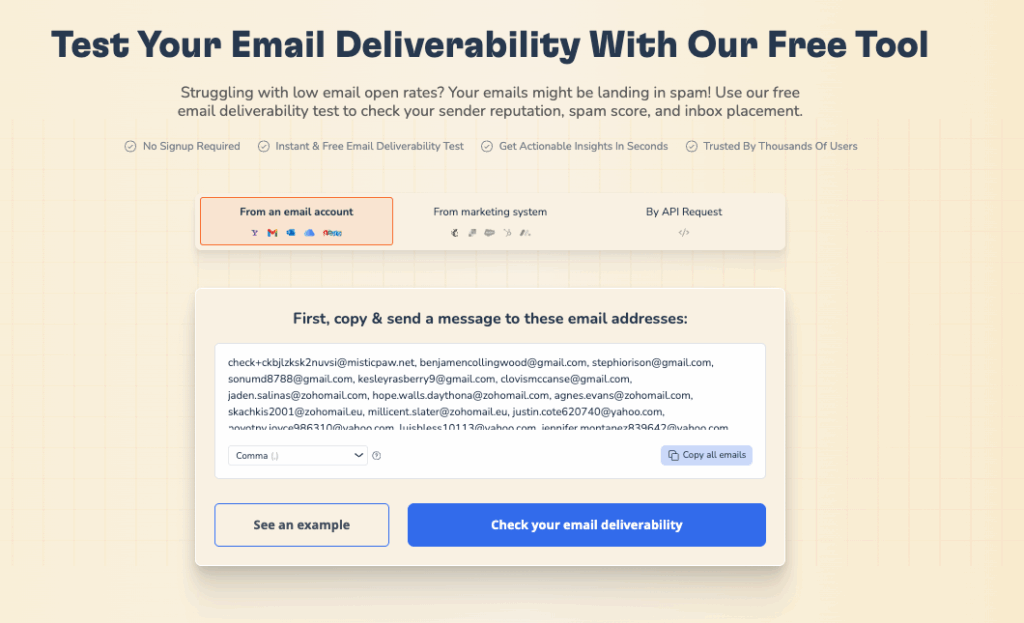
Along with its email deliverability test, Warmy.io also wants to ensure that you can have a reputable email domain with SPF and DMARC generators that will provide a positive standing with different Internet Service Providers (ISP).
Warmy.io helps you stay ahead of SMTP errors by improving your sender reputation and ensuring your emails consistently reach the inbox.
With AI-powered warmup, real-time deliverability monitoring, DNS authentication tools, and inbox placement testing, Warmy gives you full visibility and control over your email performance.
Instead of guessing why emails bounce or get rejected, you’ll have clear insights and the tools to fix issues before they impact your campaigns.
Don’t let SMTP errors slow you down. Try Warmy for free today and build a stronger, more reliable email sending foundation.