Don’t worry — this is one of the most common SMTP errors, and it’s usually quick to fix. SMTP Email Error 501 5.1.3 means your mail server rejected the message because the recipient’s address violates SMTP syntax rules — most often a missing “@” symbol, a malformed domain, or an unsupported character.
The fix: correct the recipient’s address format and resend; if the address already looks correct, the issue is more likely in your email client’s SMTP configuration.
Below, you’ll find exactly why this error happens and how to resolve it across Gmail, Outlook, and Yahoo Mail. If you’re seeing a plain 501 error without the 5.1.3 suffix, check that guide instead — the root cause and fix differ slightly.
Decoding SMTP Error 501 5.1.3
Imagine you are back in the old days when electronic mails hadn’t been invented yet. You sent a letter to someone but included the wrong address, or perhaps an incorrect name. The courier would most likely return your letter, or at worst, throw it in the trash.
The same principle applies to SMTP Email Error 501 5.1.3. It signals specific issues with the email-sending process, often related to syntax or protocol violations, indicating that the recipient’s email address is incorrectly formatted.
The 5.1.3 suffix is an enhanced status code defined in RFC 3463, where the “1” classifies it as an addressing problem and the “3” pinpoints a bad destination mailbox address syntax.
These errors can occur due to a missing ‘@’ symbol, an incomplete domain, or an incorrect arrangement of characters. Encountering this error prevents the email from reaching the intended recipient, halting communication and delaying the transmission of crucial information.
In a business environment, Error 501 5.1.3 can have significant repercussions, such as the disruption of operations, adverse effects on customer service, and potentially missed deadlines or opportunities.
For individual users, this error can mean a failure to communicate effectively with contacts, which can be especially problematic if the sender is awaiting an important personal email, such as job applications, university admissions, or medical appointments.
Furthermore, recurrent SMTP errors can negatively impact the sender’s reputation with email servers, potentially causing emails to be blocked or filtered into spam folders more frequently.
Causes of SMTP Email Error 501 5.1.3
So, what can be the reason for this error message? SMTP Email Error 501 5.1.3 is not limited to incorrect email formatting — although it is the most common culprit. Related variants have their own root causes — for example, 501 5.7.1 points to a policy rejection rather than bad syntax, while 501 5.1.7 flags a malformed sender address instead of a recipient one.
Incorrect Email Formatting
This is the most direct cause of the 501 5.1.3 error. When an email address is formatted incorrectly; for example, forgetting to insert the “@” symbol, including spaces and different characters that are absent from the user email address.
It can also be a simple typo error, such as a “.” Instead of a “.” or a switched character. For example, example@gmil.cmo instead of example@gmail.com.
Pro Tip: Never retype a recipient’s address from memory. Copy it directly from a previous email, contact card, or CRM record, and run it through an email verification tool before you hit send — this catches typo-based syntax errors before they trigger a bounce.
Configuration Errors in Email Client
Sometimes, the error stemmed from an imperfect email configuration, or when the settings required to send, receive, or synchronize emails are either incorrect or incomplete.
For example, if the email client is set up with incorrect SMTP server details or authentication parameters, it may cause issues with how the address fields are handled.
Automated Email Scripts
Usage of automated systems such as apps, or website notification systems can result in programming errors, generating incorrect email addresses for emails that are not correctly formatted.
For instance, an automated script could merge the user’s name and details into the email address in a manner that differs from the normal email format.
Email Aliases and Forwarding Rules
Another issue is email aliases and complex forwarding rules.
The principle of email aliases is for a company to utilize a different domain name that represents the name of the company. Every email sent to these email aliases are forwarded to the main email domain.
SMTP Errors arise if there is an issue with an email system in an organization that uses configurable email aliases or a complicated forwarding system, the addresses generated this way can be unintended and might not be valid in the standard email format.
Server-Side Misconfigurations
On the server side, if there are misconfigurations in how it is handling or validating email addresses, the 501 5.1.3 error might also occur. It includes mistakes in server rules dictating to a server how to handle an address or custom scripts editing an email header or address. A misfiring validation rule can also throw a related code like 501 5.5.4 (invalid command arguments), or a routing loop that surfaces as 554 5.4.0.
Solutions You Can Implement Across Email Platforms
Gmail
- Verify the recipient’s email address. Your recipient’s email address may have a typo or it is an incorrect format. It should have an ‘@’ and the proper domain name. For instance, user@example.com
- Confirm your SMTP Settings and Set it up Properly. Confirm that your SMTP settings are correctly configured in your email client:
- SMTP Server Address: smtp.gmail.com
- Use Authentication: yes
- Secure Connection: TLS/SSL based on your mail client/website SMTP plugin
- SMTP Username: your Gmail account (xxxx@gmail.com)
- SMTP Password: an App Password generated from your Google Account (Google retired plain-password SMTP access via “Less Secure Apps”; you now need 2-Step Verification plus an App Password, or OAuth2)
- Gmail SMTP port: 465 (SSL) or 587 (TLS)
To setup your Gmail’s SMTP. You can use the following:
-
- Google Workspace SMTP Relay Service
- Gmail’s SMTP Server
- Restricted Gmail SMTP Server.
3. Check Extensions and Add-ons. Some browser extensions prevent Gmail from working correctly. Disable them in your Gmail by accessing it through a different browser to see if the error is resolved, or use an incognito browser.
Pro Tip: If your Google Account has 2-Step Verification on, plugging in your normal Gmail password into an SMTP client will fail outright — generate a dedicated App Password instead, and store it in a password manager rather than reusing it across clients.
Outlook
- Email Address Validation. Double-check the email address of your recipient for errors. Outlook can sometimes autofill addresses incorrectly, so it’s worth verifying.
- Update Your Outlook. Make sure you are using the latest version of Outlook, as older versions might have compatibility issues with current SMTP standards.
- Review Account Settings. Go to File -> Account Settings -> Server Settings and ensure the following:
- Outgoing mail server (SMTP): smtp.office365.com
- Port: 587
- Encryption Method: STARTTLS
- Authentication: Your Outlook email and password
Yahoo Mail
- Check Recipient Address. Like with other platforms, ensure the recipient’s email address is correct and properly formatted without extra spaces or characters.
- SMTP Configuration. Ensure your email is using Yahoo Mail appropriately and set it with the right SMTP settings:
- SMTP Server: smtp.mail.yahoo.com
- Port: 465 (SSL required) or 587 (TLS)
- Username: [Your full Yahoo email address]
- Password: [Your Yahoo password]
- Secure Connection. Make sure that SSL/TLS encryption is enabled for the outgoing mail server to secure your emails and comply with Yahoo’s requirements.
Fixing this one error won’t protect you from the next one. If you’re sending from a new domain or mailbox, a proper warm-up schedule prevents the sudden-volume patterns that trigger SMTP rejections and spam folder placement in the first place — see Warmy’s complete guide to warming up a new domain.
Improving Your Email Efficiency and Ensure Accurate SMTP Settings
Having the correct SMTP configuration along with Warmy.io is an ideal resolution to manage these errors.

Warmy.io suite and email warm-up services are capable of achieving top-notch email communication, and helps reduce SMTP errors such as Error 501 5.1.3.
Advantages of Email Warm-Ups
Warmy.io provides email warm-up services and deliverability support, a vital tool for maintaining a positive reputation and ensures that your emails get to the recipients as intended.
Warmy.io’s warm-up services serve to gently ramp up the amount of emails a new or a long-inactive sender may send. It helps preserve the sender’s reputation and avoid flagging them as spammers — sudden spikes in sent messages can activate spam filters and SMTP servers may interpret significant changes in email volume as a sign of suspicious activity.
Pro Tip: Pair address validation with reputation monitoring. Even a perfectly formatted address can bounce if your domain’s sending reputation is already damaged — run a deliverability test alongside your syntax fixes, not instead of them.
Email Deliverability Tests
Warmy.io’s email checking services offers a free email deliverability test which allows you to check how your emails are being treated by various email services.
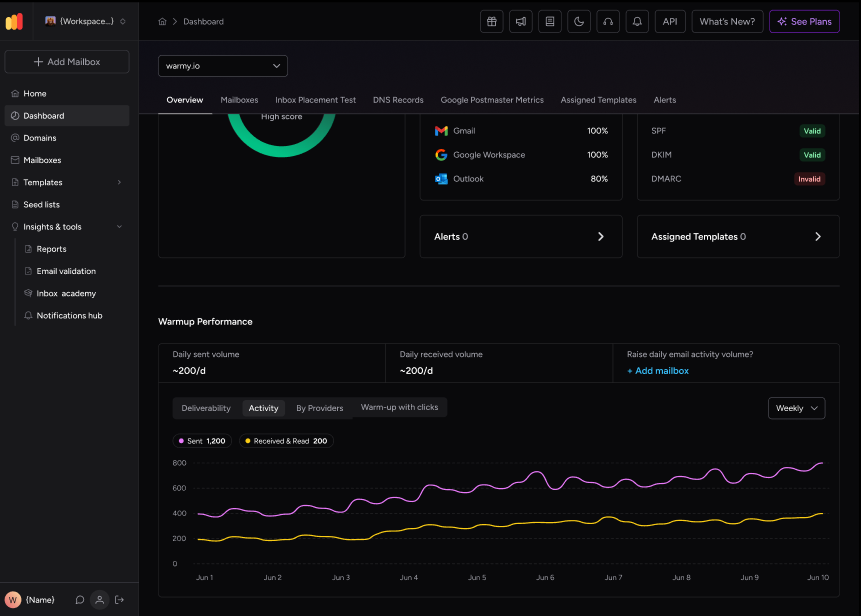
Tests from the free email deliverability test can help identify potential problems before an error occurs.
For instance, the test may identify that the user’s email is blacklisted, which can mark the email as spam.
SPF and DMARC Record Generators
Lastly, SPF and DMARC record generators, sets up accurate SPF and DMARC is critical as it verifies that the emails sent from your domain are genuine.
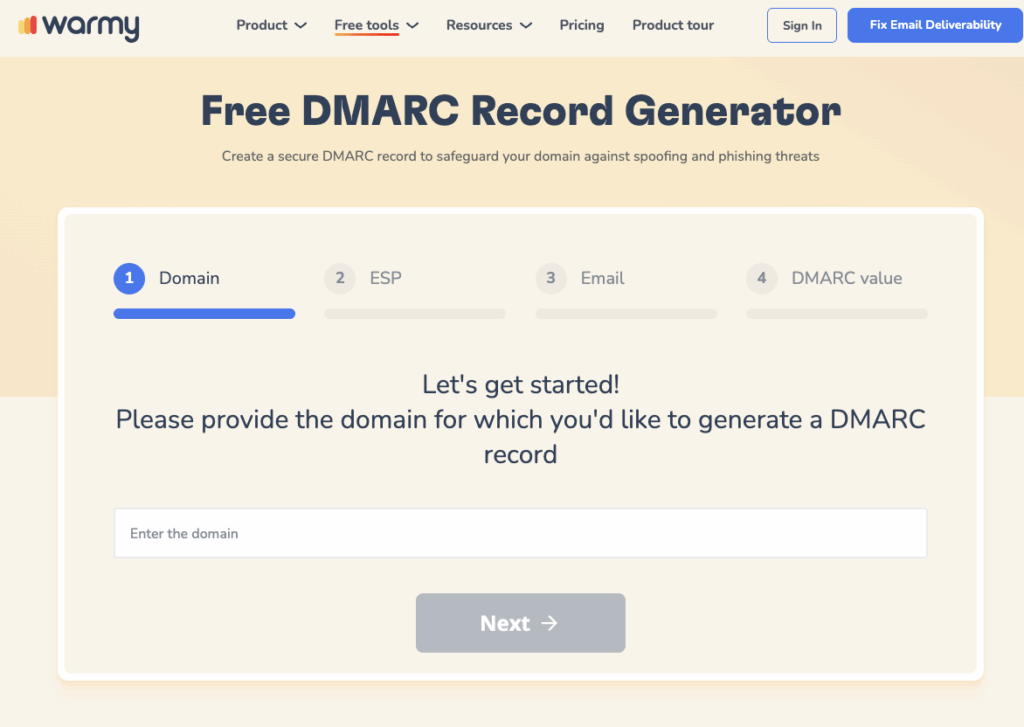
Warmy.io provides tools to generate these records for free. Properly configured SPF and DMARC enhances email security as the system will not send the email to a receiver if the receiver cannot verify the authenticity of the emails. In addition to this security, the domain’s reputation can be safe from being used as a front for spam.
Conclusion
Emails are a vital part of your professional and personal life. Ensuring that you have proper email formats and user configurations helps avoid miscommunication and complications in your activities.
Prompt management of SMTP errors can guarantee the correct sending of emails. However, just like in the traditional method of sending mail, ensuring that you have the correct address and name guarantees that it will be received by the correct recipient; and in the form of sending emails, avoids encountering the 501 5.1.3 error.
Ready to stop chasing SMTP errors one at a time? See how Warmy’s AI-driven warmup and deliverability monitoring keep your sender reputation healthy so fewer bounces reach your inbox in the first place — book a demo and see Warmy in action.