



 Mailgun
Warmy Keeps Mailgun Emails Out Of Spam And Promotions
Mailgun gets your email to the receiving server fast. Getting it into the inbox is a reputation job, and a new Mailgun domain or IP doesn't have one yet. Warmy runs a Mailgun warm up through your own Mailgun SMTP, tests where your emails land at Gmail, Outlook and Yahoo, and keeps an eye on DNS and blocklists while you ship.
Free test · No credit card required · Works with shared and dedicated Mailgun IPs, US and EU regions
- senders
- 35,000+senders
- on Capterra
- 4.9on Capterra
- Human deliverability support
- 24/7Human deliverability support
Mailgun Email Deliverability In 30 Seconds
Mailgun email deliverability is the share of your Mailgun emails that reach the inbox instead of spam. Mailgun accepts and delivers the message; Gmail, Outlook and Yahoo decide where it lands, based on your sending domain's SPF, DKIM and DMARC, the reputation of your domain and IP, engagement and list quality. A new Mailgun domain or dedicated IP starts with no reputation, so it needs a warm-up before full volume.
- Mailgun's automatic IP warm-up
- caps volume on a new dedicated IP. It doesn't create engagement and doesn't warm your domain.
- Warmy's Mailgun warm-up
- sends real conversations through your Mailgun SMTP, so your domain earns opens, replies and "not spam" signals on the infrastructure you actually use, and on a dedicated IP the IP does too.
- Placement tests
- then show inbox or spam at each provider before you raise volume.
Trusted By 35,000+ Ecommerce And B2B Senders
Rated 4.9 out of 5 on Capterra and G2












Mailgun Says "Delivered." The Inbox Is A Separate Question.
In your Mailgun logs, "delivered" means one thing: the receiving server accepted the message. It says nothing about the folder. A password reset can be delivered straight into Gmail spam, and Mailgun's event log will still show a green check.
Mailgun knows this, which is why inbox placement testing lives in a separate paid product, Mailgun Optimize, with a fixed number of tests per month. Most teams on the Send plan simply don't see placement at all. They find out when a customer writes in asking where their receipt went.
| What Mailgun Send shows you | What Warmy adds |
|---|---|
Accepted, delivered, failed, bounced events | Inbox or spam at each provider |
Automatic IP warm-up: volume caps on a dedicated IP | Engagement warm-up for your domain (and your IP, if it's dedicated) |
Domain status: verified or unverified | Ongoing SPF, DKIM, DMARC, MX and rDNS checks with alerts |
Suppressions after a bounce or complaint | Email verification before you send |
No reputation view on the Send plan | Domain reputation trend, Google Postmaster Tools data, blocklist status |
What Warmy Fixes For Mailgun Senders
Mailgun sends the email. Warmy helps it reach the inbox.
Warm up your Mailgun domain through Mailgun itself
Warmy connects to your Mailgun SMTP credentials and sends warm-up email the same way your app does: from your sending domain, over your Mailgun IPs. Real mailboxes in the Warmy network open those emails, reply, mark them important and move them out of spam when they land there. Adeline, Warmy's AI engine, raises the daily volume as your reputation grows. That's the Mailgun email warmup the automatic IP plan can't give you: actual engagement.
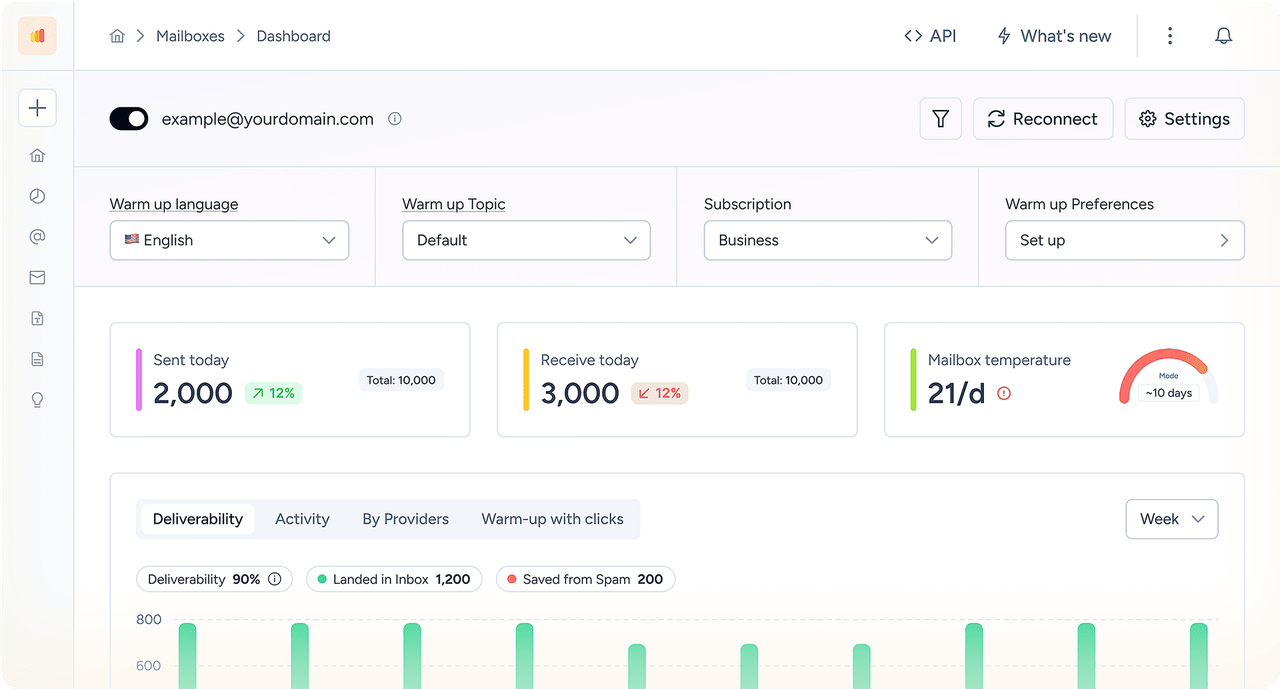
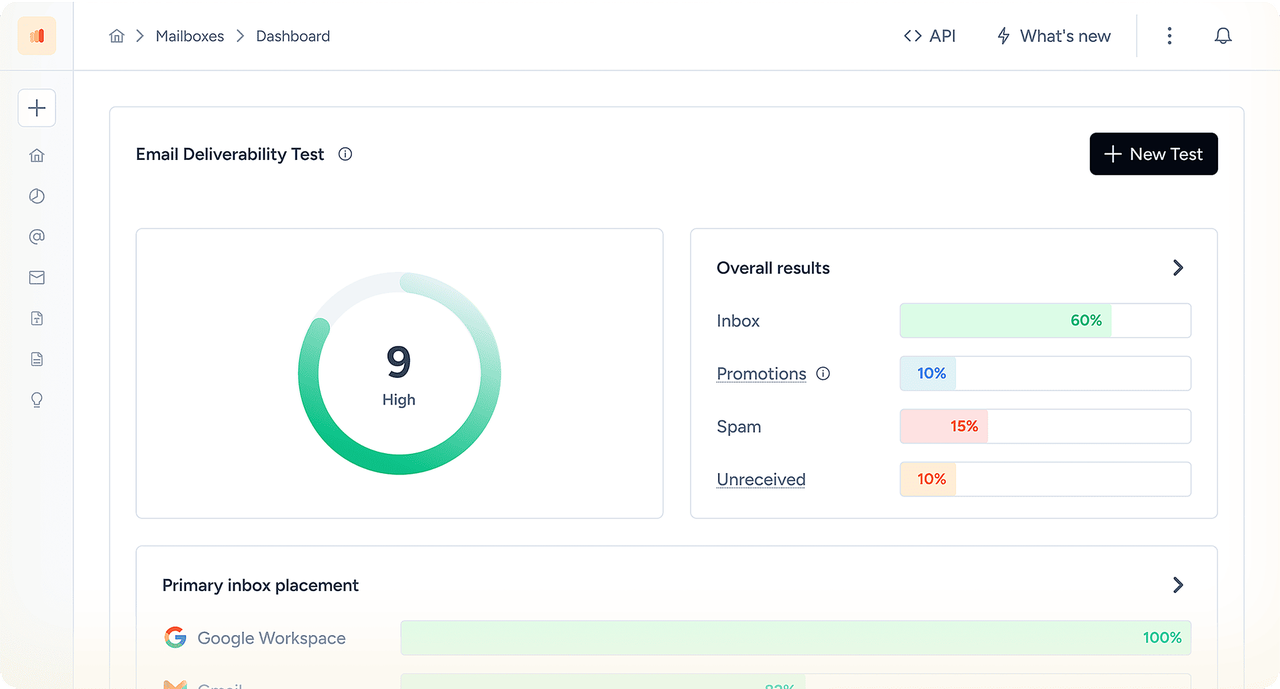
Mailgun email testing: check placement before you scale
Send your real template — a receipt, a welcome email, a product update — to Warmy seed mailboxes at Gmail, Outlook, Yahoo, Google Workspace and Microsoft 365. You'll see inbox or spam for each one in minutes. Test before a new template ships, and again before each volume step.
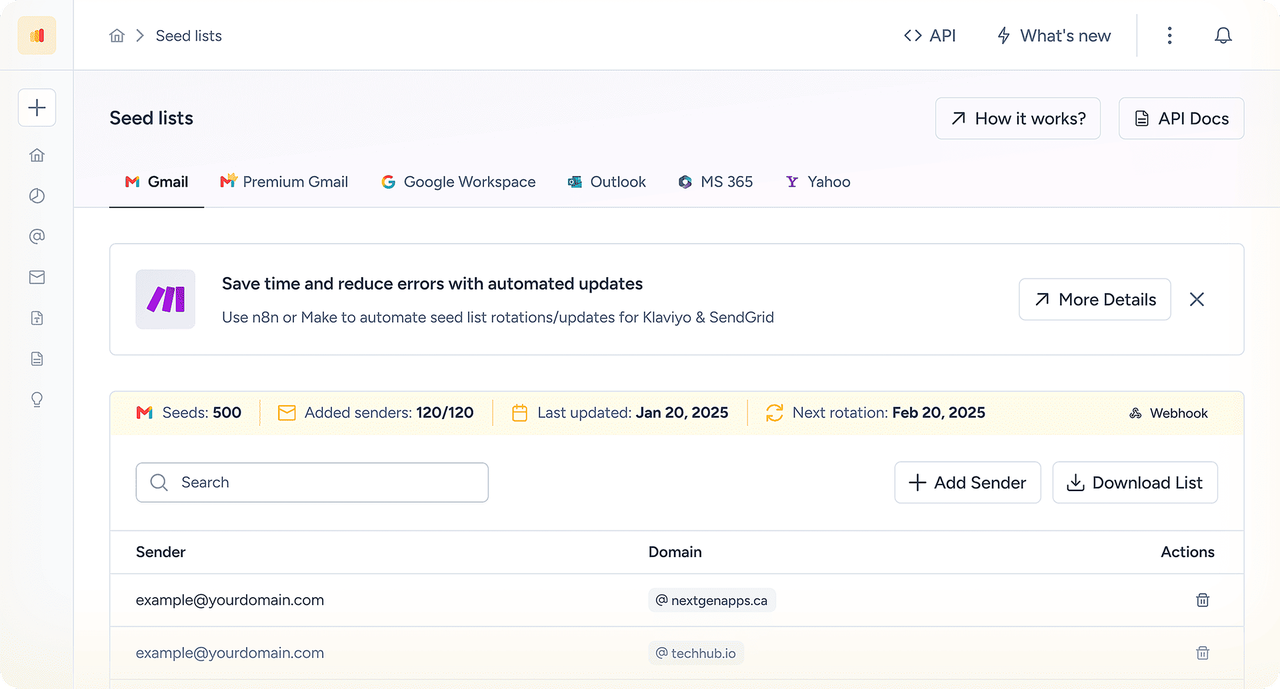
Monitor DNS, reputation and blocklists
Warmy keeps checking SPF, DKIM, DMARC, MX and rDNS for your Mailgun domain, watches the major blocklists and pulls in Google Postmaster Tools data. If a DNS change breaks DKIM on Friday night, you hear about it before Monday's send.
Connect Mailgun To Warmy In Three Steps
No code changes in your app. If your app sends through the Mailgun send email API, keep it that way: reputation belongs to the domain and IP, so warm-up over SMTP helps your API traffic too.
Get your Mailgun SMTP credentials.
In Mailgun, open Sending → Domain settings, pick your verified domain and create SMTP credentials for the address you want to warm up.
Add an SMTP sender in Warmy.
Host smtp.mailgun.org (smtp.eu.mailgun.org for EU domains), port 587 with TLS, then your Mailgun SMTP username and password.
Add an inbox for replies and start.
Mailgun has no IMAP, so connect a mailbox with the same address on Google Workspace, Microsoft 365 or another IMAP provider. Then turn the warm-up on.
Mailgun SMTP settings for Warmy
| Setting | Value |
|---|---|
SMTP host | smtp.mailgun.org (US) or smtp.eu.mailgun.org (EU region) |
Port | 587 with TLS (also 465 SSL or 2525); Warmy doesn't support port 25 |
Username / password | SMTP credentials created under Sending → Domain settings for your verified domain |
SMTP relay or API? | Both use the same domain and IP reputation, so warm-up over the Mailgun SMTP relay helps API sends too |
Mailgun IMAP: why Warmy asks for a second mailbox
Mailgun sends and routes mail, but it doesn't store it, so there's no Mailgun IMAP server. Warmy needs an inbox to read replies and keep conversations going. Use the same address on a provider that supports IMAP — that's what the Warmy setup guide recommends.
What Senders Say About Warmy
The platform’s warmup processes make sure that our cold emails don’t bounce into spam filters. It also makes use of AI behavior tracking as we’re sending which is great for campaigns scaling. It’s also really valuable to be able to track open rates and responses.






How Warmy Improves Mailgun Deliverability Next To Mailgun's Own Tools
Mailgun has good built-in tools. They just do different jobs. Here's what each one covers, and where Warmy fills the gap.
| Tool | What it does | What it doesn't do | Warmy's role |
|---|---|---|---|
Mailgun automatic IP warm-up | Caps hourly and daily volume on a new dedicated IP; extra mail rolls over to shared or other dedicated IPs | Create engagement; warm your domain; help on shared IPs | Engagement warm-up for the domain on shared IPs; for domain and IP on a dedicated IP |
Mailgun Optimize inbox placement | Seed tests and an Email Health Score, sold as a separate plan with a test limit | Generate positive signals between tests | Placement tests plus daily warm-up and monitoring in one plan |
Mailgun suppressions and validation | Stops sending to bounced, unsubscribed or complaining addresses; validation as an add-on | Show where accepted mail landed | Placement data and DNS monitoring around the same sends |
Mailgun Deliverability Services | Paid consulting from Mailgun's team | Run day to day without a contract | Self-serve warm-up with Warmy experts on call |
If you already use Mailgun Optimize, keep it. Warmy's Mailgun warm up is the part that builds reputation between tests.
Warm up your Mailgun domain before the next release.
No credit card required
Why Mailgun Emails Go To Spam
When Mailgun emails go to spam, Mailgun itself is rarely the cause. It's usually the domain setup, the sending pattern or the list. Here are the patterns we see most, with Mailgun's own wording where it has one. The long version is in our guide to fixing Mailgun deliverability.
| Symptom | Likely cause | How to check | Fix |
|---|---|---|---|
Recipients see "sent via mailgun.org" | Sending from an unverified domain or the sandbox | Mailgun domain status; Warmy DNS check | Verify your own sending domain; Mailgun lifts the 300 emails/day cap for verified domains |
DMARC fails while SPF and DKIM pass | DKIM signed with a key that isn't on your domain, or From on another domain | Message headers; Warmy DNS check | Publish your domain's DKIM and send From the same domain |
Domain stays "unverified" | A CNAME on the sending hostname hides the TXT records, or the host field repeats the domain | DNS lookup of the subdomain | Remove the CNAME or use another subdomain; fix the host field |
Password resets late or in spam | Transactional and bulk mail share one domain | Mailgun logs by tag | Split them: e.g. mg. for product email, news. for marketing |
Spam after a big release or migration | New domain or IP sent at full volume | Placement test by provider | Warm up; ramp volume; keep it steady |
Mailgun emails going to spam in Gmail | No DMARC, Gmail spam rate above 0.1%, new domain without engagement | Google Postmaster Tools; Gmail seed test | Publish DMARC, warm up, keep complaints low |
Mailgun emails going to spam in Outlook | Low engagement, link tracking on a Mailgun domain, shared-IP neighbours | Seed test with Outlook and Microsoft 365 mailboxes | Set up the tracking CNAME on your domain; test with tracking off |
One template flagged, others fine | URL shorteners, image-only HTML, many links | Template Checker + seed test | Full branded links, real text, fewer links |
Sudden drop everywhere | Blocklist listing or complaint spike on a shared IP | Warmy blocklist monitor; Mailgun suppressions | Pause bulk sends, find the source, request delisting |
How To Warm Up A Mailgun Domain
Mailbox providers judge your domain and your IP separately. Mailgun's automatic plan handles the IP volume on a dedicated IP. Your Mailgun domain warm-up is on you, and it matters on shared IPs too.
Use a domain that's been around for 30 days or more. Mailgun recommends it before you warm a dedicated IP, and the same logic applies to the domain.
Verify the sending subdomain with SPF and DKIM, then publish DMARC.
Connect it to Warmy over SMTP and let the warm-up run for several weeks before full volume.
Start production with your most engaged recipients, keep daily volume steady, and run a placement test before every step up.
Mailgun domain warm-up vs IP warm-up
| Situation | What to warm | How |
|---|---|---|
Established domain, new dedicated IP | The IP | Mailgun automatic IP warm-up + Warmy engagement |
New domain, shared IP | The domain | Warmy warm-up; no IP plan needed |
New domain, new dedicated IP | Both | Warmy warm-up first, then the IP plan with real traffic |
Warming up a Mailgun domain for Gmail
Gmail is usually the strictest audience for a new sender. Make sure DMARC is published, keep the Gmail spam rate under 0.1% (Google's limit is 0.3%), and connect Google Postmaster Tools so you can watch the domain as it warms. Warmy's seed tests show Gmail and Google Workspace results separately, which is where Mailgun domains tend to differ.
Mailgun SPF, DKIM And DMARC: What To Publish
Mailgun recommends sending from a subdomain of your main domain, such as mg.example.com, so your root domain's mail and Mailgun traffic don't collide. Add the domain under Sending → Domains, then publish the records Mailgun shows. Two TXT records are required; the rest are optional.
| Record | DNS type | Required? | Mailgun specifics |
|---|---|---|---|
Mailgun SPF record | TXT on the sending subdomain | Yes | v=spf1 include:mailgun.org ~all; merge into an existing SPF record instead of adding a second one |
Mailgun DKIM | TXT (or 2 × CNAME) | Yes | A TXT public key at a selector on your domain; with Automatic Sender Security, two CNAME records let Mailgun rotate keys |
Mailgun DMARC | TXT at _dmarc | For bulk senders, yes | Start at p=none; set it on the root domain so subdomains inherit it |
MX | MX | Optional | Only if Mailgun should receive mail for that exact subdomain; don't repoint your main domain's MX |
Tracking CNAME | CNAME | Optional | Needed for open, click and unsubscribe tracking on your own domain |
Because Mailgun uses your sending subdomain as the return-path, SPF passes on mg.example.com and can align with a From address on example.com under relaxed DMARC alignment. Full step-by-step setup is in our guide to Mailgun SPF, DKIM and DMARC.
Mailgun SPF: too many lookups
SPF allows at most 10 DNS lookups. If your root domain already includes Google Workspace, a CRM and a help desk, adding include:mailgun.org there can push it over the limit, and SPF returns an error instead of a pass. That's one more reason to keep Mailgun on its own subdomain: mg.example.com gets its own short SPF record, and your root record stays untouched.
Mailgun Dedicated IP And Automatic IP Warm-Up
Mailgun recommends a dedicated IP for senders with at least 100,000 emails a month. Below that, a shared IP is usually the better choice: no IP warm-up, and other senders' volume keeps the IP active.
| Shared IP | Dedicated IP | |
|---|---|---|
Reputation | Pooled with other Mailgun senders | Yours alone |
IP warm-up | Not needed | Mailgun automatic IP warm-up: daily and hourly caps rise in stages; overflow goes to shared or other dedicated IPs |
Domain warm-up | Still needed | Still needed |
Fits | Under 100k emails/month or irregular volume | Steady volume above 100k/month |
Mailgun's IP plan controls how much you send. It can't make anyone open the email. Run Warmy alongside it, and the IP and the domain both earn positive engagement during those weeks. More detail: Mailgun IP warm-up service vs Warmy.
Mailgun Limits And Policies That Affect Deliverability
| Rule | What it means | What to do |
|---|---|---|
Unverified domains | Capped at 300 emails a day and shown as "sent via mailgun.org" | Verify your own sending domain before production |
Mailgun free tier | Up to 100 emails a day | Enough to test; not enough to warm a domain for production |
Sandbox domain | Sends only to authorized recipients you add by hand | Use it for code tests only; verify a real domain before launch |
Mailgun rate limit | API and sending rate limits apply per account | Queue and retry on HTTP 429; ramp volume instead of bursting |
Mailgun email validation | A paid add-on that checks addresses before you send | Validate imported lists, or use Warmy email verification |
Bought or rented lists | Prohibited; Mailgun says using them leads to account termination | Collect permission; verify lists before sending |
Volume spikes | Mailgun warns that large, volatile spikes look like spam to mailbox providers | Ramp gradually; keep daily volume steady |
Mailgun Deliverability Checklist
Mailgun email deliverability best practices, in the order we'd check them:
0/12 ready
Three Mailgun Scenarios Warmy Is Built For
A SaaS launching on a new domain.
Product email moves to mg.newbrand.com two weeks before launch. Verify it, connect it to Warmy over SMTP, and test the welcome and reset emails at Gmail and Outlook before the first real signup.
A new dedicated IP.
You crossed 100k emails a month and bought a dedicated IP. Turn on Mailgun's automatic IP warm-up for volume and run Warmy on the same domain for engagement, then test placement as the IP takes over traffic.
Receipts landing in spam.
Order confirmations share a domain with a weekly newsletter. Split them onto separate subdomains, warm up the transactional one, and test receipts on their own.
How we test Mailgun inbox placement
We send the same Mailgun template to Warmy seed mailboxes at Gmail, Outlook, Yahoo, Google Workspace and Microsoft 365 and record the folder at each one. Then we change one thing — subdomain, template, tracking or volume — and test again. A seed test shows how providers treat your email; it doesn't promise every recipient gets the same result.
Mailgun Deliverability Frequently Asked Questions
Yes. Warmy connects to Mailgun as an SMTP sender, using the SMTP credentials of your verified Mailgun domain. Warm-up email goes out through Mailgun's servers, so your domain builds reputation on the same path your app uses (and your IP too, if it's dedicated). You also get inbox placement tests and DNS and blocklist monitoring.
Usually because of an unverified or brand-new sending domain, DKIM that isn't on your own domain, transactional and bulk mail mixed on one domain, sudden volume spikes, or a poor list. A placement test shows which providers filter you, and the DNS check shows whether authentication is the cause.
Send from a verified subdomain with SPF, DKIM and DMARC, keep transactional and marketing mail apart, and warm up any new domain or dedicated IP. Verify lists before sending and keep daily volume steady. Then test placement before every new template and volume increase.
Most new domains typically need several weeks of steady warm-up before full production volume, and a new dedicated IP often takes longer. Older domains with damage take more time. Run a placement test at the start so you can see progress rather than guess.
You can warm up manually by sending small volumes to engaged recipients, but it's slow and gives you no placement data. Warmy has a 7-day free trial with no credit card, which covers Mailgun warm-up, placement tests and monitoring.
SPF (Sender Policy Framework) is a DNS record that lists the servers allowed to send for your domain. DKIM adds a signature proving the message came from your domain and wasn't changed. DMARC tells receivers what to do when SPF or DKIM fail and checks that they match your From address. Mailgun needs all three.
SPF fails when the sending server isn't in your record, for example when include:mailgun.org is missing or sits on the wrong host. It also errors out with two SPF records on one hostname or more than 10 lookups. Under a strict DMARC policy, that failure becomes a rejection unless DKIM passes and aligns.
Yes. Warmy sends through your Mailgun SMTP, so warm-up messages are Mailgun sends like any other. Plan for them in your Mailgun usage. It's also why the warm-up builds reputation on Mailgun's real infrastructure.
Check five things. The sandbox domain only sends to authorized recipients. An unverified domain is capped. The address may be on your suppression list after a bounce or complaint. You may have hit a plan or API rate limit. Or your API key and region (US or EU) don't match. Mailgun's logs give the reason for each failed message.
Yes. Mailgun is an established email API owned by Sinch. Its infrastructure is rarely the deliverability problem. Whether your Mailgun email reaches the inbox still depends on your domain, DNS, list and sending pattern.
Mailgun Optimize tells you where emails land and scores your sending health, for example a seed test that shows Gmail inbox and Outlook spam for the same template. It doesn't build reputation between tests. Many teams use a placement tool together with a warm-up tool; Warmy covers both, and it works with Mailgun Optimize if you already have it.
Yes. Send a real Mailgun email to the addresses in Warmy's free email deliverability test. You'll see inbox or spam by provider, SPF, DKIM and DMARC results, and blocklist status, with no credit card required.
Mailgun prohibits purchased or rented lists and says using them can get your account terminated. Cold outreach also tends to trigger spam complaints quickly. Keep Mailgun for transactional and opted-in email, and run cold outreach from dedicated mailboxes with their own warm-up.