






Warm up your ExpertSender sending domain
Warmy sends and engages with human-like conversations from your domain, so Gmail, Outlook and Yahoo learn to trust your campaigns before your next ExpertSender send.
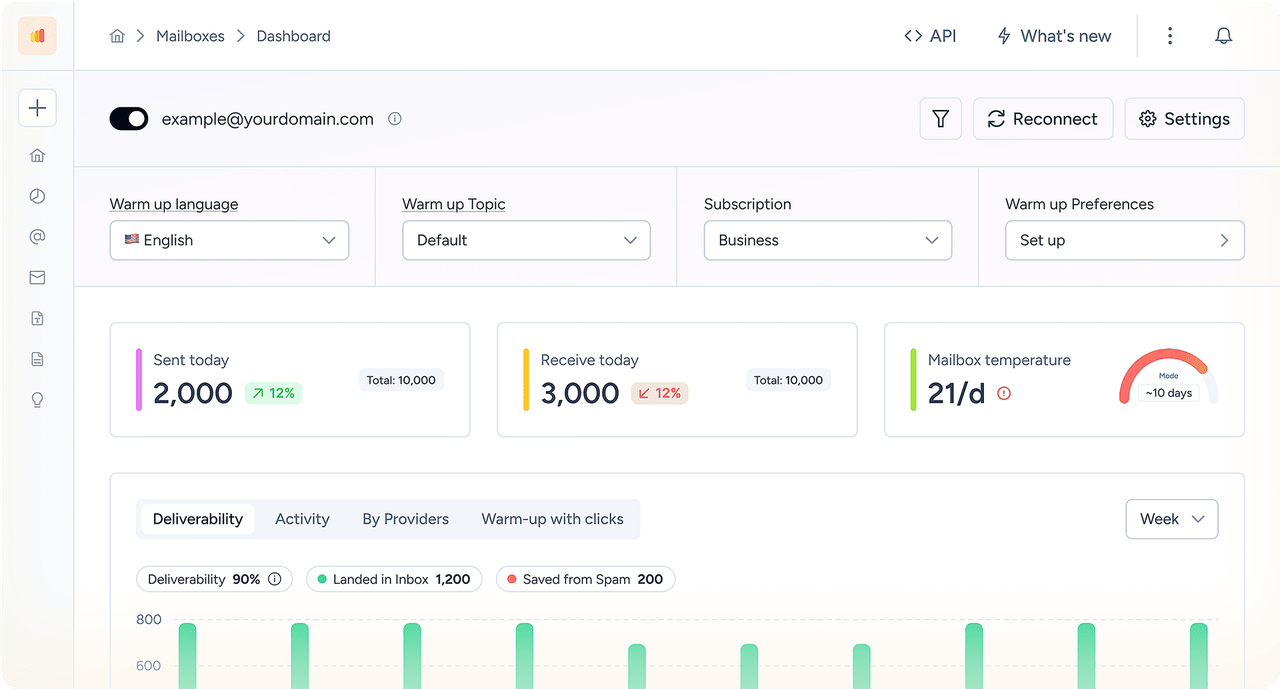

 ExpertSender
Warmy connects to your ExpertSender sending domain to warm it up automatically, validate SPF, DKIM and DMARC, monitor reputation and blocklists, and show exactly where your campaigns land across Gmail, Outlook and Yahoo, before you press send.
Connects To ExpertSender In Under 25 Seconds | No Credit Card Required











The platform’s warmup processes make sure that our cold emails don’t bounce into spam filters. It also makes use of AI behavior tracking as we’re sending which is great for campaigns scaling. It’s also really valuable to be able to track open rates and responses.


No code, no migration, no change to how your team works in ExpertSender. Three clicks and Warmy starts protecting the domain your campaigns are sent from.
Choose ExpertSender from the provider list inside Warmy - no developer, no API tinkering.
Paste the sending address ExpertSender uses. Warmy checks SPF, DKIM and DMARC instantly.
Warm-up, inbox-placement tests and reputation monitoring begin on the same day.
ExpertSender sends the campaign. Warmy makes sure it reaches the inbox.
Warmy sends and engages with human-like conversations from your domain, so Gmail, Outlook and Yahoo learn to trust your campaigns before your next ExpertSender send.
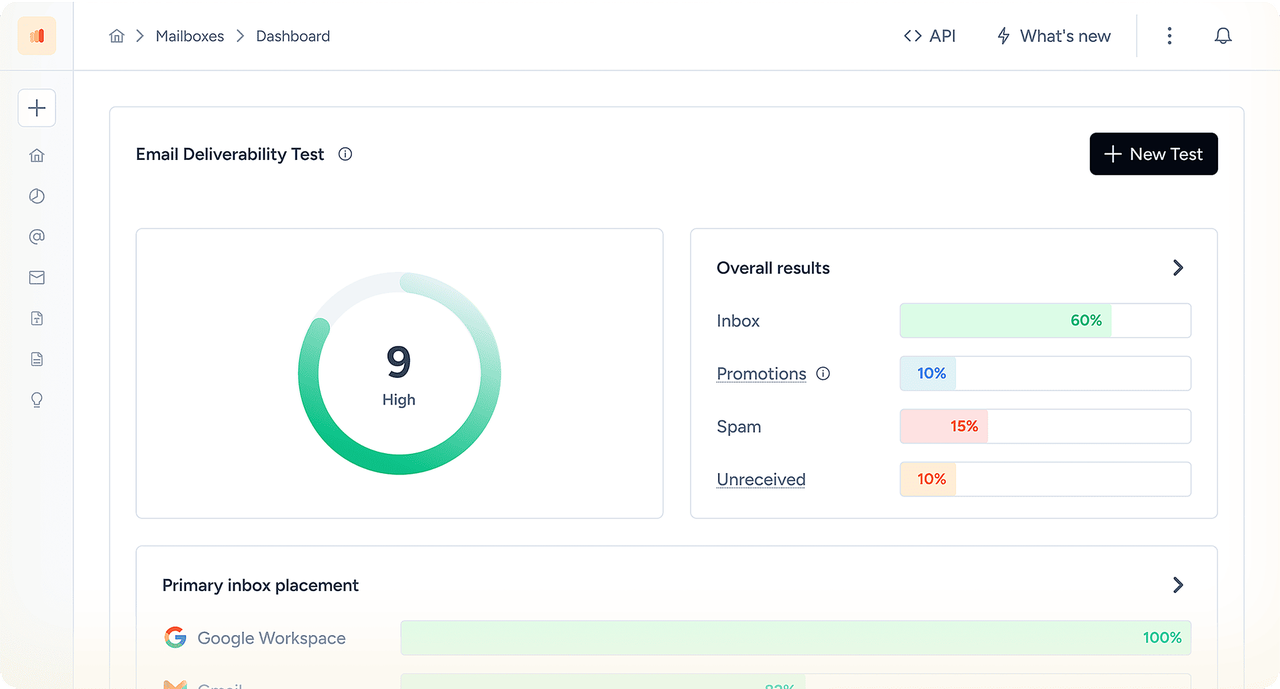
Seed-list tests place your real ExpertSender template in live mailboxes and show inbox, promotions or spam for every provider - before you press send.
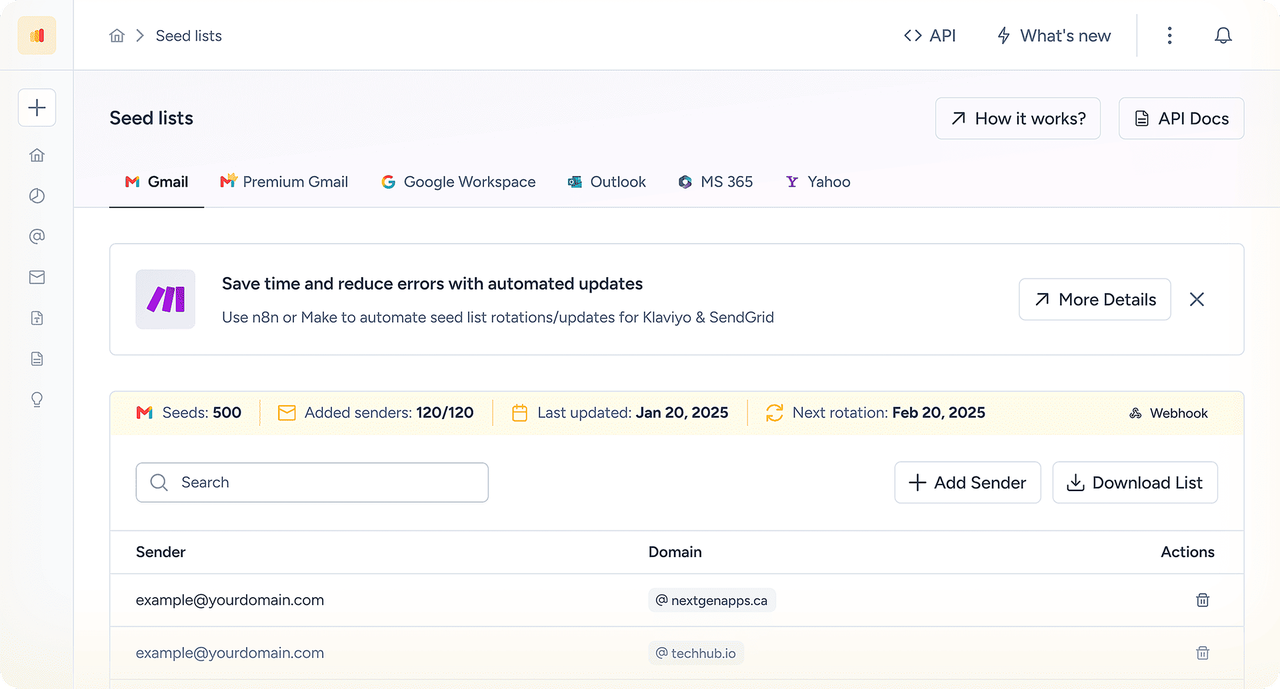
Continuous checks on SPF, DKIM, DMARC, blocklists and Google Postmaster data, with alerts the moment your ExpertSender domain starts slipping.
ExpertSender authentication
ExpertSender runs data-driven campaigns for retail and ecommerce. Gmail, Yahoo and Microsoft require authenticated email from bulk senders, so a authenticated sending domain with valid SPF, DKIM and DMARC is the baseline for reaching the inbox.
| Protocol | Purpose | Typical record | What it verifies |
|---|---|---|---|
| SPF | Authorizes sending infrastructure | TXT record on the sending domain | The sending server |
| DKIM | Adds a cryptographic signature | DKIM records generated by ExpertSender | The message and the signing domain |
| DMARC | Defines alignment and failure policy | TXT record at _dmarc | The visible From domain |
Record names and values differ per account. Always copy them from your own ExpertSender screen rather than from a generic example.
Why placement drops
Authentication only proves who sent the message. Placement depends on reputation, engagement and list quality - and ExpertSender senders hit a few specific problems.
Large retail lists include long-inactive contacts that trigger spam-trap hits.
Multiple brands often send from related subdomains of the same root domain.
Seasonal peaks push volume far above the normal baseline.
Passing SPF, DKIM and DMARC confirms authentication, but it does not reveal where your campaigns actually land. Warmy helps ExpertSender senders test inbox placement across major providers, monitor domain reputation, identify blocklist issues and detect authentication problems before a campaign is sent.
See the inbox, promotions and spam split per provider before you press send.
Track reputation, blocklists and authentication changes continuously.
Build reputation on a new ExpertSender sending subdomain with human-like activity.
Certified specialists review your setup and prioritize what to fix first.
Keep going
Last reviewed August 2026 by Daniel Shnaider, Warmy Co-Founder, email deliverability specialist, for ExpertSender senders.
No Credit Card Required | Cancel Anytime