



 Amazon SES
Warmy Keeps Amazon SES Emails Out Of Spam And Promotions
Amazon SES gives you cheap, scalable sending and a decent set of native deliverability tools. What it won't do is warm up your domain or fix the DNS record you forgot to publish. Warmy works alongside SES: it warms your sending domain, checks SPF, DKIM and DMARC, watches sender health, and tests where your messages land at Gmail, Outlook and Yahoo before you scale.
Free test · No credit card required · Connects with your SES SMTP credentials
- senders
- 35,000+senders
- human deliverability support
- 24/7human deliverability support
Amazon SES Email Deliverability In 30 Seconds
When Amazon SES emails go to spam, the cause is usually the setup around SES rather than SES itself: a domain that isn't signed with its own DKIM, SPF that passes on amazonses.com but never lines up with your From address, no DMARC record, a brand-new domain pushed to full volume overnight, or a list that keeps bouncing. DMARC only needs SPF or DKIM to pass and align, so aligned DKIM can carry you even when SPF doesn't. Fix authentication, warm new sending identities slowly, keep bounces under 2% and complaints under 0.1%, and test inbox placement before you scale.
- Authentication.
- Easy DKIM, a custom MAIL FROM domain, and a DMARC record that you publish yourself, because SES won't.
- Reputation.
- Warm up the domain (and the IP, if you pay for a dedicated one) and keep an eye on bounce and complaint rates.
- Visibility.
- SES shows delivery events and, since May 2026, estimated inbox placement. An independent test shows what your real sending path gets.
Why Amazon SES Emails Go To Spam: When "Delivered" Is Only The Handoff
Amazon Simple Email Service (SES) is AWS's infrastructure for sending transactional, marketing and bulk email through an API or SMTP. It takes your message, hands it to the recipient's mail server and tells you how that went. After that, it's out of SES's hands. Whether Gmail files the message under inbox, Promotions or spam depends on authentication, reputation, list quality and whether anyone opens the thing, which is why Amazon SES deliverability problems rarely look like errors. Your logs are green. Your customers just never saw the email.
- What you see
- A Delivery event, but nobody can find the email
- What's usually going on
- SES logs Delivery when the receiving server accepts the message, and that's all it proves. Gmail, Outlook or Yahoo can still drop it into spam a second later.
- What you see
- SPF and DKIM pass, and placement is still bad
- What's usually going on
- Authentication gets you through the door. After that it's reputation, complaints, links, sending patterns and whether recipients engage. Plenty of perfectly authenticated mail ends up in junk.
- What you see
- A new domain or a new dedicated IP
- What's usually going on
- Mailbox providers don't trust strangers. Go from a few test sends to a full campaign overnight and you expose every problem that was hiding at low volume.
- What you see
- Bounces and complaints creeping up
- What's usually going on
- On SES this isn't only an inbox problem. At a 5% bounce rate or a 0.1% complaint rate, AWS puts your account under review.
Not sure which one is yours? Run a free deliverability test and find out.
Find The Amazon SES Deliverability Problem Before You Scale
Warmy sits next to SES, not in front of it. Your campaigns, templates, configuration sets and IP pools stay in Amazon SES, and nothing about how your team sends has to change.
Warm up your Amazon SES sending domain
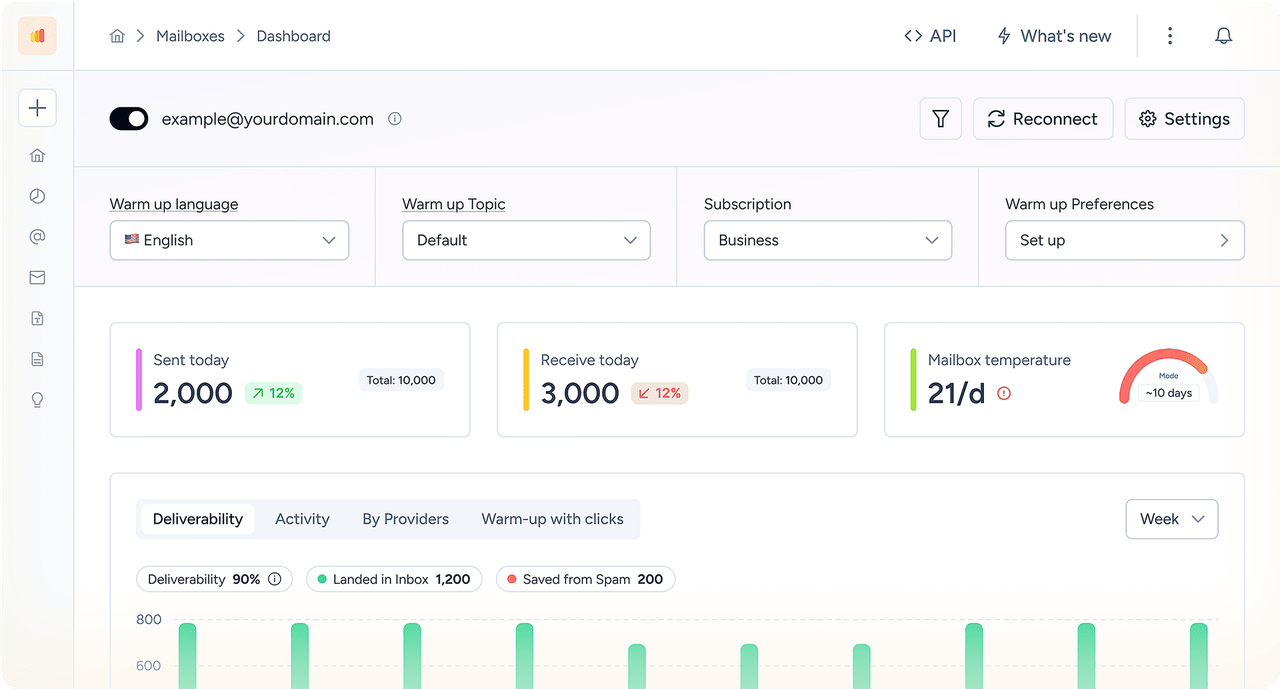
SES can warm up a dedicated IP for you, but nobody warms up the domain. That's the part Warmy handles: human-like conversations from your SES domain through a network of real mailboxes, with volume that climbs as placement improves. Mailbox providers get to know you before the big send does. In other words, Amazon SES warm-up for the part SES leaves to you.
Test Amazon SES inbox placement before you send
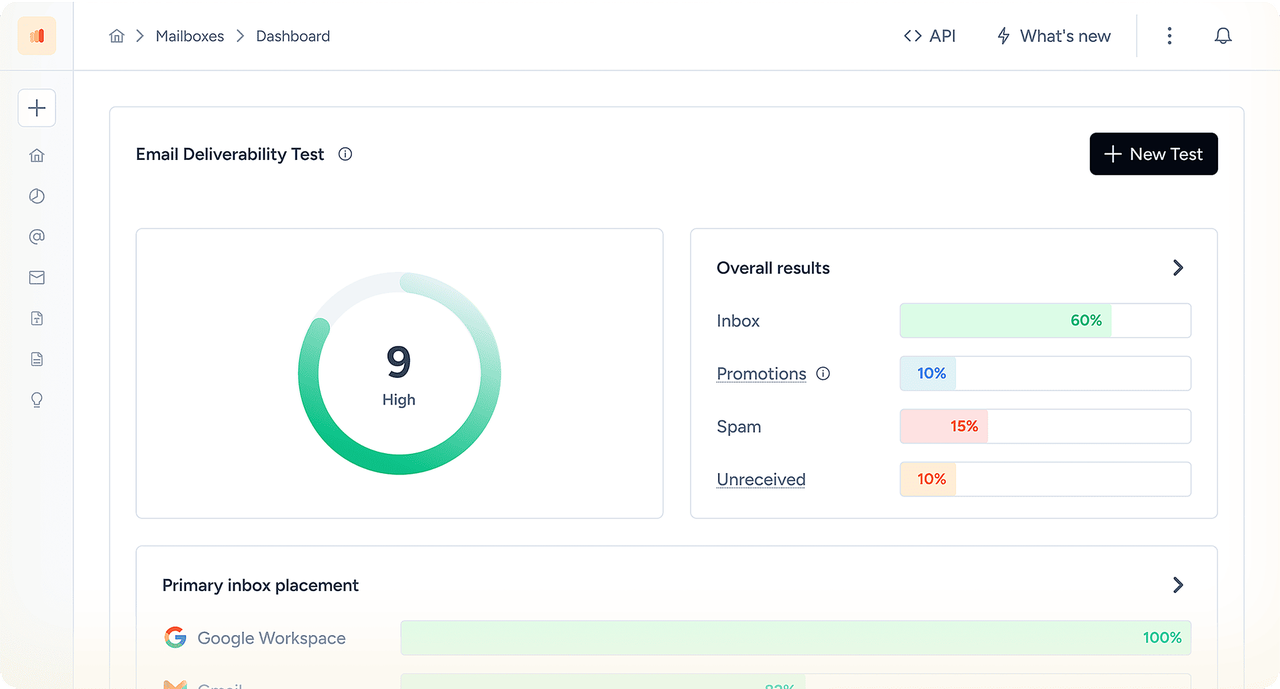
Send a message through your actual SES setup and see where it lands at Gmail, Outlook, Yahoo and Microsoft 365: inbox, Promotions or spam, provider by provider. It's the path your production mail really takes. Change one thing, retest, and send the campaign only when placement holds.
Check authentication and domain health
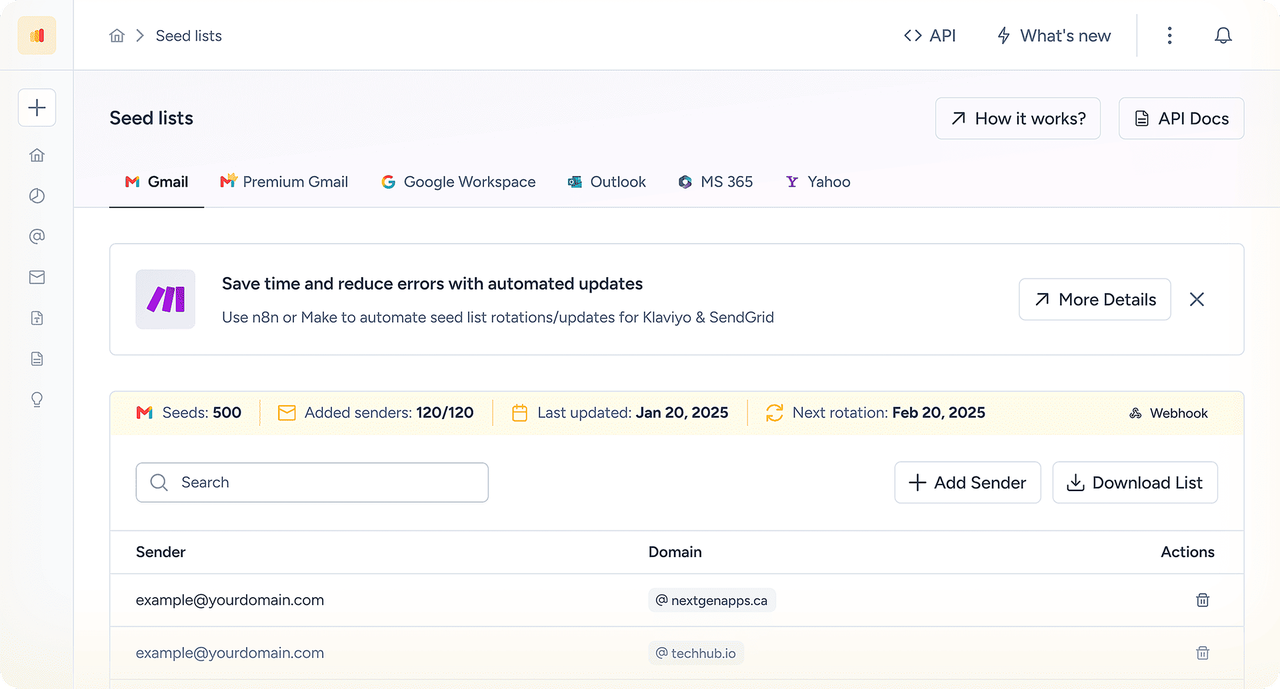
Warmy checks SPF, DKIM and DMARC alignment, blocklist status and the small DNS slips that make a valid-looking SES setup quietly underperform.
Monitor reputation, then retest
You get an alert when sender-health signals slip. Fix one thing, rerun the same test, and only then raise the volume.
How it works: test, diagnose, fix, retest
Send through Amazon SES.
Use the same setup your production traffic uses.
See what changed after the handoff.
Compare placement and sender-health signals by mailbox provider.
Fix the likely cause.
Authentication, reputation, an IP or domain switch, the list, or the content.
Retest.
Check that the fix worked before you scale.
Connect Amazon SES To Warmy In Three Steps
No code changes, no migration. Once your domain is verified in SES, setup takes a few minutes.
Create SMTP credentials in SES.
Open SMTP settings in the SES console, choose Create SMTP credentials, and save the username, password and SMTP endpoint somewhere safe.
Add your sending address in Warmy.
Click Add Mailbox, pick Amazon SES, and enter your verified sender address with the SMTP details. Want warm-up replies to come back? Add an IMAP mailbox too.
Press start.
Warm-up, placement tests and monitoring begin the same day, and Warmy flags anything that fails on SPF, DKIM or DMARC.
Your domain needs to be verified in SES first. The authentication section further down walks through it, and the Help Center has the full connection guide with a short video.
Amazon SES SMTP settings for Warmy
| Setting | Value |
|---|---|
SMTP endpoint | email-smtp.<region>.amazonaws.com, for example email-smtp.us-east-1.amazonaws.com. Use the region where your identity is verified |
Port | 587 or 2587 with STARTTLS, or 465 / 2465 with TLS. Port 25 exists, but Warmy doesn't support it |
Username / password | SES SMTP credentials from SMTP settings → Create SMTP credentials. These are not your AWS access keys |
API or SMTP? | Both build the same domain reputation, so warm-up over SMTP also helps mail your app sends through the SES API |
Trusted By 35,000+ Ecommerce And B2B Senders
Teams that send transactional email at volume, ecommerce and lifecycle senders, agencies running client domains on SES, and engineers who'd rather get an independent read on deliverability than take a dashboard's word for it.











The platform’s warmup processes make sure that our cold emails don’t bounce into spam filters. It also makes use of AI behavior tracking as we’re sending which is great for campaigns scaling. It’s also really valuable to be able to track open rates and responses.






See where your next Amazon SES campaign lands.
No credit card required
How Amazon SES Deliverability Actually Works
SES takes a message from your application over the API or SMTP and tries to deliver it to the recipient's mail server. Every hop leaves a different trail of evidence. So when a customer says "I never got it", the trick is knowing which hop to look at.
| Stage | What it proves | Where to look |
|---|---|---|
App to SES | Your application handed the message over | Your logs, the API or SMTP response, the SES message ID |
SES handling | SES accepted, suppressed, delayed or rejected it | Events from a configuration set: send, delivery, delivery delay, bounce, complaint, reject |
Recipient server | The receiving server accepted or refused it | The delivery or bounce event, with the server's own SMTP response |
Mailbox | Inbox, Promotions or spam | SES Global Deliverability, a Warmy seed test, Google Postmaster Tools |
A Delivery event is the last thing SES can vouch for from the sending side. Everything after that is mailbox filtering, and that's where authentication, reputation and testing earn their keep.
How To Authenticate Your Amazon SES Sending Domain: SPF, DKIM And DMARC
Gmail, Yahoo and Microsoft want authenticated, aligned mail from bulk senders, and Amazon SES (AWS SES, if that's what you call it) will cheerfully send a perfectly formed, completely unauthenticated message. So it's on you. There are three DNS settings to get right under Verified identities. One thing worth knowing up front: DMARC passes when SPF or DKIM passes and aligns with your From domain. One aligned path is enough.
| Protocol | What SES does by default | The gap | What to publish |
|---|---|---|---|
DKIM | Signs with its own amazonses.com domain | Nothing is signed with your domain until you set up DKIM for it | Easy DKIM: publish the 3 CNAME records SES generates (2048-bit key by default). BYODKIM and manual DKIM also exist |
SPF | Uses a subdomain of amazonses.com as the MAIL FROM, and SPF passes against it | It passes, but it doesn't line up with your From domain, so DMARC doesn't count it | A custom MAIL FROM subdomain with one MX record and one SPF TXT record |
DMARC | Nothing. SES never publishes it for you | No policy at all, and Gmail and Yahoo expect at least p=none from bulk senders | A TXT record at _dmarc.yourdomain.com, starting at p=none with a reporting address |
Amazon SES domain verification, DKIM and custom MAIL FROM setup, step by step
Verify a domain identity. In SES go to Identities, click Create identity and choose Domain. Don't lean on a single verified email address: an address identity can override the domain's DKIM settings.
Set up DKIM. On the identity's Authentication tab, edit DKIM, pick Easy DKIM and publish the 3 CNAME records. SES can take up to 72 hours to detect them.
Set a custom MAIL FROM domain. Pick a subdomain you use for nothing else, say
mail.yourdomain.com. Publish exactly one MX record and the SPF TXT record SES gives you (v=spf1 include:amazonses.com ~all; that's your Amazon SES SPF record). With more than one MX the setup fails, and the feedback MX must never replace the MX records that receive mail on your main domain.Publish DMARC and start at p=none. Add the record at
_dmarc, read the aggregate reports for a while, then tighten to quarantine and reject once every sender lines up. Skipaspf=s: strict SPF alignment stops a custom MAIL FROM from aligning.Check a real message. Send a test through SES to a mailbox you don't own and read the headers. You want
dkim=passwithd=yourdomain.comanddmarc=pass. Anspf=passonamazonses.comby itself doesn't count as success.Repeat in every region you send from. Identities, DKIM and sandbox status are set per AWS region.
Seeing amazonses.com in your headers? That's SES's default MAIL FROM domain and its own DKIM signature. It just means the message went through SES. What you're fixing is alignment with your own domain. And copy the record values from your own SES console, never from a blog post (ours included). Once you connect, Warmy checks all three records and tells you what's failing. Got an email from complaints@email-abuse.amazonses.com? That's SES forwarding a spam complaint: a recipient marked one of your messages as spam, and it counts toward your complaint rate.
Want a quick check? Warmy's free SPF checker, DKIM checker and DMARC checker will read your records, and the email header analyzer takes a pasted message source.
Passing authentication doesn't guarantee the inbox
Authentication proves who sent a message. It says nothing about whether anyone should want it. Reputation, engagement and list quality decide that, so a perfectly authenticated domain with no sending history can still land in spam.
Amazon SES IP Warming: Shared vs Dedicated IPs, And Warming Your Domain
Authentication proves who you are. Warm-up proves you're worth trusting. On Amazon SES there are two things to warm: the sending domain, and the IPs if you pay for dedicated ones. People tend to remember the IPs and forget the domain.
| Shared IPs | Dedicated (standard) | Dedicated (managed) | |
|---|---|---|---|
IP reputation | Pooled and managed by SES | Controlled by you | Controlled by you, with SES managing the IPs |
IP warm-up | No manual IP warm-up | Automatic by default: time-based over 45 days, whatever your volume | Adaptive, handled by SES per mailbox provider |
Best for | Low or irregular volume | High, predictable volume | High volume where you want less manual work |
Watch out for | Less control over who shares the pool | Needs steady daily volume afterwards | Still depends on list quality and sending behavior |
AWS recommends shared IPs unless you send large volumes on a regular, predictable basis, and that advice is sound. A dedicated IP with too little traffic gives mailbox providers too little to learn from. Whichever route you pick, domain reputation is its own thing, and warming the domain is the job SES doesn't do for you.
How Amazon SES warm-up works with Warmy
Start at a low daily volume from your SES sending domain.
Real mailboxes open your messages, reply to them and rescue them from spam, which creates the engagement signals providers look for.
Volume ramps only as placement improves.
Placement tests confirm each stage before the next increase.
One more thing for new accounts. SES starts you in the sandbox: verified recipients only and a low daily cap. Once AWS approves production access, resist the urge to go all in. Ramp over several weeks and start with the people who actually open your mail.
Amazon SES Bounce And Complaint Rates: The Numbers AWS Acts On
| Metric | Aim for | AWS places the account under review | AWS may pause sending |
|---|---|---|---|
Bounce rate (hard bounces to unverified domains) | Below 2% | 5% or more | 10% or more |
Complaint rate | Below 0.1% | 0.1% or more | 0.5% or more |
These are the lines AWS actually draws, not rules of thumb. AWS measures both over a "representative volume" rather than a fixed window, so the number in your console can lag what recipients are already doing. The complaint rate also counts only complaints that reach SES through feedback loops. Providers that don't send feedback aren't in the figure, which is why Google Postmaster Tools earns a place in your setup. On the receiving side, Google and Yahoo expect bulk senders to stay under a 0.3% spam rate, publish DMARC and offer one-click unsubscribe on marketing mail.
Publish bounce and complaint events through a configuration set and put CloudWatch alarms on both rates. SES won't warn you about trouble you haven't asked it to watch.
What Amazon SES Can Already See: VDM, Configuration Sets And CloudWatch
SES can see a lot more than it used to. Use its own tools first, then add an independent layer where you need one.
- Virtual Deliverability Manager (VDM).
- A dashboard and advisor with delivery, bounce, complaint, open and click metrics.
- Global Deliverability (added May 2026).
- Inbox placement rates by sending domain and campaign, estimated from representative industry data samples, plus pre-send tests of candidate content at top mailbox providers and passive blocklist monitoring.
- Configuration sets and event publishing.
- Per-message events delivered to SNS, CloudWatch, Firehose or EventBridge.
- CloudWatch alarms
- on bounce and complaint rates.
- The account dashboard,
- which tells you whether the account is Healthy, Under review or Paused.
Which of these you get depends on your SES plan. AWS introduced Essentials, Pro and Enterprise plans in July 2026. Essentials covers deliverability insights, Pro adds managed dedicated IPs, email validation and global inbox placement visibility, and Enterprise adds multi-region resilience, workload-level reputation isolation and an annual deliverability assessment.
Where Warmy Adds An Independent Layer
Warmy doesn't replace the SES tools. It sits next to them: it tests your real sending path independently, warms the domain, monitors authentication and sender health, and gives you a retest loop after every fix.
| Need | Amazon SES | Warmy |
|---|---|---|
Sending infrastructure, quotas, IPs | Core product | Works alongside it |
Delivery, bounce, complaint, open and click metrics | VDM, reputation metrics, CloudWatch | Monitors and alerts on top |
Inbox placement | Global Deliverability: placement rates by domain and campaign from sampled industry data, and pre-send content tests | Independent seed tests of your real sending path across Gmail, Outlook, Yahoo and Microsoft 365 |
Domain warm-up with real engagement | IP warm-up for dedicated IPs | Gradual, engagement-led domain warm-up |
SPF, DKIM, DMARC and blocklists | Identity status in the console, passive blocklist monitoring | Continuous validation, alerts and a fix-and-retest workflow |
Human help | AWS Support plans; annual deliverability assessment on Enterprise | Certified deliverability specialists review your setup |
Amazon SES Email Deliverability Troubleshooting: What You See And What To Do
Most problems fit one of a handful of patterns. Find the symptom that looks like yours, check what's in the third column, then act.
| What you see | Likely area | What to check | Next action |
|---|---|---|---|
SES shows Delivery, but the email is in spam | Placement or reputation | VDM, a real test and the message headers | Isolate the provider and retest (Warmy inbox placement test) |
Some recipients have no SES event at all | Submission, sandbox, suppression or region | Message IDs in your logs, sandbox status in that region, suppression lists | Fix it in SES first. This isn't a placement problem |
DKIM passes, DMARC fails | Alignment | The DKIM d= domain, your From domain, the MAIL FROM | Correct the alignment (Warmy DKIM and DMARC checkers) |
SPF passes on amazonses.com | Default MAIL FROM | Whether you need SPF-based alignment | Consider a custom MAIL FROM (Warmy SPF checker) |
Placement drops after a new dedicated IP | Warm-up | IP pool, warm-up status and volume | Slow the ramp and test |
Gmail is weak, Outlook is fine | Provider-specific reputation | Placement by provider, Postmaster Tools | Segment the diagnosis (Warmy placement test) |
Bounce rate climbs | List or data quality | SES reputation metrics, bounce subtypes | Suppress and validate bad recipients (Warmy email verification) |
Complaint rate approaches 0.1% | Consent or relevance | Campaigns and audiences | Cut risky sending, talk to a specialist |
Authentication passes, every provider is weak | Reputation, content or list | Sender-health signals and placement | Controlled remediation and warm-up |
Transactional mail degrades after bulk sends | Stream mixing | Identities, configuration sets, IP pools | Separate streams by subdomain and configuration set |
Amazon SES Deliverability Checklist
Amazon SES deliverability best practices, in the order to fix them:
0/12 ready
Three Common Amazon SES Situations And How To Handle Them
You just left the sandbox.
Authenticate the domain, warm it up and ramp over several weeks, starting with engaged recipients. Warmy runs the warm-up and re-tests placement at every volume step.
SES says 99% delivered, but customers swear they never got the receipt.
Delivered only means accepted. Run a placement test and read the headers. The usual suspects are DMARC misalignment and a cold domain. Fix one thing, then test again.
One bad campaign puts your password resets at risk.
AWS enforces reputation at the account level, so a marketing spike can pause transactional mail too. Separate the streams by sending subdomain and configuration set, use separate AWS accounts if you need hard isolation (the Enterprise plan adds workload-level isolation), and monitor each domain on its own.
How we test Amazon SES inbox placement
We send the same message through your SES path to Warmy seed mailboxes at Gmail, Outlook, Yahoo, Google Workspace and Microsoft 365, then record the folder for each provider: inbox, Promotions, spam or missing. We change one variable at a time (domain, authentication, template or volume) and test again. A seed test is a diagnostic sample of how providers treat your email, not a promise that every recipient will see the same result.
Amazon SES Email Deliverability: Frequently Asked Questions
The usual suspects are DKIM that isn't set up for your domain, SPF that passes but doesn't align (that's the default amazonses.com MAIL FROM), a missing DMARC record, a cold domain sent at full volume, a stale list and creeping bounces or complaints. Check authentication, your SES reputation metrics and a real placement test to see which one applies. Warmy runs the placement test, validates your records and warms up the domain.
Authenticate the domain with DKIM, a custom MAIL FROM domain and DMARC. Warm up new domains and IPs gradually. Keep bounces under 2% and complaints under 0.1%, suppress bad addresses right away, split transactional and marketing streams, and test inbox placement before every big send.
Go to Identities in the SES console, click Create identity and pick Email address or Domain. For an address, click the link in the confirmation message. For a domain, publish the DNS records SES gives you and wait for Verified. SES only sends from verified identities, and in the sandbox your recipients have to be verified too. For authenticated mail, verify a domain.
Open your domain identity, head to the Authentication tab, edit DKIM and choose Easy DKIM. SES generates 3 CNAME records, using a 2048-bit key by default. Publish them with your DNS provider and wait for Successful, which can take up to 72 hours. If you'd rather bring your own key, BYODKIM is there too.
No. DMARC passes when either SPF or DKIM passes and aligns with the domain in your From address. One aligned path is enough, and two give you a fallback. On SES, aligned DKIM from Easy DKIM can carry DMARC by itself, and a custom MAIL FROM domain adds SPF alignment on top.
Send a test through SES to an outside mailbox and read the headers. You're looking for dkim=pass with d=yourdomain.com and dmarc=pass. You can also run Warmy's free SPF, DKIM and DMARC checkers on your domain, and once you connect SES, Warmy validates all three and flags what fails.
You need one if you want SPF to satisfy DMARC. It takes exactly one MX record and one SPF TXT record on a dedicated subdomain. If DKIM already aligns, DMARC can pass without it, but a custom MAIL FROM gives you a second independent path and a Return-Path domain you control.
Yes. Since May 2026, SES Virtual Deliverability Manager includes Global Deliverability: inbox placement rates by sending domain and campaign, estimated from representative industry data samples, plus pre-send tests of candidate content. Warmy complements that with independent seed tests of your real sending path, domain warm-up and authentication monitoring.
Usually not. AWS recommends shared IPs unless you send large volumes on a regular, predictable basis. Standard dedicated IPs warm up automatically over 45 days, based on time rather than volume. Managed dedicated IPs warm up adaptively, per mailbox provider. Either way, your sending domain still needs its own warm-up.
Amazon SES isn't free: pricing depends on your volume and plan. Since 21 July 2026 AWS offers Essentials (deliverability insights), Pro (adds managed dedicated IPs, email validation and global inbox placement visibility) and Enterprise (adds multi-region resilience, workload-level reputation isolation and an annual deliverability assessment). Check the AWS pricing page for current rates and any new-customer credits.
No. SES is an active AWS service. AWS added Global Deliverability, with inbox placement metrics and blocklist monitoring, in May 2026 and introduced pricing plans in July 2026.