



 Twilio SendGrid
Warmy Keeps SendGrid Emails Out Of Spam And Promotions
SendGrid will get your email to the receiving server. Whether it lands in the inbox depends on a reputation your new domain or dedicated IP hasn't earned yet. Warmy runs a SendGrid warm up through your own SendGrid SMTP, shows where your emails land at Gmail, Outlook and Yahoo, and watches your DNS and blocklists while your team ships.
Free test · No credit card required · Shared or dedicated SendGrid IPs
- senders
- 35,000+senders
- on Capterra
- 4.9on Capterra
- Human deliverability support
- 24/7Human deliverability support
SendGrid Email Deliverability In 30 Seconds
Twilio SendGrid is an email API and SMTP relay that apps use to send transactional and marketing email. SendGrid email deliverability is the share of those emails that reach the inbox instead of spam. SendGrid hands the message over; Gmail, Outlook and Yahoo decide where it lands, based on your domain authentication, the reputation of your domain and IP, engagement and list quality.
- SendGrid's automated IP warm-up
- limits how much a new dedicated IP sends each hour. It doesn't create engagement, and it doesn't warm your domain.
- Warmy's SendGrid warm-up
- sends real conversations through your SendGrid SMTP, so your domain earns opens, replies and "not spam" signals on the path your app actually uses (and your IP too, if it's dedicated).
- Placement tests
- show inbox or spam by provider before every volume step.
Trusted By 35,000+ Ecommerce And B2B Senders
Rated 4.9 out of 5 on Capterra and G2












SendGrid Says "Delivered." Gmail Can Still Say "Spam."
In SendGrid's Email Activity, "Delivered" means the receiving server answered with a 250 OK. That's it. A minute later Gmail can file the message in spam, and nothing in SendGrid changes. No error, no bounce, no alert. You find out when a customer asks where their password reset went.
So it helps to know what each SendGrid email delivery status really tells you, and what it can't.
| SendGrid status | What it means | What it doesn't tell you |
|---|---|---|
Processed | SendGrid accepted your request and queued the email | Nothing about the recipient yet |
Delivered | The receiving server accepted the message | Whether it reached the inbox, Promotions or spam |
Deferred | The receiving server said "try later", often throttling a new or cold sender | How long the provider will keep slowing you |
Bounced / Blocked | The server refused the message (bad address, policy or reputation) | Which part of your reputation caused it |
Dropped | SendGrid didn't send it, usually because the address is on a suppression list | — |
Warmy covers the part after "Delivered": inbox placement by provider, before and after you send.
What Warmy Fixes For SendGrid Senders
SendGrid sends the email. Warmy helps it reach the inbox.
Warm up your SendGrid domain through SendGrid itself
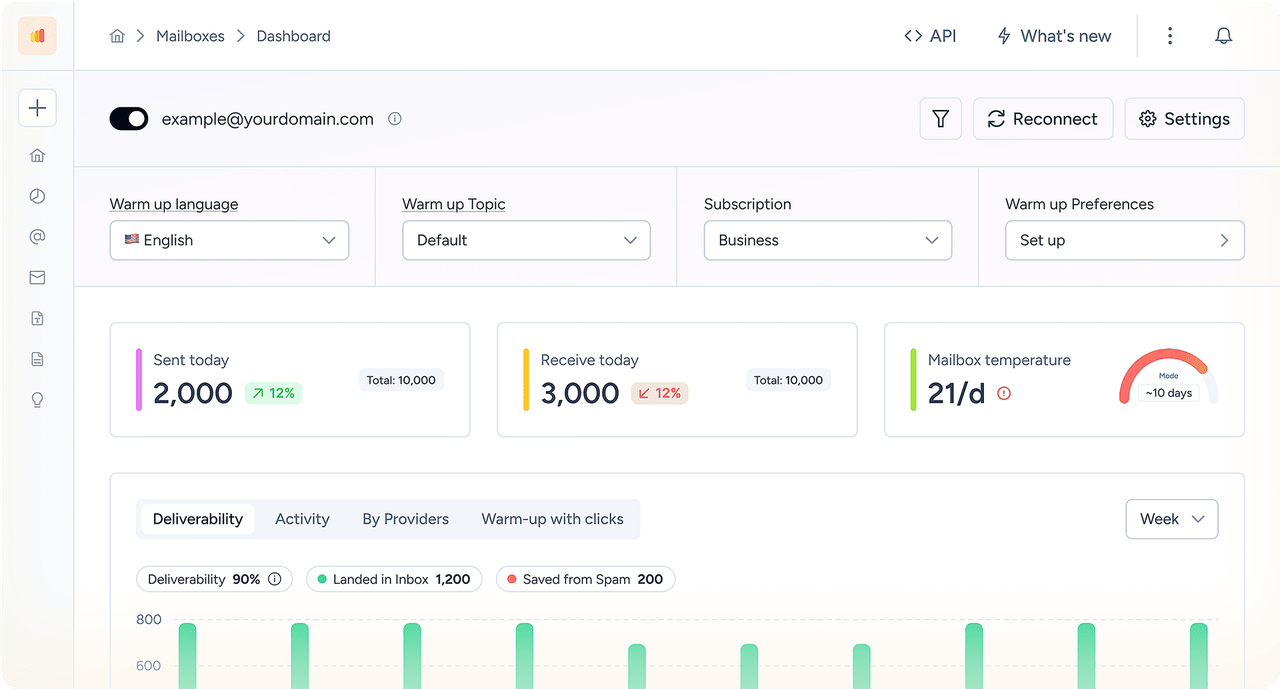
Warmy connects with your SendGrid SMTP credentials and sends warm-up email the same way your app does: from your authenticated domain, over your SendGrid IPs. On a shared IP that builds your domain's reputation; on a dedicated IP it builds the IP's as well. Real mailboxes in the Warmy network open those emails, reply, mark them important and pull them out of spam. Adeline, Warmy's AI engine, raises the daily volume as placement improves. That's the SendGrid email warmup the automated IP schedule can't give you.
Test SendGrid inbox placement at Gmail and Outlook
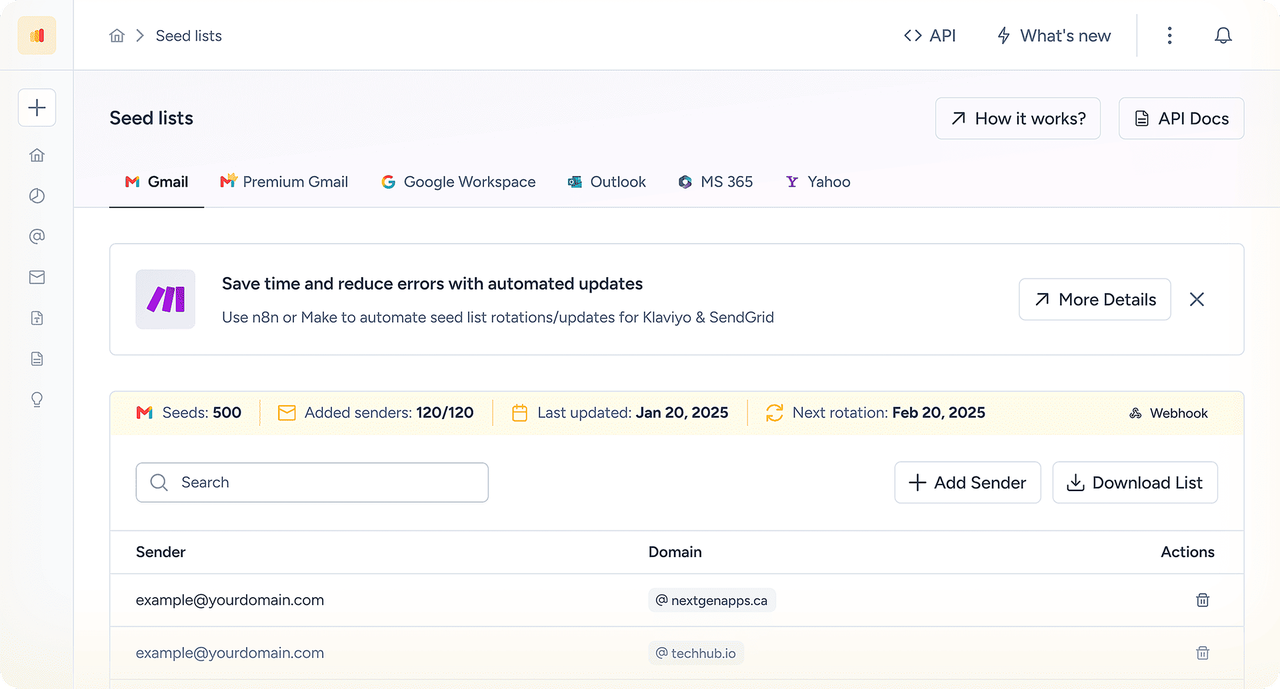
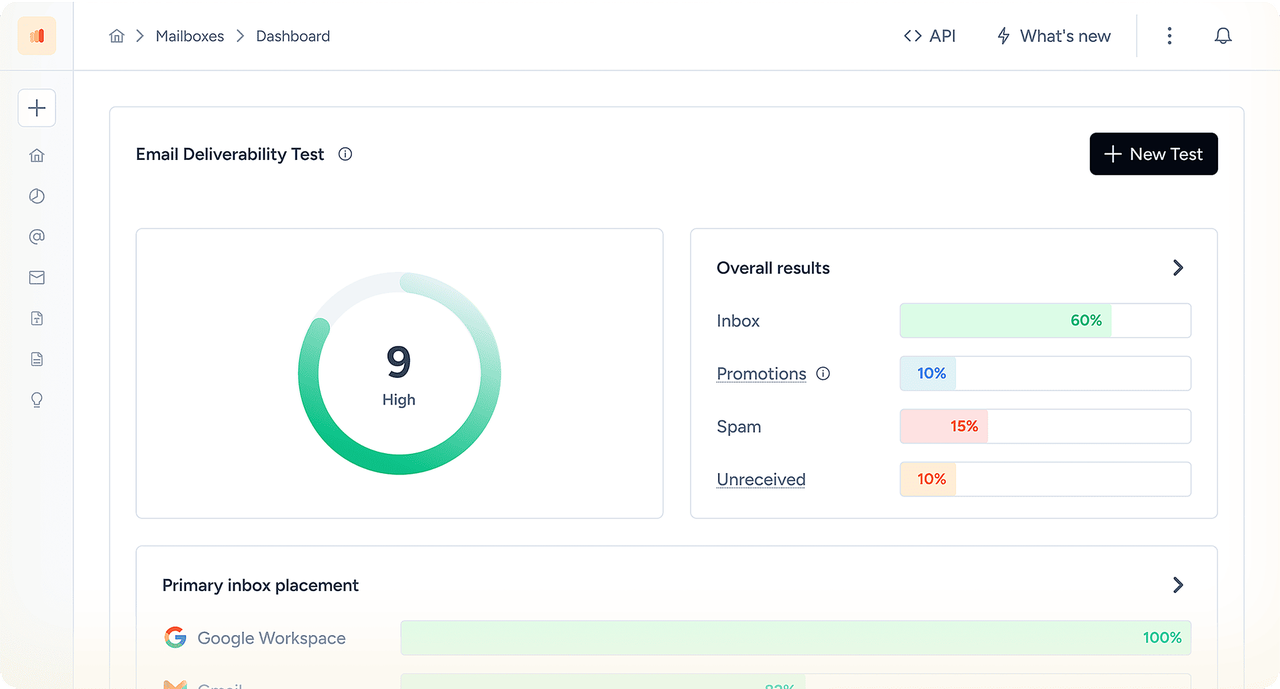
Send a real template — a receipt, an OTP, a product update — to Warmy seed mailboxes at Gmail, Outlook, Yahoo, Google Workspace and Microsoft 365. In a few minutes you'll see inbox or spam for each one. Outlook and Microsoft 365 get their own rows, because SendGrid mail often lands differently there than at Gmail.
Monitor reputation, DNS and blocklists
Warmy keeps checking SPF, DKIM, DMARC, MX and rDNS for your SendGrid domain, watches the major blocklists, and pulls in Google Postmaster Tools data. If someone deletes a CNAME during a DNS cleanup, you hear about it before the next release goes out.
Connect SendGrid To Warmy In Three Steps
No code changes. If your app sends through the SendGrid email API, keep it that way: reputation belongs to the domain and IP, so warm-up over SMTP helps your API traffic too.
Authenticate your domain and create an API key in SendGrid.
Settings → Sender Authentication for the domain, then Settings → API Keys for a new key.
Add an SMTP sender in Warmy.
Use the address on your authenticated domain, SMTP username apikey, the API key as the password, and host smtp.sendgrid.net.
Add an inbox for replies and start.
SendGrid has no IMAP, so connect the same address on Google Workspace, Microsoft 365 or another IMAP provider. Then switch the warm-up on.
SendGrid SMTP settings for Warmy
| Setting | Value |
|---|---|
SMTP host | smtp.sendgrid.net |
Port | 587 with TLS (2525 also works; 465 for SSL). Warmy doesn't support port 25 |
Username / password | apikey / your SendGrid API key |
SendGrid IMAP: why Warmy asks for a second mailbox
SendGrid sends mail but doesn't host mailboxes, so there's no SendGrid IMAP server. Warmy needs an inbox to read replies and keep conversations going. Use the same address on a provider that supports IMAP, exactly as the Warmy setup guide describes.
What Senders Say About Warmy
The platform’s warmup processes make sure that our cold emails don’t bounce into spam filters. It also makes use of AI behavior tracking as we’re sending which is great for campaigns scaling. It’s also really valuable to be able to track open rates and responses.






How Warmy Improves SendGrid Deliverability Next To SendGrid's Own Tools
SendGrid has solid built-in tools. They just do different jobs. Here's what each covers and where Warmy fits.
| SendGrid tool | What it does | What it doesn't do | Warmy's role |
|---|---|---|---|
Automated IP warm-up (Pro plans) | Caps hourly volume on a new dedicated IP; extra mail goes to your other warm IPs or the shared pool | Create engagement; warm the domain; help on shared IPs | Engagement warm-up for the domain on shared IPs; for domain and IP on a dedicated IP |
Email Testing credits | Inbox rendering previews and spam-filter checks | Show where your real sends land by provider | Seed placement tests at Gmail, Outlook, Yahoo and Microsoft 365 |
Email Address Validation API (Pro plans) | Checks addresses before you send | Show placement or build reputation | Email verification plus warm-up and monitoring |
Reputation score in the dashboard | Grades your account on bounces, blocks, spam reports and invalid addresses | Show how Gmail or Outlook see you | Domain reputation, Postmaster data, blocklists, placement |
Keep SendGrid's tools. Warmy's SendGrid warm up is the part that builds reputation between tests.
Warm up your SendGrid domain before the next release.
No credit card required
Why SendGrid Emails Go To Spam
When SendGrid emails go to spam, SendGrid itself is rarely the culprit. It's usually the domain setup, the link domain, the IP neighbourhood or the list. The table covers the patterns we see most; the long read is our guide to fixing SendGrid deliverability.
| Symptom | Likely cause | How to check | Fix |
|---|---|---|---|
Gmail shows "via sendgrid.net" | Domain authentication not finished, so mail is signed as sendgrid.net | Message headers; Warmy DNS check | Authenticate your domain (s1/s2 DKIM CNAMEs) |
DMARC fails while DKIM passes | DKIM signed by sendgrid.net, or From on a different domain | Headers: d= vs From | Authenticate the From domain; publish DMARC |
Links point to ct.sendgrid.net | Click tracking without link branding | Hover any tracked link | Set up link branding on your own subdomain |
Password resets in spam after a campaign | Transactional and marketing share one domain and IP | SendGrid stats by category | Separate subdomains (and IP pools on Pro) |
Spam on a shared IP, nothing changed on your side | Shared-pool neighbours hurting the IP | Placement test; blocklist check | Warm up the domain; consider a dedicated IP at high volume |
Spam only at Outlook / Microsoft 365 | Low engagement, tracking, a cold domain | Seed test with Microsoft 365 mailboxes | Warm up; test with tracking on and off |
Mail never sent to some users | Address on a suppression list (bounce, spam report, unsubscribe) | Suppressions in SendGrid | Remove only addresses that should be there |
Spam after moving to a new dedicated IP | IP sent at full volume too early | Automated warm-up status | Use automated IP warm-up plus domain warm-up |
How To Warm Up A SendGrid Domain And IP
Mailbox providers judge your domain and your IP separately. SendGrid's automated warm-up looks after the IP on a dedicated address. The domain is yours to warm, and it matters on shared IPs as well.
Authenticate the sending domain and set up link branding.
Connect it to Warmy over SMTP and run the warm-up for several weeks before full volume.
On a new dedicated IP, turn on SendGrid's automated IP warm-up so hourly volume grows on schedule.
Start production with your most engaged recipients and run a placement test before every step up.
How does SendGrid warm up an IP address?
With automated IP warm-up switched on, SendGrid limits how many emails a new dedicated IP can send each hour, and raises the limit as the IP ages. Mail above the limit goes out through your other warm IPs, or SendGrid's shared pool if you have none. The published SendGrid IP warmup schedule runs for about six weeks, and Twilio advises warming again after 30 days without traffic.
SendGrid dedicated IP or shared IP?
| Shared IP | Dedicated IP | |
|---|---|---|
Available on | Essentials and trial | Pro and Premier plans |
Reputation | Pooled with other SendGrid senders | Yours alone |
IP warm-up | Not needed | Automated hourly schedule, about six weeks |
Domain warm-up | Still needed | Still needed |
Fits | Low or irregular volume | Steady, high volume |
SendGrid Domain Authentication: SPF, DKIM And DMARC
Open Settings → Sender Authentication → Authenticate Your Domain, choose your DNS host and enter your domain. Leave Automated Security on unless your DNS provider rejects underscores in CNAME records. SendGrid then shows the records to publish.
| Record | DNS type | What it does | SendGrid specifics |
|---|---|---|---|
SendGrid SPF record | CNAME ( em####) | SPF for the return-path subdomain | em####.yourdomain.com points to u####.wl###.sendgrid.net; SendGrid maintains the SPF behind it |
SendGrid DKIM | 2 × CNAME (s1, s2) | Signs mail as your domain | s1._domainkey and s2._domainkey point to SendGrid; Automated Security rotates keys |
SendGrid DMARC | TXT at _dmarc | Policy for your From domain | Twilio's current flow can generate it with the other records; start at p=none |
Manual mode | 2 × TXT + 1 MX | Same job without CNAMEs | For DNS hosts that reject underscores in CNAMEs |
Link branding | 2 × CNAME | Tracked links on your domain, not sendgrid.net | Strongly recommended |
Does SPF align with your domain on SendGrid?
Yes, once the domain is authenticated. The return-path moves to em####.yourdomain.com, so SPF passes on your own subdomain and aligns with a From address on yourdomain.com under relaxed DMARC alignment. Before authentication, SPF passes on sendgrid.net and DMARC has nothing aligned to count. Full setup steps are in our SendGrid SPF, DKIM and DMARC guide.
What Is SendGrid Reputation?
Your SendGrid reputation is a percentage in the dashboard that grades your account on bounces, blocked messages, spam reports and invalid addresses. Treat a falling score as an early warning: SendGrid can throttle or review accounts with poor reputation. It isn't how Gmail or Outlook see you, though, so track domain reputation in Google Postmaster Tools and test placement as well.
SendGrid Deliverability Checklist
SendGrid email deliverability best practices, in the order we'd check them:
0/12 ready
Three SendGrid Scenarios Warmy Is Built For
A new SaaS on SendGrid.
Product email moves to mail.newbrand.com before launch. Authenticate it, set up link branding, connect it to Warmy over SMTP, and test welcome and reset emails at Gmail and Outlook before the first signup.
A new dedicated IP on Pro.
Volume justifies a dedicated IP. Turn on automated IP warm-up for volume, run Warmy on the same domain for engagement, and test placement as the IP takes more traffic.
OTPs in spam after a promo.
Transactional emails share a domain with campaigns. Split them by subdomain, warm up the transactional one, and test OTPs and receipts on their own.
How we test SendGrid inbox placement
We send the same SendGrid template to Warmy seed mailboxes at Gmail, Outlook, Yahoo, Google Workspace and Microsoft 365 and record the folder at each one. Then we change one thing — subdomain, template, tracking or volume — and test again. A seed test shows how providers treat your email; it doesn't promise that every recipient sees the same result.
SendGrid Deliverability Frequently Asked Questions
Yes. Warmy connects to SendGrid as an SMTP sender: username apikey, your SendGrid API key as the password, host smtp.sendgrid.net. Warm-up email goes out through SendGrid's servers, so your domain builds reputation on the path your app uses (and your IP too, if it's dedicated). You also get placement tests and DNS and blocklist monitoring.
Usually because the domain isn't fully authenticated (mail signed as sendgrid.net), tracked links run through ct.sendgrid.net, a shared IP has bad neighbours, a new domain or IP was pushed to full volume, or the list is weak. A placement test shows which providers filter you; the headers show whether authentication is the cause.
Authenticate your domain with Automated Security, set up link branding and publish DMARC. Keep transactional and marketing mail on separate subdomains, warm up any new domain or dedicated IP, and validate lists. Then test inbox placement before each new template and volume step.
SendGrid's automated schedule raises hourly limits over roughly six weeks. Twilio also publishes a manual schedule if you prefer to control volume yourself, and recommends warming again after 30 days without traffic. Your domain still needs its own warm-up either way.
Yes. Mailbox providers judge your domain separately from SendGrid's IPs, and a new domain starts with no reputation even on a healthy shared IP. Warm it up with real engagement for a few weeks before full volume; Warmy does that through your SendGrid SMTP.
The API is faster for apps and gives you templates, scheduling and richer error responses. The SMTP relay is easier when a tool already speaks SMTP. Deliverability is the same: both send from the same domain and IPs, so reputation built on one helps the other.
Yes, through the Email Address Validation API on Pro and higher plans. Validation removes bad addresses before you send; it doesn't show placement or build reputation. Warmy's email verification does the same job and sits next to warm-up and monitoring.
SendGrid's Email Testing credits give inbox rendering previews and spam-filter checks. To see where real sends land at Gmail, Outlook and Microsoft 365, you need a seed-list placement test, which Warmy runs on every plan.
IP Access Management is turned on and the IP you're connecting from isn't on the allow list. Add the IP in Settings → IP Access Management, or use an allowed network.
Yes. SendGrid is owned by Twilio and used by thousands of companies for transactional and marketing email. Its infrastructure is rarely the problem. Shared IP pools are sometimes abused, which is why domain authentication, warm-up and monitoring matter for your own sends.
A company you deal with, or a spammer, sent mail through SendGrid. "sendgrid.net" in the headers only shows the delivery service, not who sent it. If the email is unwanted, mark it as spam and report abuse to Twilio SendGrid.
No. Twilio retired the free plans in May 2025. New accounts get a 60-day free trial with 100 emails a day, then need a paid plan. That's enough to test DNS and your integration, not to warm a domain for production.
Yes. Send a real SendGrid email to the addresses in Warmy's free email deliverability test. You'll see inbox or spam by provider, SPF, DKIM and DMARC results and blocklist status, with no credit card required.