If you’re sending emails through SendGrid, proper authentication is no longer optional, it’s foundational.
Without correctly configured SPF, DKIM, and DMARC records, inbox providers like Google and Microsoft have no reliable way to verify that your emails are legitimate. The result: messages get filtered to spam, or blocked entirely.
This guide covers what SendGrid SPF, DKIM, and DMARC records are, why they matter, and how to set them up correctly so your emails actually reach the inbox.
Why email authentication matters
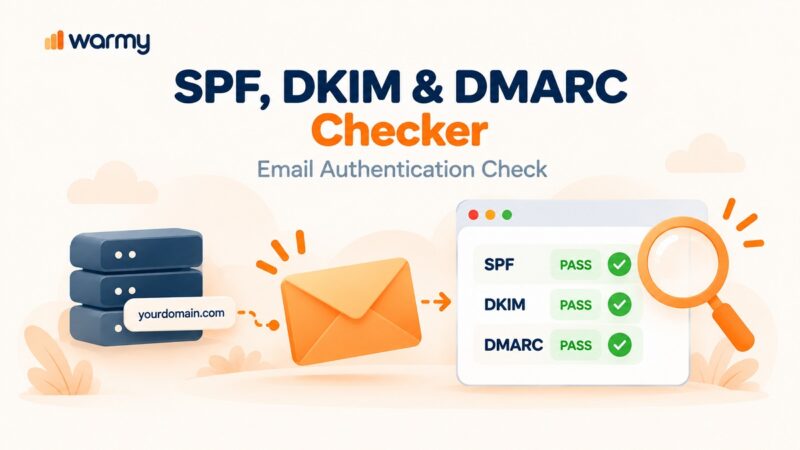
SendGrid SPF, DKIM, and DMARC are DNS authentication records that verify your emails are sent from an authorized source:
- SPF authorizes SendGrid’s servers to send on your domain’s behalf
- DKIM signs each message to prevent tampering
- DMARC enforces policy when either check fails.
Without these protocols in place, here’s what happens.
- Your emails can be spoofed by bad actors impersonating your domain
- Receiving servers cannot confirm you are an authorized sender
- Your messages are more likely to be filtered, flagged, or rejected outright
All three are now mandatory for bulk senders. Google requires that all senders have a properly configured SPF or DKIM record. Bulk senders (those sending 5,000+ messages per day) must have all three: SPF, DKIM, and DMARC. Microsoft 365/Defender evaluates SPF, DKIM, DMARC, and “composite authentication” as the core layer it checks before even evaluating content or behavior.
Why did inbox providers mandate this?
- Spoofing and phishing operate at scale precisely because email was originally designed without identity verification.
- Consider a phishing email claiming to be from a bank. If inbox providers can verify whether the sending IP is actually authorized by that bank’s domain, they can stop the impersonation before it reaches any inbox.
- SPF, DKIM, and DMARC are how that verification happens. Mandating them makes it progressively harder for attackers to abuse shared infrastructure without detection.
How SPF, DKIM, and DMARC work together
These three protocols are designed to complement each other:
- SPF: defines which servers are authorized to send email on your domain’s behalf
- DKIM: verifies that the message content has not been altered in transit
- DMARC: enforces alignment between SPF/DKIM and your From address, and defines what happens when either check fails
This layered structure is essential for your email deliverability. None of the three is sufficient on its own. They work as a system. Here’s what this means:
- SPF without DKIM means message integrity is unverified.
- DKIM without DMARC means there is no enforcement policy for failures.
- DMARC without both SPF and DKIM has nothing to enforce.
This is just the baseline. It does not get your email into the inbox but it gets your email considered.
How SendGrid uses SPF, DKIM, and DMARC
SendGrid acts as your sending infrastructure, but your domain reputation is still your responsibility.
When you send emails through SendGrid:
- Emails are sent using SendGrid’s servers
- But they represent your domain in the From address
- Inbox providers evaluate your authentication setup, not just SendGrid’s infrastructure
This creates a shared responsibility model:
| Responsibility | Who Handles It |
|---|---|
| Delivery infrastructure | SendGrid |
| SPF record configuration | You (your DNS); SendGrid if Automated Security feature is turned on |
| DKIM record publishing | You; SendGrid if Automated Security feature is turned on |
| DMARC record | You (your DNS — SendGrid has no native DMARC generator) |
If authentication is not configured correctly:
- SPF may fail because SendGrid’s servers are not listed as authorized senders in your DNS
- DKIM signatures may not align with your domain
- DMARC may fail even if SPF and DKIM technically pass (see DMARC alignment below)
The result: spam placement or rejection even if everything looks correct on the surface.
What is a SendGrid SPF Record?
A SendGrid SPF (Sender Policy Framework) record is a DNS TXT record that specifies which IP addresses and servers are authorized to send email on behalf of your domain through SendGrid’s infrastructure.
When a recipient’s mail server receives a message, it checks your domain’s SPF record to confirm the sending IP is on the authorized list. If it is not, the email may be rejected or marked as spam.
For SendGrid, the standard SPF record looks like this: v=spf1 include:sendgrid.net ~all
What each part means:
- include:sendgrid.net — authorizes SendGrid’s servers to send on your behalf
- ~all — soft fail: unauthorized senders are flagged but not automatically rejected
Key rules for SPF:
- Only one SPF record is allowed per domain so if you have multiple, they will all fail (SPF PermError)
- Include all services that send on your behalf in a single record (e.g., v=spf1 include:sendgrid.net include:mailchimp.com ~all)
- Stay within the 10 DNS lookup limit (RFC 7208) — each include: mechanism counts as a lookup
Pro Tip: Use Warmy’s free SPF Record Generator to build a clean, consolidated record that includes all your sending services without exceeding the lookup ceiling.
What is a SendGrid DKIM Record?
A SendGrid DKIM (DomainKeys Identified Mail) record is a DNS record containing a public cryptographic key used to verify the digital signature SendGrid attaches to every email you send.
Here is how it works in practice:
- SendGrid signs each outgoing message with your private key (stored on their servers)
- The recipient’s mail server retrieves your public key from your DNS DKIM record
- It uses that public key to verify the signature — confirming the message came from your domain and was not altered in transit
What DKIM ensures:
- The email was sent by a server authorized to sign on behalf of your domain
- The message content was not modified between sending and delivery
SendGrid generates your DKIM records when the Automated Security feature is turned on.
What is a SendGrid DMARC Record?
A SendGrid DMARC (Domain-based Message Authentication, Reporting, and Conformance) record is a DNS TXT record that tells recipient mail servers what to do when an incoming message fails SPF or DKIM checks.
A standard DMARC record looks like this:
v=DMARC1; p=reject; rua=mailto:youremail@example.com; ruf=mailto:youremail@example.com; fo=1
Key parameters:
- p= — the policy: none (monitor only), quarantine (send to spam), or reject (block delivery)
- rua= — email address for aggregate reports (daily summaries of authentication results)
- ruf= — email address for forensic reports (individual failure reports)
- fo= — failure reporting options
DMARC alignment is a critical concept:
- Even if SPF and DKIM technically pass their individual checks, DMARC can still fail if the authenticated domain does not align with the From address in the email header. This is the most common source of unexpected DMARC failures, and it is particularly relevant for SendGrid users who may have SPF passing on SendGrid’s domain rather than their own.
- Senders check SPF and it passes. They check DKIM and it passes. They assume everything is fine.
- But DMARC evaluates whether the authenticated domain matches the From address the recipient actually sees. If your SPF is passing on sendgrid.net rather than yourdomain.com, DMARC alignment fails regardless of what SPF says. The fix is ensuring DKIM is properly configured to sign with your domain as the d= value — and then verifying alignment with DMARC aggregate reports, which are free to set up and available immediately once you add an rua= address to your DMARC record.
An important reality check: What SendGrid provides and what it doesn’t
SendGrid provides built-in SPF and DKIM setup through its Automated Security feature. It generates DKIM CNAME records and guides you through SPF configuration for its own sending infrastructure.
However, SendGrid does not include a native DMARC generator. You must create and manage your DMARC record manually through your DNS provider or an external tool.
This is where Warmy.io’s free tools provide a vendor-agnostic alternative: the free SPF Record Generator and free DMARC Record Generator produce ready-to-use DNS records that work with SendGrid or any other sending service.
Having perfect authentication is a critical first step on your deliverability journey. But it is important to understand two things that are true even with a flawless authentication setup:
- Authentication does not guarantee inbox placement — it qualifies you to be considered
- Authentication is a baseline, not a differentiator — every legitimate sender has it; yours needs to be correct, not exceptional
Inbox providers evaluate the full picture: sender reputation, engagement rates (opens, replies), spam complaint rates, and sending history. A well-authenticated domain with no warmup history or erratic sending patterns will still land in spam.
Not sure if your SendGrid SPF, DKIM, and DMARC records are set up correctly? Run a free Email Deliverability Test from Warmy.io to get a full authentication check, blacklist scan, and inbox placement report across Gmail, Outlook, Yahoo, and more.
Where Warmy fits in: Authentication gets you to the starting line. Warmup gets you to the inbox.
Getting your SendGrid SPF, DKIM, and DMARC records correctly configured is a critical first step, but it is exactly that: a first step.
Authentication establishes your legitimacy with inbox providers, but it does not build your reputation. Because without a solid sender reputation, even a perfectly authenticated domain can still land in spam.
This is the gap that Warmy.io closes.
Inbox providers like Gmail and Microsoft do not just check whether your records are configured. They evaluate the full picture of your sending behavior like how much you send, how often, how recipients engage with your emails, and whether your domain has a history worth trusting.
A new domain with flawless authentication but zero sending history looks just as suspicious to a spam filter as a domain with broken records. The absence of history is itself a red flag.
Gradual AI-powered ramp-up
Rather than sending at full volume from day one which triggers spam filters on new or inactive domains, Warmy gradually increases your sending volume over time. This mirrors the behavior of an organic, trusted sender and signals to inbox providers that your domain is active and legitimate.
Real engagement signals
Warmy generates authentic interactions from real mailboxes such as opens, replies, and clicks. These are not bots or simulated traffic. These engagement signals carry significant weight with Gmail and other providers when determining where future emails should land.
Domain health and inbox placement monitoring
Beyond warmup, Warmy continuously monitors your domain’s health. This includes tracking blacklist status, reputation scores, and where your emails are actually landing across Gmail, Outlook, Yahoo, and other providers. This gives you live confirmation that your authentication fixes and warmup efforts are working in real conditions, not just at the DNS level.
Sender reputation maintenance over time
Deliverability is not a one-time fix. Sender reputation can degrade if engagement drops, complaint rates rise, or sending patterns become erratic. Warmy helps maintain a stable, positive reputation on an ongoing basis.
Maximize SendGrid with email warmup that works
Configuring SendGrid SPF, DKIM, and DMARC correctly removes the most common reason legitimate emails are filtered or rejected which is unverified sender identity.
But correctly configured authentication is where the work begins, not where it ends. Inbox placement depends on the full picture: your records, your reputation, your sending history, and your engagement signals.
Start your free trial today and let Warmy handle the reputation-building side so your perfectly authenticated emails actually land where they belong.