Even having clean email content will not help you guarantee a place in your recipient’s inbox. This is true, especially if you fail to fix or even check your authentication records. Microsoft made a firm statement that SPF, DKIM, and DMARC are essential protocols used to verify if your emails are legitimate; even a slight misconfiguration in any of them can direct your messages to spam before it reaches your recipient’s inbox.
This guide walks you through how to identify which record is failing, what each error means, and the exact steps to fix it. According to our deliverability data, approximately 70% of emails show at least one spam-related issue, and authentication failures are among the most common technical causes.
It helps to think of these three protocols as one connected, sequential flow rather than three separate checks. An email first passes (or fails) SPF, then DKIM, and finally DMARC, which checks alignment on top of whichever of the first two passed. A break at any layer cascades downstream, which is why a clean DMARC record can still fail if SPF or DKIM underneath it is broken. We’ll walk through that layered relationship in more detail further down, then work through each error layer by layer.
Run a free scan on your domain first to see which records are failing before working through the steps below.
Start here: How to read an authentication failure
Most senders discover an authentication problem through one of three things:
- Bounce or NDR messages are the most direct signals. Check whether your bounced message contains error code 550 5.7.26 (a DMARC failure) or SMTP Error 550 5.7.1 (an SPF or DKIM failure). These codes point directly at which record to investigate first. Soft bounces indicating a suspicious sending IP also suggest SPF authorization is the likely issue.
- Inbox placement test results tell you where emails are actually landing: inbox, spam, or blocked entirely. Warmy’s free Email Placement Checker sends a live test and breaks down placement across Gmail, Outlook, Yahoo, and other providers. If a test email lands in spam, the next step is identifying which authentication signal failed.
- DMARC aggregate reports are XML files sent by inbox providers to your domain when your DMARC record includes an rua= reporting tag. They identify which sending sources across your domain are failing SPF or DKIM alignment — essential for domains with multiple sending services.
Pro Tip: DMARC aggregate reports are the fastest way to discover authentication failures you didn’t know existed. If your DMARC record has no rua= tag, you are operating blind. Add one even while staying at p=none so you can see what is actually happening before you escalate your policy.
The fastest way to locate the failing record
Running a DNS lookup on your domain for each of the authentication record types can be performed using any DNS checker or directly within your hosting provider’s dashboard.
Confirm the following:
- Does a TXT record starting with v=spf1 exist?
- Does a DKIM TXT record exist for the selector your sending platform uses?
- Does a DMARC TXT record exist at _dmarc.yourdomain.com?
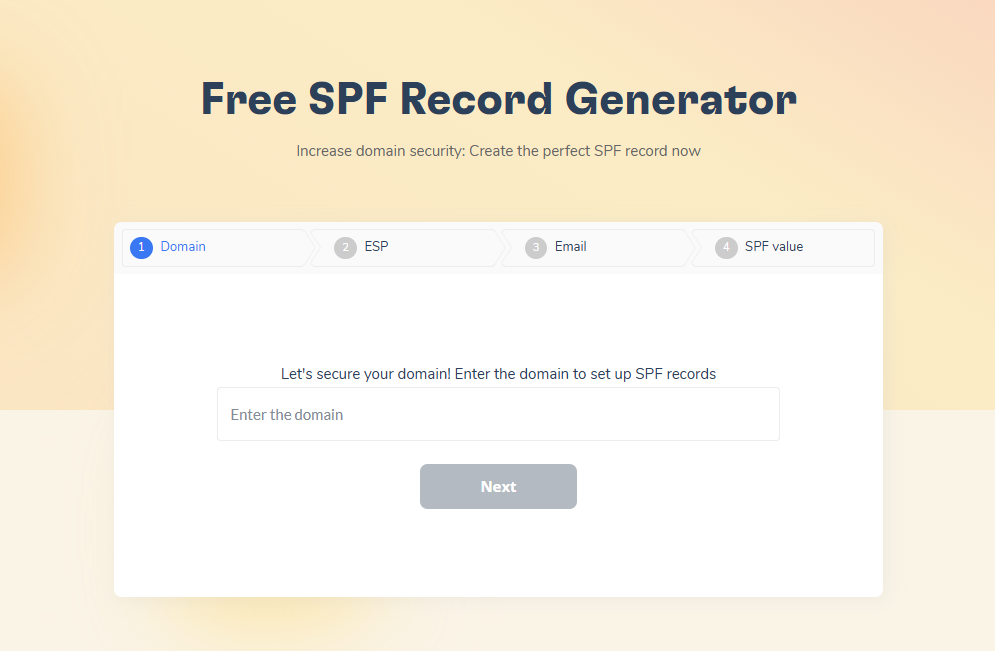
If any of these is missing or returns an error, that is your starting point. Use Warmy’s free SPF Generator and DMARC Generator for the fix steps that follow.
SPF errors: What goes wrong and how to fix each one
1. Error: No SPF record found
Symptom: DNS lookup returns no TXT record starting with v=spf1.
Why it causes spam placement:
- Without an SPF record, the receiving server cannot confirm you as an authorized sender.
- This will prompt them to treat every email from your domain as unverified or suspicious, increasing the likelihood it lands in spam.
Fix:
- Create an SPF record that lists every service authorized to send email from your domain.
- Use Warmy’s SPF Record Generator to build the correct record syntax, then publish it as a TXT record in your DNS settings. There should be exactly one SPF record per domain.
2. Error: Two SPF records on the same domain
Symptom: DNS lookup returns two TXT records both beginning with v=spf1.
Why it causes spam placement:
- Having two SPF records invalidates both.
- The RFC 7208 is explicit: a domain name MUST NOT have multiple records that would cause an authorization check to select more than one record.
- Mail servers that encounter two will treat SPF as broken entirely.
Fix:
- Consolidate both records into a single TXT record that includes all required include: statements.
3. Error: SPF PermError (Too many DNS lookups)
Symptom: Bounce messages include “SPF PermError: too many DNS lookups” or similar.
SPF, DKIM, and DMARC are not independent checks — they form a single sequential authentication flow, and each layer builds on the one before it. Understanding the order is the key to diagnosing any failure: you read the layers top to bottom, and a break at any layer cascades to everything below it.
Layer 1 — SPF verifies that the sending server’s IP is authorized to send mail for your domain. The receiving server looks up your v=spf1 TXT record and confirms the connecting IP is listed. If this first layer never completes, every downstream check is treated as suspicious.
Layer 2 — DKIM adds a cryptographic signature to the message so the receiver can confirm the email was genuinely sent by your domain and was not altered in transit. The receiver validates the signature against the public key published at selector._domainkey.yourdomain.com.
Layer 3 — DMARC sits on top of both. It checks alignment — whether the domain in your visible From: header matches the domain authenticated by SPF or DKIM — and then tells receiving servers what to do (p=none, p=quarantine, or p=reject) when a message fails.
This is why the layers must be read in order: DMARC can fail even when SPF and DKIM both pass, because alignment is evaluated only after the first two layers succeed. Authentication is therefore fixed in the same sequence the flow runs — SPF first, then DKIM, then DMARC.
Reading Errors as Breaks in the Flow, Not as Isolated Cases
Every authentication error maps to a specific point in this layered system, and naming the layer tells you what cascades next.
- A missing SPF record breaks Layer 1: the receiving server cannot confirm an authorized sender, so the chain never starts and DMARC alignment has nothing to align against. Use Warmy’s SPF Record Generator to build the correct record syntax; there should be exactly one SPF record per domain.
- An SPF PermError (exceeding RFC 7208’s hard limit of 10 DNS‑lookup‑causing mechanisms) collapses Layer 1 permanently — and because DMARC alignment in Layer 3 depends on SPF or DKIM passing, the entire authentication chain breaks with it.
- A DKIM selector mismatch or weak key breaks Layer 2, leaving DMARC with only one possible path to alignment instead of two.
- A DMARC alignment failure — where SPF passes, DKIM passes, but the From: domain does not align — is the clearest proof of all: it shows the first two layers can succeed individually and the system still fails as a whole, because the three protocols are one connected flow rather than three separate checks.
4. Error: Sending service missing from SPF record
Symptom: Emails sent through a third party platform (CRM, helpdesk, marketing automation) land in spam, while emails from your main inbox provider do not.
Why it causes spam placement:
- This means that the receiving server can see that the message came from an IP that is not authorized in your SPF
- This leads them to treat it as unauthorized or at worst mark it as spam.
Fix: Check the documentation for each platform to find its SPF include domain, then add the corresponding include: statement to your existing SPF TXT record.
DKIM errors: What goes wrong and how to fix each one
1. Error: No DKIM record published
Symptom: DKIM lookup for your domain’s selector returns no result or NXDOMAIN.
Why it causes spam placement:
- Receiving servers cannot verify the email’s signature and treat the message as unsigned.
- Both Gmail and Microsoft weigh DKIM heavily in their filtering decisions.
Fix:
- Generate a DKIM key pair through your email sending platform.
- Publish the public key as a TXT record in DNS at selector._domainkey.yourdomain.com.
- The selector name is defined by your email platform.
2. Error: DKIM selector mismatch
Symptom: DKIM verification shows a signature in the email header, but authentication fails on receipt.
Why it causes spam placement:
- The s= tag in the DKIM signature header specifies which DNS record to check.
- If the selector in the header doesn’t match the record published in DNS, verification fails even when the key itself is correct.
Fix:
- Check the DKIM signature in a raw email header (look for s=yourselector).
- Confirm a TXT record exists at yourselector._domainkey.yourdomain.com. If it’s missing for that selector, publish it. If your sending platform recently changed its default selector, update DNS to match.
3. Error: Weak or outdated DKIM key
Symptom: DKIM passes technically but inbox providers flag the domain for using outdated cryptography.
Why it causes spam placement: Keys shorter than 1024 bits are considered insecure and can be rejected by modern mail servers.
Fix: Regenerate the DKIM key pair using a minimum of 1024 bits. The current best practice is 2048 bits. Update the DNS TXT record with the new public key.
4. Error: DKIM signature not covering critical headers
Symptom: DKIM passes at first send but fails after forwarding, or authentication shows inconsistent results.
Why it causes spam placement:
- If the DKIM signature doesn’t cover headers like From, To, and Subject, those headers can be modified after signing without triggering a failure. Some providers flag this as suspicious.
Fix: Review your sending platform’s DKIM configuration to confirm the signature covers all required headers.
DMARC errors: What goes wrong and how to fix each one
1. Error: No DMARC record
Symptom: DNS lookup for _dmarc.yourdomain.com returns no result.
Why it causes spam placement:
- Gmail and Yahoo now require DMARC for bulk senders.
- Without a DMARC record, bulk sends face stricter filtering from providers that treat its absence as a trust signal failure.
Fix:
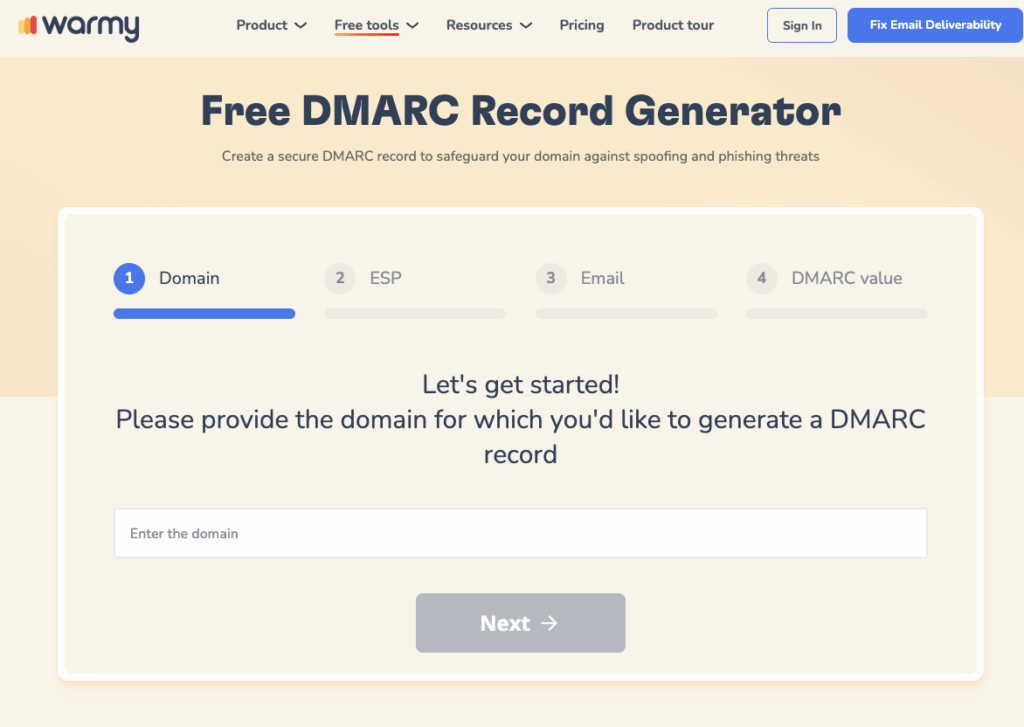
- Create a DMARC record using Warmy’s free DMARC Record Generator.
- Start with p=none to monitor traffic without blocking emails, then review aggregate reports before advancing the policy.
2. Error: Stuck on p=none with no plan to advance
Symptom: DMARC record exists but has been set to p=none for months or years with no policy progression.
Why it causes spam placement:
- p=none is a monitoring-only policy. It doesn’t instruct receiving servers to protect your domain or reject fraudulent email.
- Some providers interpret a permanent p=none as a lack of enforcement intent.
Fix:
- Review your DMARC aggregate reports to identify sending sources that are failing authentication.
- Once all legitimate sources are passing, advance to p=quarantine, then to p=reject.
3. Error: DMARC alignment failure
Symptom: SPF passes, DKIM passes, but DMARC still fails—showing up in reports or bounce headers as dmarc=fail.
Why it causes spam placement:
- DMARC requires the domain in the From: header to align with the domain that passed either SPF or DKIM.
- If your sending platform uses a different domain in the envelope sender than your visible From address, alignment fails even when both records individually pass.
Fix:
- Confirm the From address domain matches the domain covered by your DKIM signature, or configure your sending platform to use the same domain for both the envelope and the header.
4. Error: DMARC report address not set
Symptom: DMARC record exists but contains no rua= tag.
Why it matters: Without a reporting address, you receive no aggregate data about authentication failures across your domain. You are basically enforcing blindly.
Fix: Add rua=mailto:yourreportaddress@yourdomain.com to the DMARC record. This can be a dedicated inbox or a third-party DMARC report processor.
When authentication records are clean but emails still land in spam
After working through all the fixes above, some senders find their authentication records are clean yet spam placement continues. This is more common than it seems, and it points to a different layer of the problem.
Authentication alone doesn’t guarantee inbox placement.
And yes, it will get you considered, but inbox providers evaluate two additional factors that no DNS fix can address: sender reputation and sending history.
- Sender reputation is built from your history of spam complaint rates, bounce rates, and engagement level. A record of low engagement and high complaint rates will subject your domain to spam placement regardless of how clean your DNS is.
- Sending history matters equally. A new domain with perfect authentication records still has no reputation history for inbox providers to evaluate. Sending a large volume from a brand-new domain (even with clean DNS) will trigger heightened scrutiny from Gmail, Outlook, and others.
This is where email warmup becomes the next necessary step. Warmy automates warmup by gradually increasing the number of emails sent over time and simulating natural interactions (opens, clicks, and replies) to build sender reputation systematically. The AI-powered solution adjusts pace based on your domain’s actual behavior rather than applying a fixed schedule. Warmy also tests inbox placement across Gmail, Outlook, Yahoo, and other providers so you can confirm whether your fixes have worked in live conditions, not just at the DNS level.
Run a free inbox placement test to confirm your fixes are working under live conditions.
How Warmy addresses authentication and sender reputation
Inbox placement doesn’t rely on a single factor. It’s the combination of proper authentication setup and a strong sender reputation. Warmy is an all-in-one email deliverability solution designed to support both sides of this equation, helping ensure your emails are not only verified but also trusted by inbox providers.
It builds a positive sender reputation
Even with perfect authentication, poor sending behavior can still land your emails in spam. This is where Warmy plays a critical role. Warmy helps build your sender reputation by:
- Gradually increasing your sending volume in a controlled, natural way
- Generating real engagement signals (opens, replies, interactions) using active mailboxes
- Simulating human-like behavior patterns that inbox providers recognize as legitimate
This steady reputation-building process signals to providers like Gmail that your emails are expected and valuable.
It monitors domain health and deliverability
One of the biggest challenges in email deliverability is visibility. You often don’t know there’s a problem until performance drops. Warmy addresses this by offering:
- Domain health monitoring (authentication status, blacklist checks, inbox placement)
- Deliverability testing to see where your emails actually land (inbox, spam, promotions)
- Early warning signals when metrics begin to decline
This allows you to act before small issues turn into major deliverability problems.
It adapts to your domain’s behavior
Not all domains should be treated the same. A brand-new domain requires a slower, more cautious warmup, while an established domain can scale faster.
Warmy uses AI-driven logic to:
- Adjust sending pace based on domain age and performance
- Optimize engagement patterns depending on your use case (B2B or B2C)
- Prevent sudden spikes that could trigger spam filters or blacklisting
This adaptability is what makes automated warm-up significantly more reliable than manual efforts.
Your authentication fix checklist
Use this before sending any campaign from a new or recently reconfigured domain.
| Item | What to Check |
|---|---|
| Only one SPF TXT record exists on the domain | No duplicate SPF records; exactly one v=spf1 record per domain |
| All email-sending services are listed in the SPF record | Every platform sending on your behalf is included via include: or IP mechanisms |
| SPF include: count does not exceed 10 DNS lookups | No more than 10 DNS-lookup-causing mechanisms in the SPF record |
| DKIM TXT record is published for the correct selector | Record exists at selector._domainkey.yourdomain.com matching your platform’s selector |
| DKIM key is 1024 bits or longer (2048 preferred) | Key length is sufficient for security and modern server compatibility |
| DKIM signature covers From, To, and Subject headers | The DKIM signature should include the From:, To:, and Subject: headers to bind them to the provenance of the message. |
| DMARC TXT record exists at _dmarc.yourdomain.com | Valid DMARC record is published and returns a result on DNS lookup |
| DMARC policy is p=quarantine or p=reject (not indefinitely p=none) | After testing, move from p=none to p=quarantine or p=reject to tell receivers how to handle policy failures. |
| DMARC From domain aligns with the domain authenticated by DKIM or SPF | The From: domain must align with the domain used in DKIM‑signed d= or SPF‑authorized domain for DMARC to pass. |
| DMARC rua= tag is set to receive aggregate reports | The rua= tag must point to an email address that receives DMARC aggregate (RUA) reports for monitoring. |
| Inbox placement test confirms emails are reaching the inbox under live conditions | Live test shows inbox placement across target providers, not just DNS validation |
Run your domain through Warmy’s free Email Placement Checker to verify all 11 points. For a full walkthrough of the SPF, DKIM, and DMARC setup process, see the video tutorial here.

A caveat on fixing authentication errors
Fixing authentication errors follows a specific sequence:
- Confirm each record exists
- Resolve syntax and configuration errors
- Verify alignment
- Test under live conditions with an inbox placement tool
- Work through each protocol in order (SPF first, then DKIM, then DMARC) and use the checklist above to confirm nothing is missing before you send.
For domains with clean authentication but a history of low engagement or no sending history, authentication fixes alone may not resolve spam placement. That’s where sender reputation and gradual warm-up become the next step.
Warmy’s free tools cover everything you need to get started: SPF Record Generator, DMARC Record Generator, and Email Deliverability Test.