Emails go to spam when inbox providers flag them for poor sender reputation, missing SPF, DKIM, or DMARC authentication, spammy content, or low recipient engagement. To fix it: authenticate your domain, warm up your sending account, clean your list, eliminate spam trigger words, and test your deliverability regularly.
What is email spam filtering and why does it keep getting stricter?
Email spam filtering is the automated process by which providers like Gmail, Outlook, and Yahoo assess every incoming message against hundreds of signals before deciding where it lands: the inbox, the promotions tab, or the junk folder. These signals include your domain’s sending history, authentication records, content patterns, recipient engagement, and IP reputation.
If you’ve ever wondered why a carefully written email disappeared into a spam folder, the answer usually comes down to one thing: how inbox providers evaluate trust.
The single most important factor in this equation is your email sender reputation score: a dynamic assessment of how trustworthy your domain appears to inbox providers. Think of it as a credit score: built slowly through consistent, engaged sending, and damaged quickly by spam complaints, high bounce rates, or missing authentication.
Warmy.io is an AI-driven email warmup and deliverability platform that helps businesses, sales teams, marketers, and agencies build and protect sender reputation so emails consistently land in the inbox, not the junk folder.
Spam filters are not static. They are retrained constantly based on user behavior, and inbox providers now share intelligence across networks. What worked two years ago may actively hurt you today, particularly given the sweeping sender requirement updates rolled out by Google, Yahoo, and Microsoft in 2024 and 2025.
Sender requirements: What Google, Yahoo & Microsoft now demand
If your deliverability dropped in early 2024 or has continued to decline since, these new requirements are likely part of the reason.
Google & Gmail
Starting February 2024, Google began enforcing mandatory requirements for anyone sending more than 5,000 emails per day to Gmail accounts. But even lower-volume senders are now held to stricter standards:
- SPF and DKIM authentication must both be configured correctly
- A DMARC policy must be published, even a p=none policy is required as a baseline
- Spam complaint rates must stay below 0.10% at all times (rates above 0.30% trigger active deliverability throttling)
- One-click unsubscribe is now mandatory in all bulk and marketing emails
Review the full Google sender requirements.
Yahoo! Mail
Yahoo implemented equivalent requirements simultaneously. Yahoo now requires:
- Valid SPF and/or DKIM authentication on all outbound mail
- A published DMARC record for your sending domain with at least p=none
- Functional one-click unsubscribe support for commercial and bulk email or visible unsubscribe link in the email body
Review Yahoo bulk sender best practices.
Microsoft Outlook
- In 2025, Microsoft announced that Outlook.com would begin applying stricter filtering for unauthenticated mail from high-volume senders.
- Emails without proper SPF, DKIM, and DMARC alignment will be routed to junk.
- Microsoft’s updated guidance specifically emphasizes DMARC alignment (not just presence) and valid DKIM signatures.
Here are Microsoft’s Outlook sender requirements.
What this means for you right now: If you haven’t configured SPF, DKIM, and DMARC, you are almost certainly being filtered. Regardless of how good your content is.
Generate and validate your records for free:
15 reasons your emails are going to spam
1. Poor sender reputation
Your sender reputation is the cumulative score that inbox providers assign to your domain and sending IP based on your entire history. Spam complaints, high bounce rates, sudden volume spikes, and inconsistent sending patterns all damage this score over time.
Once you’ve been flagged, your future emails face automatic scrutiny even if the content is completely clean. Additionally, rebuilding a damaged sender reputation takes time. It requires consistent, engaged sending over several weeks.
Not sure about your sender reputation? Take Warmy’s free email deliverability test to find out how inbox providers perceive you.
2. Missing or misconfigured email Authentication (SPF, DKIM, DMARC)
Authentication protocols are your email’s digital proof of identity. Without them, inbox providers have no reliable way to confirm that you sent the email you claim to have sent, making it trivially easy for spammers to impersonate your domain.
- SPF (Sender Policy Framework): Authorizes which mail servers are permitted to send on behalf of your domain
- DKIM (DomainKeys Identified Mail): Adds a cryptographic signature verifying the email’s integrity in transit and that it wasn’t tampered with.
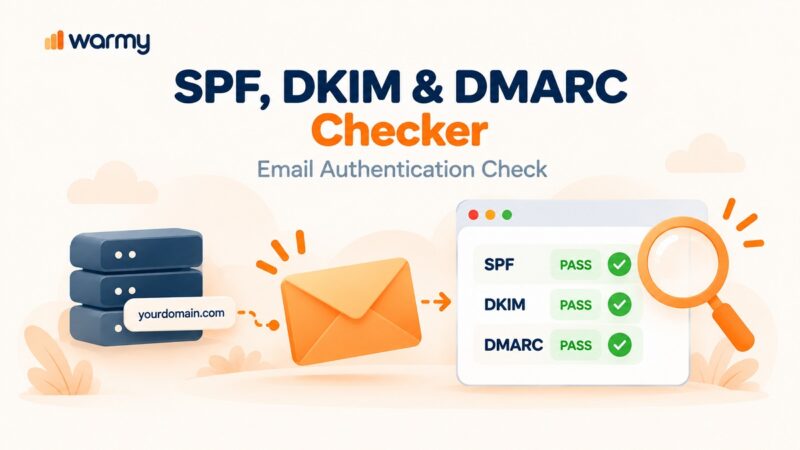
- DMARC (Domain-based Message Authentication, Reporting & Conformance): Ties SPF and DKIM together and tells receiving servers what to do when checks fail and sends you reports when they do
Missing any of these (especially after Google’s, Yahoo’s, and Microsoft’s new mandates) is basically a direct path to the spam folder.
3. Spammy subject lines
Certain subject line patterns have been so heavily associated with spammers that filters are trained to flag them automatically:
- Excessive punctuation: “Act NOW!!!” or “You WON!!!”
- ALL CAPS: Reads as shouting and triggers both filters and recipients
- Overused trigger words: “Free,” “Guaranteed,” “No risk,” “Limited time offer,” “You’ve been selected”
- Misleading or clickbait framing: Subject lines that promise something the email doesn’t deliver
Beyond the filter risk, spammy subject lines also erode trust with real readers. They are the people most likely to mark your email as spam if it feels manipulative or dishonest in any way.
Fix it: Keep subject lines under 60 characters, use natural language, and focus on genuine relevance to your audience. Before sending, run your template through the free Warmy Template Checker to flag risky content automatically.
4. Using spam trigger words in your email body
Spam filters don’t just read your subject line. They also scan your entire email. Phrases like “Buy now,” “Risk-free,” “Click here,” “Special promotion,” and “You’ve been chosen” are so commonly used in phishing and mass spam campaigns that filters were basically trained to recognize these automatically as spam and heavily penalize them.
Consistent use of these trigger words tarnishes your sender reputation over time, not just the individual email it appears in.
Fix it: Write for humans, not filters. Prioritize clarity and genuine value over aggressive sales language. Also familiarize yourself with words that trigger spam filters.
5. Low engagement rates
Inbox providers track how your recipients interact with your emails over time. For example, if a large percentage of your emails go unopened, are deleted without being read, or generate very few clicks, it sends a clear signal to ESPs: your audience doesn’t want your content.
Mailbox providers will take this as a sign to move your emails away from the primary inbox. That can mean either the Promotions folder or the Spam folder, even if your authentication is perfect.
Fix it: Segment your list and send highly relevant, targeted content to each segment. Remove subscribers who haven’t engaged in 90 days. A smaller, genuinely engaged list always outperforms a large, disengaged one.
6. High sending volume without a warmup
Sending thousands of emails from a domain with no established sending history is one of the fastest ways to get flagged and even blacklisted. This is precisely how spam botnets operate and inbox providers are trained to act accordingly.
Even legitimate businesses with good intentions trigger this pattern when they:
- Launch a brand-new domain and immediately send a big campaign
- Return to a dormant email account after months of inactivity
- Scale from hundreds to thousands of emails per day too quickly
Fix it: Warm up your email account systematically before ramping volume. Warmy.io automates this process by using AI to gradually increase sending volume while generating authentic engagement signals that build trust with inbox providers. Try it today, free for 7 days.
7. Frequent spam complaints
Nothing tells ESPs that your email is unwanted more than a recipient actively marking your email as spam.
Every time a recipient clicks “Report spam,” it registers as a complaint against your domain. The acceptable threshold under Google’s current requirements is below 0.10% and rates above 0.30% will actively throttle your deliverability.
Fix it: Make unsubscribing easy and visible. If someone no longer wants your emails, it’s far better for them to click “unsubscribe” than “report spam.” Monitor your complaint rates regularly and suppress non-engaged contacts before they become complainers.
8. Inconsistent sending patterns
Sending 10 emails one week and 10,000 the next is the kind of erratic behavior that closely mirrors how spam campaigns operate. Inbox providers use consistency as a proxy for legitimacy. This means predictable behavior and regular sending builds confidence while erratic spikes raise suspicion.
Fix it: Establish a regular sending cadence and stick to it. If you need to scale volume, increase gradually — no more than a 20–30% increase per week — so inbox providers can adapt to your pattern rather than flag it as anomalous.
9. Lack of personalization
Generic emails also feel like spam because they often are. Recipients are more likely to ignore or report emails that clearly weren’t written with them in mind, and inbox providers track that behavioral signal over time.
Fix it: At a minimum, personalize the greeting with even the recipient’s name. At a more sophisticated level, segment your list by behavior, interest, or lifecycle stage so that your content is genuinely relevant to each group. Personalization is both a best practice and a deliverability lever.
10. Poorly coded HTML
Broken HTML, excessive image-to-text ratio, embedded JavaScript, and inconsistent rendering across email clients are all hallmarks of spam emails. And spam filters know it. An email that looks clean visually may still contain code issues that trigger automated flags.
Common red flags include:
- Image-only emails with minimal text (a common spam technique to avoid text filters)
- Broken or mismatched HTML tags
- Large inline CSS that inflates file size
- Embedded scripts or forms
Fix it: Use a clean, tested HTML template. Aim for at least a 60:40 text-to-image ratio. Run your template through the Warmy Template Checker to catch HTML issues that could hurt deliverability before you hit send.
11. Missing or deceptive unsubscribe options
Not including a clear, functional unsubscribe link is a legal violation and a deliverability risk. If recipients can’t easily opt out, they’ll report your emails as spam instead. This is far more damaging to your reputation than a clean unsubscribe.
Google and Yahoo’s one-click unsubscribe requirement makes this non-negotiable for bulk senders: RFC 8058-compliant one-click unsubscribe is now a hard enforcement requirement, not a best practice.
Fix it: Include a visible, functional one-click unsubscribe in every commercial email. Process opt-outs within 10 business days as required by CAN-SPAM.
12. Non-compliance with CAN-SPAM and GDPR
Beyond unsubscribe links, CAN-SPAM requires every commercial email to include:
- An accurate, non-deceptive “From” name
- A non-misleading subject line
- A valid physical mailing address
For senders reaching EU recipients, GDPR compliance, including verified opt-in consent. is equally non-negotiable. Violations expose you to significant financial penalties and directly impact your ability to send.
13. Low domain authority or new domain
New domains have no sending history, which makes them inherently suspicious. Spammers frequently create fresh domains specifically to bypass filters, and inbox providers treat new or low-authority domains with heightened scrutiny as a precaution.
Fix it: How long does it take to warm up a new domain? It depends. If you’re working with a new domain, be especially methodical about warmup. Focus on proper authentication from day one, keep initial volume very low, and increase it only as positive engagement data accumulates.
14. IP address reputation and blacklisting
If you’re sending from a shared IP address, the behavior of other senders on that same IP can directly impact your deliverability. If your shared IP gets blacklisted because another sender abused it, your emails get filtered even if you’ve done nothing wrong.
Mailbox providers use blacklists differently, but the general idea is that if your domain is blacklisted, there’s a big chance that providers will see this as a red flag. If you manage your own sending infrastructure, pairing a well-warmed domain with reputable proxy and networking layers also matters. For example, using clean networks such as Proxy-Cheap datacenter proxies can help you avoid low-quality IP ranges that are already associated with abusive traffic and frequent blocks.
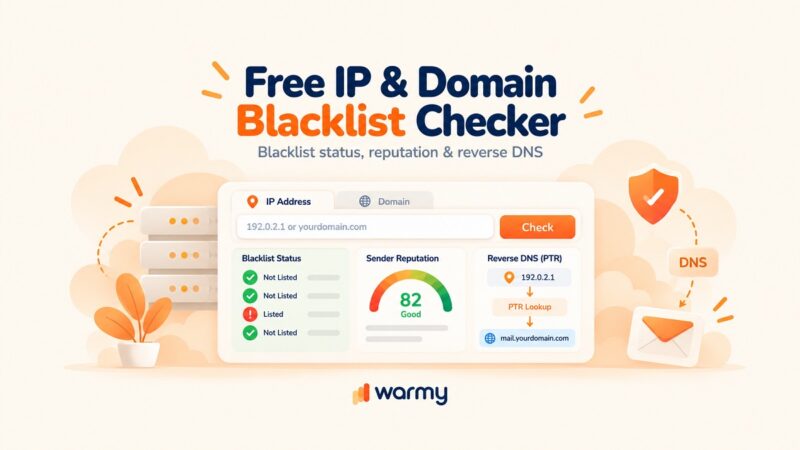
Fix it: For high-volume senders, a dedicated IP address gives you full control over your IP reputation. For shared IP users, choose your ESP carefully based on the quality and management standards of its IP pools, and actively monitor IP reputation through tools like MXToolbox.
15. Previous emails already marked as spam by your recipients
If a meaningful portion of your list has already reported your emails as spam, inbox providers will continue to auto-filter your future mail for those users. Plus, they may begin extending that filtering to new recipients on the same provider.
Fix it: Sign up for ISP feedback loops (available through Gmail Postmaster Tools, Yahoo Complaint Feedback Loop, and others) to receive complaint notifications. Suppress complainers immediately and regularly clean your list to remove unengaged subscribers before they become complaints.
Spam triggers vs. inbox best practices: A side-by-side comparison
| Issue | Spam Signals | Best Practices |
|---|---|---|
| Authentication | No SPF / DKIM / DMARC | All three protocols properly configured |
| Subject Line | ALL CAPS, “FREE!!!” | Clear, concise, 40–60 characters |
| Sending Volume | Sudden large spike | Gradual ramp-up with email warm-up |
| Engagement | <10% open rate | Segmented list with 20%+ open rate |
| Complaint Rate | >0.30% | Consistently below 0.10% |
| Unsubscribe | Hidden or missing | Visible, one-click RFC 8058 compliant |
| HTML Quality | Broken code, image-heavy | Balanced text/image, clean HTML |
| Email Content | Spam trigger words | Natural, value-first language |
| Domain Age | Brand new, no history | Warmed up over 4–8 weeks |
| IP Address | Shared, blacklisted IP | Dedicated IP or reputable shared pool |
| DMARC Policy | Absent | p=none at minimum; p=reject for full protection |
How to check if your emails are going to spam (free tools)
Before you fix the problem, you need to know exactly where your deliverability is breaking down. Warmy.io’s suite of free tools lets you diagnose issues in minutes:
- Email Deliverability Test: Analyzes your sender reputation, authentication, and inbox placement across major providers
- SPF Generator: Build and validate your SPF record instantly
- DMARC Generator: Create a correct DMARC policy for your domain
- Template Checker: Scan your email content and HTML for deliverability risks before you send
Run the deliverability test first. It will give you a prioritized view of your issues so you can focus your fixes where they’ll have the most impact.
Expert perspective:
Most deliverability problems aren’t caused by a single, obvious issue. They’re the result of several smaller problems compounding quietly over time. A sender with solid authentication but a slightly spammy subject line, a 60-day-old domain, and a 15% bounce rate is still at serious risk.
Ready to stop guessing and start fixing? Start Your Free Deliverability Test.
How Warmy.io keeps your emails out of spam in 2026
Warmy.io is an AI-powered email warmup and deliverability platform built for businesses, sales teams, marketers, and agencies that can’t afford to miss the inbox.
Here’s what’s available in your Warmy account today:
Automated email warmup
Warmy’s core engine gradually ramps up your sending volume while simulating authentic engagement (opens, replies, and spam rescues) to build a trusted sending history with inbox providers. This is an effective method for new domain reputation building and reputation recovery.
Warmup with Clicks
This enhanced warmup mode goes beyond opens and replies by simulating real link clicks which are one of the strongest engagement signals inbox providers evaluate. Emails that land in spam or Promotions are automatically moved to the inbox and marked as important, directly improving your inbox placement reputation.
Template performance dashboard
See exactly how your warmup templates are performing across inbox providers. Warmy’s Template Performance Dashboard breaks results down by Gmail, Outlook, Yahoo, and more. You’ll be able to identify which templates are landing in the inbox and which need adjustment, then make data-driven decisions about what to optimize.
Smart weekly auto-run for deliverability tests
Set your deliverability test to run automatically every week across all active mailboxes. You’ll always know where your inbox placement stands without manual intervention.
Stop letting good emails die in the spam folder
If there’s one thing this guide makes clear, it’s that landing in spam is rarely the result of a single mistake. It’s a combination of factors that quietly compound.
Every one of these problems is fixable and with the right tools, you don’t have to guess where the breakdown is happening.
Start by running Warmy’s free email deliverability test to get a clear, prioritized picture of exactly what’s sending your emails to spam. Then let Warmy’s AI-powered warmup engine do the heavy lifting by rebuilding your sender reputation, generating real engagement signals, and keeping your inbox placement protected week after week.
Your emails are worth reading. Make sure they actually get there.
Take the first step. Run the free email deliverability test today.