Optimal Domains &
Mailboxes Calculator

Optimal Domains &
Mailboxes
Calculator

Optimal Domains &
Mailboxes
Calculator

Calculating your ideal number of
domains and mailboxes

Required
Required
Required

Calculating…

Please fill in these fields to see the result:

  • How many emails would you like to send per day?
  • How many emails would you like to send per mailbox?
  • How many mailboxes do you want to have per domain?
icon

Required mailboxes:

0
icon earth

Required domains:

0

Why You Need The Right Number Of
Domains & Mailboxes

Why You Need The
Right Number Of
Domains &
Mailboxes

Why You Need The
Right Number Of
Domains &
Mailboxes

Optimize Email Performance with
the Right Setup

Optimize Email Performance
with the Right Setup

Optimize Email Performance
with the Right Setup

Improve Email Deliverability & Engagement

Sending too many emails from a single inbox can flag your domain as spam. ISPs track sending patterns, and a high volume from one mailbox can lower reputation scores. Maintain good deliverability by distributing email volume across multiple mailboxes.

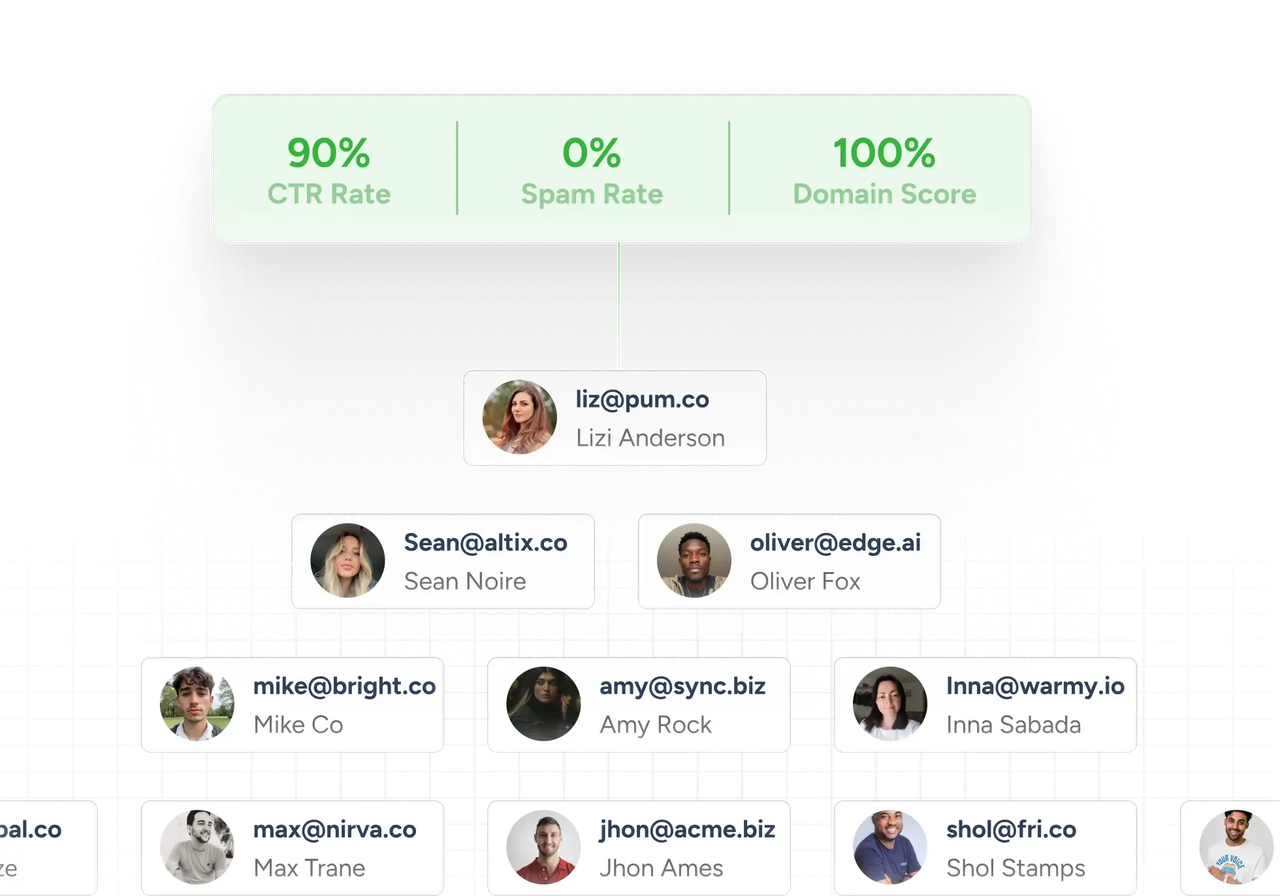
image 6 compressed scaled 1 frame 2147240199 compressed frame 2147240199 compressed

Scale Without Risks

To ensure safe and effective email marketing, it is important to avoid blacklists and spam traps. While a single domain limit can limit your outreach, it will reduce sales and engagement.

increase open and click rates 1 compressed

Avoid Email Reputation Damage

High email frequency from one domain can lead to throttling, meaning emails get delayed or blocked.
Rotating emails between multiple verified domains optimizes open and response rates.

increase open and click rates compressed

Quick Tips

What is the purpose of the Mailbox Calculator?

The Mailbox Calculator helps businesses determine the optimal number of domains and mailboxes they need based on their daily email sending requirements. This tool is essential for planning email campaigns and ensuring efficient use of resources

Why do you need multiple email addresses?

Using multiple email addresses allows you to spread out your email volume, which can enhance deliverability and reduce the risk of being flagged as spam. It also helps in segmenting different types of communications and can increase the effectiveness of your email campaigns

How can you warm up multiple emails and domains easily?

Warming up your emails and domains involves gradually increasing the volume of emails sent from new addresses to establish a reputation with ISPs. To streamline this process, you can use Warmy.io, which automates the warming up of your multiple emails and domains, ensuring better deliverability and performance

How does having multiple domains benefit my email marketing strategy?

Multiple domains can help protect your sender reputation by isolating potential issues to one domain at a time

How often should I review my domain and mailbox needs using the Mailbox Calculator?

It’s a good idea to review your needs whenever there is a significant change in your email sending strategy or volume

Where can I find more help if I have issues using the Mailbox Calculator?

For additional support, please contact our support team

Over 7,000 businesses love Warmy

A black circle with a white squiggly line resembling the letter M, next to the word motion in lowercase black text on a light gray background.
The image displays the word awesomic in bold, black lowercase letters on a light gray background, with an asterisk and a dot following the final letter.
Logo for Benchmark International featuring a symmetrical, abstract geometric design above the words BENCHMARK INTERNATIONAL in uppercase, elegant black font on a light background.
UserWay logo with a stylized U symbol to the left, and the text USERWAY a Level Access company to the right in bold and regular fonts on a light background.
The Quicklizard logo features a stylized Q with a small lizard foot emerging from it, followed by the word QUICKLIZARD in bold, black, uppercase letters.
The image displays the word Selling.com in bold, black font on a light gray background.
The word You written in large, black cursive font, followed by the word TEAM in smaller, bold, uppercase letters on a light background.
The image shows the word aid in lowercase, with the letter d stylized as a play button symbol and a dot next to it, all in bold black font on a light background.
Black Lusha logo with a graphic of a head wearing glasses and hair in a bun, positioned to the left of the text, on a light background.
The image shows the word pathrise in bold, black lowercase letters, with the vertical line of the p stylized as an upward-pointing arrow. The background is light gray.
Plivo logo featuring a black cloud outline with a keypad inside, next to the word plivo in bold, lowercase black letters on a light background.
The image shows the adpushup logo in bold, black lowercase letters on a light gray background.
A black circle with a white squiggly line resembling the letter M, next to the word motion in lowercase black text on a light gray background.
The image displays the word awesomic in bold, black lowercase letters on a light gray background, with an asterisk and a dot following the final letter.
Logo for Benchmark International featuring a symmetrical, abstract geometric design above the words BENCHMARK INTERNATIONAL in uppercase, elegant black font on a light background.
UserWay logo with a stylized U symbol to the left, and the text USERWAY a Level Access company to the right in bold and regular fonts on a light background.
The Quicklizard logo features a stylized Q with a small lizard foot emerging from it, followed by the word QUICKLIZARD in bold, black, uppercase letters.
The image displays the word Selling.com in bold, black font on a light gray background.
The word You written in large, black cursive font, followed by the word TEAM in smaller, bold, uppercase letters on a light background.
The image shows the word aid in lowercase, with the letter d stylized as a play button symbol and a dot next to it, all in bold black font on a light background.
Black Lusha logo with a graphic of a head wearing glasses and hair in a bun, positioned to the left of the text, on a light background.
The image shows the word pathrise in bold, black lowercase letters, with the vertical line of the p stylized as an upward-pointing arrow. The background is light gray.
Plivo logo featuring a black cloud outline with a keypad inside, next to the word plivo in bold, lowercase black letters on a light background.
The image shows the adpushup logo in bold, black lowercase letters on a light gray background.

Free Tools To Optimize
Your Email Workflow

Free Tools
To Optimize
Your Email Workflow

Free Tools
To Optimize
Your Email Workflow