


Turn Raw DMARC Reports Into a Readable DMARC Dashboard
Ever opened one of your DMARC reports? It's a wall of XML. Warmy's DMARC analyzer turns that wall into a dashboard you'll actually understand.
No Credit Card Required | Cancel Anytime
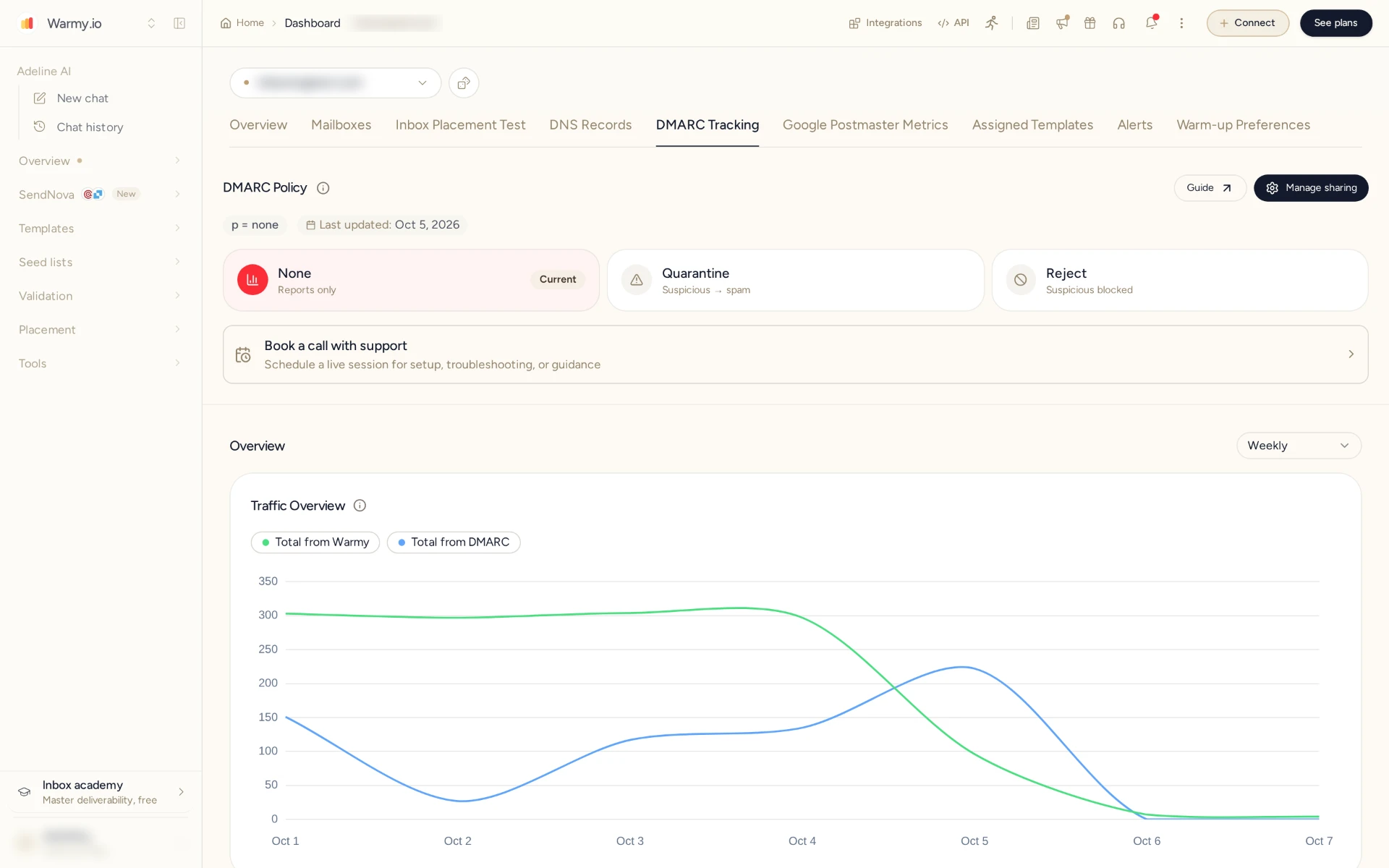
Stop Reading Raw XML Reports by Hand
Any mailbox provider that gets mail from your domain can send you back a DMARC report. Sounds useful, until you open it and find rows of IP addresses and pass/fail codes. Warmy does the reading for you. We collect the aggregate reports for your domain and add failure-report data whenever a provider sends it. Every sending source gets a name, with its SPF and DKIM alignment right beside it. So you can move to enforcement and not worry about blocking real mail.
- 100%
- Aggregate reports parsed
- 24h
- New sending sources detected
- Every sender named
- Not just IP addresses
- p=reject
- Guided path to enforcement
How DMARC Monitoring Works
Three steps. From then on every DMARC aggregate report comes to us instead of you. We turn it into plain English and show you which authentication failures to fix before your inbox placement takes the hit.
Point your DMARC record at Warmy
It starts with one small edit: add the Warmy reporting address to the rua tag of your DMARC record. That's all. Mailbox providers will now send their aggregate reports to our DMARC report analyzer and stop filling up your inbox. And no, this doesn't touch how your email is sent. Warmy only receives the reports.
We parse the XML for you
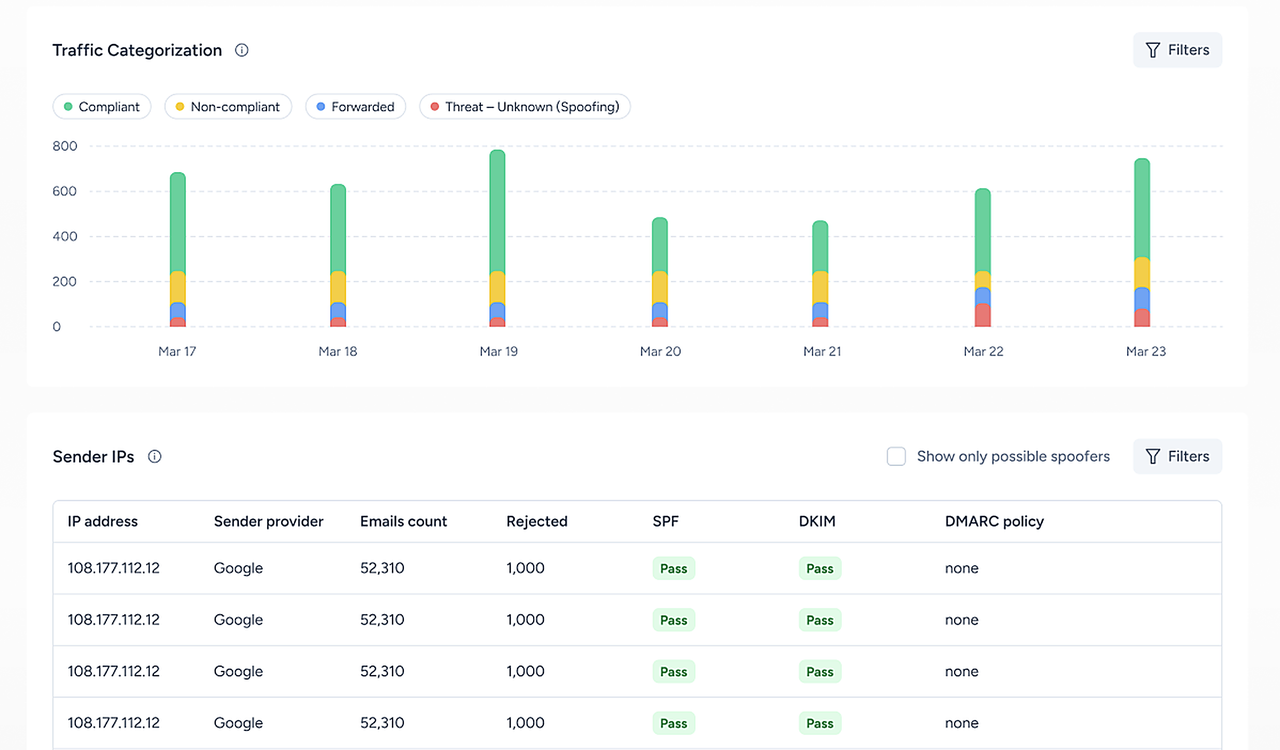
Almost nobody can read a raw DMARC aggregate report, and that's normal. It was written for mail servers, not for people. Warmy parses it for you. Per sender, what you get is short: where the mail came from, how many messages, SPF and DKIM alignment, pass or fail. Some providers also send failure (forensic) reports. Not many, but when one shows up we file it under the same sender, so the service that broke and the reason end up on the same screen.
Fix failures and move to enforcement
Now the fixing part. Warmy flags the senders that shouldn't be there and the services that aren't aligned. Then it guides you from p=none to quarantine, and finally to reject. DMARC monitoring keeps running the whole way, so legitimate mail isn't blocked while you tighten things up.


Reports From Every Major Mailbox Provider
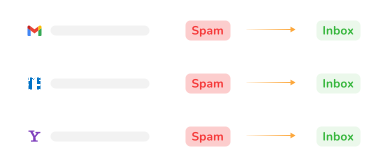
Warmy collects DMARC aggregate reports from Gmail, Google Workspace, Yahoo, Outlook.com, Microsoft 365 and other providers that send them. You don't end up with five separate piles, though. Everything is merged into one timeline per domain, however many services send on your behalf.
- Unlimited
DMARC reports processed
- 1
Domain is enough to start
- Daily
Aggregate reports from each provider
- Alerts
When a new sender appears
Trusted by teams sending at scale






Who's sending email as your domain right now? Find out today.
No credit card required
What is a DMARC Analyzer?
Mailbox providers send DMARC aggregate reports about your domain, and a DMARC analyzer is what reads them for you. You hand it the raw XML. It hands back what you were actually after: which sources sent email as your domain and how many messages each sent, plus whether that mail passed SPF and DKIM alignment or not.
And DMARC monitoring? Same job, just never switched off. Reports are collected and processed automatically, new senders get flagged, and the results tell you when your domain is ready for a stricter DMARC policy.
What Warmy's DMARC Reporting Dashboard Shows You
Think of Warmy as a DMARC reporting tool for practical questions. Who sends as your domain? What fails? What changed? Each view below saves you a manual pass through XML.
Every sending source, by name
See which services send mail as your domain, with volume per source and per day. Spot an IP you don't know? Unknown ones are grouped separately, so they stand out right away.
SPF and DKIM alignment per sender
DMARC alignment is a fancy name for a simple check. The domain that passed SPF or DKIM has to be the same domain your recipients see in the From line. If it isn't, a message can pass SPF and fail DMARC at the same time, and plenty of people have lost an afternoon to exactly that puzzle. Warmy shows pass, fail and alignment for both protocols.
Volume and policy results
Fix the big senders first, the small stuff can wait. Warmy puts message volume next to the DMARC outcomes, so the priorities are easy to see.
Failure report details, when available
DMARC failure (forensic) reports are hit and miss. Some receivers send them, while many big ones, Gmail for one, don't. When they do arrive, Warmy groups them by source.
Alerts when something changes
Nobody wants to log in every morning just in case. We notify you when a new source appears or when a known service starts failing authentication.
Upload a report file
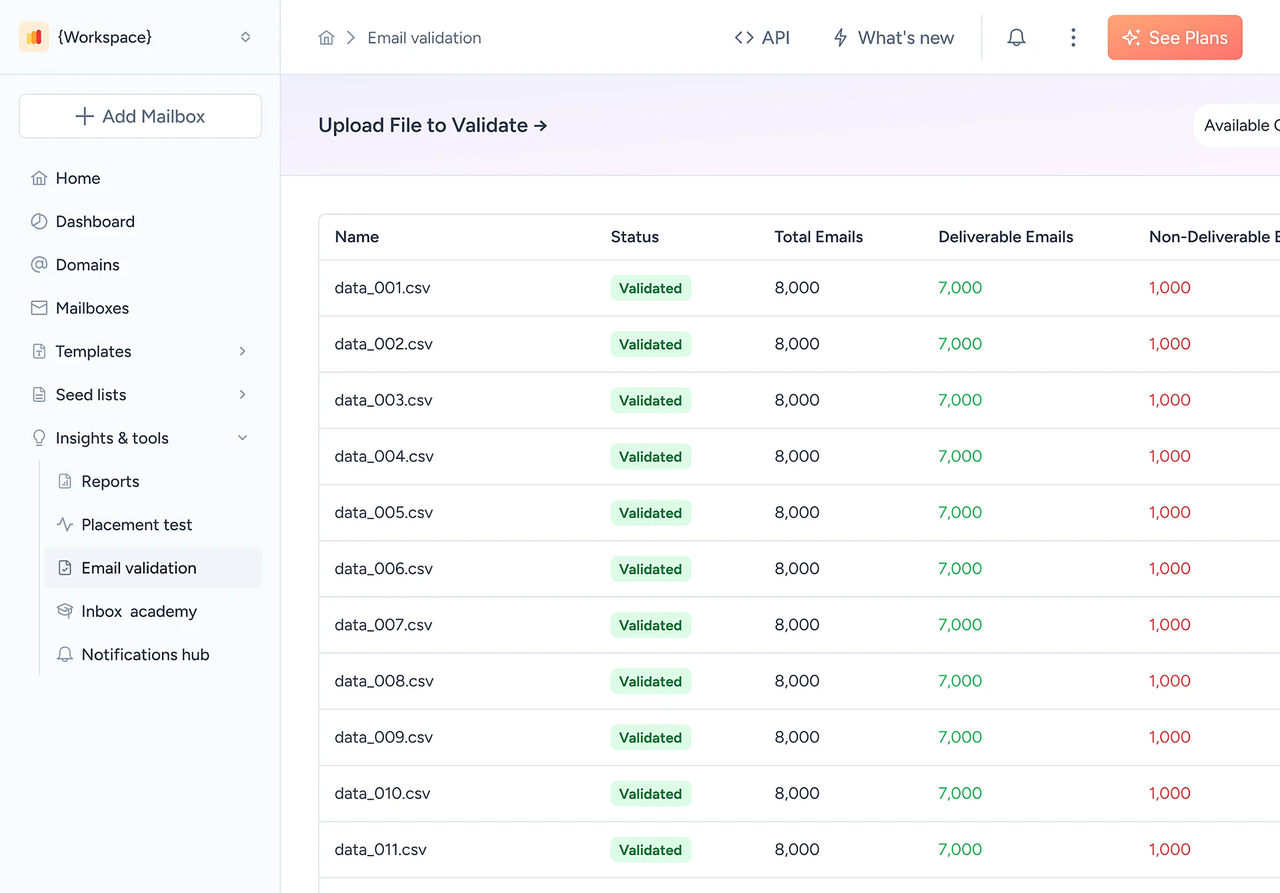
Have an older XML or ZIP report lying around? Upload it and view it in the same format.
How to Read a DMARC Aggregate Report
It's perfectly possible to read a DMARC aggregate report on your own, it's just tedious. Look at four bits in every record: the sending IP, the message count, SPF and DKIM results with alignment, and the disposition. Then match each IP to a service you use. If you don't recognize one, that's the one to investigate.
| XML field | What it means | What to check |
|---|---|---|
report_metadata / | Who sent the report (google.com, Yahoo, Microsoft) | Reports arrive from the major providers you send to |
policy_published | Your DMARC record as the receiver saw it | p and rua match what you published |
source_ip | The server that sent mail as your domain | Each IP maps to a known service |
count | Messages from that IP in the period | Large counts from unknown IPs suggest spoofing |
policy_evaluated: dkim / | Aligned pass or fail per protocol | At least one passes with alignment |
disposition | What the receiver did: none, quarantine, reject | Legitimate mail never shows quarantine or reject |
report_metadata /org_name - What it means
- Who sent the report (google.com, Yahoo, Microsoft)
- What to check
- Reports arrive from the major providers you send to
policy_published- What it means
- Your DMARC record as the receiver saw it
- What to check
- p and rua match what you published
source_ip- What it means
- The server that sent mail as your domain
- What to check
- Each IP maps to a known service
count- What it means
- Messages from that IP in the period
- What to check
- Large counts from unknown IPs suggest spoofing
policy_evaluated: dkim /spf - What it means
- Aligned pass or fail per protocol
- What to check
- At least one passes with alignment
disposition- What it means
- What the receiver did: none, quarantine, reject
- What to check
- Legitimate mail never shows quarantine or reject
DMARC Reports and Enforcement
Two kinds of reports, two different jobs. Aggregate reports are the foundation of DMARC monitoring. Failure reports are more of a magnifying glass, for when one message failed and you want to know why. Look at both and the question of when to tighten your policy mostly answers itself.
Aggregate (RUA) vs Failure (RUF) Reports
Aggregate report (RUA)
- Defined in
- RFC 9990
- What it covers
- All messages from your domain at one receiver
- How often
- At least once a day
- Contains
- IPs, counts, SPF/DKIM results, policy outcome
- Message content
- No
- Provider support
- Widely supported
- Best for
- Monitoring and enforcement decisions
Failure report (RUF)
- Defined in
- RFC 9991
- What it covers
- One message that failed DMARC
- How often
- Shortly after a qualifying failure
- Contains
- Headers and limited message details
- Message content
- Partial, may include personal data
- Provider support
- Limited; many large providers don't send them
- Best for
- Debugging one failing service
From p=none to p=reject
A p=none policy only collects data. Mail that fails still gets delivered as usual. So why bother? Because this is the stage where you map your legitimate senders, before you ask receivers to quarantine or reject anything.
- What happens to failing mail
- Delivered and reported
- Move forward when
- All legitimate senders are identified and aligned
- What happens to failing mail
- Sent to spam
- Move forward when
- Legitimate mail keeps passing reliably
- What happens to failing mail
- Refused by the receiver
- Move forward when
- Keep monitoring: new services appear over time
How many days per step? We don't give a number, because there isn't a good one. Move on when your reports look clean, whenever that turns out to be.
DMARC Monitoring and Deliverability in One Platform
DMARC tells you whether your mail authenticates. It doesn't tell you where it lands. That's a second question, and Warmy keeps your DMARC reports right next to the tools that answer it.
DMARC + inbox placement
Fixed your alignment? Good. Now run an inbox placement test and see where your mail really goes: Inbox, Promotions or Spam.
DMARC + warm-up
Starting with a new domain or mailbox? Warm it up with Email Warm-Up while the reports confirm every sending source is authenticated.
DMARC + DNS and blacklist checks
Deliverability Insights is the screen for this. Your SPF, DKIM, DMARC and MX records are there, and so is your blacklist status.
DMARC + Google Postmaster data
Curious how Gmail sees your domain? Compare your DMARC results with Gmail's view through the GPM integration.
And this isn't optional anymore. Gmail and Yahoo have required DMARC from bulk senders (5,000+ messages a day) since February 2024, and Outlook.com since May 2025. Publishing a record is the minimum. Monitoring is how you keep it working.
One-Off DMARC Report Analyzer vs Continuous DMARC Monitoring
If all you have is a single XML file, a one-off DMARC report analyzer is enough. DMARC monitoring is for everything after that. Reports are collected every day, combined across providers and tracked over time, and you don't do any of it by hand.
| One-off analyzer | DMARC-only platform | Warmy | |
|---|---|---|---|
| Input | You upload XML by hand | Reports sent to rua | Reports sent to rua, plus upload |
| History and trends | No | Yes | Yes |
| Sender names | Sometimes | Yes | Yes |
| Alerts | No | Yes | Yes |
| Inbox placement and warm-up | No | No | Yes |
Input
- One-off analyzer
- You upload XML by hand
- DMARC-only platform
- Reports sent to rua
- Warmy
- Reports sent to rua, plus upload
History and trends
- One-off analyzer
- No
- DMARC-only platform
- Yes
- Warmy
- Yes
Sender names
- One-off analyzer
- Sometimes
- DMARC-only platform
- Yes
- Warmy
- Yes
Alerts
- One-off analyzer
- No
- DMARC-only platform
- Yes
- Warmy
- Yes
Inbox placement and warm-up
- One-off analyzer
- No
- DMARC-only platform
- No
- Warmy
- Yes
Who Uses Warmy DMARC Monitoring
- Cold email and sales teams
- lots of domains and mailboxes, and one misaligned tool can hurt them all.
- Agencies
- DMARC management for every client domain, each in a separate workspace.
- E-commerce and marketing teams
- Klaviyo, Mailchimp, Shopify Email and CRMs are all sending on your domain.
- High-volume and high-risk senders
- iGaming, finance, dating, nutra.
- IT and security teams
- DMARC software that also shows what it means for deliverability.
Everything we explain on this page follows the current DMARC specifications: RFC 9989, 9990 and 9991.
Frequently Asked
Questions
Stop Guessing What Your DMARC Reports Say.
See Every Sender In One Dashboard
No Credit Card Required | Cancel Anytime
Keep going