



SMTP Error 451 4.7.1 is a temporary rejection from the receiving mail server, most commonly triggered by greylisting, failed SPF/DKIM/DMARC authentication, IP blacklisting, or exceeded sending limits. It is not permanent — retrying after a short delay often resolves it, but recurring errors signal a sender reputation issue that requires fixing authentication records, warming up your mailbox, and monitoring your domain health.
This error belongs to the 4xx class of SMTP responses, which means the rejection is temporary, not permanent. The receiving server is saying: “I can’t accept this right now” — and in most cases, it explains why. The 4.7.1 sub-code specifically points to policy-level rejections: greylisting, spam policy enforcement, or authentication failures.
In this article, we’ll explore the annoying SMTP error, why it’s blocking your flow, and how to fix it.
What SMTP Error 451 4.7.1 Actually Means
SMTP Error 451 4.7.1 is a temporary delivery failure code. The 451 part signals that the receiving server encountered a condition that prevented it from processing your email right now — but is willing to accept a retry. The 4.7.1 extension narrows it down to a policy or authentication problem on the server’s end.
In practice, this means the receiving server checked your email against its filtering rules and found a reason to reject it temporarily. That reason could be as simple as greylisting — where a server rejects first-time senders by default and expects a retry — or as serious as your IP being on a spam blacklist.
The key distinction from a 5xx error: a 451 does not mean your email is permanently undeliverable. It means delivery is deferred, and you have a window to fix the underlying cause before the sending server stops retrying.
Why does SMTP Error 451 4.7.1 happen?
SMTP Error 451 4.7.1 occurs for reasons primarily linked to server policies or network conditions. Key triggers include:
Greylisting
Greylisting is one of the most common causes of this specific error. When a server uses greylisting, it temporarily rejects emails from senders it hasn’t seen before — expecting a legitimate mail server to retry delivery. If your sending server retries (as it should), the email usually goes through on the second attempt. The rejection looks like a 451 error in the bounce log.
Capacity overreach
The recipient’s server is at its capacity, delaying your email’s delivery.
Excessive sending
Your email activity has exceeded the server’s allowed rate, prompting a temporary halt.
Spam concerns
The server’s filters have flagged your email as potential spam, blocking its delivery.
Eager to learn more? Our related article has all the answers: Why are My Emails Going to Spam or Junk? [Solved]
Policy violations
Your email does not align with the recipient server’s policies, possibly due to its content or attachments.
IP blacklisting
The sending IP address is on a blacklist, seen by the server as a source of spam.
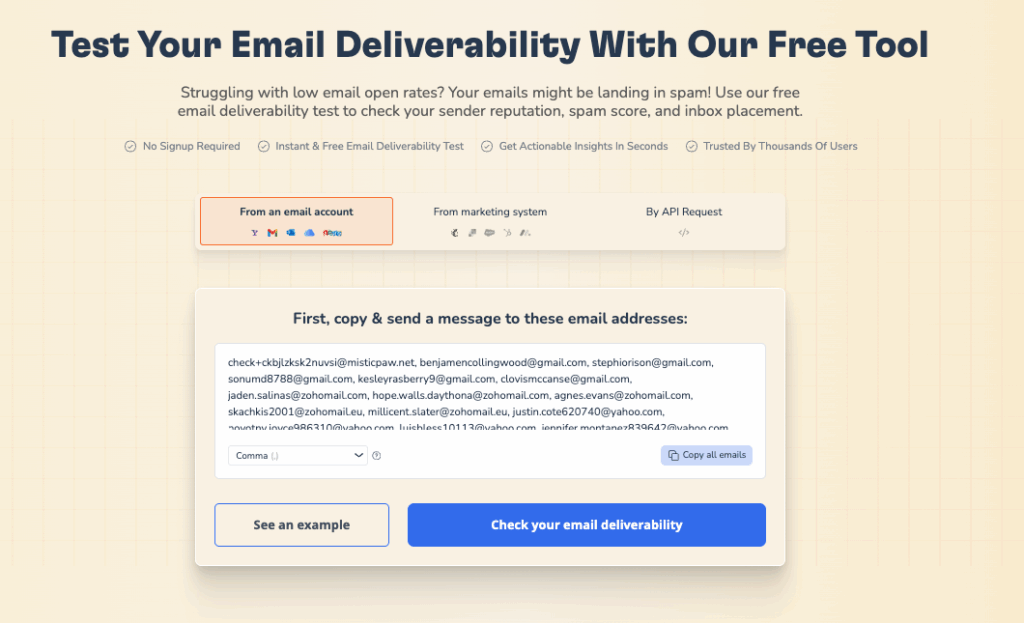
You can easily check whether your IP is on blacklists using the Warmy email deliverability test. It’s absolutely free and contains a goldmine of insights.
Server issues
Temporary internal server problems are preventing email processing.
The many faces of error 451
SMTP Error 451 comes in different variants, each offering subtle reasons for delivery failures. Being aware of these variations can really aid in the identification of the cause as well as the appropriate fix. There are common variants, and here is what they usually indicate:
- 451 4.3.2 – This indicates that the server is temporarily unable to process requests due to system overload or maintenance. It’s a “try again later” signal, meaning the server itself is working correctly but that it has gotten overwhelmed or is temporarily being serviced.
- 451 4.7.0 – This error indicates temporary authentication error, most probably the issue is related to receiving server security policies or sender authentication protocols (SPF, DKIM, DMARC records). This means that the mail has been rejected since their origin or authenticity were questionable.
- 451 4.4.4 – A routing failure: the server cannot find a path to the destination mail server. This may be caused by DNS, misconfiguration, or network issues that prevents the server from finding the recipient’s email server.
- 451 4.3.0 - A general error indicating internal server problems. This might be caused by several issues on the server side, including configuration issues or resource limits, and indicates that the problem rests with the ability of the receiving server to process emails.
- 451 4.3.5 – This code indicates a server configuration issue from the receiving server e.g. processing rules or how it recognize email. It may indicate that the server is not properly configured to accept emails at this point in time, or that certain processing rules are preventing the message from being delivered.
Navigating solutions: clearing SMTP Error 451 4.7.1 across platforms
Gmail solutions
Check for service outages
Initially, visit the Google Workspace Status Dashboard to verify there are no ongoing issues or maintenance activities affecting Gmail services. This step ensures the problem isn’t on Google’s end.
Review send limits
Gmail sending limits exist to safeguard the service and prevent spam. A standard Gmail account can send 500 emails daily. Email business accounts with Google Workspace can send 2,000 daily. If you send more, Google will respond with an SMTP Error 451 4.7.1, meaning you’ve exceeded sending allowances and watch your excess due to rate limiting.
Examine email authentication
The easiest way to make sure your emails aren’t going to spam or getting flagged as harmful is to authenticate them.
Make sure you have SPF, DKIM, and DMARC records set for your domain. If they’re non-existent or set up the wrong way you may notice none of your emails are undeliverable with an Error 451 4.7.1.
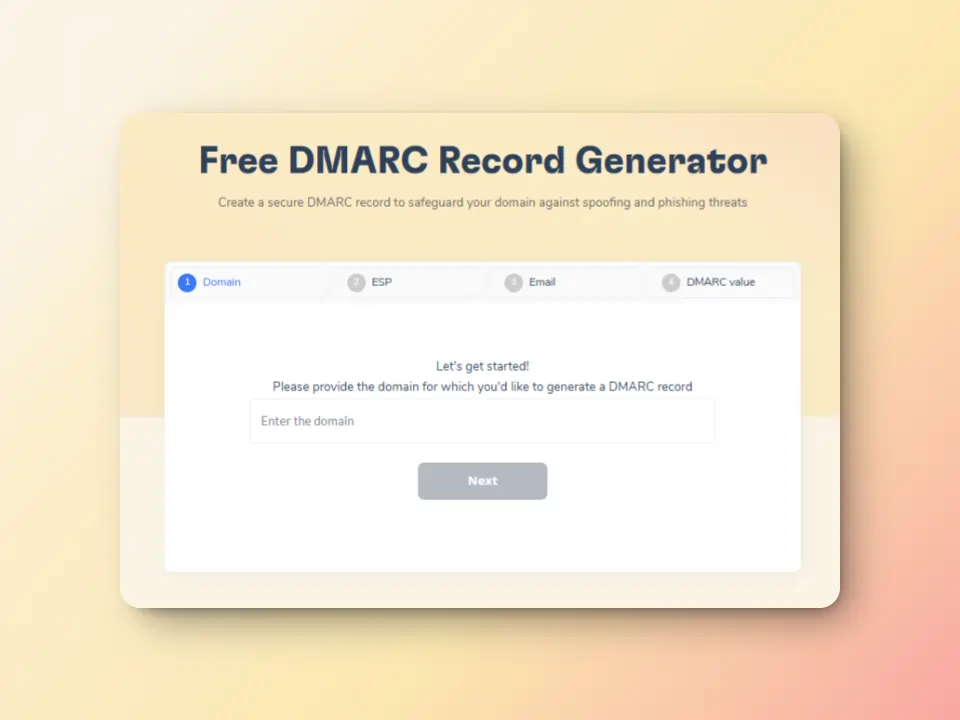
The easiest way to do this? Warmy.io. We have a free SPF and DMARC record generator that guides you through the steps of creating and implementing these essential DNS records to boost email authentication and deliverability.
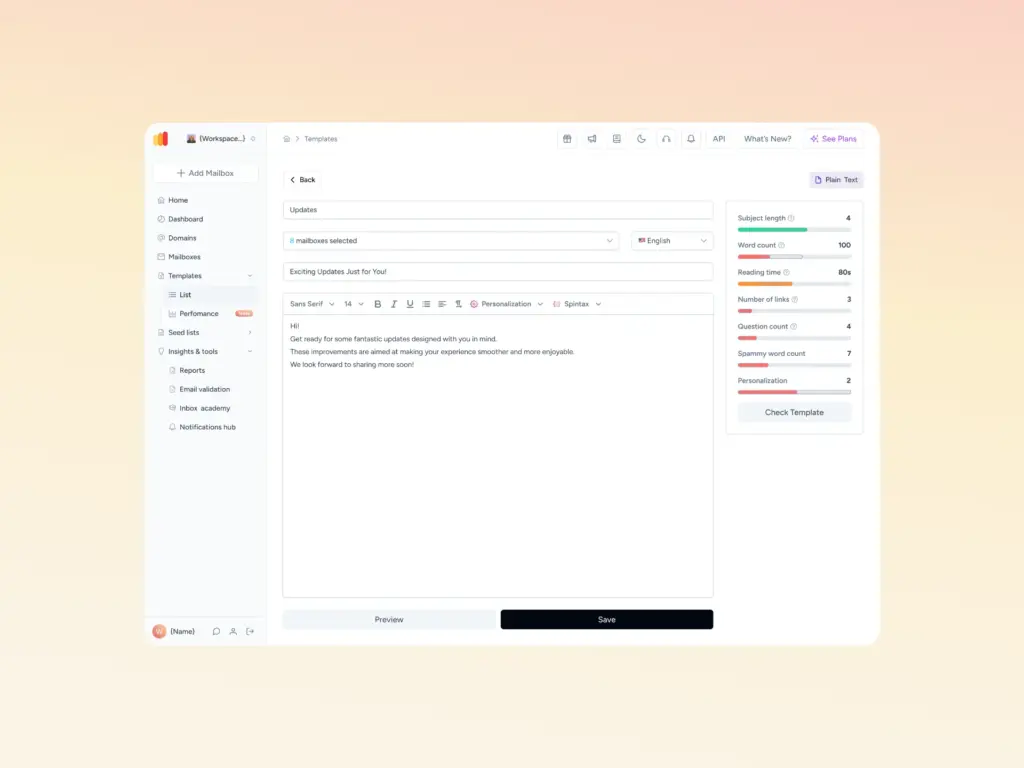
Pro Tip: Before sending any campaign, run your email template through Warmy’s free Template Checker. It scans your subject line and body copy for spam trigger words, formatting issues, and structural problems that receiving servers flag — and tells you exactly what to fix before you hit send.
Outlook (Office 365) solutions
Inspect server connectivity
Use the Microsoft’s Remote Connectivity Analyzer tool to ensure proper communication with Outlook servers. This tool helps to diagnose any connectivity issues that may be affecting email delivery.
When you provide your email information, the tool runs a host of tests to determine the exact network or server issues based on the flow of your email.
Ensure compliance with sending policies
Be familiar with and follow a few other guidelines, such as a healthy email sending reputation, email volume bursts and content that falls victim to spam filters, can help you a great deal.
To avoid SMTP Error 451 4.7.1, you should regularly revise and modify your email delivery behaviour to ensure compliance with these practices.
Authenticate your email
For domains hosted on Office 365, Microsoft provides documentation and setup utilities for SPF, DKIM, and DMARC through the Microsoft 365 admin center. Properly configured authentication significantly reduces the chance of receiving a 451 policy rejection from Outlook servers.
Yahoo Mail solutions
Monitor sending activity
Email sending limits have been set by Yahoo Mail to avoid spamming and standardize use.
For instance, the Yahoo Mail limits are 500 max sent per day and 100 max per recipient. These are connected to SMTP Error 451 4.7.1 because going over these limits will cause Yahoo to deny you access to send for a short period of time (for the sake of the greater good). Use this as a threshold in accordance with your own email marketing.
Secure your email account
Your Yahoo Mail account needs to be protected. When accounts are hacked, it’s more than personal information at stake; it’s one person’s sending reputation that could endanger thousands of other accounts.
By regularly changing passwords, utilizing two-factor authentication, and reporting hacked activity as an alerting system for nefarious deeds, you protect not only the individual but also Yahoo’s sender reputation.
Seek Yahoo support
However, if you’ve tried everything and the error still isn’t fixed and you’re still seeing the SMTP Error 451 4.7.1, it’s time to seek help. There are many online tools with Yahoo Mail Support as well as live agents who can help with your particular mail delivery situation.
Pro Tip: Use Warmy’s Advanced Seed Lists to generate real engagement signals before sending to your actual list. Seed list interactions — opens, replies, clicks, and spam recoveries — tell inbox providers that your emails are legitimate, which directly reduces the risk of greylisting and policy rejections like 451 4.7.1.
Not sure whether your domain is triggering 451 errors due to blacklisting or authentication gaps? Run Warmy’s free Email Deliverability Test — it checks inbox placement, blacklist status, and SPF/DKIM/DMARC records in one pass, so you know exactly what to fix.
Proactive email health: the Warmy.io advantage
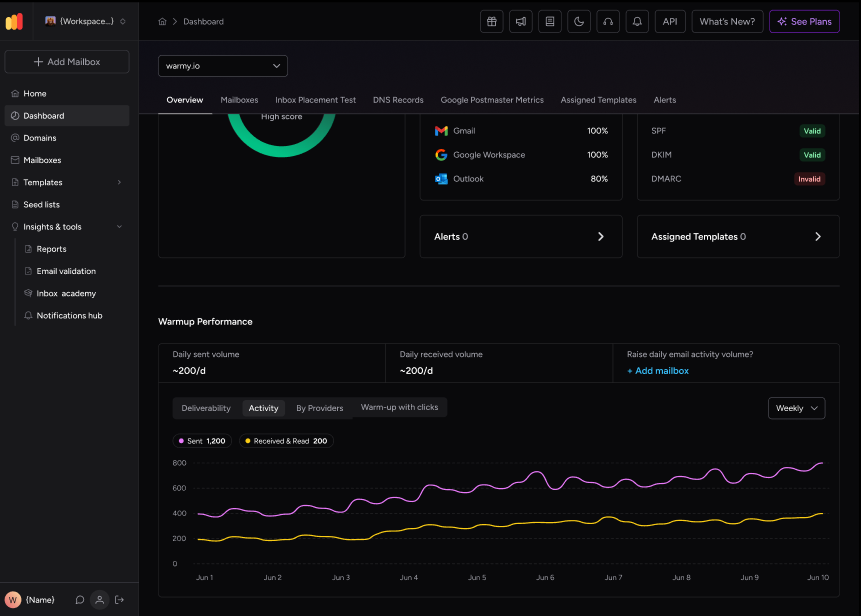
Warmy is an AI-driven email warmup and deliverability platform that automatically builds your sender reputation, improves inbox placement, and keeps your emails out of spam — no technical expertise required. Here’s how Warmy helps you prevent SMTP Error 451 4.7.1 before it happens:
- Automated email warmup. Warmy.io gradually increases your sending volume, improving your sender reputation and reducing the risk of being flagged by email service providers.
- Deliverability insights. Pinpoint exactly where your emails are landing—inboxes, spam, or promotional folders—and adjust your strategy for optimal placement.
- Authentication setup support. Navigate the complexities of SPF, DKIM, and DMARC with Warmy.io’s assistance to ensure your emails are authenticated and secure.
- Blacklist monitoring. Stay informed about your domain and IP status on blacklists, allowing for quick action to maintain your email performance.
- Advanced seed lists. These create real engagement with real email addresses—your emails are opened, clicked on, scrolled through, and marked as important. This also includes manual recovery from spam folders.
- Domain Health Hub: Monitor domain-level health, including authentication, blacklist status, spam rate trends, and overall deliverability performance across multiple domains.
- Adeline AI: Warmy’s proprietary AI engine analyzes hundreds of parameters per mailbox, builds a personalized warmup schedule, and makes 20 million decisions per day to optimize your sender reputation automatically.
Pro Tip: If you’re managing multiple sending domains or mailboxes, Warmy’s workspace management features let you monitor all of them from one dashboard — with per-mailbox warmup settings, provider-specific distribution controls, and team access management. This makes it significantly easier to catch authentication or reputation issues before they surface as 451 errors.
By leveraging Warmy.io, you gain a strategic partner in maintaining robust email health, ensuring your communications reach their target without interruption. Warmy.io’s targeted approach not only addresses SMTP errors preemptively but also empowers your email campaigns for success.
SMTP 451 4.7.1 vs. Other Common 451 Variants — Quick Reference
| Error Code | Primary Cause | Fix Priority |
|---|---|---|
| 451 4.7.1 | Greylisting, spam policy, authentication failure | Check SPF/DKIM/DMARC, warm up domain, check blacklists |
| 451 4.7.0 | Temporary authentication error | Fix authentication records |
| 451 4.3.2 | Server overload or maintenance | Retry later; no action needed |
| 451 4.4.4 | DNS or routing failure | Check DNS records and MX configuration |
| 451 4.3.0 | General server-side error | Contact recipient’s mail admin |
Final Thoughts
Understanding and resolving SMTP Error 451 4.7.1 may seem like a challenge at first, but with the right insights and preventive strategies, as outlined in this guide, you’ll be able to face and avert this message delivery issue head-on.
Here’s a quick recap of the main takeaways:
- Recognize SMTP Error 451 4.7.1 as a temporary setback, often related to server overloads, policy restrictions, or authentication issues.
- Apply platform-specific solutions for Gmail, Outlook, and Yahoo Mail, focusing on server connectivity, compliance with sending policies, and proper email authentication.
- Embrace Warmy.io’s comprehensive tools for email warmup, deliverability testing, authentication assistance, and blacklist monitoring to safeguard your email strategy.
Armed with this knowledge, you possess the power not just to rectify SMTP Error 451 4.7.1 but also to enhance your overall email deliverability.
Sign up for a free trial today.











