



SMTP Error 451 4.3.5 means the receiving mail server is temporarily unable to accept your message because of a configuration problem on its own side, not yours. Per RFC 3463, enhanced status code X.3.5 (“System incorrectly configured”) is a 4xx, retryable failure: the message stays queued and is usually delivered once the recipient’s server issue clears.
A variety of SMTP errors interrupt the flow of email communication, and SMTP Error 451 4.3.5 is one of the more misunderstood ones because the fault usually sits on the recipient’s server, not the sender’s.
Left unresolved, repeated 451 4.3.5 responses can delay time-sensitive messages and, if the pattern keeps recurring against the same domain, start to affect how reliably your mail reaches that recipient going forward. Understanding exactly why the error fires is the first step to clearing it.
What is SMTP Error 451 4.3.5?
This error means an email message could not be processed or delivered because of an issue on the receiving server, not the sender’s. For the full list of SMTP reply codes and what each one means, see Warmy’s SMTP error codes and messages guide.
The “451” portion is the basic SMTP reply code defined in RFC 5321 as a temporary, local error on the receiving server. The “4.3.5” enhanced status code, defined in RFC 3463, specifically means “System incorrectly configured”: the destination system’s own settings are preventing it from accepting the message right now. The bounce text usually adds a short explanation such as “Server Configuration Error” or “System Resource Problem.”
Root causes of SMTP Error 451 4.3.5
SMTP Error 451 4.3.5 can originate from a range of issues on the receiving server. The root causes fall into three groups: server overload, DNS issues, and configuration errors. It’s related to, but distinct from, SMTP Email Error 451 4.3.0, which points to a broader temporary local problem rather than a specific configuration fault.
Server overload
Server overload is one of the most common triggers for SMTP Email Error 451 4.3.5. It happens when a mail server receives more connection requests or messages than it can currently process, so it temporarily defers new mail rather than risk dropping it. A related overload symptom, SMTP Email Error 451 4.3.2, shows up when the receiving server is unavailable outright due to maintenance or a shutdown in progress.
Pro Tip: If 451 4.3.5 only appears against one domain, check that provider’s status dashboard (for example Google Workspace Status) before assuming your own setup is at fault: the config issue is almost always on their end.
DNS issues
DNS problems are the second major cause, since email routing depends entirely on correct DNS records on the receiving side. Improper MX records on the recipient’s server, or a failure while resolving the recipient’s DNS, can trigger a 451 4.3.5 response because the server cannot confirm where the message should route. A closely related routing failure, SMTP Email Error 451 4.4.4, occurs when the server can’t find a valid delivery path at all.
Pro Tip: Confirm DNS problems from your side with a two-step check: run nslookup or dig against the recipient’s MX record (see the DNS verification steps below), then cross-check with an MX-lookup tool like MXToolbox; agreement between the two rules out a stale local DNS cache as the culprit.
Configuration errors
Configuration errors are the third cause: an improperly set up email queue, a routing misconfiguration, or an overly aggressive spam filter can all make the server return a 451 4.3.5 message instead of accepting the mail. A related configuration-driven failure, SMTP Email Error 451 4.5.0, appears when the specific mailbox, rather than the whole server, is temporarily unavailable. Resolving 451 4.3.5 means auditing all three categories and fixing the underlying issue, not just retrying.
Comprehensive solutions for SMTP Error 451 4.3.5
Properly addressing SMTP Error 451 4.3.5 takes a step-by-step approach, since the error can stem from several different disparities. For the broader family of SMTP Error 451 responses, fixing the 4.3.5 variant across major providers such as Gmail, Outlook, or Yahoo means checking server configurations, DNS settings, and your own sending practices in that order.
Run a free email deliverability test to see whether your emails are landing in the inbox before you spend time chasing a server-side configuration issue that may not even be on your end.
Checking server configurations
- Look through the server load management. Ensure that your email server is not overloaded. Alternating the load management system is also vital for managing load. When needed, increase resource allotments or improve procedures to enable the system to function more smoothly.
- Examine the email queue settings. Your email server may also have queue management options. Adjust the settings so nothing gets stuck and emails are handled as rapidly as feasible.
- Check for configuration errors. Lastly, review your server’s current setup. Some settings can be misconfigured in ways that indirectly trigger a 451 4.3.5, especially overly strict spam filter rules. Review spam filter settings against Google’s sender guidelines and loosen any rule that rejects legitimate mail outright instead of deferring it.
Verifying DNS settings and network connectivity
- MX records confirmation. Check the correctness of the domain’s MX records. This one can be verified through the use of services like mxtoolbox.com to validate if the domain’s MX records are pointing to the correct email server.
- DNS resolution testing. Validate DNS resolution for the hostname of the email server using the command-line utilities that include nslookup and dig. This will ensure that matching data is returned without issues that might affect the routing of the email.
- Network connectivity analysis. Evaluate connectivity between the email server and the public Internet as well as between the sender server and the email receiver server. The ping and traceroute utilities are essential to the verification of the existence of any connectivity problems that should be addressed.
Adjusting email sending practices
- Monitor sending rates. Monitor the rate at which emails are being sent in order to avoid hitting sending thresholds. This is particularly essential when sending bulk emails. It enables you to avoid overloading the server and potentially encountering SMTP Error 451 4.3.5.
- Optimize email content. Write emails in clear, natural language that avoids spam trigger words, since overly aggressive spam filtering is one of the configuration issues that can produce a 451 4.3.5 response. A related temporary failure, SMTP Email Error 451 4.7.0, specifically points to authentication or policy-based filtering rather than a general configuration fault.
- Using warmup services. It is recommended that email warmup services like Warmy.io be used to gradually scale your email accounts’ reputations. It is particularly useful for new domains because it is less likely to be the target of spam filters or face email deliverability problems.
Leverage Warmy.io to prevent SMTP email errors
Despite the scope of the problem, Warmy.io addresses the underlying causes of SMTP Error 451 4.3.5 by progressively building an email account’s sender reputation and improving the odds that its emails get delivered on the first attempt.
Mitigating SMTP errors with Warmy.io
Warmy.io addresses the root causes of common SMTP errors by keeping an email account’s reputation recognizable and trustworthy to ISPs and mailbox providers. Because sending volume increases gradually and organically, engagement rates stay high and the account avoids the typical triggers behind server overload, spam flagging, or deliverability drops caused by a sudden spike in activity.
The warming up process and its benefits

Warmy.io’s email warmup process starts slowly and increases pace over time. That deliberate ramp-up builds a strong sender reputation, which is critical for clearing spam filters and avoiding SMTP errors like 451 4.3.5.
Backed by a track record of positive engagement, emails sent through Warmy.io reach their destination inboxes more reliably, which makes rejections, and by extension the most common cause of SMTP Error 451 4.3.5, less likely.
With a greater likelihood of mail making it to destination inboxes, there is more than just a reduced risk of being rejected that can be expected. An increase in email deliverability entirely mitigates the risks associated with common SMTP barriers.
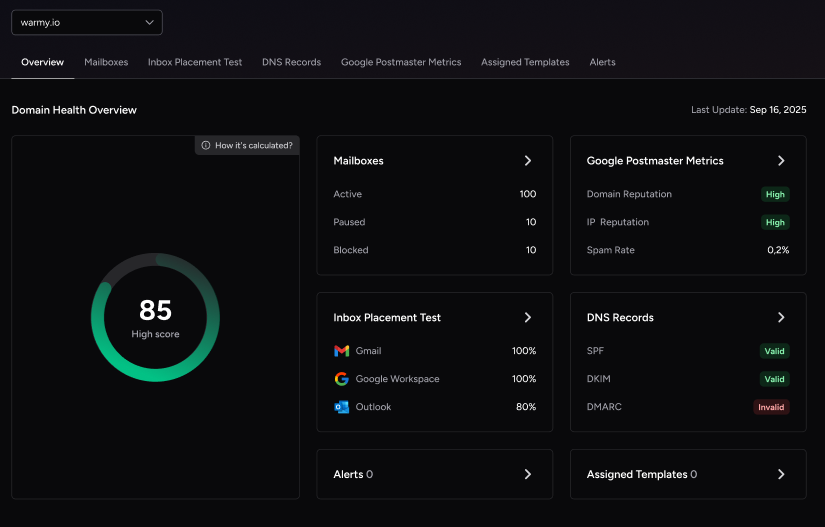
Pro Tip: Pair warmup with Warmy’s Domain Health Hub so you can see spam rate trends and DNS authentication status in one place, catching a drifting sender score before it triggers a 451 4.3.5 is far faster than troubleshooting after the fact.
Set your emails up for success with Warmy.io
It is evident that being aware of SMTP errors and how to solve them is crucial for successful email communication. We have identified the root causes of this error, from an overwhelmed server to DNS issues and configuration errors, and given detailed solutions tailored to the major email services.
Of course, knowing how to fix SMTP errors like 451 4.3.5 as soon as possible can help reduce disruptions and avoid unnecessary delays. But using an email warmup service like Warmy.io is for the long term as it eliminates the possibility of such errors by allowing you to gradually create a positive sender reputation.
Start your free Warmy trial and build a sender reputation that keeps configuration-related bounces like 451 4.3.5 from becoming a recurring problem.











