



SMTP Error 451 4.4.4 means your email server failed to route a message due to a DNS query failure. In plain terms: your server tried to look up where to deliver the email, couldn’t get an answer, and gave up — temporarily. The “451” prefix signals a transient (recoverable) error, meaning the sending server will retry automatically. However, if left unresolved, repeated failures damage your sender reputation and hurt email deliverability.
The most common fix: check your MX and DNS records, verify your email server isn’t overloaded, and confirm your firewall isn’t blocking DNS queries. For Gmail users, validating your SPF and DKIM records resolves the majority of cases. This guide walks you through all the causes, platform-specific solutions, and proven prevention strategies — including how email warm-up services like Warmy.io help you maintain a clean sender reputation that avoids routing errors in the first place.
Understanding SMTP Email Error 451 4.4.4
SMTP Error 451 4.4.4 is a transient (temporary) routing failure — your mail server attempted a DNS lookup to find where to deliver the email, received no valid answer, and deferred the message. The code breaks down like this: 451 = temporary failure (will retry), 4.4.4 = unable to route (DNS query failed). You may see it displayed as “451 4.4.4 DNS Query Failed” or “451 4.4.4 Routing Failure.”
When this error fires, your sending server automatically queues and retries delivery — typically for 24–48 hours depending on your mail server’s configuration. If it cannot deliver within that window, the message bounces back as a hard failure. Crucially, repeated 451 errors erode your sender reputation with ISPs even before a hard bounce occurs, so diagnosing the root cause quickly matters.
However, experiencing the SMTP Email Error 451 4.4.4 is not limited to DNS failure. In some cases, these errors are related to misalignment of settings and configuration within the network and servers. Some of it may appear as:
1) DNS issues – failure of DNS or faulty DNS system downstream;
2) Server overload – It causes temporary unavailability during high load impact due to the number of emails;
3) Network issues – including broken routing or blocked DNS queries due to a misconfigured firewall;
4) Maintenance or other planned or unexpected server downtimes; among others.
Root causes of SMTP Email Error 451 4.4.4
Identifying the origins of where the SMTP email error 451 4.4.4 occurs is the best step in alleviating this issue.
Some of the factors that usually contribute to the SMTP error include:
Server overloads
The error may occur when the server cannot afford the number of messages entering it or those that are leaving.
An overload in the server is a temporary interruption to the functionality, including the inability to send or receive emails.
DNS configuration and resolution issues
The core of SMTP Email Error 451 4.4.4 is DNS problems. It sometimes manifests as misconfigured DNS settings and fails to resolve domain names.
When the email server cannot find the recipient’s domain in the DNS, it cannot route the email properly, causing it to fail . Misconfigurations can be caused by incorrect DNS records, domains that have expired, or DNS server malfunctions. Running a DNS tracer helps you pinpoint exactly where these resolution paths break down before they lead to permanent delivery failures.
Network infrastructure problems
The error may arise due to issues with the broader network infrastructure as well.
Misconfigured routers, broken network routes, or overzealous firewall rules blocking DNS queries or email traffic may cause this error. It is critical to maintain correctly configured and monitored network infrastructure for seamless email delivery.
Email server configuration errors
Error 451 4.4.4 might also refer to the configuration of the email server.
It is often the result of incorrect routing settings, issues with email server software, or the very connection to the domain name system. Regular maintenance and configuration reviews should assist in identifying and reducing the risk of such issues.
Antispam filters and policies
Overly aggressive spam filters and policies may ban even legitimate emails, which can be erroneously classified.
Email servers with strict policies can refuse to accept incoming emails if they fail some DNS checks, such as reverse DNS lookups.
Analyzing the root cause of the issue is crucial for diagnosing and repairing the problem of SMTP Email Error 451 4.4.4, including a thorough check up of servers and networks helps maintain a stable email correspondence.
💡 Pro Tip #1: Use Reverse DNS (PTR) Records to Avoid Misidentification
Many receiving servers perform a reverse DNS lookup to verify your sending IP maps back to a valid hostname. If your PTR record is missing or mismatched, it triggers additional spam scrutiny — sometimes contributing to 451 routing errors. Ask your hosting provider or ISP to configure a PTR record matching your sending domain. This is especially important if you use a custom SMTP server.
💡 Pro Tip #2: Monitor DNS TTL Settings During Migrations
If you’re switching email providers or moving to a new server, temporarily lower your DNS TTL (Time to Live) to 300 seconds (5 minutes) at least 48 hours before the migration. This reduces the window where stale DNS records cause routing failures. After the migration is complete and everything checks out, restore TTL to its normal value (typically 3600 seconds or higher) to reduce DNS lookup load.
💡 Pro Tip #3: Run Warmy’s Free Email Deliverability Test After Any DNS Change
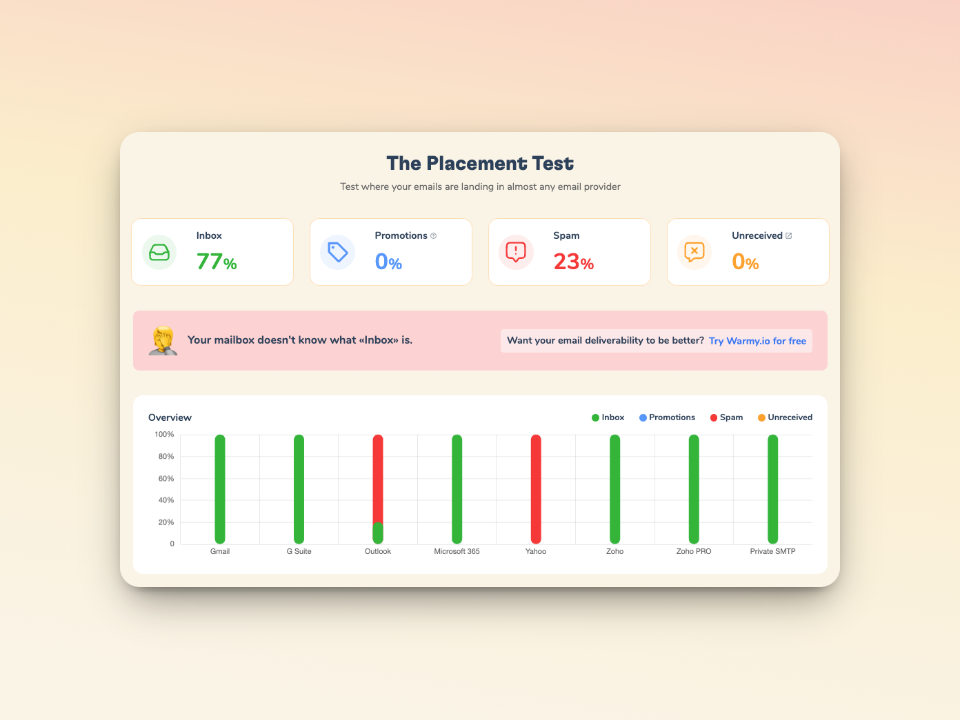
Whenever you change your SPF, DKIM, DMARC, or MX records, immediately run Warmy’s free Email Deliverability Test to verify everything propagated correctly. Unlike basic tools that only check for spam trigger words, Warmy’s test shows your actual inbox placement across Gmail, Outlook, and Yahoo — so you know precisely where your emails land before your next campaign goes out.
How to resolve SMTP Email Error 451 4.4.4
There are different ways to resolve SMTP Email Error 451 4.4.4. It involves covering all potential issues—from DNS issues to server configurations.
The following are verified steps on how to resolve this particular SMTP Email Error and how you can avoid it in the future.
| Root Cause | What Happens | How to Fix It |
|---|---|---|
| DNS misconfiguration | MX/A records point to wrong server; DNS lookup fails | Verify MX records in DNS dashboard; use dig/nslookup to confirm resolution |
| Expired domain / TTL issues | Stale DNS cache returns no valid answer | Flush DNS cache (ipconfig /flushdns or systemd-resolve –flush-caches); lower TTL before migrations |
| Server overload | Mail server too busy to process outbound DNS queries | Monitor server load; implement rate limiting; restart mail service to clear memory |
| Firewall blocking port 53 | DNS queries (UDP/TCP port 53) are blocked by firewall rules | Check firewall ruleset; allow outbound port 53 for your mail server IP |
| Misconfigured SMTP routing | Email server routes to wrong relay or uses incorrect smart host | Review relay/smart host settings; check email server routing config files |
| Antispam reverse DNS fail | No PTR record for sending IP triggers strict DNS checks on receiving end | Ask your ISP/hosting provider to add a PTR record matching your mail domain |
| Weak sender reputation | Low-reputation IPs face stricter routing validation from receiving servers | Use Warmy.io to build sender reputation; run free deliverability test after any DNS change |
General troubleshooting steps
Verify DNS settings. It is critical to verify your DNS settings first. Ensure that MX records are accurately set and the mail domain is directed toward the correct email server
Check for server overloads. Keep an eye on your email server and watch for overloads. Incorporating an optimization plan or process to your server can help a great deal with larger traffic loads.
Inspect network infrastructure. This will help you confirm if there are any misconfiguration or broken connections that may disrupt your network. It is also advisable to check your firewall settings that can prohibit any DNS queries and disable email traffic.
Update email server configuration. Ensure your email server is updated and functioning correctly. Check routing settings and DNS resolution to ensure seamless email deliverability.
Platform-specific solutions
Gmail
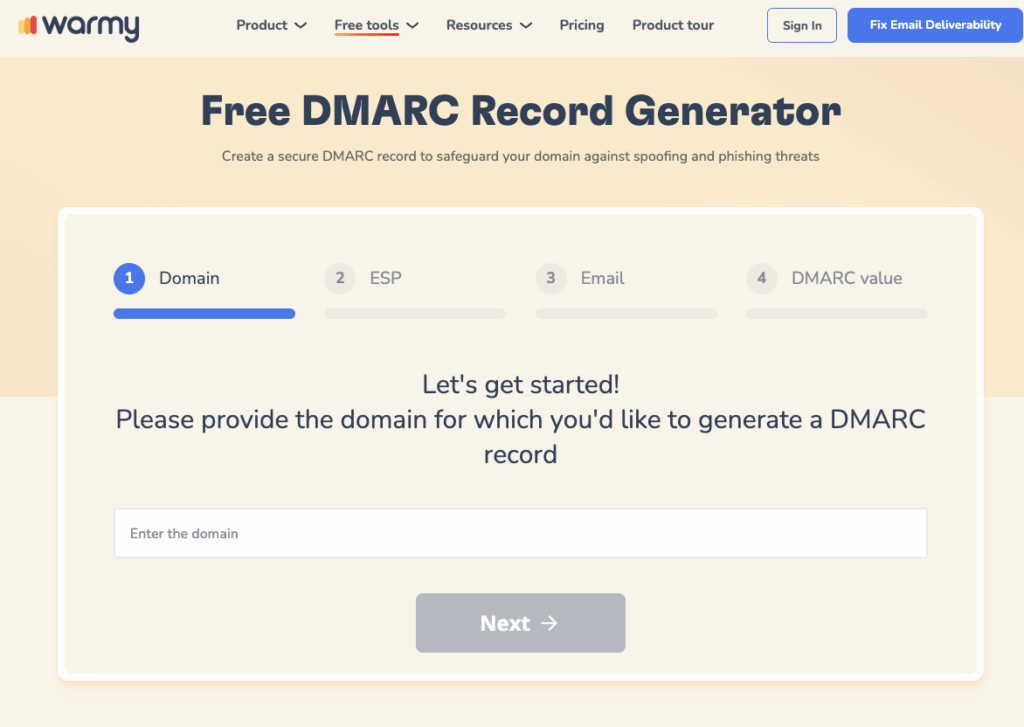
Review SPF and DKIM Records. Make sure your domain’s SPF and DKIM records are set up properly to authenticate your emails. Warmy.io offers free SPF and DMARC Record Generator that you can use to authenticate your emails.
Check for potential backlisting. Tools such as Warmy’s free email deliverability test verifies your IP and confirms if it has been blacklisted for sending spam emails.
Contact support. Finally, if issues still persist, consider reaching out to Google Support— the problem may be on their end.
Outlook
- Check the network connectivity. Confirm that the network connection is not interrupted and that Outlook is successfully connected to the internet.
- Disable add-ons. Add-ons in Outlook can prevent emails from being sent. Consider disabling or removing them.
- Repair Outlook account. Use the “Repair” feature in the account settings under Outlook to fix any problems with the email account setup.
Yahoo!
- Check for any suspension. Check if your Yahoo Mail account status is not temporarily suspended. The account should not be restricted, as this will prevent sending emails and cause HTTP 423 and SMTP 554 errors.
- Review sending limits. Although this is not a direct issue caused by 451 4.4.4, some users may encounter SMTP error 451 4.4.4 if there are sending limits imposed on their Yahoo accounts. Regular checkup of any restrictions that may prohibit DNS queries to resume sending emails.
- Check for ATO. ATO — or Account Takeover — can result in behavior that mimics spamming, which may trigger multiple SMTP errors. Ensure your account is secure and monitor for any unauthorized access.
Utilizing email warm-up services
Warmy.io provides email warmup services enabling businesses, marketers and other professionals to reduce the risk of SMTP errors.
It improves the sender’s reputation over time by making it less likely for their emails to be flagged by email servers and avoid their email messages being routed to spam folders.
And one of the most sought after benefits of Warmy’s email warmup services is the identification of potential configuration problems that damages the credibility and reputation of most email users.

📬 Is your inbox placement hurting your deliverability?
Warmy.io automatically warms up your mailbox using a network of over 1 million active real-inbox connections — sending millions of warm-up emails daily with real clicks, real engagement, and real inbox placement data across Gmail, Outlook, and Yahoo. Its AI engine (Adeline) personalizes every interaction to match your sending patterns.
➡️ Start your free Warmy.io trial and fix your deliverability before your next send: warmy.io
DNS configuration and server adjustments
- DNS flush. Perform a DNS flush on your local machine or server to clear the DNS cache.DNS cache on your computer stores large volumes of data of different IP addresses from websites that you have visited. Irregular flushing or clearing of cache can affect the performance of DNS servers.
- Server restart. One of the oldest, simplest, and yet the most effective is restarting of email servers. Simple restart refreshes the entire server, clearing system memory and removing temporary data and cached files, allowing servers to operate more efficiently.
Leveraging Warmy.io to prevent any more SMTPs
Most SMTP 451 4.4.4 errors stem from a weak or unestablished sender reputation — not just misconfigured DNS. When your domain and IP are unknown to receiving servers, those servers apply stricter DNS validation rules, making routing failures more likely. Email warm-up directly addresses this by building verified sending history before you scale.
These services help to ramp up the number of emails sent out from a new or underused email address carefully and gradually. This way, the online community develops a positive sender reputation with ISPs and email services, allowing it to escape spam filters and ultimately achieve recipients’ inboxes.
There are some specialized tools to consider, and one of them is Warmy.io, which has a high level of performance when it comes to reducing SMTP Error 451 4.4.4 and similar ones. The need for warming up an email account is to establish and then support a sender’s strong reputation.
Warmy.io goes beyond basic warm-up. Its proprietary AI, Adeline, personalizes every warm-up interaction based on your specific sending patterns — adjusting email volume, language, topic, and engagement behavior automatically. With a network of over 1 million active real mailboxes, Warmy can process millions of warm-up emails per day across Gmail, Google Workspace, Microsoft 365, Outlook, Sendgrid, Yahoo, Mailgun, Amazon SES, Zoho, Brevo, GoHighLevel, custom SMTP, and more. Every warm-up interaction includes real clicks (visible in Warmy’s Warmup With Clicks dashboard), auto-archiving, blacklist monitoring, and seed list verification — so your sender reputation is built on genuine engagement, not just volume.

Beyond warm-up, Warmy also provides a free Email Deliverability Test that checks your actual inbox placement across major email providers — not just spam trigger words — plus free SPF and DMARC record generators, email template checker, A/B testing for deliverability, and dedicated customer success support. These tools work together to prevent SMTP errors before they happen, not just fix them after the fact.
So, don’t let SMTP errors slow you down. Get started on a worry-free emailing experience with a FREE test from Warmy.io. You can always ensure that the hand always receives the emails. Try it now!











