



TL;DR: SMTP Error 451 Temporary Local Problem in 60 seconds:
- 451 is a transient reply. RFC 5321 defines it as “Requested action aborted: local error in processing.” The message was not rejected, it was deferred, and your MTA will retry on its own.
- The wording “Temporary local problem, please try later” is not standard SMTP text. It is Exim’s default placeholder for a deferral with no custom message attached. Philip Hazel, who wrote Exim, described that wording on the exim-users list as the default, bland text you get when a condition test defers.
- That means the string is not a diagnosis. It tells you a deferral happened. It does not tell you why. The cause is in the Exim log line immediately before it.
- Most of the time, your own server sent it. If you saw this in Roundcube, Horde, SquirrelMail, or a webmail client on cPanel, DirectAdmin, Plesk, or HestiaCP, the message never left your box. Troubleshooting the recipient’s server is wasted effort.
- The usual causes are local plumbing: an unreachable ClamAV or SpamAssassin socket, an ACL that failed to expand after a control panel update, a sender verification defer, a per-account rate limit, or a full spool disk.
- Persistent 451s across many recipients are a different problem. At that point you are looking at throttling and reputation, not a broken daemon.
What does “451 Temporary Local Problem, please try later” mean?
Almost every guide to this error treats “451 Temporary local problem, please try later” as if it were a defined SMTP response with a defined meaning. It is not, and that confusion is why so many people spend a day chasing the wrong server.
- The code is standardized. RFC 5321 lists 451 as “Requested action aborted: local error in processing.” The leading 4 puts it in the transient negative completion class, which means the command was not accepted, the action did not happen, but the condition is temporary and the client should try the request again. Compare that with a 5xx reply, where repeating the same request in the same sequence is pointless.
- The wording is Exim’s. The specific phrase “Temporary local problem – please try later” is what Exim emits when an ACL condition defers and no message = has been set to explain it. In a 2002 exchange on the exim-users mailing list, a user complained that the error text was useless for diagnosing a failed verify = header_sender. Philip Hazel, Exim’s author, confirmed that this bland wording is simply the default.
Who sent the 451 error: Your mail server or the recipient’s?
This is the single most important step, and it is the one most articles skip entirely.
- Case 1: Your own mail server sent it. You clicked send in webmail or a mail client and got the error back immediately, in the interface, within a second or two. The message never left your machine. This is the overwhelmingly common case for the exact “Temporary local problem” wording, because that string belongs to Exim, and Exim is the default MTA on cPanel and WHM, DirectAdmin, Plesk, and HestiaCP. Reports of it cluster on the support forums for exactly those platforms.
- Case 2: A remote server sent it during delivery. The error appears in a delayed-delivery notice or a bounce hours later, and the log line names a remote host. In Exim’s log that looks like a defer after RCPT TO with the responding host and IP identified. If the remote host also runs Exim, you are seeing that server’s default placeholder, and only its administrator can tell you what deferred.
- How to tell them apart in ten seconds: tail your own mail log while you reproduce the send. If the error appears in your log, you generated it. If it does not, it came from the far end. That test was the accepted answer on the DirectAdmin forums two decades ago and it is still correct.
How to find the real cause in the Exim log
Exim writes three log files, and each one answers a different question.
| Log | Path on most Linux systems | What it holds |
|---|---|---|
| Main log | /var/log/exim_mainlog or /var/spool/exim/log/mainlog | Every message received and every delivery attempt |
| Reject log | /var/log/exim_rejectlog | Messages rejected on policy or ACL grounds, with headers |
| Panic log | /var/log/exim_paniclog | Configuration disasters and unhandled errors |
If you are unsure where yours are, ask Exim directly:
- exim -bP log_file_path.
The panic log deserves special attention. It should normally be empty. Anything written to it usually points at the exact incident you are chasing, which is why experienced administrators monitor it automatically.
What the “Temporarily Rejected” log line looks like
A deferral in Exim’s main log looks like this:
“2026-08-11 10:11:32 H=localhost [127.0.0.1] F=<sender@example.com>
temporarily rejected RCPT <recipient@example.net>: …”
The words temporarily rejected are your anchor. Whatever follows the colon, or whatever appears on the line just before, is the actual cause. That is the sentence to search for. Not “451 Temporary local problem,” which will only return other people with the same placeholder and a different underlying problem.
5 causes of the “451 Temporary Local Problem” error in Exim
1. ClamAV or SpamAssassin Socket Unreachable (“Temporarily Rejected After DATA”)
This is probably the most common single cause on hosting panels. Exim’s malware ACL condition tries to hand the message to ClamAV, ClamAV is not running or its socket path has moved, the condition cannot complete, and Exim defers.
The log signature is unmistakable:
“malware acl condition: clamd /var/run/clamav/clamd.sock :
unable to connect to UNIX socket (/var/run/clamav/clamd.sock):
No such file or directory
… temporarily rejected after DATA”.
Note where this appears: temporarily rejected after DATA, meaning the whole message body was accepted and then deferred at the last step. The same pattern occurs with SpamAssassin when spamd is down.
Fix: Restart the scanner, confirm the socket path in exim.conf matches reality, and confirm the socket file is owned by the Exim user. If the scanner was intentionally removed, remove the ACL condition that calls it rather than leaving it pointing at nothing.
2. Exim ACL Fails to Expand After a cPanel or DirectAdmin Update
Control panels generate exim.conf and a companion Perl file. When they fall out of sync, every ACL that calls a Perl subroutine fails, and every message defers.
“failed to expand ACL string “${perl{auth_hit_limit_acl}}”:
Undefined subroutine &main::auth_hit_limit_acl called”
In May 2026, DirectAdmin users upgrading to 1.702 with Exim 4.99.3 reported all inbound and outbound mail failing with exactly this error, because the generated exim.conf referenced Perl functions that the generated exim.pl no longer contained.
The trigger was a stale custom configuration file at custombuild/custom/exim/exim.conf that predated the update. Disabling the custom file and rebuilding the configuration resolved it.
Fix: Check for a custom exim.conf override, disable it, rebuild the panel’s configuration, and restart Exim. On cPanel, the Exim Configuration Manager’s Reset tab restores a known-good configuration one option at a time.
3. Sender Verify Defer and “Lowest Numbered MX Record Points to Local Host”
Exim can be configured to verify the sender before accepting mail. If that verification cannot complete, the result is a defer, not a rejection, because a temporary DNS failure should not permanently reject legitimate mail.
“sender verify defer for admin@example.com: host lookup did not complete
sender verify defer for …: lowest numbered MX record points to local host”
That second variant is a routing misconfiguration with a well-known fix on cPanel: in WHM, under DNS Functions and Edit DNS Zone, the email routing selector for the domain needs to be set to Local Mail Exchanger, or to automatic detection, rather than remote. The server is being told the mail is handled elsewhere while simultaneously being asked to deliver it locally.
Fix: Confirm the domain’s MX records, confirm the local routing setting matches them, and confirm your resolvers are working. This is also the one cause where DNS genuinely is the answer, which is probably why so many guides blame DNS for everything.
4. Exim Rate Limits and Connection Caps Per Account
Most hosting environments cap how many messages an account can send per hour and how many simultaneous connections one host can open. Hitting either produces a temporary refusal, sometimes with the generic placeholder and sometimes with a clearer variant such as a message about the account having sent too many messages in a short period.
Relevant knobs on Exim include smtp_accept_max_per_host for connections and per-user limits configured through the panel. Raising a server-wide limit is rarely the right answer. Raising the limit for one legitimate high-volume account usually is.
Fix: Identify which account is hitting the cap before changing anything. An account suddenly sending far more than usual is frequently compromised rather than busy, and raising its limit turns a small problem into a blacklisting.
5. Full Spool Disk or Exhausted Inodes on the Mail Server
Exim cannot write the message to spool, so it defers. IBM’s own SMTP documentation describes the classic form of this: a 451 local error in processing returned because the mail data set could not be written to a full disk.
Fix: df -h and df -i. Clear old logs, rotate what is not rotating, and remember that inode exhaustion produces the same symptom as byte exhaustion while showing free space.
When the 451 Error comes from the recipient’s mail server
If the error arrives in a delayed notice hours later and names a remote host, you are looking at their placeholder, not yours. Sometimes it arrives with additional text appended, and that text is worth reading:
“SMTP error from remote mailer after RCPT TO:<info@example.com>:
host mail.example.com [203.0.113.5]: 451 Temporary local problem –
please try later: retry timeout exceeded”.
Here the trailing retry timeout exceeded is your MTA telling you it has been retrying for the full queue lifetime and is about to give up. The remote server has been deferring consistently for days. That is no longer a transient blip. Either the remote host is genuinely broken, or it is deferring you deliberately.
What you can do: Confirm the recipient domain’s MX records resolve and answer on port 25, check whether other destinations accept the same mail normally, and contact the recipient’s administrator with the exact timestamp and your sending IP so they can find the corresponding line in their reject log. What you cannot do is diagnose their placeholder for them.
How long does an SMTP 451 Retry before it becomes a bounce?
Before you resend anything manually, understand what your own system is already doing.
RFC 5321 sets the retry expectations, carrying forward guidance that goes back to RFC 1123: after a failed attempt, the sender must delay before retrying that destination, and the retry interval should generally be at least 30 minutes.
The total queue lifetime should run several days before the message is abandoned and converted to a permanent bounce. Postfix, for example, retries on exponential backoff and gives up after roughly five days by default.
Three practical implications:
- Do not manually resend. You will create duplicates while the original is still queued and still going to be delivered.
- Do not suppress the recipient. A 451 is not a bounce and should never feed your suppression list. Treating soft deferrals as hard failures quietly destroys list size over time.
- A single 451 needs no action at all. The retry logic exists precisely so that humans do not have to intervene. Investigate patterns, not incidents.
SMTP 451 error variants and what each one means
The bare 451 with no enhanced status code is the ambiguous one. Add a 4.x.x code and the picture sharpens considerably, because RFC 3463 gives the second and third digits real meaning.
| Response | Who sends it | What it actually means |
|---|---|---|
| 451 Temporary local problem – please try later | Exim, usually yours | Placeholder for a deferred ACL condition. Read the log. |
| 451 4.3.0 Mail server temporarily rejected message | Gmail | Generic transient mail-system condition. Google’s own code table lists it as a temporary rejection with no further specificity. |
| 451 4.3.0 Multiple destination domains per transaction is unsupported | Gmail | Your relay is batching multiple recipient domains into one transaction. Split them. |
| 451 4.4.2 Timeout – closing connection | Gmail and others | The session stalled. Usually network or a slow sender. |
| 451 4.5.0 SMTP protocol violation | Gmail | Your client is speaking SMTP incorrectly. |
| 451 4.7.500 Server busy. Please try again later | Microsoft 365 | IP throttling under Microsoft’s graylisting. Reputation and volume, not capacity. |
| 451 4.7.1 IP Reputation Greylisted | Various filters | Deliberate policy defer pending reputation. |
| 451 4.2.0 blocked AUP#CDRBL | Various | Policy block under an acceptable use policy. |
Warmy covers several of these variants in dedicated pieces: 451 4.7.1, 451 4.3.2, 451 4.7.0, 451 4.4.4, 451 4.3.0, and 451 4.3.5. For the code family as a whole, see the SMTP Error 451 overview.
What “451 4.3.0 Mail Server Temporarily Rejected Message” means in Gmail
Google publishes its SMTP reply codes so administrators can separate temporary 4xx responses from permanent 5xx failures, and 451 4.3.0 appears there as a plain temporary rejection with no further detail. In the enhanced code, the leading 4 marks a transient failure, the middle 3 identifies a mail-system status, and the trailing 0 means other or undefined.
It does not indicate an invalid mailbox, and it does not name a root cause. If the response ends in gsmtp, it came through Google’s infrastructure.
The correct handling is to leave the message queued and let the retry schedule run. Investigate only if the same sending IP or campaign keeps getting deferred while other destinations accept the same mail, which points to a Gmail-specific reputation issue rather than a transient one.
How to Fix “451 4.7.500 Server Busy” from Microsoft 365
If you send to Microsoft 365 tenants, this is the 451 you will meet most often, and Microsoft documents it precisely.
According to Microsoft’s own troubleshooting guidance, updated in August 2026, you receive this NDR because the connecting IP address changed its previous sending pattern by sending a much higher volume than before.
Microsoft classifies it as part of anti-spam filtering and calls the technique graylisting: new senders are treated more suspiciously than senders with an established history, effectively a probation period. The response itself is IP throttling.
Microsoft’s stated remedies are specific:
- If your organization does not use Microsoft’s built-in security features, the error resolves itself as you build sending history with Microsoft over a period of a few days.
- If you are relaying outbound mail from an on-premises server through Microsoft 365, or routing inbound mail through a third-party appliance first, an admin needs to configure a connector. That is the documented way to remove the throttling.
- Microsoft explicitly advises against sending anything beyond test messages from an initial onmicrosoft.com domain, because mail from those domains is limited and filtered. Add a custom domain before sending production volume.
There is one more thing worth knowing: sometimes 451 4.7.500 is Microsoft’s problem, not yours. In October 2023, a service update to the infrastructure enforcing IP anti-spam rules caused widespread erroneous throttling, and administrators across multiple countries reported the same error simultaneously.
Microsoft acknowledged the incident and fixed it on their side. Before you rebuild your mail stack, check whether anyone else is seeing it at the same moment.
Step-by-step runbook to troubleshoot SMTP Error 451
Work these in order. Stop as soon as one resolves it.
- Step 1. Determine the sender. Reproduce the send while tailing your mail log. Your log or theirs decides everything downstream.
- Step 2. If it is yours, read the panic log first. /var/log/exim_paniclog should be empty. If it is not, the answer is almost certainly there.
- Step 3. Grep the main log for `temporarily rejected`. Read the text after the colon and the line above it. That is the cause.
- Step 4. Check the obvious infrastructure. Is ClamAV running? Is spamd running? Is the spool disk full on bytes or inodes? Did anyone update the control panel in the last week?
- Step 5. If the log points at ACL expansion, look for a stale custom configuration. Disable it, rebuild, restart.
- Step 6. If it is coming from the far end, classify it by enhanced status code. No code means read their placeholder as unhelpful and contact them. A 4.7.x code means policy, which means reputation, which means the rest of this article’s final section.
- Step 7. Only then consider volume. If a specific destination is deferring you consistently while others accept the same mail, you have a reputation problem at that destination, not a server problem.
When repeated 451 errors signal a deliverability problem
- Deferrals concentrated on one destination. Microsoft defers you while Gmail accepts you. Google defers you while everyone else accepts you. That is destination-specific policy. Your infrastructure is fine and your reputation at that receiver is not.
- Deferrals that started when volume increased. This is graylisting behaving exactly as designed. Microsoft says so explicitly. The remedy is not to push harder, it is to ramp gradually so the receiver has a history to evaluate. Sudden volume spikes from an IP with no track record are the textbook trigger.
- Deferrals on a brand-new IP or domain. No history means no trust. Warmy’s email warm-up builds that history automatically by ramping up sending volume and generating genuine engagement, which is the specific input receivers use to decide whether to stop treating you as a probationary sender.
- Deferrals alongside placement problems. If mail is being deferred for some recipients and landing in spam for others, the underlying cause is shared. Run a free deliverability test to check blacklist status and authentication.
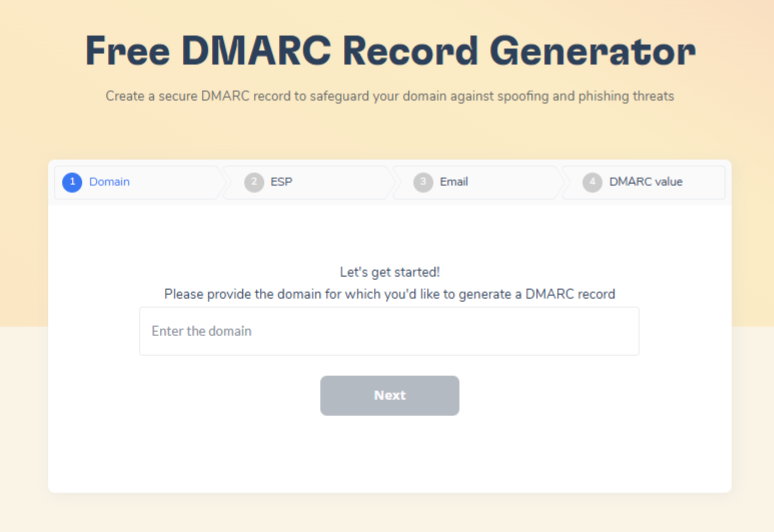
- Authentication gaps make everything worse. SPF, DKIM, and DMARC do not directly cause a 451, but their absence removes the strongest signal a throttling receiver has that you are who you claim to be. Warmy’s SPF and DMARC generators produce correct records without hand-editing DNS syntax.
Finally, watch the queue itself. If deferrals are accumulating faster than they clear, the queue becomes its own problem: mail ages, retries pile up, and eventually the queue lifetime expires and soft deferrals become hard bounces that damage your metrics. Warmy’s guide to the email queue covers how to keep that under control.
Fixing SMTP Error 451 Temporary Local Problem
The reason this error frustrates people is that its wording promises an explanation and delivers a placeholder. Once you know that “451 Temporary local problem, please try later” is Exim’s default text for a deferral it could not describe, the whole problem becomes tractable.
Establish which server produced the message. If it was yours, the answer is in your logs, and it is almost always a scanner socket, an ACL that cannot expand, a routing or verification defer, a rate limit, or a full disk. If it came from the far end, classify it by enhanced status code, because a bare 451 means read their logs and a 4.7.x means policy.
And when the pattern is destination-specific rather than universal, stop looking at plumbing. At that point the deferral is telling you something about your sending reputation, and the fix is a slower ramp, cleaner authentication, and a sending history that receivers can evaluate.










