



SMTP Error 451 stops email delivery in its tracks – but unlike a 5xx permanent failure, it is entirely recoverable. The error message you see will typically read: 451 Requested action aborted: local error in processing. This means the receiving mail server hit a temporary internal snag – not that your email was rejected because of your content, reputation, or the recipient’s address. Your sending server will queue the message and retry automatically, usually resolving the issue within a few hours.
That said, if you keep seeing Error 451 across multiple recipients or campaigns, it is a signal worth investigating. This guide walks you through exactly what triggers SMTP Error 451, how to resolve it step by step, and what you can do proactively to protect your sender reputation so temporary server errors never compound into deliverability problems.
What is SMTP Error 451?
SMTP Error Code 451 refers to a temporary error in the email delivery process, which speaks of a local processing error on the receiving server.
It will typically read as: 451 Requested action aborted: local error in processing
And other variations include:
- “451 4.3.0 Temporary server error”
- “451 4.4.0 Unable to queue message”,
- “451 4.3.2 Server shutdown in progress”
What does it mean when you experience SMTP Error 451?
The good news is, receiving this bounce back error – or anything that starts with 4** code simply means that the problem is temporary and solvable.
This error, however, is trying to dictate something that will relieve you. Is that the problem is not with your email content, sending reputation, or even the recipient’s address. It is instead indicating that the mail server of the recipient encountered an internal processing error preventing it from accepting or queueing your message at that moment.
Here are the most common triggers behind SMTP Error 451:
- Server resource constraints (CPU, memory, or disk saturation on the receiving server)
- Queue processing issues – the server’s mail queue is backed up and cannot accept new messages
- Temporary software glitches or crash-recovery states on the mail server
- Database or storage problems preventing message indexing
- Spam or content filtering errors – the filter engine returned an unexpected exception
- Network or DNS resolution issues affecting the receiving server’s internal connectivity
- Mail server maintenance, patches, or scheduled restarts
- Greylisting – receiving servers temporarily reject first-time senders as an anti-spam measure, then accept on retry
✨ Pro Tip: If you receive SMTP Error 451 on your very first email to a new recipient domain, greylisting is the most likely cause. Greylisting is a spam-prevention technique that temporarily rejects unknown senders with a 4xx code and waits for a retry. Legitimate mail servers retry automatically (usually within 15 minutes), so your email will typically arrive without any action on your part. Compliant mail servers queue and reattempt delivery after temporary 4xx failures automatically – so greylisting passes for legitimate senders without any manual intervention.
Tips to resolve SMTP Error 451
SMTP Error 451 is almost synonymous with SMTP Error 450; the key difference is that Error 451 specifies a server-level or infrastructure problem, while Error 450 confirms a problem with the recipient’s mailbox. .
Both warrant the same advice: waiting it out.
Although this is often the case, it would be more ideal for you to perform some extra troubleshooting steps just to ensure that your deliverability is safe, your reputation is secured, and your email health ideal.
Wait for the issue to resolve itself
- Patience is the perfect troubleshooting step when it comes to SMTP error code 451.
- Many email systems initiate an automated retry over a period of several hours.
- Since there is a potential overload on the receiving server, there is a great chance that the issue will resolve itself.
Monitor potential greylisting
- If this is the first time you are sending an email to the recipient and you receive this error you can simply try again.
- If you have a new domain or email, email servers will initiate an anti-spam technique called “greylisting,” which rejects emails from unknown senders.
- In this case, since new email domains do not have an established reputation yet mail servers will be skeptical of your domain, thus, rejecting the initial email.
Try to send an email to another recipient
- If the error happens repeatedly with multiple recipients across different domains, it might indicate an issue with your sending server rather than the receiving server.
- If it’s isolated to one domain, the issue is likely on their end.
Check the recipient’s server status
- Be proactive and check whether the recipient’s email service provider is having some known outage.
- Although the majority of error 451 confirms a specific problem on the email server, sometimes these errors are still present for major outages.
- Try to conduct a thorough research on whether the recipient’s email service provider is having some outages, or issues.
Try alternative contact methods
- Some messages are urgent and waiting it out may not be ideal. Try reaching out through different communication channels; a phone, social media, or other messaging apps helps you ensure that your important message will get through while the server tries to resolve itself.
- Sometimes, the recipient may not be aware that their mail server is experiencing issues, and it will also be great for them to be notified so they can contact their IT department or email provider.
Reduce message complexity
- If you’re sending a complex email with large attachments, multiple recipients, or heavy formatting, try simplifying it.
- Consider removing large attachments and using file-sharing services instead.
- Simplify the HTML formatting or send a plain text version. Sometimes complex messages can trigger processing errors on resource-constrained servers.
Review your own mail server configuration
- If you’re experiencing frequent 451 errors across multiple destinations, verify your own mail server’s configuration.
- Check that your DNS records are properly configured, ensure your mail server has adequate resources, and verify that your outbound mail settings are correct. Problems on your sending side can sometimes manifest as 451 errors from receiving servers.
Specifically, validate that your SPF, DKIM, and DMARC records are correctly published. Since Google and Yahoo began enforcing strict sender authentication requirements in 2024 – with Microsoft following in May 2025 – misconfigured authentication records can cause receiving servers to issue 4xx temporary deferrals on top of any infrastructure errors.
Not sure if your DNS records are correctly configured? Warmy’s free Email Deliverability Test checks your SPF, DKIM, and DMARC setup, scans your domain against major blacklists, and shows you exactly where your emails land – in seconds, no account required.
✨ Pro Tip: Keep your total bounce rate below 2% to protect your sender reputation. Industry research from Validity confirms that bounces – including soft bounces triggered by temporary 4xx errors like SMTP 451 – are one of the top three signals mailbox providers use to decide whether a sender belongs in the inbox or the spam folder. If your 451 error rate spikes, reduce sending volume temporarily and investigate your list quality before resuming full-scale campaigns.
How Warmy can help prevent SMTP Error 451
There is a long list of SMTP errors that you may not be aware of. Fortunately, SMTP Error 451 is not the most severe of these errors, and is something highly controllable. But in some cases, SMTP error 451 may still have a slight chance of it affecting your deliverability, reputation, and authentication.
Warmy is an AI-driven email warmup and deliverability platform that automatically builds your sender reputation, improves inbox placement, and keeps your emails out of spam – no technical expertise required. Here is how it helps.
Email warmup and reputation building

Warmy’s progressive email warmup system gradually establishes your sending domain as a legitimate, trustworthy source through carefully orchestrated engagement patterns that signal quality to email service providers. This saves you from going through potential greylisting.
The platform’s dedicated inbox placement test offers real-time visibility into message routing. This gives you visibility over whether emails reach the inbox, get filtered to spam, or land in promotional folders.

Warmy’s email warmup works across a network of 1M+ real mailboxes – the largest email network in the world – and supports warmup in 30+ languages. Adeline AI, Warmy’s proprietary AI engine (not powered by ChatGPT or any third-party model), analyzes hundreds of parameters per mailbox and builds a personalized warmup schedule that adjusts in real time. It makes 20 million decisions per day across the platform, meaning your domain reputation is always optimized – even as sending conditions change.
Related Reading: The Science and Process of Warming Up Newly Created Email Domains
Authentication protocol implementation
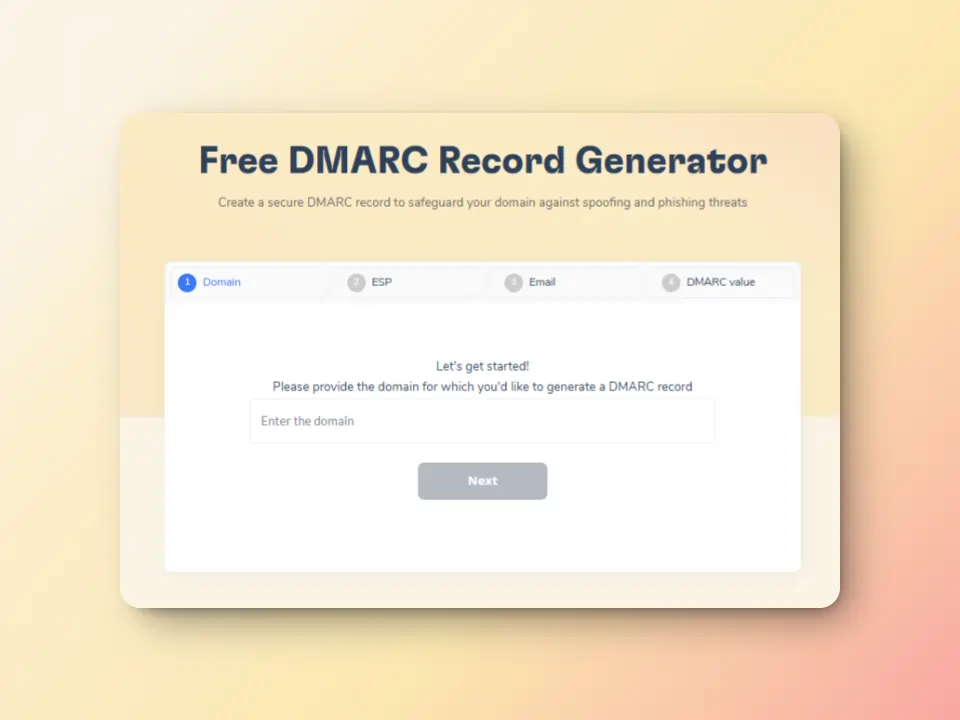
Warmy creates optimal conditions for successful email delivery and reduces the likelihood of encountering temporary delivery failures of any kind.
The free SPF Record Generator and free DMARC Record Generator provide ways to help you secure configuration over DNS records.
Correct SPF, DKIM, and DMARC records do more than satisfy Gmail and Yahoo’s bulk sender requirements – they also reduce the likelihood that receiving servers issue 4xx temporary deferrals as a precaution against unauthenticated senders. Properly authenticated email is far less likely to trigger the kind of server-side caution that results in SMTP Error 451.
Real email interaction via seed lists
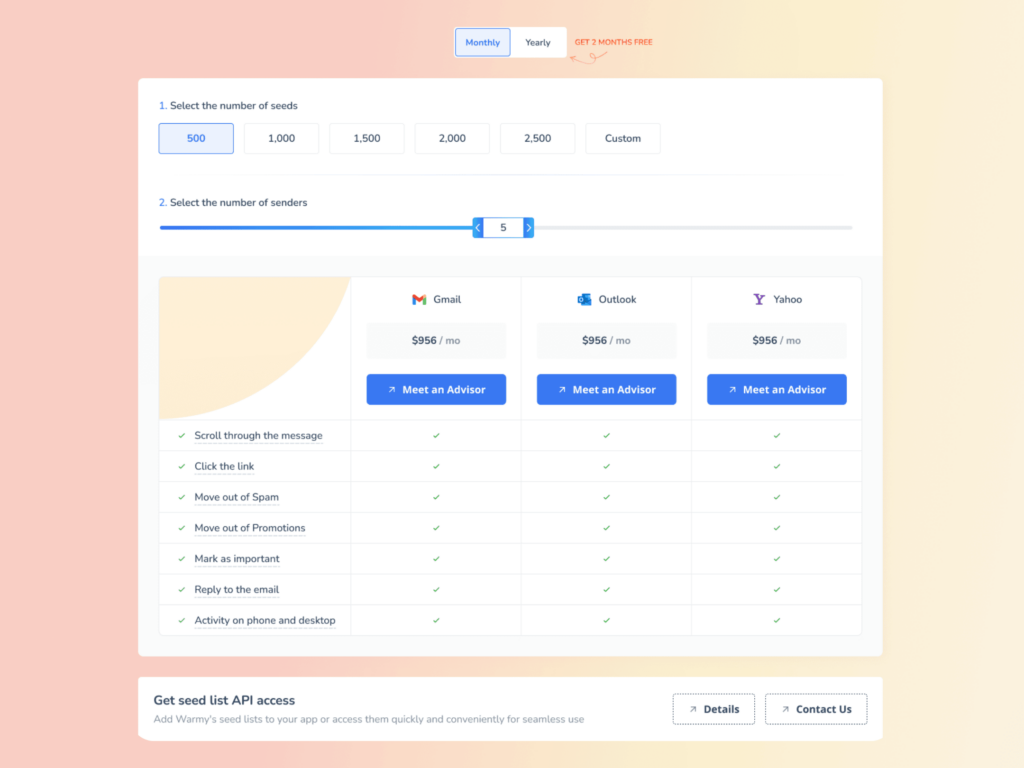
Warmy’s Advanced Seed Lists use real, active email addresses across Gmail, Outlook, and Yahoo that interact with your emails like genuine recipients. Interactions include opens, scrolls, link clicks, replies, and spam recovery – where emails found in spam are retrieved and marked important, directly educating ISPs about your email legitimacy. This methodology ensures superior deliverability and reduced bounce percentages compared to legacy warming approaches.
This methodology ensures superior deliverability and reduced bounce percentages. In contrast to legacy warming approaches that offer limited engagement data, Warmy’s seed list employs authentic email accounts that meaningfully interact with your messages. This “interaction” includes:
- Messages being genuinely opened with content thoroughly reviewed, going beyond simple read receipts
- Natural clicking behavior on embedded links, demonstrating to email providers that your content generates legitimate interest
- Manual spam folder retrieval and importance flagging for any misrouted messages, educating ISPs about your email legitimacy
Blacklist monitoring and reputation tracking
Warmy continuously monitors your sending IP and domain against major blacklist databases, alerting you immediately to any reputation issues before they severely impact deliverability. This early warning system helps you address problems proactively.
A strong reputation ensures that when receiving servers encounter processing errors, your messages remain queued for delivery rather than being rejected outright.
Related Reading: How to Improve Your Email Sender Reputation Score Fast
✨ Pro Tip: Before launching any new campaign from a fresh domain or IP, run Warmy’s free Email Deliverability Test and Template Checker back to back. The deliverability test confirms your DNS authentication is clean and your domain is not blacklisted. The Template Checker scans your email content for spam trigger words and formatting issues that can cause receiving servers to flag messages – both tools together give you a complete pre-send health check in under two minutes.
With Warmy.io you can maintain resilient email delivery performance, ensuring that temporary server errors don’t undermine your overall email success and sender standing. Begin your free trial today!
Want to secure an ideal email health and reputation? Give Warmy a try for free today!











