



TL;DR: SMTP Error 450 4.1.2 is a temporary bounce that means the receiving server could not confirm the recipient’s domain or mailbox at the moment your message arrived. It usually clears on its own within a few hours to a few days as your server retries automatically. If you need it resolved faster, double-check the recipient’s address for typos, wait and resend, or reach the recipient through another channel.
SMTP Error 450 4.1.2 is not a sign that your email account or message is broken. It is a bounce code returned by the receiving SMTP server when it cannot confirm the recipient’s domain or mailbox at the time of delivery. When it happens, the full bounce message usually reads:
“450 4.1.2 Destination system address [address] does not exist.”
This guide breaks down exactly why the error happens, how to fix it fast, and how proper domain warmup keeps it from coming back.
What is SMTP 450 4.1.2?
SMTP 450 4.1.2 falls under the SMTP error 450 category, which marks a temporary error in the email delivery process.
If it is marked as a temporary error, but comes with a message that the destination “does not exist,” it may sound like a long-term problem. So to fully grasp what this error signifies, it’s essential to break down its components and understand the underlying technical framework. For a full breakdown of every SMTP status code and what each one means, see Warmy’s guide to SMTP error codes and messages.
Understanding the 450 code
The “450” code represents a temporary failure in the Simple Mail Transfer Protocol (SMTP) system. Your email is not broken, your message was not rejected, but it just means that you need to try sending the email later.
In some cases, your email system will typically attempt to resend the message automatically at predetermined intervals, usually over a period of several hours or days.
The 4.1.2 sub-code
The “4.1.2” portion provides more specific diagnostic information about the nature of the failure.
The error indicates that there is something wrong about the domain portion of the email address – usually after the “@” symbol part – which cannot be resolved or verified. Under the IETF’s enhanced mail status code standard, 4.1.2 is formally defined as a “bad destination system address,” which is why the fix should start with the domain side of the address, not the inbox itself.
Some receiving servers also return this same code more loosely when the specific mailbox within that domain does not exist, even though the formal spec points to the domain side.
Reasons behind SMTP 450 4.1.2
Encountering SMTP Error 450 4.1.2 can mean the following:
- invalid or misspelled email addresses
- outdated contact information
- Domain Name System (DNS) issues, including misconfigured records or DNS-based blacklist listings that block resolution
- Temporary server unavailability.
- Email account deactivation or removal, the same underlying issue behind the permanent SMTP Error 550 5.1.1 bounce
- Mail server configuration problems
How to resolve SMTP 450 4.1.2
When faced with SMTP Error 450 4.1.2, it is advisable to wait and try to send the email later, but if the message is urgent, then try the following troubleshooting steps to resolve the issue as fast as possible.
1. Verify the recipient’s email address
- Try to verify every character of the recipient’s email address. Be thorough and systematic. It may be just an email address but simple details matter.
- Start by examining the username portion before the “@” symbol. Look for common mistakes like transposed letters, missing characters, or extra spaces that might have been accidentally included when copying and pasting.
- Then check the domain name. Confirm any common misspellings. Sometimes you may have typed in “gmai.com” or “yhoo.com”.Check for correct top-level domain extensions as well – ”.com” versus “.net” versus “.org” which can make all the difference.
💡 Pro Tip: Run new or imported address lists through an email verification step before your first send. Catching a bad domain before you hit send avoids the 4.1.2 bounce entirely and keeps your sender reputation clean.
2. Contact the recipient via an alternative method
- Try other means of reaching your recipient. You can call them, send them a text message, or a social media direct message. If they have another email address then that can work as well.
- When you reach out, do ask them to spell out their email address letter by letter or to send you a test email from their account, which will provide you with the exact correct address in the sender field.
Want to catch problems like this before they trigger a bounce? Run Warmy’s free Template Checker to scan your message for the formatting and content issues that commonly trigger deferrals, no signup required.
3. Manually retry the email later
- Most email systems will automatically retry delivery several times over a period ranging from a few hours to several days.
- However, you can also manually retry sending the message after waiting a reasonable period. Perhaps a few hours or even the next day.
- If the problem was truly temporary, your message should go through successfully once the underlying issue resolves itself.
4. Check your contacts or address book
- If you’re sending to an address stored in your email client, contact management system, or CRM platform, the error might indicate that your stored information is outdated or incorrect.
- Take time to review and update the contact record. Perhaps you imported contacts from an old database, or the information was entered incorrectly when the contact was first created.
- Consider implementing a regular contact verification routine, especially for your most important business relationships. Periodic validation of stored email addresses can prevent communication breakdowns and maintain professional relationships.
- Additionally, if you manage a mailing list or bulk email database, this error appearing repeatedly for specific addresses should trigger removal or correction of those entries to maintain list quality and sender reputation.
This matters more than it might seem: Google’s own sender guidelines call for keeping spam and bounce-driven complaint rates below 0.3%, and repeated 4.1.2 failures from stale contacts push you toward that ceiling faster than you would expect.
💡 Pro Tip: Set a recurring quarterly reminder to re-verify your most-used contact lists. Domains that were valid a year ago can quietly expire, get sold, or drop mail hosting, and that is exactly what resurfaces as this error later.
5. Warm up new or inactive domains and mailboxes
- Many spam operations use fresh or cold domains to perform malicious intent, which necessitates the need to implement a warm up process.
- Warming up your email ensures you are safe from other potential errors that are not 450 coded as it helps your domain develop credibility and enhance your reputation amongst other email providers.
💡 Pro Tip: Warm up new sending domains gradually rather than sending in bulk from day one. A sudden spike in volume from an unfamiliar domain is one of the fastest ways to trigger deferrals across multiple recipient servers at once.
However, implementing a proper email warm up process can be challenging and time-consuming, especially if performed manually.
Many often ask this question: “how long does it take to warm up an email or domain?” Fortunately, tools like Warmy.io can offer automated email warm up processes. While the warmup process is happening in the background, you can focus on other high-level aspects like strategy or product development.
How Warmy can help prevent SMTP Error 450 4.1.2
While Warmy is primarily known as an email warmup and deliverability optimization tool, it offers several features and benefits that can help prevent SMTP Error 450 4.1.2 errors and improve your overall email communication effectiveness.
Email Deliverability Test and automated warm up process
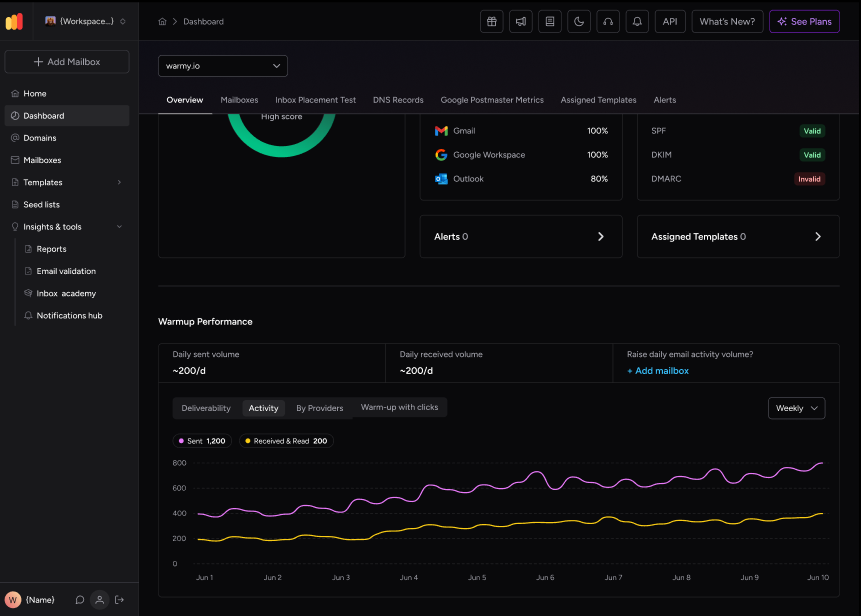
This test confirms where your emails are landing across major providers, giving you the opportunity to catch issues early on and secure your email reputation.
The automated email warm up functionality that Warmy is best known for creates a foundation of positive sending history. By engaging in gradual, natural email exchanges with real, verified addresses, your email account and domain establish trustworthiness with major email providers. This established trust can result in more forgiving treatment when occasional issues arise and faster resolution of temporary delivery problems.
Verifies SPF, DKIM and DMARC Records
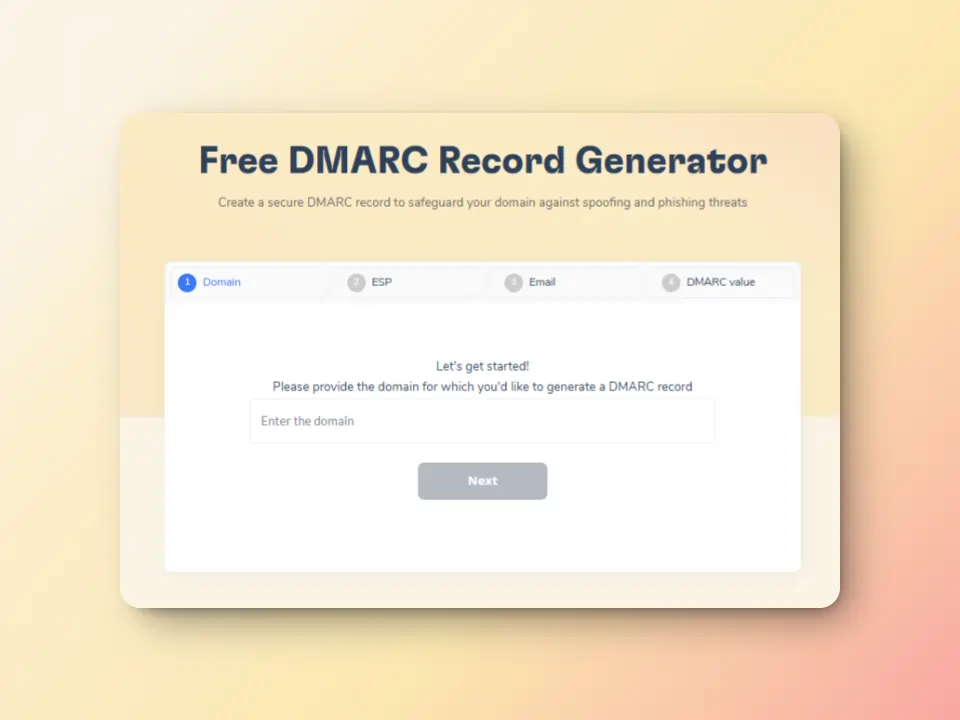
Warmy’s free SPF Record Generator and free DMARC Record Generator offer convenient ways to ensure your DNS records are correctly configured, and ensure that you have the ideal email hygiene.
While SMTP 450 4.1.2 typically relates to recipient address issues, sometimes similar errors can occur if your own domain has configuration problems that make recipient servers suspicious or unable to process your messages properly.
Domain Health Hub
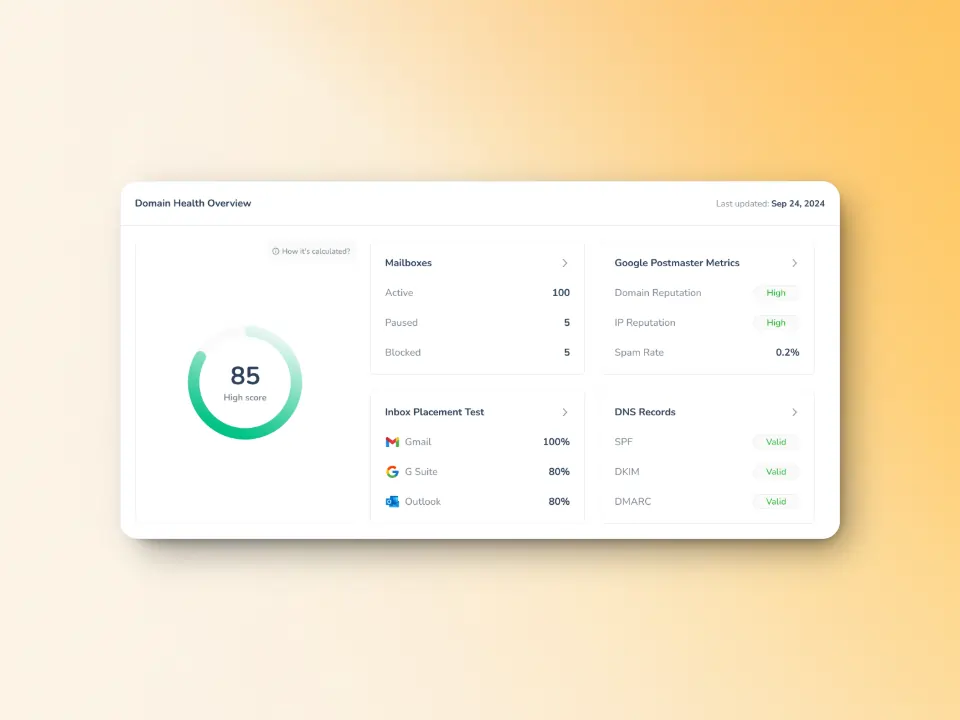
Warmy’s Domain Health Hub provides a centralized dashboard for monitoring the technical health of your sending domain, offering real-time insights into critical email infrastructure components. This powerful feature continuously checks your DNS configuration, authentication protocols like SPF, DKIM, and DMARC, and other essential technical elements that impact email deliverability.
Whether temporary or not, SMTP Errors are inconvenient and cause frustrating delays. Warmy.io helps you significantly reduce the frequency of temporary SMTP errors and maintain consistent inbox delivery. Sign up for your free trial today.











