Simple Mail Transfer Protocol is an essential part of email communication. Once an email is written and sent, the SMTP server is responsible for forwarding and ensuring its secure reception.
SMTP errors are part of a standardized response code system — every code tells you exactly why a message was accepted, deferred, or rejected. If you want to understand the full picture, Warmy’s complete guide to SMTP error codes and messages covers every code you’re likely to encounter. This article focuses specifically on 552 5.7.0 and how to resolve it.
SMTP Error 552 5.7.0 is a permanent rejection code sent by the receiving mail server when it refuses to accept your message. The “552” code means the message exceeds what the server allows, and “5.7.0” specifically points to a content policy violation — a failed security check, a blocked file type, or content that the server’s filters flag as a threat. This is different from a temporary deferral: a 552 error will not resolve itself on its own, and the message is not queued for retry. You need to identify and fix the underlying cause before the email can be delivered.
The error surfaces across all major platforms. On Microsoft 365 / Outlook, you’ll typically see: “552 5.7.0 This message was blocked because its content presents a potential security issue.” On Gmail, the bounce reads: “552-5.7.0 Our system detected an illegal attachment on your message.” Yahoo Mail reports it as: “552 Message size exceeds maximum permitted.” Each platform applies its own policy rules, but the root causes — and the fixes — follow the same pattern.
Understanding SMTP Error 552 5.7.0
SMTP Error 552 5.7.0 occurs with email users who could be using one of the various email systems, or those tracking and correcting such failures on the administrator’s side.
Below is a brief overview of how this issue appears in common email systems and what it generally means.
- An error message in Microsoft Outlook: “Server error: ‘552 5.7.0 This message was blocked because its content presents a potential security issue.”
- In addition, Gmail’s bounce-back from the server “552-5.7.0 Our system detected an illegal attachment on your message. Please visit our guidelines.” could look this way in their notification, such as
- Yahoo Mail: “Failure Notice: 552 Message size exceeds maximum permitted”.
Key reasons behind SMTP Error 552 5.7.0
Content policy violations
Attachments and file types
The kinds of files that can be attached to emails are subject to stringent regulations on many email servers. Blocking executable files (.exe,.scr, etc.) is widespread practice because these files are frequently linked to harmful malware. Likewise, excessively big files may also result in rejections.
Spammy content
The server may automatically reject emails that seem to be spam. This can include emails with deceptive subject lines, an excessive number of links, or terms that are prohibited and frequently used in phishing or spam campaigns.
Formatting and structure
Rejections can also result from emails that are badly formatted or created in a way that sets off spam filters (such as base64 encoding in the message body). This includes utilizing specific HTML elements or styles that are frequently connected to unsolicited emails.
💡 Pro Tip: Before sending any campaign, run your template through Warmy’s free Template Checker. It scans subject lines, body copy, and formatting for the exact patterns that trigger 552 5.7.0 rejections — spam words, excessive links, and HTML issues — and returns a spam score with specific fixes. The Chrome Extension lets you run this check directly inside Gmail before hitting send.
Security settings and concerns
Virus and malware detection
Attachments are scanned by antivirus software on contemporary email servers to check for viruses and malware. To safeguard both the sender and the recipient from possible harm, the server will reject a message containing an attachment if it is deemed harmful. To further protect your email systems, follow this API security checklist to secure integrations and prevent potential threats.
Errors with DMARC, SPF, and DKIM
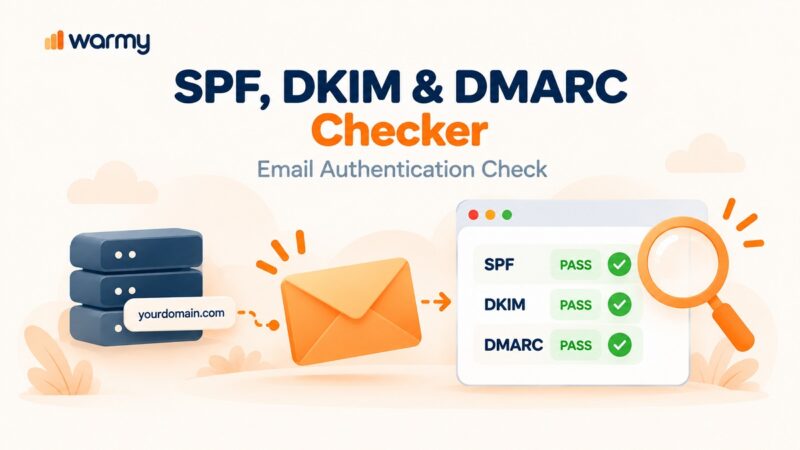
These email authentication techniques are meant to confirm the sender’s identity and stop email spoofing. Emails that don’t follow these protocols may be denied because the receiving server won’t be able to confirm that the message is from a reliable source.
🔖 Relevant Reading: SPF, DKIM, and DMARC: What They Are and Why You Should Care
IP reputation and blacklisting
Servers may automatically reject emails received from IP addresses that have been blacklisted as a result of prior malicious activity. This contains IPs that are well-known for harboring malware or for transmitting spam.
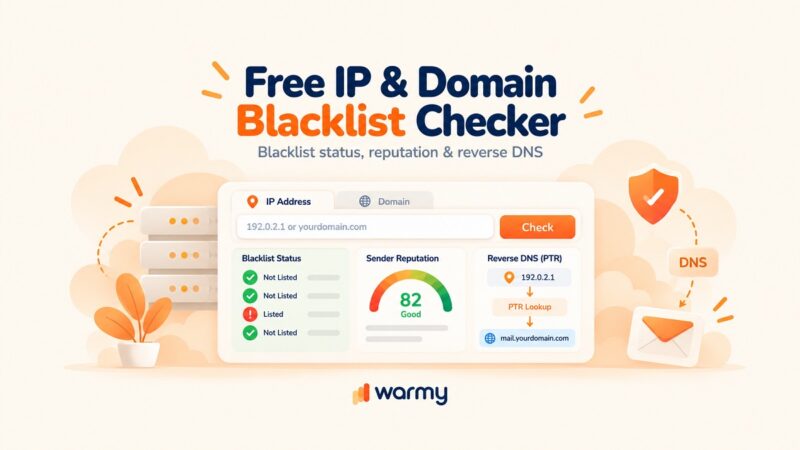
Check if you are blacklisted for free here.

Step-by-step solutions to resolve SMTP Error 552 5.7.0
The fix depends on which platform is rejecting your message. Below are specific steps for Gmail, Outlook, and Yahoo Mail — followed by technical configuration guidance that applies across all providers. For context on related 552 error variants, see SMTP Email Error 552 – How to Resolve [SOLVED] for a broader overview of the 552 error family.
Gmail
- Verify email size. Make sure the combined size of your email and its attachments doesn’t go above Gmail’s 25 MB limit. If so, consider use links to Google Drive rather than straight attachments.
- Examine the different types of attachments. Remove those that can be dangerous (scripts or executables, for example). Share files via reliable cloud storage services instead, and include a link in your email.
- Check for malware. To prevent sending malicious files, scan your attachments with antivirus software before sending.
- Check the content of the email. Steer clear of spammy elements like a lot of links, wording that is too promotional, or deceptive subject lines.
Outlook
- Modify email format. Make your email easier to read by eliminating any complicated HTML components or scripts that could be interpreted as suspicious.
- Respect attachment policies. Verify that your files adhere to Microsoft’s safety requirements by reviewing Outlook’s attachment policies.
- Employ email authentication. To increase deliverability and authenticate your emails, make sure your email account is properly configured with SPF, DKIM, and DMARC records.
- Check server settings. To make sure you’re in compliance with your hosting provider’s sending policies, check the server settings or speak with them if you use Outlook with a custom domain.
Yahoo Mail
- Reduce email size. If your email exceeds Yahoo’s size limits, try compressing attachments or splitting your content into multiple emails.
- Check blacklists. Ensure your sending IP is not blacklisted. If it is, you may need to contact your ISP or use a different network to send your email.
- Avoid spam triggers. Refrain from using excessive bold or colored fonts, and ensure the email does not resemble common spam characteristics.
💡 Pro Tip: If you’re seeing 552 5.7.0 rejections specifically from Microsoft 365 / Exchange Online recipients, check your DMARC policy first. A DMARC policy set to “p=reject” will cause Exchange to block messages that fail alignment — even if SPF and DKIM pass individually. Use Warmy’s free DMARC Generator to build a correctly structured policy, then verify alignment with the free Email Deliverability Test.
Technical guidance to align email content and settings
Content review and modification. Regularly review your email content for anything that might trigger spam filters. Adapt the language and formatting to be more professional and less spam-like. You can easily check it with Warmy’s free template checker.
Security configuration verification. Regularly update and verify your email security settings. Ensure that antivirus and antimalware solutions are active and scanning your emails before they are sent.
Monitor feedback loops. Set up feedback loops with major ISPs to receive notifications when your emails are marked as spam or blocked. This feedback can help you adjust your email practices accordingly.
Choosing ‘System email only’ permits only essential system notifications to be sent, while ‘No access’ halts all outbound emails, providing a safe environment for testing or when email communication needs to be paused temporarily.
For related sub-variants of this error, SMTP Email Error 552 5.3.4 usually points to a message-size violation specifically, while SMTP Email Error 552 5.1.1 indicates the recipient address no longer exists — both require different remediation steps.
Not sure if your emails are landing in the inbox? Run a free Email Deliverability Test and instantly see your inbox placement across Gmail, Outlook, and Yahoo — plus your SPF, DKIM, and DMARC status.
Utilizing email warm up tools to prevent SMTP errors
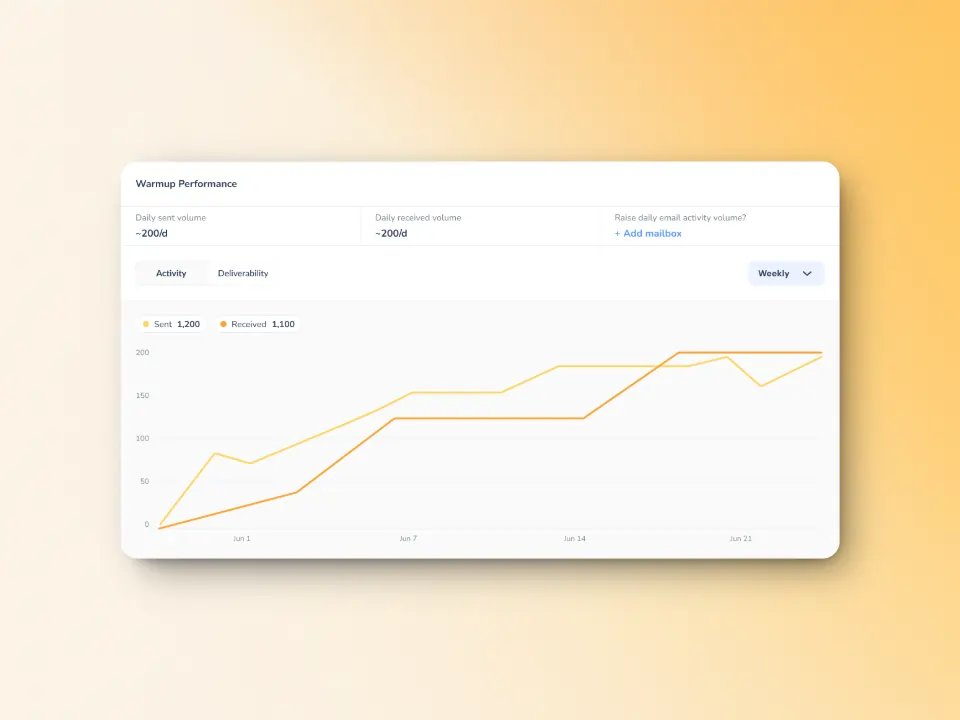
SMTP Error 552 5.7.0 can have a real impact on your email communication, mostly in regards to deliverability and server trust. Warmy is an AI-driven email warmup and deliverability platform that automatically builds your sender reputation, improves inbox placement, and keeps your emails out of spam — no technical expertise required. Here is how it helps prevent and solve 552 5.7.0 errors before they occur:
- Warmy’s AI engine — powered by Adeline AI — gradually increases your sending volume in a controlled, ISP-safe pattern. Adeline makes over 20 million decisions per day, building a personalized warmup schedule per mailbox and adjusting ramp-up pace in real time. This prevents the sudden-volume spikes that trigger content rejection policies at Gmail, Outlook, and Yahoo.
- Warmy supports warmup across all major providers: Gmail, Google Workspace, Microsoft 365, Outlook, Yahoo, Sendgrid, Mailgun, Custom SMTP, Brevo, Zoho, Amazon SES, and more — so your warmup mirrors your actual sending environment.
- The Warmup With Clicks feature adds real link-click signals on top of standard open and reply engagement, mirroring the deeper interaction patterns that Gmail’s algorithm values most. Most warmup tools only simulate opens — Warmy goes further with verified click engagement, complete with a dashboard showing actual click proof.
- Blacklist monitoring is built into Warmy’s Email Deliverability Test — no separate tool required. It checks your sending domain and IP against major spam blacklists and shows your exact inbox placement percentage across providers.
- Warmy’s free SPF Record Generator and DMARC Record Generator create correctly formatted authentication records that protect your domain from spoofing and satisfy the policy checks that trigger 552 5.7.0 rejections.
Test your deliverability before you hit send
Before launching a major email campaign, it’s essential to know where your emails are landing.
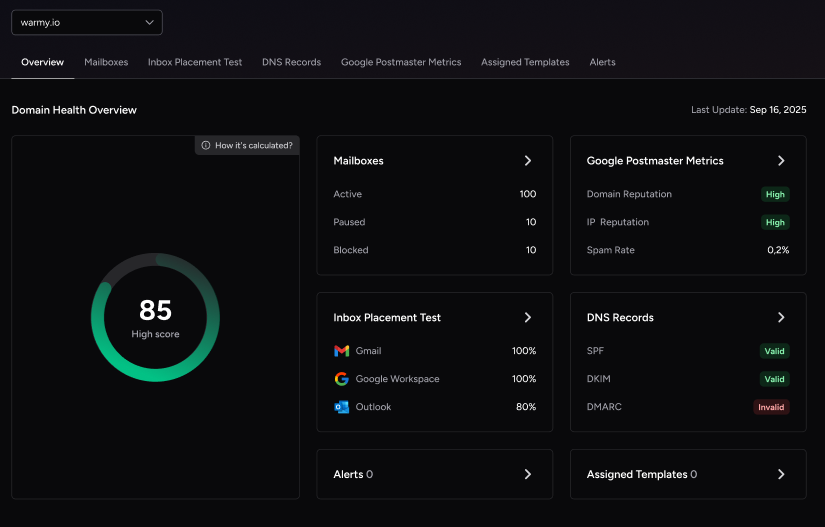
Complementing this is the Domain Health Hub—a comprehensive dashboard that provides deep insights into your domain’s performance, including:
A domain health score based on authentication, blacklist status, and inbox placement
Weekly and monthly reports to help you track spam rates and deliverability trends
DNS checks to verify SPF, DKIM, and DMARC records
Multi-domain monitoring for businesses managing multiple email domains
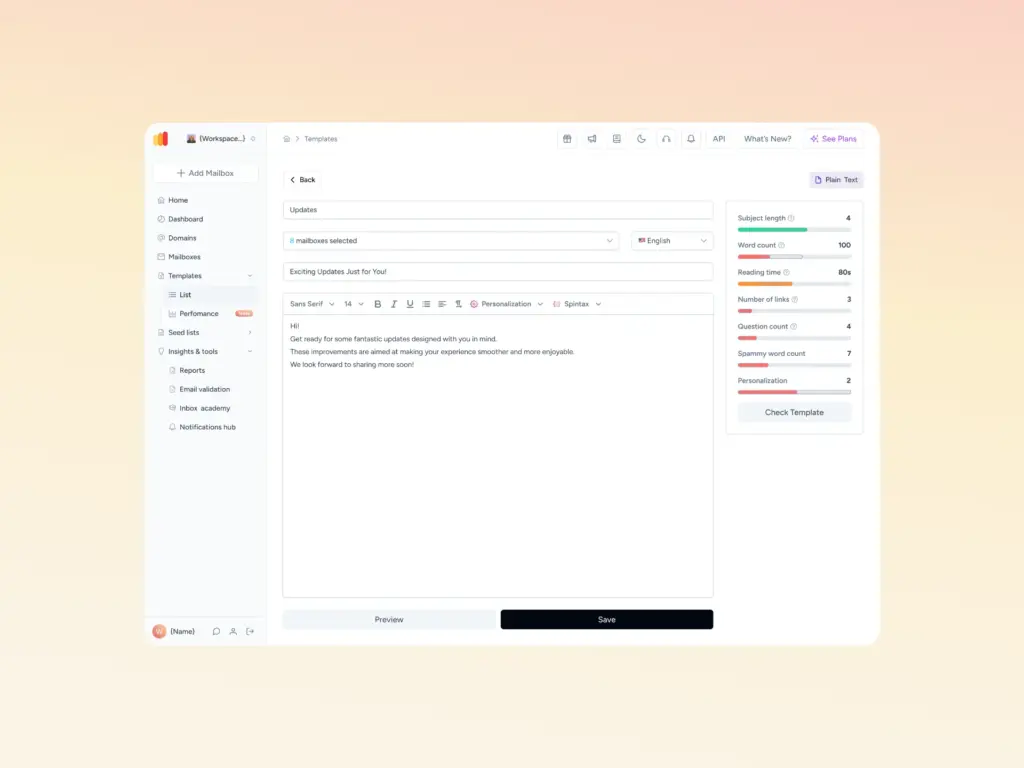
The Template Checker goes a step further by scanning your subject lines, email body, formatting, and links to identify any elements that might trigger spam filters—especially within UK-based ISPs. You’ll receive practical, actionable suggestions to refine your tone, remove problematic language, and improve overall structure. Now available as a convenient Chrome Extension for quick content checks.
AI-powered warm up with customization
Warmy simplifies the email warmup process by leveraging Adeline AI to simulate natural sending behavior across a network of over 1 million real mailboxes — the largest email warmup network available. This helps gradually build a strong sender reputation without manual intervention.
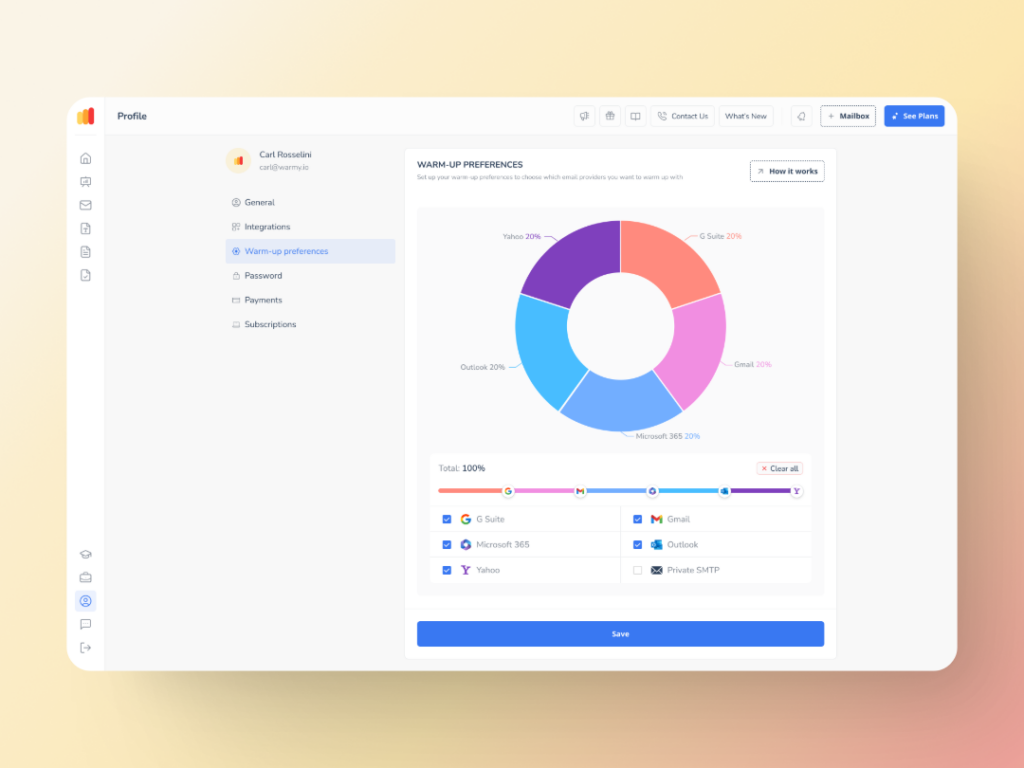
With Warmup Preferences, you can customize warmup distribution per provider — specifying the exact percentage of emails going to GSuite, Gmail, Microsoft 365, Outlook, Yahoo, and Private SMTP. You can also choose B2B or B2C engagement patterns to match your actual audience. This level of control ensures alignment with provider-specific thresholds, which directly reduces the likelihood of triggering content rejection policies like 552 5.7.0.
Warmy also offers warmup in 30+ languages, so if you send internationally — across Europe, the US, or Asia-Pacific — your warmup traffic reflects the same geographic and linguistic diversity as your real campaigns.
💡 Pro Tip: If you’re warming up a brand-new domain, Google Postmaster Tools gives you a direct signal from Gmail on your domain reputation and spam rate — completely free. Pair it with Warmy’s Domain Health Hub to get a full picture: Postmaster for Gmail-side signals, Warmy for cross-provider inbox placement, blacklist status, and DNS validation.
Resolving and alleviating error responses such as SMTP Error 552 5.7.0 error is critical in achieving reliable delivery of emails.
Regular review and updating of the email system should always be a priority to operate within the server’s regulations. Managing your email settings allows you to take charge of your communication with your clients and avoid any form of a breakdown. The action is not only helpful in avoiding potential errors, but it also assists you in increasing email productivity.
If you’re serious about taking your email deliverability to the next level, sign up with Warmy today.