Yahoo does not bounce mail anonymously. Every rejection and deferral carries a code and a short explanation, and Yahoo publishes what each category means on its SMTP error codes page. That single fact is what separates a two-hour fix from a two-week guessing game, because a 421 deferral caused by complaint volume and a 554 rejection caused by an unresolvable ‘From’ domain look identical in a dashboard and need opposite responses.
This guide starts with the message you already have in hand, decodes what Yahoo is telling you, and works backward to the fix. If you have not found the raw error text yet, that is step one, and everything else depends on it.
Where the error code hides in a bounce message
A bounce, formally a Delivery Status Notification, has two parts: the reason for the failure and a copy of your original message. The reason lives in a few predictable fields.
Look for Diagnostic-Code, which holds Yahoo’s verbatim response. Look for Remote-MTA, which will name a host like mta5.am0.yahoodns.net or another server under yahoodns.net, confirming Yahoo generated the rejection rather than something in between. Look for Status, which carries the enhanced code such as 4.7.0 or 5.7.9.
A real example looks like this:
Remote-MTA: dns; mta5.am0.yahoodns.net
Diagnostic-Code: smtp; 421 4.7.0 [TSS04] Messages from 203.0.113.10
temporarily deferred due to unexpected volume or user complaints
– 4.16.55.1; see https://postmaster.yahooinc.com/error-codes
In your ESP, this text is usually behind a per-recipient detail view, an event log export, or a bounce webhook payload rather than the summary screen. If you run your own MTA, it is in the mail log next to the recipient address. Pull it before you change anything, and pull several, because one campaign frequently produces more than one kind of failure.
Yahoo, AOL, and Verizon run on the same system
If you are also seeing bounces at aol.com, verizon.net, or the various legacy domains Yahoo absorbed, do not treat them as separate problems. They share the same filtering infrastructure and the same sender requirements, so a fix at Yahoo resolves all of them, and a reputation problem at Yahoo shows up across all of them at once.
Count them together when you measure the size of the issue.
Yahoo 4xx and 5xx: Soft bounce or hard bounce?
Before decoding the specific code, split your failures into two piles. Yahoo is explicit about how each should be handled, and the handling is genuinely different.
- 4xx responses, meaning 421 and 451, are temporary. Yahoo lists the reasons plainly: unusual traffic patterns from your sending IP, message characteristics associated with spam, complaints from Yahoo users, busy Yahoo servers, a temporarily unavailable name server, or authentication results that could not be determined. Yahoo’s guidance is that you may retry later. Your MTA will normally do this on its own.
- 5xx responses, meaning 553 and 554, are permanent. Yahoo attributes these to an invalid recipient address, a failure against your domain’s DMARC or DKIM policy, content it will not accept for policy reasons, suspicious behavior warranting permanent rejection, or a Spamhaus listing on your IP. Yahoo states directly that you should not retry a 5xx, and that list managers should have a policy for removing addresses that generate these bounces.
A5xx is permanent for that message, but not always permanent for that recipient. A 554 delivery error: dd This user doesn’t have a yahoo.com account is about the address and the address should go. A 554 5.7.9 Message not accepted for policy reasons is about you, and suppressing the recipient fixes nothing.
Yahoo bounce codes and what each one is telling you
Here are the responses you are most likely to be holding, grouped by what they actually diagnose.
| Yahoo response | Type | What it means | What to do |
|---|---|---|---|
| 421 4.7.0 [TSS04] Messages from x.x.x.x temporarily deferred due to unexpected volume or user complaints | Temporary | Complaint volume, unusual traffic patterns, poor IP reputation, or spam-like content | Stop increasing volume, investigate complaints, let the queue retry |
| 421 Max message per connection reached, closing transmission channel | Temporary | You exceeded Yahoo’s per-connection message limit | Reduce messages per connection in your MTA, then reconnect |
| 451 Message temporarily deferred due to unresolvable From header domain | Temporary | The domain to the right of the @ does not resolve | Fix DNS for that domain, including SOA records for subdomains |
| 554 Message permanently deferred due to unresolvable RFC.5321 from domain | Permanent | Same problem, now failing permanently | Same fix, then requeue after DNS propagates |
| 553 5.7.1 [BL21] Connections will not be accepted from x.x.x.x, because the ip is in Spamhaus’s list | Permanent | Your sending IP is listed at Spamhaus | Check and resolve the listing at Spamhaus before anything else |
| 554 This mail has been blocked because the sender is sending too much mail for its authentication status | Permanent | Your volume exceeds what your authentication level supports | Set up DKIM aligned to the From domain |
| 554 5.7.9 Message not accepted for policy reasons | Permanent | A policy rejection, frequently authentication or content related | Read the surrounding context, do not retry |
| 554 Message not allowed – [PH01] Email not accepted for policy reasons | Permanent | A content block. Yahoo’s PH codes cover viruses, phishing, ransomware, other malware, and links to any of those | Audit the message content and every URL in it |
| 554 delivery error: dd This user doesn’t have a yahoo.com account | Permanent | The recipient does not exist | Remove the address immediately, never retry |
| 554 30 … This mailbox is disabled (554.30) | Permanent | Inactive mailbox | Remove the address |
| 552 1 Requested mail action aborted, mailbox not found | Permanent | The recipient does not exist | Remove the address |
Two categories in that table deserve a closer look because they are the ones senders most often misread.
- The TS and TSS deferrals. Yahoo groups these under “message temporarily deferred” and attributes them to substantial complaints from Yahoo users, objectionable or spam-like content, a poor reputation on the IP or its /24 subnet, or unusual traffic patterns. Note the subnet detail: on a shared IP, a neighbor’s behavior can defer your mail. Yahoo’s own recommendation in that case is to ask your host for dedicated IPs.
- The PH content blocks. These are not about tone or marketing language. Yahoo defines the objectionable content behind PH errors as viruses, phishing attempts, ransomware, other malicious software, and links or URLs pointing to any of those. If you are getting PH01 on ordinary marketing mail, the most likely explanation is a URL in your message, a redirect it passes through, a shortener, or a tracking domain that has been flagged, rather than your copy.
The failure Yahoo does not send a code for
This one is worth knowing because it produces missing mail that never appears in your bounce logs at all.
Yahoo accepts a limited number of messages per SMTP connection. In its own sender requirements, Yahoo states that once that per-connection limit is reached, no further messages are accepted for delivery, and its server automatically terminates the connection without giving an error message. Yahoo’s instruction is that when the connection is terminated with no error code, you may reconnect to its MX servers immediately.
Yahoo also permits concurrent connections without publishing a specific limit, asking senders to treat its resources with respect and warning that taking too many may lead it to deprioritize connections from your servers. Read that as a real throttling mechanism with no published threshold, which is a good argument for conservative concurrency.
Why Yahoo bounces mail that Gmail and Outlook accept
If your Yahoo bounce rate is an outlier while other providers look fine, the explanation is usually structural rather than accidental.
Yahoo measures your spam complaint rate on inbox-delivered mail only
Yahoo requires a spam complaint rate below 0.3% and states explicitly that the rate is calculated on mail delivered to the inbox, asking senders to keep that in mind when calculating the rate in their own systems. Yahoo repeated the point when it launched its Insights dashboard: the rate shown is based only on messages delivered to the inbox, which represents the true complaint rate and may differ from your own calculation if yours includes filtered or spam-foldered messages.
If you send 100,000 messages, 20,000 land in spam, and 250 people complain, your internal rate reads 0.25% and looks compliant. Yahoo divides by the 80,000 that reached the inbox and sees 0.31%, which is over the line.
So if your dashboard says you are fine and Yahoo is deferring you anyway, recalculate against inbox-delivered volume before you go looking for another cause.
What Yahoo requires from every sender
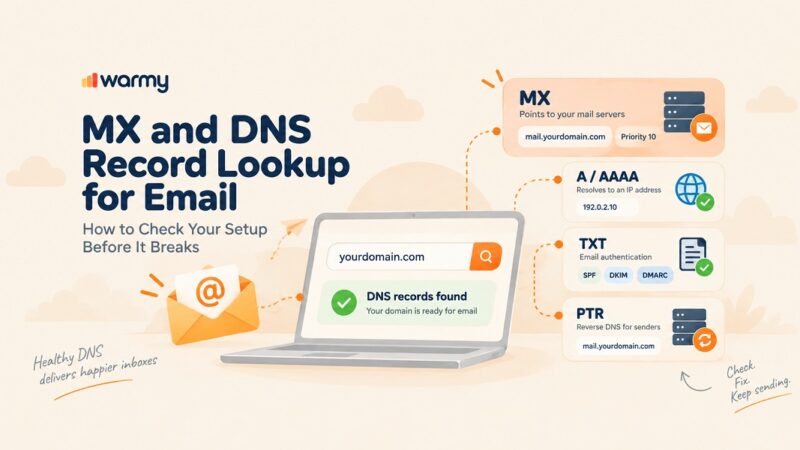
Yahoo splits its requirements into two tiers, and the first applies to you regardless of volume. Every sender must authenticate with SPF or DKIM at a minimum, keep the spam rate below 0.3%, publish valid forward and reverse DNS records for sending IPs, and comply with RFC 5321 and RFC 5322.
That reverse DNS requirement quietly disqualifies a lot of self-hosted and low-cost VPS senders. Yahoo asks for PTR records that are valid, meaningful, and non-generic, that reflect your domain name in some way, and that do not look like a dynamically assigned IP.
What Yahoo requires from bulk senders
Above roughly 5,000 messages a day, the bar rises. Bulk senders must implement both SPF and DKIM, publish a valid DMARC policy of at least p=none that passes, and align the From header domain with either the SPF domain or the DKIM domain. Yahoo accepts relaxed alignment and strongly recommends including a rua tag so you can actually read the reports.
Bulk senders must also support easy unsubscribe: a functioning List-Unsubscribe header supporting one-click unsubscribe for marketing and subscribed messages, with the POST method of RFC 8058 highly recommended and mailto acceptable, plus a clearly visible unsubscribe link in the body, and unsubscribes honored within two days.
Yahoo began enforcing these standards in February 2024 and notes that the requirements are subject to change, pointing senders to its Postmaster blog and requirements page for updates. If your program was configured before 2024 and has not been audited since, that is a likely root cause on its own.
Warmy’s guide to SPF, DKIM, and DMARC walks through the setup, and the free SPF generator and DMARC generator produce records with the correct syntax.
A triage sequence for Yahoo bounces
Work these in order and stop when the bounces clear.
- Pause and segment before you diagnose. Stop the affected send. Then split the failures by code: temporary versus permanent, and within permanent, recipient problems versus policy problems. A campaign that produces mostly 554 delivery error: dd has a list problem. A campaign that produces mostly 421 TSS04 has a reputation problem. Treating them as one issue guarantees you fix the wrong one.
- Confirm your From domain resolves. Yahoo determines whether a domain exists using an SOA query. Its documentation warns that if you use multiple subdomains in the MAIL FROM or HEADER FROM commands, an A or MX record alone is not enough, and SOA records must be set up as well. This catches senders using subdomains such as mail. or send. for their envelope sender, and it is invisible in most DNS checkers because those test for A and MX.
- Check authentication and alignment, not just presence. Having SPF and DKIM records is not the same as passing DMARC alignment. The domain in your From header must align with either your SPF domain or your DKIM domain. If you send through an ESP, this is the field most likely to be misconfigured. If you forward mail, Yahoo recommends implementing ARC.
- Check whether you are on Spamhaus. A [BL21] or [BL23] response is unambiguous and nothing else will work until it is resolved. Warmy’s free deliverability test checks your domain and IP against the major blocklists in one pass, and the guide to email blacklists covers the delisting process.
- Clean the list before you retry anything. Every 554 recipient failure should be suppressed permanently after the first occurrence. Yahoo’s guidance is explicit on this. Beyond hard bounces, remove recipients who have not engaged, because sending to a large number of invalid recipients is a pattern Yahoo associates with open relays and open proxies. Warmy’s email validation scores each address so you can drop the ones likely to fail before the send rather than after.
- Slow down and fix connection behavior. Limit messages per connection, keep concurrency conservative, and reconnect when Yahoo closes a channel without an error. If you recently increased volume, roll it back to the previous level and climb again gradually. Yahoo names “you set up the IP very recently and did not increase traffic slowly” as a direct cause of its excessive-volume errors.
Set up the two Yahoo tools that show you what is actually happening
Both are free, both are underused, and together they replace guesswork with data.
Complaint Feedback Loop
The Complaint Feedback Loop sends you a report every time a Yahoo user marks your mail as spam. Reports arrive in Abuse Reporting Format, so you can suppress that recipient from future campaigns automatically.
The CFL is a domain-based service and supports only DKIM-signed email, because Yahoo uses the signature to determine who actually sent the message. Enrollment is three steps: create a sender profile, add and verify your domain, then enroll the domain. Yahoo states that an active CFL is needed for all DKIM domains so complaints are processed quickly.
The advantage over an aggregate metric is granularity. A dashboard tells you your complaint rate moved. The CFL tells you which recipients complained and which campaign they complained about, which is what you need to find the source rather than just watch the number.
Insights in Yahoo Sender Hub
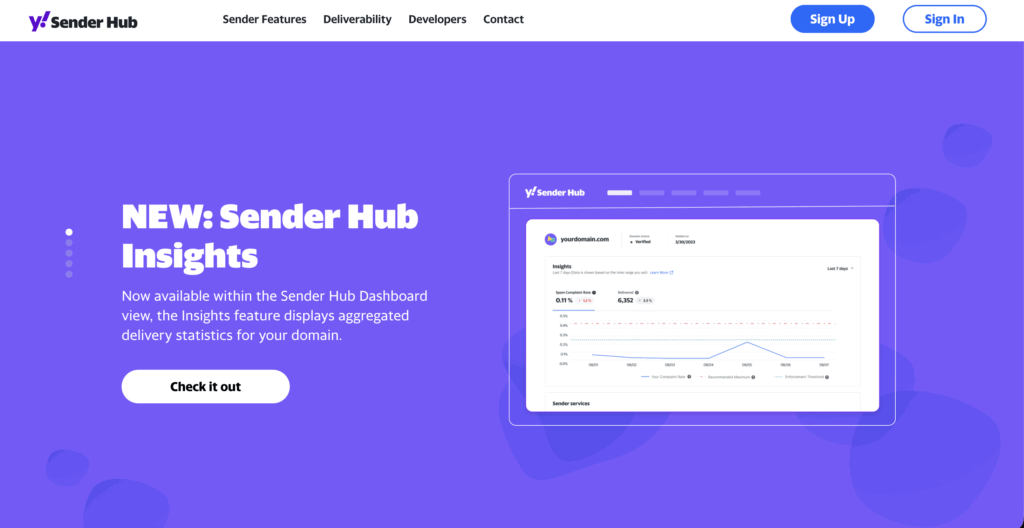
In October 2025, Yahoo added an Insights dashboard to Sender Hub, its first real reputation visibility for senders. It sits under the Dashboard tab and reports aggregated delivery statistics per verified DKIM domain, including delivered message volume and the spam complaint rate.
Two things make it worth setting up even if you already use Google Postmaster Tools. First, data is keyed to the DKIM domain rather than to the IP, so if several sending sources sign with the same d= value, Yahoo aggregates them into one view. Second, this is where you see the inbox-only complaint rate discussed above, which means it is the only place you can compare Yahoo’s number against your own and understand the gap.
When to file a sender support request
Yahoo asks senders seeing the same error consistently over an extended period to submit a sender support request with the specific error and the diagnostic codes from their logs. That framing matters. A request that says “our mail is bouncing” gets you nothing. A request with the exact response string, timestamps, your sending IP, and evidence of what you have already fixed gets you a real look.
For content and policy errors specifically, Yahoo asks that if you have deployed significant changes or have been receiving the error for more than 48 hours, you review your outgoing messages for objectionable content or practices before escalating. Do that review first.
How to keep Yahoo bounces from coming back
- Separate your mail streams. Yahoo explicitly recommends against sending bulk or marketing email from the same IPs used for transactional mail, alerts, and user mail, because each IP and DKIM domain carries its own reputation. Mixing them means a bad marketing week can take down your password resets.
- Use confirmed opt-in. Yahoo asks senders to verify that they are only mailing users who specifically requested it, to honor the stated frequency of the list, and not to purchase lists or use pre-checked opt-in boxes. Confirmed opt-in is also the cheapest defense against the complaint rate ceiling, because it is a complaint problem more than a technical one.
- Reconfirm or retire inactive subscribers. Yahoo recommends periodically sending a reconfirmation email to inactive subscribers and removing invalid recipients promptly. Old addresses turn into traps and complaints, and both feed the same enforcement.
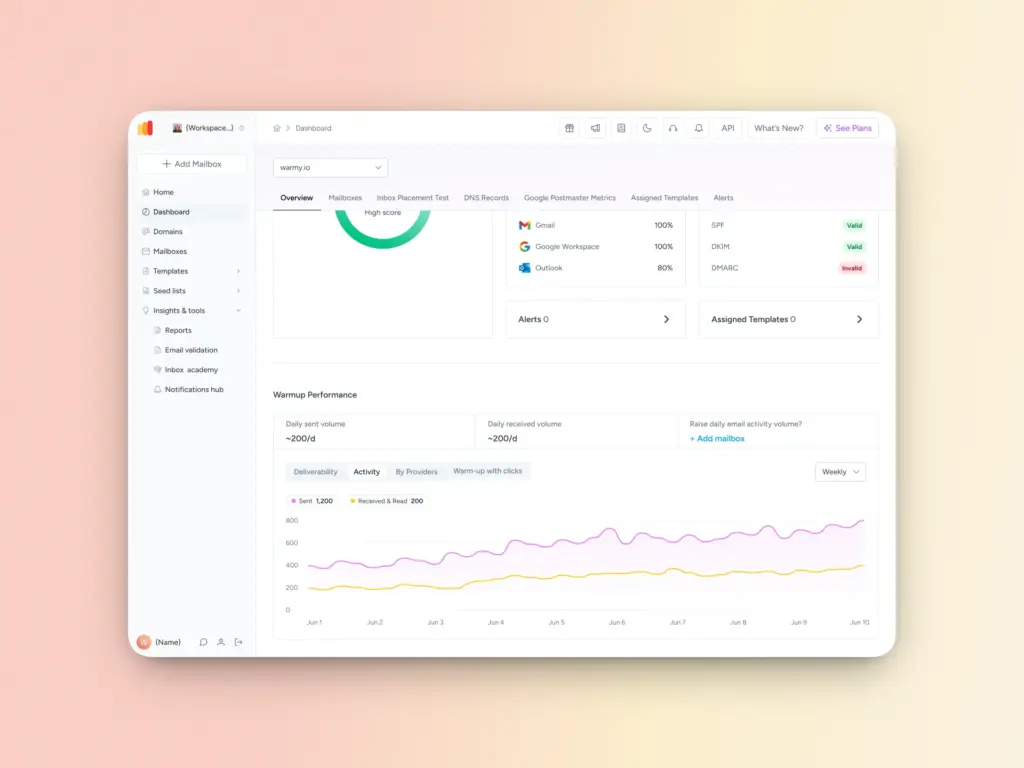
- Ramp new IPs and domains slowly. Yahoo names sudden volume from a new IP as a cause of deferrals. Warmy’s email warm-up automates the ramp and generates genuine engagement, and its warm-up preferences let you weight the distribution toward Yahoo inboxes specifically when Yahoo is where your problem is.
- Watch placement, not just acceptance. Because Yahoo’s complaint rate is computed on inbox-delivered mail, spam folder placement changes the denominator of the metric that governs your enforcement status. And ongoing monitoring catches the drift before a deferral turns into a block.
- Keep the whole message clean, including its links. Since PH errors are triggered by malicious content and links to it, audit every URL in your templates: shorteners, affiliate redirects, tracking hosts, and any destination you do not control.
Mistakes that make Yahoo bounces worse
Retrying 5xx rejections is the most damaging one. Yahoo says not to, and persistent retries against a permanent rejection look like exactly the behavior the filter is designed to stop.
Rotating IPs to escape a deferral is the second. Yahoo’s reputation signals are increasingly tied to the DKIM domain, and a fresh IP with no history is treated more suspiciously than an established one working through a problem.
Trusting your own complaint rate is the third, for the arithmetic reason covered above.
Also common: suppressing recipients in response to policy rejections, which removes valid addresses for a problem that has nothing to do with them; assuming a shared IP is safe because your own practices are clean, when Yahoo evaluates the IP and its subnet; and treating Yahoo and AOL as separate investigations when they run on the same system.