SMTP Error 554 4.4.7 means the receiving mail server gave up on delivering your message because it sat in the delivery queue longer than the allowed time-to-live. Per the IETF’s enhanced SMTP status codes (RFC 3463), the 4.4.7 sub-code specifically stands for “delivery time expired” — a temporary, retryable failure, not a permanent rejection and not a message-size problem. In practice, it usually points to network congestion, an overloaded or unavailable recipient server, or a DNS/routing issue that prevented the message from being handed off in time.
Sending emails with attachments is common for professionals, businesses, and individuals who need to share official documents, reports, or important files. When a message can’t reach its destination within that time window, the sending server bounces it back with the SMTP Email Error 554 4.4.7 notice.
So why does your email server reject an email with an attachment, and how can you properly diagnose this? Let’s dive into this article to find out.
Diagnosing SMTP Error 554 4.4.7
SMTP Email Error 554 4.4.7 is a delivery failure message that signals a timing problem rather than a permanent one. It typically points to a deeper problem with the recipient’s email server or the network path to it, and it warns you that the receiving system gave up before the message could be handed off.
Receiving SMTP Email Error 554 4.4.7 means the message remained in the delivery queue past its allowed lifetime, not that the message itself was too large. The status code 554 indicates a permanent failure was returned for this attempt, while the enhanced code 4.4.7 specifies that the delivery time expired.
What Triggers SMTP Error 554 4.4.7?
The most common root cause of SMTP Error 554 4.4.7 is a delay somewhere between the sending and receiving mail servers, not the size of the attachment. Here’s what typically causes that delay:
Delayed Delivery Attempts
Sending an email should be straightforward, you send an email and the recipient should receive the email within seconds. Delayed delivery attempts is a clear indication that there is something wrong, with either the SMTP setting, or network server. Here are some of the root causes that trigger specific errors such as SMTP Error 554 4.4.7.
Network Congestion
Network congestion is similar to traffic jams. When there are too many vehicles in a specific area, it becomes difficult for them to move forward, causing delays in reaching their destination.
This metaphor is comparable with network servers, high traffic volumes can delay the delivery of emails, since the network is congested and disrupts all the emails from being delivered to the recipient.
Sender And Recipient Server Overload
Email servers are often considered the pulse of the email network, ensuring seamless sending and receiving of messages.
For someone who uses email daily, sending and receiving emails typically occurs without issues. However, excessive usage can occasionally result in server overload.
Professionals who rely heavily on email may be subscribed to multiple newsletters or manage communication with several clients simultaneously.
Although rare, such situations can sometimes trigger SMTP Error 554 4.4.7.
Pro Tip: If 4.4.7 errors cluster around a specific time of day or a specific recipient domain, that’s a strong signal the bottleneck sits with that provider’s servers, not with your own configuration. Check the provider’s public status page before changing anything on your end.
Recipient’s Email Server Not Available
Even if a recipient’s email is secured from causing server overload, the SMTP Email Error 554 4.4.7 can still occur if due to the unavailability of the recipient’s email server. Server unavailability are usually caused by:
- Maintenance and Downtime. The recipient’s email server may be unavailable due to maintenance outages and unexpected downtime.
- Server Configuration Problems. There can be issues in the configuration and setup of the recipient’s server making it impossible for the server to process and receive incoming emails.
- DNS Problems. The Domain Name System (DNS) translates domain names into corresponding network IP addresses, making it possible for email networks to locate the recipient’s email. A lack of or incorrect DNS resolution setup can cause issues with the sender’s email server, resulting in the email being lost in transit.
Miscellaneous Causes
- Email Filtering and Blocking. Emails might be delayed or blocked by spam filters or the recipient’s server’s security measures if they think the emails contain spam or malicious code. The system mistakenly believes the email does not need to be delivered.
- Email Routing Issues. Incorrect routing and routing issues can cause delays in receiving emails. These delays are most likely to result in SMTP errors.If timeouts and delivery delays keep showing up in your logs, the underlying cause is often sender reputation, not a one-off server hiccup. Run Warmy’s free Email Deliverability Test to check your inbox placement, blacklist status, and SPF/DKIM/DMARC records in one pass before you spend time chasing the wrong fix.
If timeouts and delivery delays keep showing up in your logs, the underlying cause is often sender reputation, not a one-off server hiccup. Run Warmy’s free Email Deliverability Test to check your inbox placement, blacklist status, and SPF/DKIM/DMARC records in one pass before you spend time chasing the wrong fix.
Resolving SMTP Email Error 554 4.4.7
Since SMTP Email Error 554 4.4.7 is caused by a delivery timeout rather than a single fixed issue, resolving it can involve checking a few different points along the delivery path. It’s still worth being methodical: senders and recipients alike should employ the right checks to keep mail flowing smoothly.
Here are some exclusive solutions for each prominent email service provider.
For Gmail Users
- Check for Server-Side Delays. 4.4.7 on Gmail almost always originates on the receiving end, not from your message size. Resend after a short wait; if it persists, the recipient’s server or network is the bottleneck.
- Review Recipient Address. Recheck the recipient’s address for any typed error .
- Check for Server Outages. Use Google Workspace Status Dashboard to check whether there is any Gmail service known for error on email delivery.
For Outlook Users
- Internet Connectivity. Verify your internet connection is stable. A poor connection can delay email sending.
- Server Settings. For Outlook users relying on SMTP for email sending, ensure your server settings are correctly configured. Go to File > Account Settings > Double-click on your email > More Settings > Outgoing Server to verify.
- Email Queue. If you’re using an email client, check the Outbox for stuck emails. A stuck message can delay subsequent ones. Microsoft’s Exchange Online troubleshooting guide for error 4.4.7 walks through the server-side checks in more detail.
For Yahoo Users
- Spam Addresses. Verify that the recipient’s address hasn’t been accidentally added to your list of blocked addresses or flagged as spam.
- Send A Trial Email. Try sending the recipient a plain test email without any attachments to see whether it gets through. whether it does, there may be a problem with the email’s size or content.
- Status of Yahoo Mail Server. Look into any known problems with Yahoo Mail’s server online that might be affecting the delivery of emails.
Pro Tip: Keep an eye on your bounce rate as a leading indicator, not just individual error codes. Industry benchmarks put a healthy bounce rate under 2%, with anything above roughly 5% signaling deliverability problems that need immediate attention — according to HubSpot’s email marketing benchmarks.
554 4.4.7 is one of several variants in the 554 family, and the fix often depends on the exact sub-code. If your logs show a different combination, see the related breakdowns for SMTP Email Error 554, 554 5.7.1, 554 5.0.0, 554 5.4.0, and 554 5.2.2 to see how each one is resolved.
Pro Tip: Before assuming the problem is on the recipient’s end, confirm your own domain isn’t the cause. A missing or misconfigured PTR (reverse DNS) record is a frequent, easy-to-miss trigger for delivery timeouts on the sending side.
Reduce Your Chances of SMTP Error with Email Warm-Up Services
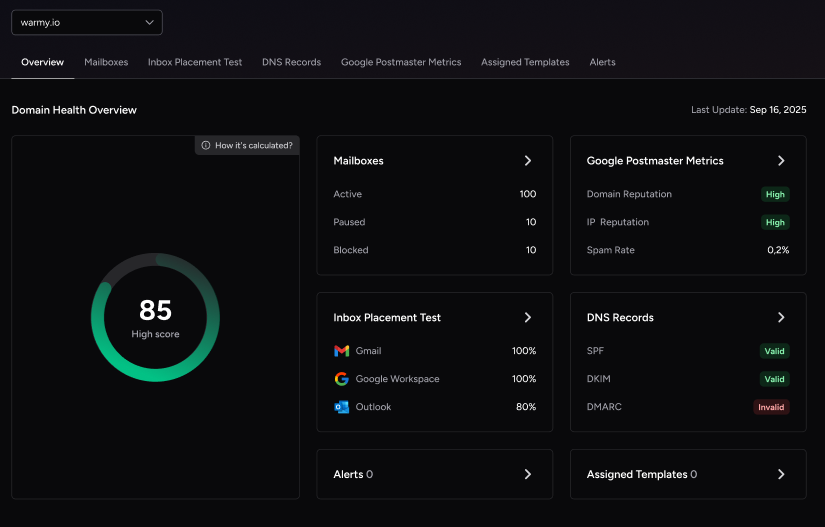
There are various types of SMTP errors like 554 4.4.7 that can be resolved with email warm-up services.
Since these new or inactive email accounts are relatively unknown, it is inevitable for many email servers to consider these emails as spam or unsafe for the public.
Email warm-up services have gradual, but long-lasting effects to improve your email deliverability by increasing the volume of emails sent from a new email account or domain. Providing a solid and positive sending reputation with various Internet Service Providers (ISP).
Warmy.io stands out as a comprehensive solution in this domain, offering tools and free email deliverability test to improve your email deliverability. The free deliverability test allows you to check if your email address is blacklisted—a common reason behind SMTP errors.
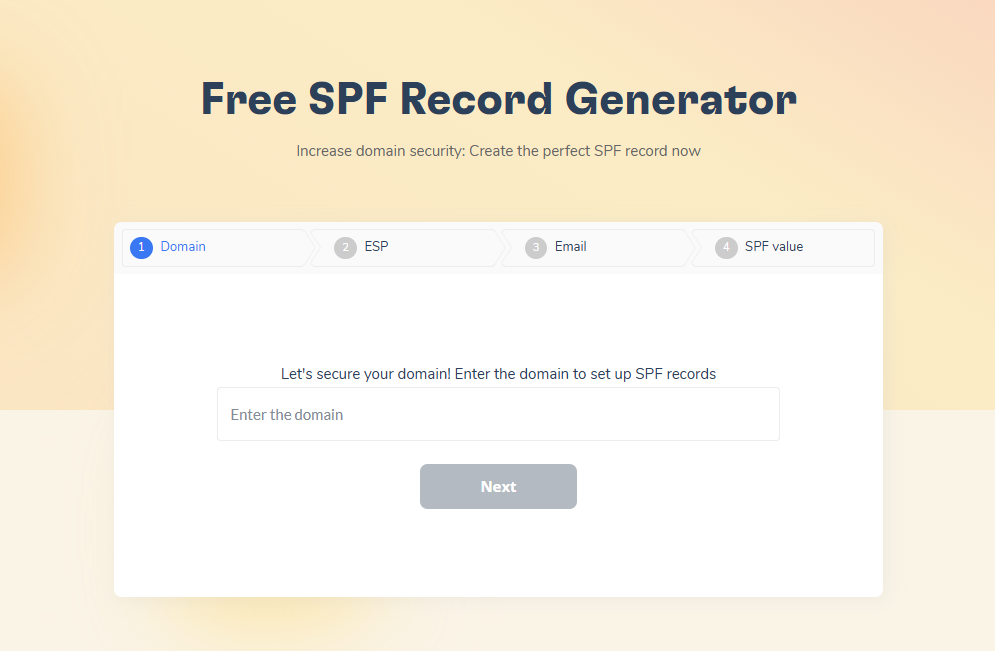
You can also take advantage of our free tools to generate SPF (Sender Policy Framework) and DMARC (Domain-based Message Authentication, Reporting, and Conformance) records, for authenticating your emails and protecting against spoofing and phishing attempts.
By using services like Warmy.io, backed by a network of 1M+ real mailboxes and Adeline AI’s real-time warmup adjustments, you can reduce SMTP errors, improve your email health, and keep communications reaching your audience consistently.
Secure Your Attachments and Ensure Proper Email Setup
Uninterrupted email communication should be the norm for every email user. However, slight delays or issues are inevitable, especially if you are unaware of the various factors that may cause these errors.
SMTP Email Error 554 4.4.7 is one of the more resolvable email errors, but that doesn’t mean it should be taken lightly. Delays in communication can have real effects on your professional and personal life.
Keeping your email lists clean, watching sending limits, authenticating emails with SPF and DMARC records, and using email warm-up services like Warmy.io are effective ways to prevent SMTP timeouts and improve deliverability. Focusing on these fundamentals helps keep your email channels reliable.