



TL;DR: SMTP Error 421 4.4.2 means your server’s connection to the recipient’s mail server timed out or dropped before delivery finished. It usually traces back to a server outage, a blocked network path, or your own sending limits, and most cases clear up once you check server status, verify your DNS records, and adjust your sending pace. Warmy helps prevent it from recurring by keeping your sender reputation strong through automated warmup and deliverability monitoring.
SMTP Error 421 4.4.2 (Bad Connection, Timeout During Transmission) means your outgoing mail server opened a connection to the recipient’s server, but the session timed out or dropped before the message went through. It is one of the more disruptive SMTP errors because it can stall an entire send instead of just one message, and it typically comes from one of three places: a problem on the recipient’s server, a network or firewall issue on your side, or your own sending limits being exceeded. The good news is that it is both fixable and preventable, and the steps below take you from diagnosis to long-term prevention.
Having any delayed messages can lead to bigger issues with your email deliverability.
Here at Warmy.io, we’ve developed the best systems – such as the free email deliverability test to help you achieve a reputable email account. We can guarantee that receiving the SMTP error 421 4.4.2 Bad Connection, is not only solvable but is also avoidable.
Let’s uncover more about this error, and how Warmy can supply the best solution for this issue.
What causes SMTP Error 421 4.4.2?
This error typically results from server, network, or sender-side issues.
Server-side issues
- The recipient’s mail server is temporarily down or overloaded.
- Misconfigurations in the sender’s mail server settings prevent successful email delivery.
- DNS resolution failures block email routing.
Network-related issues
- Network congestion or slow internet speeds cause timeouts.
- Firewalls or security settings restrict outgoing SMTP traffic.
- Internet Service Providers (ISPs) impose sending limitations.
Sender-side issues
- Incorrect SMTP authentication settings.
- Sending limits have been exceeded, leading to rate throttling.
- Email relay misconfigurations cause mail rejection.
Real-world examples
- A company running an email campaign experiences repeated email failures.
- A sales team notices delayed responses due to undelivered emails.
- An IT department identifies connection timeouts in email logs.
Resolving SMTP Error 421 4.4.2
Encountering this error simply means that there are potential issues in your email server. Undergoing these systematic steps can help you resolve this issue.
Step 1: Check email server status
Utilize tools like MXToolbox or DownDetector to help you verify if the recipient’s email server is down. You can also reach out to the recipient’s IT team and confirm their server availability.
Step 2: Verify DNS and MX records
Run nslookup -type=mx example.com to check if the recipient’s domain has valid MX records and ensure your email server’s A, MX, and PTR records are correctly configured.
💡 Pro Tip: RFC 5321, the official SMTP standard, recommends generous per-command timeouts, at least 5 minutes for the initial connection and the MAIL and RCPT commands, and up to 10 minutes for the final DATA response, because busy servers often need that long to respond under load. If your own mail server or firewall enforces a shorter timeout, you can trigger 421 errors even when the recipient’s server was about to answer.
Step 3: Inspect security and firewall settings
Verify that outbound SMTP connections are not blocked by firewall rules. If you are using a cloud email service, you need to ensure that your sending IP is whitelisted. You can also try temporarily disabling antivirus software to check for any potential interference.
Step 4: Evaluate network connectivity
- Use ping example.com to test network latency.
- Run tracert example.com (Windows) or traceroute example.com (Linux) to identify connectivity issues.
- If you notice high latency, contact your ISP for assistance.
Step 5: Optimize SMTP Configuration
- Ensure that you are using the correct SMTP port:
- Port 25 (Standard SMTP, often blocked by ISPs)
- Port 465 (SMTP over SSL/TLS)
- Port 587 (SMTP with STARTTLS, recommended for secure email delivery)
- Double-check SMTP authentication credentials and relay settings.
Step 6: Adjust sending limits
- Reduce the sending frequency to prevent throttling.
- Distribute bulk emails over time instead of sending them in one batch.
- Contact your email provider to confirm your sending limits.
💡 Pro Tip: Google’s official sender guidelines confirm that a sudden jump in volume, rather than a gradual ramp, is what triggers rate limiting and 421 deferrals in the first place. If you recently increased your sending volume or switched ESPs, dial the new volume back in gradually instead of troubleshooting the timeout in isolation.
Step 7: Retry email transmission
- Some connectivity issues resolve on their own. Wait and attempt to resend the email.
- Adjust retry intervals in your email server settings for better delivery success.
Before working through every manual check above, it is worth ruling out whether your sender reputation is the real culprit. Start your free Warmy trial (no credit card required) and let Adeline AI flag domain health issues that lead to 421 timeouts before they cost you another campaign.
How to prevent SMTP Error 421 4.4.2 with Warmy
Gmail, Microsoft and Yahoo have established sending limits to avoid throttling, which is why it is ideal to implement email warm up system and using email automation tools for gradual distribution of emails
Warmy understands this protocol giving us the ability to provide tons of email deliverability systems with tons of solutions to help you minimize the impact of different SMTP related issues.
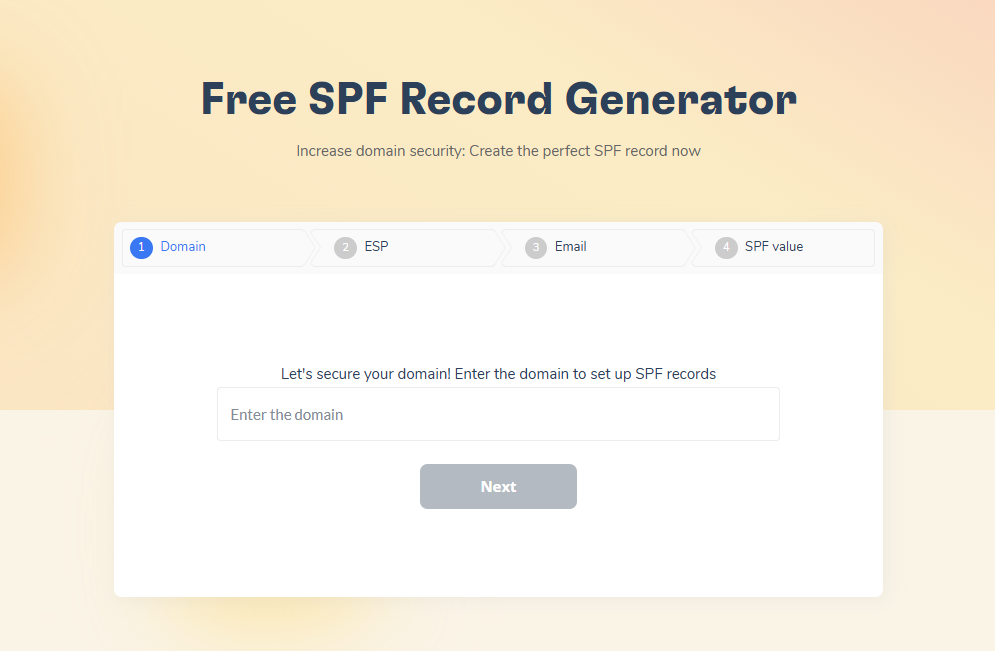
Patch potential vulnerabilities with Warmy’s Free SPF and DMARC Record Generators
Correctly configured SPF, DKIM and DMARC records are crucial for email authentication. With these records properly configured, you’re removing these from the possible causes of SMTP Error 421 4.4.2. and
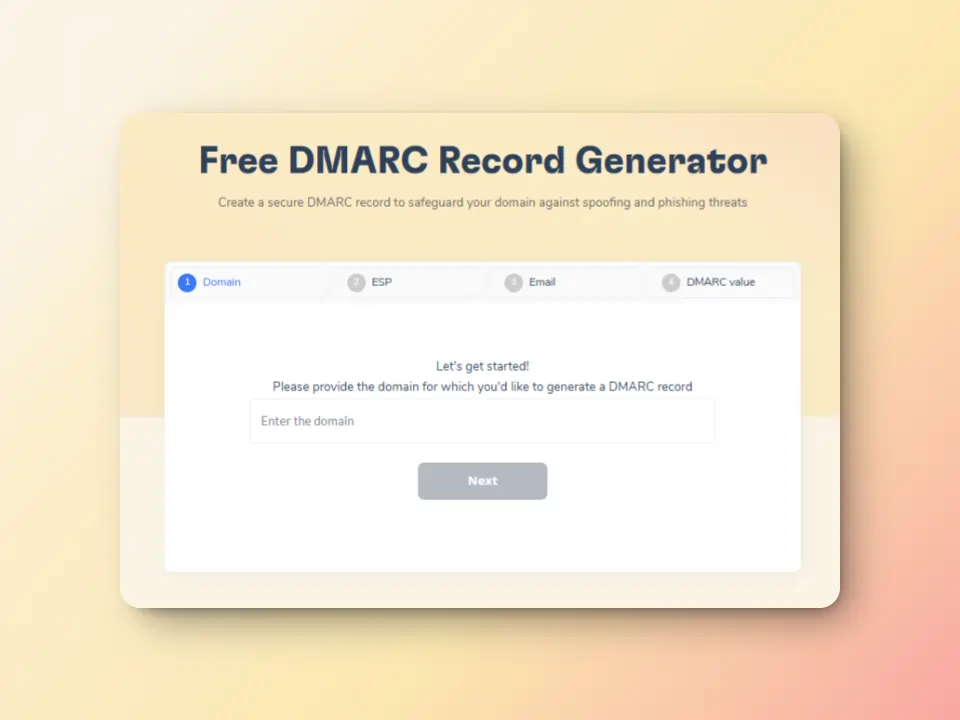
Warmy offers free SPF and DMARC record generators to help you ensure your domain is properly authenticated. This will help reduce the numbers of SMTP errors you may encounter.
Free email deliverability test
Warmy.io offers free email deliverability tests to help you evaluate the chances of your emails landing in inboxes, instead of the spam folders. The inbox placement analysis lets you see the percentages of emails landing across different providers (Gmail, Outlook, Yahoo, etc.).
Regular scans also ensure that your sending IP and domain remain free from spam blacklists that could cause SMTP 421-related errors. And if somehow, your domain gets blacklisted, you will have the opportunity to know and can proceed with the delisting process.
Detect and resolve email health issues with the Domain Health Hub
Warmy’s domain health hub enables complete monitoring of email deliverability at the domain level instead of multiple individual inboxes. The hub offers a multitude of advantages that ensures that your emails are set up for success.
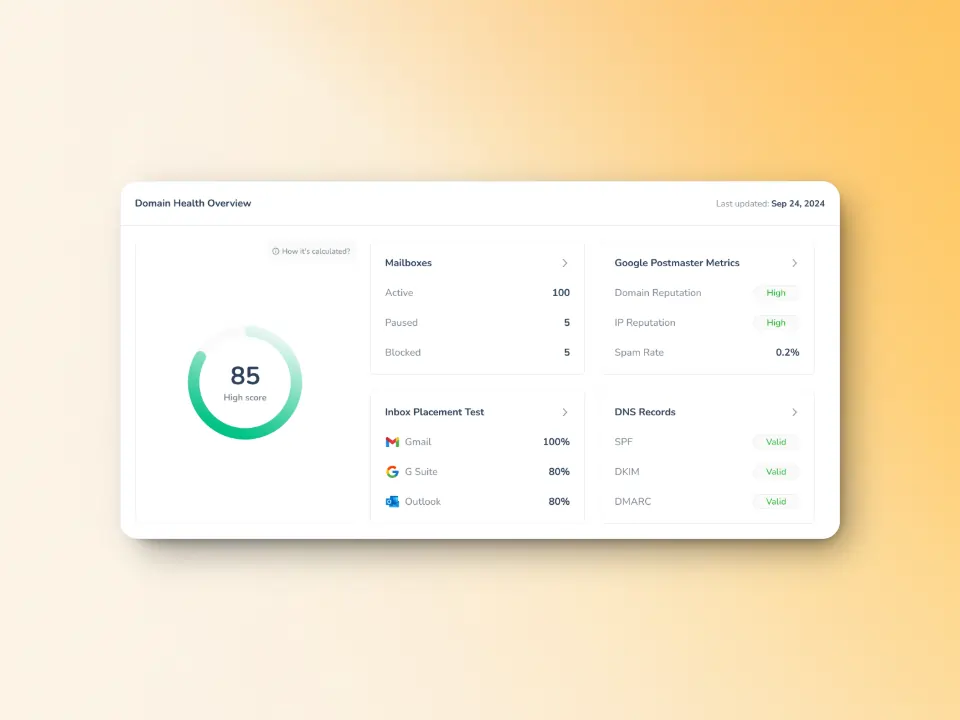
Instant domain health score: Check your deliverability status with metrics such as Inbox Placement, DNS Authentication, and Google Postmaster Data.
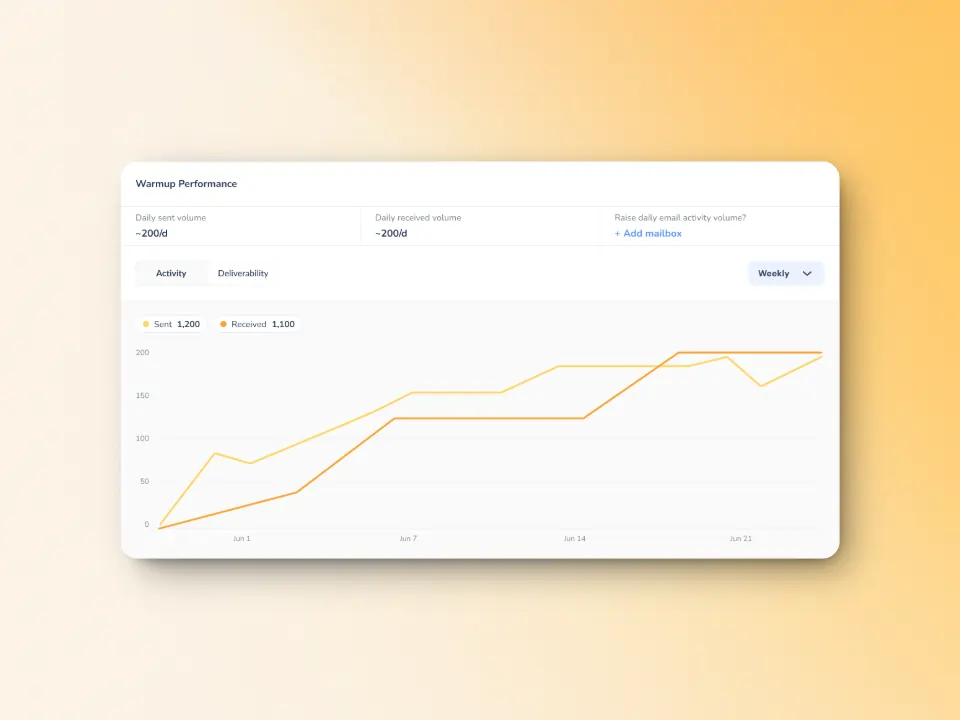
Clear warmup performance insights: Gives you the ability to track spam rates, inbox placement, and deliverability trends weekly and monthly.
Comprehensive DNS status checks: Validate and troubleshoot SPF, DKIM, DMARC, rDNS, MX, and A records for seamless email authentication and security.
Optimized multi-domain monitoring: Manage all your domains from one sleek dashboard. Making it easier to identify which ones need immediate action.
One-click deep insights: Click on any domain to access detailed health metrics, performance reports, including deliverability trends with ease.
Taking advantage of this will allow you to conduct periodic assessments of your email infrastructure to identify weaknesses, providing you with the information you can use to potentially diagnose email performance issues.
Employ reliable email warmup
Warmy.io helps establish credibility with email providers by gradually increasing the email volumes your email is sending; “warming it up” to avoid your emails being flagged as spam or rejected. This helps you establish a positive sender reputation and credibility with email providers.
Warmy supplies genuine email addresses from Gmail, Outlook, and Yahoo that implement the following:
- Opening emails – Your email is not just marked as read but actually opened and scrolled through to simulate real engagement.
- Link clicks – If your email contains links, our system will click them naturally, improving sender trust.
- Spam recovery – If an email lands in spam, it is manually removed and marked as important to teach ISPs that your emails are legitimate.
- Dynamic email interaction – Instead of a static process, the system engages with your email content, ensuring interactions appear genuine and human-like.
💡 Pro Tip: If you are also seeing intermittent 451 deferrals alongside 421 timeouts, they usually share the same root cause. Our guide to SMTP Error 451 walks through the reputation and configuration checks specific to that code.
DNS records testing and inbox placement dashboard
Warmy.io has a DNS records testing that validates the SPF, DKIM, DMARC, rDNS, MX, and A records controlling your email authentication and routing. This is vital for confirming your messages are actually reaching recipients instead of bouncing or landing in spam.
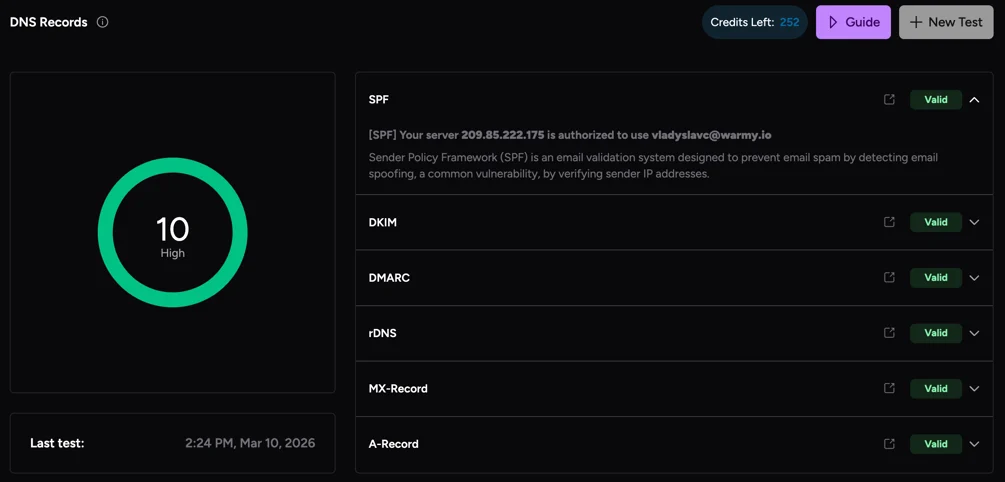
Meanwhile, its inbox placement dashboard provides you with the information of which areas of your recipient’s email label – inbox, spam, unreceived, or promotion – are being routed
Other ways to avoid SMTP Error 421 4.4.2
Aside from implementing Warmy as your all-in-one email deliverability tool against SMTP Error 421 4.4.2, you can also employ the following methods to avoid any network-related errors and strengthen your deliverability as a whole.
Strengthen network infrastructure
- Ensure your ISP provides stable SMTP connectivity.
- Use a dedicated IP address for outbound emails to maintain a strong sender reputation.
- Implement load balancing for handling high email volumes efficiently.
Implement reliable email retry mechanisms
- Configure mail servers to automatically retry sending failed messages at scheduled intervals.
- Set up a backup email relay to handle failures efficiently.
With these strategies, you can minimize disruptions, ensuring smooth email communication across your organization.
If you are looking for a reliable way to improve email deliverability and minimize SMTP errors, consider using Warmy.io – a powerful tool that ensures your emails land in the inbox, not the spam folder.
Ready to stop firefighting SMTP errors one at a time? Book a demo and see how Warmy keeps your sender reputation strong enough to avoid 421 timeouts altogether.











