TL;DR: Removal from every legitimate email blacklist is free, and the process depends entirely on which list flagged you. Listings fall into four removal types: automatic expiry, self-service, a request from the network owner, or manual review. Identify the list first, fix what triggered it, then follow that list’s own path.
Removal from every legitimate blacklist is free. To delist your domain or IP, identify which list flagged you, fix the cause, then follow that list’s own removal path: self-service form, automatic expiry, a request from your network owner, or manual review. Requesting removal before fixing the cause gets you relisted.
The five steps below work in that order:
- Identify the blacklist and the reason for the listing.
- Fix the cause and strengthen your email infrastructure.
- Use the right removal channel for that specific list.
- Follow up when a list requires manual review.
- Monitor after removal and stay compliant.
What email blacklisting is and how DNSBLs actually work
A blacklist, more accurately called a DNSBL or blocklist, is a database that receiving mail servers query during the SMTP conversation. The mechanism is defined in RFC 5782: the server reverses the octets of the sending IP, appends the list’s zone name, and performs a DNS lookup. An answer of 127.0.0.2 means listed. No answer means clean. A companion TXT record carries the reason, which is usually what gets quoted back in the bounce.
Because the check happens mid-session, a listing blocks mail at the door, before content filtering runs. Rewriting subject lines or trimming links will not help, which is what separates a listing from ordinary mail landing in spam.
Domain and IP listings are separate problems: a domain gets listed for what it advertises or where its links point, an IP for what it sends. The usual triggers are volume spikes from an IP with no history, spam complaints, trap hits from purchased or stale lists, compromise through an open relay or hijacked mailbox, backscatter from misconfigured bounce handling, and failed authentication.
Weight varies. Gmail, Outlook.com, and Yahoo run their own reputation systems and ignore most third-party blocklists, so a niche listing may not be costing you a single delivery. Confirm it is producing real bounces first.
How blacklist removal works: 4 removal types
This is the part most guides get wrong. There is no universal “contact the administrator and negotiate” process, and the wrong path wastes time or actively hurts you.
Type 1: Self-service. You submit the removal yourself through the operator’s checker and it takes effect within minutes. Spamhaus PBL, CSS, and DBL work this way. The Spamhaus Policy Blocklist adds one constraint worth knowing first: removals must come from an address on a domain matching the mail server, and requests from free accounts such as Gmail are automatically invalidated.
Type 2: Automatic expiry. You stop the behavior and the listing ages out on a timer. SpamCop, Truncate, SEM Fresh, Backscatterer, and all three UCEPROTECT levels work this way. SpamCop has no removal form at all: an address stays listed 24 hours after the last report, and each new report restarts the clock.
Type 3: Network owner request. The listing is not yours to remove. Spamhaus SBL removals can only be filed by the ISP or host responsible for the IP range, so your job is to hand your provider the evidence. An SBL listing also blocks removal from every other Spamhaus list on that IP until resolved.
Type 4: Manual review. A human reads your request and decides. Barracuda, Microsoft, and Yahoo work this way. This is the only category where what you write changes the outcome, and the only one where following up achieves anything.
Removal timeframes and cost by blacklist
How long removal takes and who has to act, per each operator’s published policy as of August 2026.
| Blacklist | Removal type | Typical timeframe | Cost |
|---|---|---|---|
| Spamhaus SBL | Network owner request | Depends on your ISP’s response | Free |
| Spamhaus CSS | Self-service | Minutes after an approved request | Free |
| Spamhaus XBL | Automatic expiry, self-service to skip the wait | Expires once the activity stops | Free |
| Spamhaus PBL | Self-service, static IPs only | About 15 minutes for DNS propagation | Free |
| Spamhaus DBL | Self-service, some listings expire on their own | Typically reviewed within 24 hours | Free |
| SpamCop (SCBL) | Automatic expiry, no manual form exists | 24 hours after the last report | Free |
| Barracuda (BRBL) | Manual review | Commonly 12 to 48 hours | Free |
| UCEPROTECT Level 1 | Automatic expiry | 7 days with no further abuse | Free |
| UCEPROTECT Levels 2 and 3 | Automatic expiry, range level | 7 days after the last abuse in the range | Free |
| Backscatterer | Automatic expiry | 4 weeks after the last abusive action | Free |
| Truncate (GBUdb) | Automatic decay, no manual form exists | 24 to 48 hours for minor issues | Free |
| SEM Fresh | Automatic expiry, no manual form exists | 24 hours to 30 days by variant | Free |
| Outlook.com / Hotmail | Manual review (mitigation request) | Varies, expect several days | Free |
| Yahoo / AOL | Manual review (sender support request) | Varies, expect several days | Free |
UCEPROTECT Levels 2 and 3 list whole subnets and autonomous systems, not individual IPs. If you are caught in one, the abuse is usually a neighbor on your host’s network, so the productive move is a ticket to your provider. Backscatterer states outright that it makes no exceptions and that asking for delisting wastes your time.
Delisting is always free
Every legitimate blocklist removes you at no charge. Two operators, UCEPROTECT and the related Backscatterer service, also sell an “express delisting” that skips the waiting period for a per-IP fee.
Published analyses from Sucuri and InMotion Hosting treat this as a pay-to-remove model and advise against it. Paying changes the timing, not the sending behavior: if the cause is unresolved, the IP gets relisted, minus the fee. Anything else asking for money to clear a listing is a scam.
Full list of domain and IP blacklists
Warmy maintains a removal guide for each list below:
A note on SORBS. Proofpoint decommissioned it on June 5, 2024, confirmed to The Register and CSO Online. All 18 zones were emptied. Any SORBS result a checker returns now is stale.
How to delist from Outlook, Hotmail, and AOL
Microsoft and Yahoo publish no blocklist you can query. They run internal reputation systems, which is why a clean result on every public checker can sit alongside total rejection at Outlook.com.
Microsoft: Outlook.com, Hotmail, Live, and MSN
Start with the bounce code, because two different problems produce two different fixes.
- 550 5.7.515 is an authentication failure, not a listing. Since May 5, 2025, Microsoft rejects mail from domains sending 5,000 or more messages per day to consumer domains unless SPF and DKIM pass and DMARC is published at a minimum of p=none with alignment to the From domain. There is nothing to request. Fix the DNS records and the rejections stop.
- S3140, S3150, and 550 5.7.606 are reputation or policy blocks on the sending IP. These need a mitigation request.
For a reputation block:
- Enroll the IP in Smart Network Data Services and the Junk Mail Reporting Program. SNDS is your only view into how Microsoft sees your IP, showing complaint rate and trap hits.
- Read the SNDS data before anything else. Yellow or red explains the block, and filing against red data produces a denial. Fix what it shows, then verify the basics: valid PTR with forward-confirmed reverse DNS, SPF and DKIM passing with alignment, DMARC published, and outbound volume throttled while you clean up.
- Submit the mitigation request. Use the Outlook.com sender support form for consumer domains, or the delist portal for Microsoft 365 recipients as directed by the non-delivery report. Keep it factual: the IP, the exact bounce text, what was wrong, what you changed, and the date.
- Reply if you are denied. First responses are often automated. Reply on the same thread with evidence rather than opening a new request.
One case will not resolve on your own. If an S3140 block covers an entire subnet and your own IP is clean, the block has to be lifted for the range, which means your hosting provider files with Microsoft. Send them the bounce message and open a ticket.
Our Hotmail and Outlook removal guide covers the request wording and the SNDS readings in more detail.
AOL
AOL runs on Yahoo’s infrastructure and shares its filtering and policies, so treat them as one destination. The legacy postmaster.aol.com forms older guides still cite are no longer the path. Use the Yahoo Sender Hub: verify your sending domain, enroll in the Complaint Feedback Loop to see who is marking your mail as spam, and file a sender support request there.
Yahoo also honors Spamhaus, so clear any Spamhaus listing first or the request goes nowhere. The Yahoo removal guide walks through the same process for Yahoo Mail addresses.
The 5 steps to delist your domain or IP
Step 1: Identify the blacklist and the reason for the listing
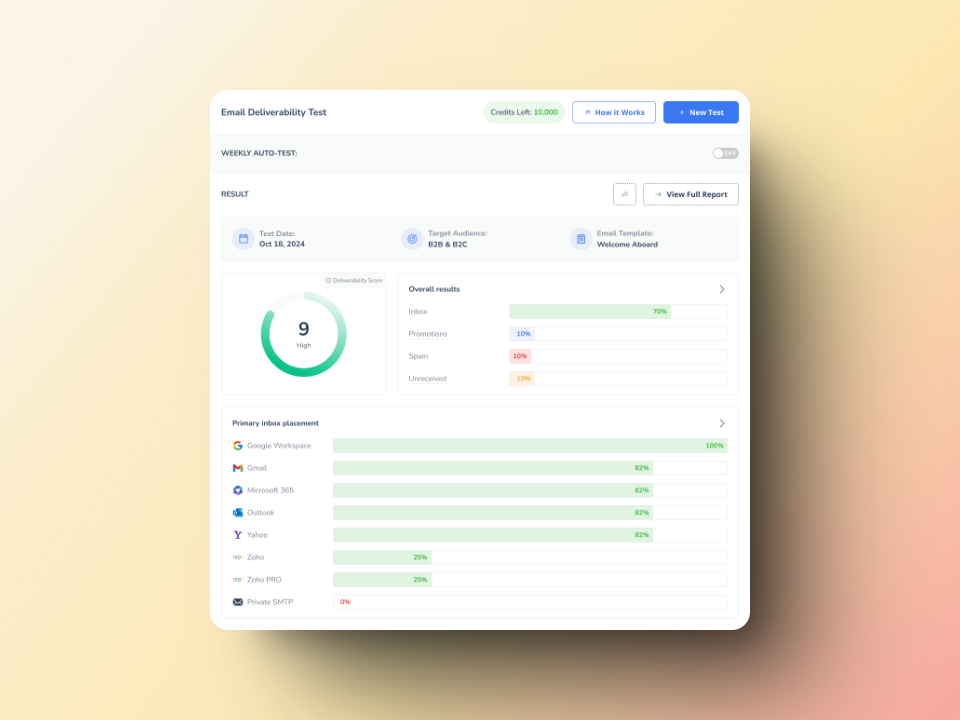
Two sources tell you which list flagged you. The first is your bounce messages: a DNSBL rejection almost always names the list and includes a URL, because that TXT record is built to be surfaced. Search your logs for 5.7.1, 550, and blocked using.
The second is a lookup. Warmy’s email deliverability test checks your domain and IP against major blocklists and returns per-provider inbox placement plus DNS record status, showing whether the listing is costing you delivery or whether the real problem is authentication.
Record the exact list name and the listing date. On auto-expiry lists, the date tells you how close you already are to removal.
Step 2: Fix the cause and strengthen your email infrastructure
Removal without remediation is temporary. Work the likely causes in order of how often they turn out to be responsible:
- Audit outbound mail for traffic you did not authorize. Compromised mailboxes, forms without rate limiting, and open relays are the leading causes of sudden listings.
- Clean the list. Remove hard bounces, role addresses, purchased contacts, and anyone inactive for six months. Spam traps live in exactly those segments.
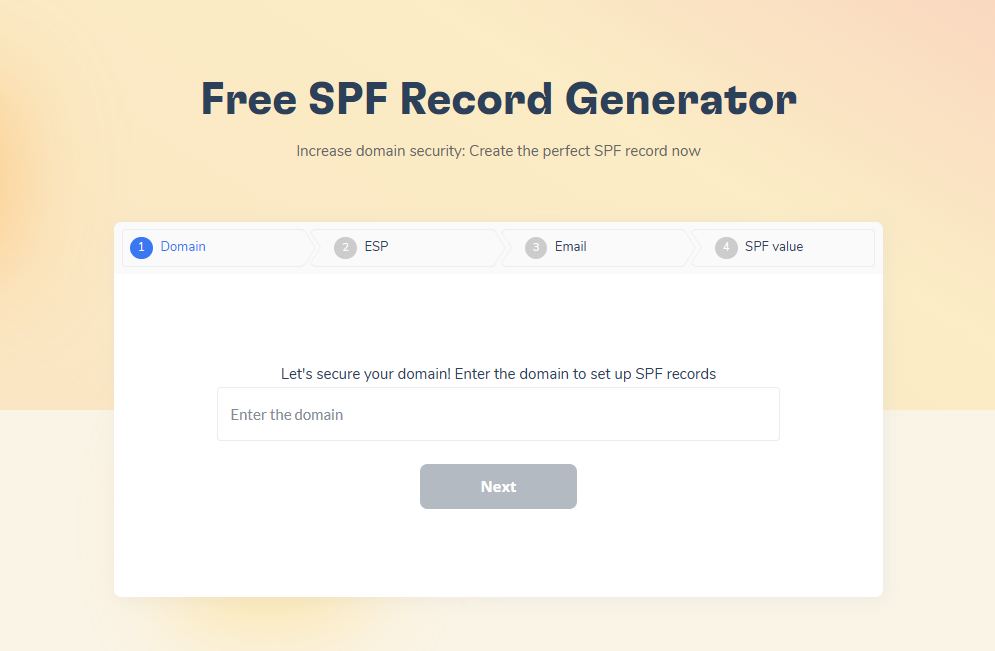
- Fix authentication. Publish SPF, DKIM, and DMARC and confirm SPF or DKIM aligns with your visible From domain. Watch the ten-lookup SPF limit, which fails silently when exceeded.
- Check bounce handling. Servers returning bounces to forged senders generate backscatter, a listing category of its own.
Warmy’s free SPF Record Generator and DMARC Record Generator build valid records without hand-editing DNS syntax.
Step 3: Use the right removal channel for that list
Match the list to its type in the table above. Self-service listings get submitted through the operator’s own checker, which for Spamhaus is check.spamhaus.org. Auto-expiry listings get nothing filed. Network-owner listings become a ticket to your ISP with the listing reference, the affected IP, and evidence of the fix.
Manual-review listings are the only ones you write for, and the request needs four things: the IP or domain, the reason for the listing, the corrective actions with dates, and one line on what prevents recurrence. Barracuda accepts requests at barracudacentral.org/rbl/removal-request, usually within 12 to 48 hours. Duplicates are ignored, so file once.
Step 4: Follow up when a list requires manual review
Follow-up applies only to Type 4 lists. Keep one record of the exchange: date filed, reference number, and what you supplied. A denial usually means the operator’s data still shows a problem you have not found, so treat it as a diagnostic signal, return to your outbound logs, and reply on the same thread with what you found. New tickets restart the queue.
Step 5: Monitor after removal and stay compliant
A single removal fixes today. Monitoring keeps you off the list next quarter.
- Check your domain and IP against major blocklists on a schedule, weekly at high volume and monthly otherwise, using automated alerts rather than manual lookups.
- Watch IP reputation, inbox placement, and complaint rate together. All three move before a listing appears, and that window is where a problem is still cheap to fix.
- Use the provider tools. Google Postmaster Tools, Microsoft SNDS, and Yahoo Sender Hub each report data no third party can see. Google retired the v1 interface in late 2025 along with the domain and IP reputation dashboards, replacing them with a Compliance Status view, so anything built on the old scores needs updating.
Warmy’s Google Postmaster Tools integration pulls that data into one dashboard alongside placement testing, so a rising complaint rate arrives as an alert rather than a discovery you make weeks later.
How to avoid getting listed again in 2026
The compliance floor moved. Since February 1, 2024, Google and Yahoo have enforced sender requirements for domains sending 5,000 or more messages per day, and Microsoft began enforcing equivalent rules for Outlook.com, Hotmail.com, and Live.com on May 5, 2025.
All three require SPF and DKIM passing, DMARC at a minimum of p=none with SPF or DKIM aligned to the From domain, one-click unsubscribe on marketing mail honored within two days, valid forward and reverse DNS, and a TLS connection.
The number to watch is the complaint rate. All three cap user-reported spam at 0.3%, and Google publishes 0.1% as the target, warning senders never to reach 0.3%. Google’s sender guidelines FAQ adds a detail worth planning around: bulk senders above 0.3% stay ineligible for mitigation until the rate holds below 0.3% for seven consecutive days. One bad campaign can cost a week of recovery before anyone at Google looks at your case.
How Warmy keeps your domain off blacklists
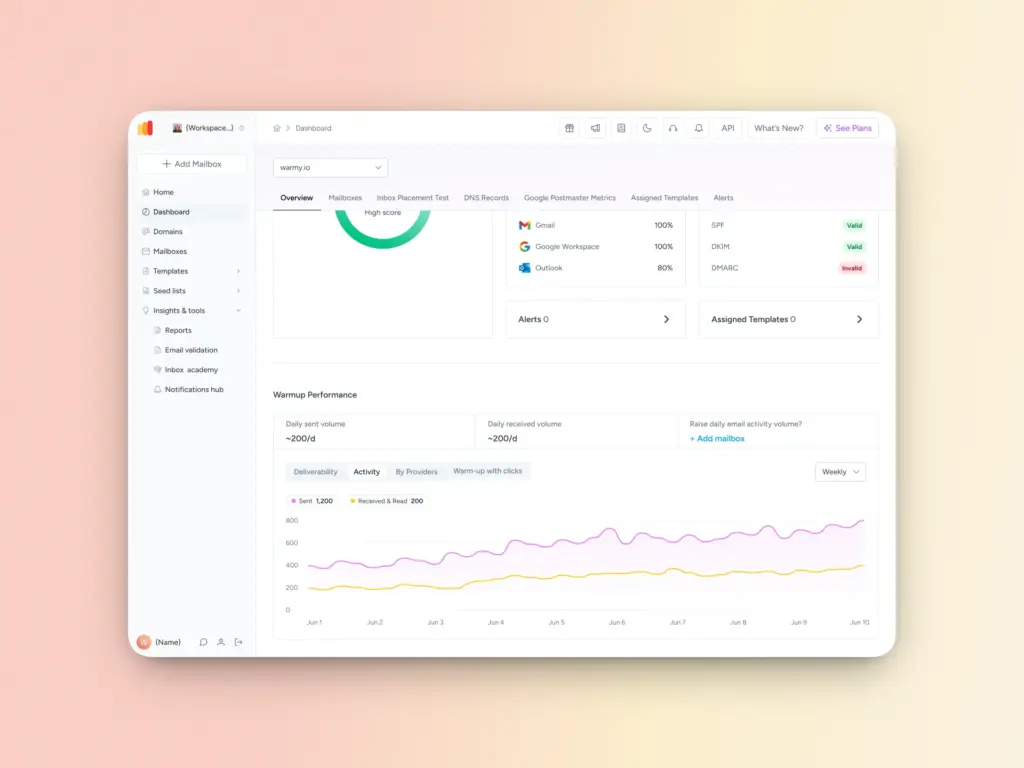
Warmy is an AI-driven email warmup and deliverability platform that automates sender reputation building, monitors inbox placement across providers, and surfaces reputation problems before they become blocks.
The email warm-up engine raises volume gradually from a new domain or IP while generating genuine engagement, the signal providers use to separate a legitimate new sender from a spam operation. Ramping without it is the most common reason a clean domain gets listed in its first month.
Deliverability Insights covers monitoring: placement testing across providers, blocklist status, authentication checks, and alerts when any of them move. Warmy’s specialists also review mailbox configuration directly, which matters most on a manual-review listing where the quality of the case decides the outcome.
Get back on track: Restore your sender reputation
Blacklist removal is a diagnostic problem before it is a request. Identify the list, determine which removal type it uses, fix the cause, then follow that path. Half the time there is no request to file at all.
What removal does not do is address why you were listed. That work is authentication, list hygiene, volume discipline, and monitoring, and it separates a one-time incident from a recurring one.
Book a free Warmy deliverability consultation, and a deliverability specialist will walk through your listings, authentication setup, and sending patterns with you.