



TL;DR: SMTP Error 534 5.7.9 means your email provider rejected a plain username-and-password login and is asking for an app-specific password or OAuth authentication instead. It typically appears when a third-party email client, marketing platform, or warmup tool tries to sign in to Gmail, Outlook, or Yahoo using basic authentication, which none of the major providers accept without extra verification anymore.
What is SMTP Email Error 534 5.7.9?
SMTP Error 534 5.7.9 generally occurs when the email server cannot validate the user’s credentials during the SMTP authentication procedure. It’s seen when sending an email via a third-party client or using an email marketing platform to handle email warmup or outreach campaigns.
Aside from the SMTP error code, similar messages may accompany it:
- Authentication failed: Please log in via your web browser and then try again
- Application-specific password required
Why does SMTP Email Error 534 5.7.9 happen?
- Two-Factor Authentication (2FA): Many email providers, such as Gmail, enforce 2FA for additional security. If you haven’t set up the proper authentication method, you may encounter this error.
- Unapproved or invalid third-party apps: Email providers may block third-party apps (like email marketing platforms or warmup tools) unless there is explicit permission or consent.
- Password issues: You may be using your regular password for your email account instead of the application-specific password.This has become more common since Google retired “Less secure app access” for Gmail and Google Workspace and moved to OAuth-based sign-in, and since Microsoft is also phasing out basic authentication for SMTP AUTH in Exchange Online.
Not sure which cause matches your setup? Book a free deliverability consultation and Warmy’s team will walk through your authentication configuration with you before you touch a single setting.
How to fix SMTP Email Error 534 5.7.9
1. Make sure that your email address and password are correct
Start by checking if your email address and password are correct. If there’s a typo or error in your login credentials, SMTP Error 534 5.7.9 may occur. Reset your password if needed and test the connection again.
2. Enable Two-Factor Authentication (2FA) or use app-specific passwords
If you’re using Gmail or a similar provider with 2FA enabled, you’ll need to generate an app-specific password (which you can store securely in an open source password manager) so that the email client or third-party tool (like Warmy) will work properly.
For Gmail, go to Google Account Settings > Security > App Passwords, and generate a unique password for the app you’re using. Then, use this password for authentication instead of your regular Gmail password. You can find the exact steps in Google’s app passwords guide. If you use Yahoo Mail, generate a separate app password from your Yahoo Account Security page instead.
Pro Tip: If you manage several mailboxes or client accounts, generate a separate app-specific password for each sending tool rather than reusing one password everywhere. That way, revoking access for one integration doesn’t force you to re-authenticate every other connected tool.
3. Allow less secure apps
If you’re using an older email client or app, you may need to enable Less Secure Apps to grant access to the platform. This is more common with Gmail. Simply head over to Google Account Settings > Security > Less secure app access. Setting this up allows SMTP clients to authenticate successfully.
4. Use correct SMTP server settings
Make sure you are using the correct SMTP server settings for your email provider. For example:
- Gmail: SMTP Server: smtp.gmail.com, Port: 465 or 587, SSL/TLS: Yes.
- Outlook: SMTP Server: smtp-mail.outlook.com, Port: 587, SSL/TLS: Yes.
5. Allow access for third-party email tools
If you’re using Warmy or any other third-party service for email warmup or marketing, make sure that you’ve granted the necessary permissions for that service to access your mailbox. For services like Gmail, you may need to go into your Google Account Settings and explicitly allow access to trusted third-party apps.
How Warmy can help prevent SMTP errors
To prevent errors like SMTP Error 534 5.7.9 and ensure a smoother email experience, Warmy can play an important role. Here’s how:
Authentication checks
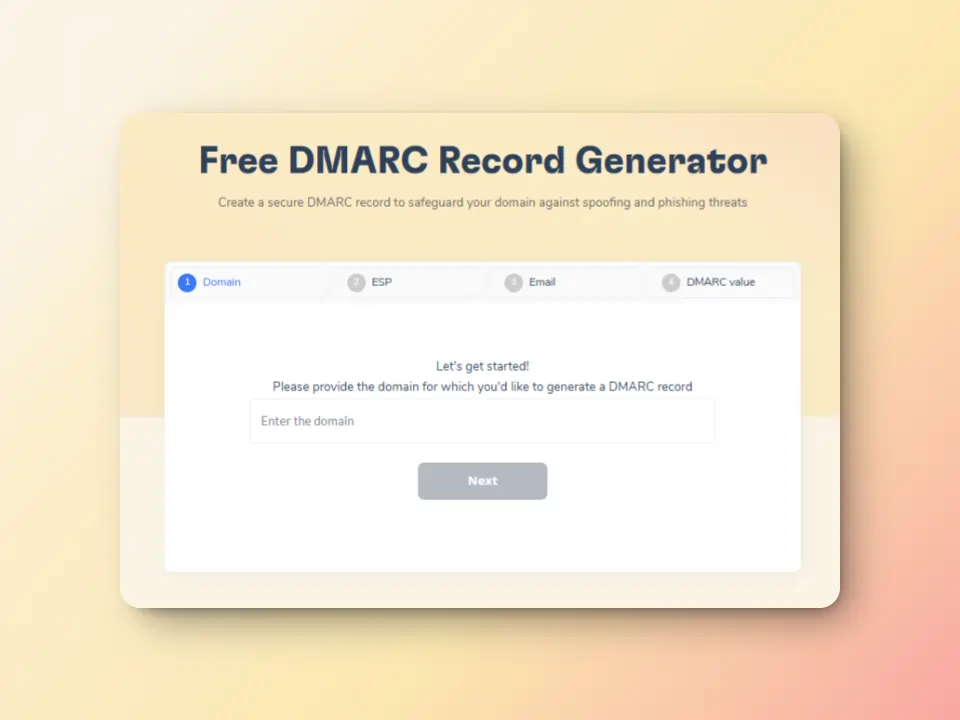
Warmy monitors and checks your domain health, ensuring that your DNS records (SPF, DKIM, DMARC) are configured correctly, which helps prevent issues like this one. Additionally, Warmy has a Free SPF Record Generator and a Free DMARC Record Generator.
Warmy.io’s Free SPF Record Generator helps:
- Generate a valid SPF record in seconds
- Automatically optimize SPF records to avoid lookup limit failures.
- Validates current SPF setup to identify errors and missing entries.
Meanwhile, Warmy.io’s Free DMARC Record Generator helps:
- Create a valid DMARC record based on your email security needs.
- Monitor authentication failures to detect unauthorized senders.
- Gradually enforce DMARC policies to prevent email rejections.
AI-powered warmup process
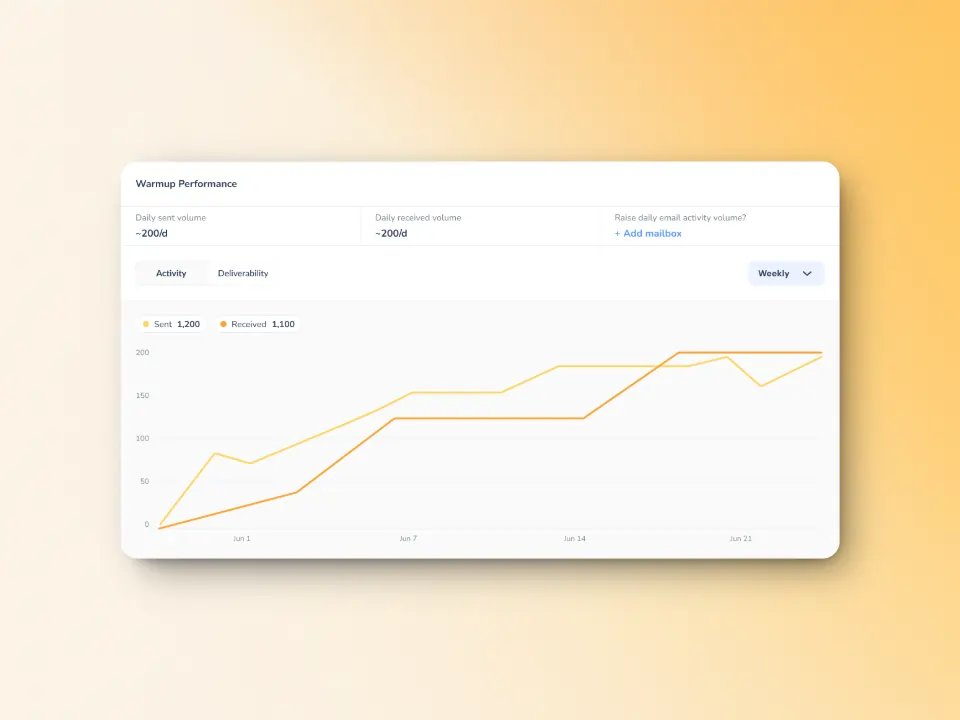
Warmy gradually increases the volume of emails sent to build a positive sender reputation for you. It does this by mimicking natural email interactions to show email service providers that your emails are trusted and valuable. It can actually send up to 5,000 warmup emails per day in over 30 languages, making it a robust warmup tool.
By gradually warming up your email domain, Warmy helps build your email reputation, making it less likely for your emails to be flagged or rejected by email service providers.
Domain health and sender reputation monitoring
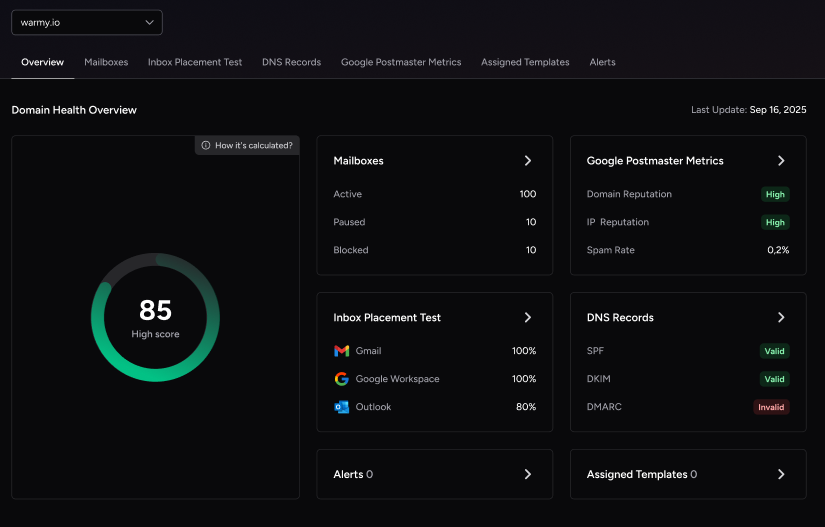
Warmy’s Domain Health Hub provides a dashboard for businesses to access the following data:
- A domain health score based on factors like authentication, blacklist status, and inbox placement tests
- Spam rates and deliverability performance overall by day over month or week
- DNS status checks to easily confirm SPF, DKIM, DMARC, rDNS, MX and A records
- Health metrics, performance reports, and deliverability trends per domain.
Prevent future SMTP errors and maximize deliverability
SMTP Error 534 5.7.9 is definitely an error code no one wants to see. However you can fix it as long as you follow the right approach.
What’s more, integrating Warmy to your email marketing tech stack, will help you mitigate the chances of encountering SMTP errors and add to the overall success of your email marketing campaigns.
Additionally, adding Warmy into your email marketing tech stack can significantly reduce the risk of SMTP errors and improve the overall performance of your email marketing campaigns. Start your free trial today.











