TL;DR: A shared IP pool is a group of sending addresses your email provider uses for many customers at once, which means another company’s spam complaints can put your mail behind a blocklist even when nothing on your side changed. This only applies if you relay through a provider like SendGrid, Amazon SES, Postmark, or Mailgun. Gmail’s hard line is a 0.3% complaint rate, with 0.1% as the working target. Amazon SES opens an account review at 0.1% and can pause sending at 0.5%. Microsoft publishes no number at all.
So, your deliverability took a hit a couple of weeks ago. You haven’t touched the copy, your list is the same, and your schedule hasn’t changed. You check your metrics, and everything looks exactly like it did in July. What gives?
If you’re using a provider like SendGrid, Amazon SES, Postmark, or Mailgun, the problem might have nothing to do with your team. When you use a shared IP, your sender reputation is tied to companies you don’t even know. And right now, with machines drafting more outbound emails than ever, the sheer volume of messages passing through those shared IPs is skyrocketing.
If your team sends from a connected Google Workspace or Microsoft 365 inbox, you can skip this. You don’t share a sending IP pool, so this isn’t your problem. For everyone else: here’s how to figure out if it’s a “you” problem or an “IP” problem. Because with peak season right around the corner, a week of guesswork can cost you real revenue.
What a shared IP pool is
Shared pool versus dedicated IP, and what your ESP assigns by default
A shared pool is a group of IP addresses that your provider uses to send mail for many customers at once. A dedicated IP carries only your traffic.
Which one you’re on usually comes down to your plan. SendGrid’s documentation is direct about it: trial and Essentials customers send from groups of shared IP addresses, while Pro and Premier accounts get a dedicated sending IP by default. Amazon SES works similarly, with dedicated IPs as something you request rather than something you get.
Most teams never make this choice consciously. They pick a plan, mail starts flowing, and the question of which IP it leaves from never comes up until placement drops.
Why you can’t pick your neighbors, and usually can’t request a move
Here’s the part that surprises people. You don’t choose who shares your pool, and you generally can’t ask to be moved out of it.
SendGrid groups accounts with senders of similar reputation, and its own docs note that these shared addresses can change without notice if your reputation changes. In its guidance on shared-pool blocklisting, SendGrid states plainly that it can’t move accounts to different shared pools on request, because shuffling IPs in and out of pools looks like snowshoe spamming to receivers.
Its systems do the repositioning automatically, based on engagement quality, and a sender whose numbers deteriorate can find themselves in a different neighborhood within about a day.
Why a neighbor’s sending shows up in your numbers
Connection versus placement, the two points where you’re judged
Receivers make two separate decisions about your mail, and they make them at different moments.
The first happens at the connection. Before anything in your message gets read, the receiving server looks at the IP that’s connecting and checks it against reputation data and blocklists. Spamhaus describes IP reputation as an assessment that factors in the address’s neighborhood, its associated infrastructure, and its upstream connectivity, not just what that single address has done. A listing here can produce a rejection before your domain, your authentication, or your subject line matters at all.
The second decision is placement. Once a message is accepted, the receiver decides between the inbox and the spam folder, and that judgment leans heavily on your domain and how recipients have engaged with it.
Pool contamination hits the first decision. Which is exactly why the usual response to a placement drop, rewriting subject lines, does nothing.
What a range-level listing costs a sender with revenue on the calendar
Run the arithmetic on your own program. Take your monthly sends to a given provider, the share that normally reaches the inbox, and what an inbox-delivered email is worth in pipeline. Now cut that inbox share by a third for the eleven days a delisting takes to work through.
The signals receivers and ESPs are acting on
Gmail: The 0.3% ceiling and the 0.1% working target
Google publishes two numbers and people constantly conflate them. The target is a user-reported spam rate below 0.1%. The hard line is 0.3%, described in Google’s own sender guidelines FAQ as a rate you should never reach.
Cross it and the consequence is specific. Bulk senders above 0.3% are ineligible for delivery mitigation, and they become eligible again only once the rate stays below 0.3% for seven consecutive days. Google calculates the rate daily.
The denominator matters more than most people realize. Complaints are measured against mail that reached the inbox, because a recipient can’t report a message they never saw. If Gmail is already filtering half your volume to spam, your reported complaint rate can look deceptively healthy while your actual reach collapses. Warmy has a fuller breakdown of how the spam complaint rate is calculated and what moves it.
Your ESP’s own thresholds, and why they bite first
Before Gmail ever throttles you, your provider is watching, and its limits are usually the ones you hit first.
Amazon SES publishes them openly. A complaint rate at or above 0.1% puts your account under review. At 0.5% or higher, SES may pause your ability to send. On bounces, AWS recommends staying under 5% and warns that sending can be paused above 10%. SES doesn’t measure these over a fixed window either. It uses what AWS calls a representative volume, an amount of mail that reflects your typical sending, which shifts as your patterns shift.
You’ll notice these numbers are nowhere near the 2% to 3% bounce figure that circulates in deliverability posts. That figure is a vendor recommendation, not a published trigger, and it’s worth knowing the difference when someone quotes it at you in a meeting.
For a pool sender, the practical takeaway is that your provider’s compliance team is what eventually removes a bad neighbor, and it applies the same thresholds to you when your own numbers drift.
What Microsoft does and doesn’t publish
Microsoft is the odd one out. Its requirements for high-volume senders took effect on May 5, 2025, and they cover authentication rather than complaints. Domains sending more than 5,000 messages a day to Outlook.com, Hotmail, or Live have to pass SPF, DKIM, and DMARC. Non-compliant mail goes to junk first, then gets rejected with 550 5.7.515 Access denied if nothing changes. Microsoft has never published a numeric complaint ceiling, whatever you may have read.
There’s a second wrinkle for pool senders. Smart Network Data Service, the tool that would show you complaint and trap data, reports at the IP level and requires you to authorize the IPs you’re responsible for. You don’t own a shared IP, which closes off the main diagnostic tool Microsoft offers.
How to tell whether the drop is yours or your neighbor’s
Do these in order. The instinct at this point is to start changing things, and changing things destroys the evidence you need.
Step 1. Read the rejection text before you touch anything
Pull the actual bounce messages from your ESP logs. A 550 5.7.1 is a catch-all rejection covering spam, reputation, or DMARC failure. A 550 5.7.26 means unauthenticated mail. Microsoft’s 550 5.7.515 points at authentication specifically. The bounce usually names the IP and, when a blocklist is involved, the database. That’s your fastest read on whether the problem sits at the connection or somewhere else.
Step 2. Check the connecting IP against the major blocklists
Take the IP from the bounce, not the one you assume you’re sending from, and run it. If it’s listed and it’s a shared address, you’ve found your answer. Our guide on how to check IP reputation and blacklists walks the lookup and the delisting path.
Step 3. Separate your domain signals from the IP signals
This step used to be easy and isn’t anymore. Google retired the Postmaster Tools v1 interface starting September 30, 2025, and removed the Domain Reputation and IP Reputation dashboards outright rather than migrating them into v2. Any article telling you to go check your IP reputation score in Postmaster Tools is describing a screen that no longer exists.
What v2 still gives you is spam rate, compliance status, delivery errors, authentication, and feedback loop data. We covered what changed in Postmaster Tools in more detail. Read your spam rate against your placement: healthy complaint numbers next to falling reach is a strong hint that acceptance, not content, is the problem.
Step 4. Put three questions to your ESP
Ask whether the IP carrying your mail is shared or dedicated. Ask whether that IP or its range is currently listed anywhere. Ask what would move you to a cleaner pool, and what volume or plan threshold would get you a dedicated address. Providers answer these. Most senders never ask.
What DMARC alignment protects, and what it doesn’t
Domain identity is the leverage you own
The IP is out of your hands. How unmistakably your mail identifies itself as yours is not.
When SPF and DKIM align with the domain in your From header and DMARC is published, receivers have a stable identity to attach reputation to, one that stays with you across IP changes and provider migrations.
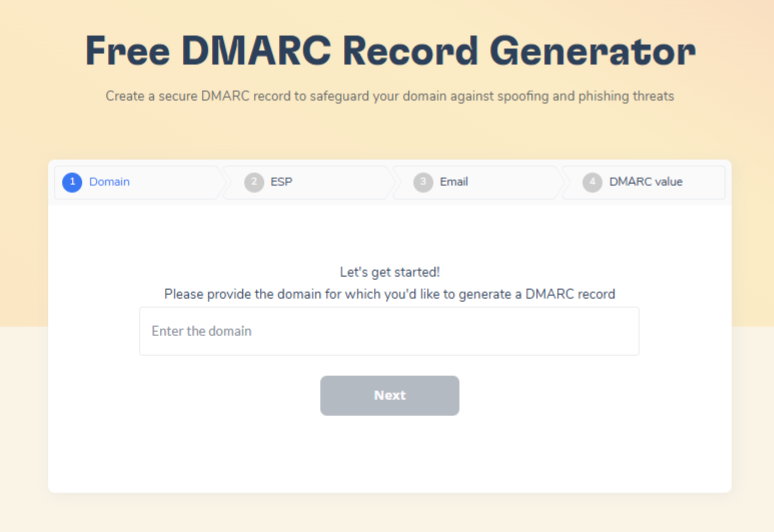
Domain reputation is also the layer that drives the placement decision, which is the decision you’re trying to win. Warmy’s free DMARC record generator and SPF record generator will get the records right without a signup, and there’s a longer walkthrough on why SPF, DKIM, and DMARC matter if you’re starting from scratch.
The limit: Authentication doesn’t clear a blocklist
Now the honest caveat, because plenty of posts on this topic skip it.
Authentication answers one question: is this message authorized to use this domain? Blocklists answer a different one: should this IP be trusted right now? Passing DMARC does nothing to remove a listing on the connecting IP, and a connection-level block stops your mail well before domain reputation gets weighed at all. Alignment improves where accepted mail lands, which is genuinely valuable and also not the same thing as getting accepted.
Mistakes that make pool exposure worse
Ramping volume into peak season instead of ahead of it
A sharp volume increase looks suspicious on any infrastructure, and on shared infrastructure it’s the behavior most likely to get you regrouped into worse company. Google’s own guidance on deferrals is to stop sending for fifteen minutes, send one message to confirm delivery, hold below the deferral volume for 24 hours, then increase gradually at a common step of 25% to 100% a day. Build that ramp in September, not November. There’s a fuller seasonal breakdown in our Black Friday deliverability guide.
Rewriting copy when the block is at the connection
Every deliverability team has done this once. Reach falls, someone proposes new subject lines, two weeks of testing produce nothing, and the cause was a listing nobody looked up. Content changes are cheap and visible, which is why they get reached for first. Run step one before you approve a rewrite.
Tools that replace the visibility Postmaster Tools removed
Placement testing and blocklist visibility
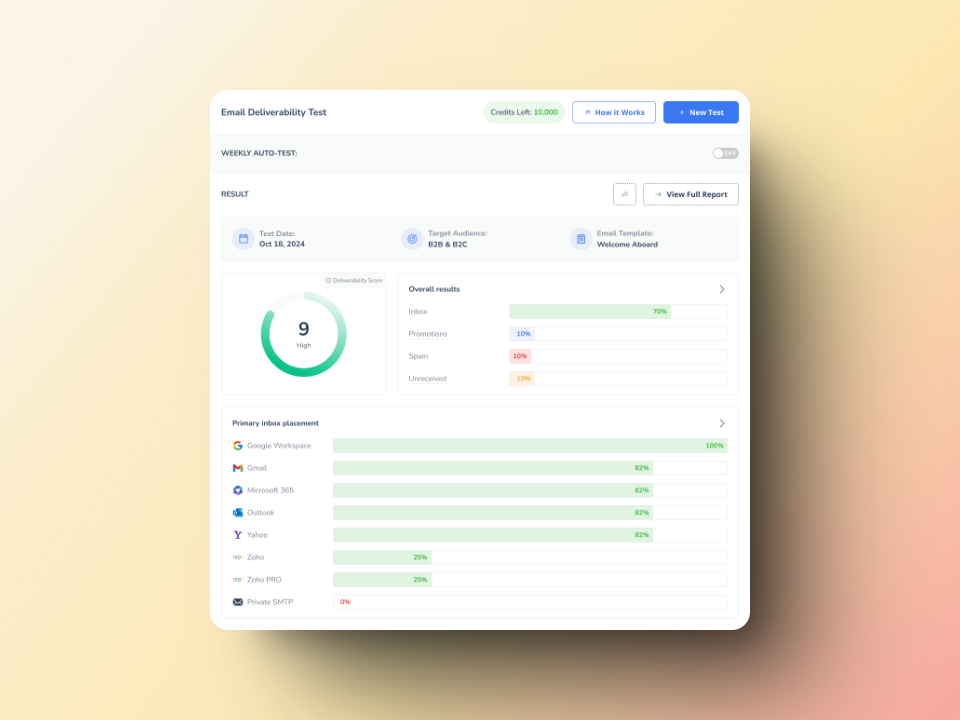
With the reputation dashboards gone, the substitute is direct measurement: send to seed inboxes and see where mail actually lands, per provider, alongside blocklist status. Warmy’s free email deliverability test reports the share reaching inbox, spam, or nowhere across Gmail, Outlook, Yahoo, and others, with blacklist and authentication checks in the same result.
For continuous coverage instead of a point-in-time reading, deliverability insights tracks authentication, blocklist status, and domain health, and the seed list gives you a placement check before a campaign goes out.
Google Postmaster integration after the v2 changes
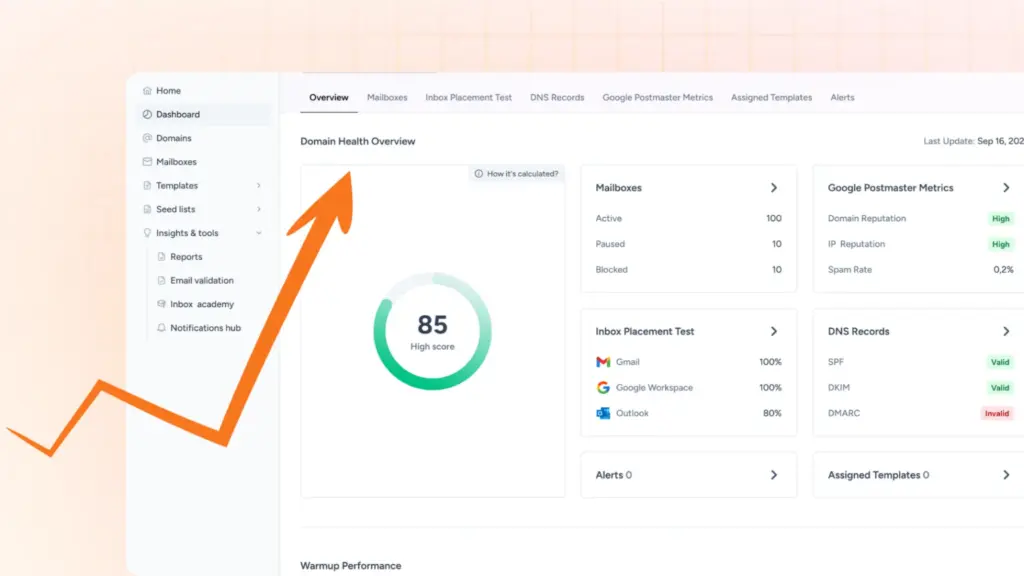
Warmy’s Google Postmaster integration pulls what v2 still exposes into the same view as blocklist and DNS status, which is the nearest substitute for the correlation those retired dashboards used to give you at a glance.
Want to see how Warmy handles this in practice? Book a demo. You can also subscribe to the blog and turn notifications on, since threshold changes tend to arrive without warning.