



TL;DR: SMTP Error 450 4.3.2 means the receiving mail server cannot accept your message right now because of a temporary, server-side condition such as overload, maintenance, a network problem, or greylisting. It has nothing to do with your email address or message content. Most mail systems retry automatically for several hours to a few days, and delivery typically succeeds once the receiving server recovers.
Email delivery failures disrupt personal and business communication alike, and a bounce-back is never welcome. SMTP Error 450 4.3.2 is one of the SMTP error codes and messages you might run into, and it signals a temporary, system-level problem on the receiving server rather than a mistake in your address or content.
This guide explains exactly what triggers SMTP Error 450 4.3.2, how to confirm whether the issue is on the receiving end or yours, and what steps reduce the odds of seeing it again.
What is SMTP 450 4.3.2?
SMTP Error code 450 refers to a temporary error in the email delivery process. Codes in the 450 range mean the problem is temporary and solvable, not a permanent rejection.
The “4.3.2” sub-code narrows this down to a specific type of temporary failure. This extended format follows IETF RFC 3463, the standard that defines how mail servers report the precise cause behind a delivery status, in addition to the three-digit SMTP code itself.
The bounce notification or error message will typically read
- “450 4.3.2 System not accepting network messages”
- “450 4.3.2 Connection dropped”
- “450 4.3.2 Service currently unavailable.”
This combination tells you something important: the problem isn’t with the email address you’re using or with your message content. Instead, the receiving mail server or its network infrastructure is in a state where it cannot accept incoming messages from external sources. Google’s Workspace Admin documentation confirms this pattern: codes starting with 4 are temporary failures that require no action, since the sender will simply try again.
Related Reading: SMTP Email Error 451 4.3.2 – How to Resolve [SOLVED].
What does it mean when you experience SMTP 450 4.3.2?
Receiving this error indicates that the receiving mail server or its network infrastructure is experiencing conditions that prevent it from accepting incoming messages. There are various factors that can potentially trigger this error here are some of them:
- server overload or resource constraints
- scheduled or emergency maintenance
- network connectivity issues
- security policies and connection limits
- temporary service disruptions
- greylisting implementation
These conditions overlap with several related error codes. SMTP Error 452 4.3.1 points to a receiving server that has run out of storage, while SMTP Error 451 4.3.0 signals a broader internal mail system error. Both stem from the same kind of temporary, server-side condition as 450 4.3.2, so the diagnostic steps below apply to all three.
Tips to resolve SMTP 450 4.3.2
Since we’ve established that this error is a temporary one, should you just wait for it? Although this is often the case, it would be more ideal for you to perform some extra troubleshooting steps just to ensure that your deliverability is safe, your reputation is secured, and your email health ideal.
Try again later
Most email systems will automatically retry sending your message multiple times over a period ranging from several hours or in some extreme cases up to three to five days. These automatic retry attempts happen in the background without any action required from you.
💡 Pro Tip: Before manually resending, check the full bounce-back header rather than just the summary line. It often names the exact reason, such as queue congestion or greylisting, which tells you whether waiting is enough or whether your sending pattern needs a closer look.
Confirm server status
Check your recipient’s email service provider for any known or reported outages. This keeps you informed and lets you use an alternate channel to stay in touch while you wait.
Try another method
If the email is urgent, then try a different method. It can be to their social media page, a phone call, or a different email address.
Review your sending patterns and email infrastructure
If you’re sending multiple emails in rapid succession or sending bulk emails, your sending pattern might be triggering rate limits or security policies on the receiving server.
Although this may be less likely, it’s still worth ruling out. Patterns similar to SMTP Error 452 4.5.3, where a receiving server temporarily refuses messages because of high recipient volume, can produce the same kind of rejection as 450 4.3.2.
Make sure that you are using the proper tools and infrastructure designed, especially if you are sending bulk emails. If your domain is new, then consider warming it up to send signals to email service providers that your domain is reputable and not spam.
Verify that your domain has correct DNS settings, including valid MX records, SPF, DKIM, and DMARC authentication. Poor sender reputation or authentication failures can sometimes contribute to receiving servers being more strict in their acceptance policies.
💡 Pro Tip: A single 450 4.3.2 usually isn’t worth troubleshooting on its own. If the same recipient domain keeps returning this error over several days, that’s the signal to check your sender reputation and authentication setup rather than just waiting it out.
Check that your sending IP address isn’t listed on any major spam blacklists.
Ready to see where your emails really land? Start your free Warmy trial and check your sending reputation before it triggers another temporary rejection.
💡 Pro Tip: Run your domain through Warmy’s Domain Health Hub before your next campaign, not after a bounce. Catching authentication drift early prevents an occasional 450 4.3.2 from turning into a recurring pattern.
How Warmy can help prevent SMTP Error 450 4.3.2
SMTP Error 450 4.3.2 primarily stems from conditions that are beyond your control, and having an all-in-one email deliverability tool such as Warmy can definitely give your email delivery success rate a boost and minimize errors that are extremely harmful for your email reputation.
Automated warmup process and inbox placement test
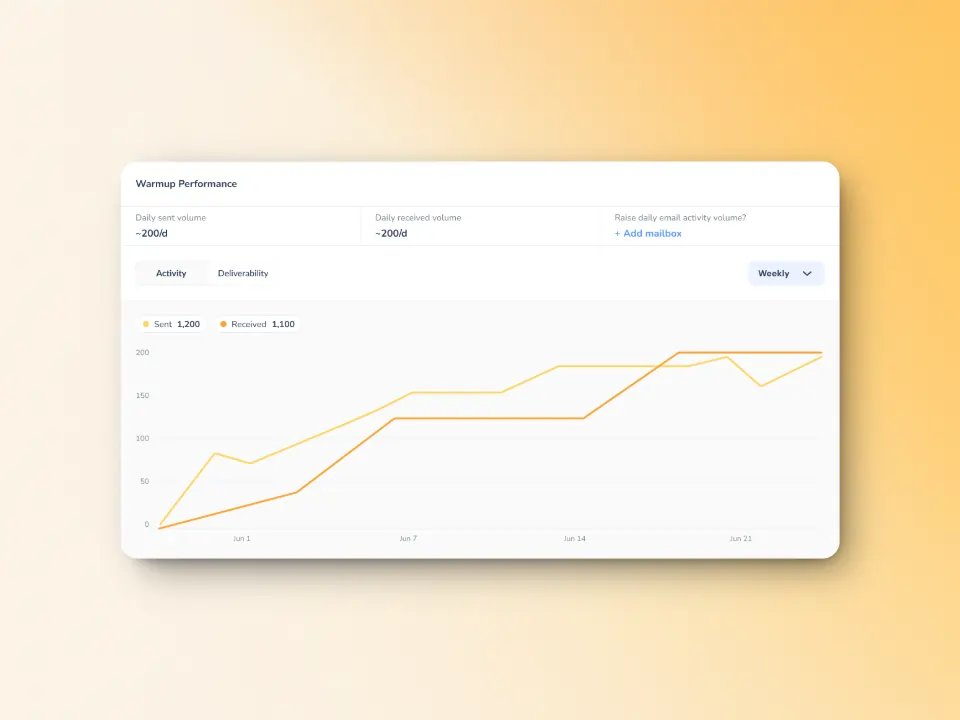
By using Warmy’s automated email warm up process, you establish your email address as a legitimate, trustworthy sender through consistent, positive email engagement patterns.
Warmy’s email deliverability test can also show you where your emails are placed which gives you the opportunity to fix it before it is too late.
Domain authentication and technical configuration
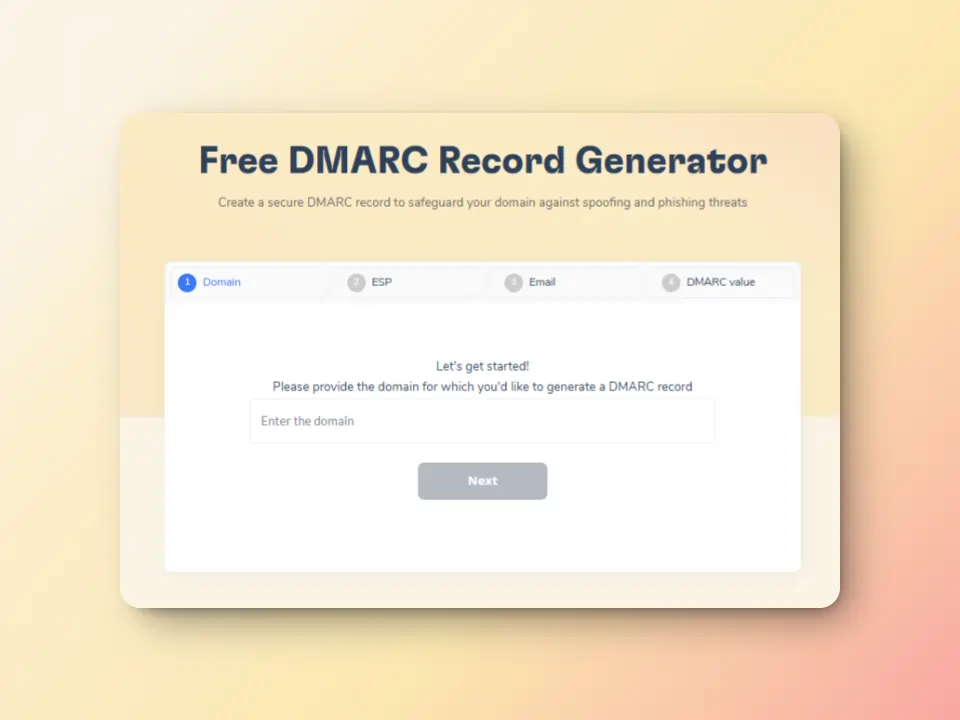
Warmy offers free SPF record generator and DMARC Record Generator to improve domain security and safeguard them against spoofing and phishing
Advanced seed lists for better email optimization
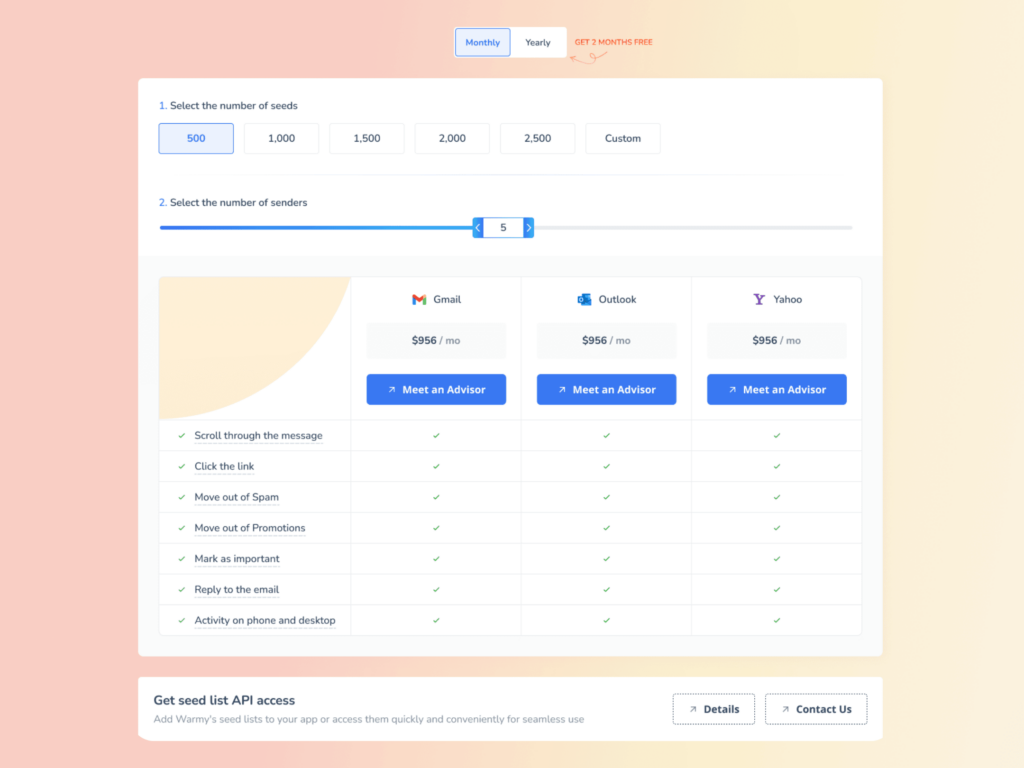
Warmy.io’s seed list feature helps businesses test and optimize email campaigns before sending emails to real recipients.
This ensures high deliverability and low bounce rates. Compared to traditional warming methods which lack engagement tracking, Warmy’s seed list uses real email addresses that actively interact with your emails. By “interacting:”
- Your email is not just marked as read but actually opened and scrolled through
- If your email has any links, our system will click them naturally to improve sender trust.
- If an email finds its way in spam, it is manually removed and marked as important to let ISPs know your emails are legitimate.
Domain Health Hub
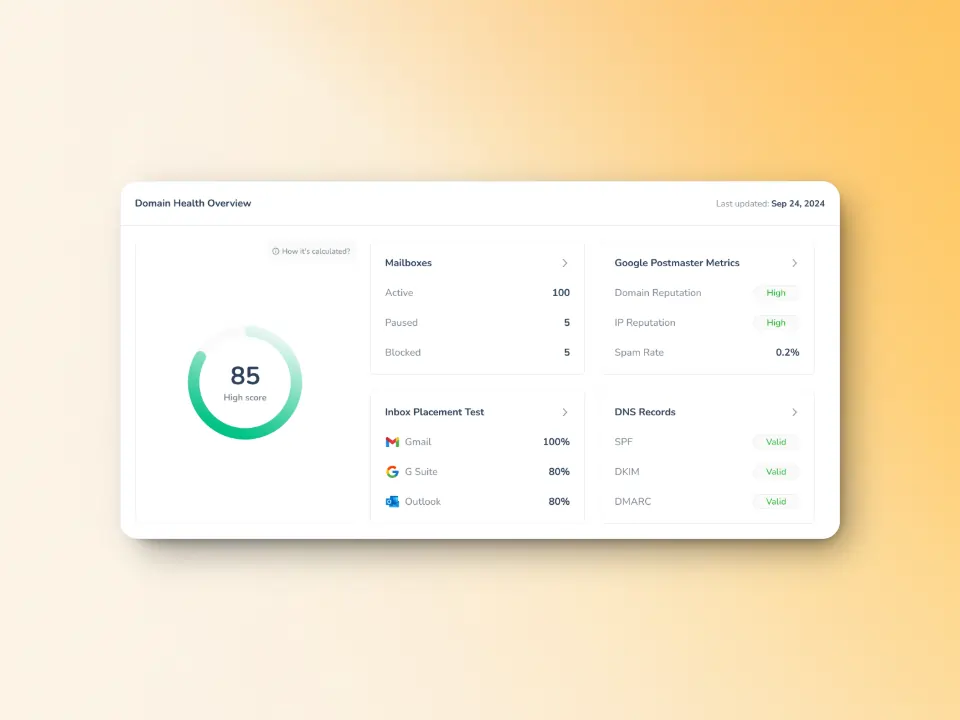
Warmy’s monitoring extends to the overall health of your sending infrastructure, including connectivity and performance metrics. It offers clear insight into your deliverability, reputation, and warm-up progress over time.
With Warmy.io, you can minimize major SMTP errors and keep your deliverability and inbox health in good shape even when temporary issues like 450 4.3.2 occur. Book a demo to see how it works for your sending infrastructure.











