SMTP Error 421 4.4.1: No Answer From Host means your outgoing mail server tried to reach the recipient’s server but never got a response. Fix it by confirming your own network and DNS are working, checking that the recipient’s server is actually up, and verifying your sending IP is not rate limited or blacklisted, then resend the message.
This is just one of the many problems that can deeply affect email deliverability resulting in delays or even undelivered messages. So what should an email sender do when this message shows up?
In this guide, we’ll explain why this error happens, what you can do to fix it, and the best practices to avoid it in the future.
What causes SMTP Error 421 4.4.1?
It is a specific form of the SMTP Error 421. It happens when the server that sent the email tries to connect with the email server of the receiver but does not get a response. For a full breakdown of every SMTP response code, see Warmy’s SMTP error code reference.The reasons can be any of the following:
Network connectivity issues
Emails need stable networks and temporary problems of weak networks may lead to SMTP Error 421 4.4.1. The connection could be blocked for security policies, wrong firewall settings, etc. Moreover, when the sender’s server suffers from DNS resolution failures (when a DNS server fails to resolve a domain name to the associated IP address), it will also fail to connect.
Recipient mail server issues
If the receiving mail server is down, then the sending mail server fails to create a connection. The recipient’s email server could be down for maintenance or an outage. If it has a high number of concurrent requests, the receiving mail server may not be able to respond as well.
Sender-side problems
If the sender’s IP is on spam blacklists, the recipient’s server could reject the connection. Also email providers may “throttle” your email delivery, which means they have sending limits to prevent spam. This throttling strategy temporarily rejects connections.
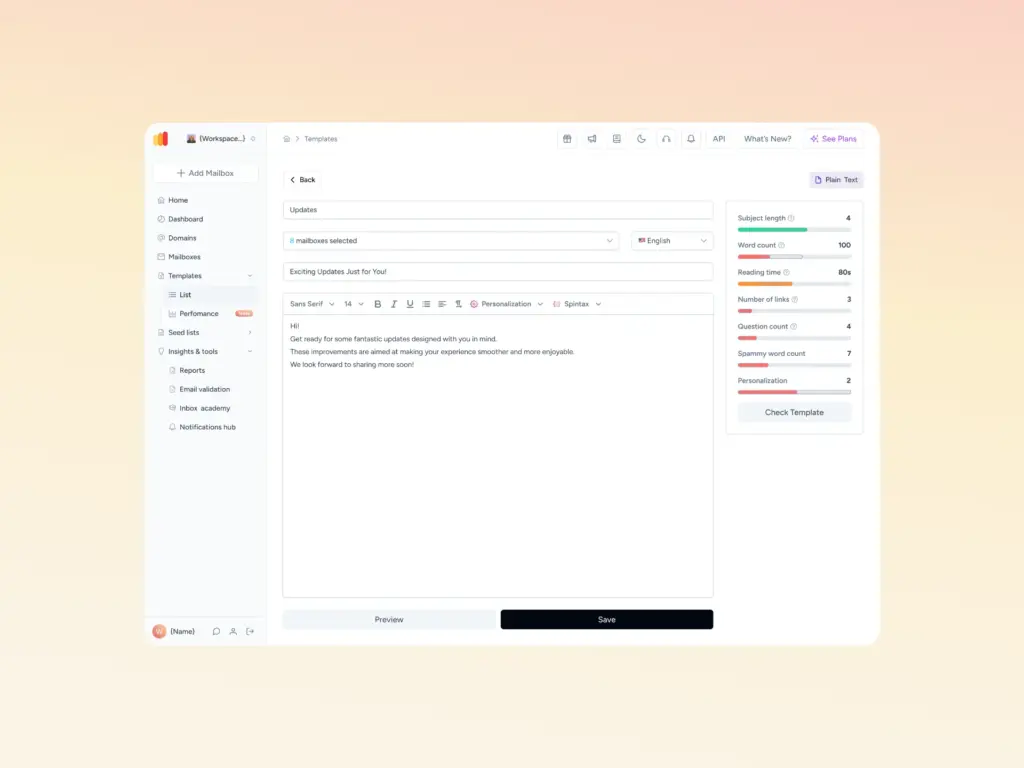
Running your subject line and content through Warmy’s Template Checker before you send can catch the spam triggers that lead to throttling in the first place.
Pro Tip: If the same 421 4.4.1 keeps coming back from one specific domain, stop treating it as random bad luck. Recurring 421s against a single recipient server are usually a reputation signal rather than a network glitch, so check your sending IP and domain reputation before you resend.
How to troubleshoot and fix SMTP Error 421 4.4.1
Resolving the SMTP Error 421 4.4.1 error requires a structured approach to diagnosing and fixing the underlying causes. Below are some of the most effective troubleshooting steps you can do on your end. Even if it is a temporary issue, the delay it has caused may affect businesses in the long run.
For Gmail users
- Check if you can connect to the Internet. Make sure you’re able to access the Internet and that the connection is stable. You can test this by trying to access other websites or services.
- Verify SMTP server settings. The server should be smtp.gmail.com, using SSL on port 465 or STARTTLS on port 587. Google removed support for regular account passwords on third-party SMTP connections, so you’ll need a 16-character App Password generated with 2-Step Verification turned on, or an OAuth 2.0 token if you’re connecting a custom application.
- Verify if your SMTP server can reach other external domains. Try sending a test email to a different email account outside the domain experiencing the issues. (ex. Free email provider, such as Gmail.)
- Contact Gmail support. For the most direct route, try visiting the Gmail Help Center at support.google.com/mail.
For Yahoo! users
- Conduct SMTP compatibility review. Make sure your account settings align with Yahoo’s SMTP requirements: smtp.mail.yahoo.com as the server, SSL required, port 465.
- Review security settings. Yahoo requires an app password whenever 2-step verification is turned on, since your regular account password will not authenticate SMTP connections. Generate one from Yahoo Account Security and use it in place of your normal password.
- Adhere to Yahoo’s requirements for email senders. These guidelines include keeping your spam complaint rate below 0.3%, authenticating your email with SPF, DKIM, and DMARC, and maintaining a valid forward and reverse DNS record for your sending IPs.
For Outlook users
- Reset your email account configuration. In new accounts, SMTP 421 errors occur due to simple misconfiguration of an account’s SMTP settings. Simply head over to Account Settings, removing the email account, and adding it back again.
- Configure your SMTP settings correctly. The server address is smtp.office365.com on port 587 with STARTTLS. Microsoft has retired Basic Authentication (plain username and password) for SMTP AUTH Client Submission, so scripts, printers, and legacy apps now need OAuth 2.0 or a supported relay, or they’ll be rejected outright instead of simply timing out.
- Clear your outbox and retry. Stuck emails can cause these errors sometimes. Try clearing your outbox before attempting to send an email again.
- Update your software. Keeping Outlook updated can resolve many issues, including SMTP errors.
Pro Tip: Configure your Mail Transfer Agent’s retry intervals to back off, not repeat. A schedule like 5 minutes, then 30 minutes, then 2 hours gives the recipient’s server time to recover, while retrying every few seconds can look like a connection flood and make a temporary block last longer.
How to prevent this error in the future
Receiving the SMTP 421 4.4.1 error can be annoying, particularly if it interrupts important email communication. The good news is there are some proactive steps you can take to prevent dealing with this issue again.
By applying proper email server management procedures, tracking tools, and authentication methods, future email transactions become far more reliable.
Before diving into prevention steps, it helps to know where you stand today. Start your free Warmy trial and let Warmy’s AI build your sender reputation automatically, so fewer of these errors reach your inbox in the first place.
Optimize email server settings
To prevent SMTP errors, it is important to have a well configured email server. This stops it from becoming overloaded, enhancing the server’s reliability through peak periods. Ensure that your email server can handle high volumes of outgoing messages:
- Configure retry intervals in your Mail Transfer Agent (MTA) to automatically reattempt failed deliveries.
- You may also use some load balancing techniques to share traffic between multiple mail servers.
Regularly check DNS and MX records
Verify your domain’s DNS settings are set up properly. Here’s what you should do:
- Periodically check MX records to ensure they are pointing to the correct mail servers.
- Both DNS and MX records are vital to email routing, so misconfigured records lead directly to failed or delayed delivery. Warmy’s Deliverability Guide walks through how to check each record type.
Strengthen email security measures
SMTP errors can also be prevented by putting a premium on email security, which is also another way to ensure email delivery. This helps protect emails from being bounced or marked as spam.
- Enable TLS encryption to encrypt email transmissions.
- Keep SPF, DKIM, and DMARC records fresh to avoid spoofing and obtain maximum deliverability.
- You can also implement IP whitelisting to limit your connections to those you trust.
Here’s how Warmy.io can help prevent this error from happening again
While SMTP errors are inevitable due to a number of factors, proactive measures can drastically reduce their occurrence and impact. Warmy.io offers a range of solutions to enhance email deliverability and prevent SMTP-related issues.
Reliable AI-powered email warmup
Warmy.io gradually increases email volume through its email warmup service, helping establish credibility with email providers. This prevents emails from being flagged as spam or rejected due to excessive sending, thereby reducing the risk of SMTP 421 4.4.1 errors.
This process mimics natural email activity, allowing email service providers to recognize the sender as legitimate and trustworthy. Slowly increasing the number of emails sent each day prevents sudden spikes that can trigger spam filters or SMTP errors.
Additionally, Warmy operates with an engagement-driven approach by ensuring emails receive positive engagement (opens, replies, and clicks), reinforcing the sender’s credibility even more. Whether you’re using Google Workspace, Microsoft 365, or custom SMTP configurations, Warmy.io adapts to your platform to optimize deliverability.
Email deliverability test
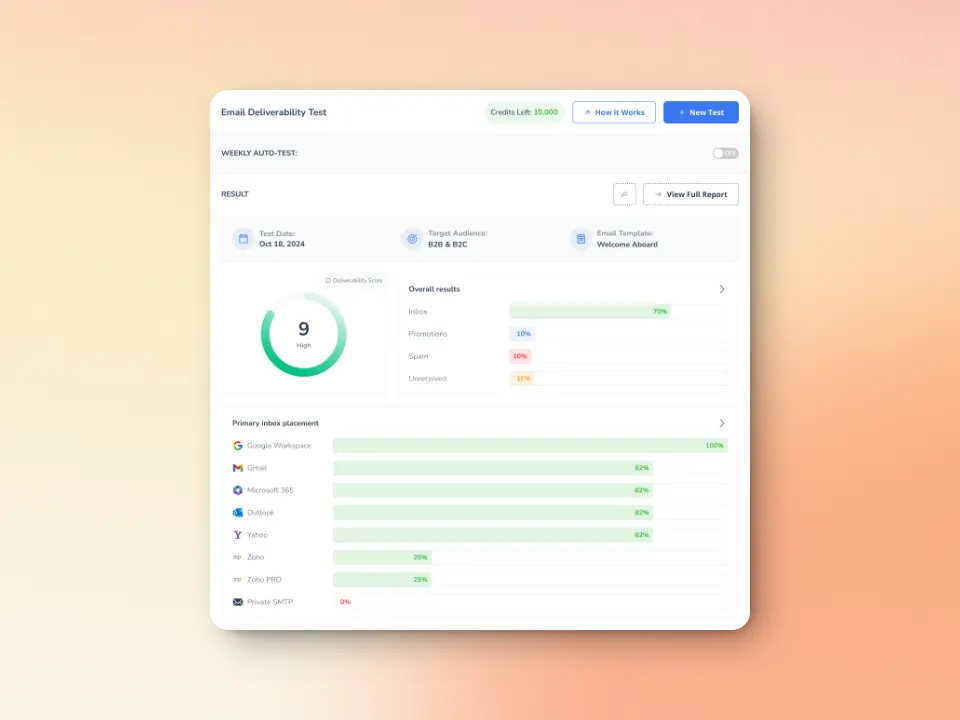
Warmy.io offers free email deliverability tests to check the likelihood that your emails will land in inboxes instead of spam folders.
This allows you to proactively address potential deliverability problems before they impact your campaigns.
The inbox placement analysis lets you see the percentages of emails landing across different providers (Gmail, Outlook, Yahoo, etc.). Regular scans also ensure that your sending IP and domain remain free from spam blacklists that could cause SMTP 421 errors.
And if somehow, your domain gets blacklisted, you’ll find out right away so you can proceed with the delisting process.
Free SPF and DMARC Record Generators
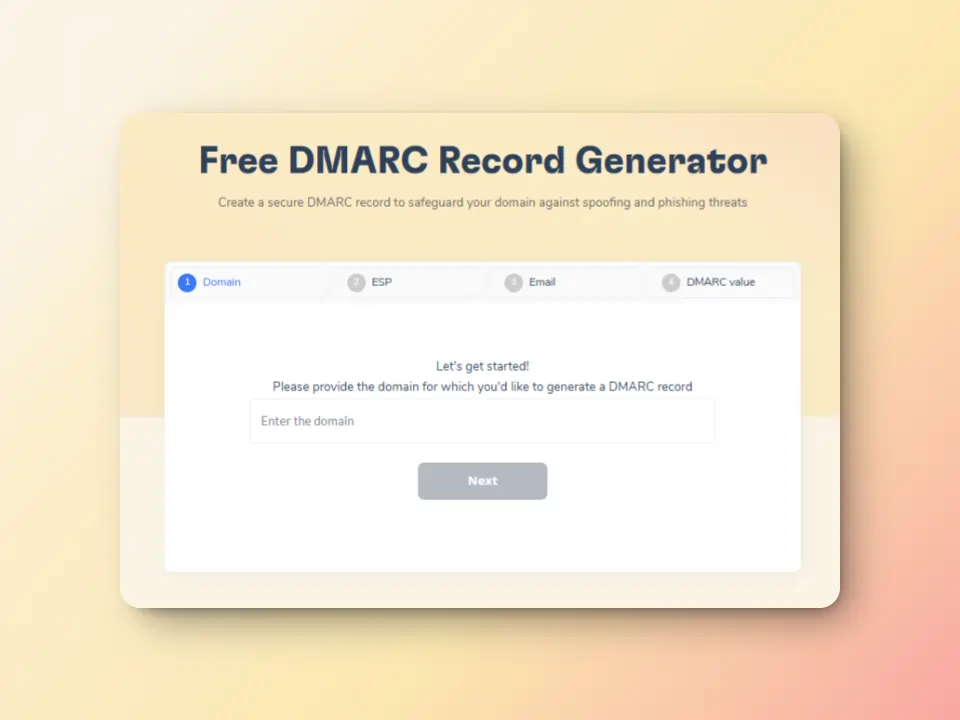
Correctly configured SPF, DKIM and DMARC records are crucial for email authentication. Warmy offers free SPF and DMARC record generators. So go ahead and make sure your domain is properly authenticated because this will help reduce the numbers of SMTP errors you encounter.
Take control of your email deliverability success with Warmy
To avoid recurring SMTP errors, the correct email configuration should be maintained. By proactively focusing on your email deliverability, you’re not just reacting to every SMTP error that occurs. Instead, you’re at least one step ahead. With Warmy.io as your reliable and trustworthy tool of choice, you can maintain seamless communication, safeguard your sender reputation, and avoid disruptions that could impact your personal or professional connections.
For a deeper walkthrough, Warmy’s guide on how to improve your sender reputation covers the exact steps to rebuild trust with Gmail, Outlook, and Yahoo after a period of poor deliverability.
Don’t let SMTP errors disrupt your email communication. Explore what Warmy.io can do for you and your business, book a free consultation with a deliverability expert and see exactly where your sending reputation stands.