SMTP error 550 “High Probability of Spam” is a permanent rejection code returned by the recipient’s mail server. It means the server analyzed your email – your sender reputation, authentication records, and message content – and concluded it looked like spam. Unlike a temporary deferral you can retry, a 550 error is a hard block: your email will not be delivered unless the underlying problem is fixed. The most common causes are a blacklisted IP or domain, missing SPF/DKIM/DMARC records, spam-triggering content, or sending at volume from a cold domain with no established reputation.
Error 550 is one of the most common, and most misunderstood, SMTP errors in email deliverability. It’s not a temporary glitch you can retry your way out of. It is a permanent refusal. This error means the recipient’s server looked at your message, decided it looked like spam, and rejected it on the spot.
In this guide, you’ll learn exactly why this happens, how to diagnose the root cause, and what to do to fix it and make sure it doesn’t happen again.
What is SMTP Error 550?
SMTP Error 550 is a permanent error that occurs when the recipient’s mail server classifies your email as spam. To understand how the error fits into the broader email delivery process, it helps to know how SMTP servers work – SMTP is the protocol that governs how email is transmitted between servers, and a 550 code is the server’s way of terminating that transmission.
The full bounce message you see in your mail logs typically looks something like:
- 550 5.7.1 Message rejected due to high probability of spam.
- 550 Requested action not taken: mailbox unavailable.
- 550 High spam score detected; message blocked.
The exact wording varies by receiving mail server (Gmail, Microsoft 365, Yahoo, and self-hosted servers all phrase it slightly differently), but the meaning is the same: your email was blocked before it reached the inbox.
The scale of the problem is significant. According to Statista, spam now accounts for roughly 52% of all global email traffic – more than one in every two emails sent worldwide. For legitimate senders, that backdrop means every deliverability signal matters more than ever.
Causes of email error 550: High probability of spam
1. Poor IP reputation
Every outbound email originates from an IP address. Mail servers and anti-spam organisations such as Spamhaus and Barracuda Networks maintain real-time blacklists (RBLs) that track IP addresses associated with spam activity. If your IP – or a shared IP on a hosting platform you use – has previously been flagged, subsequent messages from that address face an elevated rejection risk.
2. Missing or broken domain authentication (SPF, DKIM, DMARC)
Domain authentication is the process by which receiving servers verify that the domain in your “From” address is actually authorized to send on your behalf. Three DNS-based protocols handle this:
- SPF (Sender Policy Framework): Lists the IP addresses and mail servers permitted to send email for your domain.
- DKIM (DomainKeys Identified Mail): Attaches a cryptographic signature to each outgoing message so the recipient can confirm it hasn’t been tampered with in transit.
- DMARC (Domain-based Message Authentication, Reporting & Conformance): Ties SPF and DKIM together and tells receiving servers what to do with messages that fail authentication (quarantine or reject).
If any of these records are absent, misconfigured, or conflicting, spam filters will treat your email with suspicion and may issue a 550 rejection.
The risk is real and widespread. According to PowerDMARC’s 2025 email phishing and DMARC statistics report, only about 18% of the world’s 10 million most-visited domains publish a valid DMARC record, and just around 4% fully enforce a reject policy.
Research consistently shows that fully authenticated senders (SPF + DKIM + DMARC) are significantly more likely to reach the inbox than unauthenticated ones.
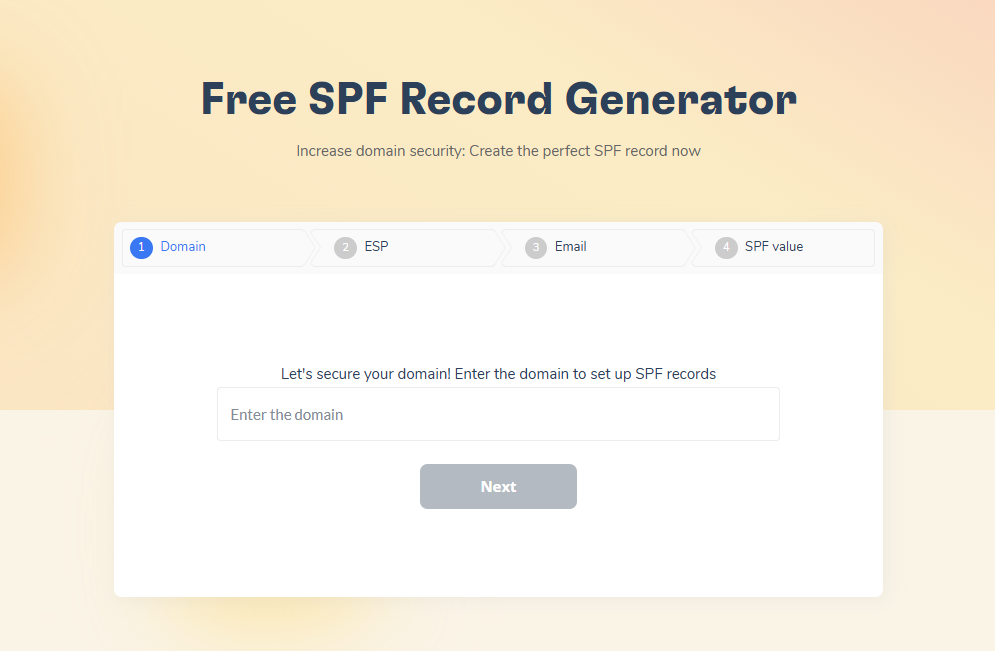
Not sure if your SPF and DMARC records are valid? Use Warmy’s free SPF Record Generator and DMARC Record Generator.
3. Spam-triggering email content
Content filters scan emails for words that trigger spam filters due to having been used by spammers. High-risk signals include:
- Overly promotional language: “Buy now,” “Act fast,” “You’ve been selected,” “Guaranteed income”
- ALL-CAPS words or excessive exclamation marks in the subject line
- A disproportionate number of hyperlinks relative to plain text
- No physical mailing address or unsubscribe mechanism (required under CAN-SPAM and GDPR)
- HTML-heavy messages with little or no plain-text version
- Attachments with executable file types
Even legitimate emails and trustworthy senders can have their emails sent to spam if the content contains these triggers. If you’re not sure your email content is clear of these trigger words, run it through Warmy’s free Template Checker.
4. No sending history or cold domain
A brand-new domain or IP that suddenly sends hundreds of emails essentially has no established reputation to back it up. Receiving servers apply extra scrutiny to unknown senders, often resulting in rejections or spam-folder placement. So a new domain that suddenly sends thousands of emails sends a suspicious signal to mailbox providers.
5. Misconfigured email server or headers
Incorrect SMTP settings, such as a missing or mismatched HELO/EHLO hostname, an absent reverse DNS (PTR) record, or an improperly formatted “From” header can trigger spam filters even when your content is legitimate.
Not sure what’s blocking your emails? Run a free check on your domain and sending infrastructure. Test your email deliverability for free.
How to fix SMTP error 550: A step-by-step guide
Step 1: Confirm the recipient address is valid
- Before investigating infrastructure, rule out the simplest cause: a misspelled or deactivated email address.
- Copy the address directly from a reliable source rather than retyping it.
- If you have an email validation tool, it’s always best to run your contacts through it to remove invalid ones. Warmy’s plans come with 10,000 free credits that can be used for email validation.
Step 2: Check your IP and domain against blacklists
- Use a multi-RBL lookup tool to scan multiple blacklists for your domain or IP.
- If your IP or domain appears, note which blacklist flagged it; each one has its own delisting process and criteria.
- Warmy’s inbox placement test also includes a blacklist checker. Try it today.
Step 3: Publish and validate SPF, DKIM, and DMARC
Log in to your domain registrar’s DNS console and verify:
- SPF: A TXT record at your root domain (e.g., v=spf1 include:youresp.com ~all) that lists all authorized sending sources.
- DKIM: A TXT record at the selector subdomain provided by your email service provider containing your public key.
- DMARC: A TXT record at _dmarc.yourdomain.com specifying your policy (start with p=none while monitoring, then move to p=quarantine or p=reject).
You can validate all three using Google’s free Check MX tool or the DMARC Inspector by dmarcian.
💡 Pro Tip: When you set your DMARC policy, don’t jump straight to p=reject. Start with p=none to collect reporting data for two to four weeks, then move to p=quarantine before enforcing p=reject. Rushing enforcement without monitoring first is one of the most common causes of legitimate emails being blocked during a DMARC rollout.
Step 4: Audit your email content
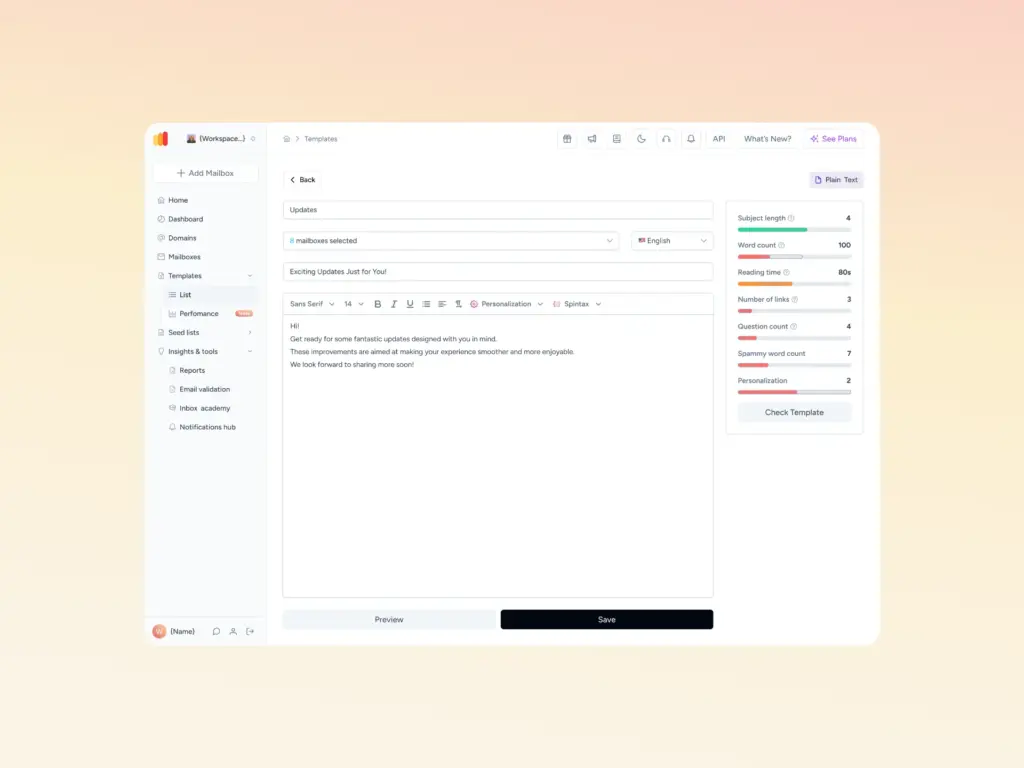
Run your email content through Warmy’s Email Template Checker before deploying to your full list. It returns a spam score with specific points on which elements need to be edited.
- Rewrite the subject line. Remove symbols, excessive punctuation, and trigger words.
- Balance your HTML-to-text ratio; include a plain-text version of every HTML email.
- Add your physical business address and a clear unsubscribe link to the footer.
- Reduce the number of links; every URL should be relevant and pointing to a reputable domain.
Step 5: Warm up your sending domain
If your domain is new or has been dormant, you need to build a sending history before mailing at scale. A warmup process involves starting with a small daily volume and incrementally increasing it over several weeks while maintaining strong engagement metrics. Warmy is an AI-driven email warmup platform that automates this process: managing send volumes, simulating real engagement signals, and monitoring deliverability across the major inbox providers.
Start your free warmup trial today.
Step 6: Request blacklist removal
Once you have fixed the issue that caused the listing (spam complaints, an open relay, compromised account), visit the blacklist’s removal portal and submit a delisting request. Do not submit before addressing the root cause because repeated listings result in longer suppression periods on many RBLs.
📧 Is your domain flagged or struggling to reach the inbox? Warmy’s free Email Deliverability Test checks your inbox placement across Gmail, Outlook, and Yahoo, scans your domain and IP against major blacklists, and verifies your SPF, DKIM, and DMARC records – in seconds, at no cost.
Advanced strategies to prevent SMTP error 550
Error 550 is largely a reputation problem and reputation is something you build proactively, not reactively. Here’s how to stay ahead of it.
Monitor your sender reputation and domain health in real time
Your sender reputation is a living metric that changes with every campaign you send. Warmy’s Domain Health Hub gives you a consolidated view of the signals that matter most to spam filters:
- Your overall domain health score, based on inbox placement tests, DNS authentication status, and Google Postmaster data
- The validity and configuration status of your SPF, DKIM, and DMARC records
- Spam rate trends, inbox placement rates, and deliverability performance tracked weekly or monthly
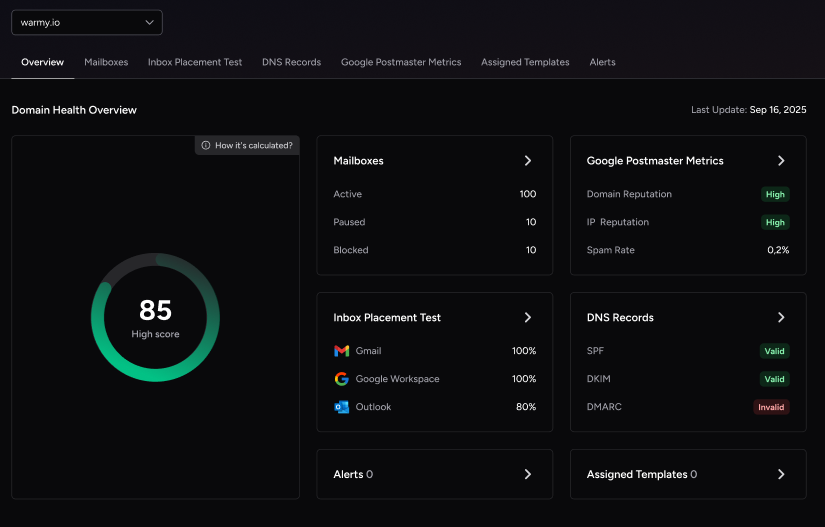
If something shifts like a sudden drop in inbox placement or a spike in spam complaints, you’ll see it before it compounds into a 550 rejection pattern.
This kind of monitoring is more urgent than many senders realise. According to Validity’s 2025 Email Deliverability Benchmark Report, roughly one in six emails never reaches the inbox globally, and inbox placement continues to fall as providers enforce stricter authentication and engagement-based filtering. Most senders only discover the problem after a campaign has already failed.
Check your blacklist status automatically
One of the most common causes of error 550 is an IP or domain appearing on a real-time blackhole list (RBL) without the sender realising it. Warmy’s blacklist monitoring tracks your sending domain and IP against major blocklists continuously, so you’re not discovering the problem after a campaign has already failed.
Keep your sending cadence gradual and predictable
Sudden volume spikes like going from 100 emails per day to 50,000 overnight trigger automated spam detection at virtually every major mailbox provider. Warmy’s AI-powered email warmup, driven by its proprietary engine Adeline, ramps your sending volume gradually and adjusts pace based on how recipient servers are actually responding. This builds the “trust capital” with ISPs that protects you when edge cases arise, making 550 rejections far less likely even as your list grows.
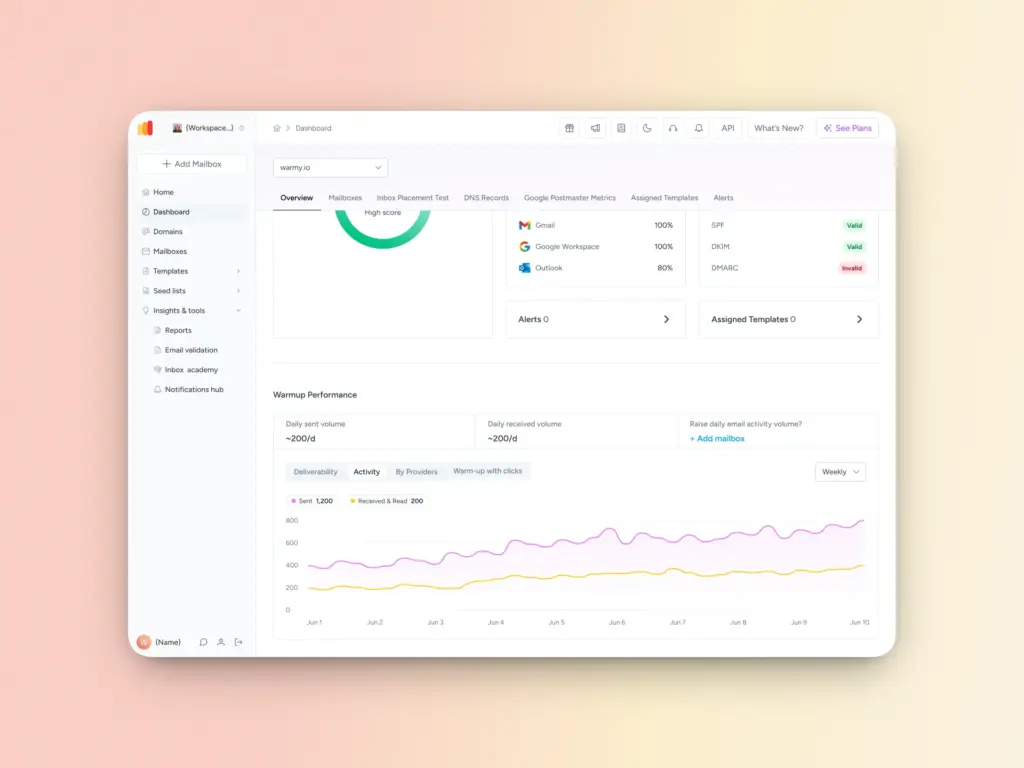
💡 Pro Tip: Adeline AI makes over 20 million decisions per day across Warmy’s network of 1M+ real mailboxes. This means your warmup is continuously calibrated against live deliverability signals – not a fixed schedule someone built months ago. If a receiving server starts responding differently, Adeline adjusts your ramp-up in real time.
Run scheduled deliverability tests
Warmy can run automated weekly deliverability assessments to surface weaknesses in your sending setup before they cause rejections. Each test covers:
- Inbox vs. spam folder placement across Gmail, Outlook, Yahoo, and others
- Delivery consistency across providers
- Underlying DNS and authentication issues
💡 Pro Tip: Don’t wait for a bounce to find out where your emails are landing. Run Warmy’s free inbox placement test to get real diagnostic data – inbox vs. spam vs. missing – before error 550 shows up in your bounce logs. Running this test monthly gives you an early warning system that most senders simply don’t have.
How does SMTP error 550 impact your business?
A single 550 rejection is an inconvenience. A pattern of them is a serious deliverability problem with measurable downstream effects:
- Revenue impact: Transactional emails (order confirmations, invoices, password resets) that don’t arrive damage customer trust and can trigger chargebacks or support escalations.
- Reputation compounding: Each bounce can lower your sender score, making future rejections more likely. This is a downward spiral that is difficult to reverse once entrenched.
- Blacklist propagation: Some blocklist operators share intelligence; appearing on one list can lead to secondary listings on others.
- Inbox placement degradation: Even when emails aren’t outright rejected, a poor sender reputation pushes messages into spam folders. If you’re also seeing messages land in junk even without a hard 550, the underlying cause is often the same – see why emails go to spam or junk and how to fix it for a full breakdown.
Is SMTP error 550 hurting your sender reputation? Warmy is an AI-driven email warmup platform that identifies deliverability issues and rebuilds your domain reputation automatically. Start your free trial today.