



TL;DR: 554 5.7.1 Relay Access Denied means a mail server refused your email because it did not recognize your sending IP or domain as authorized. Common causes include a blacklisted IP, a typo in the address, missing SPF, DKIM, or DMARC records, or a temporary problem on the recipient’s server. The fix involves checking your sender reputation, correcting authentication records, and verifying SMTP settings for Gmail, Outlook, or Yahoo.
Have you ever written an important email, pressed send, and it seemingly vanishes into cyberspace and fails to arrive at its destination? One of the reasons your email doesn’t go through is a problem known as SMTP Error 554 5.7.1.
Understanding SMTP error 554 5.7.1
A 554 5.7.1 is an undelivered message, which means that something is stopping the email from being sent. Remember, a clean sender reputation score is essential for smooth email delivery, so taking advantage of Warmy’s free deliverability test can be a real lifesaver.
Your email needs an intentional mail carrier to take it to the intended place, and that mail carrier is called Simple Mail Transfer Protocol (SMTP) which ensures your message is successfully delivered to the inbox of its intended recipient, no matter where they are.
Reasons why you’re getting SMTP Error 554 5.7.1
Blacklisted IP address
Email servers can blacklist entire IP addresses (like your internet address) if they’re associated with sending spam. If you fall into this category, your emails might get flagged and rejected.
Q: What does it mean if you’re blacklisted?
A: When you are “blacklisted,” means your email domain or IP address has been flagged by email service providers or spam databases. As a result, your emails are more likely to be marked as spam or rejected by recipients’ mail servers, which significantly impacts your deliverability and sender reputation. Being blacklisted can stem from poor sending practices, high bounce rates, or complaints from recipients.
🔖 Related Reading: Email Domain & IP Blacklist Removal: 5 Steps to Delist
Warmy’s free Email Deliverability Test is a handy tool that can help you assess your email sender reputation. It will analyze your email address and provide insights into its deliverability score, including any potential blacklisting issues.
This quick and easy test can give you valuable information and help determine if addressing a blacklisted IP might be the solution to your 554 5.7.1 issues.
Mistaken identity
Oftentimes, the error’s cause can be as simple as the sending email address being typed incorrectly.
An added letter, a missing letter, or even a mistake in the domain (.com instead of .org) is more common than one would think. This results in failed sends and bounced responses.
So pay attention to the small details and make sure that everything is accurate and current. A simple double check can avoid hours of back-and-forth confusion!
Email authentication issues
Think of email authentication like showing ID at the door. If your domain isn’t properly authenticated with SPF, DKIM, and DMARC, the recipient’s server has no reliable way to confirm you’re really you, and it may block or reject your message as a precaution.
Think of email authentication like showing ID at the door. If your email isn’t properly authenticated with the correct username and password, the recipient’s server might not recognize you and block your message and in environments where automated systems parse and act on email data, failing to account for LLM application risk (such as misinterpreting prompts or permissions in AI-powered workflows) can exacerbate rejection or security issues.
Want to know more? Read also – Why Do You Need to Configure SPF, DKIM, DMARC and How To Set Them
Use Warmy’s Free SPF Record Generator to create robust SPF records, preventing email spoofing and enhancing deliverability.
Get started now and enjoy seamless, secure email sending at no cost.
Server hiccups
Not every undelivered email is your fault! Sometimes the other person’s server is overloaded or down and experiencing undeliverable issues at that present moment.
Unfortunately, for these cases, there is nothing you can do on your end except wait and see if at some point everything gets straightened out on their end.
The fix? Try resending the email after a delay—when the person and their server are back up and running, it should be smooth sailing from that point. It’s all about the timing.
🔖 Related Reading: SMTP Email Error 554 5.2.2 – How to Resolve [SOLVED]
Step-by-step solutions to resolve SMTP Error 554 for Gmail, Outlook, and Yahoo
Gmail
Resolving SMTP 554 5.7.1 in Gmail takes more than restoring default settings; it requires a bit of diagnosis to find what’s actually wrong. Here’s how to work through it step by step.
So let’s go through it step by step to make sure your email gets delivered—because we don’t want it going to the spam folder.
1. Scrutinize your email’s insides
- Give your email content a once-over. Are there any sneaky links or words lurking that might set off Gmail’s alarm bells? These could be making your emails look sketchy.
- Tweak anything iffy. Stumbled upon something that raises eyebrows? Time for a little nip and tuck. Adjust it and give sending another shot.
2. Double-check those Gmail SMTP settings
- Nail the right SMTP details. Make sure you’re rolling with the official Gmail SMTP setup:
- SMTP server: smtp.gmail.com
- Port: Either 465 (with SSL) or 587 (with TLS)
- Yes, you need authentication
- Credentials on point? Double-tap on your email and password. Mistakes here are more common than you’d think.
🔖 Check out this comprehensive resource: Gmail SMTP Settings: A Step-by-Step Guide to Configuring Your Gmail SMTP
Check your IP’s reputation
If your emails keep bouncing, your IP may be listed on a blacklist. Check it with a DNSBL lookup tool or through Gmail’s Postmaster Tools, then run Warmy’s free deliverability test (linked above) to confirm your blacklist status directly.
Is your IP in the doghouse? Use an IP blacklist checker to see if your IP’s been blacklisted. If it’s on the naughty list, you might need to sweet-talk your ISP or hit up Gmail’s Postmaster Tools to clear your name.
You can check it out here for free: Free email deliverability test
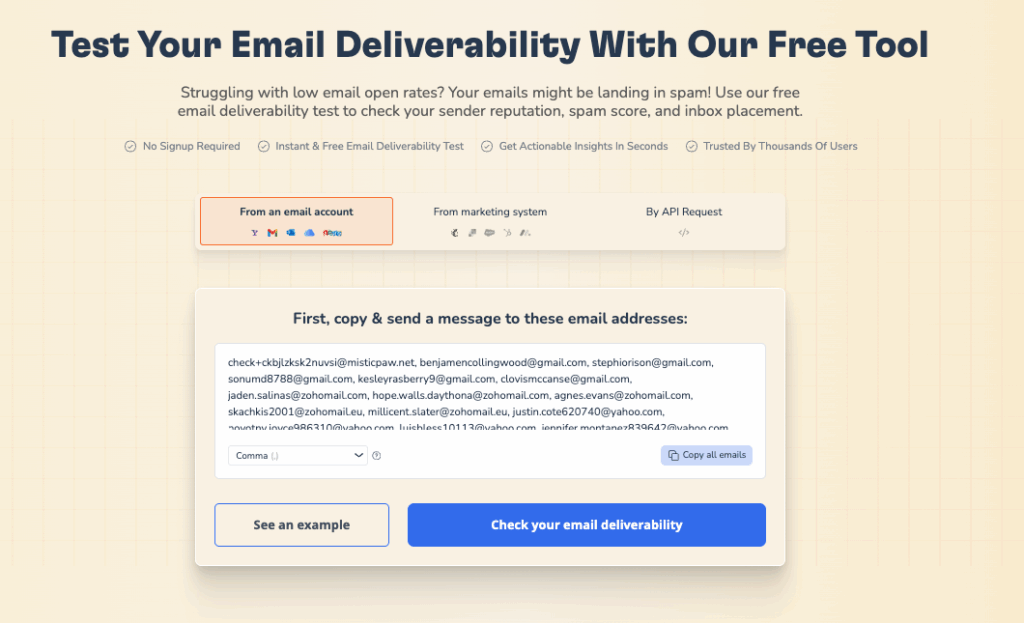
After you run the test you will receive all the information about the status of your mailbox, deliverability level and almost all blacklists
4. Give SPF, DKIM, and DMARC a once-over
- SPF (Sender Policy Framework) record: This little record should shout out to Gmail’s servers, saying it’s cool for your domain’s emails to cruise through Gmail.
- DKIM (DomainKeys Identified Mail) signature: This signature vouches for your emails. Make sure it’s properly affixed to your domain to boost your credibility.
- DMARC (Domain-based Message Authentication, Reporting, and Conformance) policy: Too strict DMARC settings could be like throwing a bouncer in front of your emails. Make sure your policy isn’t unnecessarily tough.
🔖 Related Reading: SPF, DKIM, and DMARC: Boosting Email Security and Deliverability
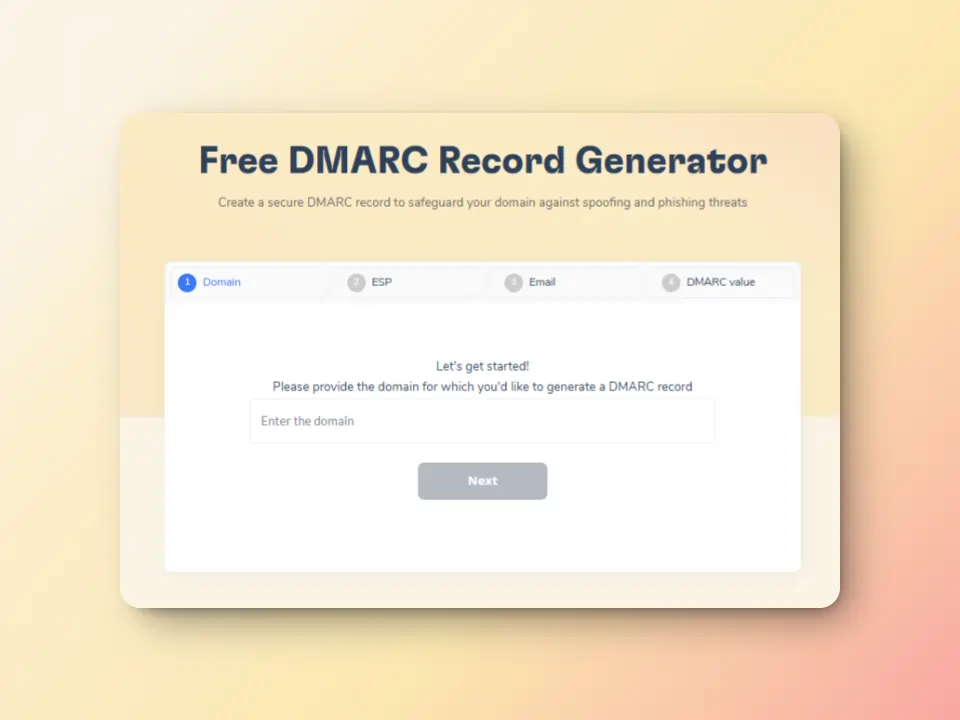
Warmy’s new DMARC Generator is your solution! Easy to use and absolutely free. Explore it today: Free DMARC Record Generator
5. Use an App Password instead of “Less secure apps”
Google retired the “Less secure apps” setting for personal Gmail accounts in May 2022 and for Google Workspace accounts in May 2025, so it is no longer available at all. If you’re connecting Gmail to a third-party email client, generate an App Password from your Google Account settings (with 2-Step Verification turned on) and use that instead of your regular password, or switch the client to sign in with OAuth if it supports it.
6. Wave down Gmail support
If you’ve tried these steps and still face the error, Gmail’s extensive Help Center offers detailed troubleshooting guides and a support team ready to assist.
Outlook
Outlook users aren’t left out in the cold. The troubleshooting steps are nearly identical to Gmail’s, with a few Outlook-specific differences below.
The steps are nearly identical for Outlook users, but here are a few differences.
Nail Down the Outlook SMTP Essentials
- Spot-on SMTP settings are key. Ensure you’re in sync with Outlook’s SMTP setup:
- SMTP server: smtp.office365.com
- Port: 587 (TLS required)
- Authentication: Yes, it’s a must-have
- Credentials check. Double-triple check your email and password. Even a small slip here can send your emails spiraling into oblivion.
🔖 Related Reading: Outlook SMTP Settings: A Step-by-Step Guide to Configuring Your Outlook SMTP
Holler at Outlook support
If these steps haven’t resolved the issue, fear not! Microsoft’s dedicated support team is there to assist you. Head over to the Outlook Help Center and explore their troubleshooting guides or connect with a support representative for further guidance.
Remember, patience is key! Sometimes, server issues or delays can cause temporary glitches. If none of these solutions work immediately, try again after a while.
Yahoo
Yahoo mailers aren’t forgotten either. If SMTP Error 554 5.7.1 has been dogging your Yahoo account, here’s how to sort it out.
So if you’ve been suffering from SMTP Error 554 5.7.1 for too long already, it’s time to roll up your sleeves and get into the fix. Grab your emails and bring them along for the ride, because we are about to cut through this technical Gordian knot with the surgical finesse of a ninja.
Your emails are NOT going to disappear into the ether, and will settle even into our inboxes very gracefully. Buckle up; it’s the time to turn your email frown upside down.
Lock down those Yahoo SMTP settings
- The right tools for the job. Ensure your email client is speaking the same language as Yahoo’s SMTP:
- SMTP server: smtp.mail.yahoo.com
- Port: 465 (SSL required)
- Yes, authentication is a must
- Credential double-check. This is the hill many a noble email has died on. Ensure your Yahoo email and password are correct. A typo here is like a secret handshake gone wrong.
🔖 Related Reading: Yahoo SMTP Settings: A Step-by-Step Guide to Configuring Your Yahoo SMTP
Signal Yahoo support
If you’ve followed these steps and the error persists, don’t despair! Yahoo offers a dedicated support team to help you out. Head over to the Yahoo Mail Help Center and explore their troubleshooting resources or connect with a support representative for further assistance.
🔖 Related Reading: SMTP Email Error 554 5.2.2 – How to Resolve [SOLVED]
The most common 554 5.7.1 messages
Here’s what the most common 554 5.7.1 server responses mean and what usually causes each one.
| Server Response | Likely Cause |
|---|---|
| 554 5.7.1 : Client host rejected: Access denied | The sending IP or domain isn’t authorized to relay through this server. |
| 554 5.7.1 : Service unavailable; Client host X.X.X.X blocked using zen.spamhaus.org | The sending IP is listed on the Spamhaus ZEN blacklist. |
| 554 5.7.1 : Relay access denied | The server doesn’t allow relaying for unauthenticated or unrecognized senders. |
| 554 5.7.1 : Recipient address rejected: Access denied | The recipient’s server has specifically blocked the sender’s address. |
| 554 5.7.1 : Message cannot be accepted, rules rejection | A custom server-side filtering rule flagged the message’s content or headers. |
| 554 5.7.1 : Message refused by Dictionary check | The recipient address doesn’t match a valid, known mailbox pattern. |
| 554 5.7.1 : Relay Access Denied for One Domain | A multi-domain server misconfiguration; one hosted domain isn’t authorized to relay. |
| 554 5.7.1 : Message cannot be accepted, spam rejection | The spam filter flagged the content or sender as high-risk. |
| 554 5.7.1 : Message refused by DNSBL check | The sending IP appears on a DNS-based blacklist (DNSBL). |
| 554 5.7.1 : Sender address rejected: Access denied | The sender’s own “From” address is blocked or unauthorized. |
Each response points to a specific cause, and matching it against the table above is the fastest way to narrow down the fix.
The most common 554 5.7.1 messages
Let’s decode these common SMTP Error 554 5.7.1 messages with a dash of humor and a spoonful of simplicity. Buckle up; we’re going on a translation journey!
- 554 5.7.1 : Client host rejected: Access denied
- 554 5.7.1 : Service unavailable; Client host X.X.X.X blocked using zen.spamhaus.org
- 554 5.7.1 : Relay access denied
- 554 5.7.1 : Recipient address rejected: Access denied
- 554 5.7.1 : Message cannot be accepted, rules rejection
- 554 5.7.1 : Message refused by Dictionary check
- 554 5.7.1 : Relay Access Denied for One Domain
- 554 5.7.1 : Message cannot be accepted, spam rejection
- 554 5.7.1 : Message refused by DNSBL check
- 554 5.7.1 : Sender address rejected: Access denied
Each of these messages is like a cryptic note from the email server, hinting at what went wrong. With a little bit of sleuthing (and this handy translation guide), you’ll be decoding these digital missives like a pro. Here’s to smoother email send-offs and happier inboxes!
Fixing SMTP Error 554 5.7.1 with Warmy.io
Email warmup process that actually does it right
Email warmup services are like personal trainers for your email account, and help it slowly increase sending volume so there are no red flags along the way and issues like SMTP error 554 5.7.1.
Warmy.io’s AI-powered email warm-up helps mitigate this issue by:
- Gradually increasing email volume to prevent sudden spikes that could trigger mail server rejections.
- Simulating human-like interactions to ensures emails are opened, replied to, and marked as important.
- Monitoring email reputation to identify potential issues before they impact campaigns.
As an expert in deliverability, Warmy.io also offers a free trial, making it easy to start improving your sender reputation.
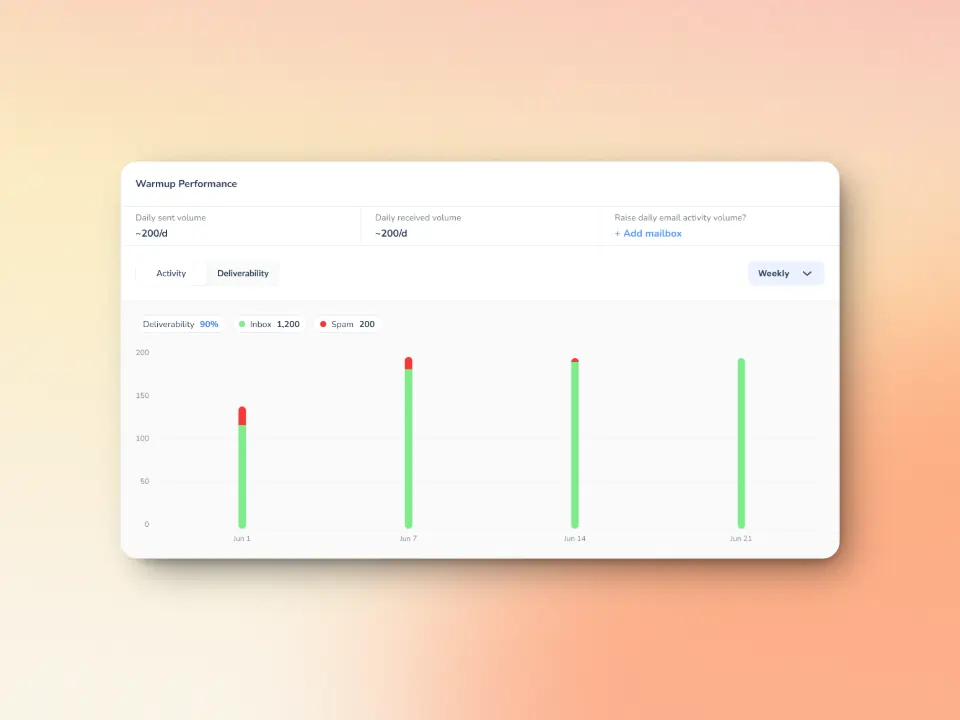
Advanced seed list ensures strong inbox placement
Warmy.io’s Email Seed List institutes a more human-like approach that sends strong positive engagement signals to different email providers, and consists of real active email accounts ranging from Premium Google, Outlook, and Yahoo.
These accounts are consistently updated and maintained to ensure authentic engagement. Unlike traditional static seed lists, Warmy’s system actively interacts with emails to simulate real recipient behavior, including email opens, link clicks, scrolls, replies, and even spam recovery.
Warmy has also recently introduced the API Endpoint for Established Seed List—a new way to access, manage, and configure your seed list splits directly from your system. This means no more manual updates, and no more time wasted with the following capabilities:
- Seamless integration with real-time seed list data that goes straight into your system with API access.
- Efficiency boost via automated split management which reduces errors, and saves valuable time.
- Better inbox placement due to properly configured splits mean fewer bounces and stronger sender reputation.
Additional warmup preferences for even better inbox placement
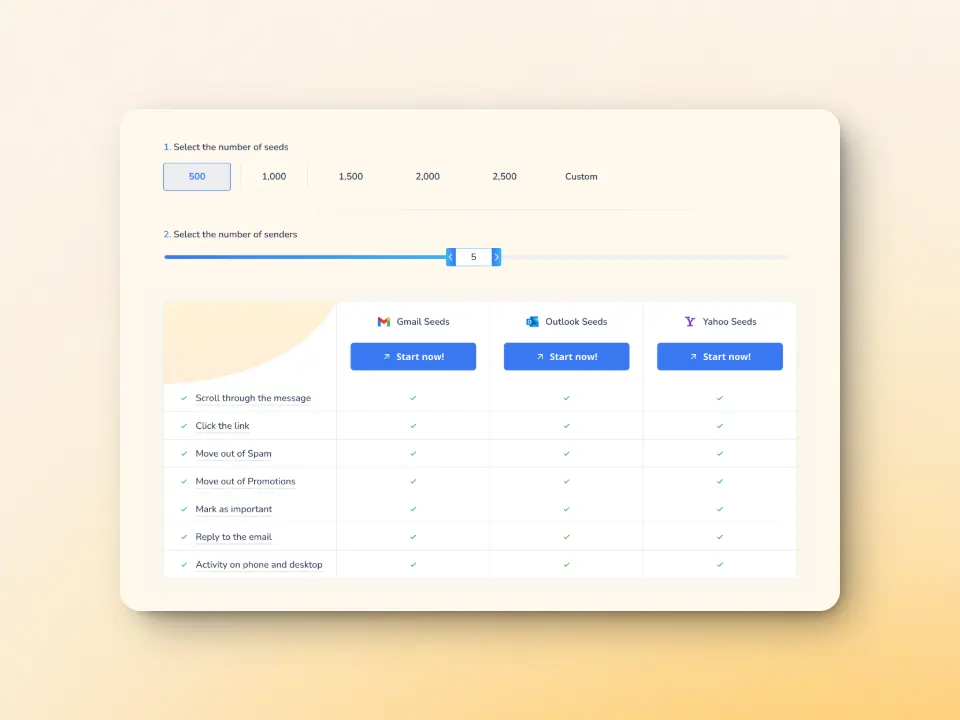
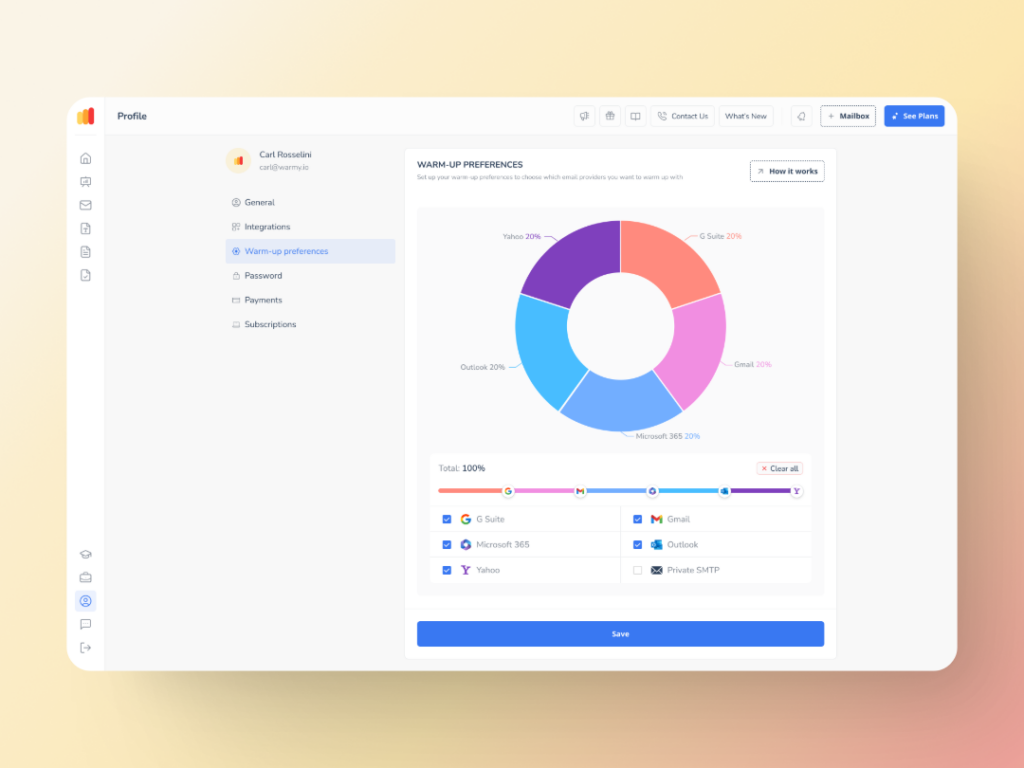
Warmup Preferences is a new feature from Warmy designed to help senders customize and fully control the warmup process from both sender and user levels.
In a nutshell, senders will be able to customize the warmup’s distribution across different providers. They can also choose if they want to use B2B or B2C customers for engagement patterns to tailor the behavior and insights to their business type. All of these settings can be changed right within the Warmy system for hassle-free customer experience.
Achieve deliverability success with Warmy.io
SMTP Error 554 5.7.1 almost always comes down to one thing: the receiving server doesn’t trust your IP or domain enough to let the message through. Fixing the immediate cause (a typo, a misconfigured record, or a blacklisted IP) solves the symptom. Building a consistently strong sender reputation is what keeps it from coming back.For teams handling large volumes of messages, using email management software can also help organize incoming support emails and prevent delivery or response issues.
That’s the gap Warmy closes: its AI-driven warmup gradually builds trust with Gmail, Outlook, and Yahoo so your emails keep landing in the inbox instead of bouncing. Book a demo to see how Warmy protects your sender reputation at scale.











