



| TL;DR: SMTP Error 422 means the recipient’s mailbox is temporarily unavailable, the receiving server can’t accept the message right now, but expects that to change. It’s a soft bounce, so most sending servers queue and retry automatically for a period before giving up. There’s rarely anything to fix on your end: watch whether it clears within a day or two, and reach the recipient another way if the same address keeps bouncing across several attempts. |
|---|
Most SMTP errors are head scratchers. But one that arguably takes the bag is SMTP Error 422, “Mailbox temporarily unavailable.”
Unlike a full or nonexistent mailbox, this one is about timing: the account exists and generally has room, it just isn’t reachable at the exact moment the message arrives.
Here’s what causes SMTP Error 422 and how to respond to it.
SMTP Error 422: Mailbox Temporarily Unavailable
SMTP Error 422 usually comes with the message “Mailbox temporarily unavailable.”
This points to a temporary condition on the recipient’s server rather than a problem with your email. The mailbox itself isn’t broken or over its storage limit, it’s just inaccessible for a short window.
In some cases, this can also show up while the recipient’s mail system is mid-maintenance or going through a configuration change on the provider’s side, both of which resolve without any action from you.
What Causes SMTP Error 422?
Here are the usual reasons why this error occurs.
Mailbox Migration or Maintenance
- The recipient’s account is being moved between servers or providers, or their mail system is undergoing scheduled maintenance, so it can’t accept new mail for a short window.
Temporary Quota or Rate Holds
- Some providers place a short administrative hold on a mailbox that’s near its limit or has tripped a rate-based rule. This is distinct from a hard “mailbox full” bounce like SMTP Error 452 4.2.2, which is a storage ceiling rather than a temporary hold.
Recipient Server Under Heavy Load
- The receiving server is working through a backlog and temporarily defers new deliveries to that mailbox until capacity frees up.
Account Under Security Review
- Suspicious activity or a pending password or security change can put a mailbox into a temporary locked state until the review clears.
Seeing this bounce more than once for the same recipient? Book a free deliverability consult with Warmy and get a second pair of eyes on your bounce patterns.

Pro Tip: Don’t treat a single 422 as license to keep resending manually. Let your sending server’s built-in retry queue handle it over the next 24 to 72 hours; layering manual resends on top of the automatic retry can look like a delivery spike to the receiving server.
How to Respond to SMTP Error 422
Because the cause sits on the recipient’s server rather than in your email, there’s usually nothing to change in your account settings. The steps below cover what’s worth checking on your side, and what to do if the same address keeps bouncing.
If You’re the One Sending the Email
- Let the automatic retry queue run its course for 24 to 72 hours before taking any other action.
- If it keeps recurring for the same address, reach the recipient through another channel, a phone call, a text, or a different email, to flag that mail isn’t getting through.
- If the same address bounces with 422 across several separate sends over weeks, treat it as a sign to pause sending to it rather than retry indefinitely.
If You Manage the Recipient’s Mailbox
- Confirm whether the mailbox is mid-migration, in scheduled maintenance, or under a temporary security hold, any of which will clear on their own once the process finishes.
- Check for a rate-based or quota-based hold that’s short of a full “mailbox full” condition, and release it once the underlying trigger has passed.
Pro Tip: Track how often 422 shows up for a given recipient over time rather than reacting to a single instance. A pattern that repeats across weeks usually points to something more permanent, an abandoned mailbox or an account migration that never finished, worth confirming directly with the recipient.
How to Combat SMTP Error 422 With Warmy.io

Warmy.io provides a suite of tools and services designed to enhance email deliverability and prevent issues like SMTP Error 422 from arising. Here’s how you can utilize Warmy.io to improve your email system’s reliability and effectiveness:
AI-Powered Email Warmup
Warmy.io’s automated email warmup services are crucial for anyone starting with a new email account or domain.
By gradually increasing the sending volume and ensuring they engage positively with recipients, the warmup process helps build a positive sender reputation which reduces the likelihood of SMTP errors.
These services include automated interactions with emails to mimic genuine engagement, which is vital for maintaining good standing with email service providers and avoiding automatic filtering or temporary blocks.
Free Email Deliverability Test and Record Generators
Warmy.io offers email deliverability tests that analyze your email setup to identify potential deliverability issues. These tests can also help you spot whether a recurring 422 bounce is isolated to one recipient or part of a broader pattern worth investigating.
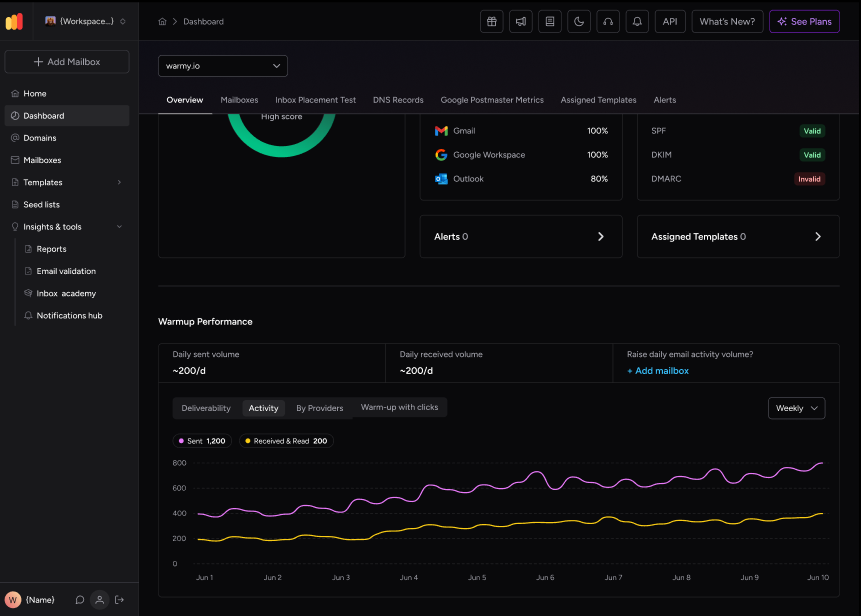
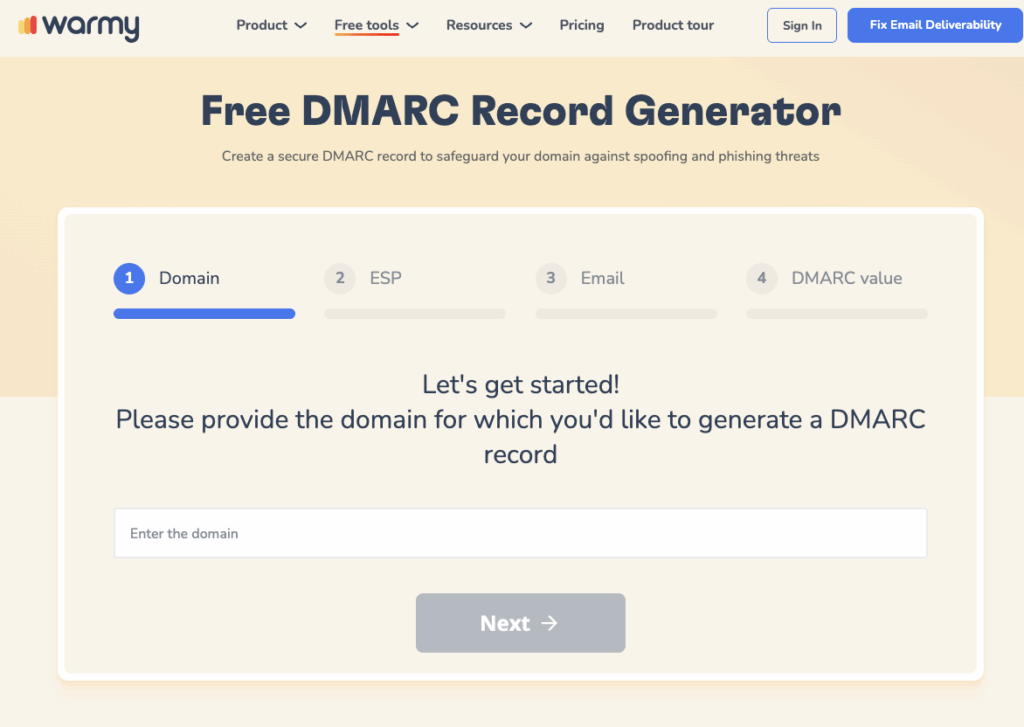
SPF and DMARC Record Generators. Proper setup of SPF (Sender Policy Framework) and DMARC (Domain-based Message Authentication, Reporting & Conformance) records is crucial for authenticating your email and ensuring it is trusted by receiving servers. Warmy.io provides free tools to generate these records accurately, further bolstering your defense against SMTP errors.
Make Sure Your Message Gets Through
SMTP Error 422 is a timing problem on the recipient’s server, not a defect in your email, so the most useful things you can do are let the retry queue work, watch for repeat bounces from the same address, and keep your own sending reputation in good shape so a genuine deliverability issue doesn’t get mistaken for a simple temporary hold.
It’s also worth knowing the difference from a related code: SMTP Error 450 covers mailbox unavailability from the sender-troubleshooting angle, while this guide focuses on what’s happening on the recipient’s end. For the full picture of how 422 fits among every other SMTP bounce code, see Warmy’s error code reference. Sign up for your free trial today.











