



| TL;DR: Error 450 4.7.1 is a temporary access-denied response, not a bounce. It typically clears on its own within a few hours once the receiving server re-evaluates your sending IP, but if it keeps recurring, the fix is almost always to clean up your authentication records (SPF, DKIM, DMARC), slow down your sending rate, or repair your sender reputation before retrying. |
|---|
SMTP Error 450 4.7.1 means the receiving mail server has temporarily rejected your message because it doesn’t yet trust your sending IP or domain enough to let it through – it is a policy-based deferral, not a permanent block. The three most common causes are a damaged sender IP reputation, missing or misconfigured SPF, DKIM, or DMARC records, and sending volume that trips the recipient’s rate limiter. Fix the underlying trust signal and the message goes through on the next attempt.
Why Did You Receive SMTP Error 450 4.7.1?
SMTP Error 450 4.7.1 might be confusing at first glance, but it’s simply a signal from the email server that there’s a delivery issue, often related to policy reasons, such as a recipient’s server that believes your email might be spam. In essence, this code is the server’s way of saying, “Your message is important, but I need to verify a few things before letting it through.”
Fortunately, the Error 450 4.7.1 is not a permanent stop sign, it is more of a yield sign – pausing your emails momentarily until you can confirm the road is clear. By taking appropriate technical steps, your email communication can resume.
Pinpointing the Causes of Error 450 4.7.1
IP Reputation Concerns
The sending server’s IP may have a tarnished reputation due to previous spamming activities, even if not from your actions.
Recipient Server Policies
Stringent receiving server policies could be rejecting emails from new or unverified senders as a precautionary measure.
Rate Limiting
Sending too many emails in a short span may trip rate limiters on the recipient’s server, leading to temporary deferral.
How many emails can I send via Gmail and Outlook?
Misconfigured Email Authentication
Incomplete or incorrect SPF, DKIM, or DMARC records can often result in this error, as the recipient server cannot verify the sender’s authenticity.
Left unresolved, these triggers keep interrupting delivery and put important messages at risk of never reaching recipients.
These issues can disrupt email communication, preventing important messages from reaching their intended recipients, leading to communication gaps and potential business setbacks.
Understanding these triggers is the first step in crafting a strategy to effectively resolve the error and restore email deliverability.
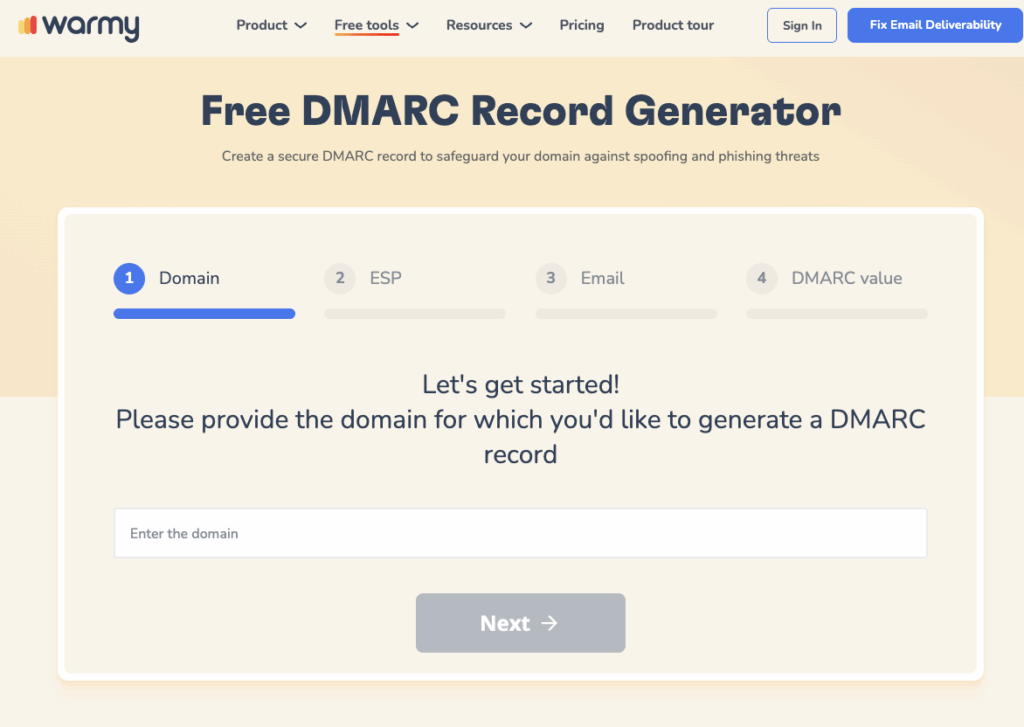
Tailored Fixes for Email Error 450 4.7.1
To address SMTP Error 450 4.7.1, a systematic approach is required, tailored to each major email service provider. Here’s a step-by-step guide for users of Gmail, Outlook, and Yahoo to efficiently resolve this error:
For Gmail Users
Inspect SMTP Configurations
Confirm that your Gmail’s SMTP configurations are set correctly to ensure the successful delivery of your emails. The correct SMTP settings for Gmail are as follows:
- SMTP server:
smtp.gmail.com - SMTP username: Your full Gmail address (e.g.,
yourusername@gmail.com) - SMTP password: Your Gmail password (or an App password if Two-Factor Authentication is enabled)
- SMTP port:
587(TLS) or465(SSL) - TLS/SSL required: Yes
Assess IP Status
Error 450 4.7.1 may arise from IP reputation issues. Utilizing resources such as Warmy’s Email Deliverability Test can verify if your IP address has been compromised or blacklisted at no extra cost.
Pro Tip: Run the IP reputation check before you touch anything else. If your IP is already flagged, fixing SPF or DKIM alone won’t resolve the 450 4.7.1 error – you’ll need to rebuild trust with the receiving server first, which is exactly what a structured warmup accomplishes.
Evaluate Email Content Standards
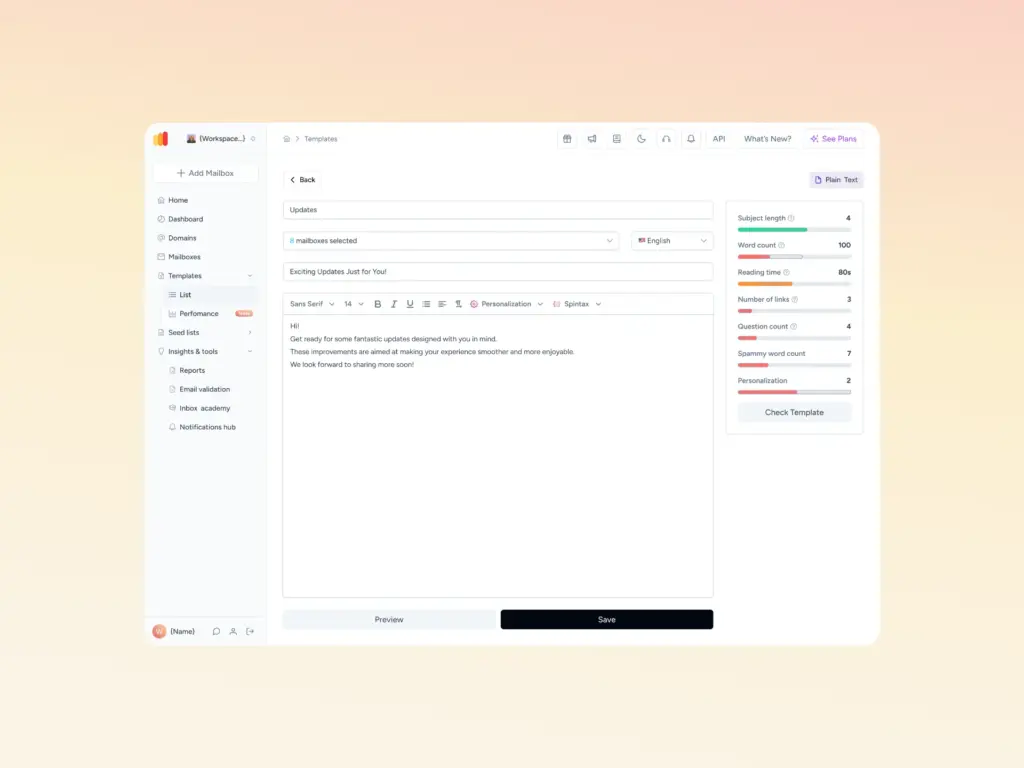
Verify that your outgoing emails are in alignment with Gmail’s best practices. Employ tools like Warmy’s Template Checker to ensure your email content does not trigger spam filters.
For Outlook Users
Verify Outlook SMTP Settings
Confirm your Outlook email account is configured with the correct SMTP settings, crucial for establishing a successful connection to the email server. The necessary SMTP settings for Outlook are:
- SMTP server:
smtp.office365.com - SMTP username: Your full Outlook email address (e.g.,
yourusername@outlook.com) - SMTP password: Your Outlook password
- SMTP port:
587 - Encryption method: STARTTLS
Ensure Email Authentication
Implement or verify the presence of SPF, DKIM, and DMARC records for your domain to solidify your email’s authenticity. Correctly setting these records can significantly mitigate Error 450 4.7.1 by affirming to receiving servers that your emails and domain are legitimate.
Pro Tip: Don’t just add SPF, DKIM, and DMARC records and move on – verify they actually pass. A record with a typo or an SPF string over the 10-lookup limit will still trigger 450 4.7.1 even though it looks correctly configured at a glance.
Adjust Exchange Online Protection (EOP) Settings
For organizations utilizing Outlook within Microsoft 365, it’s critical to examine the EOP configurations. Ascertain that your emails are not being erroneously intercepted or rejected due to stringent policy measures or misconfigurations within EOP.
For Yahoo Users
Assess Yahoo Mail Sending Quotas
Yahoo implements sending limits to mitigate spam, which include:
- Daily Email Limit: Up to 500 emails per day from a single email account.
- Recipients per Email: You can send an email to a maximum of 100 recipients in a single email. For more extensive outreach, consider dividing your recipient list across multiple emails.
- Attachment Size Limit: The maximum size for email attachments is 25MB, inclusive of the email text and any other attachments.
Pro Tip: If you’re regularly brushing up against Yahoo’s 500-email daily cap, that volume is a strong sign you’ve outgrown a personal Yahoo account for business sending – a dedicated domain with proper warmup will remove the ceiling entirely.
Verify Yahoo Account Integrity
Regularly check that your Yahoo Mail account remains secure and has not been marked for suspicious behavior. Sudden spikes in email activity or signs of unauthorized access can lead to temporary restrictions on your account, contributing to Error 450 4.7.1. Keeping your account secure and your activities within typical patterns helps maintain uninterrupted email service.
Consult Yahoo Mail Support
Persistent issues with SMTP Error 450 4.7.1, despite following preventive and corrective measures, may require direct intervention from Yahoo. You can visit their support center at Yahoo Mail Help for guidance, solutions to common problems, and ways to contact their support team if necessary.
Understanding SMTP Error Codes: 450 Series
SMTP 450 error codes indicate temporary email delivery issues, generally due to issues on the recipient’s end. Each code variation highlights a specific cause – see the full list of SMTP error codes and messages if you run into a variant not covered below, or check this related guide on how to fix SMTP error 450:
- 450 4.1.0 “Recipient Address Rejected” – The recipient’s email server has temporarily rejected the address. Try resending later or verify the email address.
- 450 4.2.0 “Mailbox Unavailable” – The recipient’s mailbox is either full or unavailable. Attempt delivery again after some time.
- 450 4.7.1 “Client Host Rejected” – The receiving server has flagged your server or IP due to reputation issues or policy settings. Check your sender reputation or contact your email provider.
- 450 4.4.1 “Connection Timed Out” – There was a connection issue with the receiving server. Resend the email or check network settings.
Recommended Actions: For 450 series errors, retry sending your email after a delay. Persistent issues may require checking your sender reputation, verifying recipient addresses, or contacting the recipient’s server administrator for further assistance.
Fortifying Your Email’s Health Using Warmy.io
Warmy.io stands as a proactive defense mechanism against common email delivery issues, such as SMTP Error 450 4.7.1. By simulating realistic email engagements, Warmy.io works to gradually build and maintain your email sender reputation, effectively minimizing the risk of encountering SMTP errors.
Want to see your own sender reputation before it triggers another 450 4.7.1? Start a free warmup with Warmy.io and build the trust signals email providers actually check for.
This tool operates by sending emails from your account to a network of real users who interact with your messages, thus signaling to email service providers that your communications are legitimate and valuable.
The result? A significant decrease of your emails being misclassified as spam or encountering delivery errors, ensuring your messages consistently land in the intended inboxes.
Test Before You Send with Deliverability Tools
Before launching a big email campaign, it’s smart to check where your messages will actually show up. Will they land in the inbox, get lost in promotions, or hit the spam folder? With Warmy.io’s Free Deliverability Test, you’ll get that answer across multiple providers, so you can fix any issues before it’s too late – whether that’s your SPF/DKIM/DMARC setup, timing, or content.
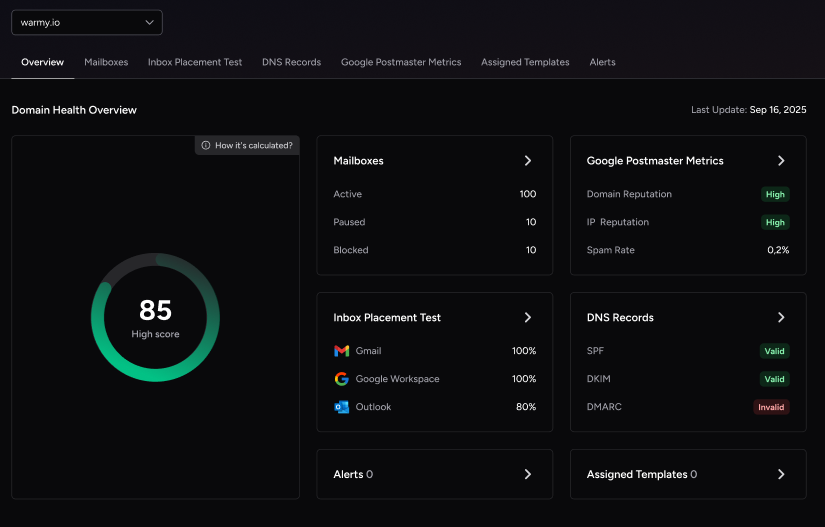
And then there’s the Domain Health Hub, your go-to dashboard for seeing how your domain is performing. You’ll get:
A domain health score based on authentication, blacklists, and inbox placement
Weekly and monthly reports to track trends
DNS checks to make sure your SPF, DKIM, and DMARC are set up right
Multi-domain monitoring if you’re managing more than one brand
A handy Template Checker to make sure your emails won’t get flagged
Speaking of that Template Checker – it scans your subject lines, email body, formatting, and links to catch anything that might trigger spam filters (especially UK-based ones). You’ll get real tips to tweak your tone, avoid spammy words, and improve your structure. Oh, and it now comes as a Chrome Extension too. Bonus!
Real Engagement That Boosts Deliverability
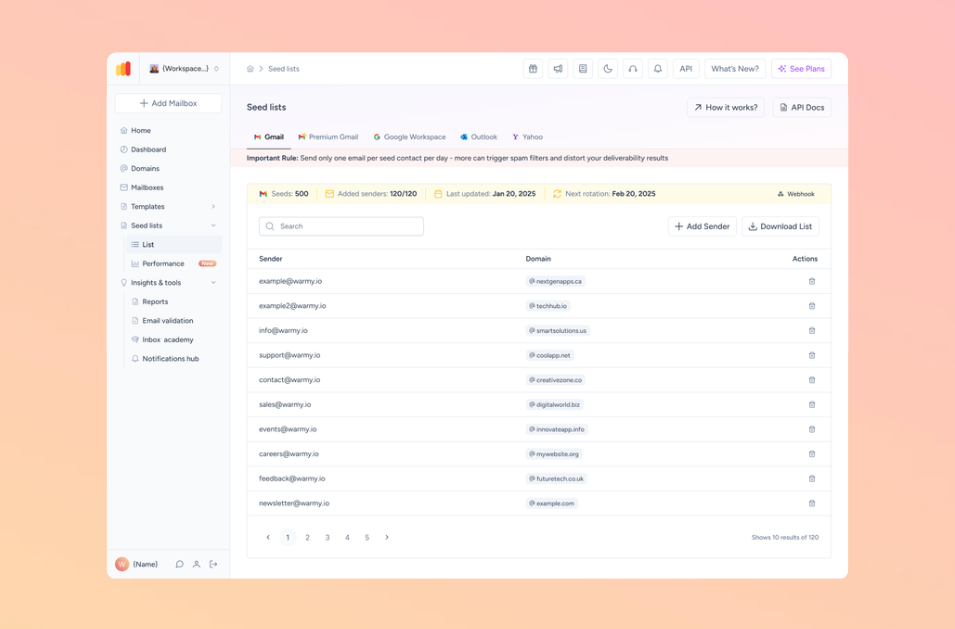
What really sets Warmy.io apart? Real human-like engagement. The platform uses active seed lists – not fake or dead addresses. These real mailboxes actually open, reply to, click, and archive your emails. This kind of authentic engagement is exactly what ISPs look for when deciding if your emails are trustworthy. And when providers see that trust, more of your emails land in the inbox instead of spam.
Conclusion
As we conclude our guide on resolving SMTP Error 450 4.7.1, it’s crucial to remember the importance of promptly addressing this issue. Ignoring or delaying action can lead to further disruptions in your email communications, potentially affecting your professional relationships and operations.
Still stuck, or want an expert to walk through your specific setup? Book a free demo with Warmy.io and get a tailored fix instead of troubleshooting alone.











