Five weeks before the sale, start your Black Friday email warm-up. Increase send volumes by 25-50% each time, reach out to engaged subscribers first, re-engage inactive ones in batches, and pull back to engaged segments for the last two to three days before the sale.
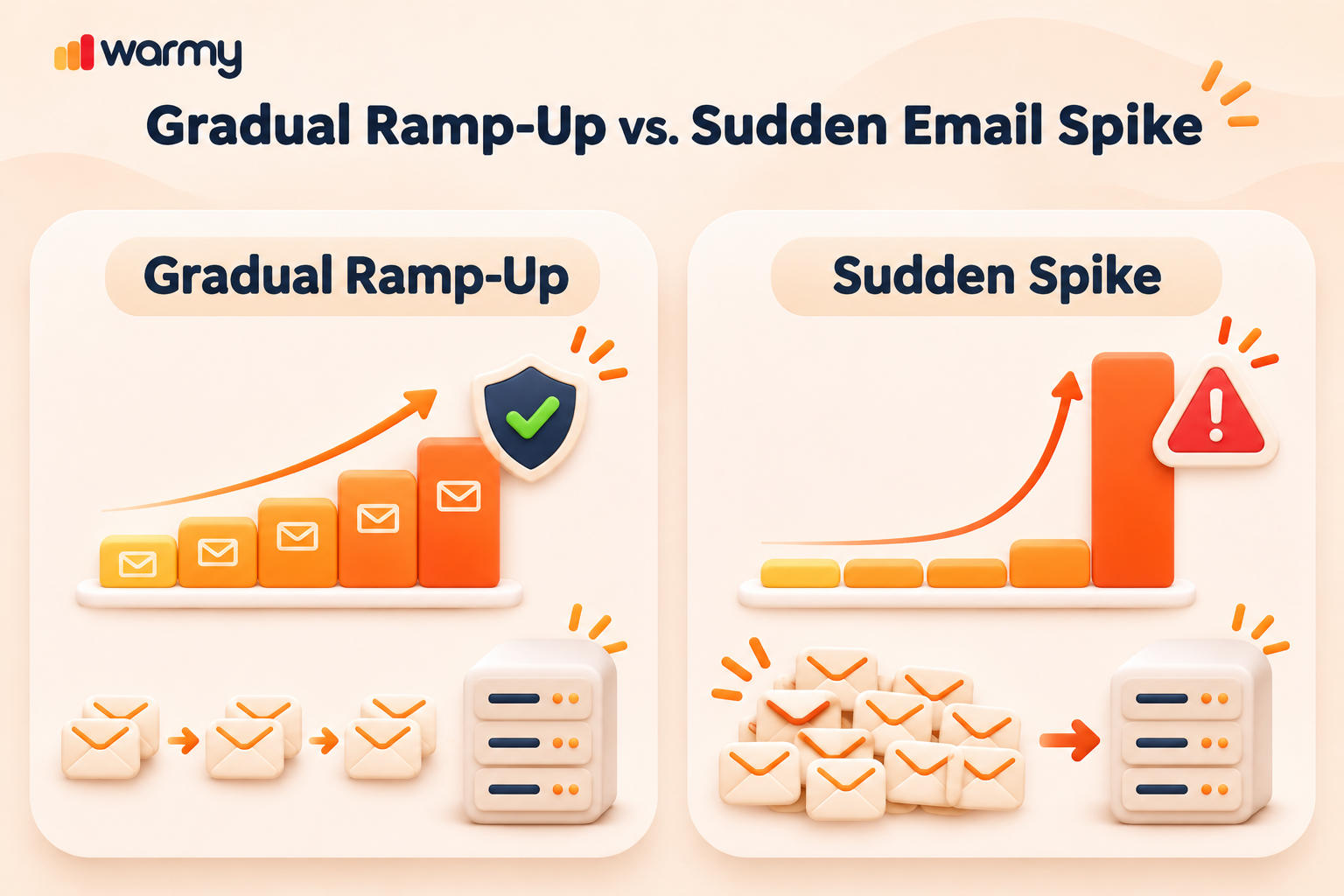
BFCM email volume is much greater than usual, and mailbox providers read a sudden spike as spammer behavior. With this email warm up schedule, you increase volume gradually over five weeks and keep your email sender reputation intact through the peak sale season.

Black Friday Mega Sale 2026: Get 50% off annual subscriptions + 25% off Annual Seed List plans from Nov 23 to Dec 4. Claim your discount!
Why Black Friday Volume Spikes Hurt Your Sender Reputation
Gmail, Yahoo, and Outlook evaluate senders based on consistency and engagement. For example, if a domain suddenly jumps from 60,000 to 200,000 recipients in a day, it looks like it may have been hijacked. The more email you send, the greater the impact on your reputation, since complaints and bounces are magnified by volume. According to our data from November 2025, average deliverability for Warmy users dropped from about 82% to 37% as holiday volume built up. Mailbox providers often answer an unfamiliar volume pattern with deferrals and email throttling.
Google’s sender guidelines treat anyone sending 5,000 or more messages a day to personal Gmail addresses as a bulk sender. Google and Yahoo sender requirements differ on the complaint ceiling: Google wants your spam rate below 0.1% and never at 0.3% or higher, while Yahoo asks senders to stay below 0.3%. Since May 2025, Outlook rejects bulk mail from domains sending more than 5,000 emails a day that fail SPF, DKIM, or DMARC. Our Gmail bulk sender requirements guide covers each rule.
When to Start Pre-Black Friday Emails
The industry standard is to start the warm-up process four to six weeks before Black Friday, which puts the start of the process in October. We recommend five weeks, which is enough time to resolve any authentication issues, clean the list, and win back lapsed contacts before the volume increases. That leaves two weeks to ramp up and launch. Plan your pre Black Friday emails as part of your Black Friday email strategy: choose now which segments will receive the sale email, and build each earlier send around them.
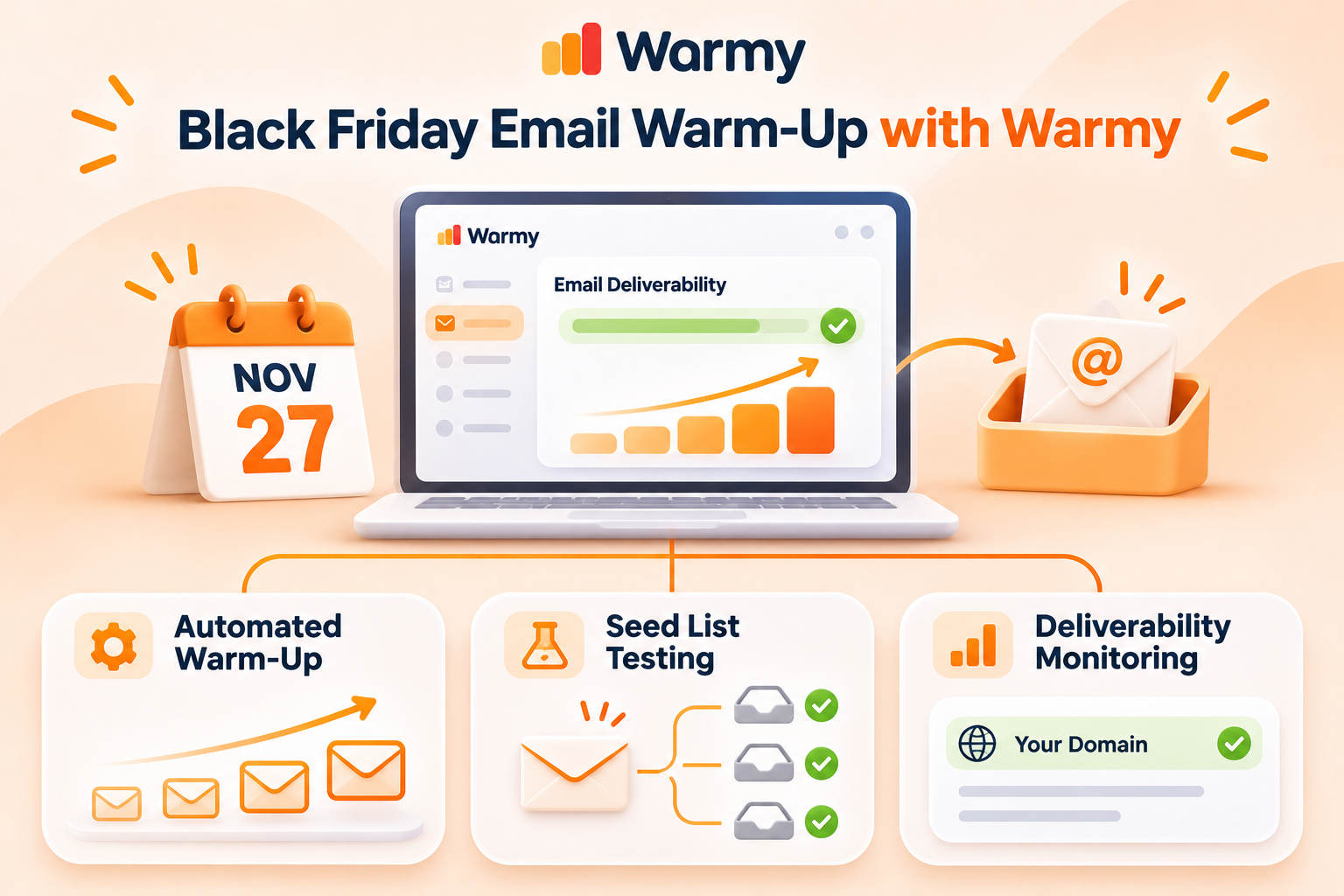
Black Friday 2026 calendar. Start the warm-up on Friday, October 23. Thanksgiving falls on Thursday, November 26, Black Friday on November 27, Small Business Saturday on November 28, and Cyber Monday on November 30.
Your 5-Week Black Friday Email Warm-Up Schedule
| Week | 2026 dates | Goal | Audience | Volume, % of BF peak | Move on when |
|---|---|---|---|---|---|
| 5 | Oct 23-29 | Authentication, baseline metrics | Usual segments | Usual (~30-40%) | SPF, DKIM, DMARC pass; complaints below 0.1% |
| 4 | Oct 30-Nov 5 | Verify and segment the list | Engaged in the last 90 days | 40-50% | Hard bounces below 1% |
| 3 | Nov 6-12 | Bring back lapsed contacts in small batches | + lapsed 90-180 days, up to 10% of daily volume | 55-65% | Complaints and bounces stay flat |
| 2 | Nov 13-19 | Ramp to peak volume | Expand by 25-50% per send | 80-90% | No deferrals (4xx), stable inbox placement |
| 1 | Nov 20-26 | Pull back, test, launch | Engaged only for 2-3 days, then a teaser | Engaged, then 100% on BF | Seed test and template check passed |
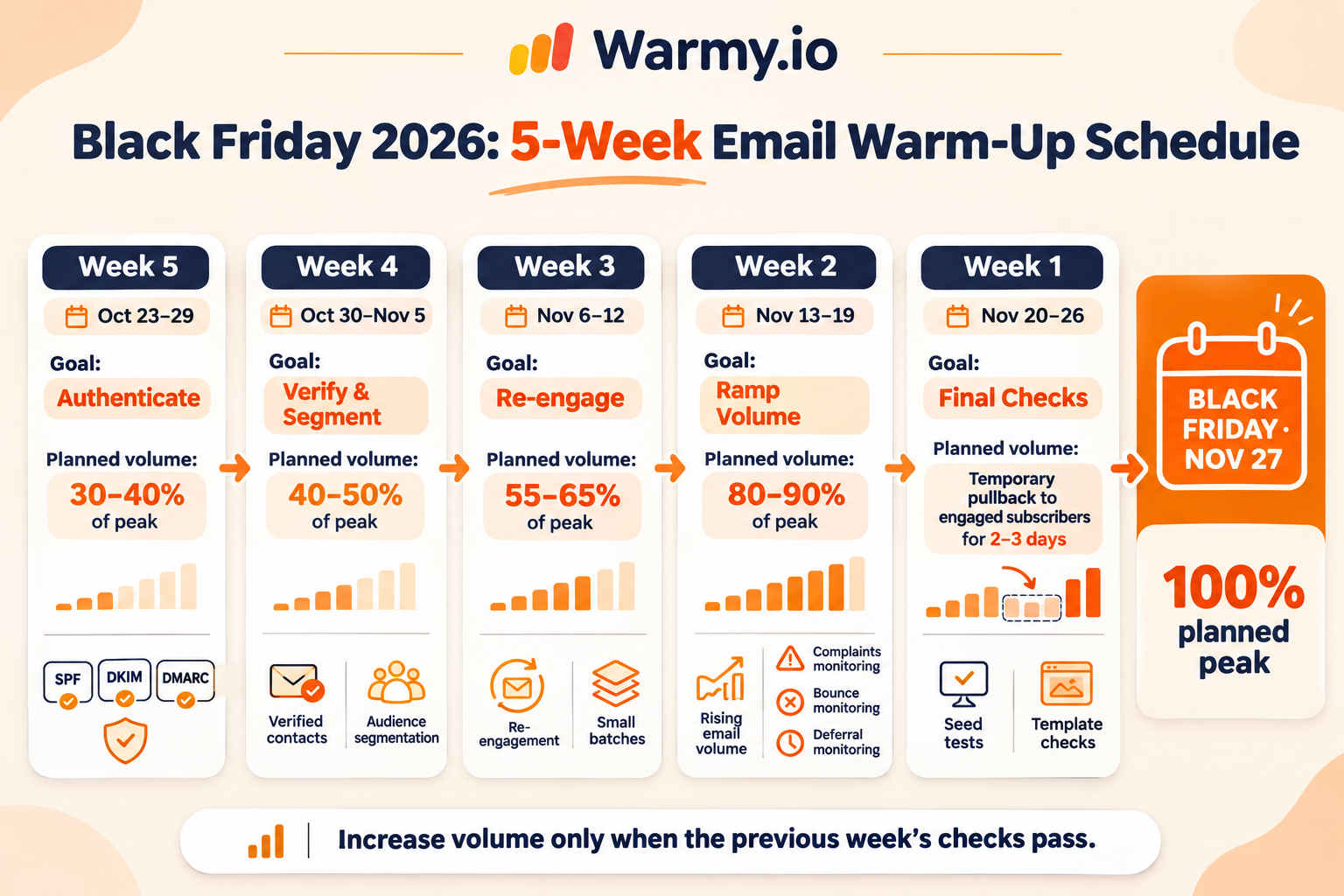
In this email warm up schedule, a company with 200,000 subscribers that normally mails 60,000 of them begins at about 30% of peak. Miss an exit criterion, and you hold volume where it is.
Week 5 – Authenticate and Set Your Baseline
SPF and DKIM should pass, and you should have a DMARC record published with p=none (or stricter) and aligned with your From domain. That combination is the best email authentication for high email volume senders, because Gmail, Yahoo, and Outlook check all three. In your email headers, add one-click unsubscribe (RFC 8058). Run a free email deliverability test and take note of today’s complaint rate, bounce rate, and placement. Also take a look at your Google Postmaster data. From this point forward, everything will be measured against these metrics.
Week 4 – Verify and Segment Your List
Cleaning the list is the core of your Black Friday email prep. Run everyone you plan to mail through email list verification to find dead addresses before they become hard bounces. If you have a small list, a free email verifier will do. Then split the list into contacts who clicked in the last 30, 60, and 90 days, and set a sunset rule: anyone with no clicks in 180 days stays out of the Black Friday sends.
Week 3 – Re-Engage Lapsed Subscribers in Small Batches
You can gradually win back lapsed subscribers. On an email warm up schedule, contact subscribers who have been inactive for 90 to 180 days in batches of less than 10% of your daily sends. Send them one message with one goal: to get them to click for early access to the deals. Since Apple Mail Privacy Protection inflates open rates, evaluate results based on clicks.
Week 2 – Ramp Volume Toward Your Black Friday Peak
This is where you warm up email marketing volume in earnest. Each send grows by 25-50%, never more, until you reach 80-90% of the list. Our brand with 200,000 contacts reaches around 120,000 by the end of Week 3, so two more sends at 150,000 and 180,000 take it to 90% of the list. That is how to warm up a domain for large-scale B2C campaigns: in steps, with a day of data between them. The warm-up calculator works out the step size from your own numbers.
Calculate your email warm-up step with the Warmy calculator
Week 1 – Pull Back, Test, Then Launch
For two to three days before the sale, email only contacts who clicked in the last 30-60 days. Run seed list testing and check your Black Friday template for spam triggers. Send engaged contacts a Thanksgiving teaser.
Takeaway: Do not increase the volume until you meet the previous week’s exit criterion. A week’s delay will cost you much less than landing in the spam folder.
How Fast Can You Increase Sending Volume Before Black Friday?
| Approach | Rule | Best for |
|---|---|---|
| Fast ramp | +50% audience on each send | Accounts with strong engagement |
| Standard ramp | +25-40% per campaign | Most ecommerce brands |
| Cautious ramp | No more than +25% over the highest daily volume of the last 2 weeks | Dedicated IP senders and cautious senders |
| Frequency ramp | No more than 2x average volume, +1 campaign per week | Brands increasing send frequency |
| Dedicated IP warm-up | 25-40% steps until Black Friday | Dedicated IP |
| Warmy recommendation | Healthy list: up to +50%; average list: +25-30%; after problems: hold volume and warm up the domain | Picking a step size by list health |
The first five rows summarize published guidance from Klaviyo, Omnisend, Mailjet, Ometria, and SendGrid, in that order; the last row is our own recommendation. How to scale email volume depends on the condition of your list: the healthier it is, the faster you can ramp up. If your complaints stay well below 0.1% and most recipients have clicked within 90 days, you can go up to roughly 50% per send. A standard list usually needs 25-30%. If deferrals appear, stop increasing volume until they clear. Our guide to email sending volume covers the daily math.
Domain Warm-Up vs IP Warming Before BFCM
On shared IPs, domain reputation decides results. On a dedicated IP, follow an IP warming schedule alongside the domain ramp. Do not roll out a new IP or domain close to the holiday season. New domains have zero history, and our domain warmup timeline shows how long to warm up an email domain before a campaign. If a move is unavoidable, start at 100 emails a day.
Black Friday Warm-Up in Klaviyo, Mailchimp and SendGrid
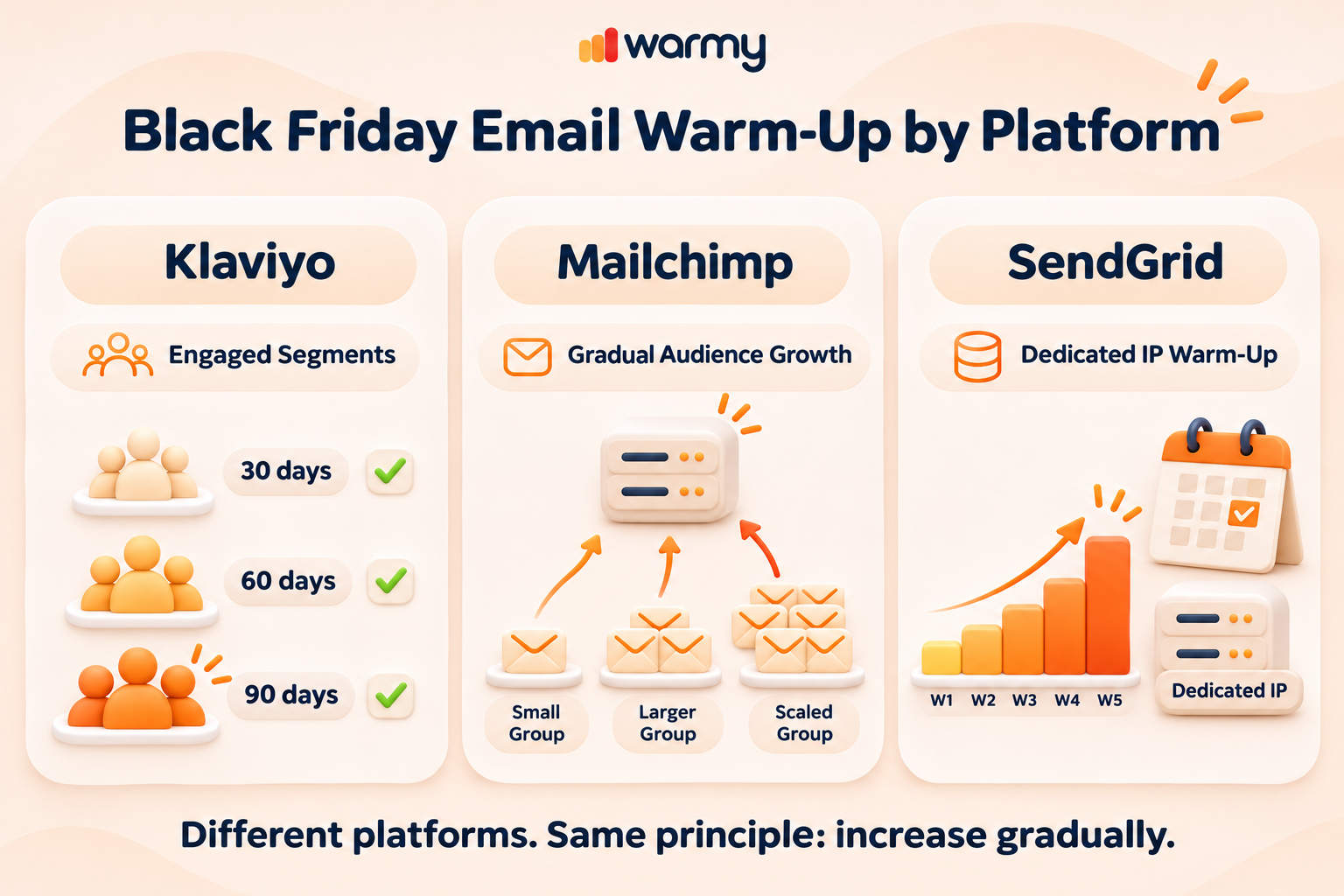
Each platform handles warming a little differently, so the setup depends on where you send from. Here is what to adjust in the three we see most often.
Klaviyo IP Warming and Engaged Segments
Dedicated IPs are meant for managed accounts, which is why most brands work with segments. The guided warming process is available only to eligible accounts, mainly new Klaviyo accounts, and adding a new sending domain does not restart it. Everyone else should warm up through engaged segments. Smart Send Time can help with scheduling once you have enough engagement data, but it does not replace the ramp. See our Klaviyo deliverability tips.
Mailchimp Warm Up on Shared IPs
When you send from shared IPs, how to warm up email depends on how fast your audience grows. If a campaign’s audience suddenly triples, mailbox providers can respond with throttling, higher spam placement, or a drop in domain reputation. Increase your audience size slowly, week by week. If it is already happening, read Mailchimp emails going to spam.
SendGrid Warmup Schedule for Dedicated IPs
The SendGrid warmup schedule for automated IP warmup limits a newly assigned IP to 20 emails per hour on day one and continues for 41 days. Mail over the hourly limit goes to other warm IPs on your account, and without one, it is retried and expires after 72 hours. Turning it on one week before the sale may leave your emails stuck in the queue. The same gradual principle applies to Omnisend and Shopify Email.
Started Late? A 2-3 Week Compressed Warm-Up Plan
With 2-3 weeks remaining, go for a smaller peak:
- Send only to contacts who clicked in the past 90 days.
- Leave out the lapsed subscribers and re-engage them in January.
- Run the promotion across the entire Cyber Week to spread out the volume.
- Keep growth to 25-30% per send.
- Seed test each campaign.
- Turn on automated domain warm-up.
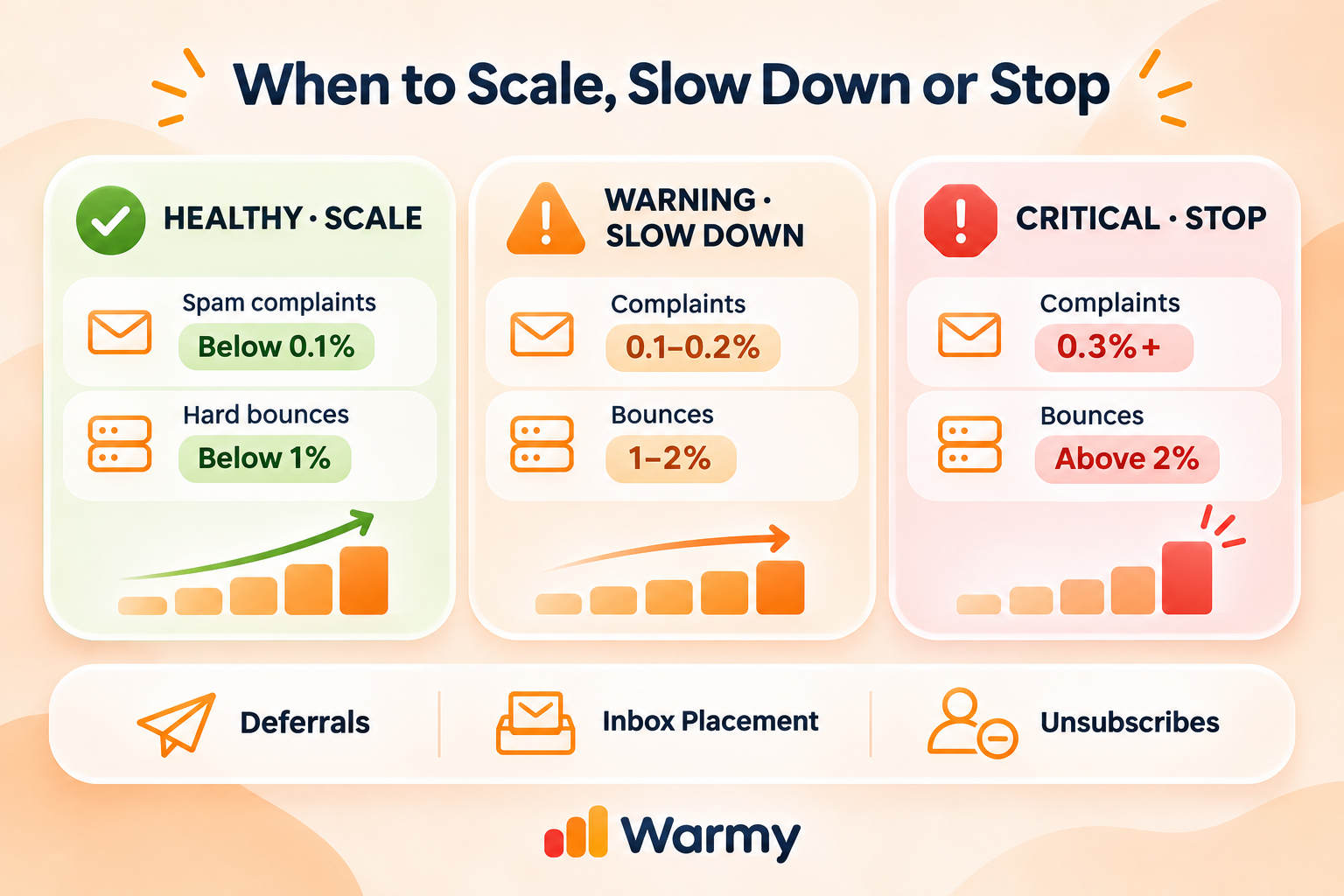
Metrics to Watch While You Ramp Up
| Metric | Healthy | Slow down | Stop and investigate |
|---|---|---|---|
| Spam complaint rate | below 0.1% | 0.1-0.2% | 0.3% or higher |
| Hard bounce rate | below 1% | 1-2% | above 2% |
| Deferrals (421, 451) | none | rising day over day | lasting more than a day |
| Inbox placement (seed test) | above 90% | 80-90% | below 80% |
| Unsubscribes | at baseline | noticeably above baseline | sharp spike after a send |
The 0.1% target comes from Google; the 0.3% ceiling is shared by Google and the Yahoo Sender Hub. In 2025, Google Postmaster Tools stopped showing reputation charts, and the Compliance Status dashboard now sits next to your spam rate.
Whatever email warm up schedule Gmail sees from you, check its spam rate every day. Run an inbox placement test after every stage, and if there are any deferrals, run a blacklist checker. A reading in the “stop” column means mailing engaged contacts only until it clears; our spam complaint rate guide explains the causes.
Run a free email deliverability test
Best Time to Send Black Friday Emails Without Hurting Deliverability
For the best time to send Black Friday emails, we follow Ometria’s and Omnisend’s past-season data and recommend sending from 6 am to 10 am in your audience’s time zone. Start with your engaged contacts, then reach the rest of your list an hour later in 20% batches sent 30 minutes apart. Never schedule exactly on the hour. Our best time to send tool shows when your own subscribers engage.
How Warmy Keeps Your Domain Warm Through BFCM
Warmy’s automated email warm-up builds positive engagement from inboxes such as Gmail, Yahoo, and Outlook, and works with platforms like Klaviyo, Mailchimp, Shopify, and Omnisend. Teams also use it as one of their tools to automate email warm up before large outbound campaigns. Use it to warm up email marketing sends and test placement in the same interface.
According to our 2025 research, users who started in November and warmed up with the Seed List reached up to 96% deliverability by month-end. Explore Black Friday deliverability support, ecommerce email deliverability, and sender reputation repair.
Start a 7-day free trial with Warmy, no credit card required
FAQ
How early should I start my pre-Black Friday emails?
Five weeks is ideal, with four to six weeks working for most domains. It’s enough for authentication, list cleanup, re-engagement, and building a ramp. Starting earlier leaves room to pause if complaints rise; starting later means accepting a smaller, more cautious peak on the day itself.
Do I need to warm up if my domain already sends every week?
Yes, if your sales emails go out at much higher volume than your other campaigns. Your weekly volume establishes your sending profile, so any increase from 60,000 emails to 200,000 is considered a spike. Mailbox providers judge you against your own recent history, not against other brands, so even a well-known domain needs a ramp before its biggest send.
How much can I increase email volume per send before BFCM?
Increase it by 25% to 50% per send. Healthy lists can take the maximum, average lists about 25-30%, and deferrals might require holding volume. Leave at least a day between steps so you can read complaints and bounces before the next increase, and never double volume overnight.
Should I send sale emails to inactive subscribers?
Only after they re-engage. Send only to people who responded to a re-engagement campaign, and to no more than 10% of your daily volume. Subscribers who haven’t clicked in six months are a common source of complaints and spam traps. Everyone else can wait for a January win-back campaign.
Is it too late to warm up my domain two weeks before Black Friday?
No, it is not. Use compressed warming: send only to contacts engaged in the last 90 days, skip lapsed subscribers, spread the sale across Cyber Week, and expect a lower peak. Turning on automated domain warm-up and seed testing each campaign also helps you catch problems before the main sale days.
Should I use a new domain for Black Friday campaigns?
No. Five weeks is not enough to build sending history for holiday-scale campaigns. If it’s necessary, start sending 100 emails per day well before the sale. Keep your main domain for the peak sends: its history is what carries holiday volume.
Does Klaviyo warm up my sending domain automatically?
In some cases only. Guided warming (which filters out unengaged contacts) is available only to eligible accounts, such as new ones. Existing accounts should build their own engaged segments. A practical start is contacts who clicked in the last 30, 60, or 90 days, expanded step by step before the sale.
What spam complaint rate is safe during Black Friday?
Keep it below 0.1%. Google recommends staying under that level and treats 0.3% or higher as a problem, while Yahoo asks bulk senders to stay below 0.3%. During Black Friday, check your spam rate daily in Postmaster Tools and pull back to engaged contacts as soon as it rises.
What is the best time to send Black Friday emails?
Early morning, at 6-10 a.m. in your recipients’ time zone. Start with engaged contacts, then send to the rest in batches an hour later, and schedule a few minutes off the hour. That window comes from past-season data from Ometria and Omnisend; if your own engagement history points to a different hour, trust your data.
What should I do if my emails start going to spam during Cyber Week?
Cut volume right away and mail engaged contacts only. Check blocklists and your Postmaster spam rate, then improve sender reputation before scaling again. If the problem lasts more than a few days, pause promotional sends, fix the cause, and bring volume back gradually instead of mailing the full list again.
Today, check that SPF, DKIM, and DMARC pass, then calculate your initial ramp step. For the rest of the season, follow our guide to Black Friday email marketing.
Black Friday Mega Sale 2026: Get 50% off annual subscriptions + 25% off Annual Seed List plans from Nov 23 to Dec 4. Claim your discount!