It is easy to ignore until something goes wrong. But once you need to know which company sent an email, why you received it, or how to stop getting similar messages, this is the first thing you usually pay attention to. For a business, professional email footers can also carry information required by email marketing laws and give recipients a clear way to manage their preferences.
The tricky part is knowing where to stop: a footer packed with legal copy, social icons, tracking links, disclaimers, and other extras is usually harder to read than the email itself. In the end, you will have an email with unnecessary information.
So, what should the best email footers include? There are legal requirements, useful footer elements, and design choices that can make your email look more trusted.
Key Takeaways
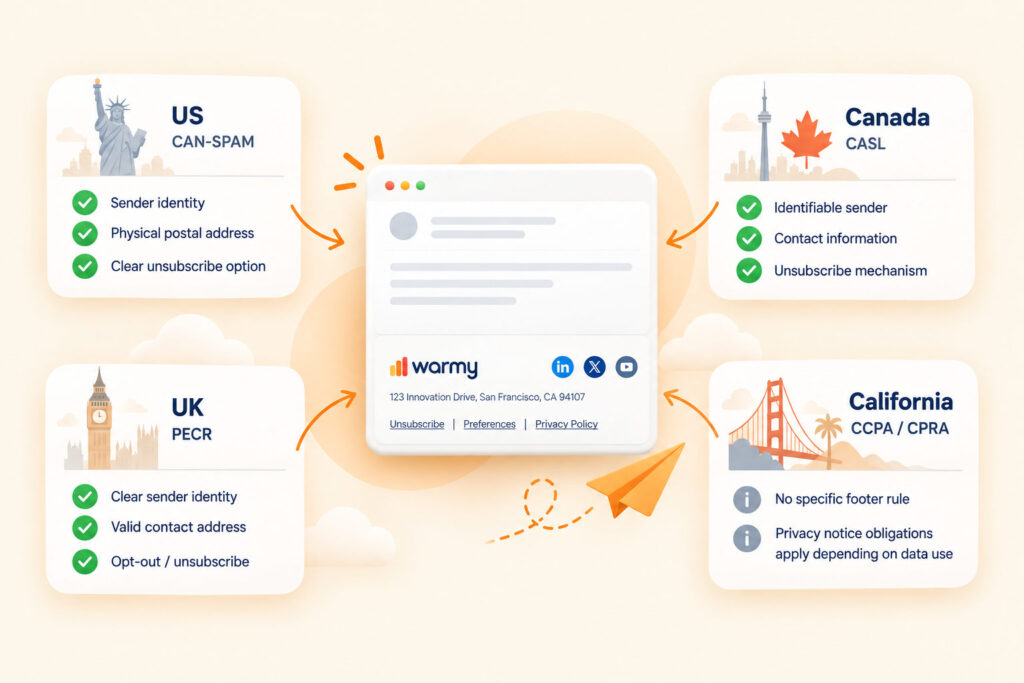
- Marketing email footer requirements vary by jurisdiction. In the US, CAN-SPAM requires a valid physical postal address and a clear opt-out method; Canada requires sender identification/contact information and an unsubscribe mechanism; UK PECR requires sender identity and a valid contact address for opting out.
- A clear email footer can reduce recipient confusion and spam complaints. Complaint rate is an important deliverability signal for major mailbox providers.
- Most missing elements hurt deliverability indirectly, through complaints and lost trust, not through an automatic spam verdict.
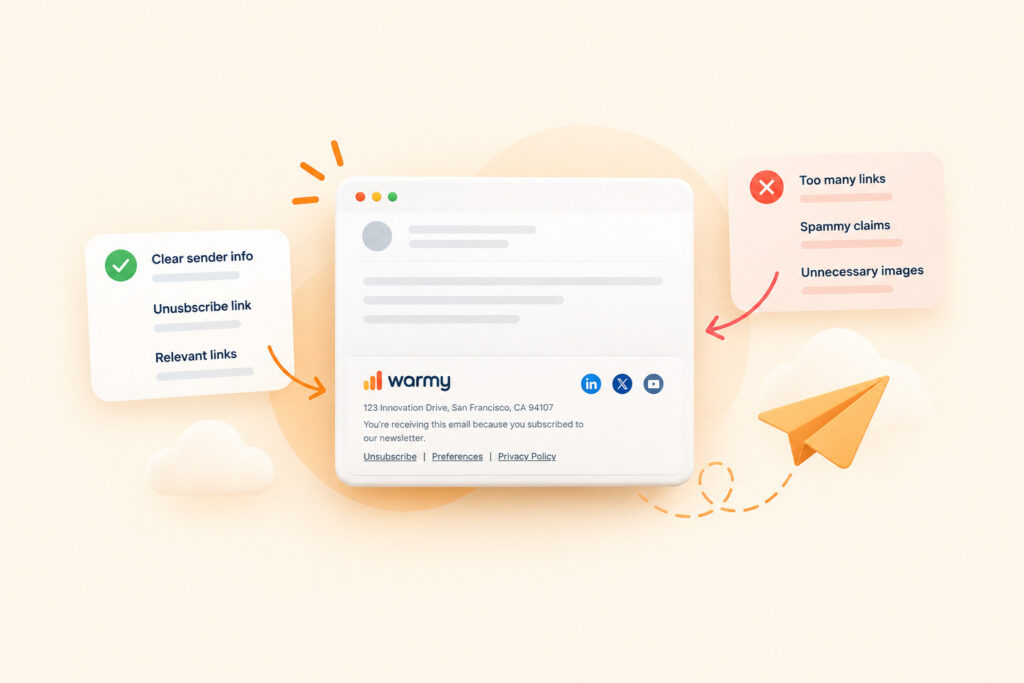
- Keep the footer short, use real text instead of image-only blocks, and test it with images turned off.
- Laws differ by country, so check the rules for the regions you send to.
What Legally Needs to Be in Your Footer
Business email footer requirements depend on the recipient, the sender, the type of message, and the jurisdictions involved. A campaign reaching recipients in the US, Canada, and the UK may need to satisfy more than one legal framework, so the footer should be reviewed against the rules that actually apply to that campaign.
| Law | Region | Key email requirements |
|---|---|---|
| CAN-SPAM | US | Physical postal address + clear unsubscribe option |
| CASL | Canada | Identifiable sender + contact information + unsubscribe mechanism |
| PECR | UK | Clear sender identity + valid contact address for opt-out/unsubscribe |
| CCPA / CPRA | California | No specific email footer rule; privacy notice obligations apply depending on how you collect and use personal data |
These laws regulate more than the footer itself, but the footer is a common place for sender details and opt-out information. FTC CAN-SPAM email footer requirements include a valid physical postal address, CRTC CASL commercial email requirements include identification and contact information, and ICO PECR email marketing rules require a valid contact address for opting out. This section is a general overview, not legal advice or a substitute for advice from a qualified lawyer in the relevant jurisdiction. Rules can change, so confirm current requirements with the relevant regulator.
Unsubscribe Links: The One Element You Can’t Skip
For marketing emails covered by CAN-SPAM, CASL, or PECR, recipients need a working way to opt out. Making that option easy to find also matters for reputation because recipients who cannot unsubscribe easily may choose to report the message as spam.
Make the link visible and let people leave in one or two clicks. Gmail and Yahoo also require qualifying bulk senders to support one-click unsubscribe for promotional or marketing messages through the List-Unsubscribe header, in addition to a visible unsubscribe option. For the full setup, read our complete guide to unsubscribe links and email deliverability.
What Else Should Be in Your Footer (Beyond the Legal Minimum)
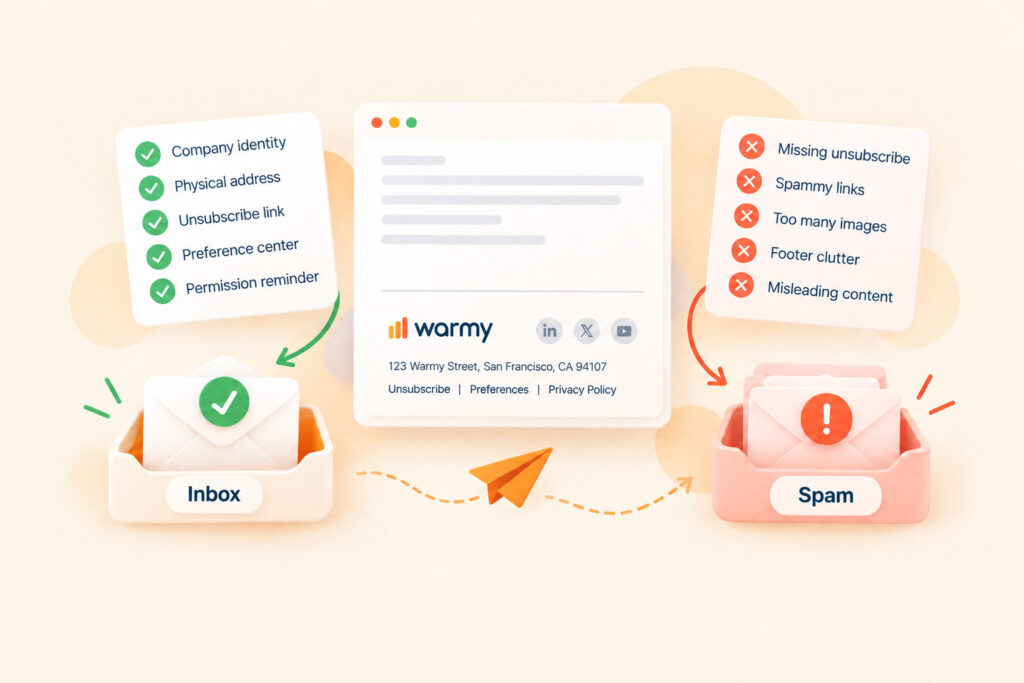
We’ve already talked about the legal minimum, but it still doesn’t guarantee readers will understand who you are or why the email reached them. Some elements help readers identify the sender, understand why they received the message, and manage future emails.
Start with a permission reminder: one line that explains why the person receives the email, such as “You are receiving this because you signed up for product updates on our website.” It gives context to readers who may not remember subscribing and can reduce confusion. Put your company name near the relevant contact details so the sender is easy to identify.
If you send more than one type of email, add a link to a preference center. It lets people adjust topics or email frequency without unsubscribing from every message. Add a privacy policy link for readers who want to know how you handle their data. Every extra link in a footer on email for social media or something else adds visual clutter and another element to maintain. If a link serves no clear purpose, leave it out.
How a Missing Footer Element Quietly Hurts Deliverability
A missing footer element does not automatically send an email to spam. The bigger deliverability risk is usually indirect, through recipient behavior and sender-policy requirements. Google bulk sender spam rate guidelines recommend keeping user-reported spam below 0.1% and avoiding 0.3% or higher; Yahoo bulk sender complaint rate requirements require bulk senders to keep spam complaints below 0.3%. Footer problems can contribute to complaints in several ways.
| Footer element | What goes wrong without it | Link to deliverability |
|---|---|---|
| Unsubscribe link | Readers report spam instead of unsubscribing, and qualifying bulk senders lose the one-click unsubscribe mechanism required by major mailbox providers. | Direct |
| Sender name and address | Readers may fail to recognize the sender and complain. Depending on the message and jurisdiction, legally required sender or contact information may also be missing. | Indirect |
| Permission reminder | Readers who do not remember subscribing may report the unexpected message. | Indirect |
| Preference center | Readers who want fewer emails have no built-in way to reduce frequency without unsubscribing. | Indirect |
| Shortened or broken links | Shortened URLs hide the destination and raise trust and security concerns, while broken links erode trust. | Indirect |
| Text next to images | An image-only footer becomes unreadable when images are blocked, especially when the unsubscribe link or other key details live only inside the image. | Indirect |
Treat the footer as one part of the overall sending experience. Major mailbox providers do not publish a rule saying that a missing address or permission reminder alone automatically triggers spam placement. Unsubscribe accessibility and working links have a more direct practical role, while clear sender identification and permission reminders mainly reduce recipient confusion. If complaint rates are high, review list quality, targeting, sending practices, and the footer together. For a wider view of reputation signals, see our guide on how to improve email sender reputation and reduce spam complaints.
Footer Design Best Practices
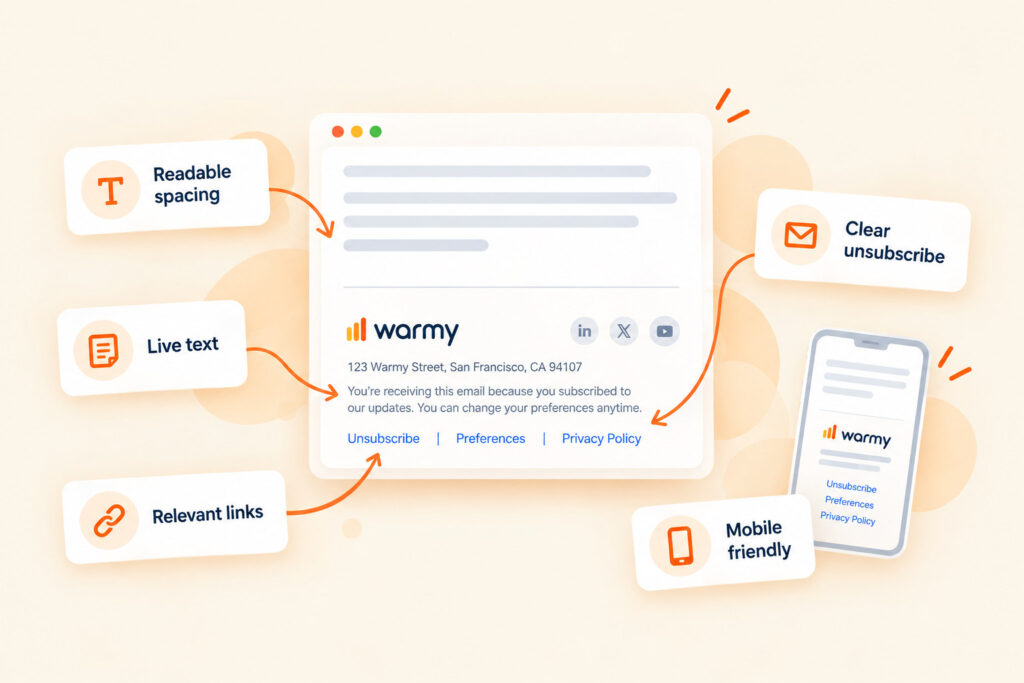
When you design an email footer, keep it easy to scan. Use a readable font size, enough spacing, and clear contrast so contact details and links remain visible on any screen. Group related links instead of filling the footer with separate icons and navigation. Keep key information as live HTML text rather than placing it inside an image. Finally, check the plain-text version so essential contact details and the unsubscribe option remain available without HTML formatting.
For the broader design and rendering side, use our HTML email design best practices for deliverability. If your template is getting heavy or long, our email template size best practices explain why footer visibility can suffer when an email is clipped.
Real Email Footer Examples
Real examples are useful because they show different ways to balance compliance, identification, and design without turning the footer into a second email. These email footer examples illustrate four approaches:
- Health-Ade Kombucha: opens with a permission reminder explaining why subscribers receive the email, whether they signed up on the website or at an event.
- BANGS Shoes: keeps the footer mostly text-based, with few elements.
- Udemy: sets light text on black and groups the unsubscribe link, privacy policy link, and mailing address.
- Semrush: adds a company tagline and links for unsubscribe, email preferences, privacy policy, and view in browser.
Each example prioritizes a different mix of information. The useful pattern is not to copy one brand’s footer, but to keep the sender identifiable, the required links accessible, and the layout easy to scan.
Common Footer Mistakes
Most footer mistakes fall into three groups: important information is hard to find, unnecessary elements add clutter, or details become outdated. The practical risk is usually complaints, lost trust, or compliance problems.
- Hidden unsubscribe link. Tiny, low-contrast text makes the link hard to find. If readers cannot find an easy way to unsubscribe, they may report the message as spam instead.
- Address in an unaccepted format. For US commercial email, CAN-SPAM accepts a street address, a post office box registered with the US Postal Service, or a private mailbox registered with a commercial mail receiving agency. An address in another format leaves the requirement unmet.
- Footer built as one image. Some email clients block images by default, and the unsubscribe link becomes unavailable if it exists only inside the image.
- Overloaded footer. Social icons, badges, and extra navigation add visual noise and can make important links harder to find.
- Shortened links. A shortened URL hides the destination, which gives readers less information about where the link leads.
- One company email footer for every email type. Marketing, transactional, and sales emails can have different content and compliance requirements, so a single footer template may leave out relevant information or add unnecessary promotional elements.
The common pattern is simple: recipients cannot find, read, or trust something in the footer. Review it before major campaigns and whenever your company name, address, legal requirements, or template changes.
Building Your Footer
Start with the legal minimum that applies to your campaign, then add only the elements that help recipients understand the sender or manage preferences. Many email service providers can insert unsubscribe controls automatically, but do not assume every required sender detail or address is added for you.
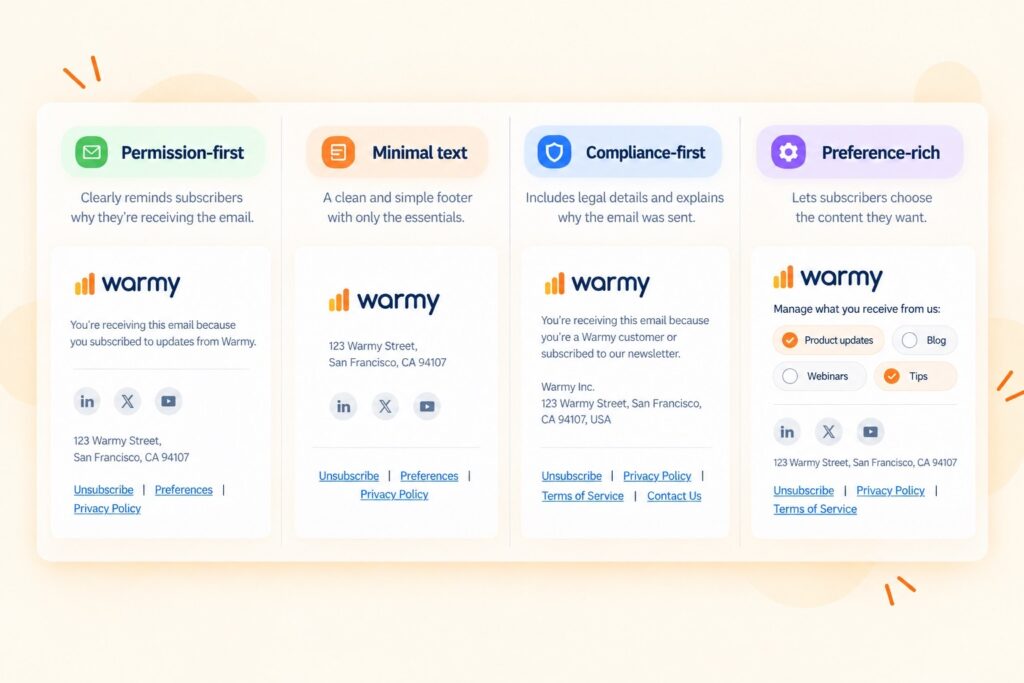
To build a professional email footer with Warmy’s free email signature builder, pick one of four templates, add your details, and copy the result as text or HTML. For the closing line above that block, see our collection of professional email sign-offs.
FAQ
What is legally required in an email footer?
It depends on the jurisdiction. US commercial email generally needs a valid physical postal address and a clear opt-out method; CASL requires sender identification, contact information, and an unsubscribe mechanism; UK PECR requires the sender not to conceal its identity and to provide a valid contact address for opting out.
Do I need a physical address in every marketing email?
For US commercial marketing email, CAN-SPAM requires a valid physical postal address. This can be a current street address, a US Postal Service-registered PO box, or a private mailbox registered with a commercial mail receiving agency.
Is a preference center different from an unsubscribe link?
Yes. An unsubscribe link removes the person from your list, while a preference center lets them adjust topics or frequency.
Do transactional emails need the same footer as marketing emails?
Not always. Footer requirements depend on the message’s content and purpose as well as the jurisdiction. Purely transactional messages can be treated differently from marketing messages, while an email that also contains promotional content may trigger additional marketing-email requirements.
What’s a permission reminder, and do I need one?
A permission reminder is a short line explaining why the person receives the email, such as “You are receiving this because you signed up on our website.” It is generally a best practice rather than a universal legal requirement, and it gives subscribers context when they do not remember signing up.
Should my footer be plain text or styled HTML?
Use styled HTML built from real text. Make sure the plain-text version of the email also includes the key footer information and a usable unsubscribe option.
Do footer requirements differ by country?
Yes. Different jurisdictions impose different requirements on commercial email, and a campaign sent across several regions may need to meet more than one set of rules.
Can a cluttered footer hurt email deliverability?
It can hurt indirectly. A crowded footer can make the unsubscribe option and sender details harder to find, which can increase confusion and make the message look less trustworthy.
How often should I update my email footer?
Review it whenever your company details, sending jurisdictions, privacy links, or email templates change, and include it in periodic campaign QA so broken links and outdated information do not linger.
Does a missing footer element trigger spam filters directly?
Not as a standalone rule. No major mailbox provider publicly states that a missing address or permission reminder automatically causes spam placement. A missing unsubscribe option carries more risk, since it can lead to spam complaints and unmet bulk sender requirements.
Wrapping Up
Professional email footers support compliance, sender recognition, and easy preference management. Keep the required information visible, explain why recipients are hearing from you when useful, and make opt-out options easy to use. Ready to set up your sender details? Build a footer-ready professional email signature with Warmy’s free Signature Builder.