How to improve email sender reputation quickly is to fix authentication first, then warm up the domain, clean your list, and monitor complaint and bounce rates continuously. Sender reputation responds fastest to authentication fixes and warmup activity working together, not to either one alone. Most senders see measurable improvement within two to four weeks when both are addressed at the same time.
If you’ve ever sent a campaign you were proud of, only to watch open rates flatline, you already know what a damaged sender reputation feels like. The frustrating part is that nothing about your content has to be wrong. Gmail, Outlook, and Yahoo are evaluating something else entirely: whether your domain and IP have earned the right to land in someone’s primary inbox.
Sender reputation is the trust score mailbox providers assign based on your authentication setup, sending history, and how recipients react to your mail. A new or recently inactive domain starts with effectively no reputation, which makes every send a gamble until you’ve built one.
Here are the 9 ways that move the needle fastest, in the order that actually fixes the problem.
What Sender Reputation Is and How It’s Scored
Sender reputation isn’t a single number you can look up in one place. Each inbox provider calculates its own internal reputation score independently, and a handful of third-party tools fill in the gaps:
- Google Postmaster Tools rates Gmail-specific domain reputation on a four-tier scale, High, Medium, Low, and Bad, where High means your emails are delivered directly to inboxes with minimal filtering.
- Validity’s Sender Score, a free 0-100 IP reputation checker, is the most common third-party benchmark and works like a credit score for your sending IP.
- Microsoft SNDS offers similar IP-level visibility for Outlook and Hotmail traffic.
That’s why a sender can look fine on one dashboard and still land in spam somewhere else: if you send through a shared ESP IP, your IP reputation depends partly on others, while your domain reputation is fully under your control.
The signals that move both scores most are:
- Spam complaint rate (recipients clicking “Report spam”)
- Hard bounce rate (permanent delivery failures)
- Spam trap hits
- Authentication pass/fail rate (SPF, DKIM, DMARC)
- Sending volume consistency
Gmail has made one of these explicit: senders should keep spam rates reported in Postmaster Tools below 0.10% and avoid ever reaching a spam rate of 0.30% or higher. That threshold is tighter than most senders assume, and it’s the first place reputation damage shows up.
Pro Tip: Don’t wait for a campaign to underperform before checking your numbers. Set a recurring reminder to log into Google Postmaster Tools weekly. Reputation shifts show up there days before they show up in your open rates.
How to Improve Email Sender Reputation Quickly: 9 Ways
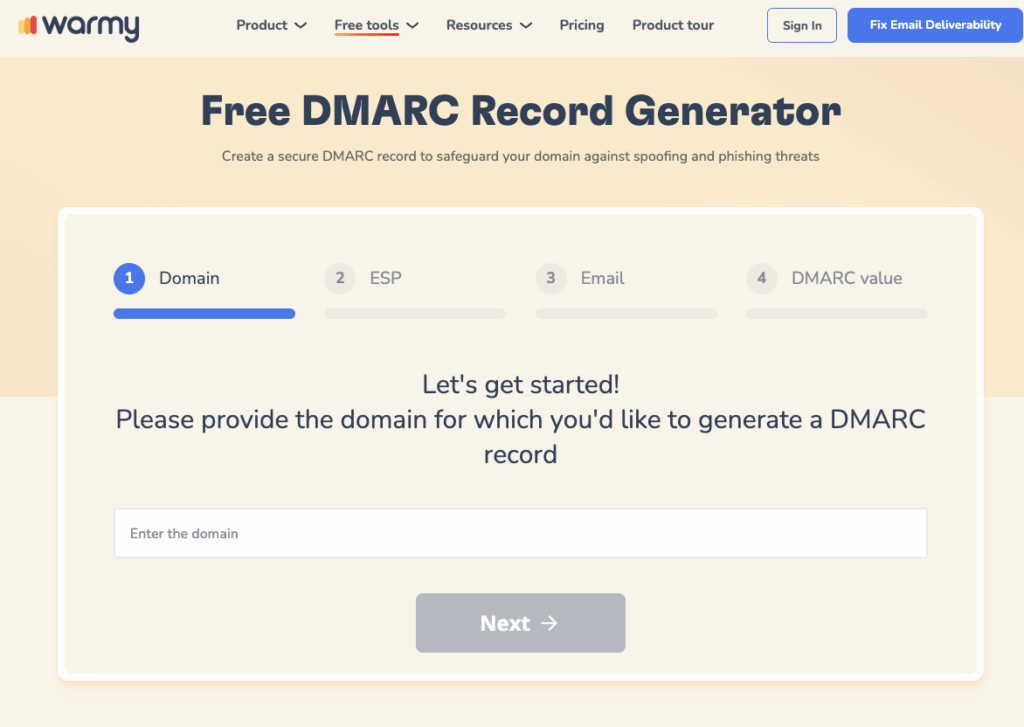
1. Authenticate With SPF, DKIM, and DMARC
Authentication failures are the most common reason a fundamentally healthy domain still lands in spam, and they’re entirely within your control. If you send 5,000 or more emails daily to Gmail accounts, you must implement SPF, DKIM, DMARC alignment, one-click unsubscribe, and keep spam rates below 0.3%. Below that volume the rules are softer, but providers still weight authenticated mail more favorably across the board.
Each protocol proves something different to the receiving server:
- SPF confirms which servers are authorized to send on your behalf.
- DKIM cryptographically signs the message so it can’t be altered in transit.
- DMARC ties the two together and tells the receiver what to do when a message fails either check.
A misconfigured SPF record, one that exceeds the lookup limit or lists the wrong sending IPs, causes silent authentication failures that look identical to a reputation problem from the outside, which is why this step has to come first.
2. Warm Up New or Inactive Domains
Authentication tells a receiving server your mail is legitimate. It does nothing to tell that server you’re trustworthy, and trust is built from history, not configuration. A brand-new domain, or one that’s been quiet for a few months, has no sending history for ISPs to evaluate, so filters default to caution.
Warmup solves this by sending small, controlled volumes that increase gradually while generating real engagement signals:
- Opens and reads
- Replies
- Link clicks
- Recoveries from spam (marking misfiled mail as important)
This matters even for domains that have sent mail before. A dormant inbox loses reputation the same way a new one lacks it, so re-warming after a quiet period is just as important as warming up something brand new.
3. Keep Your List Clean and Verified
Once authentication and warmup are underway, the next fastest way to damage reputation is sending to addresses that shouldn’t be on your list in the first place. The root cause of severe sender reputation damage is usually poor list quality, sending to addresses that aren’t associated with the sender, where spam traps, invalid addresses, and unconfirmed opt-ins contribute to high damage signals.
List hygiene problems tend to fall into three buckets:
- Hard bounces, treated as a negative signal independent of your content or authentication setup
- Spam traps, where a single hit can drag down an otherwise healthy domain
- Unconfirmed or purchased lists, which combine the first two risks at scale
Verify your list before every send, especially after pulling from an older database or combining lists from multiple sources.
4. Send Consistent Volume
Mailbox providers read sudden spikes in sending volume as a risk signal, even from a domain with a clean history. Volume and consistency, how much email you send and how steadily you send it over time, is a factor providers track, and spikes can be flagged. The fix isn’t to send less. It’s to ramp predictably and avoid large jumps between sends.
This is one of the reasons manual warmup is hard to get right: a human-run schedule tends to be either too cautious to build reputation in a reasonable timeframe, or aggressive enough to trigger the exact volume-spike flags it’s trying to avoid.
5. Drive Real Engagement
Engagement is the signal that separates a technically clean domain from one providers actually trust. Opens, replies, and clicks tell Gmail and Outlook that recipients want your mail, and that signal carries more weight over time than almost anything else you control directly.
This is where generic warmup content tends to fall short. Volume without real engagement builds sending history without building trust, which is a meaningfully weaker signal than activity that looks and behaves like a real recipient.
6. Watch Complaint and Bounce Rates
By this point your authentication, warmup, list hygiene, and sending pattern are all working in the same direction. The next job is making sure none of them quietly slip. Spam rate is calculated daily, and senders should keep their spam rate below 0.1% and should prevent spam rates from ever reaching 0.3% or higher. That 0.3% figure isn’t abstract: a sender delivering 10,000 emails needs only 30 spam reports to hit it.
Pro Tip: Track complaint rate and bounce rate separately, not as a combined “deliverability score.” A rising complaint rate usually points to content or targeting problems. A rising bounce rate almost always points to list hygiene. Treating them as one number hides which fix you actually need.
7. Monitor Blacklists
A blacklist listing is one of the few reputation problems that can take you from “filtered” to “rejected outright” overnight, and it’s also one of the easiest to miss until a campaign quietly stops arriving. Providers check your sending domain and IP against blacklists as part of their own filtering decisions, independent of your authentication or engagement history. The major lists worth monitoring include:
- Spamhaus (SBL, XBL, PBL, DBL)
- SpamCop
- SORBS
- Barracuda Reputation System
8. Separate Cold Outreach Domains From Business Domains
Cold outreach behaves differently from transactional or relationship-based email, and mixing the two on a single domain means one bad outreach campaign can damage the reputation your invoices and product emails depend on. Sending cold sequences from your primary business domain puts your entire email channel at risk:
- Support notifications
- Billing and invoice emails
- Internal tools and password resets
- Any other transactional mail your customers depend on
The standard fix is a separate sending domain (or subdomain) dedicated to outreach, warmed and monitored independently from your core business domain. This containment means a complaint spike from an aggressive campaign never touches the domain your customers rely on.
9. Use a Reputation-Monitoring Tool
Manually checking Google Postmaster Tools, a blacklist checker, and your authentication records separately works, but it means you only catch problems when you remember to look. A monitoring tool that consolidates these checks closes that gap by tracking, in one place:
- Inbox placement across providers
- DNS authentication status
- Blacklist presence
- Google Postmaster signals
How Warmy Helps You Fix and Protect Sender Reputation
Warmy is an AI-driven email warmup and deliverability platform that automatically builds your sender reputation, improves inbox placement, and keeps your emails out of spam without requiring any technical expertise. Each of the 9 fixes above maps to a specific part of the platform:
- Authentication. Warmy’s free SPF Record Generator and DMARC Generator produce correctly formatted records without requiring you to write raw DNS syntax. Warmy’s 2026 definitive guide to deliverability and sender reputation covers the full authentication checklist Google, Yahoo, and Microsoft now enforce.
- Warmup. Adeline, Warmy’s proprietary AI engine, powers Warmy’s email warmup by simulating real engagement across a network of more than 1 million mailboxes and adjusting pace and behavior in real time rather than following a fixed schedule. Read the full breakdown in Warmy’s domain warmup guide.
- Warmup preferences. You can set the provider split for warmup traffic (Gmail, Outlook, Yahoo, and more) to mirror your real audience, so the ramp builds reputation in proportion to where your actual recipients live instead of an arbitrary even spread.
- Seed list. Warmy’s Seed List gives you genuine, actively maintained addresses across Gmail, Outlook, and Yahoo that open, scroll, click, and recover misfiled mail from spam, including for platforms standard warmup can’t reach, like Mailchimp, Shopify, and Klaviyo.
- Engagement quality. Warmup With Clicks layers genuine link clicks and automatic Promotions-tab removal on top of standard warmup, pushing harder on the exact signals Gmail weighs most for primary inbox placement.
- Content. The free Template Checker scans subject lines and body copy for spam triggers before you send, addressing the content-side causes covered in Warmy’s guide to why emails go to spam.
- Monitoring. Warmy’s deliverability monitoring (the Domain Health Hub) consolidates inbox placement data, DNS authentication status, blacklist presence, and Google Postmaster signals into a single health score per domain, so you can compare multiple domains side by side. Warmy’s deliverability testing methods guide covers how that diagnostic data is gathered.
- Diagnosis. The free Email Deliverability Test checks inbox placement, authentication, and blacklist status in a single pass, so you have a baseline before changing anything. For a deeper comparison of what separates strong warmup tools from weak ones, see Warmy’s best warmup tools for sender reputation guide.
Run a free Email Deliverability Test to see exactly where your domain stands before applying any of the fixes above.
How to Monitor Sender Reputation Going Forward
Fixing reputation once is straightforward. Keeping it fixed is the part teams underestimate. The combination that works in practice is a free check (Google Postmaster Tools for Gmail-specific data, Sender Score for a broader IP view) paired with a tool that watches authentication, blacklists, and inbox placement together, since no single dashboard shows the complete picture across every provider.
Run a deliverability check before every major campaign, not just when something feels off. By the time open rates drop, the reputation damage already happened days or weeks earlier.
Sender reputation isn’t something you fix once and forget. It’s a trailing indicator of everything else in your sending practice: your authentication, your list, your pace, and your content. Get the fundamentals in place, in the order above, and the inbox placement follows.
Ready to see Warmy’s AI warmup in action? Start your free trial and let Adeline build your domain’s reputation automatically while you focus on the campaigns themselves.