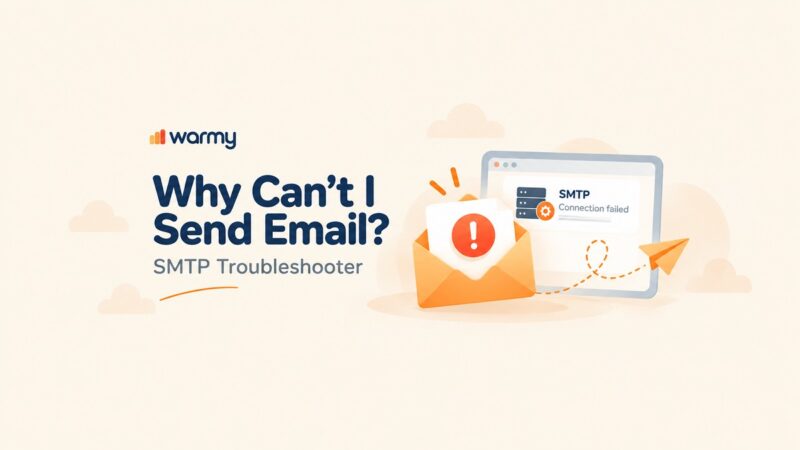
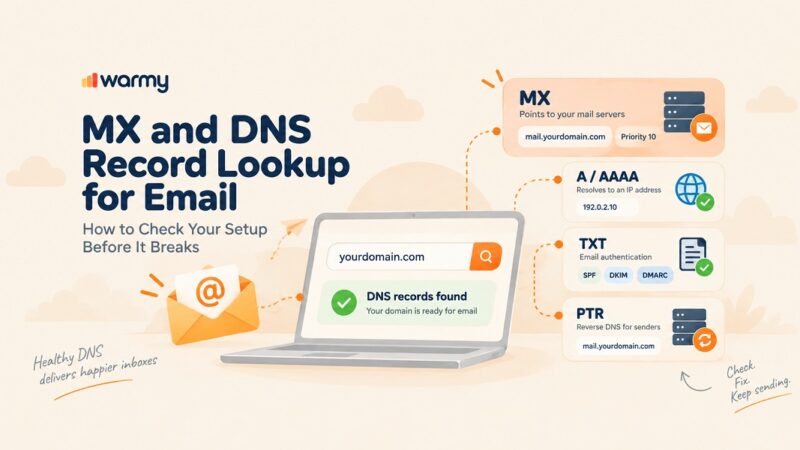
SPF, DKIM, and DMARC are mechanisms for email authentication that help legitimate senders establish their identity and receivers detect and handle unauthorized messages that spoof a domain. Our free tools are for marketers, domain owners, email senders, and IT administrators who want to detect problems with authentication and DNS before they affect their email deliveries. We offer a DMARC checker, DKIM record checker, SPF record checker, and MX lookup.
What Are SPF, DKIM, and DMARC? (Quick Definitions)
SPF, DKIM, and DMARC work together to authenticate email and help prevent unauthorized use of a domain in email sender identities. SPF is responsible for verifying if the sending source is authorized; DKIM employs cryptographic signatures to authenticate a domain’s association with a message signature; and DMARC lets the receiving mail server know what measures to take in case of authentication failures or gaps in alignment.
What Is SPF (Sender Policy Framework)?
Sender Policy Framework (SPF) is an email authentication protocol that uses an SPF record to list all authorized sending sources, which may include specific IP addresses and approved mail servers. When a receiving mail server gets a message, it can conduct an SPF check to see if the sending IP address is authorized by the SPF policy of the SMTP envelope sender domain. However, using SPF is not entirely sufficient in ensuring security against email spoofing, which is why SPF should be used in combination with DKIM and DMARC for enhanced protection.
What Is DKIM (DomainKeys Identified Mail)?
DomainKeys Identified Mail (DKIM) verifies that a valid signature associated with the signing domain exists and that the signed portions of the message have not been altered. The receiving mail server uses the DKIM selector within the respective email to validate the matched DKIM record and public key in DNS, which ultimately leads to the verification of the signature. The successful execution of a DKIM test helps in establishing message integrity, minimizing possibilities for email spoofing, and maintaining a healthy domain reputation.
What Is DMARC (Domain-Based Message Authentication)?
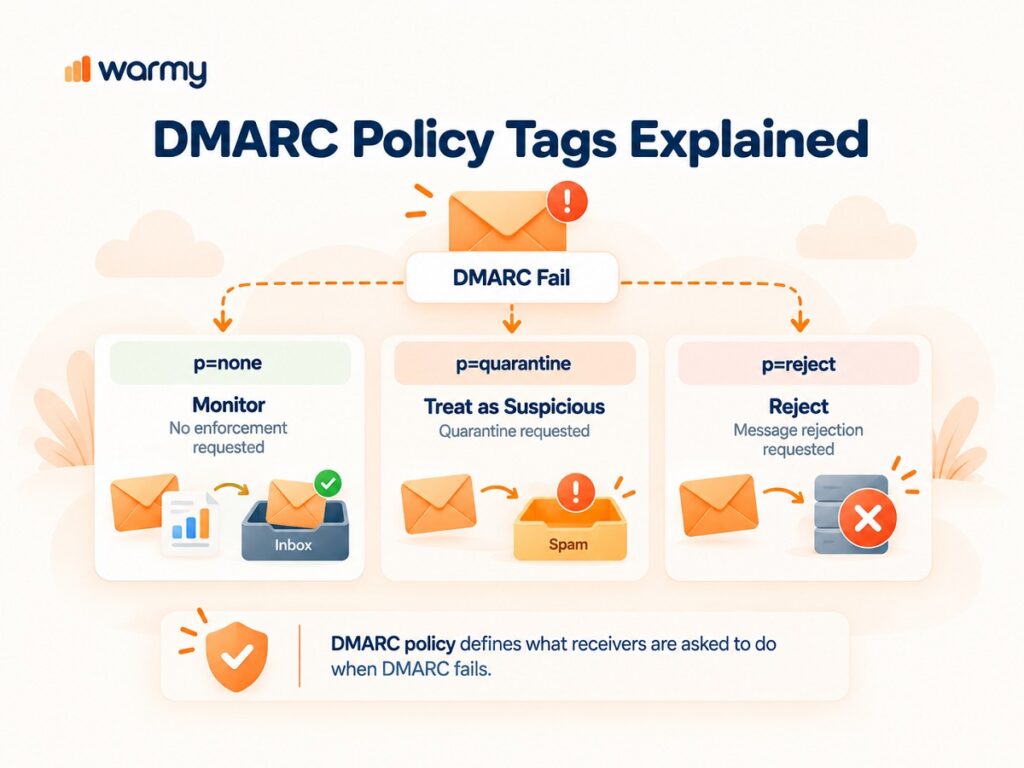
DMARC, or Domain-Based Message Authentication, Reporting & Conformance, is an email security protocol that depends on SPF and DKIM. The presence of a DMARC record is crucial for informing email receivers about the appropriate course of action to be taken in case of any authentication failures: with p=none in use, it typically covers monitoring purposes; p=quarantine requests that failing messages be treated as suspicious; and p=reject requests rejection of messages that fail DMARC. A DMARC lookup can also supply the domain owners with reporting information, which helps in identifying unauthorized senders, any failed authentications, or phishing attempts.
How SPF, DKIM, and DMARC Work Together
SPF, DKIM, and DMARC perform their own separate functions, but they all work in conjunction to verify the sender, protect the message, and enforce a policy in case of authentication failures.
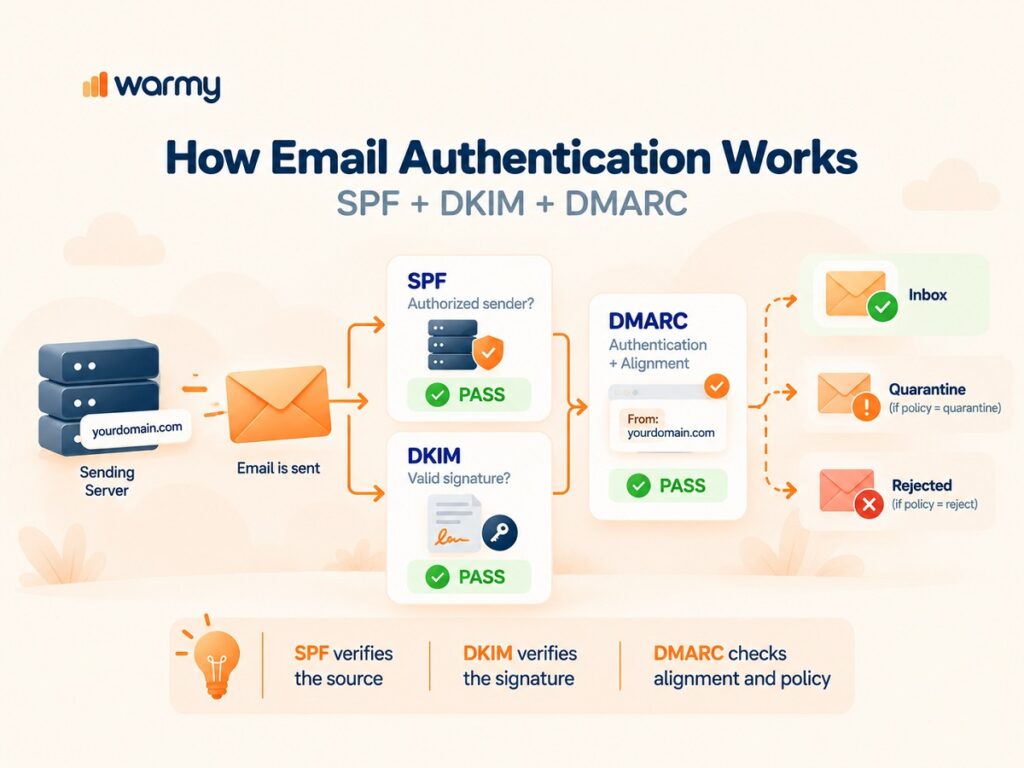
| Feature | SPF | DKIM | DMARC |
|---|---|---|---|
| Main job | Checks authorized sending sources | Checks message authenticity | Applies a policy to failures |
| How it works | Compares source IPs with an SPF policy | Verifies cryptographic signatures | Checks authentication and domain alignment |
| Protects | Sending domain | Message integrity | Visible from domain |
| DNS setup | TXT record | TXT record with public key | TXT record at _dmarc |
If you’re seeking specific information on how to set up accounts, including provider-specific ones, please check our guide: Mastering SPF and DKIM Setup for Amazon SES: A Comprehensive Guide.
Free SPF, DKIM, DMARC & MX Checker Tool
An SPF, DKIM, DMARC, and MX check tool can scan the DNS and authentication records of a domain and find entries that are invalid, non-existent, or incorrectly configured. Using the DNS record checker will help you discover issues with an SPF record, DKIM record, DMARC record, or mail-routing record before they contribute to security or email delivery problems.
How to Run an SPF Record Check
An SPF record is a record listing the servers and IP addresses that are authorized to send emails using the domain. Checking the SPF record accurately can help you minimize spoofing, protect the sender’s reputation, and ensure successful email delivery, while improper SPF records may result in failed authentication of legitimate emails. If you notice issues with your SPF setup, use our Free SPF Generator to create a valid policy.
To learn more about the process of creating and checking the SPF record, read our guide: Configuring SPF for Enhanced Email Security in Microsoft Office 365.
How to Run a DKIM Test (Test DKIM)
A DKIM record check is performed using the DKIM selector to fetch the correct DNS entry and the public key to validate the email’s digital signature. A DKIM checker can help you locate the DKIM record, identify configuration problems, and confirm if the DKIM authentication is working properly.
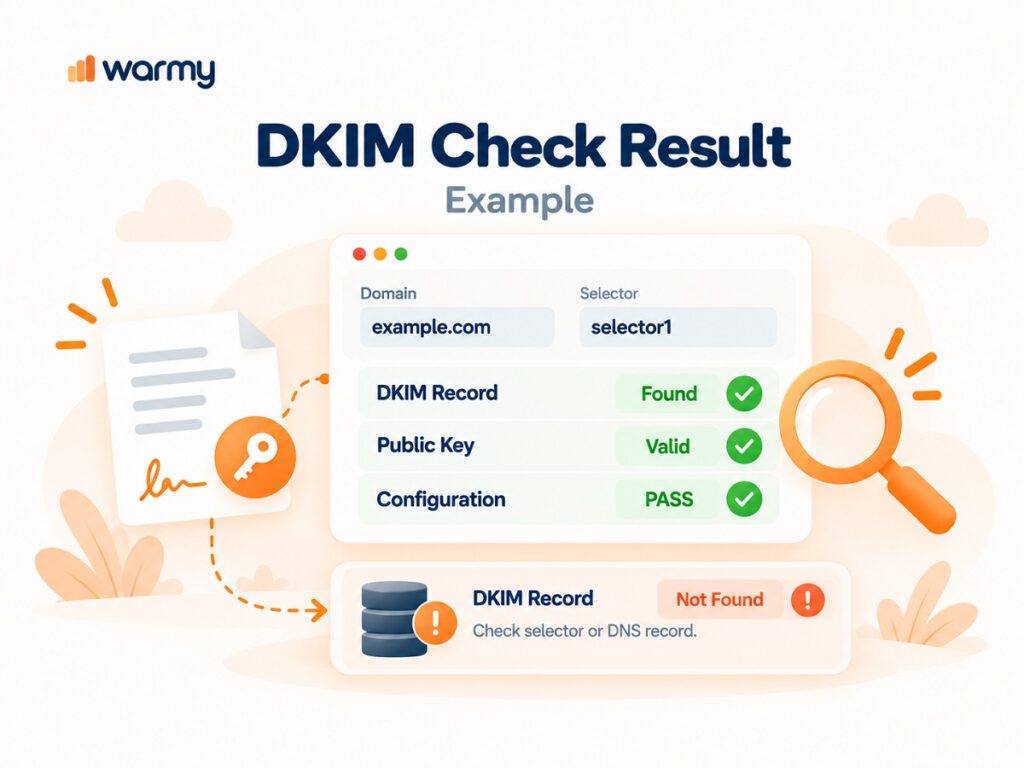
For more specific tips on DKIM tests, read our articles on DKIM and Yahoo email security, DKIM for Microsoft 365, and DKIM setup for Google Workspace.
How to Conduct a DMARC Record Check
A DMARC record is a DNS TXT record stored under the _dmarc subdomain, and a valid record begins with v=DMARC1. A DMARC lookup retrieves and analyzes this record, helping domain owners validate their DMARC configuration, identify potential issues, confirm that DMARC is implemented correctly, and detect unauthorized senders. You can check any domain’s DMARC setup for free.
Want to generate or update one? Use our Free DMARC generator.
Read about DMARC for Gmail, DMARC for Office 365, and Yahoo DMARC setup.
How to Do an MX Record Lookup
An MX record lookup displays the mail servers that are responsible for receiving emails for a domain. An MX record lookup can show missing or incorrect records, indicate the server priority, and help identify issues with incoming mail delivery or backup mail servers.
How to Read Your SPF, DMARC & DKIM Record Checker Results
To read your checker results, you need to review the record syntax, authentication status, selectors, keys, policies, and any reported errors. The result of the record check can tell you whether the entry is missing, invalid, or valid, leading you to conclude what needs to be fixed in the DNS configuration.
SPF Record Syntax Explained
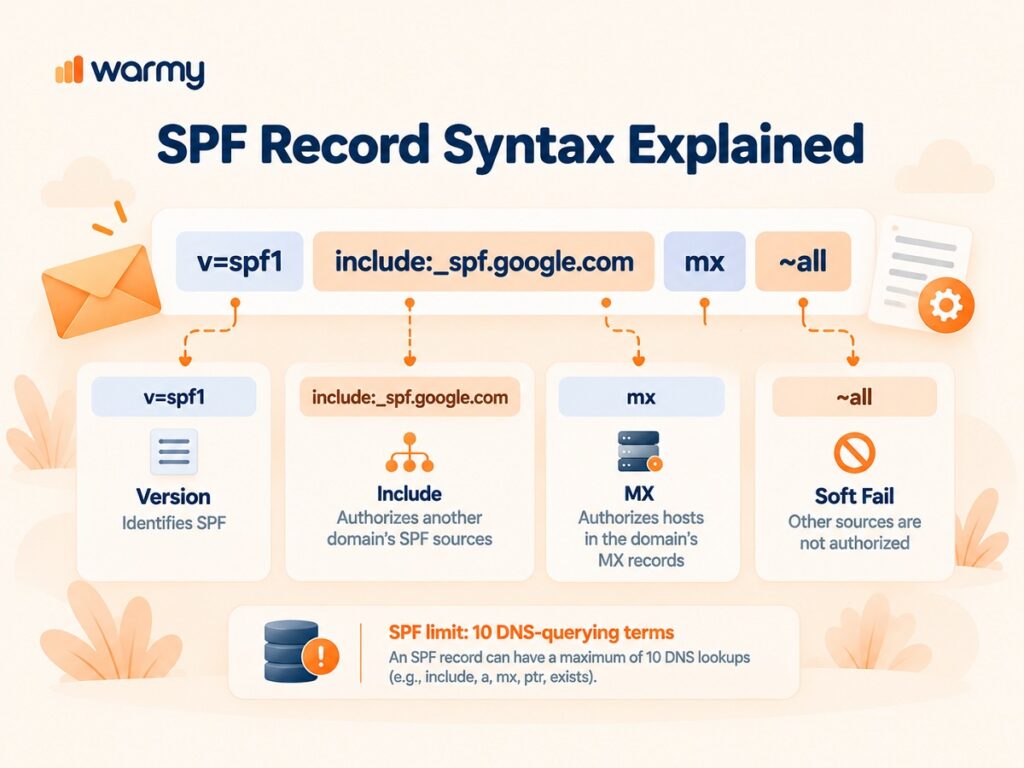
SPF policies appear as DNS TXT values that indicate the mechanisms and qualifiers that will let the recipient know which sources are allowed and whether to follow the rules for the other ones. The example v=spf1 include:_spf.google.com mx ~all shows which SPF version was used, indicates which sending service is being authorized, allows the use of the hosts indicated in the MX records for the domain, and applies a soft fail for the other sources.
| SPF Element | What It Does | Potential Risk |
|---|---|---|
include: | Authorizes sources listed by another domain | Too many includes can make a policy hard to maintain |
a | Authorizes IPs associated with the domain’s A/AAAA records | May authorize more hosts than intended |
mx | Authorizes hosts listed in MX records | Can authorize mail servers that don’t need to send |
~all | Soft-fails other sources | Failed mail may still be accepted |
-all | Fails unauthorized sources | Can affect legitimate senders if the policy is incomplete |
+all | Allows all sources | Generally unsafe because it removes meaningful SPF protection |
redirect= | Uses another domain’s SPF policy | Changes can affect the resulting policy |
SPF evaluation is limited to 10 DNS-querying terms; exceeding the limit produces a permanent error.
DKIM Selectors and Public Keys Explained
A DKIM selector provides the receiving system with information about the DKIM record that can be retrieved from the DNS, while the public key located within the DKIM record can be used to authenticate the signature attached to the message. Using DKIM lookup enables one to identify the required selector and verify that the published key is present and properly formatted.
| DKIM Tag | Purpose |
|---|---|
| v | Specifies the DKIM version |
| p | Contains the public key |
| k | Defines the key type |
| h | Lists supported hash algorithms |
| s | Defines applicable service types |
| t | Sets optional flags |
| n | Provides an optional administrator note |
If you don’t know what selector your provider uses, then read this: How to Find DKIM Selectors.
DMARC Policy Tags Explained
The p= tag in DMARC records tells the receiving systems what action to take when an email fails DMARC authentication: when the p=none option is present, it provides the opportunity to monitor messages; when the p=quarantine option is displayed, that means that the message has to be treated as suspicious; and the p=reject tells the system to refuse the message.
A DMARC check should be applied to double-check that the policy has been set up correctly and that the authentication and alignment requirements make sense for your particular sending setup. Daily DMARC reports may also show you the servers that were used for sending the email from your domain, which gives you useful visibility into legitimate and unauthorized activity.
Common SPF, DKIM & DMARC Errors (and How to Fix Them)
Some common authentication errors include invalid SPF setup, use of untrusted or unauthorized email servers, incorrect or missing DKIM keys, DMARC alignment failures, and overly strict policies. Most errors can usually be resolved by reviewing the DNS record, correcting the configuration, and then running another record check.
| Error | Possible Cause | How to Fix |
|---|---|---|
| SPF check failed | Sending IP/server is not authorized | Add the legitimate sending source to the SPF record |
| Invalid SPF record | Incorrect syntax or mechanisms | Review and correct the SPF syntax |
| DKIM check failed | Missing or incorrect DKIM key | Verify the DKIM record and public key in DNS |
| DMARC check failed | SPF/DKIM authentication or alignment issue | Check SPF/DKIM setup and domain alignment |
| DMARC record invalid | Missing/incorrect tags or syntax | Correct the DMARC TXT record |
| Legitimate emails rejected | DMARC policy is too strict for the current setup | Fix authentication issues before enforcing p=reject |
Why Email Authentication Matters for Email Delivery
Email authentication helps mailbox providers verify legitimate senders and reduce spam and phishing attacks, but authentication alone does not guarantee inbox placement. The sender’s reputation, engagement levels, and several other factors play their part. That is why senders need to monitor inbox and spam placement across different email providers, and using a solution like Warmy Deliverability Insights is also a good idea. The tool can be used for testing email deliverability, identifying placement issues, and getting actionable recommendations for improvement.
Expert Tip: Authentication Is the Foundation, Not the Finish Line
“Authentication is the baseline requirement, not the inbox guarantee. Inbox providers also evaluate sender reputation, engagement history, complaint rates, and sending patterns.”
– Daniel Shnaider, Email Deliverability Expert at Warmy
SPF, DKIM, DMARC FAQ
What Is a DMARC Checker / DMARC Record Checker?
A DMARC checker analyzes the DMARC record of a domain and reports whether the DNS configuration is correct. A DMARC record checker detects invalid syntax, missing records, policy errors, and other issues that are a part of the configuration.
What Is DKIM Lookup Used For?
A DKIM lookup retrieves the DKIM DNS record linked with a DKIM selector so you can easily verify that the DKIM record, together with the public key and selector, is available for authentication.
How Do I Check My SPF Record?
Enter your domain into an SPF lookup or record checker to retrieve its published SPF record and verify whether it authorizes your email senders. You can also use Warmy’s free Email Deliverability Test to check your SPF, DKIM, and DMARC setup and identify authentication issues.
What Is DMARC?
DMARC means Domain-Based Message Authentication, Reporting & Conformance. It is built on SPF and DKIM, and it provides instructions on what should be done with an email that failed the authentication process.
What Is DKIM?
DKIM stands for DomainKeys Identified Mail. A DKIM checker works through the use of a pair of public/private keys as well as digital signatures to authenticate emails and prove that the signed content has not been altered.
Do I Need SPF, DKIM, and DMARC All at Once?
Utilizing all three technologies provides a stronger authentication system than depending on just one of them. SPF verifies the sending entity’s legitimacy, DKIM validates the email’s signature, and DMARC ensures that policies and alignment rules are being followed.
How Often Should I Check My DNS/MX Records?
Whenever you switch email providers, sending platform, domains, or authentication setup, you should check your DNS records and perform regular inspections as you transition to a new sending environment. Monitoring these records can help you catch a broken record before it affects email delivery.
Next Steps: Beyond Authentication
After SPF, DKIM, and DMARC are configured, the next step is to build sender reputation and track inbox placement across major email providers. Email warm-up refers to the process of gradually establishing the desired patterns and engagement level, which is critically important when it comes to new or inactive mailboxes and domains.
Authentication proves that a sender is authorized, but it doesn’t automatically make mailbox providers trust every email enough for the inbox. Warm-up can help establish a consistent sending pattern over time, making it useful for new domains, new mailboxes, or senders dealing with deliverability problems.
Warmy Email Warm-Up automates this process by helping maintain regular sending activity and monitor the resulting engagement. Once your SPF record, DKIM setup, and DMARC record are valid, don’t stop there: keep an eye on authentication results, sender reputation, spam placement, and inbox performance. You can also use our Email Seed List to test your campaigns and improve email deliverability across major email providers.
Warmy Insights
According to Warmy Research (June 2026), structured email warm-up increased Gmail inbox placement from 33% to 100% over 30 days among senders with low initial deliverability. For mid-tier senders, Seed List with placement checks improved inbox placement from 55% to 77%.