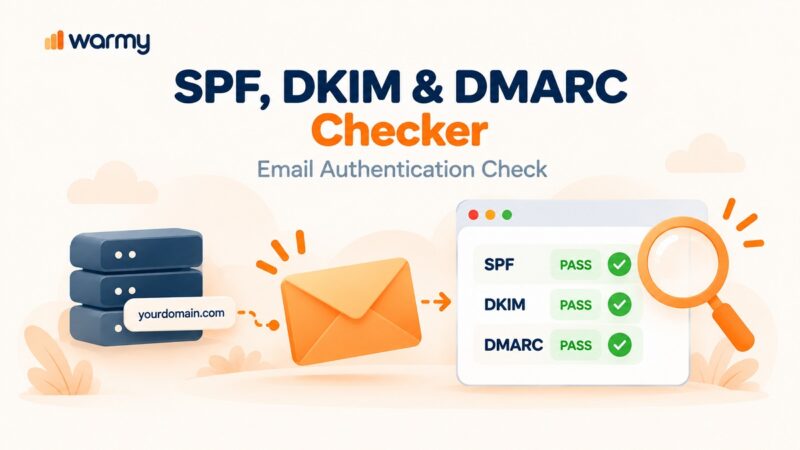
SPF, DKIM, and DMARC are the three email authentication protocols every sender must configure to reach the inbox. SPF authorizes which servers can send on your domain’s behalf, DKIM signs each email with a cryptographic key, and DMARC enforces policy when either check fails. Together they protect your domain from spoofing, satisfy Gmail and Outlook’s mandatory bulk sender requirements, and directly improve inbox placement.
Cybercriminals send an estimated 3.4 billion phishing emails daily worldwide. SPF, DKIM, and DMARC stop spoofed email from reaching your recipients’ inboxes — and they now determine whether your own legitimate email reaches the inbox at all. Google required these protocols for bulk senders from February 2024 with full enforcement from November 2025, and Microsoft followed with identical requirements for Outlook, Hotmail, and Live.com from May 5, 2025. Non-compliant senders now face permanent 550 rejections. This guide walks you through setting up all three with Postmark.
SPF vs DKIM vs DMARC: How They Work Together
All three protocols serve different purposes and must be configured together. For a deeper look at why each one matters for deliverability, see why you need to configure SPF, DKIM, and DMARC.
| Protocol | What It Does | What It Protects Against | Required in 2026 |
|---|---|---|---|
| SPF | Lists authorized mail servers for your domain in DNS | Unauthorized servers sending as your domain | Yes — Gmail & Outlook require both SPF and DKIM |
| DKIM | Adds a cryptographic signature to every outbound email | Content tampering in transit | Yes — Gmail & Outlook require both SPF and DKIM |
| DMARC | Enforces policy when SPF or DKIM fails; aligns the visible From address | Domain spoofing in the From header; phishing | Yes — minimum p=none; p=quarantine/reject recommended |
| BIMI | Displays your brand logo next to emails in supported inboxes | Brand impersonation; improves inbox trust | Optional — requires VMC or CMC for Gmail and Apple Mail |
Understanding SPF (Sender Policy Framework)
What Is SPF and Why It Matters for Email Deliverability
Sender Policy Framework (SPF) acts as an authorized sender list for your email domain. You publish an SPF record in DNS that specifies which mail servers have permission to send email on your behalf. When a receiving server gets an email from you, it checks your SPF record and compares the sending IP against your approved list. A match passes; a mismatch fails — and depending on your DMARC policy, a failure can mean spam routing or outright rejection.
SPF protects your domain reputation, deters spoofing, and is a mandatory component of Gmail’s and Outlook’s bulk sender requirements.
Setting Up SPF with Postmark
Step-by-step:
- Log into your DNS provider’s control panel.
- Create a new TXT record for your domain with the hostname @ (your root domain).
- Set the value to: v=spf1 include:spf.mtasv.net ~all — this authorizes Postmark’s servers to send on behalf of your domain. If you use other email services alongside Postmark, add their include: entries to the same record before the ~all qualifier.
- Save the record and allow up to 48 hours for DNS propagation. For context on why propagation sometimes takes longer than expected, see this guide on how DNS propagation delays affect email deliverability.
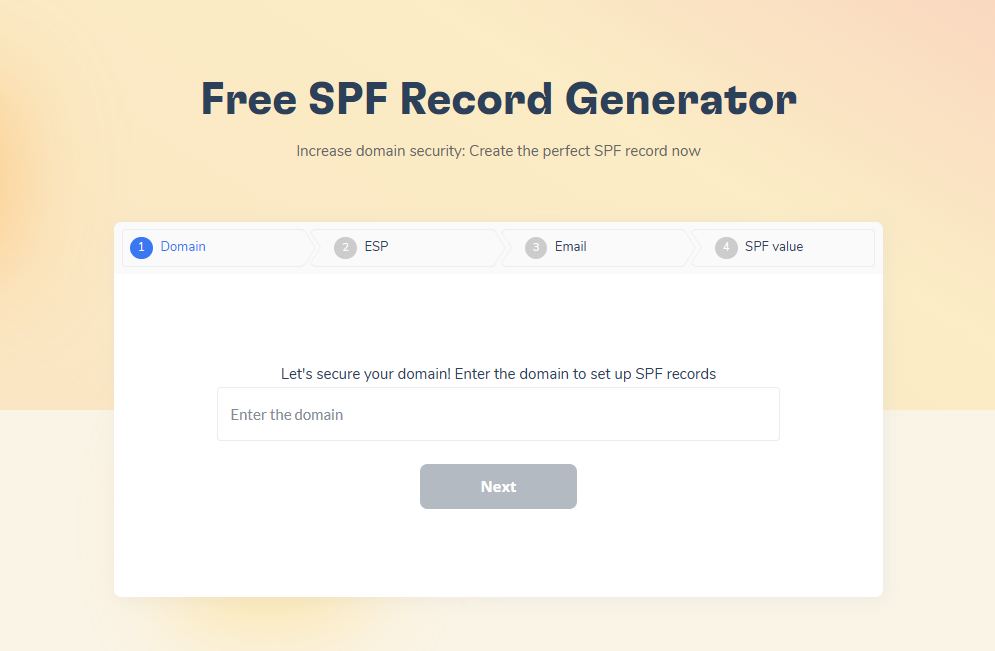
- Verify your record with Warmy’s Free SPF Record Generator — it validates syntax and confirms you’re within the 10-lookup limit.
Common pitfalls — and how to avoid them:
- Multiple SPF records. One SPF record per domain only. Add new senders by editing the existing record.
- Exceeding the 10 DNS lookup limit. Flatten your SPF record if you’re approaching this limit.
- Hard fail too early. Start with ~all (soft fail) until all legitimate senders are confirmed.
- SPF alignment issues. If your Return-Path domain doesn’t match your From domain, emails can pass SPF but fail DMARC. Read the full guide on SPF alignment issues and how to fix them if you run into this.
- Missing subdomains. Subdomains that send email need their own SPF record.
- Not updating after changing ESPs. Update your SPF record the same day you add or remove any email service.
Check your authentication before your next send. Warmy’s free Email Deliverability Test verifies SPF, DKIM, and DMARC in one pass and shows exactly where your emails land across Gmail, Outlook, and Yahoo.
Diving into DKIM (DomainKeys Identified Mail)
What Is DKIM and How It Authenticates Your Emails
DKIM works like a digital wax seal for your emails. Every message your domain sends gets signed with a private cryptographic key. The receiving server retrieves your domain’s public key from DNS and verifies the signature. If it checks out, the email passed DKIM and arrived unaltered. If the signature fails, the content was modified in transit or the signing setup is broken.
DKIM answers two questions for the receiving server: did this email originate from your domain, and was its content unchanged after it left? Both matter for DMARC compliance and inbox placement.
Implementing DKIM with Postmark
Step-by-step:
- In your Postmark account, open sender domain settings. Postmark automatically generates a unique DKIM key pair for your domain.
- Postmark provides a TXT record containing your domain-specific public key. Copy it exactly.
- In your DNS provider, add the TXT record at the hostname Postmark specifies. This hostname includes your unique DKIM selector followed by ._domainkey. Postmark assigns you a selector and shows it in your dashboard — always use that value rather than any example. For a detailed walkthrough of how selectors work, see how to find your DKIM selector.
- Wait for DNS propagation, then return to Postmark to verify the record. Once verified, Postmark signs all outbound email automatically.
Troubleshooting:
- Record not found. Check that the hostname (selector + ._domainkey + .yourdomain.com) was entered correctly in DNS.
- Signature failing after working previously. An email filter or forwarding rule may be modifying message content in transit.
- DNS propagation. DKIM changes can take up to 48 hours to propagate globally.
Setting Up DMARC with Postmark: Policies, Reports, and Enforcement
What Is DMARC and How It Works
DMARC is the enforcement layer that sits on top of SPF and DKIM. It specifies what receiving servers should do when an email fails SPF or DKIM, and it aligns the visible From address with the domain authenticated by SPF or DKIM. That alignment requirement closes the spoofing gap that attackers exploit when they fake a From header while routing through an authorized server.
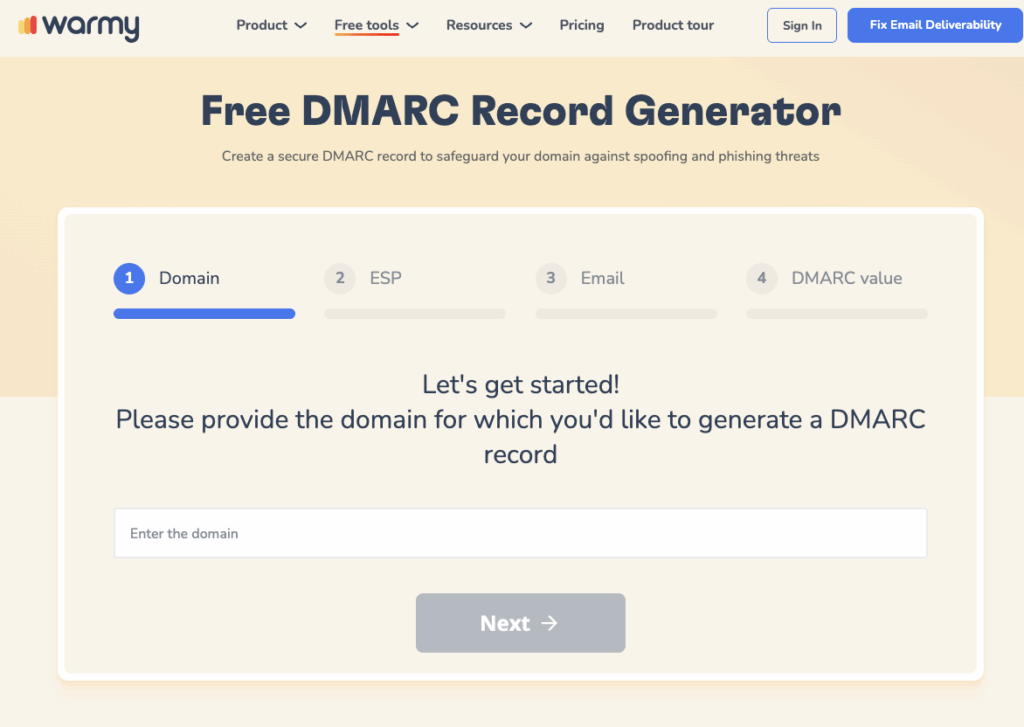
Warmy is an AI-driven email warmup and deliverability platform that builds your sender reputation automatically, monitors your domain’s authentication health, and keeps your emails out of spam. Use Warmy’s free DMARC Record Generator to create your DMARC policy without needing to understand raw DNS syntax.
Google and Microsoft Now Require DMARC: What Bulk Senders Must Know
Two major enforcement deadlines have passed:
- Gmail (February 2024, enforced from November 2025): Google requires SPF, DKIM, and a DMARC record at minimum p=none for bulk senders sending 5,000+ emails per day to personal Gmail accounts. Non-compliant email now faces temporary rate-limiting (4.7.x error codes) or permanent rejection (5.7.x). The grace period is over.
- Outlook/Hotmail/Live (May 5, 2025): Microsoft enforces identical requirements for senders sending 5,000+ emails per day to its consumer addresses. Non-compliant messages are rejected with error 550 5.7.515 and are not delivered.
- Yahoo and AOL apply similar authentication requirements. Configuring all three protocols is now a baseline requirement for any meaningful sending volume.
Pro Tip: Monitor in p=none for 2 to 4 weeks before moving to enforcement. Your DMARC aggregate reports will reveal every source sending email under your domain — third-party tools, marketing platforms, and subdomains you may have forgotten. Authorize everything before you switch to p=quarantine, or you risk blocking legitimate email.
Configuring DMARC with Postmark
Step-by-step:
- Add a TXT record in your DNS at the hostname _dmarc.yourdomain.com.
- Start with: v=DMARC1; p=none; rua=mailto:dmarc-reports@yourdomain.com — this enables reporting without affecting delivery.
- Monitor daily aggregate reports (RUA) for 2 to 4 weeks. Reports show which sources are sending on your domain’s behalf, pass/fail rates, and alignment status.
- Once all legitimate senders pass, move to p=quarantine (sends failing email to spam), then p=reject (blocks it entirely) as your confidence grows.
- Optional tags: use pct to apply your policy to only a percentage of email during the transition, and sp to set a separate policy for subdomains.
DMARC report types:
- Aggregate Reports (RUA): Daily XML summaries sent by major providers — pass/fail rates, sending sources, and alignment status across all email from your domain.
- Forensic Reports (RUF): Detailed per-message failure logs, useful for diagnosing specific authentication failures. Not all providers send them.
Ensuring High Email Deliverability with Warmy.io
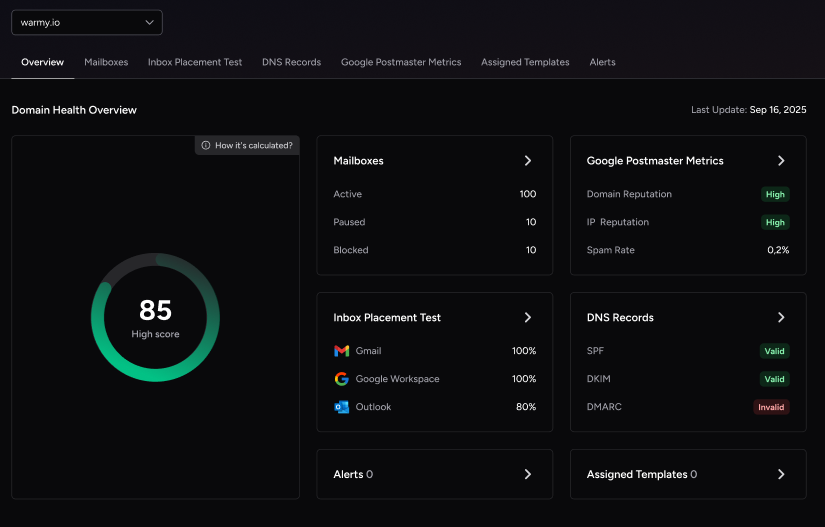
Configuring SPF, DKIM, and DMARC gets your authentication right, but authentication alone doesn’t ensure every email reaches the inbox. That’s the gap Warmy closes: an AI-driven platform that builds your sender reputation automatically, monitors your domain health in real time, and keeps your email out of spam at scale.
Two free tools apply directly to the protocols in this guide. The DMARC Record Generator and the SPF Record Generator both generate validated, ready-to-publish DNS records without requiring technical expertise. For a complete authentication check, run Warmy’s Email Deliverability Test — it verifies SPF, DKIM, and DMARC in a single scan alongside inbox placement and blacklist checks.
Advanced Topics in Email Authentication
BIMI (Brand Indicators for Message Identification)
BIMI displays your verified brand logo next to your emails in supported inboxes. When your email passes DMARC with an enforced policy (p=quarantine or p=reject), participating providers display your logo in the avatar slot beside the message.
BIMI is no longer an early-stage technology. As of 2026, Gmail, Yahoo Mail, Apple Mail (iOS 16+, macOS Ventura+), Fastmail, and AOL all support BIMI. Microsoft Outlook does not currently support it. Three implementation paths exist:
- VMC (Verified Mark Certificate): Works on Gmail (adds a verified blue checkmark), Yahoo Mail, and Apple Mail. Requires a registered trademark. Approximately $750 to $1,700 per year.
- CMC (Common Mark Certificate): Introduced by Gmail in early 2025. Works on Gmail and Apple Mail without trademark registration, provided your logo has been publicly displayed on your domain for at least 12 months. Approximately $650 to $1,100 per year.
- Self-asserted (no certificate): Free to set up. Yahoo Mail and Fastmail display your logo. Gmail and Apple Mail require a VMC or CMC.
Focus on SPF, DKIM, and DMARC first. BIMI adds inbox brand visibility once your authentication foundation is solid.
Email Security for High-Volume Senders
At high volume, Gmail and Microsoft actively reject non-compliant email rather than just filtering it. For a detailed breakdown of warmup strategies at scale, see best warmup solutions for high-volume email senders. Key considerations:
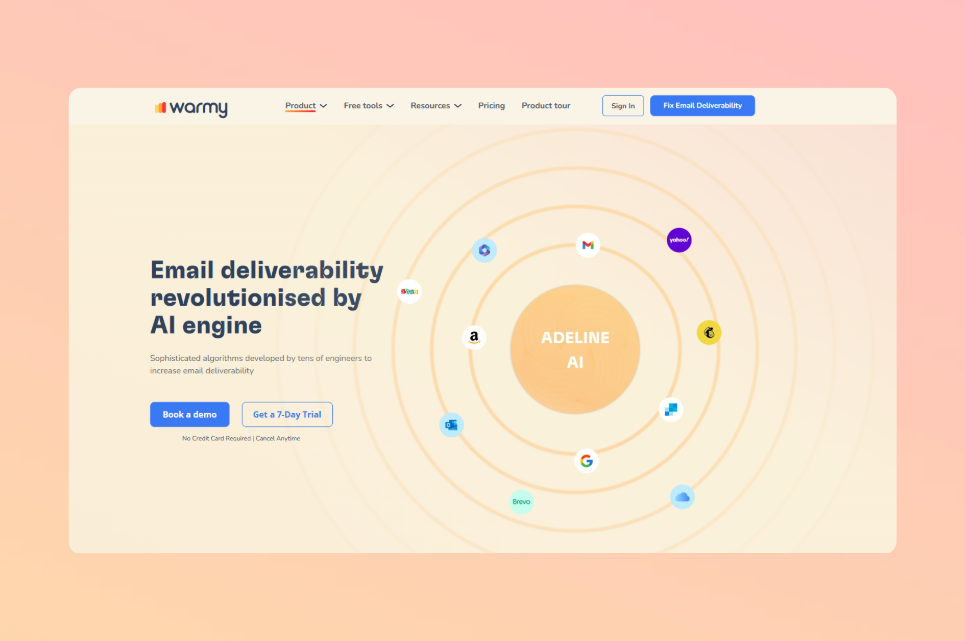
- IP reputation management. Warm up new IPs before full-volume use. Warmy automates this using its Adeline AI engine, which builds personalized warmup schedules per mailbox.
- Real-time monitoring. A single missing include in your SPF record can affect thousands of emails before anyone notices. Monitor your DMARC aggregate reports weekly.
- Separate transactional from marketing. Dedicated IPs for transactional email protect your highest-priority sends from reputation issues in marketing campaigns.
- List hygiene. High bounce rates and spam complaints damage sender reputation faster at scale. Audit your lists regularly.
Conclusion
SPF, DKIM, and DMARC are now enforced requirements at Gmail and Outlook — not best practices. Configure SPF to authorize your Postmark sending servers, add DKIM to sign every outbound message, and deploy DMARC in monitoring mode before enforcing. Once all three are in place and your reports show consistent alignment, your domain is protected and your email consistently reaches the inbox.
Warmy’s free tools make every step verifiable: the SPF Record Generator, the DMARC Record Generator, and the Email Deliverability Test are all available at no cost to confirm your setup is correct before your next campaign.
Ready to protect your sender reputation at scale? Book a free Warmy demo and see how Warmy’s AI monitors your authentication health, warms up your domain, and keeps your email out of spam — no technical expertise required.