SMTP error 535 5.7.0 is a permanent authentication failure. Your mail server received the credentials your client sent and refused them, so the message never entered the queue. The fault sits on the sending side. To fix it, switch to an app password or OAuth, confirm your port and encryption settings, then retry after any lockout clears.
- Replace your account password with an app password or an OAuth token.
- Confirm the username is the full email address, not just the local part.
- Check the port and encryption pairing: 587 with STARTTLS, or 465 with implicit TLS.
- Verify your provider has not disabled basic authentication on the mailbox or tenant.
- Wait out the lockout window before you retry, since repeated attempts extend it.
Your credentials are correct. You checked them twice and logged into webmail with the same details. The server still answers with 535 5.7.0 and drops the connection.
That contradiction is the whole story here. A 535 does not mean your password is wrong in the way you expect. It means the server evaluated what your client offered and declined it, usually because of a provider-side policy change rather than a typo on yours. Two of the largest mailbox providers spent the past two years dismantling password-based SMTP, and plenty of working configurations broke quietly as a result.
Below you will find what the code means at the protocol level, how 535 5.7.0 differs from the variants people confuse it with, and what to change for each provider. Warmy is an AI-driven email deliverability platform that catches the reputation damage these outages cause.
What SMTP error 535 5.7.0 actually means
Every SMTP rejection carries two numbers: the reply code, then the enhanced status code. Reading them separately turns a vague error into an actionable one.
RFC 4954, which defines SMTP authentication, tells servers to reject a failed AUTH command with a 535 reply unless a more specific code fits. The 535 therefore tells you one thing: your client tried to authenticate and the server declined.
The 5.7.0 half is where trouble starts. RFC 3463 defines X.7.0 as “other or undefined security status,” meaning something security related caused the failure but cannot be expressed by any more specific code. It is a catch-all.
Why the 5.7.0 pairing is unusual
Here is the detail almost nobody mentions. RFC 4954 never pairs 535 with 5.7.0. It pairs 535 with 5.7.8, “authentication credentials invalid,” and reserves 5.7.0 for a different reply entirely: 530 5.7.0, “authentication required.”
A server answering with 535 5.7.0 pairs the correct reply code with the generic detail code instead of the specific one the standard assigns. Sendmail, several Postfix configurations, Yahoo, AOL, and many shared hosting stacks do this. The enhanced code carries no diagnostic value, so you have to work backward from the text string that follows it.
Those strings vary more than most guides admit. The same failure can surface as:
- 535 5.7.0 Authentication Rejected.
- 535 5.7.0 Authentication failed.
- 535 5.7.0 Too many authentication failures.
- 535 5.7.0 authentication credentials invalid.
- 535 Login fail.
- 535 Incorrect authentication data.
All are the same protocol event. The complete SMTP error code reference maps the full range, and the general SMTP 535 error guide covers the wider family.
How 535 5.7.0 differs from the other 535 variants
Most people who land on a 535 hold a different variant without realizing it, because the reply code is identical and only the enhanced code changes. The fix for a Microsoft 5.7.3 has nothing in common with the fix for a Gmail 5.7.8. Find your string below, then follow it.
| Code | Where you see it | Typical message | Root cause | Go here |
|---|---|---|---|---|
| 535 5.7.0 | Sendmail, Postfix, Yahoo, AOL, shared hosting | Authentication Rejected / Authentication failed / Too many authentication failures | Generic refusal. The server declined the credentials without emitting a specific detail code. | This guide |
| 535 5.7.8 | Gmail, Google Workspace, SendGrid, Amazon SES | Username and Password not accepted | Credentials invalid, or an app password is required and a normal password was sent. | 535 5.7.8 guide |
| 535 5.7.3 | Microsoft 365, Outlook, Exchange Online | Authentication unsuccessful | SMTP AUTH disabled on the mailbox, MFA enforced, or a policy blocking legacy auth. | 535 5.7.3 guide |
| 535 5.7.139 | Microsoft 365 tenants | Authentication unsuccessful, SmtpClientAuthentication is disabled for the Tenant | SMTP AUTH off tenant-wide, or security defaults and Conditional Access blocking the sign-in. | See the Microsoft section below |
| 530 5.7.0 | Gmail, Zoho, many others | Authentication Required | The client never issued an AUTH command before trying to send. | SMTP error 530 guide |
535 5.7.0 versus 530 5.7.0 “Authentication Required”
These two get confused constantly because they share the same enhanced status code, which sends people down the wrong repair path for hours. The difference is whether authentication was attempted. A 535 means your client sent an AUTH command and the server rejected its contents. A 530 means your client skipped AUTH and went straight to MAIL FROM, so the server refused mail from an anonymous session.
Developers usually meet the 530 wrapped in a framework exception rather than a raw SMTP log. In .NET it arrives as a SmtpException reading “The SMTP server requires a secure connection or the client was not authenticated. The server response was: 5.7.0 Authentication Required.” Despite the 5.7.0, that is a 530. Regenerating app passwords will never fix it; enable authentication in your client configuration instead.
Why SMTP error 535 5.7.0 happens
Four causes account for the overwhelming majority of these failures, ordered by how often they prove responsible in 2026. That order looks very different from a few years ago.
Your provider stopped accepting plain account passwords
This is the leading cause today, and it catches people who changed nothing. Google finished turning off less secure app access on March 14, 2025. Per Google Workspace guidance on the transition to OAuth, SMTP, IMAP, and POP stopped working with legacy passwords from that date across all Google Accounts. Google notes that users who did not migrate would see an error saying their username and password combination is incorrect, which is the 535 you are staring at.
Yahoo and AOL moved earlier, and both require a generated app password for any third-party client that does not use their branded sign-in page, per Yahoo’s guidance on third-party app passwords. If your integration ran untouched for a year then suddenly failed, this is almost certainly why.
Microsoft 365 has a policy blocking the sign-in
Microsoft errors usually carry 5.7.3 or 5.7.139 rather than 5.7.0, but many clients report the failure with a generic 535 string and the diagnostic path is identical. Microsoft’s troubleshooting guidance for devices sending through Microsoft 365 lists four things to check:
- Authenticated SMTP is disabled on the mailbox. Run Get-CASMailbox in Exchange Online PowerShell and check SmtpClientAuthenticationDisabled.
- Multi-factor authentication is enforced on the licensed mailbox the device uses.
- Azure security defaults are switched on at the tenant level.
- A Conditional Access policy blocks legacy authentication for that user.
The same document flags a cause that rarely appears elsewhere: Microsoft rejects a share of connections to smtp.office365.com that negotiate TLS 1.0 or 1.1 for SMTP AUTH. Older printers that cannot do TLS 1.2 fail authentication for that reason alone, and no credential change helps. Firmware is the fix.
One deadline belongs in your calendar. Microsoft revised its retirement plan on January 27, 2026. Per the updated Exchange Online SMTP AUTH deprecation timeline, behavior holds through December 2026, when basic authentication for SMTP AUTH is disabled by default on existing tenants, though administrators can re-enable it. New tenants will not get it, and a final removal date is due in the second half of 2027.
Repeated failures triggered a lockout
When a client retries a bad login in a tight loop, many servers stop evaluating credentials altogether and refuse the connection outright. Yahoo and several hosting providers return “too many authentication failures” here.
Automated senders retry aggressively by default, so one wrong character in a config file can produce hundreds of failed attempts before anyone notices. By then the account is locked, and correcting the password changes nothing until the window expires. That delay is why people conclude their fix failed.
Port and encryption settings do not match
Many servers refuse an AUTH command over an unencrypted channel, so if your client authenticates before the connection is secured, the credentials are rejected however correct they are. RFC 8314 covers the two valid arrangements. Port 587 uses STARTTLS, where the session opens in cleartext and upgrades before authentication. Port 465 uses implicit TLS, where the handshake happens on connect. The specification prefers 465, since STARTTLS on 587 can be stripped by an attacker on the path.
Mixing them is common. Pointing a client at 465 while telling it to use STARTTLS, or at 587 with implicit TLS, produces a failure that looks convincingly like a credential problem.
Not sure authentication is your only problem? Run a free email deliverability test to check your SPF, DKIM, and DMARC records, blacklist status, and real inbox placement in one pass.
How to fix SMTP error 535 5.7.0
Work through these in order. Steps 1 and 2 resolve most cases.
- Generate an app password and use it instead of your account password. On Google this requires 2-Step Verification and produces a 16-character code, per Google’s app password documentation. On Yahoo and AOL, generate one from the Account Security page.
- Switch to OAuth if your client supports it. App passwords are a compatibility bridge, and both Google and Microsoft treat OAuth as the path going forward.
- Confirm the username format. Most servers expect the full email address, and sending only the local part rejects valid credentials.
- Match the port to the encryption method. 587 with STARTTLS, or 465 with implicit TLS. Check that your client is not authenticating before the connection is secured.
- Check for a provider-side block. On Microsoft 365, verify SMTP AUTH is enabled for the mailbox and no security default or Conditional Access policy blocks the sign-in.
- Confirm your client supports TLS 1.2 or higher. Several providers refuse older devices negotiating TLS 1.0 or 1.1, and the error looks exactly like a credential failure.
- Stop retrying and wait. If you triggered a lockout, disable the automated job, let the window close, then test by hand.
How Warmy protects deliverability when authentication fails
Warmy is an AI-driven email warmup and deliverability platform, and it cannot repair your credentials. Those live with your mail provider, and no third-party tool can or should touch them. What Warmy addresses is the damage an outage leaves behind.
When a mailbox stops authenticating, sending stops with it. The domain goes quiet, sometimes for days, then the fix lands and the queue releases everything at once. Providers treat that silence followed by a volume spike with suspicion, and a domain that placed well before the outage can end up in spam. The credentials get fixed; the reputation does not.
Domain-level health monitoring and correct DNS records
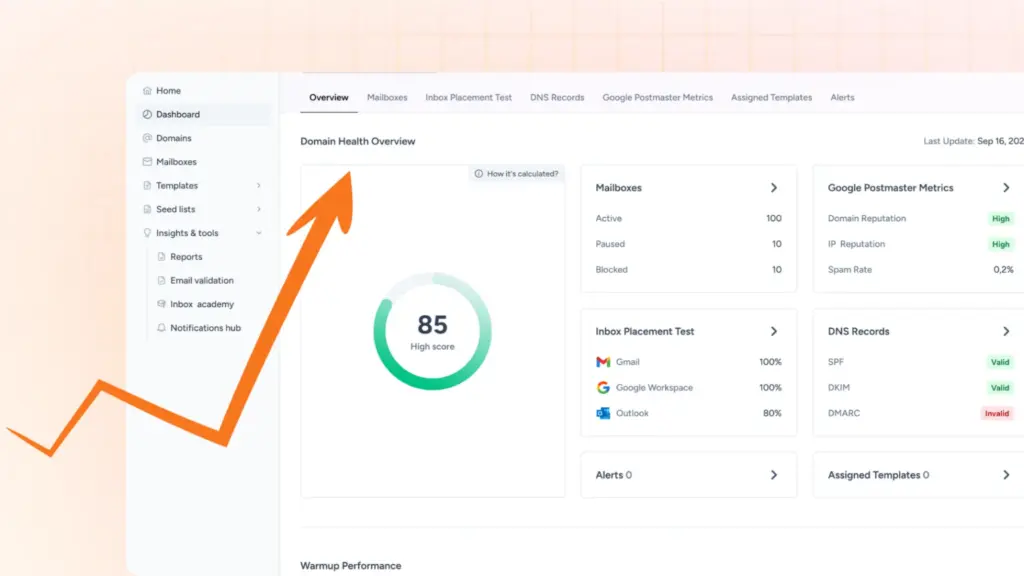
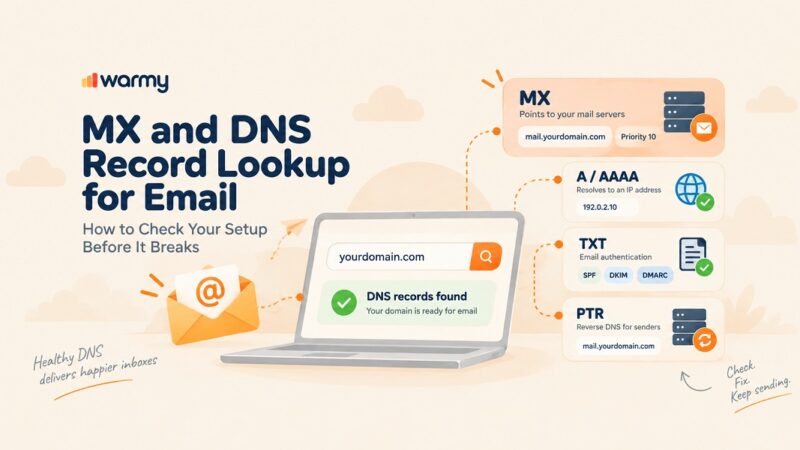
When you need to know your infrastructure is sound before the next campaign, Warmy’s Domain Health Hub scores each domain on inbox placement, DNS records including SPF, DKIM, DMARC, rDNS, MX, and A, blacklist status, and Google Postmaster signals. Every domain sits in one dashboard, so an outage on one mailbox does not go unnoticed until a campaign underperforms.
Misconfigured DNS records cause their own rejections, and hand-written ones break in hard-to-spot ways. Warmy’s free SPF Record Generator builds a valid record from your real sending providers and avoids the lookup limit failures that quietly invalidate manual ones. The free DMARC Record Generator creates a policy you can tighten gradually, protecting against spoofing without rejecting your own mail.
Reputation recovery once the credentials work again
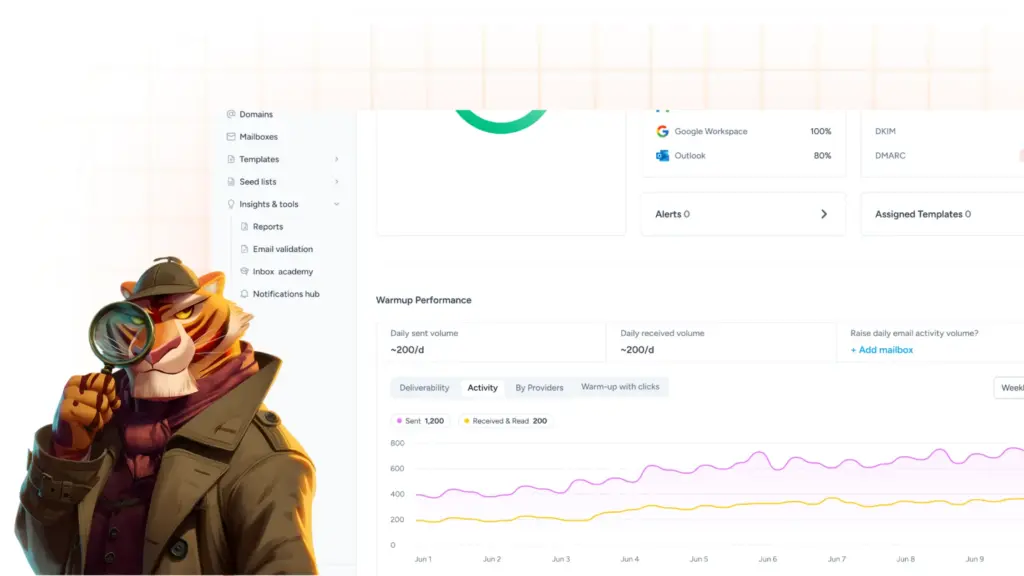
Warmy’s AI-powered email warmup rebuilds the sending history lost during the outage. It raises volume gradually while generating real engagement from a maintained network of genuine Gmail, Outlook, and Yahoo addresses, and anything landing in spam is retrieved and marked as important so providers relearn your domain is credible. If message quality is also in question, the free Template Checker scans for spam triggers.
Wrapping up
SMTP 535 5.7.0 looks like a password problem and usually is not one. The reply code says the server refused your authentication attempt, the 5.7.0 says nothing further, and the cause is generally a provider policy that shifted underneath a configuration you had not touched in months. Read the text string, work out which variant you hold, and match the fix to the provider rather than the code.
What outlasts the error is the reputation gap it opens while your domain sits silent. Book a demo and a deliverability specialist will walk through your domain health with you.