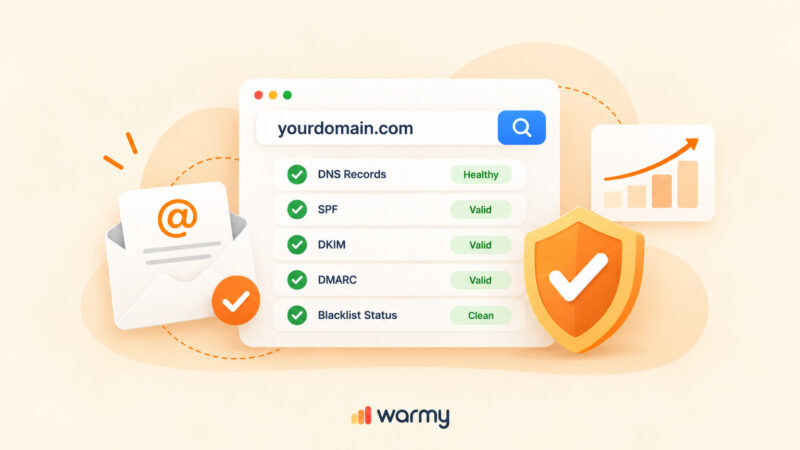
A DMARC record is a DNS TXT record published at _dmarc.yourdomain.com. The shortest useful version is:
v=DMARC1; p=none; rua=mailto:dmarc@yourdomain.com
- Start at p=none. It changes nothing about delivery and starts the flow of reports.
- Move to p=quarantine, then p=reject, once reports show every legitimate sender is authenticated and aligned.
- DMARC was republished in May 2026 as RFC 9989. The pct, rf, and ri tags are now historic. The np, psd, and t tags are current. Records still start with v=DMARC1, so nothing you have published breaks.
- You need SPF or DKIM working and aligned before DMARC does anything. Publishing DMARC on its own accomplishes nothing.
- Build the record with the free Warmy DMARC generator, paste it into DNS, and check it after propagation.
What DMARC is and what it actually does
DMARC stands for Domain-based Message Authentication, Reporting, and Conformance. It lets you tell receiving mail servers two things: how to recognize email that genuinely comes from your domain, and what to do with email that claims to come from your domain but cannot be verified.
Spoofing is the problem it solves. An attacker sends mail with your domain in the From header, your customer sees your brand name, and the message asks for a password or a payment. DMARC is the mechanism that lets a receiving server throw those messages away on your instruction.
DMARC sits on top of SPF and DKIM
DMARC does not authenticate anything by itself. It reads the results of two protocols that do, and applies a rule to the outcome.
- SPF checks whether the sending server is authorized for the domain in the envelope sender. Build one with the free SPF generator.
- DKIM checks a cryptographic signature attached to the message, tied to a domain in the signature’s d= tag. If you are not sure which selector you are using, here is how to find your DKIM selectors.
Publishing a DMARC record without working SPF or DKIM does nothing useful, and moving that record to enforcement will start blocking your own mail. Set the other two up first. Our guide on why you need to configure SPF, DKIM, and DMARC walks through all three in order.
Alignment is the part people miss
An SPF or DKIM pass is not enough on its own. RFC 9989 requires that the domain that passed also be aligned with the domain in the From header. There are two modes:
- Relaxed (the default). The two domains share an organizational domain. mail.example.com and news.example.com are relaxed-aligned.
- Strict. The two domains are identical, character for character.
This is why mail sent through a third-party platform often fails DMARC even though SPF passes. The platform’s own domain passes SPF, but it does not align with yours. Nearly every domain owner finds relaxed alignment sufficient.
What changed in 2026: DMARC is now RFC 9989
On May 19, 2026 the IETF published RFC 9989, which obsoletes RFC 7489 and RFC 9091. Aggregate reporting moved into RFC 9990 and failure reporting into RFC 9991. The community called the project DMARCbis while it was in progress.
Two things matter about this. First, DMARC moved from Informational to the IETF Standards Track for the first time since 2015, which gives auditors a formal standard to cite. Second, and more practically, the tag list changed.
Nothing you have published breaks. Records still begin with v=DMARC1, there is no DMARC2, and receivers are required to ignore tags they do not recognize. The retired tags are not errors. They simply stop doing anything.
Three tags are now historic
| Tag | What it did | What to do now |
|---|---|---|
| pct | Applied the policy to a percentage of failing mail | Remove it. Use the t tag for staged rollout instead |
| rf | Named the failure report format | Remove it. afrf was always the only value |
| ri | Set the aggregate report interval in seconds | Remove it. Receivers should send reports at least daily anyway |
The pct removal is the one worth understanding. It was ambiguous from the start. If you published p=quarantine with pct=10 and a receiver saw 100 messages of which 50 failed, it was never clear whether 5 or 10 should be quarantined, and different receivers picked different answers. In practice many domain owners parked at pct=10 permanently and treated a ramp as a destination.
Three tags are current
| Tag | What it does |
|---|---|
| np | Sets the policy for non-existent subdomains of your organizational domain. Useful because attackers often invent subdomains that were never registered |
| psd | Flags whether the record belongs to a public suffix domain. Values are y, n, or u, and u is the default |
| t | Test mode. With t=y, a receiver applies the policy one level below what you published: p=reject behaves as quarantine, p=quarantine behaves as none |
The Public Suffix List is out
RFC 7489 asked receivers to consult an external Public Suffix List to work out where your organizational domain boundary sat. Different receivers used different snapshots of that list, so they could disagree about the same address.
RFC 9989 replaces it with a DNS Tree Walk. The receiver queries _dmarc at your domain, then at each parent domain, walking up one label at a time. To stop an attacker from forcing hundreds of lookups, the walk is capped at eight queries.
The practical consequence: if you run a deep subdomain structure, publish an explicit DMARC record at every domain and subdomain you actually send from. A record published more than eight labels deep will never be discovered by the tree walk, and RFC 9989 states that domain owners in that situation MUST publish a record at the sending domain itself.
How to build a DMARC record, tag by tag
The minimum viable record
Two tags are all you technically need, and in practice you want three:
v=DMARC1; p=none; rua=mailto:dmarc@yourdomain.com
v is required and must come first. Its only valid value is DMARC1, and it is case sensitive. p declares your policy. rua is where aggregate reports go, and without it receivers are forbidden from sending you any reports at all, which leaves you deploying blind.
NOTE: If you publish a record with no valid p tag but a working rua, receivers treat it as p=none rather than discarding it. That is a safety net, not a plan.
Full tag reference
| Tag | Required? | Default | What it does |
|---|---|---|---|
| v | Required | none | Version. Must be DMARC1 and must be the first tag |
| p | Recommended | none if absent | Policy for the domain: none, quarantine, or reject |
| rua | Optional | none | Comma-separated addresses for aggregate reports. Omit it and you get no reports |
| ruf | Optional | none | Addresses for per-message failure reports. Many receivers no longer send these |
| sp | Optional | inherits p | Policy for existing subdomains |
| np | Optional | inherits sp then p | Policy for non-existent subdomains |
| adkim | Optional | r | DKIM alignment mode: r for relaxed, s for strict |
| aspf | Optional | r | SPF alignment mode: r for relaxed, s for strict |
| fo | Optional | 0 | Failure report triggers. Ignored unless ruf is set |
| psd | Optional | u | Marks a public suffix domain. Values y, n, u |
| t | Optional | n | Test mode. y makes receivers apply one level below your stated policy |
Source: RFC 9989 section 4.7 and the IANA DMARC Tags registry.
Worked examples
Monitoring, week one:
v=DMARC1; p=none; rua=mailto:dmarc@yourdomain.com
Quarantine with subdomains covered and non-existent subdomains locked down:
v=DMARC1; p=quarantine; sp=quarantine; np=reject; rua=mailto:dmarc@yourdomain.com
Full enforcement with strict alignment:
v=DMARC1; p=reject; sp=reject; np=reject; adkim=s; aspf=s; rua=mailto:dmarc@yourdomain.com
Testing reject without the consequences, using the t tag:
v=DMARC1; p=reject; t=y; rua=mailto:dmarc@yourdomain.com
That last one is the modern replacement for the old pct approach. Receivers see your intent to reject but apply quarantine instead, so you get the reporting picture without the blast radius.
The policy path: None, then quarantine, then reject
RFC 9989 does not leave the rollout to guesswork. Section 7.4 states that domains wanting to reach p=reject should first publish p=none for at least a month, then p=quarantine for an equally long period, comparing the disposition results between the two.
Stage 1: p=none
Nothing changes about how your mail is handled. The specification is explicit that a policy of none MUST NOT modify existing mail handling. What you get is aggregate reports showing every source sending as your domain, including the ones you forgot about.
Stay here at least a month. Longer if you send infrequently, because you need enough report volume to see the full picture.
Stage 2: p=quarantine
Failing mail goes to spam rather than the inbox. Move here only once your reports show every legitimate sender passing and aligned. Run it for at least as long as you ran monitoring, and compare the two periods.
If something breaks at this stage, the damage is recoverable. Recipients can still find the message. That is the entire reason quarantine exists as a middle step.
Stage 3: p=reject
Failing mail is refused outright. RFC 9989 attaches two hard requirements to this policy that are worth quoting in substance:
- Domains publishing p=reject MUST NOT rely on SPF alone for a DMARC pass, and MUST apply valid DKIM signatures. SPF breaks when mail is forwarded. DKIM usually survives.
- Domains hosting users who post to mailing lists SHOULD NOT publish p=reject at all. Mailing list traffic fails DMARC in ways the protocol still cannot describe, and rejection gets your users unsubscribed automatically.
There is a symmetrical rule on the receiving side worth knowing: receivers MUST NOT reject a message purely because your policy says reject. In the absence of other analysis, RFC 9989 tells them to treat it as quarantine instead. If your enforcement feels softer than expected, that is why. If a message does get refused on policy, it usually surfaces as SMTP error 451 4.7.24.
Who actually requires DMARC in 2026
This stopped being optional for high-volume senders in 2024.
- Google requires bulk senders, defined as anyone sending 5,000 or more messages a day to personal Gmail addresses, to publish a DMARC record and pass SPF or DKIM alignment. It also asks all senders to keep the user-reported spam rate below 0.1 percent and never let it reach 0.3 percent. Google’s sender guidelines FAQ is the primary source, and note that the spam threshold measures complaints rather than bounces.
- Microsoft began enforcing equivalent rules on May 5, 2025 for senders above 5,000 messages a day to Outlook.com, Hotmail.com, and Live.com. Its published requirements call for SPF and DKIM to pass and DMARC at a minimum of p=none aligned with one of them, and it names list hygiene alongside authentication.
A record at p=none satisfies both mandates. That is the floor, not the goal.
How to read DMARC reports
Aggregate reports are the reason DMARC is worth deploying even at p=none. Receivers should send them at least once every 24 hours, and they arrive as compressed XML attachments at whatever address you put in your rua tag.
What is in an aggregate report
Each report covers one receiver over one period and groups messages by sending IP. For each group you get:
- The sending IP address and the message count.
- The domain in the From header.
- The SPF result and the domain it was checked against.
- The DKIM result and the signing domain.
- Whether each result aligned with the From domain.
- The disposition the receiver applied, and a PolicyOverride entry if it deviated from your policy.
What to look for
You are hunting for two categories. Legitimate senders that are failing, which you fix before tightening policy. And unauthorized senders using your domain, which is what DMARC was built to stop.
The XML is not meant to be read by hand. RFC 9989 recommends machine parsing, and in practice you want a processor. We compare the options in our roundup of DMARC reporting and monitoring tools. Google Postmaster Tools gives you a second view of how Gmail specifically is treating your domain.
Create your DMARC record with the free Warmy generator
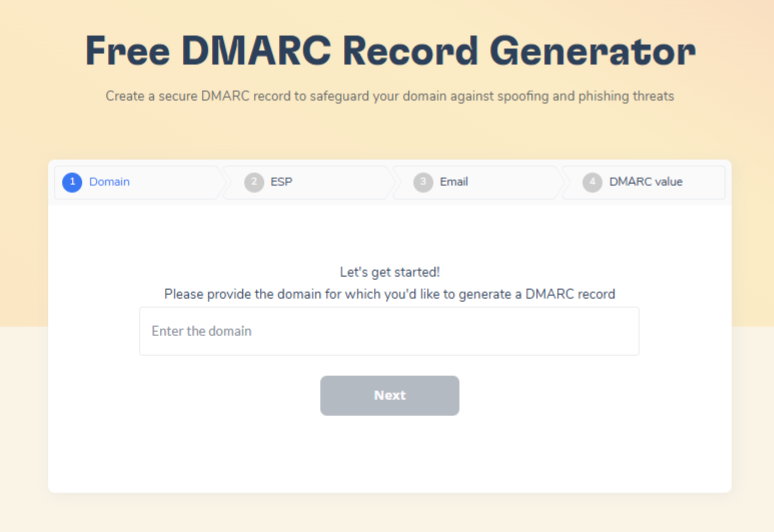
Hand-writing the syntax is where mistakes happen: a missing semicolon, a v tag that is not first, a policy value that does not exist. The Warmy DMARC generator assembles a valid record from your answers.
- Open the DMARC generator.
- Enter the domain you want to protect. For sales@yourbusiness.com, enter yourbusiness.com.
- Choose your policy. Start at none unless you already have months of clean reports behind you.
- Add the address where aggregate reports should go. Treat this as required, not optional.
- Generate the record and copy the output.
- In your DNS host, create a TXT record with the name _dmarc and paste the value.
- Wait for propagation and verify. DNS changes take time to spread, so give it a few hours before concluding something is wrong.
Publishing it in DNS
The record goes at the hostname _dmarc.yourdomain.com. Most DNS panels want just _dmarc in the name field and add the domain for you. Setting the full name manually is the most common way people end up with a record at _dmarc.yourdomain.com.yourdomain.com.
Provider-specific walkthroughs: DMARC for Gmail and Google Workspace and DMARC for Office 365.
Common mistakes
- More than one DMARC record on the same domain. Receivers discard all of them and you end up with no policy at all.
- The v tag not first, or written as v=dmarc1. The value is case sensitive and the whole record is ignored if it is wrong.
- Jumping straight to p=reject on day one, before reports have shown you which of your senders are broken.
- Publishing DMARC with no rua. You get enforcement and no visibility, which is the worst of both.
- Leaving the record off entirely and then wondering about the error. If you are seeing that, here is how to fix “no DMARC record found”.
Read your DMARC reports without leaving Warmy
Once your DMARC record is live, receivers start sending authentication reports to whatever address sits in your rua tag. Warmy can now be one of those addresses, which means you read the reports in the app instead of parsing XML yourself.
Setup follows the same sharing pattern as Google Postmaster. You add Warmy’s RUA receiver to your domain’s DMARC record, and the in-app instructions give you the exact RUA value to paste.
From there, Warmy watches for your first report and moves the domain through three connection states on its own:
- Not Connected. The domain has not been linked to DMARC tracking yet.
- Pending. You have finished the setup steps and the system is waiting for the record change to apply.
- Connected. Warmy has received its first report.
That status appears as a DMARC Sharing column in the Domains list, and you can filter the list by it.
What the DMARC Tracking tab shows
Once a domain is connected, open the tab from either the Dashboard or the Domains tab. There are five views.
General traffic overview. Your sending volume by week or by month, separated into the total coming from Warmy warmup and the total coming from DMARC.
Traffic categorization. Incoming flow sorted into Compliant, Non-compliant, Forwarded, and Threat/Unknown (spoofing). Hover over any given day for the per-category breakdown. Four filters narrow the view: sending IPs, grouped by provider with shared IPs rolled up as Shared; sender providers such as Amazon SES, Google, or Microsoft; receiver providers such as Outlook.com, google.com, GoDaddy, or Zoho.com; and sending subdomain.
DMARC policy, current state. The disposition you are running as of the latest report, none, quarantine, or reject, along with the date of that report.
Sender IPs. A table with one row per IP showing its sender provider, email count, rejected count, and the SPF, DKIM, and DMARC policy results. A filter narrows it to possible spoofers only.
Spoofing. The flagged IPs and how many emails came from each.
Full setup steps are in Warmy’s DMARC tracking help article.
Where DMARC stops and deliverability begins
DMARC proves your mail is really yours. It does not make anyone want to receive it. A perfectly authenticated message from a domain with no sending history still lands in spam, because authentication and reputation are separate problems. Our research team covers the overlap in the modern guide to authentication and inbox warm-up.
SPF record generator
The SPF Record Generator produces a correctly formatted SPF TXT record and helps you avoid the two classic failures: syntax typos and exceeding the DNS lookup limit. SPF has to be right before DMARC enforcement is safe.
AI-powered email warmup
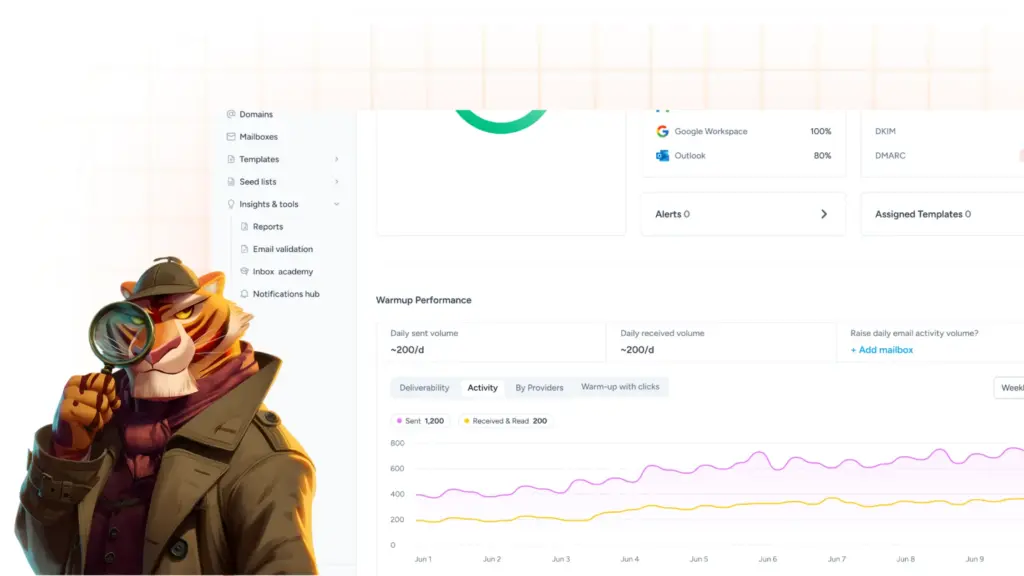
Warmy’s AI-driven email warmup raises your sending volume gradually while generating genuine engagement with real inboxes, which is what builds the reputation side of the equation. It monitors mailbox health continuously and adapts the pace on its own.
Seed lists

Seed lists let you see where your campaigns actually land across providers before your real recipients do. Pair that with deliverability insights and you can watch authentication and placement in the same dashboard. You can also run a free deliverability test right now without an account.
Protect your domain and your inbox placement
Spoofing costs your customer trust. Poor authentication costs you the inbox. DMARC handles the first and contributes to the second, and the Warmy generator gets the record right on the first attempt.
Generate your DMARC record free with Warmy, or Book a Demo and we will review your full authentication setup with you.