The “No DMARC Record Found” error means your domain lacks a published DMARC DNS record, leaving it vulnerable to phishing and spoofing. To fix it: (1) confirm the record is missing, (2) decide on a DMARC policy, (3) create and publish a DNS TXT record, and (4) monitor the reports. Gmail, Yahoo, and Outlook now enforce DMARC for bulk senders.
Business email compromise (BEC) is one of the costliest forms of cybercrime globally, with attackers impersonating your domain to defraud customers, partners, and employees. DMARC closes the spoofing gap, but no email control stops every attempt, and with global cybercrime losses projected to hit $14 trillion by 2028, more firms pair authentication with cyber coverage that reimburses funds lost to email fraud.
Your DMARC record is the first technical barrier standing between your domain and those attacks. Without it, any server on the internet can send email that appears to come from you.
This guide shows you exactly how to fix the “No DMARC Record Found” error, what the error means, and how to avoid the common configuration mistakes that cause DMARC to fail silently.
What Is a DMARC Record?
A DMARC record is a DNS TXT record that tells receiving mail servers how to handle messages that fail SPF or DKIM authentication checks. DMARC stands for Domain-based Message Authentication, Reporting, and Conformance.
Warmy is an AI-driven email warmup and deliverability platform that automatically builds your sender reputation, improves inbox placement, and keeps your emails out of spam. Part of that foundation is ensuring your DMARC, SPF, and DKIM records are correctly configured.
The DMARC record specifies three things: your policy for failing emails, the reporting addresses for authentication reports, and the alignment mode that controls how strictly the From domain must match your SPF or DKIM domains. When the “No DMARC Record Found” error appears, none of that configuration exists in your DNS.
Why You Need a DMARC Record
Without a DMARC record, receiving servers have no instructions for what to do when someone sends email that appears to be from your domain but fails authentication. That gap is exactly what phishing and spoofing attacks exploit.
DMARC also generates aggregate reports sent to the address you specify in your record. Those reports tell you which servers are sending email on your behalf, which ones are passing authentication, and where failures are occurring. That visibility is essential for catching misconfigured third-party senders before they hurt your deliverability.
Gmail, Yahoo, and Outlook Now Require DMARC
DMARC is no longer just a best practice. The three largest inbox providers now require it for bulk senders.
Google and Yahoo announced mandatory DMARC requirements for senders of 5,000 or more messages per day, effective February 1, 2024. You can review Google’s official sender guidelines for the full technical requirements. In November 2025, Google escalated enforcement: emails from non-compliant domains now face temporary and permanent rejections at the SMTP level, not just spam placement.
Microsoft followed with its own enforcement, effective May 5, 2025. Bulk senders to Outlook.com, Hotmail.com, and Live.com must publish a DMARC record with at least p=none or their messages are rejected outright with error code 550 5.7.515.
If your domain lacks a DMARC record and you send at any meaningful volume, your emails are at risk of rejection across Gmail, Yahoo, and Outlook simultaneously.
Not sure if your DMARC is correctly configured? Run Warmy’s free Email Deliverability Test to check your DMARC, SPF, and DKIM status in seconds — no signup required.
How Does DMARC Work?
When a receiving mail server gets an incoming message, it checks whether the message passes SPF or DKIM. SPF verifies that the sending IP is authorized for the From domain. DKIM verifies the email has not been tampered with in transit. You can read RFC 7489, the official DMARC specification from the IETF, for the technical detail.
DMARC adds an alignment layer on top of those checks. Alignment means the domain in the visible From header must match the domain that passed SPF or DKIM. This closes the gap that lets attackers forge the From address while passing authentication from a different domain they control.
When DMARC finds a failing email, it consults your policy record to decide what to do:
- p=none: Monitor only. Failing emails are delivered normally, but reports are generated. Use this as your starting point.
- p=quarantine: Failing emails go to spam or junk. Use this after reviewing your reports and confirming all legitimate senders are authenticated.
- p=reject: Failing emails are blocked entirely. Use this once you have full confidence in your authentication setup.
DMARC Policy Comparison: none vs quarantine vs reject
| Policy | What Happens to Failing Mail | When to Use | Risk Level |
|---|---|---|---|
| p=none | Delivered normally; reports generated | Initial setup and monitoring phase | No delivery impact; no protection |
| p=quarantine | Sent to spam/junk folder | After confirming all senders are authenticated | May affect legitimate mail if misconfigured |
| p=reject | Blocked; never reaches recipient | Full enforcement after p=quarantine phase | High impact on misconfigured senders |
💡 Pro Tip: Always start with p=none for the first 2–4 weeks. Collect aggregate reports to identify every service sending email on your behalf, including CRMs, marketing platforms, and support tools. Only graduate to p=quarantine or p=reject once every legitimate sender appears in your reports and passes authentication.
Common DMARC Configuration Issues
“No DMARC Record Found”: This is the most basic issue. No record exists in DNS for your domain, so receiving servers have no policy to apply. The fix is to create and publish a DMARC record, which the next section covers step by step.
Syntax errors: DMARC records must be precisely formatted. A single misplaced semicolon, a missing tag, or an invalid policy value causes the entire record to be ignored. Always validate with a DMARC lookup tool before considering the record live.
Setting p=reject too early: Prematurely enforcing p=reject before all legitimate senders are authenticated causes your own emails to be blocked. Start with p=none and work up gradually.
SPF and DKIM alignment issues: DMARC requires the From header domain to align with the SPF or DKIM domain. Misalignment is the most frequent failure cause on correctly configured domains. Read Warmy’s guide to SPF alignment issues and how to fix them for detailed troubleshooting.
Third-party sender integration: External platforms (CRMs, marketing tools, helpdesks) sending email from your domain must be authenticated via SPF or DKIM. Check Warmy’s guide on configuring SPF, DKIM, and DMARC together for guidance on handling multiple sending sources.
How to Fix the “No DMARC Record Found” Error: Step-by-Step
Follow these steps to create and publish a DMARC record for your domain.
Step 1: Confirm Your DMARC Record Is Missing
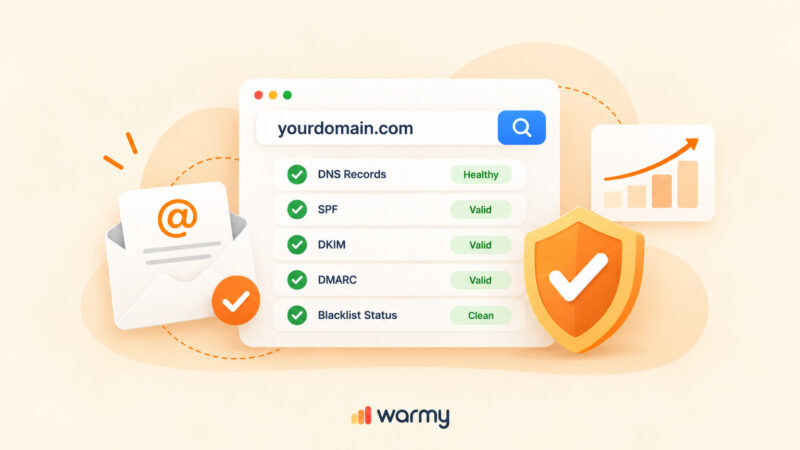
Before making changes, confirm the error. Run Warmy’s free Email Deliverability Test (linked in the CTA above). The scan checks your DMARC, SPF, and DKIM status simultaneously, shows your domain’s blacklist status, and flags any other authentication issues. If DMARC is missing, the scan shows it clearly in the results.
Step 2: Determine Your DMARC Policy
Decide which policy level to start with. For a first-time implementation, always begin with p=none. This lets you collect aggregate reports and understand your full sending landscape before any enforcement is applied. Tighten the policy once all legitimate sending sources are passing authentication.
Step 3: Create and Publish Your DMARC Record
You have two options: use a generator or create the record manually.
✅ Option A: Use Warmy’s Free DMARC Generator
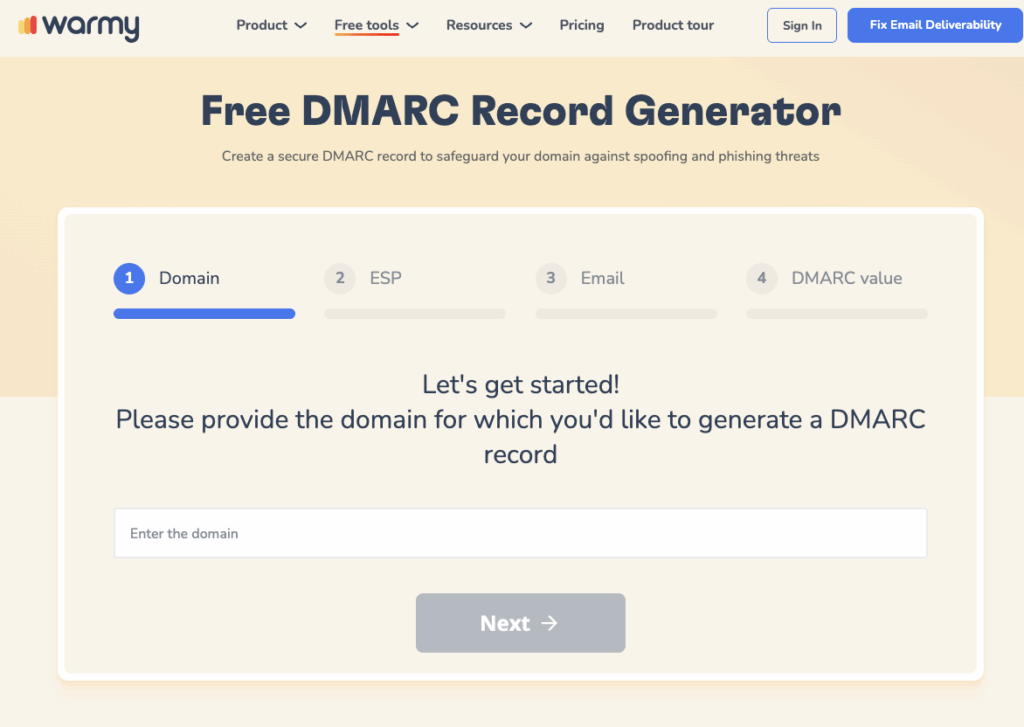
Warmy’s Free DMARC Record Generator walks you through the setup step by step. Enter your domain, select your policy level, and specify your reporting email address. The tool outputs a correctly formatted TXT record ready to paste into your DNS settings.
✅ Option B: Create the Record Manually
Add a DNS TXT record at _dmarc.yourdomain.com. A basic DMARC record looks like this:
_dmarc.example.com. IN TXT "v=DMARC1; p=none; rua=mailto:dmarc@example.com"Here is a breakdown of each tag in that record:
| Tag | Example Value | Meaning |
|---|---|---|
| v= | DMARC1 | DMARC version. Always DMARC1. |
| p= | none / quarantine / reject | Policy applied to failing emails. |
| rua= | mailto:dmarc@yourdomain.com | Address for aggregate XML reports. |
| ruf= | mailto:forensics@yourdomain.com | Address for forensic failure reports (optional). |
| pct= | 100 | Percentage of messages the policy applies to. Default is 100. |
| sp= | none | Policy for subdomains. Inherits from p= if omitted. |
Log in to your DNS provider (GoDaddy, Cloudflare, Route 53, or wherever your DNS is managed). Add a new TXT record. Set the host field to _dmarc. Paste your DMARC string as the value and save. DNS propagation takes up to 48 hours, though changes are typically visible much sooner. For GoDaddy, navigate to DNS Management, click Add, select TXT, enter _dmarc as the host, paste your DMARC string as the value, and save.
Step 4: Monitor Your DMARC Reports
Once your record is live, monitoring aggregate reports is the most important ongoing task. Reports reveal every server sending email on your behalf and their authentication pass/fail rates. Review Warmy’s list of the best DMARC reporting and monitoring tools in 2026 to find a tool that fits your needs. After 2–4 weeks at p=none, evaluate your reports. If all legitimate senders are passing, upgrade to p=quarantine. After another monitoring period, consider moving to p=reject for full enforcement.
Conclusion
The “No DMARC Record Found” error is one of the most impactful, and most straightforward, email security gaps to close. Publishing a DMARC record stops domain spoofing, protects your recipients from phishing, and is now a hard requirement from Gmail, Yahoo, and Outlook for bulk senders.
The correct approach is to start with p=none, collect aggregate reports for a few weeks, verify that all your sending sources are authenticated, and then progress to p=quarantine and p=reject. Rushing directly to p=reject without monitoring first is the most common mistake and can block your own legitimate email.
Use Warmy’s free DMARC Record Generator to create a correctly formatted record in minutes, and the Email Deliverability Test to verify your full authentication setup is working correctly before you send at scale.
Ready to protect your domain and ensure every email you send is authenticated? Book a free Warmy demo and see how Warmy’s AI-powered deliverability platform keeps your sender reputation protected at scale.