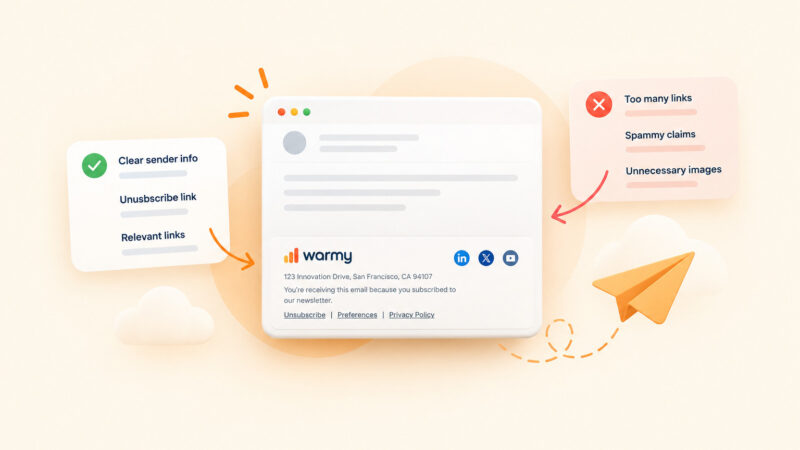
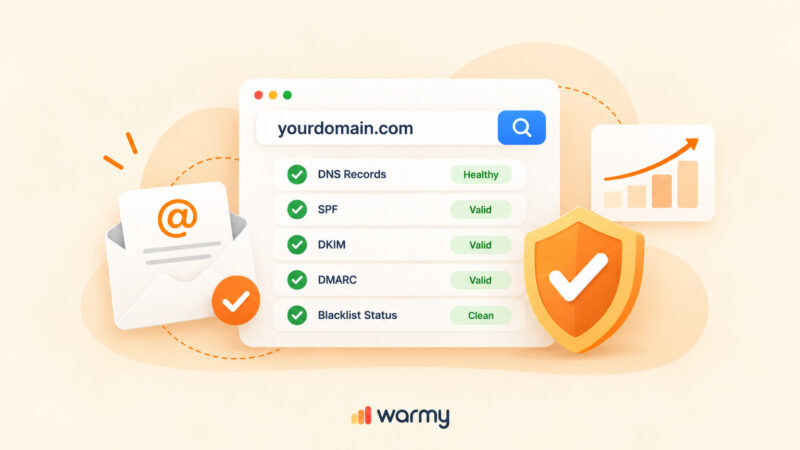
TL;DR: Deliverability advice ages badly, and the checklists still circulating were written for rules that have since been rewritten twice. What follows is the current version, sourced to the providers and specifications themselves rather than to other blog posts. Some of it will contradict what you were told in 2024. The fixes are ordered by how quickly each one shows up in your numbers.
Globally, inbox placement rates are running at around 87% in 2026, which means roughly one in eight legitimate, permission-based marketing emails never reaches a visible inbox even though the receiving server accepted it.
Between February 2024 and May 2026, Gmail, Yahoo and Microsoft converted what used to be polite best practices into mechanical gates, and the DMARC specification itself was rewritten. Most deliverability advice still online predates those changes. If you are working from a 2024 checklist, you are missing the parts that now cause hard rejections.
Warmy is an AI-driven email warmup and deliverability platform that builds and protects sender reputation so your messages clear those gates instead of quietly disappearing. Before you work through the list below, run a free email deliverability test to see where your domain actually stands right now. Fixing the wrong layer is the most common way teams waste a month.
What affects email deliverability in 2026
Deliverability is not your delivery rate
Delivery rate measures one thing: whether a receiving server accepted your message instead of bouncing it. Inbox placement rate measures whether that accepted message landed somewhere a human will see it.
The two numbers diverge badly. Validity’s analysis of 2026 benchmark data notes a 99.2% delivered rate sitting alongside a global inbox placement rate of about 87%.
Mailbox providers decide placement using five inputs: whether you are cryptographically who you claim to be, what your domain and IP have done historically, how clean your recipient list is, how recipients react to your mail, and what the message itself looks like.
What changed, and why old checklists now fail
4 things happened that most competing guides have not absorbed.
- Gmail and Yahoo, February 2024. Senders above roughly 5,000 messages per day to personal Gmail accounts must publish SPF, DKIM and DMARC, pass From alignment against SPF or DKIM, offer one-click unsubscribe, and keep reported spam below 0.3%.
- Microsoft, May 5, 2025. Outlook.com, Hotmail.com and Live.com applied comparable rules to high-volume senders, with non-compliant mail rejected, carrying 550 5.7.515 Access denied.
- Gmail enforcement, November 2025. Google states that non-compliant traffic now experiences disruptions including temporary and permanent rejections. The grace period is over.
- DMARCbis, May 2026. The IETF published RFC 9989, RFC 9990 and RFC 9991, which obsolete the original DMARC specification and moved DMARC onto the Standards Track.
| Requirement | Gmail and Yahoo | Microsoft consumer inboxes |
|---|---|---|
| Volume trigger | About 5,000+ messages per day to personal accounts | More than 5,000 messages per day to outlook.com, hotmail.com, live.com |
| SPF and DKIM | Both required for bulk senders | Both required |
| DMARC | Required, p=none accepted as a minimum | Required, p=none accepted as a minimum |
| Alignment | From: domain must align with the SPF or DKIM domain | Must pass through a matching SPF or DKIM domain |
| One-click unsubscribe | Required for marketing and subscribed messages, plus a visible link in the body | Functional unsubscribe expected |
| Complaint ceiling | Stay below 0.10%, never reach 0.30% | Monitored, no public figure published |
| Failure signal | Spam foldering, then temporary and permanent rejections | 550 5.7.515 Access denied |
| Where to monitor | Google Postmaster Tools v2 | Microsoft SNDS |
Sources: Google’s Email sender guidelines and the Microsoft Outlook high-volume sender announcement.
Fix your authentication first (ways 1 to 4)
Authentication is the only layer where a single afternoon of DNS work produces a measurable change within 48 hours. Everything else in this article takes weeks. Start here.
1. Set up SPF, DKIM and DMARC, then confirm alignment actually passes
Three records, three different jobs.
- SPF publishes which servers may send for your domain.
- DKIM signs each message so the receiver can verify it was not altered and that the signing domain authorized it.
- DMARC ties the two back to the domain your recipient actually sees in the From: header and tells receivers what to do when that link breaks.
SPF can pass against your ESP’s return-path domain while your From: header shows your own brand domain, and DMARC will still fail because the two do not match. Google requires that the From: domain align with either the SPF domain or the DKIM domain for bulk senders.
Send yourself a test message, open the raw headers, and confirm you see three passes plus a DMARC pass, not just SPF and DKIM in isolation. Our guide on how to configure SPF, DKIM and DMARC walks through each record. One detail worth checking while you are there: Gmail requires a DKIM key of at least 1024 bits and recommends 2048.
2. Audit your SPF record against the 10 lookup and 2 void lookup limits
This is the most common silent authentication failure in real accounts, and almost no deliverability guide mentions it. RFC 7208 caps SPF evaluation at ten DNS-querying mechanisms per check. Every include, a, mx, ptr, exists and redirect counts, including everything nested inside an include.
Cross that line and the receiver returns PermError, stops evaluating, and DMARC treats the whole thing as an SPF failure.
The same specification sets a second, quieter limit of two void lookups, meaning DNS queries that return nothing. A single stale include pointing at a provider you stopped using last year burns one.
Two of them exhaust the budget and trigger PermError even when your total lookup count is comfortably under ten. Nothing in DNS warns you. The only visible signal is in your DMARC aggregate reports.
Most organizations cross the limit by accumulation: Google Workspace, then a marketing platform, then a help desk, then a CRM. Count your lookups, remove providers you no longer use, replace lookup-heavy mechanisms with direct ip4 and ip6 entries where the addresses are stable, and move third-party senders onto their own subdomains with their own SPF records.
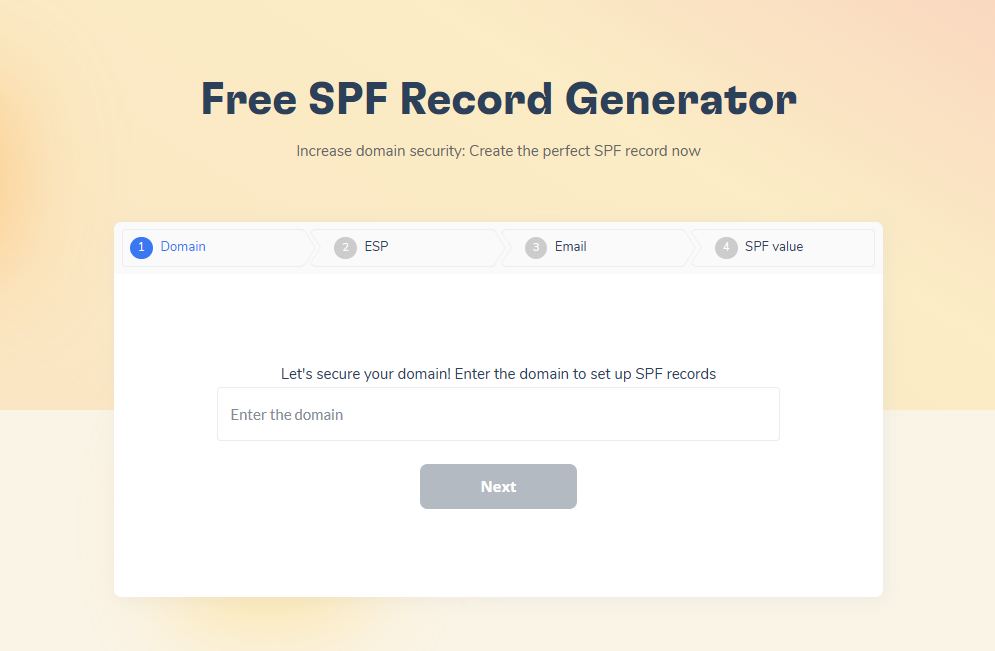
Warmy’s free SPF Record Generator builds an optimized record from your actual sending providers and avoids the lookup failures that break hand-written records.
3. Move DMARC from p=none to enforcement, and update it for the 2026 spec
A DMARC record set to p=none satisfies the letter of the Gmail and Microsoft requirements and protects nothing. It is a monitoring instruction. Anyone can still spoof your domain, and every spoofed message that lands in a recipient’s spam folder is reputational damage attributed to you.
Work through the sequence properly. Publish p=none with a rua address, read aggregate reports for two to four weeks until every legitimate sending source shows as aligned, move to p=quarantine, then to p=reject. Skipping the report-reading phase is how teams block their own invoices.
In May 2026 the IETF published RFC 9989 along with RFC 9990 and RFC 9991, replacing the original 2015 DMARC specification and promoting DMARC to a Proposed Standard. Existing v=DMARC1 records remain valid, so nothing breaks. The practical changes are worth acting on at your next DNS edit:
- The pct, rf and ri tags are gone. Remove them.
- A new t tag replaces pct as a binary testing mode: t=y means publish the policy without enforcement, t=n applies it.
- A new np tag sets a policy for non-existent subdomains, which lets you block a common spoofing pattern while keeping p at none.
- Organizational domain discovery now uses a DNS tree walk instead of the Public Suffix List, so if you run a complex subdomain hierarchy, publish an explicit DMARC record at every domain you actually send from.
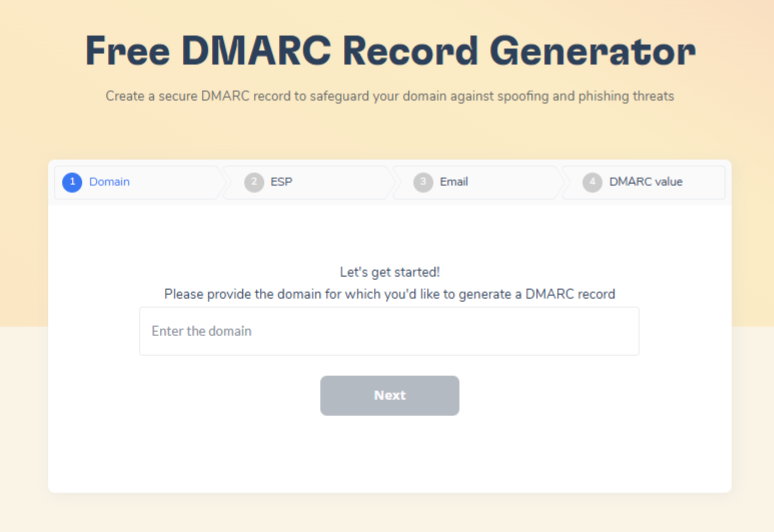
Warmy’s free DMARC Record Generator walks through policy, alignment and subdomain settings step by step, so you can tighten enforcement gradually without triggering false rejections on legitimate mail.
4. Lock down TLS, PTR records and message formatting
Google’s requirements for every sender, not just bulk senders, include three infrastructure items teams routinely forget. Your sending domain or IP needs valid forward and reverse DNS records, so the PTR record must resolve to a hostname and that hostname must resolve back to the same IP. Mail must be transmitted over a TLS connection. Messages must be formatted according to RFC 5322, with a valid Message-ID and no duplicated single-instance headers.
Google also now publishes display name rules. The sender display name should identify the sender and nothing else. No subject line content, no recipient names, no emoji standing in for graphic elements, nothing implying a threaded reply. Messages that fail authentication can be rejected with a 5.7.26 error, and quota violations return 4.7.28, so read your bounce strings rather than guessing.
Build sending reputation before you need it (ways 5 to 8)
Correct authentication proves identity. It does not prove trustworthiness. Providers decide that from history, and a domain with no history is treated as a domain with no evidence.
5. Warm up every new domain and mailbox before the first campaign
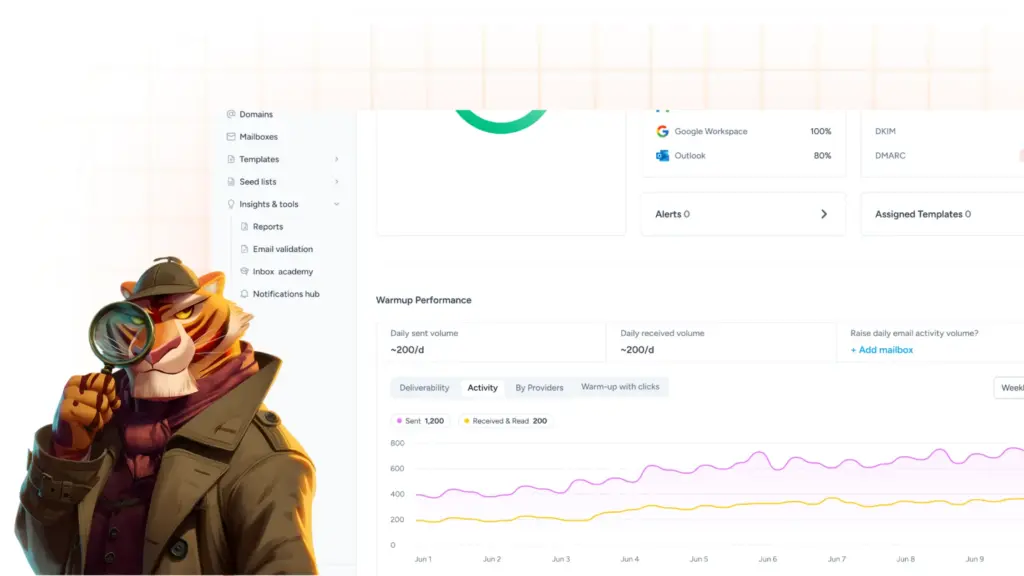
A brand new domain that sends 2,000 messages on day one looks exactly like a domain a spammer registered that morning. Warm-up solves this by starting at low volume with genuine engagement, opens, replies, and messages pulled out of spam and marked important, then increasing gradually so the provider builds a positive record before real volume arrives.
Warm-up applies to more than new domains. A domain that went quiet for two months, or one that just had a reputation incident, needs re-warming for the same reason. Our full guide to email warm-up covers the mechanics.
When you need this to happen without manual seed list management, Warmy’s AI-powered email warmup increases volume automatically while simulating real human interaction across a network of genuine Gmail, Outlook and Yahoo mailboxes, in more than 30 languages, and retrieves messages from spam to train providers that your domain is credible.
6. Ramp volume gradually instead of spiking it
Google’s guidance is explicit: send at a consistent rate, avoid bursts, start low with engaged recipients, and do not suddenly double a volume you have no history of sending. Providers track volume and feedback per domain and per IP, and immediately doubling previous volumes can trigger rate limiting or a reputation drop on its own, independent of content quality.
For a new dedicated IP the timeline is longer than most teams expect. Amazon SES automatic warm-up for a new dedicated IP runs on a predefined plan of up to 45 days.
Plan the migration around that, not around the campaign calendar. If bounces or deferrals start climbing mid-ramp, hold volume flat or reduce it until the error rate settles, then resume.
7. Separate mail streams onto subdomains and distinct From addresses
Sending marketing blasts, transactional receipts and cold outreach from the same address means one bad campaign drags down your password resets. Separate the streams. Use subdomains of your authenticated root domain, for example news.yourbrand.com for marketing and mail.yourbrand.com for transactional, each with its own authentication records.
Google’s email subscription guidelines make this close to mandatory in practice: subscription messages and non-subscription messages should come from different email addresses, and each mailing list should carry a human-readable List-id header or its own unique From: address.
There is a second reason to do it now. Gmail’s Manage Subscriptions hub groups senders by address and by how often each one mails, so a single unsubscribe action can wipe out every list sharing that From: address.
One caution. Separate subdomains are correct. Buying separate root domains to spread volume is a different thing entirely, it fragments reputation across assets that each start from zero, and providers read the pattern for what it usually is.
8. Choose shared or dedicated IP based on volume, not prestige
A dedicated IP gives you full control of your own reputation, which cuts both ways. It only helps at volumes high enough and regular enough to sustain a signal. If you stay on a shared IP, Google’s advice is to confirm the pool is not on a blocklist and to check its reputation, because every other sender on that address affects yours.
Pro tip: Warm-up and volume ramping are not one-time setup tasks. Run continuous warm-up activity alongside live campaigns, not just before launch. A domain that only ever sends campaign bursts has a spiky, low-engagement profile even after a textbook warm-up, and providers weigh recent behavior far more heavily than history from six months ago.
Clean the list, because most spam placement starts here (ways 9 to 11)
Reputation is built from recipient reactions, and recipient reactions are a function of who is on your list. This layer moves the needle more than content edits do.
9. Verify addresses at capture and re-verify on a schedule
Lists rot on their own. ZeroBounce analyzed more than 11 billion addresses verified during 2025 and found that at least 23% of email lists degrade annually, an improvement on 28% the previous year but still close to a quarter of your database going invalid or risky every twelve months.
Within that same dataset the company identified more than 2.6 billion invalid addresses, over a billion catch-all addresses that look valid and still bounce, more than 155 million abuse addresses belonging to people who habitually report mail as spam, and over a million spam traps.
Two habits fix most of it. Verify addresses in real time at the point of capture, which also catches typos before they ever become bounces, and re-verify the full database at least quarterly. Google additionally recommends double consent, meaning recipients confirm their address after entering it, before you send them subscription messages at all.
10. Suppress hard bounces immediately and keep the rate low
A hard bounce means the address does not exist. Sending it again is a direct signal that you do not manage your data, and repeat attempts compound the damage. Suppress permanently on the first hard bounce, and treat repeated soft bounces to the same address as a hard bounce after a few attempts.
For a concrete ceiling, Amazon SES publishes its thresholds: maintain a bounce rate under 5%, and above 10% AWS may pause your account’s ability to send. On complaints, maintain a rate under 0.1%, and above 0.5% sending may be paused. Other platforms are not identical, but the shape of the numbers is the industry norm.
11. Segment by engagement, and sunset inactive subscribers carefully
Send more to people who engage and less to people who do not. That is the entire principle, and it protects you from the complaint rate ceiling more reliably than any other tactic. Keep reported spam below 0.10% and never let it touch 0.30%, and read our breakdown of spam complaint rate if you need to work out what that means at your volume.
The nuance most guides miss is that suppressing every inactive contact is not automatically the right call. Validity’s analysis notes that an inactive segment often accounts for as much as half of a total list, yet can still drive roughly 25% of a program’s revenue through what it calls the brand billboard effect: subscribers see the sender name and subject line, then act somewhere else entirely.
Reduce frequency to that segment and measure downstream revenue before you delete it. Suppress on complaints and bounces, not on silence alone.
Fix the signals recipients send back (ways 12 to 13)
12. Repair the content signals that trigger filters
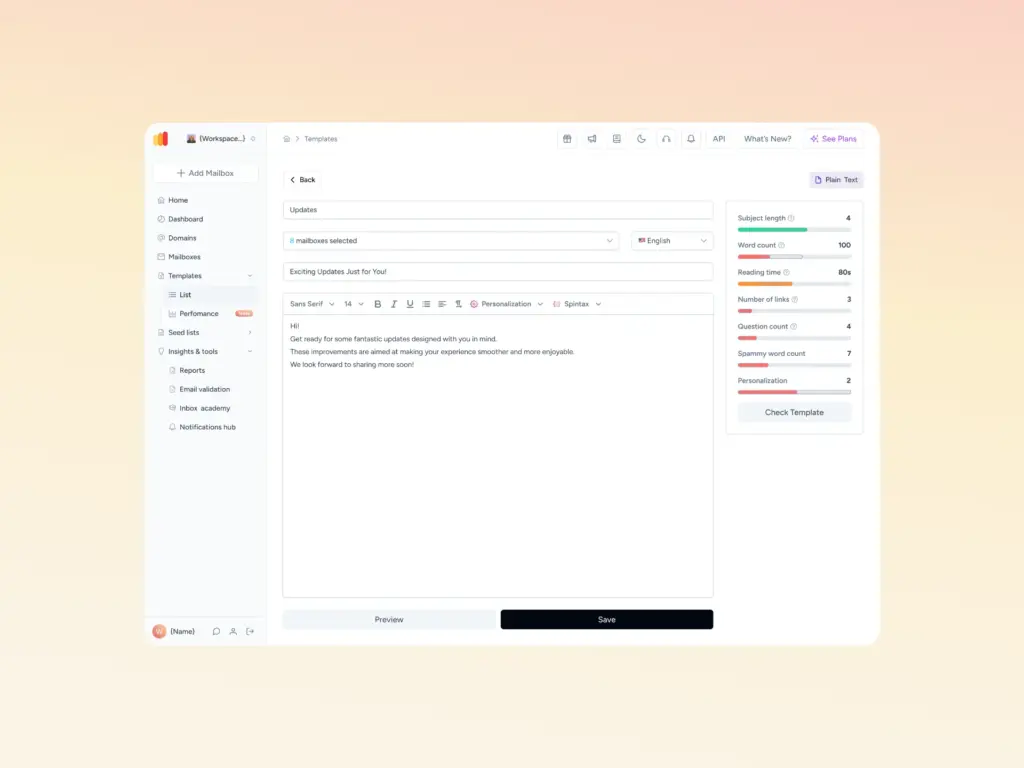
Content matters less than list quality, but it still matters, and a handful of patterns reliably cause trouble. Image-only or heavily image-weighted templates give filters almost nothing to evaluate. Link shorteners on shared domains inherit whatever the last user did with them.
Tracking links on a generic ESP domain look nothing like your brand, so use a branded tracking domain. Google’s own guidance adds a few that surprise people: do not hide content with HTML or CSS, keep links visible and self-explanatory, and do not mix promotional content into transactional messages such as receipts.
Test before you send rather than after. Warmy’s free Template Checker scans a message for spam triggers and formatting problems and checks it against deliverability best practices, and the Chrome extension lets you test a template in the browser without changing your workflow. Authentication secures the technical side of placement. The Template Checker secures the content side.
13. Make unsubscribing easy, and honor it within 48 hours
Every unsubscribe you make difficult becomes a spam complaint instead, and complaints are the single most damaging signal you can generate. One-click unsubscribe is defined in RFC 8058 and requires two headers working together: List-Unsubscribe carrying an HTTPS URI, and List-Unsubscribe-Post carrying exactly List-Unsubscribe=One-Click.
Both must be covered by your DKIM signature, or receivers should not offer the one-click option at all. A MAILTO URI alone does not satisfy Gmail’s requirement.
You still need a clearly visible unsubscribe link in the message body; the header does not replace it. And Google requires that you process and honor unsubscribe requests within 48 hours. Verify that your platform actually meets that window rather than assuming it does.
Monitor and prove it (ways 14 to 15)
14. Monitor reputation across Gmail, Microsoft and Yahoo
No single dashboard covers the whole ecosystem, so build a stack. Google Postmaster Tools covers Gmail, Microsoft SNDS covers Microsoft IP-level data, and Yahoo’s Complaint Feedback Loop covers Yahoo. Add DMARC aggregate reports for authentication coverage and blocklist monitoring for your domain and IPs.
Postmaster Tools itself changed. Google has deprecated the legacy interface in favor of v2, which drops the familiar domain and IP reputation charts and replaces them with a Compliance Status dashboard tied to authentication, alignment, unsubscribe and spam rate.
The mental model shifts from a reputation grade to a pass or fail on named requirements. Our breakdown of Google Postmaster Tools v2 covers what moved and what replaced it. Warmy’s Google Postmaster integration pulls those signals into the same dashboard as your placement data, so compliance status and actual inbox results sit side by side.
15. Run seed list inbox placement tests before and during campaigns
Everything above is theory until you measure where mail actually lands. A seed-list test sends your real message to a set of monitored addresses across providers and reports placement per provider: inbox, promotions, spam, or missing entirely.
It is the only method that gives you a cross-provider read, and it catches Microsoft problems that Gmail dashboards will never show you.
Run one before any significant campaign and on a recurring schedule during ongoing sending, because placement degrades gradually rather than all at once. Our guide to inbox placement testing covers methodology.
Warmy’s Seed List uses genuine, actively maintained mailboxes across Gmail, Outlook and Yahoo that engage the way real recipients do, and supports platforms standard warmup tools cannot reach, including Mailchimp, Shopify, Omnisend and Klaviyo.
How to measure email deliverability
The metrics worth tracking, and the thresholds for each
| Metric | Target | Where you read it |
|---|---|---|
| Inbox placement rate | Above 90% is strong, below 80% needs intervention | Seed-list placement tests |
| Delivery rate | 98% or higher, but it proves acceptance only | Your sending platform |
| Spam complaint rate | Below 0.1%, never at or above 0.3% | Google Postmaster Tools, Microsoft SNDS, Yahoo CFL |
| Hard bounce rate | Under 5%, with immediate suppression | Your sending platform |
| Authentication pass rate | 100% aligned across every sending source | DMARC aggregate reports |
| Click rate | Directional, and unaffected by proxy prefetching | Your sending platform |
Set a cadence you will actually keep. Weekly: compliance status, spam rate and blocklist checks. Monthly: a full placement test, a DMARC report review, and a list verification pass.
Why open rate is no longer a deliverability metric
Apple Mail Privacy Protection routes messages through Apple-operated proxies that preload images, including tracking pixels, before any human opens anything. Campaign Monitor’s documentation is direct about the consequence: open-based segments and open-triggered automations become unreliable, while click rate stays accurate because MPP does not click links.
The scale of the distortion is larger than most teams assume. Validity cites Zeta Global data showing unique opens of 40% against a true open rate of just 11% once mailbox provider inflation is stripped out.
Google is blunter still: its sender guidelines state plainly that Google does not track open rates, cannot verify third-party open figures, and that low open rates are not necessarily an accurate indicator of deliverability problems. Measure placement directly. Use opens only to spot a sudden collapse, which usually signals an infrastructure event rather than a copy problem.
Where Warmy fits
Fifteen fixes across five layers is a lot to hold manually, and the parts that matter most, reputation and placement, change continuously rather than once. Warmy is an AI-driven email warmup and deliverability platform built to hold those layers steady while you send.
- Continuous warm-up builds and maintains sender reputation automatically across a network of real mailboxes, running alongside live campaigns rather than only before them.
- Seed list placement testing shows exactly where your mail lands per provider, so you catch a Microsoft problem before it becomes a quarter of your pipeline.
- Domain Health Hub scores each domain on inbox placement, DNS authentication records, blocklist status and Google Postmaster signals, and tracks spam rate trends over time.
- Free tools cover the technical fixes: deliverability test, SPF generator, DMARC generator and template checker, none of which require an account.
Conclusion
Improving email deliverability is not a single fix, and it is not primarily a content problem. Authentication and alignment give you the fastest measurable gains, usually within two days. List hygiene and engagement segmentation produce the largest durable gains over two to four weeks. Monitoring is what stops you from finding out about a reputation collapse from your sales team instead of your dashboard. Work the layers in that order and the numbers move.
The part you cannot do by hand is the maintenance. Reputation decays, lists rot, and provider requirements keep tightening. That is the gap Warmy is built to close.
Book a demo and see how Warmy protects your inbox placement across every provider your buyers use.