



What is a Salesforce SPF Record?
Salesforce, Inc. is an American cloud-based software and AI company headquartered in San Francisco, California. The platform specializes in customer relationship management (CRM) software covering sales, marketing automation, customer service, e-commerce, analytics, and application development, including its growing Agentforce AI capabilities.
SPF (Sender Policy Framework) is a DNS-based email authentication standard that specifies which mail servers are permitted to send email on behalf of a domain. When a recipient’s mail server receives a message, it checks the sending domain’s SPF record to verify the message originated from an authorized source. Messages from unauthorized servers can be flagged as spam or rejected outright.
How SPF Protects Your Salesforce Emails From Spoofing
Because Salesforce sends email on behalf of your domain, receiving servers need explicit authorization to trust that traffic. Without a correctly configured SPF record, your Salesforce campaigns, transactional emails, and CRM notifications risk failing authentication checks. An SPF record:
- Authenticates the source of outbound emails.
- Protects your domain from spoofing and phishing abuse.
- Strengthens domain reputation by confirming only authorized servers send on your behalf.
- Reduces the likelihood of legitimate emails landing in spam.
Why Salesforce Users Must Have SPF Records
Salesforce handles enormous volumes of email daily — from marketing campaigns to transactional receipts and CRM outreach. Every message sent through Salesforce carries your domain in the From address. Without an SPF record that includes Salesforce’s sending infrastructure, those emails arrive at recipient mail servers without proof of authorization.
An SPF record acts as a whitelist. For Salesforce users, it tells the internet that Salesforce servers are authorized to send email for your domain. Without it, receiving servers have no reason to trust the message, and spam filters will often act accordingly, leading to reduced inbox placement, lower open rates, and direct pipeline impact.
What Changed: Google, Yahoo, and Microsoft Sender Requirements in 2026
The email authentication landscape has changed significantly. SPF alone is no longer sufficient for reliable delivery to major inbox providers in 2026.
Google and Yahoo now require all bulk senders (those sending more than 5,000 emails per day to Gmail or Yahoo addresses) to:
- Authenticate with both SPF and DKIM.
- Publish a DMARC record with at minimum a policy of p=none.
- Maintain spam complaint rates below 0.10% as measured in Google Postmaster Tools.
- Support one-click unsubscribe for marketing emails.
As of November 2025, non-compliant bulk emails face temporary and permanent rejections from Gmail. Microsoft joined these requirements in May 2025 — see Microsoft’s bulk sender requirements — applying similar rules to outlook.com, hotmail.com, and live.com senders. The full Google requirements are documented in Google’s Email Sender Guidelines.
SPF vs. DKIM vs. DMARC: What Each Does and Whether It Is Required
| Protocol | What It Does | Required as of 2026? | Salesforce Setup |
|---|---|---|---|
| SPF | Authorizes which servers can send email for your domain. | Yes, for all senders | Add include:_spf.salesforce.com to DNS TXT record |
| DKIM | Adds a cryptographic signature to verify email integrity and sender identity. | Yes, for bulk senders | Enable in Salesforce Email Administration settings |
| DMARC | Ties SPF and DKIM together; sets policy for failing messages (none/quarantine/reject). | Yes, p=none minimum for bulk senders | Publish a DMARC TXT record at _dmarc.yourdomain.com |
Pro Tip: Start with a DMARC policy of p=none to collect reporting data without affecting delivery. Once you have reviewed your DMARC reports for two to four weeks and confirmed that all legitimate email streams are authenticated, move to p=quarantine and then p=reject for full protection.
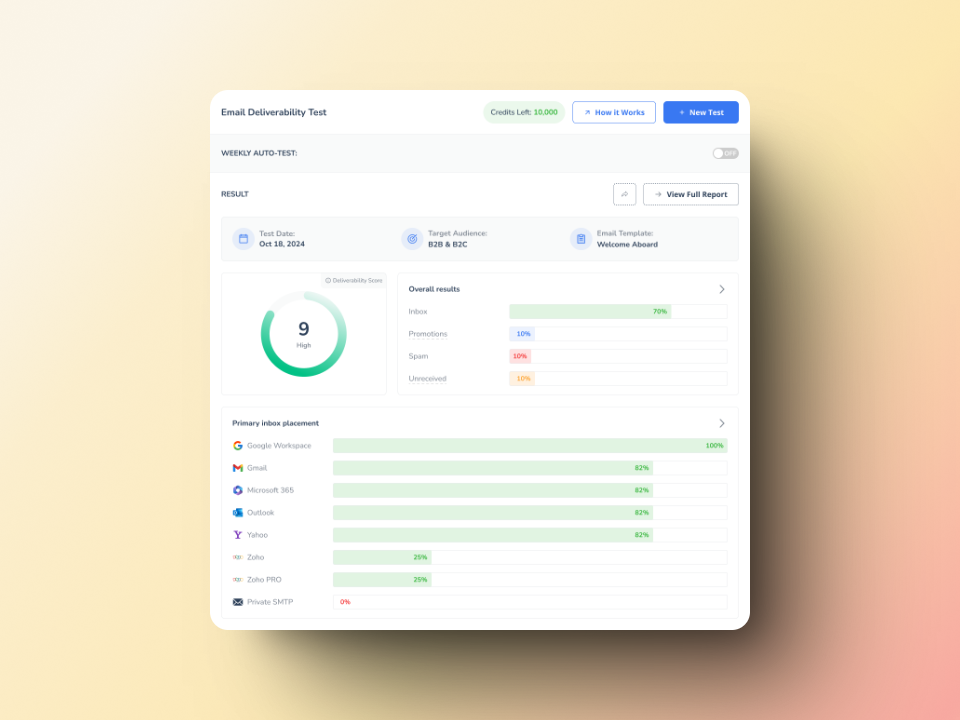
Not sure if your Salesforce emails are authenticated correctly? Run a free Email Deliverability Test to see exactly where your emails land and which authentication checks are passing or failing.
Setting Up Salesforce SPF Records
Configuring your Salesforce SPF record is a DNS change that takes minutes to make and up to 48 hours to propagate. Follow these steps carefully.
Step-by-Step Guide to Configuring Your Salesforce SPF Record
Step 1: Identify your domain’s DNS provider. Determine where your domain’s DNS settings are hosted. This is typically your domain registrar (GoDaddy, Namecheap, Cloudflare), your web host, or a dedicated DNS provider like AWS Route 53.
Step 2: Access your DNS management dashboard. Log in and navigate to the DNS management or domain settings section for the domain you use to send from Salesforce.
Step 3: Check for an existing SPF record. Look for a TXT record that begins with v=spf1. A domain must have exactly one SPF record. Do not create a second one.
Step 4: Modify or create your SPF record.
If an SPF record already exists, append Salesforce’s include to it. For example, if your current record is v=spf1 include:_spf.google.com ~all, update it to v=spf1 include:_spf.google.com include:_spf.salesforce.com ~all.
If no SPF record exists, create a new TXT record at your root domain with the value: v=spf1 include:_spf.salesforce.com ~all.
Step 5: Save your changes. Confirm the record is saved correctly in your DNS provider’s interface.
Step 6: Wait for DNS propagation. DNS changes typically propagate within a few minutes to a few hours, though some providers take up to 48 hours. You can monitor propagation status using MXToolbox or Warmy’s free deliverability tools.
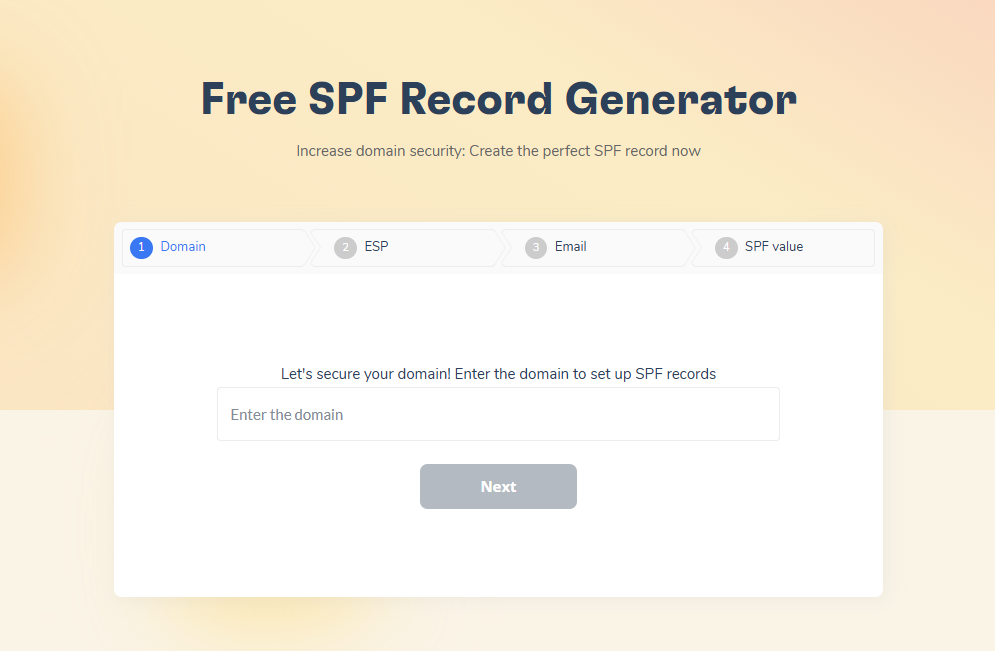
Step 7: Verify your SPF record. Once propagated, use an SPF checker to confirm the record is correctly configured. Warmy’s free SPF Record Generator can also validate your record before you deploy it.
Common Salesforce SPF Issues and How to Fix Them
1. Multiple SPF records. A domain must have exactly one SPF record. If you have more than one TXT record starting with v=spf1, receiving servers return a PermError and your emails fail SPF checks. Consolidate all include mechanisms into a single record. See the guide on SPF alignment issues and fixes for a detailed walkthrough.
2. Exceeding the 10-DNS-lookup limit. SPF has a hard limit of 10 DNS lookups per evaluation, as defined in RFC 7208. Each include: directive counts as one lookup. If you use many email services, audit your record and consolidate or use SPF flattening where appropriate.
3. Syntax errors. SPF records are sensitive to formatting. Extra spaces, missing colons, or misplaced tildes (~) will break the record. Always validate your record after editing.
4. Delayed DNS propagation. If your changes are not reflecting after 48 hours, contact your DNS provider. Read more about how DNS propagation delays affect email deliverability.
5. SPF passes but emails still land in spam. SPF is one authentication layer. If DKIM or DMARC is missing or misconfigured, emails can still fail. Equally, poor sender reputation caused by low engagement or cold sending from a new domain will override a clean authentication record.
Salesforce Email Authentication: DMARC, DKIM, and SPF Working Together
Full email authentication requires all three protocols working in alignment. Here is how each one applies to Salesforce specifically.
Implementing DMARC and DKIM with Salesforce
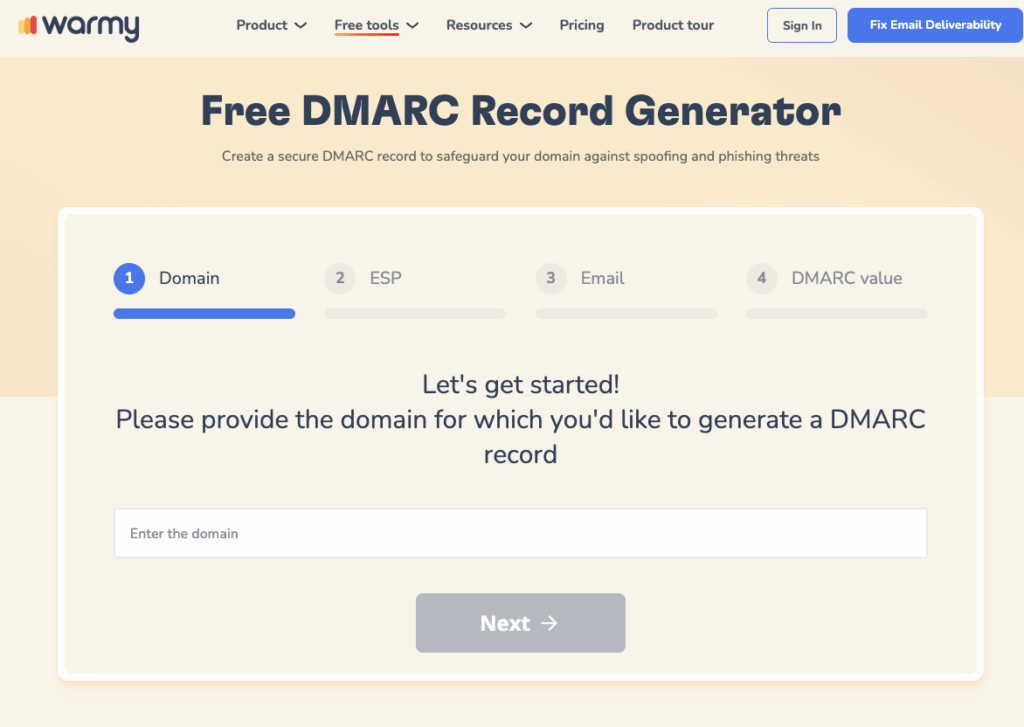
DMARC builds on SPF and DKIM to give domain owners control over how receiving servers handle unauthenticated messages. A DMARC policy specifies whether failing emails should be delivered (p=none), sent to spam (p=quarantine), or rejected outright (p=reject) — see DMARC.org for the full specification. Salesforce aligns the From address domain with the Return-Path domain, satisfying DMARC’s SPF alignment requirement. Use Warmy’s free DMARC Generator to create a correctly formatted DMARC record for your domain.
DKIM adds a cryptographic signature to outgoing email headers. Recipient servers verify this signature against a public key published in your domain’s DNS, confirming the email was not altered in transit and genuinely originated from your domain. Salesforce provides a straightforward DKIM setup for custom domains in its Email Administration settings. Once activated, Salesforce signs all outgoing emails with your domain’s private key. For a step-by-step reference, see this guide on configuring SPF, DKIM, and DMARC.
Salesforce MFA: Now Mandatory From June 2026
Multi-factor authentication (MFA) is no longer a recommendation for Salesforce users. Salesforce has mandated MFA enforcement across all accounts with the following schedule:
- Sandbox enforcement begins June 22, 2026.
- Production enforcement begins July 20, 2026 for standard users.
- Users with System Administrator profiles or elevated permissions must use phishing-resistant MFA by July 1, 2026, using methods such as hardware security keys (YubiKey), Windows Hello, or Touch ID.
MFA prevents credential theft by requiring a second verification factor beyond username and password. Review the official Salesforce MFA enforcement article to confirm your organization’s compliance timeline and verify that no users have the deprecated ‘Waive MFA’ permission still active.
Expert Perspective: What Salesforce Security Professionals Recommend
Expert Insight: Authentication and access control are two separate problems, and organizations often solve one while ignoring the other. SPF, DKIM, and DMARC protect the email channel from external spoofing. MFA protects the Salesforce org itself from internal compromise. Both matter equally. Phishing-resistant MFA for admins is no longer optional given the scale and sophistication of credential-theft campaigns targeting Salesforce accounts in 2025 and 2026.
Security practitioners consistently recommend these steps for organizations using Salesforce:
- Run regular security audits using Salesforce Health Check and Security Command Center to identify configuration gaps.
- Apply the principle of least privilege: users should have only the permissions required for their specific role.
- Maintain regular backups of critical Salesforce data to ensure continuity against unforeseen incidents.
- Stay current on Salesforce platform releases, as security controls are updated with each release cycle.
- Train users on phishing awareness, as human error remains one of the most common entry points for account compromise.
Build Sender Reputation With Email Warmup
Warmy is an AI-driven email warmup and deliverability platform that automatically builds your sender reputation, improves inbox placement, and keeps your emails out of spam. Proper SPF, DKIM, and DMARC setup authenticates your identity, but authentication alone does not build trust with inbox providers. Sender reputation, developed through consistent and engaged sending behavior over time, is the second half of the deliverability equation.
This matters especially for:
- New Salesforce domains that have never sent at volume.
- Domains recovering from a spam complaint spike or a blacklisting incident.
- Organizations scaling up outbound email campaigns from Salesforce.
Warmy’s Adeline AI builds a personalized warmup schedule for each mailbox, gradually increasing send volume while generating real engagement signals including opens, replies, clicks, and spam removals, across more than 30 languages. The email sender reputation score guide explains exactly how inbox providers evaluate domain trust and which signals matter most.

Conclusion
Setting up a Salesforce SPF record is the foundation of email authentication for any Salesforce sender. In 2026, that foundation must be complete: SPF, DKIM, and DMARC must all be in place to meet Google, Yahoo, and Microsoft’s mandatory sender requirements and to protect your domain from spoofing.
Beyond authentication, sender reputation matters equally. A domain with perfect DNS records but no warmup history will still face deliverability challenges when sending at scale. Authentication proves your identity; warmup earns inbox providers’ trust.
For a broader look at improving Salesforce email deliverability, see the complete guide on Salesforce email deliverability best practices.
Ready to ensure every Salesforce email reaches the inbox? Book a free Warmy demo and see how Warmy’s AI builds your sender reputation automatically.











