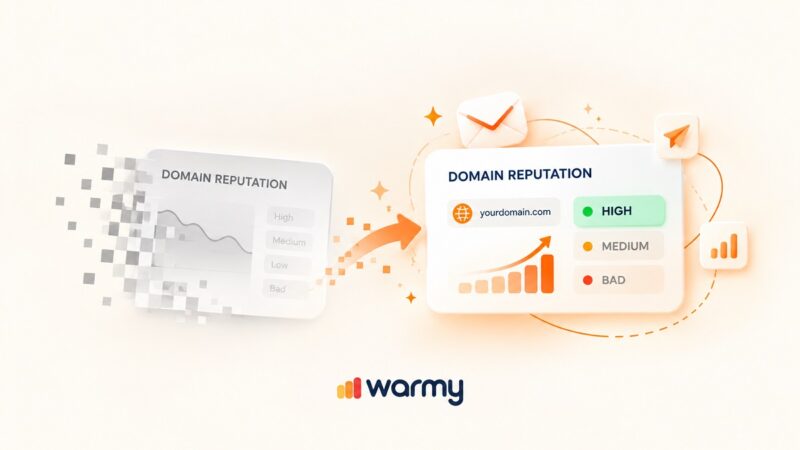
Warmy and Mailflow are both email warm-up tools, but they work at different scales. Mailflow is a free-to-low-cost warm-up service that runs a simple automated warm-up with SPF and DKIM checks. Warmy is an AI-driven warm-up and deliverability platform that adapts in real time and monitors your sender reputation around the clock.
Warmy vs. Mailflow: Which warm-up tool fits your sending
If you landed here comparing Warmy and Mailflow, you are almost certainly trying to keep your cold outreach or sales email out of the spam folder. Both tools build sender reputation through automated warm-up, so the real question is how much warm-up, monitoring, and diagnostics you need, and how many inboxes you are running.
Picking the wrong tool wastes time you do not have. Inbox providers like Gmail weigh authentication and engagement heavily when they decide where your mail lands, and a domain that ramps badly can get flagged for a long time.
Google spells this out in its email sender guidelines, which is why warm-up and clean authentication matter before you send at volume. That is the gap a warm-up tool closes, and the right choice starts with knowing where your messages land today.
What is Mailflow?
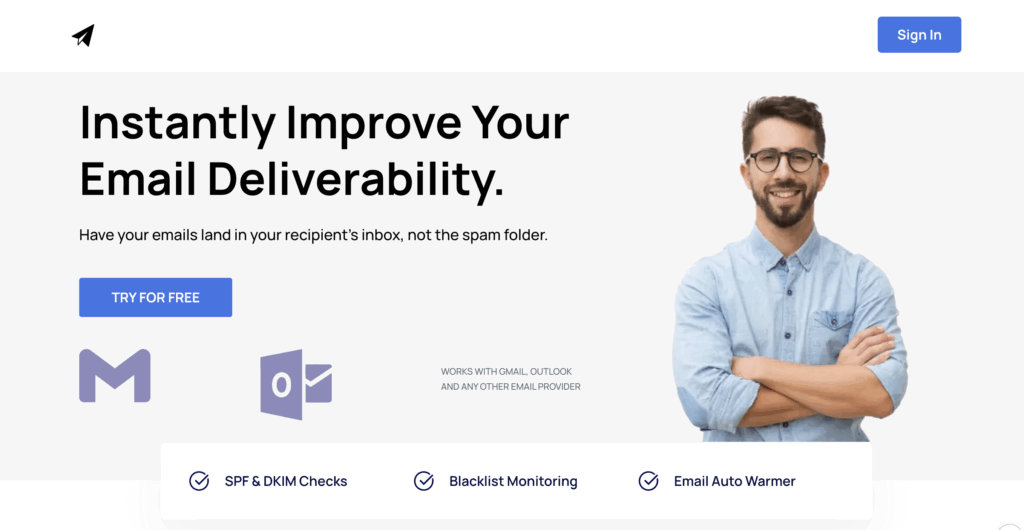
Mailflow is a free email warm-up tool for cold senders. It started life as the Auto-Warmer built by the cold email platform QuickMail, and after Gmail tightened the rules on automated warm-up, it moved to its own home at mailflow.io.
Key features of Mailflow
- Connects Gmail, Google Workspace, Outlook, Microsoft 365, or any SMTP mailbox in a few minutes, with no DNS setup required to start.
- Technical checks for SPF and DKIM configuration, so you can confirm the basics are valid.
- Blacklist monitoring on paid tiers, covering the sending domain and, on the top tier, the IP.
- An inbox placement view on the dashboard so you can watch primary, promotions, and spam over time.
Mailflow pricing
Mailflow runs three pools, all capped at 100 email addresses per pool.
- The Free Pool sends up to 5 warm-up emails per day per address with SPF and DKIM checks and no support.
- Silver Pool is $49 per month with up to 30 warm-up emails per day, domain blacklist monitoring, and email support.
- Gold Pool is $99 per month with up to 50 warm-up emails per day, domain and IP blacklist monitoring, website monitoring, and email support.
Where Mailflow falls short
Mailflow does the core warm-up loop well for a low price, but the trade-offs show up as you grow.
- Warm-up is user-configured rather than adaptive, so there is no AI adjusting your ramp based on how your domain is actually performing.
- Daily volume tops out at 50 per address, which suits a handful of inboxes but not high-volume or multi-client operations.
- Warm-up is English-focused, with no language or topic controls for global campaigns.
- There are no seed lists, no content or A/B testing, and no continuous reputation monitoring with real-time alerts.
- It checks SPF and DKIM but does not generate records, and it offers no standalone inbox placement test.
What is Warmy.io?
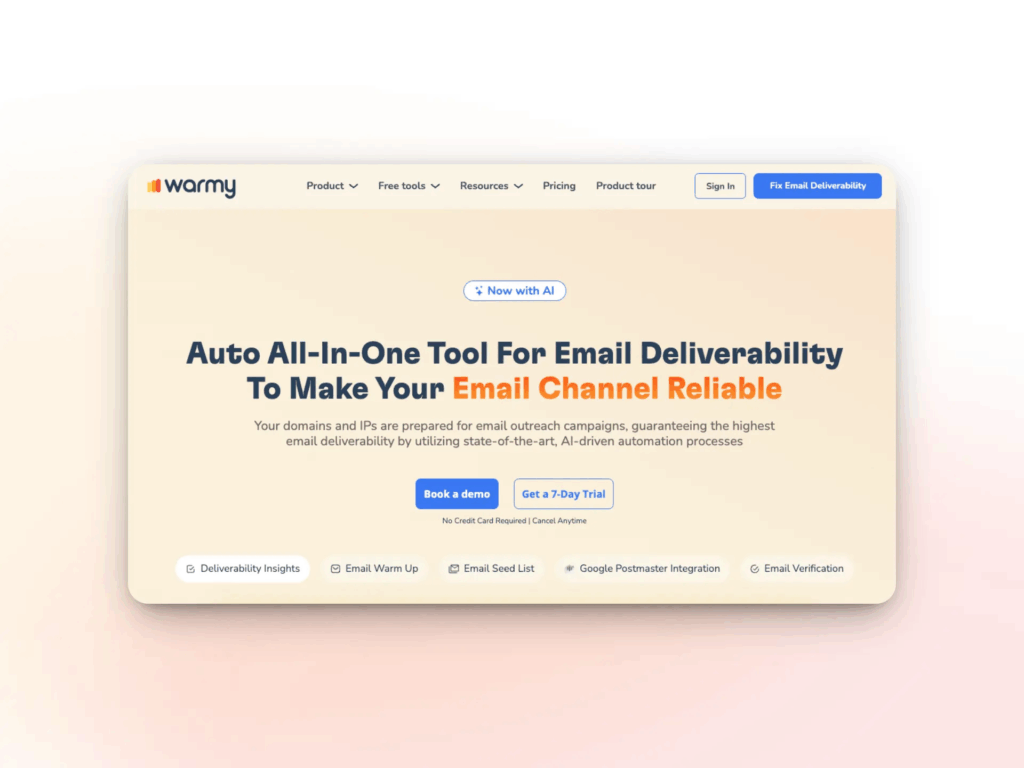
Warmy is an AI-driven email warm-up and deliverability platform that pairs automated warm-up with continuous, real-time monitoring. It builds and protects sender reputation for the domains and mailboxes you send from, then keeps watching them so problems surface early. It works for both B2B and B2C senders.
At its core is Adeline, a proprietary AI engine that monitors each sender’s domain reputation, inbox placement, engagement signals, and authentication health around the clock.
Adeline also runs the warm-up itself. Rather than following a fixed schedule, it speeds up when a domain performs well and slows down when it detects risk, drawing on a network of more than 1 million active mailboxes.
Key features of Warmy
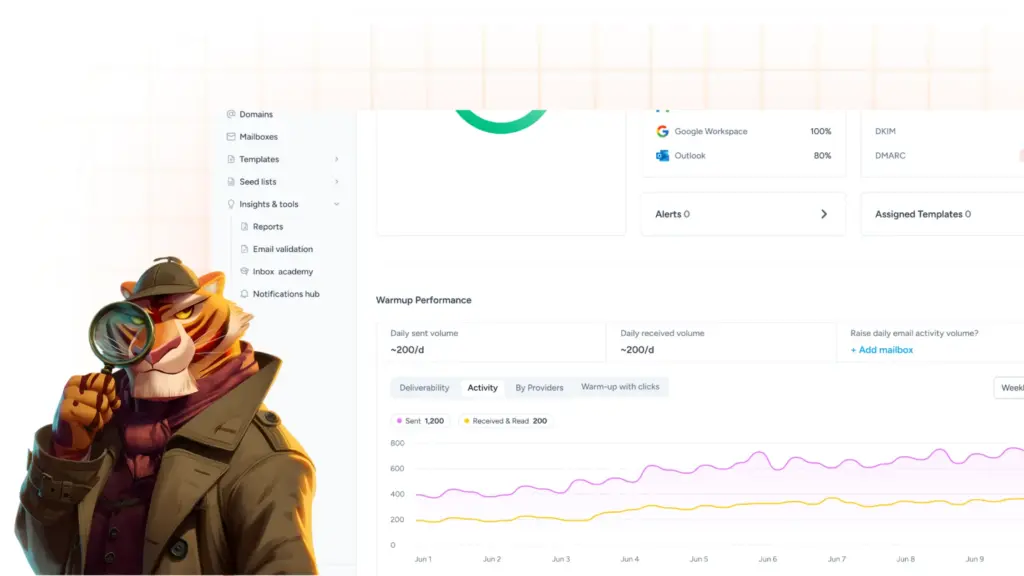
- Adaptive warm-up that simulates opens, scrolls, clicks, and replies, then retrieves any message that lands in spam and marks it important to rebuild trust.
- Warm-up in 30+ languages and across specific topics, with control over how warm-up is distributed across seed lists and providers so it mirrors your real campaigns.
- Content testing through Email Templates, so you can run your real copy and subject lines through warm-up and validate them before launch.
- Continuous monitoring of domain reputation, blacklist status, and full SPF, DKIM, DMARC, and MX authentication, plus Google Postmaster data, with real-time alerts.
- A free toolkit that includes the Email Deliverability Test, a free SPF Record Generator, a free DMARC Record Generator, and a Template Checker with a Chrome extension.
Want to see your current standing? Run a free email deliverability test for a blacklist check, authentication status, and inbox placement across Gmail, Outlook, Yahoo, and other providers.
Where Warmy and Mailflow actually overlap
The difference between Warmy and Mailflow is everything that happens after the basic warm-up loop. Mailflow asks you to set the volume and schedule, then runs a steady warm-up. Warmy uses Adeline to read your domain’s signals and adjust automatically, then layers monitoring, diagnostics, content testing, and provider-level control on top. That distinction drives almost every line in the comparison below.
Feature by feature: Warmy vs. Mailflow
| Capability | Warmy.io | Mailflow.io |
|---|---|---|
| Primary approach | AI-driven, adaptive warm-up personalized to your real domain signals | Automated warm-up across a shared network, configured by the user |
| Dedicated AI engine | Yes, Adeline AI | No |
| Warm-up volume | Scales well beyond fixed daily caps across its network | Up to 5/day (Free), 30/day (Silver), 50/day (Gold) per address |
| Network size | 1M+ active mailboxes | Not publicly specified |
| Providers warmed up | Gmail, Google Workspace, Microsoft 365, Outlook, Yahoo, Zoho, Brevo, SendGrid, Amazon SES, Mailgun, custom SMTP, and 19+ native integrations | Gmail, Google Workspace, Outlook, Microsoft 365, and SMTP |
| Warm up with your own content | Yes, add templates and test variations before launch | Standard warm-up messages in real business language |
| Warm-up with clicks (tracked) | Yes, with a dedicated performance dashboard | Not surfaced as a tracked metric |
| Continuous 24/7 reputation monitoring | Yes, via Adeline AI | No, periodic checks only |
| Authentication coverage | SPF, DKIM, DMARC, and MX scanning, 24/7 | SPF and DKIM configuration checks |
| Blacklist monitoring | Yes, domain and IP | Paid tiers only (domain on Silver, domain and IP on Gold) |
| Inbox placement test (full breakdown) | Yes, primary, promotions, spam, and undelivered across providers | Placement view on dashboard, no standalone test tool |
| Seed lists (Gmail, Outlook, Yahoo) | Yes, with split control | No |
| Multi-language warm-up | Yes, 30+ languages | No, English-focused |
| Topic-based warm-up | Yes | No |
| Provider distribution control | Yes, per provider | Limited to volume and schedule |
| SPF and DMARC record generators | Yes, both free | No, checks only |
| Email Template Checker | Yes, free tool plus Chrome extension | No |
| A/B testing for deliverability | Yes | No |
| Agency and multi-client workspace | Yes, with Workspace Management | Limited, up to 100 addresses per pool |
| Free deliverability education (Inbox Academy) | Yes | No |
| Human support | Zoom, chat, email, plus a dedicated deliverability expert | None on Free, email on paid tiers |
| Pricing entry point | Paid plans with a 7-day free trial, no credit card required | Free plan (card required to sign up), Silver $49/mo, Gold $99/mo |
The differences that matter
1. Adaptive AI warm-up vs. fixed scheduling
Mailflow runs a steady, user-set warm-up. You choose the daily volume, and the tool sends at that pace. That is fine when you understand your domain’s health, but a sender who guesses wrong can ramp too fast and hurt reputation rather than help it. Warmy removes that guesswork. Adeline analyzes your real signals and adjusts pace, sending patterns, and engagement in real time, which matters most for new domains, non-technical users, and teams running many accounts at once.
2. Volume and scale
Mailflow caps warm-up at 50 emails per day per address on its top tier, with up to 100 addresses per pool. That comfortably covers a small team. Warmy scales well beyond fixed daily caps by drawing on its network of more than 1 million mailboxes, which suits agencies and high-volume senders who need warm-up to keep pace with real campaigns.
3. Continuous monitoring vs. periodic checks
Mailflow gives you SPF and DKIM checks and, on paid tiers, blacklist monitoring. Warmy watches reputation, blacklist status, authentication, and inbox placement continuously, and Adeline surfaces a blacklist incident or an authentication failure when it happens, not in your next campaign report. The most damaging deliverability problems rarely appear at a convenient moment, so always-on monitoring is where issues get caught early.
4. Diagnostics and free tools
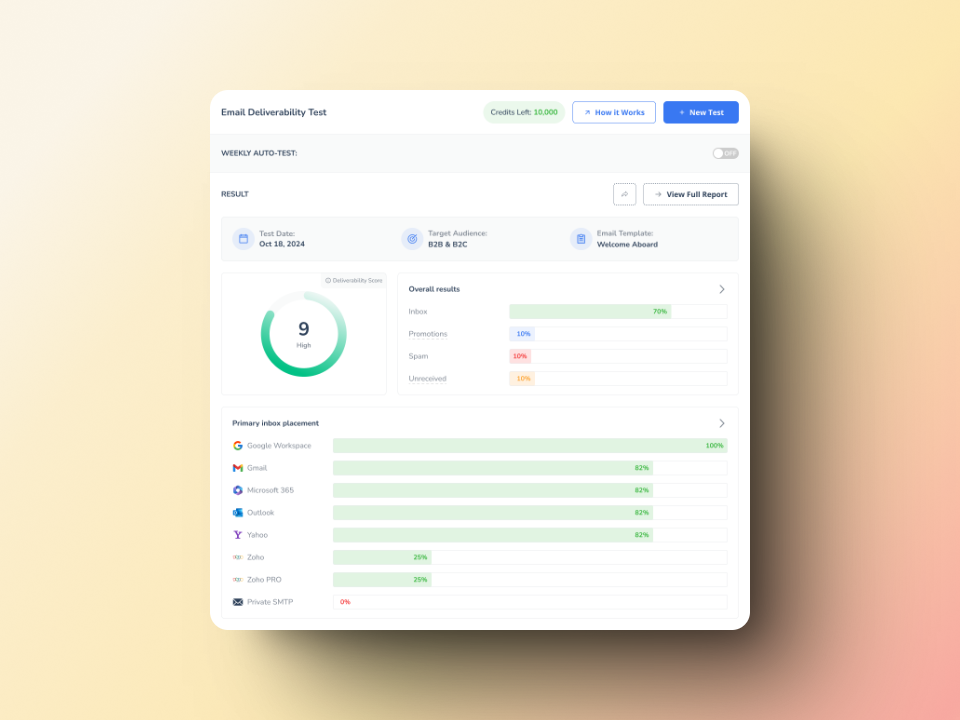
Mailflow shows placement on its dashboard. Warmy adds a free Email Deliverability Test with a full breakdown across primary, promotions, spam, and undelivered, plus free SPF and DMARC record generators, a Template Checker, and Inbox Academy for deliverability education. Mailflow checks authentication records but does not generate them.
5. Languages, content, and customization
Mailflow warms up in English with standard business-language messages. Warmy supports 30+ languages and topic-based warm-up, lets you run your own templates through warm-up to test real copy, and gives you control over how warm-up is distributed across providers so it matches your actual audience.
6. Support and scale for teams
Mailflow offers no support on the Free Pool and email support on paid tiers. Warmy provides Zoom, chat, and email support, a dedicated deliverability expert for every customer, and a workspace built for agencies managing multiple client domains.
Pro tip
Warm-up is not a one-time task. If you stop warming a high-volume domain that has low engagement, reputation drifts down again. For active outreach programs, keep a baseline warm-up running and a monitoring layer on so you can respond to reputation shifts before they reach your campaigns.
Ratings and reviews
Review volume matters as much as the star rating, especially in a niche category where a handful of reviews can skew a score. Warmy carries a substantial reviewer base across the major platforms. Mailflow, by contrast, does not maintain a profile on G2, Capterra, or Trustpilot for its warm-up tool, so independent social proof is limited.
| Platform | Warmy.io | Mailflow |
|---|---|---|
| G2 | 4.8/5 | No listing |
| Capterra | 4.9/5 | No listing |
| Trustpilot | 3.9/5 | No listing |
Ratings were captured in mid-2026 and review counts shift over time, so check the live listings for current figures.
Who should use Warmy vs. Mailflow?
Mailflow is the right fit if:
- You are warming a small number of inboxes and want a free or low-cost tool.
- You need basic automated warm-up with SPF and DKIM checks and nothing more complex.
- You already run a sending platform without built-in warm-up and want a simple add-on.
Warmy is the right fit if:
- Your sales, outreach, or marketing email keeps landing in spam and you want it fixed at the source.
- You want adaptive, AI-driven warm-up instead of setting volumes yourself.
- You need continuous reputation and inbox placement monitoring, not periodic checks.
- You run global campaigns and need multi-language and topic-based warm-up.
- You are an agency or a team managing deliverability across many client domains.
- You want authentication tools, content testing, and human support in one platform.
The bottom line
Mailflow is a capable free warm-up tool, and for a solo sender on a budget it does the core job at a price that is hard to argue with. The reason it shows up next to Warmy is that both warm up mailboxes, but they sit at very different points on the scale of what a deliverability program needs. As soon as you add inboxes, send in more than one language, or need to know where your mail is landing and why, Mailflow’s simplicity becomes a ceiling.
Warmy was built for that next stage: adaptive warm-up through Adeline AI, continuous monitoring, diagnostics, content testing, and the authentication tooling that keeps your reputation intact at any scale.
Start your free trial and watch your inbox placement improve, or book a demo for a personalized walkthrough with a deliverability expert.