Adeline is Warmy’s built-in AI email assistant, now live inside every user account. In a nutshell, Adeline AI has the following capabilities:
- Instant account insights: Surfaces your top and worst-performing domains, mailbox rankings, blocked accounts, API keys, and seed list links on demand.
- DNS configuration checker: Validates your SPF, DKIM, and DMARC records instantly, without needing technical support.
- Deliverability Q&A: Answers questions about warm-up best practices, inbox placement, sender reputation, and email infrastructure in plain language.
- 24/7 availability: Always on, with a knowledge base refreshed every 12 hours, so you are never waiting on business hours for critical data.
- Contextual conversations: Adeline remembers the thread of your session, so you can ask follow-up questions without repeating yourself.
- Human handoff: Connects you to a live support agent inside the same chat window when the AI reaches its limits, with your conversation history carried across so you do not start over.
- The engine behind your warm-up: The same Adeline AI plans and adjusts your email warm-up in the background, making around 20 million decisions a day across the Warmy network.
Adeline is two things: The engine and the chat
Adeline is the name of Warmy’s AI, and it works on two levels inside your account.
The first is the decision engine that runs your warm-up. Every mailbox generates a large volume of data, enough to translate into hundreds of parameters. Warmy picks the key ones, analyzes them constantly, and feeds them to Adeline, which then decides the optimal warm-up schedule and plan for that specific mailbox.
What makes the engine different from a fixed ramp schedule is that it learns from the whole network rather than from your mailbox alone. Adeline watches the entire collection of mailboxes in Warmy and applies new insights automatically to each one, so every mailbox benefits from what the others have already shown. If you want the wider context on how AI is applied to email deliverability, that is a separate read.
On the product side, the engine covers three things:
- Personalized warm-up plans. Adeline analyzes your sending activity and recipient behavior to build a unique warm-up plan for each individual mailbox, raising volume gradually so you do not trigger spam filters. This is also why how long a new domain needs to warm up is not a fixed number.
- Predictive sending optimization. Adeline analyzes real-time sending performance and predicts optimal sending times and frequencies, so you maximize engagement without overwhelming recipients.
- AI-powered spam risk detection. Adeline flags emails carrying a high spam risk based on content, subject lines, and sender reputation, before they cost you placement.
The second level is Adeline AI Chat, which is what the rest of this article covers. The distinction is worth holding onto: the engine acts on your warm-up automatically, while the chat surfaces data and answers questions and leaves the decisions with you.
How Adeline AI solves the issue of deliverability data overload
Email deliverability is part science, part intuition, and it involves a lot of moving parts. Between monitoring domain health, validating DNS records, tracking warm-up progress, and comparing sender reputation across accounts, most email marketers are juggling far more data than any dashboard makes easy to digest.
Senders who are not especially technical often get overwhelmed deciding which deliverability metrics to prioritize. Warmy surfaces plenty of analytics and insights, but senders do not always know how to translate them into action.
Adeline AI Chat changes that.
What does Adeline AI Chat do?
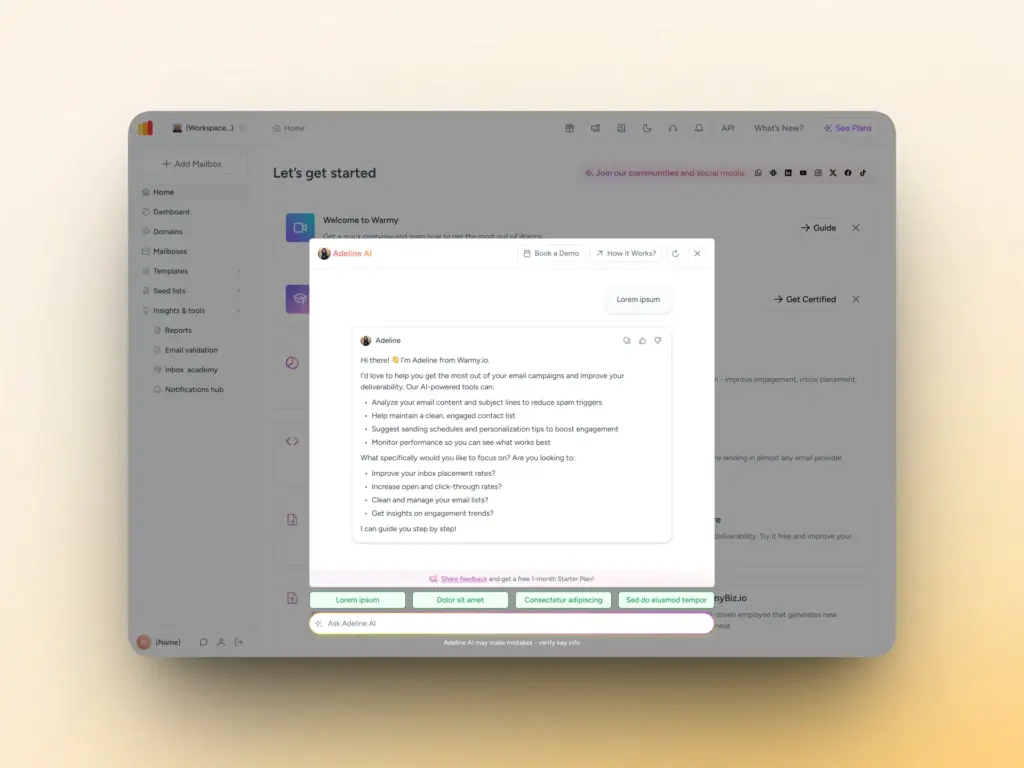
Adeline is a conversational AI assistant embedded directly inside your Warmy account. It combines two capabilities that previously required either a support ticket or hours of manual investigation:
- Personalized account data: Surfacing your actual mailboxes, domains, templates, seed lists, API keys, and deliverability stats on demand.
- Expert deliverability knowledge: Drawing from Warmy’s internal knowledge base, blog, support documentation, and Inbox Academy to answer technical questions in plain language.
Warmy groups these capabilities into three components: InfoHub, which holds the knowledge side, User Operations, which reaches your account data, and the Diagnostic Agent, which works through problems on a specific domain or mailbox. You never have to pick between them. You ask in plain language and Adeline handles the routing.
Instant access to your account data
One of Adeline’s most practical capabilities is acting as a real-time window into your Warmy account without requiring you to navigate between tabs or remember where things are. Here is what Adeline AI Chat can surface in seconds:
- Top and worst performing domains by deliverability rate.
- Your best and lowest-ranked mailboxes with key parameters.
- All blocked or paused mailboxes with the associated issues.
- DNS configuration validation for your domains: SPF, DKIM, and DMARC record checks.
- API keys and direct links to download your seed lists.
- Template lists, warm-up status, and inbox placement results.
Deliverability knowledge at your fingertips
Beyond account data, Adeline is trained on Warmy’s full internal knowledge base, updated every 12 hours. This includes:
- How to configure SPF, DKIM, and DMARC records, and how to troubleshoot them when they fail.
- Email deliverability best practices and recommended ramp timelines.
- Inbox placement strategies and sender reputation guidance.
- Step-by-step how-to guides, for example connecting Google Workspace or setting up custom tracking domains.
- The latest research from Warmy’s blog and Inbox Academy.
If you need a quick refresher on what SPF does, or a full explanation of why your domain reputation dropped, Adeline can walk you through it. It draws from Warmy’s blog, product pages, support knowledge base, Inbox Academy, and your own account context, including your number of mailboxes, domains, and templates.
What makes Adeline AI Chat different from traditional support?
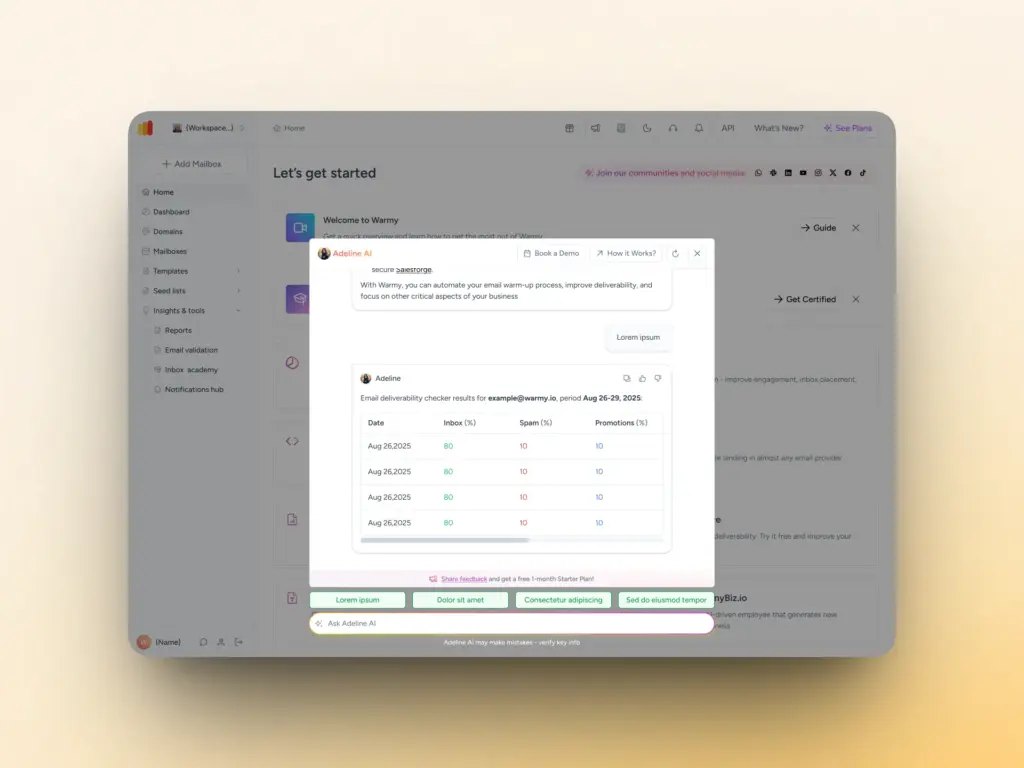
Adeline AI Chat is always current and always available. The knowledge base is refreshed every 12 hours, so the data being pulled stays up to date. With 24/7 availability, senders working in any timezone can get deliverability insights when they need them rather than when an office opens.
Adeline also maintains context within a conversation, so you can ask follow-up questions naturally. Start with “Show me my worst 5 domains” and follow up with “What should I do to fix the second one?” and Adeline understands the thread.
Talk to a human without leaving the chat
Until recently, getting a person involved meant leaving Adeline. Warmy ran two chat windows side by side: Adeline inside the dashboard, and a separate HubSpot chat widget. Adeline gave the fuller answers because it could reach your account data and the full knowledge base, but it could not bring in a support agent. The HubSpot widget could reach a person, with a weaker AI experience on the way there. Most users could not tell which one they were supposed to open.
Both now work in one window.
How it works for you
You talk to Adeline the way you always have, and every capability described above stays the same.
When Adeline cannot resolve your question, it offers to connect you with a real person. You can also ask for a human agent yourself at any point during support chat working hours. If you are working outside those hours, Adeline offers to book a call with the support team instead, so you leave with a next step rather than a dead end.
Once an agent joins, you see a clear indication that you are now speaking with a person rather than the AI. When the conversation is finished, you close the live session and carry on with Adeline.
What the support agent sees
The agent picks up your request with the full history of your conversation with Adeline already in front of them. You do not repeat yourself and you do not explain the problem from the beginning a second time.
The agent replies in the same thread, and their messages appear in your Adeline chat window. Adeline recognizes that a person has joined and stops responding automatically until the live session closes, so you are never handed two answers to the same question. The conversation history keeps the two apart, so you can always tell which replies came from Adeline and which came from a support agent.
Why this matters beyond convenience
Every message in the thread, yours, Adeline’s, and the agent’s, is recorded with clear attribution to whoever said it. That gives Warmy one complete record of the conversation instead of a split one, and it puts Adeline’s answers in front of the support team as part of their normal workflow. When an agent corrects or improves on something Adeline said, that becomes feedback the AI learns from, which is the same loop the voting buttons feed.
How to use Adeline AI Chat
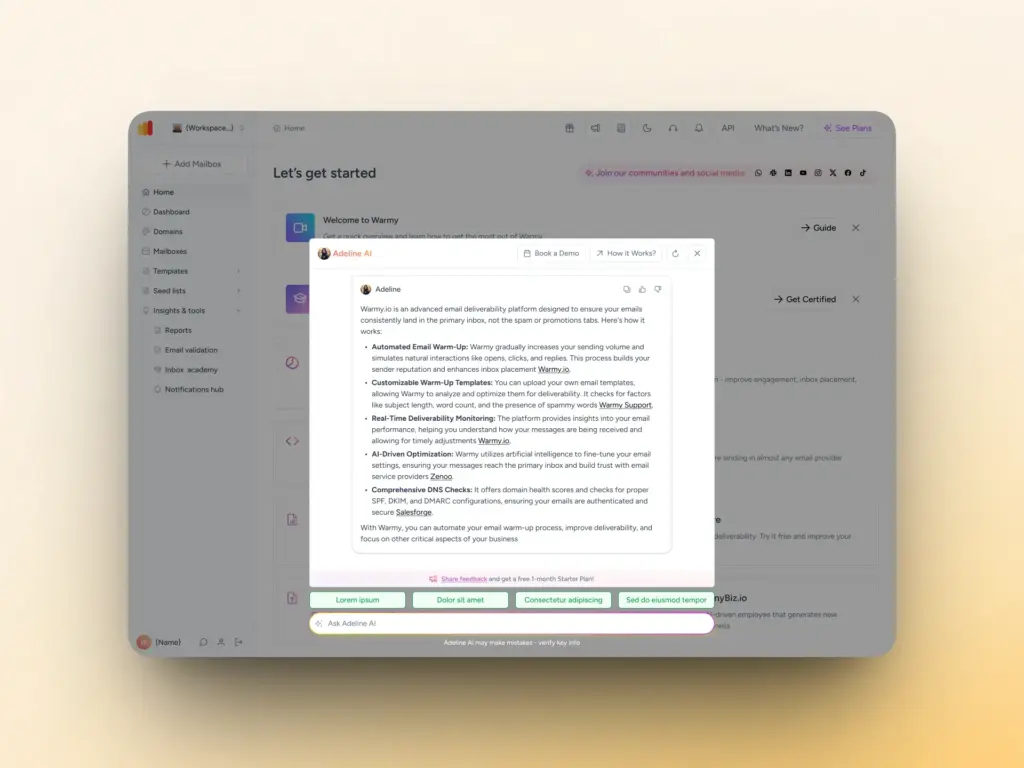
Getting started takes about 10 seconds:
- Log in to your Warmy account.
- Open the Adeline AI Chat panel, available in your account dashboard.
- Type your question in natural language and hit send.
If Adeline cannot resolve what you asked, it offers a fourth step on its own: connecting you to a support agent in the same window.
No special commands and no query syntax needed.
Real questions you can ask Adeline AI Chat
Here are examples drawn from what Warmy users ask most often:
- Give me my top 5 mailboxes with the best deliverability.
- What are my five worst-performing domains right now and why?
- Please help me find my API keys.
- Where can I access the seed lists?
- Check my DNS settings for Domain A.
- Please give me a report on Domain A’s inbox placement.
- What is the best warmup ramp strategy for a new Gmail email address?
- What is email warmup?
If you are not sure where to start, Adeline AI Chat proactively suggests questions based on your conversation history and account context. The more you use it, the more relevant the prompts become, guiding you toward insights you did not know to look for.
Pro tip: Use the Refresh button to clear conversation history if you want Adeline to generate fresh, focused suggestions without prior context shaping the responses.
Book a demo to see how Adeline AI Chat analyzes specific account data to show you your biggest deliverability opportunities.
Get started with Adeline AI today
Adeline AI Chat is available now inside your Warmy account. Log in, open the chat panel, and start asking the questions you have been writing to support.
If you are new to Warmy, you can get AI-powered deliverability insights from day one. Start your free trial and experience Adeline firsthand, or run a free email deliverability test first to see where your emails are landing.