TL;DR: Ecommerce email deliverability depends on authentication (SPF, DKIM, DMARC), clean lists, and a sending history that ramps up gradually instead of spiking around sales, since that spike pattern is exactly what spam filters are built to catch. Google, Yahoo, and Microsoft now strictly enforce authentication and complaint-rate rules, so fixing the technical layer first matters more than ever. Warmy’s free Email Deliverability Test shows where your emails are landing today, and its Adeline AI engine and Seed List help you ramp volume safely ahead of a seasonal spike.
Email deliverability for e-commerce is the practice of getting order confirmations, cart-abandonment flows, and promotional campaigns into the inbox instead of spam or promotions. It depends on three layers working together: domain authentication (SPF, DKIM, DMARC), list hygiene, and a sending history that matches your actual volume. Ecommerce stores that fix all three before a sale event see inbox placement rates well above brands that only address one.
Your cart-abandonment flow can be one of the best-performing emails you send. Or it can sit in a spam folder no customer ever opens. If your last three campaigns landed in Promotions instead of Primary, or your Black Friday send triggered a wave of bounces you didn’t see coming, the problem probably isn’t your subject line. It’s email deliverability for e-commerce, and it works differently here than it does for any other type of sender.
What Email Deliverability for E-Commerce Actually Means
Delivery rate, deliverability, and why ecommerce risk is different
These three terms get used interchangeably, and that confusion costs ecommerce teams real revenue. Delivery rate only tells you whether a receiving server accepted your message; it says nothing about where that message ended up. Deliverability is the broader discipline, everything that determines whether a message reaches an inbox at all. Inbox placement is the specific outcome: did the email land in Primary, get filtered to Promotions or Spam, or vanish without a trace.
Picture a near-perfect delivery rate paired with a mediocre inbox placement rate. That gap means most of your “successfully delivered” emails are sitting somewhere the customer will never see them.
A B2B sales team sends a steady trickle of email year-round. An ecommerce brand sends almost nothing in a quiet month, then floods every subscriber’s inbox the week of a flash sale. Mailbox providers watch for exactly that shape of behavior, because it’s also the shape a compromised account or a spam operation produces.
On top of that, ecommerce lists accumulate dead weight fast: customers who bought once two years ago and never opened another email, checkout opt-ins collected under time pressure, and addresses that were never valid to begin with. Combine an erratic sending curve with a stale list, and you have the two conditions filters are specifically tuned to catch.
The 2026 Rules: Google, Yahoo, and Microsoft Sender Requirements
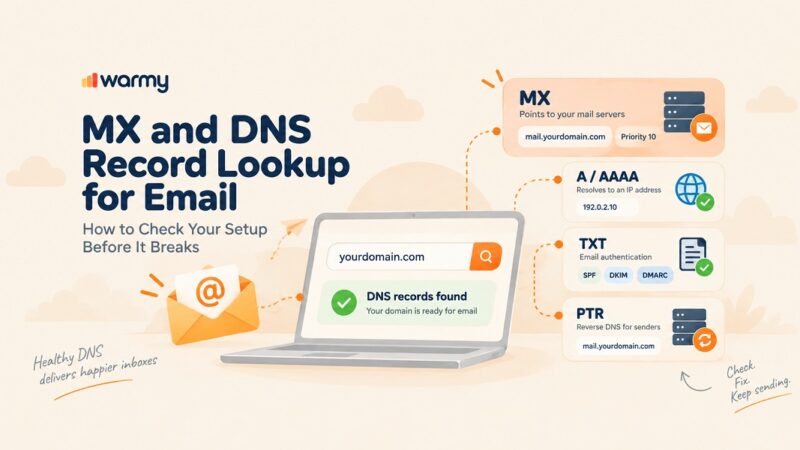
Google, Yahoo, and Microsoft require SPF, DKIM, and DMARC for any sender reaching meaningful volume, and none of it is optional in 2026. Treat the four items below as your email deliverability checklist before you scale volume for a sale:
- SPF tells a receiving server which mail servers are allowed to send on your domain’s behalf.
- DKIM attaches a cryptographic signature that proves a message wasn’t altered in transit.
- DMARC ties the two together and tells receivers what to do when a message fails, everything from doing nothing to rejecting it outright, based on the policy the domain owner publishes.
- BIMI is optional but layers your brand logo directly into the inbox for supported providers once DMARC is enforced at quarantine or reject, which helps a promotional email stand out in a crowded Black Friday inbox.
Gmail’s current sender guidelines lay out the exact authentication and formatting requirements bulk senders need to meet, and RFC 9989 is the underlying specification that defines how DMARC policies are structured and enforced. A misconfigured SPF record is one of the most common reasons a legitimate ecommerce sender gets rejected outright rather than just filtered, so it’s worth checking before you scale volume for a sale.
Beyond authentication, Google and Yahoo require a working one-click unsubscribe mechanism and a spam complaint rate that stays below a strict threshold. For ecommerce brands running aggressive BFCM cadences, this is where things usually break: sending more frequently to a broader list raises the odds that some recipients hit “report spam” instead of unsubscribing, and complaint rate is one of the fastest ways to tank a domain’s reputation mid-campaign.
Read Warmy’s guide to email deliverability best practices for the full best-practices checklist, and Warmy’s regional deliverability breakdown if your customer base spans multiple regions, since inbox provider mix and local expectations both shift the numbers.
Diagnosing Ecommerce Deliverability Problems
Diagnosing an ecommerce deliverability problem starts with separating a receiver-side block from a sender-side reputation issue. Pull your bounce codes first: a hard bounce or outright rejection usually points to a broken authentication record or a blacklist listing, while soft filtering to spam or promotions points to engagement and reputation. Fix the technical layer before touching content or send cadence.
Shared sending pools and list hygiene: two hidden reputation risks
Many smaller ecommerce brands send through an ESP’s shared IP pool rather than a dedicated one, which means their inbox placement is partly determined by every other sender on that same pool. If another store on your shared infrastructure gets flagged for spam complaints, your emails can suffer collateral damage even with a clean sending history of your own.
Klaviyo is the dominant ESP in ecommerce, and its shared-pool dynamics are a common source of unexplained placement drops; Warmy’s guide to fixing Klaviyo deliverability walks through how to diagnose whether a pool issue or your own account is the actual cause.
List hygiene is the other hidden risk, and it shows up in a few specific places:
- Checkout opt-ins are typed quickly and under pressure, so typos and disposable addresses slip through more often than on a dedicated signup form.
- Sunset flows move unengaged subscribers to a reduced-frequency track or remove them entirely after a defined window, keeping your active list weighted toward people who actually open and click.
- Spam traps, addresses seeded specifically to catch senders with poor list hygiene, get added to old, unpurchased, or scraped lists more often than most marketers assume, and hitting even one can damage a domain’s reputation disproportionately to its size.
Reading Google Postmaster Tools and Microsoft SNDS
Google Postmaster Tools and Microsoft SNDS give you a direct window into how those two providers see your domain: spam rate, domain reputation, and authentication status. Both are free, and both should be part of a pre-sale-season checklist rather than something you check only after a problem shows up.
Warmy’s deliverability monitoring pulls comparable domain-health signals into a single dashboard so you’re not toggling between two separate provider tools mid-campaign.
What a healthy vs. at-risk domain reputation actually looks like:
| Signal | Healthy domain | At-risk domain |
|---|---|---|
| Spam complaint rate | Well below the provider threshold | Approaching or exceeding the threshold |
| Authentication status | SPF, DKIM, and DMARC all passing and aligned | One or more records missing or misaligned |
| Sending pattern | Steady baseline with gradual increases | Long quiet periods followed by sharp spikes |
| List engagement | Majority opens or clicks within 30 days | Large share of never-engaged addresses |
| Blacklist status | No listings across major blacklists | One or more active listings |
Check Your Domain’s Inbox Placement Free
Running a free inbox placement test tells you, in minutes, exactly which providers are filtering your ecommerce emails and why, before you find out from a quarter of missing revenue. Run a free Email Deliverability Test to see your current placement across Gmail, Outlook, and Yahoo, along with your authentication status and blacklist presence, all in a single report.
Examples / Use Cases
Recovering inbox placement before a seasonal sale: a mid-size DTC brand notices its open rates have quietly dropped over three months, then discovers during a pre-holiday check that a chunk of its promotional sends are landing in spam across Outlook specifically. The fix sequence is always diagnosis first: confirm authentication is passing, check for a Microsoft-specific blacklist listing, then rebuild engagement gradually with the segment most likely to open, before returning to full list volume.
Attempting to jump straight back to full-volume sending without that rebuild step is what turns a two-week fix into a six-week one.
Scaling send volume for BFCM without triggering spam filters: the brands that get through Black Friday cleanly start ramping in October, not the week before. That means increasing send frequency and volume gradually against an engaged core segment, watching complaint rate and spam-folder placement the entire way, and holding volume steady rather than doubling it overnight the moment the sale goes live.
A domain with a strong, gradually built sending history going into November has far more headroom before filters start reacting than one that’s been sending at a flat, low baseline all year.
Tools / Warmy Features
Getting email deliverability for e-commerce right ahead of a sale comes down to using the right email deliverability tools before you need them, not after a campaign already landed in spam. Warmy’s free Email Deliverability Test scans your domain across Gmail, Outlook, and Yahoo, checks your SPF, DKIM, and DMARC configuration, and flags any blacklist presence, so you know your starting point instead of guessing at it.
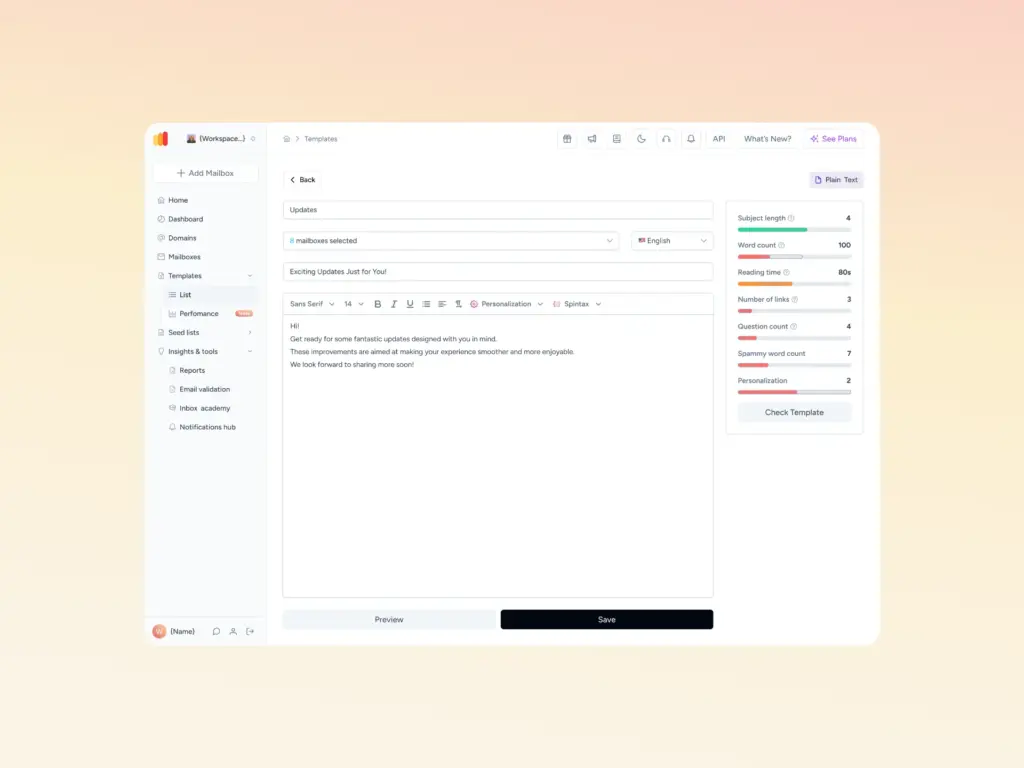
Pair that with a content-level check, since even perfect authentication can’t save an email that trips a spam filter on its subject line or formatting. Warmy’s free Template Checker scans your template for exactly that before a seasonal send goes out to your full list.
Seed lists: engagement signals before you send to real customers
Warmy’s Seed List gives you a regularly refreshed set of real Gmail, Outlook, Yahoo, Google Workspace, and Microsoft 365 addresses that engage with your test sends the way real customers would: opening, scrolling, clicking, and rescuing anything that lands in spam by marking it important. Blocked or inactive addresses in the list are automatically replaced, so the engagement signal stays consistent send after send.
Because it operates independently of your ESP’s own sending infrastructure, it works even on platforms that don’t offer native inbox-placement testing. Warmy’s Seed List is worth setting up specifically before a BFCM ramp, when you want engagement data on a test send before it goes to your full customer list.
For deeper background on how the mechanism works and why it outperforms a static seed address list, see Warmy’s guide to seed lists for deliverability.
Adeline AI and gradual volume ramp for seasonal spikes
Warmy’s Adeline AI engine processes tens of millions of decisions daily to adjust warm-up pace based on how a domain is actually performing, rather than following a fixed schedule regardless of results. For an ecommerce store preparing for a seasonal spike, that means the ramp adjusts in real time if inbox placement dips or a provider starts filtering more aggressively, instead of blindly pushing volume higher on a preset calendar.
Adeline AI treats each ramp as a live feedback loop, which matters most in the exact window, the two or three weeks before a major sale, when getting it wrong is the most expensive.
Pro Tip: Start your BFCM sending ramp in early October, not November. A domain that’s been building sending history gradually for six to eight weeks has meaningfully more headroom when the actual sale traffic hits than one trying to compress the entire ramp into the two weeks before the event.
Advanced Topics: Managing Transactional and Marketing Streams Separately
Order confirmations, shipping updates, and password resets behave differently from promotional campaigns, and mailbox providers evaluate them differently too. Sending both streams from the same subdomain means a spike in promotional complaints can drag down the deliverability of transactional mail your customers are actively expecting and checking for.
Splitting transactional and marketing traffic onto separate subdomains, each with its own SPF and DKIM setup under the same root DMARC policy, contains that risk:
- A reputation problem on your marketing subdomain doesn’t touch order confirmations, and vice versa.
- Transactional mail keeps flowing normally even if a promotional send triggers a spike in spam complaints.
This separation matters most for ecommerce specifically, since the volume gap between “quiet month” and “sale week” is almost entirely on the marketing side, while transactional volume stays comparatively flat year-round.
Conclusion
Ecommerce deliverability problems rarely come from one broken thing. They come from an erratic sending pattern, a stale list, and a missing authentication record all landing at the same time, usually right when a sale event puts the most pressure on your sending infrastructure.
Fix authentication first, clean your list on a real schedule, and give your domain a gradual, verified ramp ahead of every major sale, not just Black Friday. That sequence, in that order, is what turns email deliverability for e-commerce from a recurring emergency into a solved problem.
Get Ready for Your Next Sale Season
Want to see your ecommerce domain’s real inbox placement before your next sale? Book a Demo and see how Warmy’s AI-driven warmup and deliverability monitoring keep your emails landing in the inbox when it matters most.