TL;DR: Setting up an email marketing platform for ecommerce business use means working through five layers in order: authentication, list import, core automations, segmentation, and templates, with deliverability warm-up running underneath the whole rollout rather than bolted on at the end. Skip the authentication and warm-up groundwork and even a perfectly built welcome series or abandoned cart flow can land in spam the first week it goes live. This playbook walks through each layer in the sequence that actually protects revenue, from connecting your store through the ongoing monitoring routine that keeps your sender reputation healthy long after launch.
Picked your platform already? Good, because the decision itself is usually the easy part. What trips up most ecommerce teams is everything that happens in the first thirty days after signup: a welcome email flow that never fires because the store integration wasn’t finished, a cart-abandonment automation built before the list was cleaned, or a brand-new sending domain pushed straight to full volume the week before a sale.
None of that is a platform problem. It’s a setup-order problem, and it’s fixable. If you’re still comparing named tools before you commit, Warmy’s guide to choosing an ecommerce email marketing tool covers that decision in detail. This playbook picks up right after you’ve made that call: connecting your store, building the automations that actually drive revenue, segmenting your list by real ecommerce behavior, setting up templates, and only then layering in the authentication and warm-up work that protects everything else you just built.
Warmy is an AI-driven email deliverability platform that keeps a newly configured sending domain out of spam while you ramp toward full campaign volume, which matters most in exactly the window this guide covers.
Before Your First Send: The Platform Setup Checklist
Before sending a single campaign on a new email marketing platform for ecommerce business, complete three tasks in order: authenticate your sending domain, import and clean your existing list, and connect your store so customer and order data sync automatically. Doing these out of order is the single most common reason a new platform underperforms in its first month.
Authenticating your sending domain (SPF, DKIM, DMARC, BIMI)
Authentication is the technical proof that tells Gmail, Outlook, and Yahoo your messages genuinely come from your domain and weren’t altered in transit. Three records do the work:
- SPF lists which mail servers are allowed to send on your domain’s behalf.
- DKIM attaches a cryptographic signature that proves message integrity.
- DMARC ties SPF and DKIM together and tells receiving servers what to do when a message fails either check.
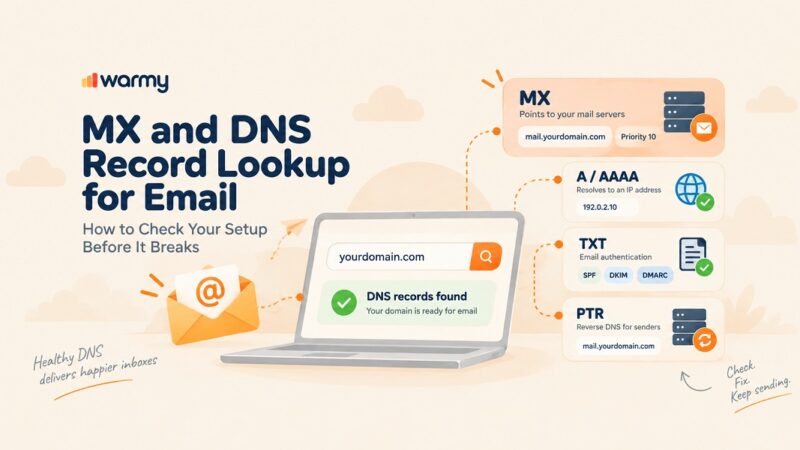
Google’s email sender guidelines require both SPF and DKIM for any sender reaching meaningful volume to Gmail addresses, with DMARC published at the domain level. IETF RFC 7489 is the underlying specification that defines exactly how DMARC policies are structured and enforced, and it’s worth reading directly if your team is setting a policy for the first time rather than relying on a generator’s defaults.
BIMI is optional, but once DMARC is enforced at quarantine or reject, it lets your brand logo appear directly in supported inboxes, which helps a promotional send stand out in a crowded holiday inbox.
Pro Tip: Set your DMARC policy to p=none first and monitor the reports for two to three weeks before moving to p=quarantine or p=reject. Jumping straight to enforcement on a domain you haven’t fully mapped can silently block legitimate transactional mail.
Importing and cleaning your existing list
A list import is the fastest way to inherit someone else’s deliverability problem. Before you upload a single CSV, remove hard-bounced addresses from your last export, strip obvious typos and disposable domains, and flag anyone who hasn’t opened or clicked in the last twelve months for a separate re-engagement track instead of your main sending list.
Checkout opt-ins are the messiest source of bad addresses, since they’re typed quickly and under purchase pressure. If your old platform never ran a sunset flow, assume a meaningful share of your imported list is dead weight, and treat the first send to that list as a test, not a full-volume campaign.
Connecting your store and syncing customer data
Native integration with Shopify, WooCommerce, or BigCommerce is what makes every automation in the next section possible. Without it, purchase history, cart contents, and customer lifecycle stage never reach your email marketing platform for ecommerce business, and every automation you build downstream runs on stale or manual data instead of a live feed.
Confirm the integration syncs in both directions: customer and order data flowing into your email platform, and unsubscribe or suppression status flowing back to your store so a customer who opts out of email doesn’t keep getting synced back onto your list on the next order.
Build Your Core Automations First
Email marketing automation for ecommerce runs on three flows that account for a disproportionate share of email-driven revenue: welcome series, abandoned cart recovery, and post-purchase or win-back sequences. Build these three before investing time in one-off campaigns, since they run continuously in the background once configured correctly.
Welcome series
A welcome email flow triggers the moment someone joins your list, whether through a signup form, a checkout opt-in, or an account creation. The first message should arrive within minutes, not hours, and should set expectations for what kind of email the subscriber signed up for, alongside your first genuine value offer.
Spreading a three-to-five-email sequence over the first week or two, introducing your brand story, a bestselling category, and a limited first-purchase incentive, tends to work better than a single generic welcome message because it gives new subscribers multiple natural entry points into your catalog instead of one.
Abandoned cart recovery
Cart abandonment automation should trigger on a delay, typically one hour after abandonment for the first message, with a second reminder around 24 hours later and a final message at 48 to 72 hours that can include a modest incentive if your margins support it. Include the actual products left in the cart, not a generic reminder, since specificity is what drives the click back to checkout.
Post-purchase and win-back flows
Post-purchase flows start immediately after an order confirms: a shipping update, a delivery follow-up asking for a review, and a replenishment or cross-sell message timed to when that specific product category typically gets repurchased. Win-back flows target customers who haven’t ordered in a defined window, usually 90 to 180 days depending on your typical purchase cycle, and should feel like a genuine re-engagement rather than a generic discount blast.
Segment Your List by Ecommerce Behavior
Purchase history, browsing behavior, and lifecycle stage
Once your store integration is live, segment beyond simple demographics. Purchase history tells you which category or price point a customer responds to. Browsing behavior, products viewed but not purchased, catches intent your purchase data alone would miss. Lifecycle stage, first-time buyer, repeat customer, lapsed customer, at-risk churn, determines both message frequency and offer type: a first-time buyer needs onboarding content, while a lapsed customer needs a reason to come back.
Layering these three signals together is what separates a segmented ecommerce sender from one still sending the same campaign to the entire list regardless of where each subscriber actually sits in their relationship with the brand. Warmy’s roundup of warm-up tools for agencies touches on a similar behavioral split, B2B versus B2C engagement patterns, that’s worth applying to your own segmentation logic if your store sells to both.
Set Up Templates and Brand Your Emails
Ecommerce email templates should be built once, correctly, and reused across every automation and campaign rather than rebuilt from scratch each send. A solid template library covers a promotional campaign layout, a transactional confirmation layout, and a lightweight plain-text-style template for automations where a heavily designed email would feel out of place, like a post-purchase check-in.
Keep image-to-text ratio reasonable, since an email that’s almost entirely one large image reads as more promotional to spam filters than one with genuine body copy alongside supporting visuals. Test every template across major clients before it goes live in an automation, since a broken layout in a welcome series repeats on every new subscriber until someone catches it.
Warmy’s breakdown of why emails land in Gmail’s Promotions tab is worth a read before you finalize a template library, since sales-heavy CTAs and heavy HTML are two of the clearest signals that push an otherwise well-designed campaign out of Primary.
Warmy’s guide to ecommerce email marketing best practices covers segmentation, personalization, and template design in more depth if you’re building this library from scratch.
Warming Up a New Platform Without Losing Sales Momentum
Warming up a new email marketing platform means gradually increasing send volume to a new or newly configured domain over several weeks so mailbox providers build trust in your sending pattern before you push full campaign volume. Skip this step and even a well-built automation suite can land in spam the first time it reaches your full list. Warmy’s guide to what email warmup is and why it matters covers the underlying mechanics in more depth if you’re setting this up for the first time.
A realistic warm-up timeline for ecommerce send volume
Warmy’s guide to warm-up for high-volume senders breaks down the volume thresholds and pacing that matter most once your ecommerce sends start climbing toward a seasonal peak. The table below adapts that general pacing to a typical ecommerce rollout:
| Week | Send volume | Focus |
|---|---|---|
| 1 | Small, most-engaged segment only | Confirm authentication passes; monitor opens and complaints closely |
| 2-3 | Gradually widen to moderately engaged segments | Increase daily volume in controlled increments |
| 4-5 | Approach full list, excluding unengaged addresses | Watch inbox placement and spam-complaint rate daily |
| 6+ | Full list, including a fresh re-engagement track | Maintain steady baseline volume, avoid sudden spikes |
Structuring transactional vs. marketing streams from day one
Send transactional mail, order confirmations, shipping updates, password resets, from a separate subdomain than marketing campaigns, each with its own SPF and DKIM under the same root DMARC policy. This way, a spike in promotional spam complaints during a sale doesn’t drag down the transactional mail customers are actively expecting and checking for.
Ramping volume without tripping spam filters
The mistake most ecommerce brands make is compressing a six-week warm-up into the two weeks before a major sale. Start the ramp early, hold volume steady once you reach a stable baseline, and resist the urge to double sending overnight the moment a campaign goes live. A domain with a gradually built sending history has far more headroom the week of a sale than one that’s been sitting quiet all year.
Ongoing Deliverability Maintenance
A monthly monitoring routine, and what to do when it slips
Once your platform is live, deliverability isn’t a one-time setup task. Check Google Postmaster Tools and your authentication status monthly at minimum, and weekly in the run-up to a major sale. Warmy’s guide to email deliverability for e-commerce covers the full monitoring checklist this routine should follow, including how to separate a receiver-side block from a sender-side reputation issue when something slips.
If your spam complaint rate climbs or inbox placement drops, pause volume growth immediately, isolate whether the cause is authentication, content, or list hygiene, and rebuild gradually rather than pushing through the problem at full send volume. Validity’s Everest platform is one option enterprise teams use for continuous reputation monitoring alongside their ESP’s native reporting, if you need visibility beyond what your platform shows natively.
Track the Metrics That Actually Matter
Beyond opens and clicks: revenue per email, deliverability, and list health
Open and click rates tell you engagement, not revenue impact. Track revenue per email sent, which normalizes performance across campaigns of different sizes, alongside inbox placement rate by provider and list health metrics like bounce rate and unsubscribe rate. A campaign with a mediocre open rate but strong revenue per email is often outperforming one with the opposite pattern.
Check Before You Commit
Before your next major send goes out on your new setup, confirm your actual starting point rather than assuming authentication and warm-up went cleanly. Run a free Email Deliverability Test to see your current inbox placement across Gmail, Outlook, and Yahoo, your authentication status, and any blacklist presence, all in a single report.
If your new platform doesn’t integrate directly with a warmup tool, Warmy’s guide to seed lists for deliverability covers a separate way to test inbox placement before your first real campaign, useful for the platforms a native integration doesn’t reach.
If You Ever Need to Migrate Platforms
Migrating without resetting domain reputation
Migrating platforms later doesn’t reset your domain reputation as long as you keep sending from the same authenticated domain and don’t spike volume the day the new platform goes live. Treat a migration like a mini warm-up: ramp volume gradually on the new platform even though the domain itself already has history, since a sudden shift in sending infrastructure and IP is still a pattern change mailbox providers notice.
Tools / Warmy Features
Pairing your platform with Warmy’s deliverability layer
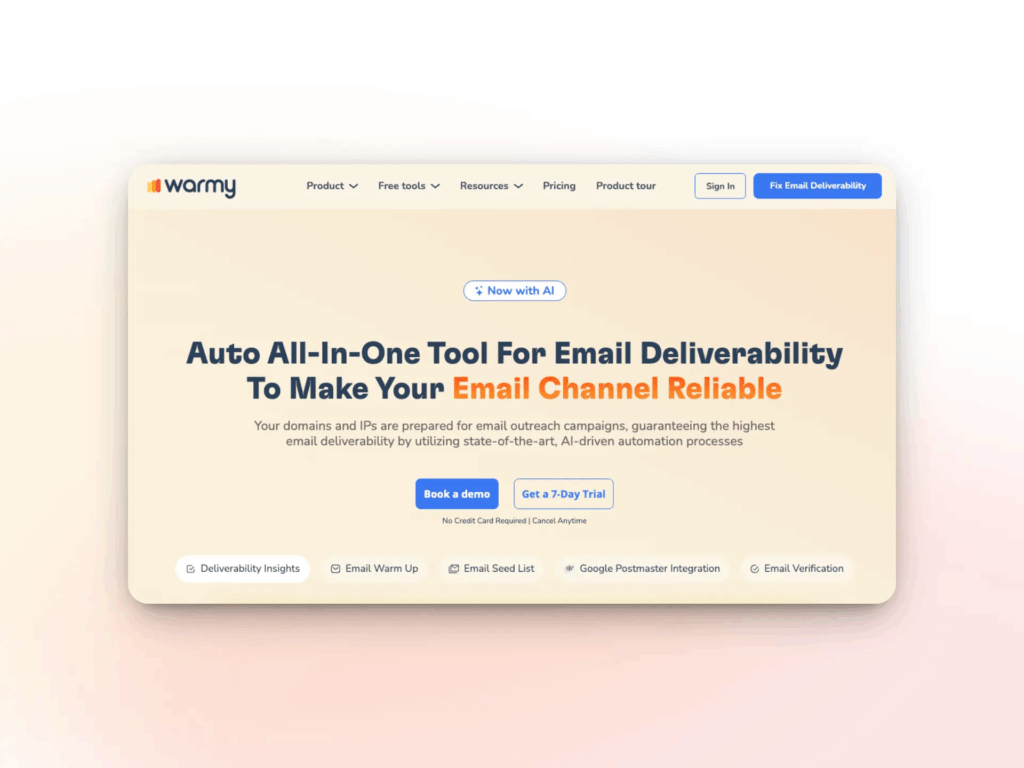
Whichever email marketing platform for ecommerce business you’re running, Warmy layers on top rather than replacing it, closing the gap most ecommerce ESPs leave open: authentication monitoring, real inbox placement data, and a gradual warm-up engine built specifically for a domain about to scale into sale-season volume. Here’s what that layer actually includes:
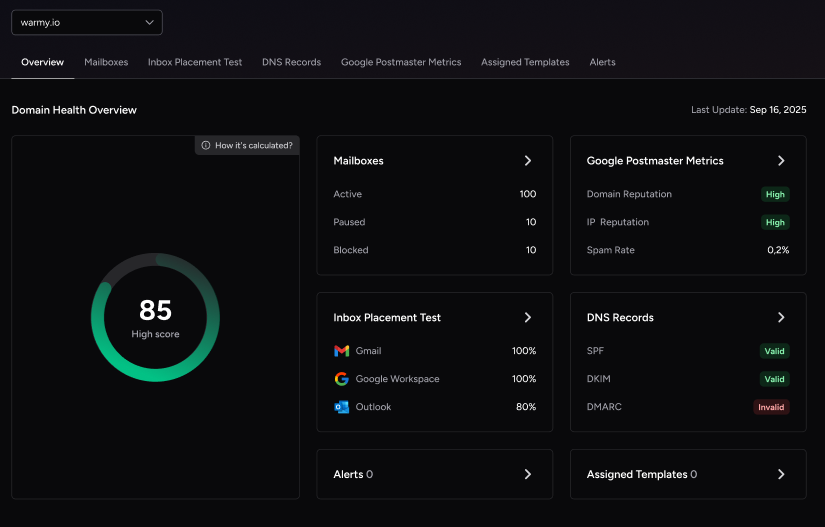
- Domain Health Hub: a domain-level dashboard that scores authentication status, blacklist presence, and inbox placement trends in one place, so you’re not checking each mailbox separately. It covers DNS validation across SPF, DKIM, DMARC, rDNS, MX, and A records, plus weekly or monthly spam-rate trend tracking across every domain you manage. Go straight to Warmy’s Deliverability Insights product page for full detail.
- Seed List: a regularly refreshed set of real Gmail, Outlook, Yahoo, Google Workspace, and Microsoft 365 addresses that engage with your test sends the way real customers would: opening, scrolling, clicking, and rescuing anything that lands in spam by marking it important. Blocked or inactive addresses are automatically replaced, and it also covers platforms Warmy doesn’t natively integrate with, including Shopify, Klaviyo, and Omnisend. See the Seed List product page for full detail.
- Email Warmup (Adeline AI): Warmy’s AI-powered warmup engine, Adeline, processes tens of millions of decisions daily to gradually increase sending volume while simulating genuine human interactions: opening, scrolling, clicking, and replying. If a test email lands in spam, it’s retrieved and marked important to train mailbox providers that your domain is credible, and the whole process runs across 30+ languages for natural-looking engagement regardless of your customer base. See the Email Warmup product page for full detail.
- Warmup Preferences: lets you control the split of warmup activity across Gmail, Outlook, Microsoft 365, and private SMTP, and choose between B2B and B2C engagement patterns so warmup traffic mirrors how your actual customer base is distributed. Every setting applies across all mailboxes at once or individually, with no need to contact support.
- Warmup With Clicks: layers real link clicks from genuine addresses and automatic removal from Gmail’s Promotions tab on top of standard warmup activity, the two signals Gmail’s algorithms weight most heavily when deciding whether a domain earns Primary tab placement.
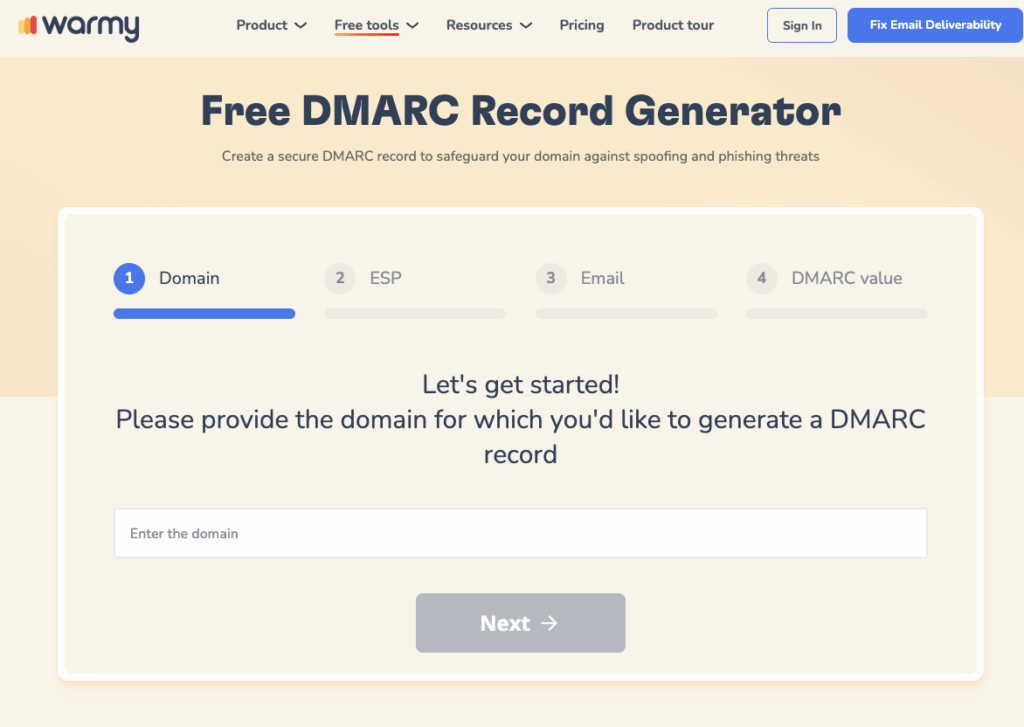
- SPF and DMARC Record Generators: automate the authentication setup covered earlier in this playbook. The free SPF Record Generator builds a valid, optimized record that avoids the lookup-limit failures common in hand-written ones, and the free DMARC Generator creates a policy you can enforce gradually without risking legitimate mail.
Quick-Reference Setup Checklist
- Authenticate your sending domain: SPF, DKIM, DMARC, and optionally BIMI.
- Clean your imported list before your first send.
- Connect your store for two-way customer and order data sync.
- Build welcome, abandoned cart, and post-purchase automations first.
- Segment by purchase history, browsing behavior, and lifecycle stage.
- Build a reusable ecommerce email template library.
- Warm up new or reconfigured sending domains gradually, never all at once.
- Separate transactional and marketing sending streams.
- Monitor deliverability monthly, and weekly ahead of major sales.
- Track revenue per email alongside opens, clicks, and list health.
Conclusion
A new email marketing platform for ecommerce business only pays off if the setup order is right: authentication and list hygiene first, core automations before one-off campaigns, real segmentation before broad blasts, and a gradual warm-up running underneath the entire rollout instead of an afterthought. Get that sequence right and your welcome series, cart recovery, and win-back flows land in the inbox from week one instead of fighting a reputation problem you created by rushing the setup.
See Your Platform’s Real Inbox Placement
Ready to see your platform’s real inbox placement after setup? Book a Demo and see how Warmy’s AI-driven warmup and deliverability monitoring protect every automation you just built.