

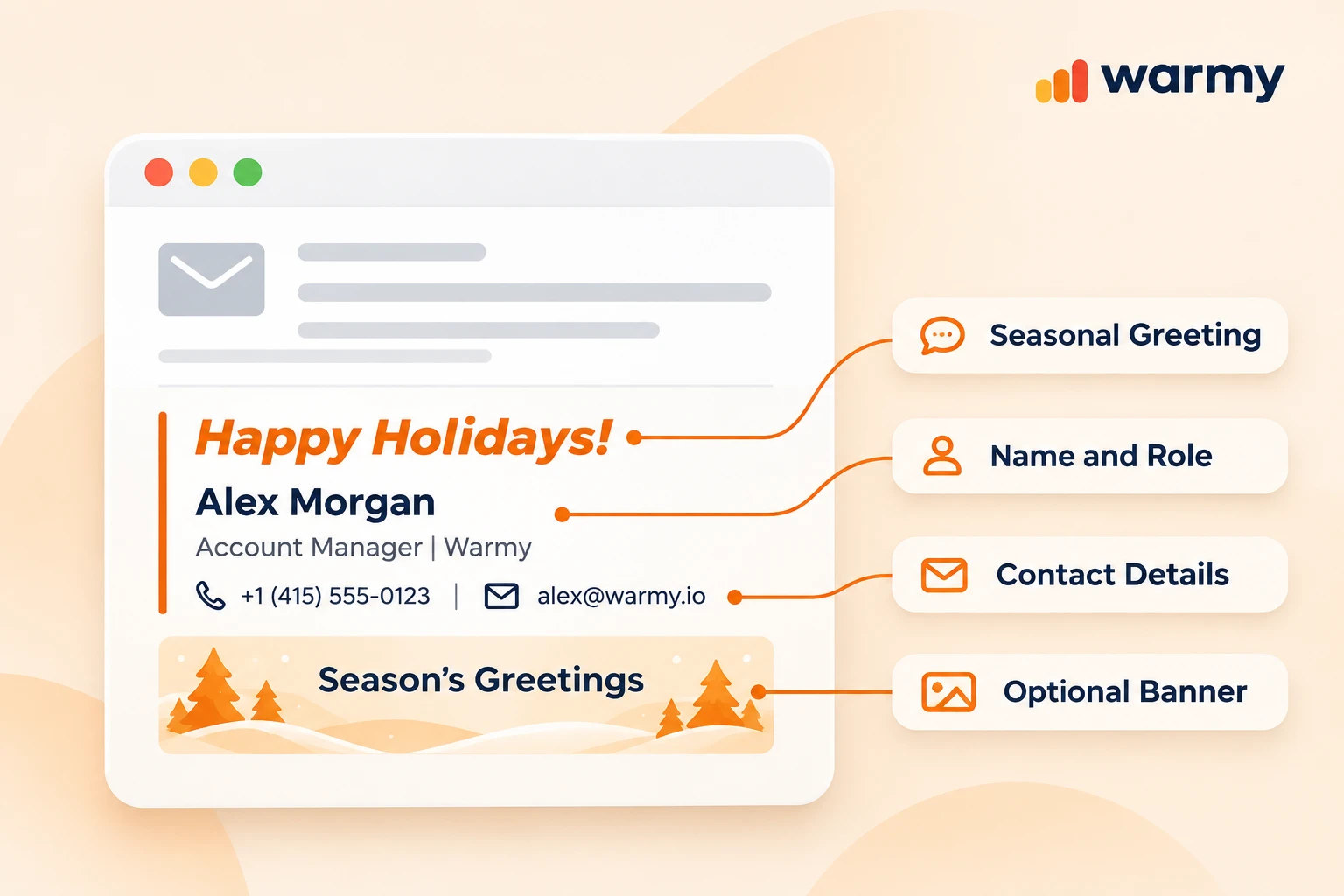
A holiday email signature is your regular signature plus a short seasonal greeting, and sometimes a small banner or your holiday hours. Keep it to one greeting line, your usual contact details and, at most, one lightweight image, so it stays professional and does not hurt deliverability.
Below are 40+ happy holiday email signatures, grouped by tone and occasion, plus templates and banner tips that keep your holiday emails out of the spam folder.
What to Include in a Happy Holidays Email Signature
Start with the signature you already use and add one seasonal line on top. The greeting goes first, then your name, title, company, and one way to reach you. That’s enough for most people.
A few extras are fine when they do a job. A small banner works for brands that send a lot of customer-facing mail. Holiday hours help anyone whose team closes for a few days, and a sale end date suits sales and support teams during promotions. Add one of these, not all three.
Leave out long quotes, several images, a different font for the greeting, and a stack of social icons. Each extra element makes the email heavier and gives spam filters more to judge. If you also want a seasonal closing line, our guide on how to end an email has options that pair well with the signatures below.
40+ Happy Holiday Email Signature Options You Can Copy
Replace the placeholders in brackets and paste the text into your email client’s signature settings.
Professional and inclusive holiday signatures
When you don’t know which holidays your recipients celebrate, use a neutral greeting. These happy holidays signature for email options work for clients and colleagues alike.
Happy holidays,
[Name] | [Title], [Company]
Season's greetings from all of us at [Company].
[Name]
[Title] | [Phone]Warm wishes for the holiday season,
[Name]
[Company] | [Website]Wishing you a restful break and a bright year ahead.
[Name], [Title]Thank you for a great year of working together. Happy holidays!
[Name]
[Company]Peace, joy and a little time off. Happy holidays ✨
[Name] | [Company]With best wishes for the season,
[Name]
[Title], [Company] | [Email]Happy holidays and all the best for the year ahead,
[Name]Christmas email signatures
Use these for recipients you know celebrate Christmas, such as regular clients and your own team. A Christmas email signature can be warmer and more personal than a neutral one. Every Christmas email signature option below still keeps the tone professional.
Merry Christmas,
[Name] | [Company]
Wishing you a Merry Christmas and a calm, happy New Year.
[Name]
[Title], [Company]Merry Christmas from the [Company] team 🎄
[Name] | [Phone]Hope your Christmas is full of good food and good company.
[Name]Merry Christmas and thank you for your trust this year.
[Name], [Title]
[Company]Have a wonderful Christmas,
[Name]
[Company] | [Website]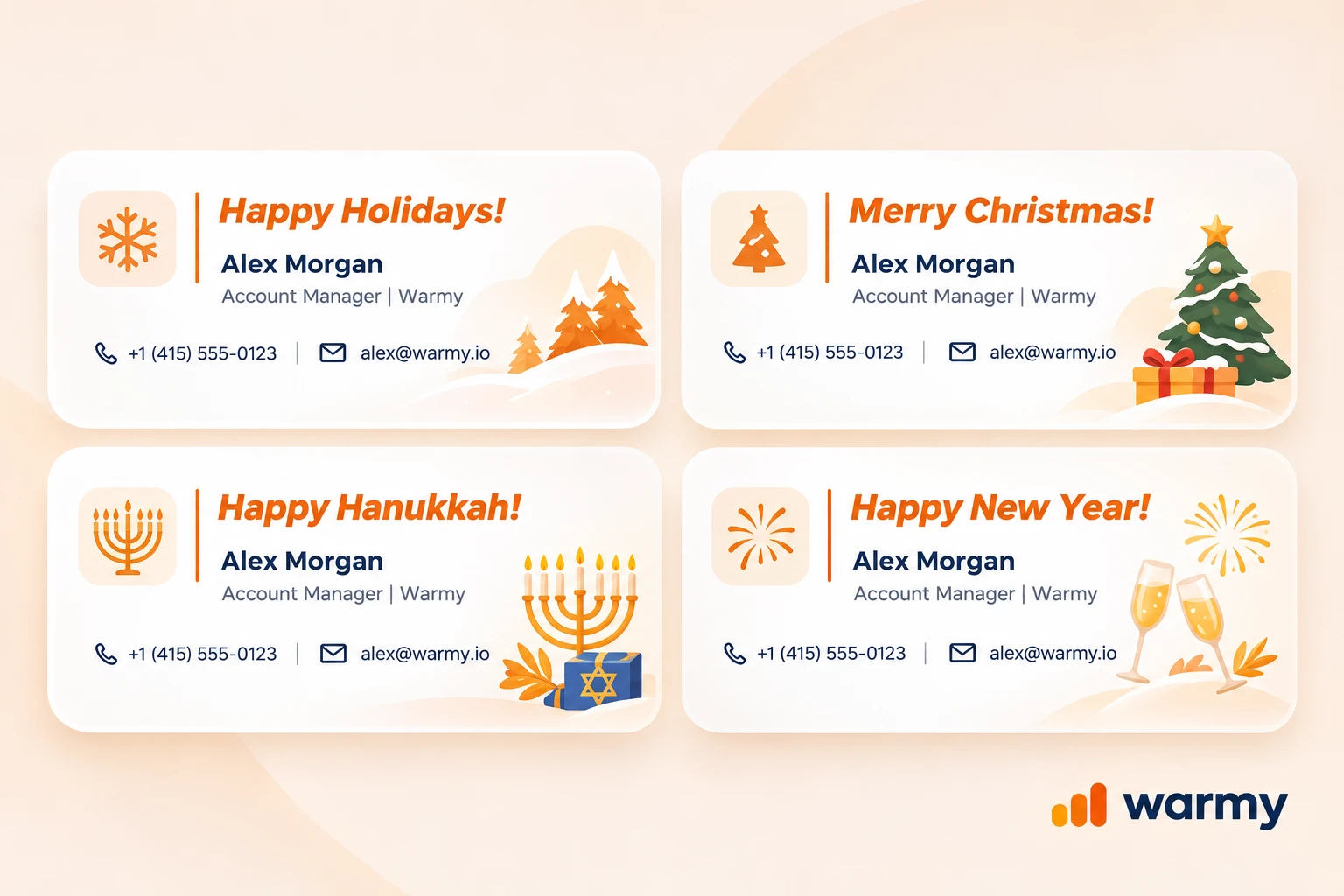
Hanukkah, Kwanzaa and other winter holidays
Keep these short and respectful, and use them only for people you know observe the holiday.
Happy Hanukkah,
[Name] | [Company]
Wishing you a bright and joyful Hanukkah.
[Name]
[Title], [Company]Happy Kwanzaa to you and your family.
[Name]
[Company]Wishing you a meaningful Kwanzaa and a strong start to the new year.
[Name], [Title]Wishing you a peaceful winter solstice and a bright new year.
[Name] | [Company]Wishing you light, peace and good health this season.
[Name]Thanksgiving email signatures
The Thanksgiving email signature is a good time to express gratitude to clients and partners.
Happy Thanksgiving,
[Name] | [Company]
Grateful for great clients like you. Happy Thanksgiving!
[Name]
[Title], [Company]Wishing you a warm Thanksgiving with the people you love.
[Name]Thankful for your partnership this year.
[Name], [Title] | [Phone]Happy Thanksgiving from all of us at [Company] 🦃
[Name]New Year email signatures
A New Year email signature can go live right after Christmas and stay until the first full week of January.
Happy New Year!
[Name] | [Company]
Wishing you a successful [Year].
[Name]
[Title], [Company]Here's to a great year ahead, and thank you for this one.
[Name]Cheers to new goals and new projects in [Year] 🥂
[Name] | [Phone]Best wishes for a healthy and prosperous New Year,
[Name], [Title]
[Company] | [Website]Happy New Year from the [Company] team.
[Name]Holiday hours and out-of-office signatures
A holiday out of office signature tells people you’re away, when you’ll be back and who can help in the meantime. It only reaches people you write to, so for a longer break set up an auto-reply too. Use one of these holiday hours email signature examples:
Happy holidays! Our office is closed Dec 24-26.
[Name] | [Company]
I'm out of the office until [Date] and will reply when I'm back.
Urgent? Contact [Colleague] at [Email].
[Name]Holiday hours: [Days], [Hours] [Time zone].
Happy holidays from [Company].
[Name] | [Phone]Happy holidays! Our support team is available [Dates], [Hours].
[Name], [Title]Away for the holidays, back on [Date]. Wishing you a restful break.
[Name]Warm and lightly playful signatures
With colleagues and clients you know well, a little warmth goes a long way. Keep any humor gentle and skip jokes that need context. For the closing line itself, see our funny holiday sign-offs.
Powered by coffee and holiday cookies.
[Name] | [Company]
Currently counting down to the holidays. Happy holidays!
[Name]Inbox zero, then pie. Happy holidays ☕
[Name], [Title]Wrapping up projects and presents. Happy holidays!
[Name] | [Company]Out of office mode loading. See you in [Month]!
[Name]Holiday Email Signature Templates
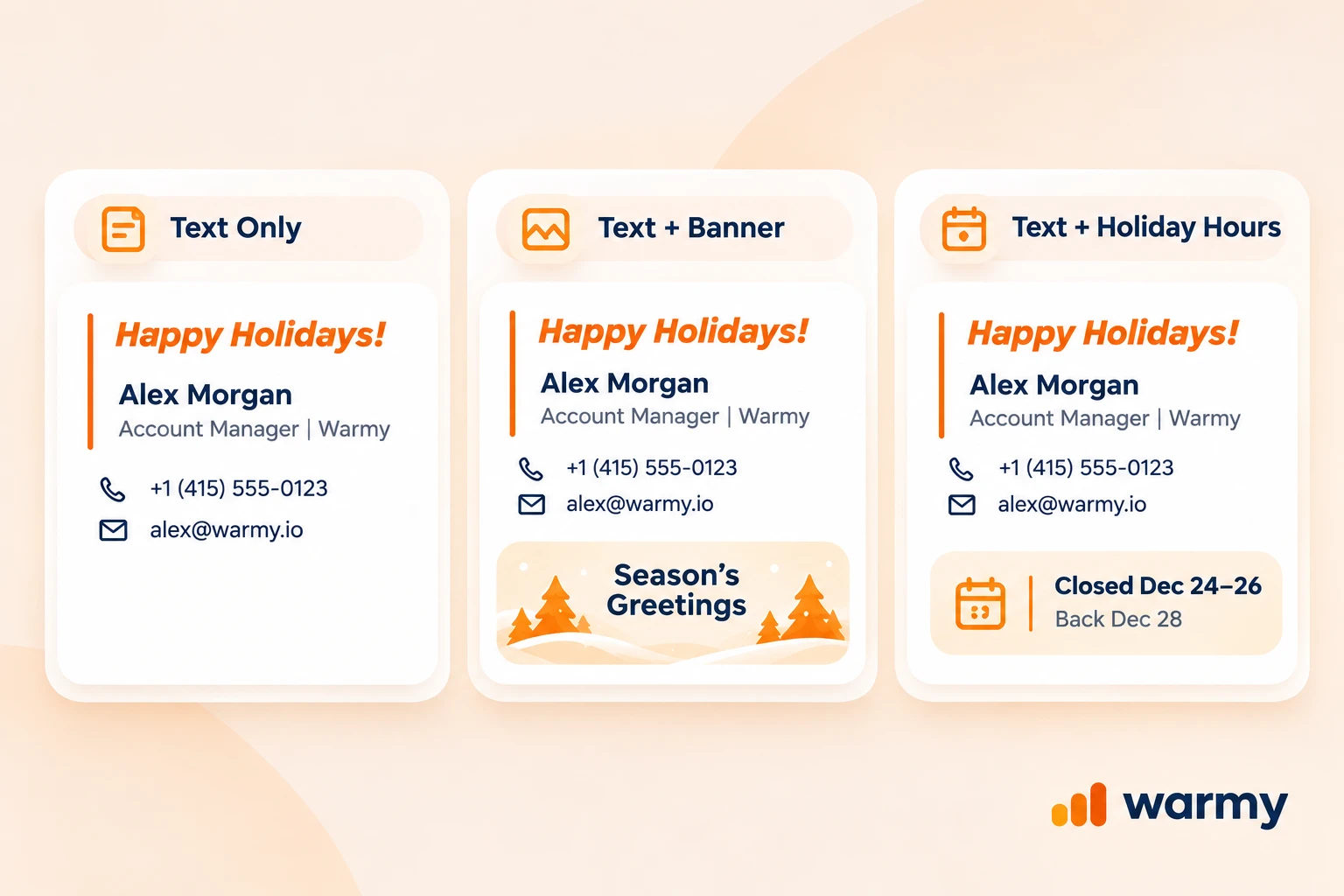
If you prefer to start from a holiday email signature template, these three holiday signatures for emails cover most situations. Pick the one that fits your role and fill in the brackets.
1. Text only (best for most people and every cold email):
[Greeting line]
[Name] | [Title]
[Company] | [Phone or Website]
2. Text + banner (for brands with a seasonal campaign):
[Greeting line]
[Name] | [Title], [Company]
[Banner image, linked to one page]
3. Text + holiday hours (for teams that close or change hours):
[Greeting line]
[Name] | [Title], [Company]
Holiday hours: [Days and times] | Back on [Date]| Element | Keep | Drop |
|---|---|---|
| Greeting | One short line | Long quotes or poems |
| Contact details | Name, title, company, one phone or link | Every social icon and second phone number |
| Image | One small banner, if any | Several images or a large logo plus banner |
| Links | One link | Separate links for banner, socials and offers |
| Holiday hours | Dates and one backup contact | A full schedule for the whole team |
The fastest way to set any of these up is our free email signature generator: pick a layout, add your greeting, and copy the result into your email client.
Create your holidy signature in the free signature generator
Holiday Email Signature Banners That Won’t Hurt Deliverability
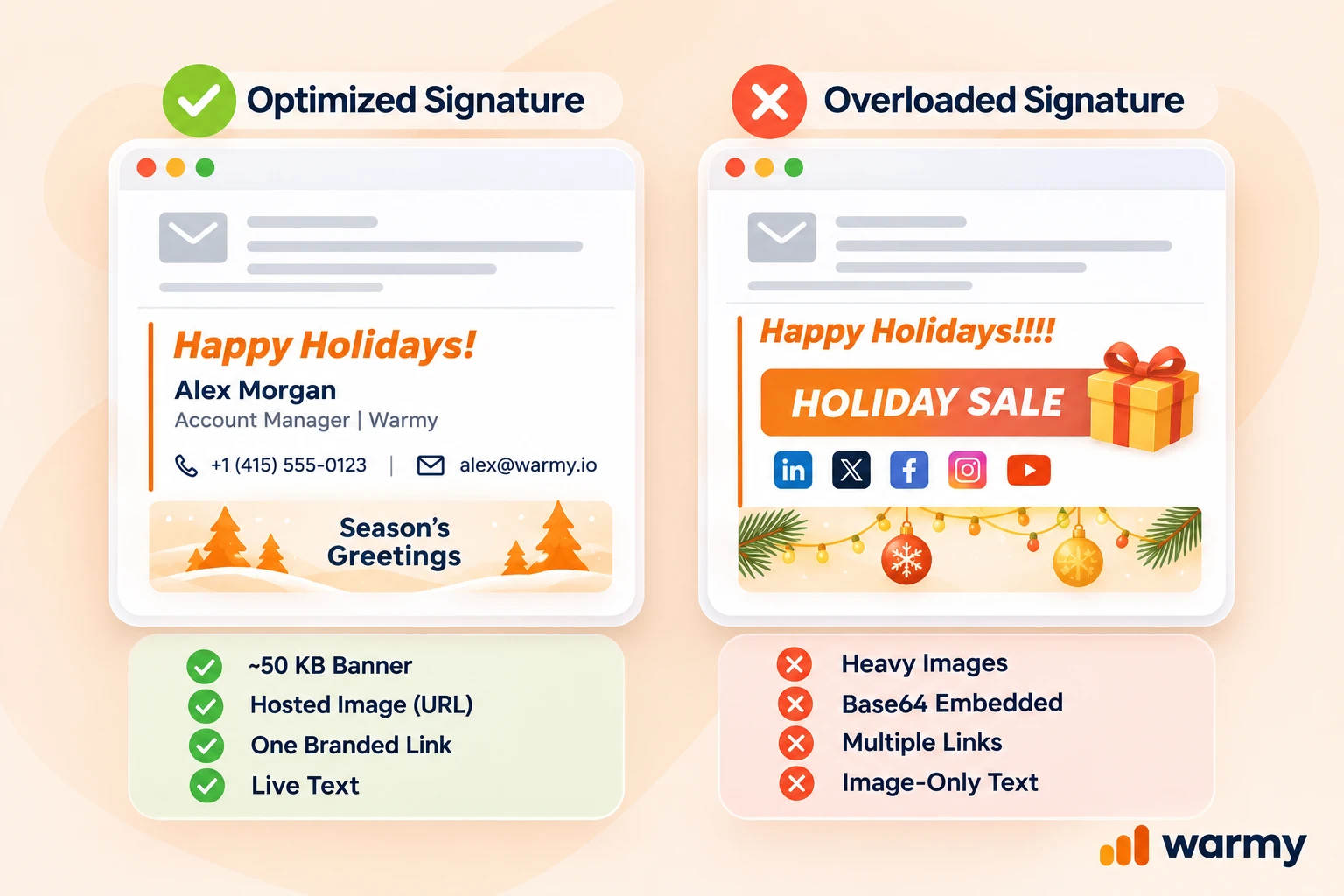
Banners cause most of the trouble with seasonal signatures. Your signature travels with every reply and forward, so a heavy or embedded image is repeated in each of those emails.
Size comes first. Aim for a holiday email signature banner of about 50 KB, saved as PNG or JPG and sized to fit a 600 px-wide email. You can host the image on your website or email platform and insert the link. Embedding the image through base64 encoding means that you insert the whole file into the message, making it bulky.
Keep the HTML light too. Gmail cuts off messages that have code exceeding a certain size and only shows the first part of the email, with the option to view the rest. Your signature sits at the bottom of the message, so it is the first thing to disappear. A hosted image loads separately and does not count toward that limit; an image embedded in the code does. Our guide to email size best practices explains how to measure it.
Use a short description for the banner like “Happy holidays from [Company]” so that even without the image, the text makes sense. Use one link, and point it to your own website. URL shorteners are a frequent spam trigger, and multiple links in a short email are promotional in nature. A small GIF animation can be used, but a static image is better. Before switching the signature on for the whole team, check your template for spam triggers and review our list of words that trigger spam filters.
| Element | Safe | Risky |
|---|---|---|
| Banner weight | Around 50 KB, compressed | Several hundred KB or uncompressed |
| Image hosting | Hosted image, linked by URL | Base64 embedded in the HTML |
| Alt text | Short, descriptive | Missing, or stuffed with keywords |
| Links | One link to your own domain | Several links or a URL shortener |
| Animation | Static image or a small GIF | Large or long animated GIF |
| Amount of text | Greeting and contacts as live text | Whole signature saved as one image |
When to Switch Your Holiday Signature On and Off
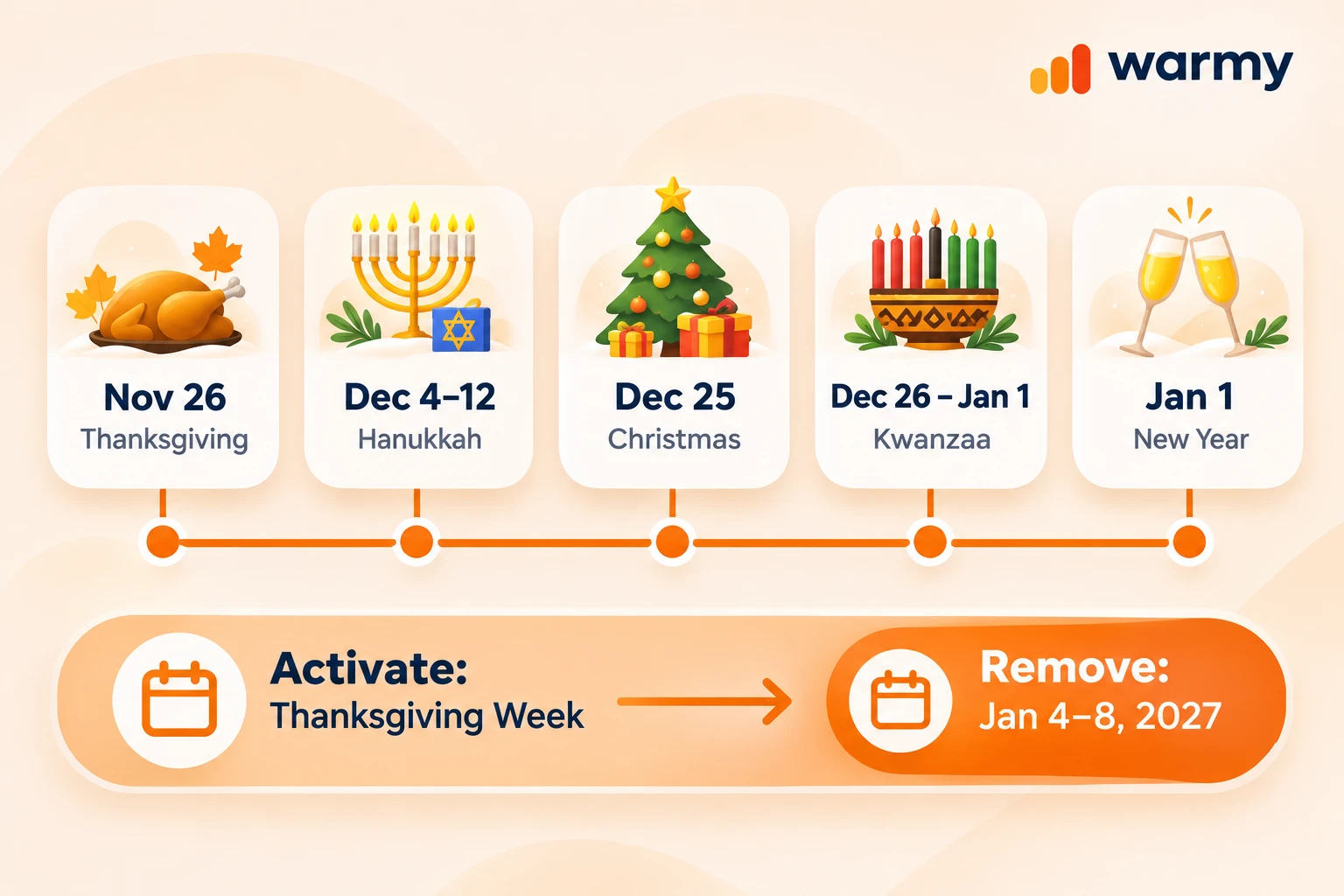
2026 holiday calendar. Thanksgiving: Thursday, November 26. Hanukkah: sundown Friday, December 4 to nightfall Saturday, December 12. Christmas: Friday, December 25. Kwanzaa: December 26, 2026 to January 1, 2027. New Year’s Day: Friday, January 1, 2027.
The seasonal signature is turned on in Thanksgiving week and turned off in the first complete work week of January. This will cover all the major holidays and keep your signature from looking dated. If you include holiday hours, make sure to change them when your schedule changes and delete the line once you return.
Holiday Signatures in Sales and Cold Outreach
In cold emails, keep the holiday touch minimal. One plain-text line is enough, for example, “Happy holidays”. No need for banners or additional links; a picture and multiple links in your first email make it look like marketing, and filters may treat it that way.
Timing adds risk too: email volume spikes during the holidays, and a new domain has no sending history yet. If you send from a new domain, give it time with email warm-up before holiday campaigns, and follow a Black Friday email warm-up schedule for bigger seasonal sends. Before a sequence goes out, run a free email deliverability test or an inbox placement test to see where it lands.
FAQ
What should a holiday email signature say?
A single greeting line, followed by the regular name, title, company, and contact information. “Happy holidays” or “Season’s greetings” will do for most of your recipients. Put in holiday hours or a banner only if there is a need, but leave everything else as usual.
Is “Happy Holidays” or “Merry Christmas” better for a business email signature?
“Happy Holidays” is the safer choice for a business email signature, since it applies to all your contacts. Use “Merry Christmas” when you know that the recipient celebrates this holiday, for instance, regular clients and members of your team. Many people use one signature for external correspondence and another one for their colleagues.
When should I change my email signature for the holidays?
During Thanksgiving week and until the first week of January, when you go back to your regular work schedule. This way, you cover Thanksgiving, Hanukkah, Christmas, Kwanzaa, and New Year. If you use holiday hours in your signature, change the line as your schedule changes and remove it after the first day of work.
How do I add a holiday banner to my email signature?
Create a small banner, host it online, and insert it into your signature via email client signature settings or a signature builder. Link it to one page on your website and put in some short alt text. With our free signature builder, you’ll create the layout and only need to insert the code into your email client.
Can a holiday email signature hurt deliverability?
Yes, if it is heavy. Images, multiple links, and URL shorteners make each email look more promotional, so it is more likely to land in spam or get clipped in Gmail. A text greeting and one light hosted image will keep the risk low.
What size should a holiday email signature banner be?
Aim for about 50 KB and a width that fits a 600 px email layout. Compress the image, upload it (not embed it), and test the whole email before implementing the signature. Smaller is always better, especially for those who reply to a lot of messages daily.
Should I use a holiday signature in cold emails?
Yes, but as a single text line only. In the first email, banners and additional links make the email look like marketing and reduce its chances of reaching the inbox. If you send cold emails from a new domain during the holidays, warm it up and test the inbox position of your emails first.
How do I add holiday hours to my email signature?
Put in one line below your greeting with the closed days or changed working hours, your return date, and the contact information of someone who can handle urgent requests. Use a holiday email signature template with a special line for holiday hours, and don’t forget to remove it afterward.