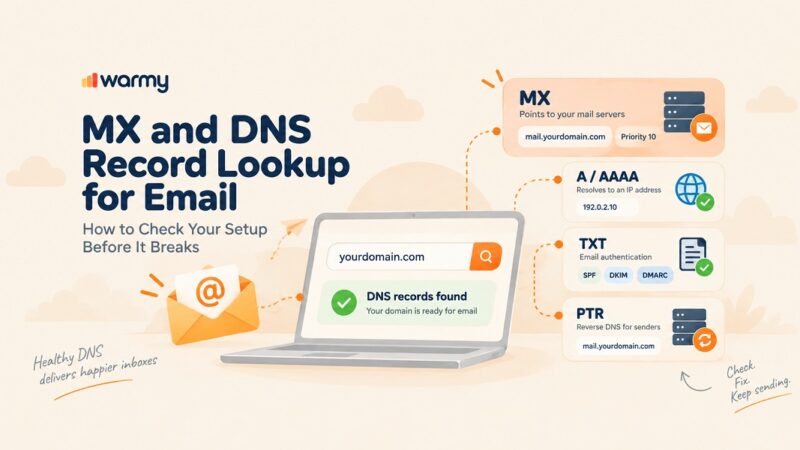
CLI, API, and MCP are three ways to reach the same platform. An API lets one system call another automatically. A CLI lets a person run commands from a terminal. MCP lets an AI assistant use a tool during a conversation.
Set up a new client this month and you may never open a dashboard. The workspace, the domain, the mailboxes, and the first campaign can all run from a script or from a chat with an AI assistant. The tooling caught up.
Your deliverability layer has to keep up as well. Creating mailboxes takes minutes. Building the sender reputation that gets those mailboxes into the inbox takes weeks. Automation removes the delay between the two, and nothing else slows down to compensate.
Warmy is an AI-driven email warmup and deliverability platform that protects inbox placement for high-volume senders. Before any of this reaches production, run a free Email Deliverability Test to see where your domains stand today.
Start here: What CLI, API, and MCP actually mean
API: One system calling another
An API is how one piece of software talks to another with no person involved. Your onboarding tool sends a request, gets an answer, and moves on. A developer writes those steps ahead of time. When you need something to happen automatically at two in the morning, this is the layer that does it.
CLI: Commands you type in a terminal
CLI stands for command line interface. It lets one person run the same job across many accounts by typing a command instead of clicking through a dashboard. Pull warm-up stats for every client domain. Export placement results. Rotate senders. The only requirement is someone on the team who is comfortable in a terminal.
MCP: An AI assistant using a tool mid-conversation
MCP stands for Model Context Protocol, an open standard that lets an AI model use a vendor’s tools directly. Cleanlist describes the practical effect in its guide to GTM engineering: you describe a job inside a chat with an assistant, and the assistant carries it out against live data. You do not write the steps. The assistant works out which tools to use and in what order.
| Interface | Who uses it | Good for | The catch |
|---|---|---|---|
| API | Another system, no person present | Client onboarding, scheduled jobs, internal tools | Needs development work, and every step is defined in advance |
| CLI | A person in a terminal | Bulk work and reporting across many domains | Someone has to be comfortable with the command line |
| MCP | An AI assistant, directed by you in a chat | Live questions and one-off work | It can only do what the vendor chose to expose |
Before you wire any of these into client onboarding, make sure the messages themselves will not undo the work. Run your sequence through the free Template Checker to catch spam triggers, then ensure you have a proper SPF Record Generator and DMARC Record Generator.
Why this matters most to whoever owns deliverability
Creating mailboxes is fast, earning trust is slow
An agent can create fifty mailboxes across ten domains in a few minutes. None of those domains has any sending history behind it. Inbox providers decide how far to trust a new sender by watching engagement signals build up over weeks, so mail that arrives before that history exists gets throttled or filtered.
Our guide to warming up inboxes at scale covers the operational side.
Reading versus changing: The question that decides everything
Plenty of vendors will tell you they have an MCP server. Far fewer will tell you what that server is allowed to do. This is the check worth running, and it comes down to one distinction.
The plain version
Some tools only look. They report what is happening: your domain health score, your placement results, whether a mailbox is blocked. Other tools act. They change something: start a warm-up, pause it, raise the daily volume.
A tool that only looks is useful for monitoring. A tool that acts can run part of your operation. Knowing which one you are buying saves a lot of frustration later.
What the protocol calls it
The Model Context Protocol documentation names three things a server can offer. Resources are data sources that supply information, such as database records or API responses. Tools are functions the assistant can run to perform actions. Prompts are reusable templates. In short, Resources look and Tools act.
What you can read today
Reading is well covered across the category. Warm-up statistics, placement test results, mailbox rankings, domain health scores, blacklist status, and authentication records are all available through one interface or another at multiple vendors.
What you can change today
Changing is a narrower picture, and it depends on the interface more than the vendor. Several warm-up providers do offer write access over REST, with endpoints that start a warm-up on a mailbox, pause it, or adjust the daily volume. If you want programmatic control over warm-up right now, a REST API is where you will find it.
Through MCP, that control is rare. Most deliverability access through an assistant is diagnostic. The agent can tell you a domain is struggling, and a person still opens the dashboard to fix it. Checking warm-up stats and running a placement test both count as reading. Neither one starts a warm-up.
Pro Tip: When a vendor says it has an MCP server, ask for the list of tools instead of reading the marketing page. If every tool name starts with get, list, or fetch, you are looking at a reporting tool. Plan for a human step in that workflow rather than discovering it after launch.
Where Warmy fits
Warm-up statistics and placement diagnostics can be read through a CLI, an API, or MCP depending on the vendor. Warm-up control can be written through REST APIs at several providers. Control through an AI agent is close to absent across the whole category.
Warmy offers a REST API. It does not have a command-line tool or an MCP server today. We would rather tell you here than have you find out mid-integration. If you are building against our API, we have documented what it does and the newer endpoints added since launch, and our overview of placement diagnostics explains what the tests underneath actually measure.
Adeline, the assistant inside the product
Warmy does have a conversational interface. It lives inside the product rather than in your terminal or your agent. Adeline AI Chat shows your best and worst-performing domains, mailbox rankings, blocked accounts, API keys, and seed list links on request.
It checks your SPF, DKIM, and DMARC records, answers deliverability questions in plain language, remembers the thread of your session, and runs on a knowledge base refreshed every 12 hours. When it reaches its limit, it hands you to a live support agent with your conversation history intact.
The same engine schedules warm-up underneath. Adeline makes roughly 20 million warm-up decisions per day and learns across the whole mailbox network, so a pattern picked up elsewhere feeds back into the plan for your own mailboxes.
Four questions to ask any vendor
- What can the server change, not just whether one exists. Ask for the tool list.
- Which interface carries the write access. Warm-up control may exist over REST while the MCP server stays read-only.
- What happens to inbox placement when the agent scales sending. If setup is instant and reputation is not, ask where the guardrail sits.
- Which plan includes programmatic access. Confirm this against your own contract, not a third-party review.
That last one matters more than it sounds. Third-party reviews of API availability go stale quickly and often disagree with each other. Check with the vendor directly before you design around it.
Conclusion
Deliverability did make it into the agent-callable stack, mostly as a reporting layer. You can pull warm-up stats, placement results, and domain health from a script, a terminal, or a chat with an assistant at a growing number of vendors.
Control over warm-up itself still sits mainly in REST APIs, and control through an agent is still uncommon. If you are building onboarding across many client domains, that gap is the thing to design around, because setup will always outrun reputation.
Warmy protects inbox placement for high-volume senders through adaptive warm-up, domain health monitoring, and placement testing, with a REST API for teams building it into their own systems. Ready to see how it fits your stack? Book a demo and we will walk through your domains with you.