TL;DR: Blacklist checkers report the SpamRATS name without saying which of the four zones fired, so check the return code first: 127.0.0.37 is RATS-NoPtr, 127.0.0.36 is RATS-Dyna, and the two have different fixes. You probably can’t publish the PTR record yourself, because reverse DNS lives in the in-addr.arpa delegation held by whoever owns the IP block, not in your domain’s zone file, so it goes through your host, cloud console, or ISP.
The RATS-NoPtr blacklist does not list you for missing reverse DNS alone. SpamRATS lists an IP here when it floods connections or hammers mail servers with invalid recipients, and the absent PTR record is what sorts it into this zone instead of RATS-Dyna. Publishing a valid PTR is necessary for removal, but it is not all.
What is the RATS-NoPtr blacklist?
RATS-NoPtr is one of four IP reputation lists published by SpamRATS, a public, real-time blackhole list that has been running since 2007 under mThreat Technology Inc. It collects IP addresses detected sending an abusive volume of connections or attempting delivery to too many invalid recipients at ISP and telco mail servers.
What separates this zone from the others is stated plainly by the operator: “A distinguishing characteristic is that the IP lacks a reverse DNS/PTR record.”
SpamRATS targets this particular zone at networks that allow outbound traffic on port 25 from addresses with no reverse DNS, because that combination is almost always either an infected machine or a mail server nobody finished configuring. According to SpamRATS, connection floods of this kind account for roughly half of all wasted overhead facing mail servers.
The operator is also unusually blunt about where abusive connections originate. It names four sources: IoT botnets, bulletproof hosting networks, compromised servers, and email marketing companies. If you run cold outreach at volume, the fourth item deserves a moment of your attention.
RATS-NoPtr vs RATS-Dyna, RATS-Spam, and RATS-Auth
Most people arrive here because a blacklist checker returned the word SpamRATS without saying which zone fired.
The 4 lists have different triggers and different removal paths, so identifying the right one is the first job.
| Zone | Query hostname | Return code | What triggers it | How you clear it |
|---|---|---|---|---|
| RATS-Dyna | [key].dyna.spamrats.com | 127.0.0.36 | Abusive connections from an IP whose reverse DNS follows home or dynamic naming conventions | Replace the generic PTR with a real mail hostname, then self-serve |
| RATS-NoPtr | [key].noptr.spamrats.com | 127.0.0.37 | Abusive connections or invalid-recipient floods from an IP with no reverse DNS at all | Publish a compliant PTR, wait for propagation, then self-serve |
| RATS-Spam | [key].spam.spamrats.com | 127.0.0.38 | Traffic identified as spam by the SpamRATS collection grid | Stop the source, then request removal |
| RATS-Auth | [key].auth.spamrats.com | 127.0.0.43 | Authentication attacks including dictionary attacks, across SMTP, IMAP, POP, and web forms | Close the compromise, then request removal |
| RATS-All | [key].all.spamrats.com | Any of the four | A single combined query across all four zones | Resolve whichever zone the return code points to |
Two details in that table trip people up:
- First is the API key. SpamRATS moved public mirror access behind free registration, so queries run against [YOUR_API_KEY].noptr.spamrats.com rather than the bare zone, and open resolvers are refused outright.
- Second is RATS-All. Aggregators often query the combined zone and report only that you are on SpamRATS, which leaves you guessing. Check the return code and you know exactly which problem you have.
Pro tip: SpamRATS publishes limits on how its lists should be used, and they are worth knowing when you are trying to interpret a block. These zones are built for checking the IP of the server connecting to your mail server at SMTP time. SpamRATS specifically discourages checking in-transit IPs pulled from message headers, validating the A records of sending domains or of URLs in the body, and any non-mail use.
Why your IP ended up on RATS-NoPtr
Four scenarios cover almost every legitimate sender who gets caught here.
- A new server that started sending before anyone configured reverse DNS. A fresh VPS, a cloud instance, an office connection, a home lab. You point an application at it, mail starts going out on port 25, and you skip the step a mail operator would have completed first. Nothing malicious is happening, but from the receiving end, a bulk application opening hundreds of connections looks identical to a compromised machine.
- A compromised machine on your network. A hacked account, a webmail form being abused, or malware on a workstation behind the same egress IP. This is the scenario where fixing reverse DNS and requesting removal accomplishes nothing, because the flood resumes and the automated system lists you again within hours.
- An application working through a stale list. Old contact data generates invalid-recipient rejections at scale, which is precisely the pattern SpamRATS watches for. A sending tool retrying failures aggressively will multiply the effect.
- A mail server still answering on a default hostname. The reverse DNS naming conventions document that SpamRATS defers to rejects an empty response, a bare IP address used as the hostname, a malformed name with a doubled dot, and localhost.localdomain.
How to check whether your IP is listed
Start at the SpamRATS lookup and enter your sending IP address, not your domain. The result tells you which zones the IP appears on. If you are not sure which IP is doing the sending, pull it from the Received header of a message you sent to yourself, or from your mail server logs.
Then verify reverse DNS yourself, because the lookup confirms the listing but says nothing about whether your DNS is now correct. Run both directions:
dig -x 203.0.113.10 +short
  mail.example.com.

dig +short mail.example.com
  203.0.113.10
The two have to agree. That round trip is forward-confirmed reverse DNS, usually shortened to FCrDNS, and it is what receiving servers actually evaluate. If the reverse lookup returns nothing, you have the condition this zone is built around. If it returns a name that does not resolve back to the same address, you have a different problem that will still get you filtered.
If you prefer a browser, Google Admin Toolbox Dig in PTR mode is the tool Google points senders to in its own documentation, which makes it a reasonable default when you are checking compliance rather than debugging.
How to get delisted from RATS-NoPtr
Removal is free and largely automated. It fails when people run the steps out of order, so work through these in sequence.
- Confirm you actually administer the server. SpamRATS puts this ahead of everything else on its removal page, and for most people who land there the answer is no. If you do not own or manage the mail server, do not submit a request. Contact your ISP or help desk, or switch your mail client to port 587 with SMTP authentication, which routes your mail through an authenticated submission service instead of connecting to remote servers directly on port 25.
- Find and stop the traffic that triggered the listing. Check outbound connection counts, look for authentication failures suggesting a compromised account, and audit any application sending on that IP. If you delist without doing this, the automated system will list you again.
- Publish a compliant PTR record. Reverse DNS is delegated to whoever owns the IP allocation, so this is done through your hosting provider, cloud console, or ISP, never in your domain’s own zone file. Use a name that identifies you as the operator, such as mail.yourcompany.com or mx.yourcompany.com.
- Make the forward record match. Publish an A record, or an AAAA record for IPv6, that resolves the PTR hostname back to the same IP address. A PTR pointing to a hostname that resolves somewhere else is worse than useless.
- Wait for propagation. SpamRATS explicitly asks that you allow enough time for DNS to propagate before requesting removal, because the removal form runs an automated re-check. Submitting early means the check sees the old state and the request fails. Depending on your previous TTL values and your provider’s update cycle, this can take a few hours.
- Submit the removal. The self-service form sits on the RATS-NoPtr page itself, behind a captcha. Enter the IP address and the automated check either clears the listing or declines it. If automatic removal is not available, the removal page routes you to the contact form, which is staffed on weekdays between 9:00 am and 4:30 pm Pacific.
How to set a PTR record with your provider
| Provider | Where the PTR record is set | Outbound port 25 |
|---|---|---|
| AWS EC2 and SES | Requires an Elastic IP. In the EC2 console go to Elastic IPs, Actions, Update reverse DNS, or run aws ec2 modify-address-attribute. The forward A record must exist first, and attaching a PTR locks the Elastic IP to your account until you remove it. | Blocked by default. Removing the restriction is a separate request. |
| Google Cloud | Set on the primary network interface of the VM instance. Not available for load balancer frontends or Cloud NAT. With no PTR configured, reverse lookups return a googleusercontent.com name, which reads as generic reverse DNS. | Blocked, with no exception process. Use a relay. |
| Azure | Configured against the public IP resource. | Blocked for most subscription types. Enterprise Agreement subscriptions are exempt and Dev/Test can request an exemption. |
| Hetzner | Cloud Console, select the server or load balancer, then the Networking tab. Replace the default static.<ip>.clients.your-server.de value with your own hostname. | Allowed on request. |
| DigitalOcean | Derived from the droplet name, so the droplet has to be renamed to the fully qualified hostname. Renaming it later silently breaks the PTR record. | Allowed on most accounts, sometimes after a support ticket. |
If your provider blocks port 25 and offers no exemption, reverse DNS will not solve your delivery problem. You need an authenticated relay or a sending service, and at that point the PTR record on your instance stops being the address receivers see.
What to do if you do not control the sending IP
Plenty of people who find themselves in a RATS zone have no ability to fix it, and submitting a removal request in that situation is the wrong move. Three cases come up repeatedly.
- You send through a shared IP pool at an ESP. The listing belongs to your provider, and the behavior that caused it probably belongs to another customer on the same address. Raise it with support and ask what remediation is underway. If it recurs, that pool is costing you delivery for reasons you cannot influence, which is one of the stronger arguments for a dedicated IP. Our guide to shared IP pools covers how much of your reputation is genuinely in your hands.
- You are on shared hosting. Same principle. The host owns the reverse DNS, and one bad tenant can affect everyone. Ask, and if the answer is unsatisfactory, move your sending off that IP rather than off that host.
- You are a user on a corporate mail system. Your organization’s mail administrator owns this. Point them at the listing, and check that your client is submitting on port 587 with authentication rather than trying to deliver directly.
What a RATS-NoPtr listing actually costs you
Worth being honest about the stakes, because guides in this category tend to inflate them.
Receivers that query SpamRATS at the SMTP edge will reject or defer your mail during the connection, before any content filtering runs. That means rewriting subject lines, trimming links, or improving your copy will do nothing. Those receivers skew toward small and mid-size mail servers, hosting companies, universities, and the MTAs SpamRATS publishes configuration guides for, including Postfix, Exim, Zimbra, cPanel, and SmarterMail. If a meaningful share of your list sits behind that kind of infrastructure, the listing is costing you real delivery.
Gmail, Outlook.com, and Yahoo are a different story. The large mailbox providers run their own reputation systems and do not lean on third-party RBLs to make inbox placement decisions. A RATS-NoPtr listing is not why Gmail is filtering you.
That does not make the listing meaningless. It is a signal that your sending IP has no reverse DNS and has been generating abusive connection patterns, and both of those things independently damage you at the large providers, through mechanisms that have nothing to do with SpamRATS. Treat the listing as a symptom worth reading rather than as the disease. The reliable way to know where you actually stand is to test placement directly, which is what a free deliverability test is for.
Reverse DNS requirements at Gmail, Microsoft, and Yahoo
Since February 1, 2024, Google’s email sender guidelines have required valid forward and reverse DNS for every sender, not only for bulk senders. Google’s rule is specific: the public IP of the sending server must resolve to a hostname, and that hostname must resolve back to the same IP through an A record for IPv4 or an AAAA record for IPv6.
For context on what the standards actually say, RFC 1912 section 2.1 recommends that every internet-reachable host have a name and that every IP address have a matching PTR record. It is a recommendation in a best-practices document, not an Internet Standard obligation, which is why plenty of addresses on the Internet still have no reverse entry.
The error codes are worth knowing by sight, because they tell you which problem you have:
- 550 5.7.25 from Gmail: the sending IP has no PTR record.
- 550 5.7.1 from Gmail: the sending IP is on a suspended list.
- 550-5.7.1 Message does not meet IPv6 sending guidelines regarding PTR records and authentication: the IPv6 case. A dual-stack server can pass every IPv4 check and still fail here, because IPv6 delivery needs its own PTR record.
- 550 5.7.15 from Microsoft: this one is frequently misread. Since May 5, 2025, senders above 5,000 messages a day to Outlook.com, Hotmail, and Live must pass SPF, DKIM, and DMARC. This code means the message failed authentication. It is not a reverse DNS rejection.
If reverse DNS is new territory, our explainer on what a PTR record is goes deeper on setup and troubleshooting than this page needs to.
How to stay off RATS-NoPtr and the other RATS zones
- Configure reverse DNS before the first message goes out. Provision the IP, set the PTR, publish the matching A record, verify the round trip, then start sending. Doing it in that order costs ten minutes and avoids the entire problem.
- Use a hostname that identifies you. mail.yourcompany.com rather than a provider default. Generic or dynamic-looking names avoid RATS-NoPtr and land you on RATS-Dyna instead.
- Keep your list clean. Invalid-recipient floods are one of the two behaviors this zone watches for. Validating addresses before a send removes the trigger rather than mitigating it.
- Watch outbound connection volume. Sudden spikes usually mean a compromised account or a retry loop. Both look like abuse from the receiving end regardless of intent.
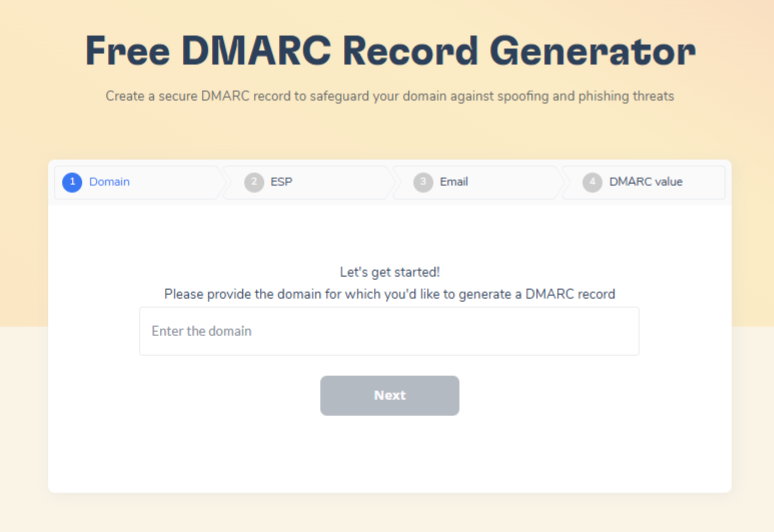
- Set up SPF, DKIM, and DMARC. These do not affect a SpamRATS listing, which is decided on connection behavior before any of them are evaluated. They matter enormously everywhere else, and configuring all three is the other half of a properly provisioned sender.
- Monitor rather than react. Checking a blacklist after your reply rate collapses means you have already lost several weeks of pipeline.
Rebuilding deliverability after delisting
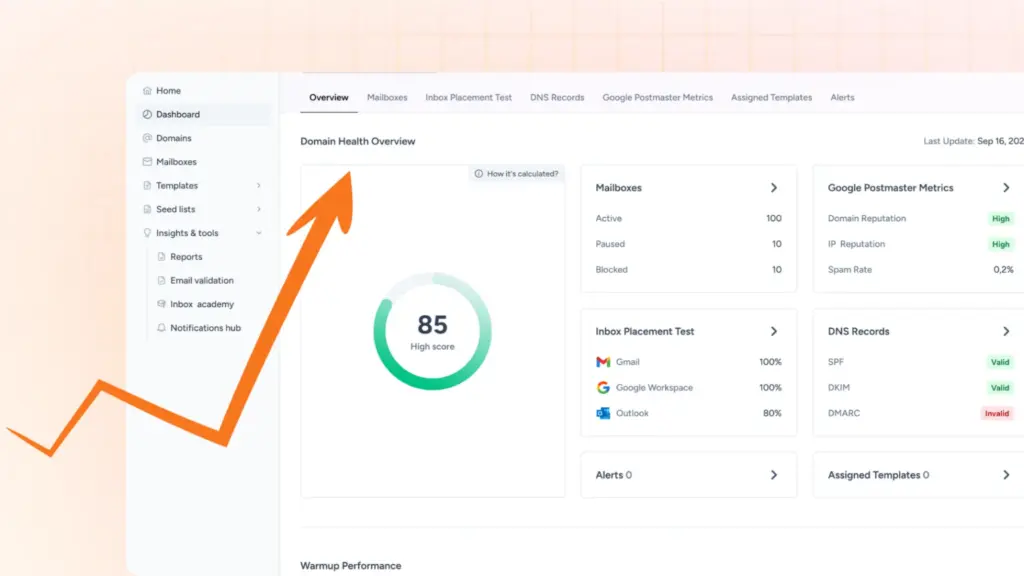
Warmy warms mailboxes and domains through real inbox interactions, with Adeline AI setting a volume ramp for each mailbox rather than applying one schedule to everything. The Domain Health Hub tracks blacklist status and authentication records continuously, so a listing surfaces as an alert instead of as a question you ask after the numbers drop.
Book a demo, and we’ll walk through your current placement across Gmail, Outlook, and Yahoo, your blacklist and authentication status, and the warm-up ramp that fits your sending volume.