TL;DR: Truncate is a free DNS blocklist published by ARM Research Labs at the zone truncate.gbudb.net. It lists IPv4 addresses only, never domains, and it is fully automated: nobody can add an IP, nobody can remove one, and nobody can pay to be delisted. Listings decay on their own, usually within a day or two, and up to a week or more after a heavy incident. Your job is to find the source of the bad mail, stop it, and then verify the listing has cleared.
What the Truncate blacklist actually is
Truncate is a DNSBL, a blocklist that mail servers query over DNS during the SMTP conversation. It has been running since May 22, 2010, when ARM Research Labs launched it as the first public data product built on GBUdb.
GBUdb stands for Good, Bad, Ugly database. It is a real-time IP reputation system built into Message Sniffer, ARM’s commercial spam and malware scanner. Every Message Sniffer node scores the messages it processes, marks the sending IP good or bad, and shares that verdict with the other nodes on the network. Truncate does not store any of this in a conventional database. A robot listens to the traffic between those nodes and republishes a narrow slice of it as a DNS zone, refreshed every 10 minutes.
The name comes from what the data is used for inside Message Sniffer. When an IP is bad enough, the scanner stops reading the message the moment it identifies the source, returns a result, and moves on. ARM’s own documentation describes this range with a Spinal Tap joke: these go to eleven.
Four facts drive everything else in this guide:
| Property | Detail |
|---|---|
| Zone | truncate.gbudb.net |
| Listed response | 127.0.0.2 |
| Scope | IPv4 addresses only |
| Delisting | Automatic only, free, no manual requests |
What Truncate Blacklist is not
A lot of published material about this list is wrong, so it is worth clearing the ground.
- It does not list domains. Truncate evaluates the connecting IPv4 address. If a checker tells you “your domain is on Truncate,” the checker is describing the IP behind your domain’s mail flow, or it is simply mislabeling its own results.
- It is not a website security product. Truncate has nothing to do with protecting a website from malware or filtering web traffic. It only answers one question: has this IP been sending mail that Message Sniffer nodes classify as spam, scam, virus, or other malware.
- It is not part of Spamhaus, and Spamhaus cannot check it. They are unrelated operators with separate zones. A Spamhaus lookup will never tell you your Truncate status.
- Gmail, Outlook, and Yahoo do not use it. Truncate is an infrastructure list. It shows up in self-hosted and appliance-grade mail filtering: SpamAssassin custom rules, Proxmox Mail Gateway, Exim and Postfix setups, ORF for Exchange, and products with native Message Sniffer integration such as SmarterMail, MDaemon, CommuniGate Pro, and Haraka. If your recipients are all on consumer mailbox providers, a Truncate listing is a warning sign rather than the direct cause of your inbox problem.
- It has no paid removal. ARM’s contribution page carries the point in capital letters: they do not accept donations to delist IPs. Any service charging you to remove an IP from Truncate is selling you the passage of time.
How an IP gets listed in Truncate
Most articles stop at “spam-like behavior.” ARM publishes the numbers, so here they are.
GBUdb tracks two counters per IP, a count of bad encounters and a count of good ones, and derives two figures from them.
- Probability is (Bad – Good) / (Bad + Good), on a scale from -1 (certainly legitimate) to +1 (certainly spam).
- Confidence is log(Bad + Good) / log(16383.5), on a scale from 0 to 1. It measures how much evidence exists, not how bad the IP is.
Truncate’s published tuning parameters are p = 0.9 and c = 0.2.
Run those through the formulas and the listing threshold becomes concrete. A probability of 0.9 means at least 95 percent of remembered events for that IP were bad, which matches ARM’s plain-language description of the list. A confidence of 0.2 corresponds to roughly seven total remembered events.
That is the part senders underestimate. An IP can land on Truncate after about seven observed messages, provided almost all of them were classified as bad. ARM says listings can appear within 10 minutes of an outbreak. There is no volume threshold protecting a low-volume sender, only a purity threshold. A new IP sending a handful of messages that all trip pattern rules is a listing candidate.
The flip side is that this design keeps false positives rare. A mixed source that sends real mail alongside the occasional complaint will sit in GBUdb’s caution or black ranges without ever reaching Truncate.
What a Truncate listing usually means about your wider reputation
Intra2net has monitored DNSBL accuracy for years, and ARM links to their monitor as an independent check on its own work. Their overlap data for the seven weeks ending August 9, 2026 shows how rarely a Truncate listing travels alone:
| Also listed on | Overlap with Truncate |
|---|---|
| DCC (dcc1.dcc-servers.net) | 92.49% |
| Spamhaus ZEN | 81.64% |
| Composite Blocking List (CBL) | 76.79% |
| Spamhaus XBL | 76.79% |
| SpamRats (all) | 62.44% |
Read that as a diagnostic. More than four out of five IPs on Truncate are also on Spamhaus ZEN, and roughly three in four are on the CBL, which lists machines showing signs of compromise or botnet participation.
If you are on Truncate, check Spamhaus and the CBL immediately. The listing that is actually damaging your delivery is probably one of those, and Truncate is the one that surfaced first because it reacts in minutes rather than hours.
How to check whether your IP is listed in Truncate
Truncate is a DNS zone, so the authoritative check is a DNS query. Reverse the four octets of your IP and append the zone.
For 203.0.113.45, the query name is 45.113.0.203.truncate.gbudb.net.
Linux, macOS
- dig +short 45.113.0.203.truncate.gbudb.net.
Windows
- nslookup 45.113.0.203.truncate.gbudb.net.
A response of 127.0.0.2 means listed. No record at all, an NXDOMAIN, means not listed. Truncate returns a single code, so there is no return-code table to decode.
Before trusting a clean result, confirm the list is answering correctly. RFC 5782 requires every IPv4 DNSBL to list 127.0.0.2 permanently and never to list 127.0.0.1.
Those two queries are your sanity check:
- dig +short 2.0.0.127.truncate.gbudb.net # expect 127.0.0.2.
- dig +short 1.0.0.127.truncate.gbudb.net # expect nothing-
If the first returns nothing, your resolver is not reaching the zone and your “clean” result is meaningless. If the second returns an address, something is hijacking your DNS. Deliverability engineers recommend running this pair against any list you rely on, because abandoned or hijacked blocklist domains have historically returned wildcard answers that list the entire internet.
One practical caveat: query from a resolver that performs its own recursion. Large public resolvers are heavily used against blocklists and can return throttled or incomplete answers.
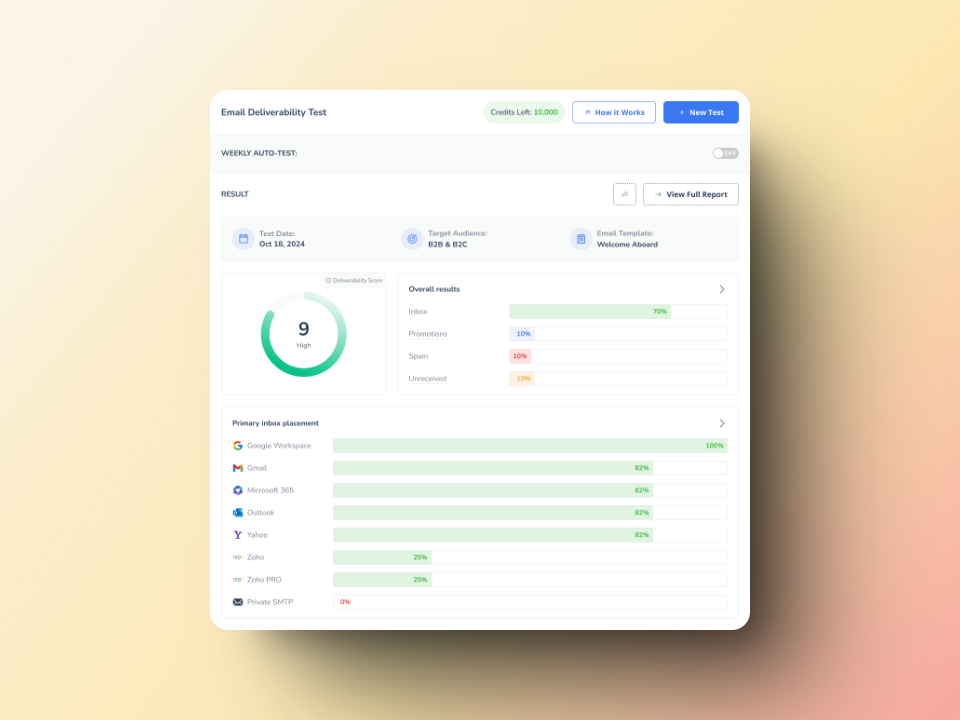
If you would rather not touch a terminal, Warmy’s free Email Deliverability Test checks blacklist status alongside per-provider inbox placement and your DNS records, so you see the listing in the context of what it is doing to your delivery. Multi-list checkers such as MXToolbox also cover Truncate.
For a comparison of monitoring options, see our roundup of blacklist monitoring and removal tools.
Before you fix anything, confirm which IP is listed
This is where most cold email teams waste a week.
Truncate lists the IP that connected to the receiving server. If you send through Google Workspace or Microsoft 365, that is a Google or Microsoft IP, not yours. If you send through SendGrid, Amazon SES, Mailgun, or any shared pool, it belongs to your provider. A listing on that address is a shared-infrastructure problem, and no amount of fixing your own configuration will clear it.
Find the real sending IP before you do anything else. Open a message you sent, view the full headers, and read the earliest Received: line, the one added by your own outbound server. That address is what Truncate saw.
Then decide which situation you are in:
- Your own IP, dedicated. The rest of this guide applies. The problem is on your network.
- Your provider’s shared IP. Open a ticket with evidence: the IP, the listing result, and timestamps. Ask to be moved to a different pool. Consider whether a dedicated IP makes sense for your volume.
- A cloud IP you recently acquired. You may have inherited someone else’s reputation. Keep reading, because ARM changed how that case behaves.
How to get your IP removed from the Truncate blacklist
There is no form, no ticket, and no fee. ARM is unambiguous: IPs are removed automatically when the statistics change, and there is no provision for manual removal.
Removal works through decay. At least once every 24 hours, GBUdb divides both the good and bad counters for an IP by two. That halves the confidence figure’s underlying evidence without changing the probability figure.
Two things follow: First, if nothing new is recorded, the IP eventually falls below the confidence threshold and drops off the list. Second, because the counters shrink, any new good event carries disproportionate weight, which is why resuming clean sending clears a listing faster than silence does.
ARM says most listings clear within a day or two, and that a severe incident can take a week or more.
Applying the published decay rule to the published threshold gives a rough timetable. These figures are modeled from ARM’s own formulas rather than quoted from a support page, and they assume no further events of any kind:
| Bad events recorded | Approximate time to drop off |
|---|---|
| 50 | ~3 days |
| 100 | ~4 days |
| 1,000 | ~8 days |
| 10,000 | ~11 days |
Because confidence is logarithmic, every tenfold increase in bad volume adds only about three days. A compromised mailbox that fired off ten thousand messages does not sit on the list ten times longer than one that fired off a thousand.
The 2020 change most guides still miss
In June 2020, ARM refactored the bots that maintain GBUdb and added what it calls a zone of structured criticality just below the Truncate threshold. IPs with a purely black reputation now get held there, in what ARM describes as a statistical event horizon, until some new behavior is observed.
The practical consequences are worth spelling out, because they contradict the standard advice.
- Going quiet is not the same as recovering. A repeat offender that simply stops sending carries a slight bias when it starts again. Waiting out the clock leaves you parked at the edge.
- Clean sending is what actually clears you. If new activity is positive, the IP is pushed away from the threshold quickly and earns the reputation its current behavior deserves. ARM gives the example of a cloud IP that was a bad actor under a previous owner and has been reassigned, which is exactly the case for anyone buying VPS or dedicated IPs for outreach.
- Relapse is punished harder. If the IP sends bad content again, it is pushed back onto Truncate rapidly, and reflections on it are strongly biased toward black.
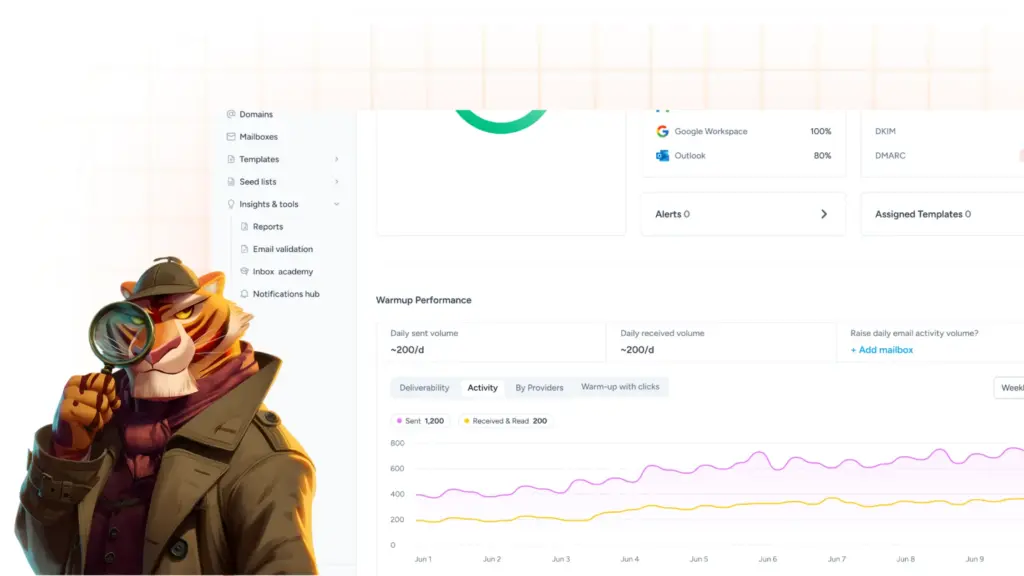
So the sequence that works is: fix the source, then resume sending at low volume with content and recipients you are confident about, and let the good events accumulate. A structured email warm-up is the mechanism for generating exactly that kind of positive signal without risking a second listing.
If you need evidence, ask for a trace
Truncate has no delisting desk, but ARM does offer something few senders know about. On request, they may put a trace on an IP to monitor GBUdb events. If nodes are still discussing your address, they can provide statistical data along with UTC timestamps to help you locate the source of the problem.
That is the single most useful thing you can get from ARM. Timestamps let you correlate listings against your own outbound logs and identify the exact mailbox, script, or customer responsible. Contact them through the GBUdb site, describe the IP and the timeframe, and be clear that you are trying to stop abuse rather than argue about the listing.
Why your IP was listed, and what to fix
Truncate lists on message content classified as spam or malware, so work backward from that. In practice these are the causes worth checking, roughly in order of how often they turn out to be the answer.
- A compromised mailbox. Credential stuffing gets an attacker into one account, and your authenticated relay sends their phishing for them. Force password resets, enable MFA, and audit recent SMTP AUTH logins for unfamiliar IPs and countries.
- An infected machine on your network. The overlap with the CBL points here. Scan endpoints, and check for devices sending SMTP directly to port 25 instead of through your mail server.
- An open relay or a poorly secured web form. Contact forms, password-reset endpoints, and legacy relay rules get abused constantly. Test your server for open relay and rate-limit anything that sends mail on a visitor’s behalf.
- Forwarded malware. If you forward mail for users or run a mailing list, you inherit responsibility for what passes through you. Scan on the way out, not only on the way in.
- Purchased or scraped lists. Content aimed at addresses that never opted in tends to match spam pattern rules, and spam traps sit in exactly those lists.
- A cold outreach template that reads like spam. Truncate reacts to content classification. Aggressive subject lines, tracking-heavy HTML, and shortened links all raise the odds. Run drafts through Warmy’s Template Checker before a campaign.
- Missing authentication. Weak or absent SPF, DKIM, and DMARC do not put you on Truncate by themselves, but they let others spoof your domain and they remove your ability to prove which mail is genuinely yours.
- Inherited reputation. A new cloud IP may have arrived with history. Query it before you send your first message, not after.
Staying off the Truncate list
ARM’s own advice on prevention is refreshingly vendor-neutral. Asked whether you need to buy Message Sniffer to stay off Truncate, they answer no, and recommend outbound scanning with any tool you like, naming SpamAssassin as a free option.
That is the core of it. Scan what leaves your network, not only what arrives.
Around that, the fundamentals apply: authenticate every sending domain, verify addresses before you send to them, keep sending volume steady rather than spiky, monitor bounce and complaint rates, and check your sending IPs against the major lists on a schedule instead of after a delivery collapse.
For the wider playbook across lists that do have delisting procedures, see our guide to email domain and IP blacklist removal, and our walkthrough for the Abusix Mail Intelligence blocklist.
Where Warmy fits

Truncate rewards a specific pattern: consistent, clean, low-risk sending that generates positive events faster than negative ones. That is precisely what an email warm-up produces.
Warmy ramps your sending volume gradually while generating genuine engagement, monitors your domain and IP reputation as you scale, and flags blacklist appearances before your reply rate tells you the hard way. If you are recovering from a listing, it gives you a controlled way to rebuild rather than resuming a campaign at full volume and triggering a second one. Book a deliverability consultation.