TL;DR: A mail transfer agent (MTA) is the mail server software that moves messages between hosts over SMTP. It queues your email, retries temporary failures, generates bounces, enforces authentication, and controls how fast you send to each mailbox provider. If you send through an ESP, someone else operates the MTA for you, but its behavior shows up directly in your delivery rates, your delays, and how your warmup goes.
You hit send. The message vanishes from your outbox, and you assume it landed somewhere useful. Between those two moments there’s a piece of software deciding whether it goes out now, whether it waits, or whether it comes back with an error code stapled to it.
That software is the mail transfer agent. What is a mail transfer agent, in one sentence? It’s the mail server program that accepts your message, works out which server handles the recipient’s domain, opens an SMTP connection, and keeps trying until the message is delivered or abandoned.
Think of the dispatcher at a freight depot. Pallets arrive, get sorted by destination, and leave at whatever pace the receiving warehouse will accept that afternoon. Delays and returned shipments get decided at that desk.
What is a mail transfer agent (MTA)?
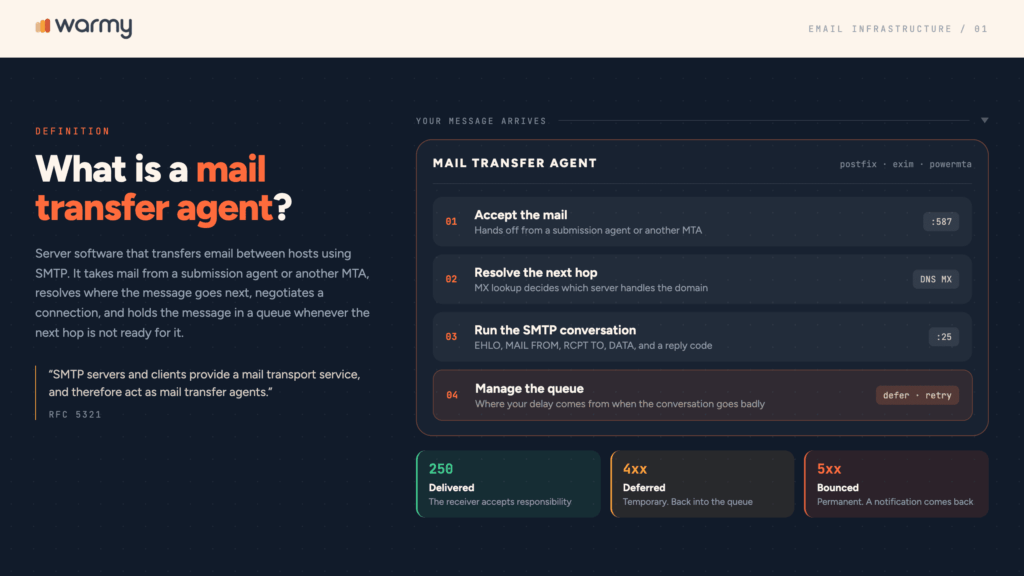
A mail transfer agent (MTA) is server software that transfers email between hosts using SMTP. It takes mail from a submission agent or another MTA, resolves where the message goes next, negotiates a connection, and holds the message in a queue whenever the next hop isn’t ready for it.
The term comes from the spec. RFC 5321 states that SMTP servers and clients provide a mail transport service and therefore act as mail transfer agents, while mail user agents are the sources and targets of the message.
Anyone hunting for a mail transfer agent wiki definition wants that line, plus some idea of what the software does at 2 a.m. when nothing is moving. You’ll see the same component called a mail relay or a message transfer agent, too.
So what is mail transfer agent software doing all day? Four things, on repeat: accepting mail, resolving the next hop, running the SMTP conversation, and managing the queue when that conversation goes badly.
Where the MTA fits: MUA, MSA, MTA, and MDA
Email moves through a chain of specialized components, each one regularly blamed for the others’ problems.
| Stage | What it is | Typical example | What happens there |
|---|---|---|---|
| MUA | Mail user agent | Outlook, a Python script | Message composed and submitted |
| MSA | Mail submission agent | Postfix on port 587 | Sender authenticates, DKIM signing |
| MTA (sending) | Mail transfer agent | Postfix, Exim, PowerMTA | MX lookup, queueing, throttling, relay on port 25 |
| MTA (receiving) | Recipient’s edge server | aspmx.l.google.com | Filtering, reputation checks, accept or reject |
| MDA | Mail delivery agent | Dovecot LMTP, procmail | Message written into the mailbox |
The sending MTA finds the receiving one through DNS:
$ dig MX +short gmail.com
5 gmail-smtp-in.l.google.com.
10 alt1.gmail-smtp-in.l.google.com.
20 alt2.gmail-smtp-in.l.google.com.
Lower number, higher priority. Your MTA tries gmail-smtp-in first and works down the list when a host doesn’t answer.
Now, MTA vs MDA. The MTA moves mail between servers and can hand it off any number of times. The MDA runs once, at the end, writing the message into a mailbox. Folder rules and quotas belong to the MDA; queueing, retries, and reputation belong to the MTA.
Every hop leaves a fingerprint in the headers, newest first:
Received: from mail.example.com (mail.example.com [203.0.113.24])
        by mx.recipient.net with ESMTPS id 4Wq2xR3vzMz1F
        for <buyer@recipient.net>; Tue, 25 Aug 2026 14:02:11 +0000 (UTC)
Read them bottom to top for the route and its timestamps. When somebody complains that an email took forty minutes to arrive, this is where the missing time shows up.

MTA vs. SMTP: What’s the difference?
SMTP is a protocol: a fixed vocabulary of commands and three-digit reply codes. An MTA is a program that implements it. Postfix, Exim, and Haraka are MTAs. SMTP is what they say to each other.
The confusion is understandable, because “SMTP server” gets used as a synonym for both. People who search MTA SMTP are usually trying to work out which one they’re supposed to configure.
You configure an MTA. You troubleshoot SMTP, meaning the transcript of what the two MTAs said before things went wrong:
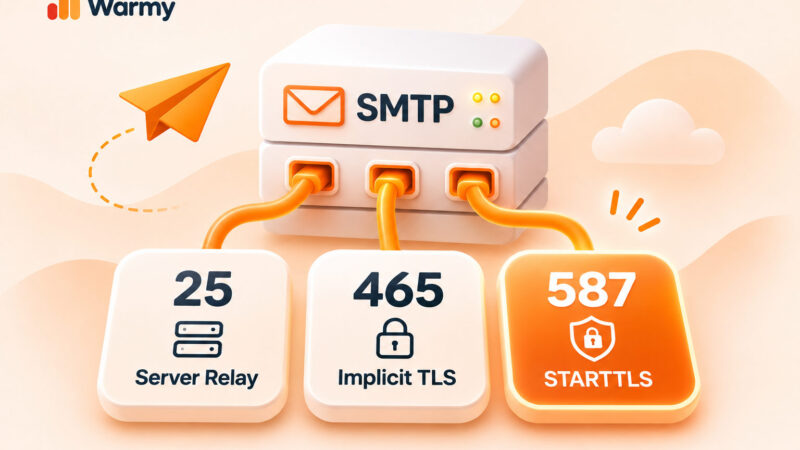
$ openssl s_client -starttls smtp -crlf -connect mail.example.com:587
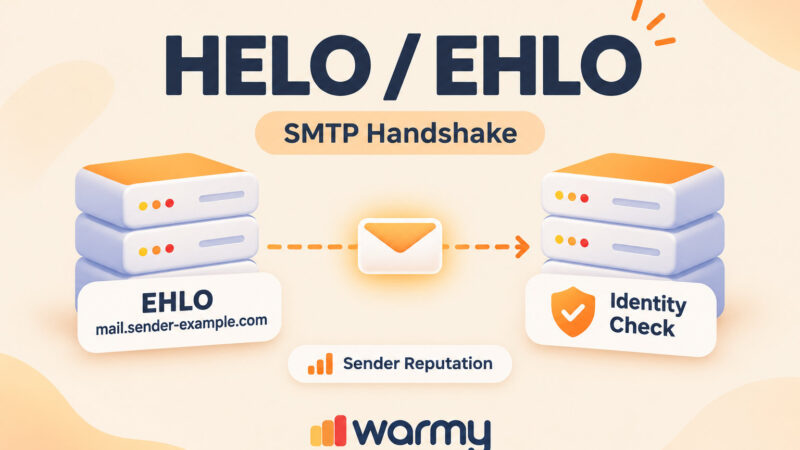
EHLO sender.example.com
250-mail.example.com
250 SIZE 36700160
MAIL FROM:<hello@example.com>
250 2.1.0 Ok
RCPT TO:<buyer@recipient.net>
250 2.1.5 Ok
DATA
354 End data with <CR><LF>.<CR><LF>
Subject: Quick question

Body goes here.
.
250 2.0.0 Ok: queued as 4Wq2xR3vzMz1F
That final 250 ... queued as is the receiving MTA accepting responsibility for the message. For the full command set and the logic behind those reply codes, read our full breakdown of SMTP and how the server works. MTA vs SMTP in one line: you install, tune, and restart an MTA, while SMTP is the agreement it follows.
How an MTA actually moves your email
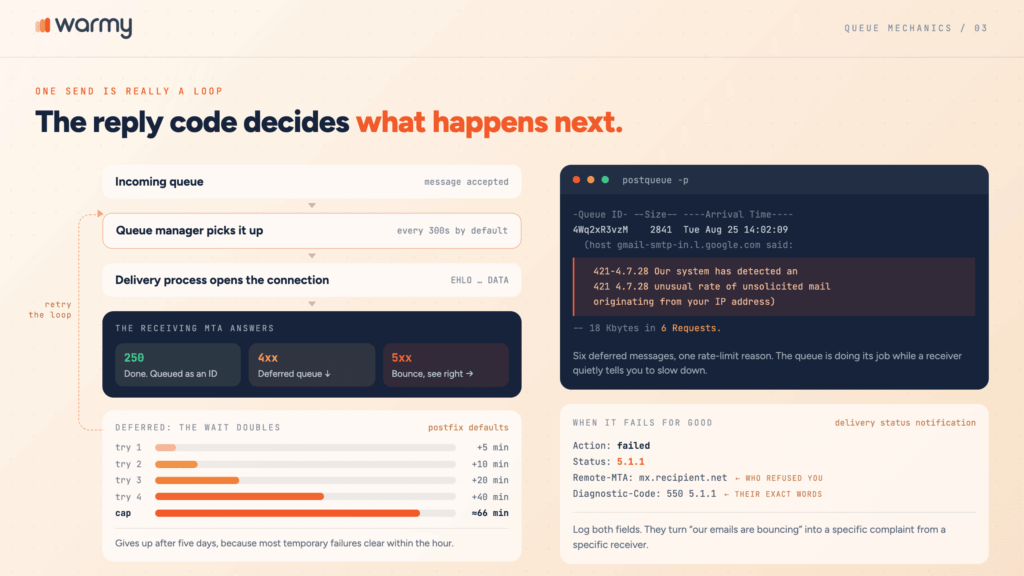
One send is really a loop, run once per attempt.
Your message enters an incoming queue, a queue manager picks it up, and a delivery process opens the connection. If the destination answers with a 250, the message is done.
Any other response splits the path: a 4xx code is temporary and sends the message to the deferred queue, while a 5xx code is permanent and produces a bounce.
Email queue retry logic is usually where your delay comes from. Postfix, for instance, scans the deferred queue every 300 seconds by default, doubles the wait after each failure up to roughly 66 minutes, and gives up after five days.
Those defaults are deliberately patient, because most temporary failures (greylisting, a full mailbox, a receiver having a rough morning) clear within the hour.
You can watch it happen:
$ postqueue -p
-Queue ID- --Size-- ----Arrival Time---- -Sender/Recipient-------
4Wq2xR3vzM     2841 Tue Aug 25 14:02:09  hello@example.com
   (host gmail-smtp-in.l.google.com[142.250.153.27] said:
   421-4.7.28 [203.0.113.24] Our system has detected an unusual rate
   421 4.7.28 of unsolicited mail originating from your IP address
   (in reply to end of DATA command))
                                         buyer@gmail.com

-- 18 Kbytes in 6 Requests.
That’s one of six deferred messages, all carrying the same rate-limit reason. The queue is doing its job while a receiver quietly tells you to slow down.
When a message fails permanently, the MTA generates a delivery status notification, the technical name for a bounce:
Reporting-MTA: dns; mail.example.com
Final-Recipient: rfc822; buyer@recipient.net
Action: failed
Status: 5.1.1
Remote-MTA: dns; mx.recipient.net
Diagnostic-Code: smtp; 550 5.1.1 User unknown
Remote-MTA names the server that refused you and Diagnostic-Code carries its exact words. Log both. They turn “our emails are bouncing” into a specific complaint from a specific receiver.
How the MTA affects email deliverability
Your copy determines whether anyone engages with the email. Before that can happen, the receiving system forms an opinion based on how your MTA behaved on the wire, and that opinion carries real weight.
- Rate limiting. Mailbox providers cap how much they’ll take from one IP or domain per unit of time and enforce it with temporary rejections. Gmail arrives as 421 4.7.28, tied to an IP, a netblock, an SPF domain, a DKIM domain, or a URL you keep linking to.
Rate limiting email traffic on your side is the polite answer, and every serious MTA supports it:
# main.cf: pace outbound traffic per destination
default_destination_concurrency_limit = 10
smtp_destination_rate_delay = 2s

# transport: gmail.com  smtp-gmail:
# master.cf: a dedicated transport for one picky receiver
smtp-gmail unix - - n - 5 smtp
    -o smtp_destination_concurrency_limit=5
-o smtp_destination_rate_delay=3s- Connection hygiene. The receiving MTA judges you before it sees a word of copy. Does your IP have a PTR record matching your HELO name? Does the connection negotiate TLS? Mismatches produce rejections that look mysterious in a dashboard and obvious in a mail log.
- Authentication enforcement. SPF, DKIM, and DMARC get stamped by your MTA and checked by theirs. Google expects bulk senders to authenticate properly and to keep user-reported spam rates below 0.1%, with 0.3% as the point where you lose access to mitigation.
- Retry behavior. An MTA that hammers a receiver after every deferral looks like a spam engine. One that backs off looks like a legitimate sender having a bad day. Warmy is an email deliverability platform built around these signals, and you can monitor MTA-related signals automatically rather than grepping logs at midnight.
MTA and IP/domain warmup
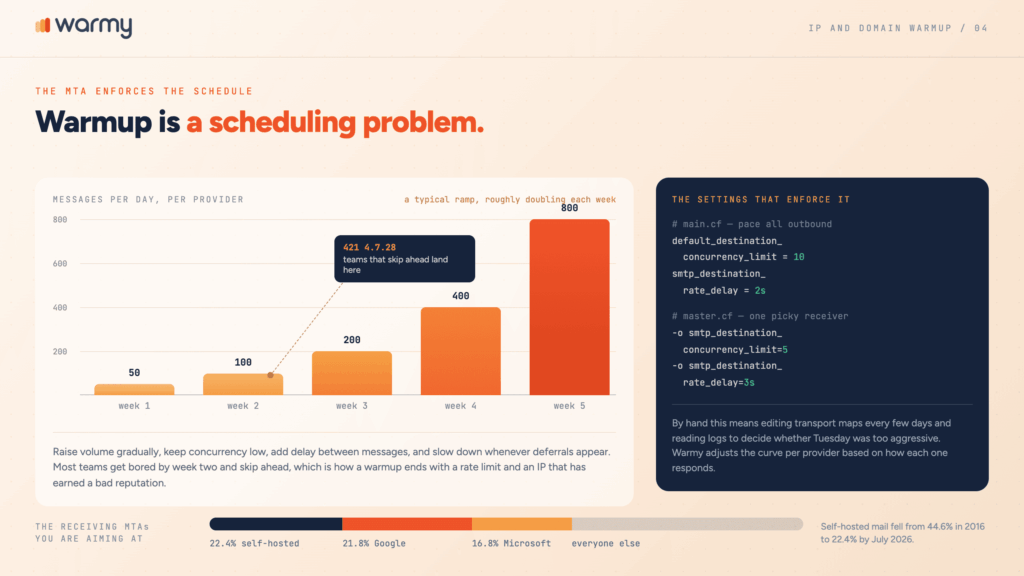
A brand-new sending IP has no history. Receiving MTAs treat unknown traffic cautiously by default: throttled first, trusted later, once there’s a record to judge.
IP warming MTA settings exist for exactly this. Warming is a scheduling problem: raise volume gradually, keep concurrency low, add delay between messages, and let each provider build a record of your traffic before you send anything that matters.
A typical ramp starts near 50 messages a day per provider and roughly doubles each week, slowing whenever deferrals appear.
By hand, that means editing transport maps every few days and reading logs to decide whether Tuesday was too aggressive. Most teams get bored by week two and skip ahead, which is how a warmup ends with a 421 and an IP that has earned itself a bad reputation. You can let AI-driven warmup handle this gradually for you, with the curve adjusted per provider based on how each one responds.
Domain warmup follows the same logic and can’t be dodged by buying a fresh IP, because reputation attaches to the DKIM domain as much as to the address you send from.
Popular MTA software (a brief overview)
Open source dominates this category, and two names dominate open source: Postfix and Exim account for more than 92% of identifiable mail servers in MX survey data. The short list:
- Postfix. The default on most Linux distributions, modular and well documented.
- Exim. Extremely configurable, standard in cPanel environments, with a config language that rewards patience.
- Sendmail. The original, still running where nobody wants to touch what works.
- Haraka. Node.js based and plugin driven, for teams that want to script delivery logic.
- OpenSMTPD. From the OpenBSD project, built around a deliberately small config file.
- PowerMTA and Halon. Commercial MTAs for high-volume senders who need per-IP control.
Cloud platforms like Amazon SES, SendGrid, and Postmark run their own MTA fleets, which you rent rather than configure.
Where the MTA fits in your larger email infrastructure
Your email infrastructure is DNS plus software plus reputation, and the MTA sits in the middle holding the other two together. DNS publishes where mail goes (MX) and who may send it (SPF, DKIM, DMARC, plus the PTR record on your IP). The MTA applies that configuration and produces the logs that tell you whether any of it works.
Fewer companies run this stack themselves every year. Among domains in the Tranco top million that publish MX records, self-hosted mail fell from 44.6% in 2016 to 22.4% by July 2026, while Google Workspace handles 21.8% of them and Microsoft 365 another 16.8%. Practically, that means most senders are aiming at two receiving MTAs with very firm opinions, which raises the cost of getting your own side wrong.
Conclusion
What is a mail transfer agent, after all that? It’s the part of your stack that turns a sending decision into a delivery attempt, and the part that records exactly why an attempt failed. Reading its output is the fastest way to stop guessing about deliverability.
If you’d rather have that visibility without maintaining a mail server, Warmy handles warmup and monitoring for you, and teams with their own infrastructure can integrate deliverability monitoring directly into your stack.