What are the best email providers for businesses and startups in 2026?
Up to 25% of cold and transactional emails from a fresh business domain end up in spam if SPF, DKIM, and DMARC aren’t set up correctly, no matter which inbox provider you choose.
Compare the top business email providers for 2026: Neo Mail, Hostinger, Zoho Mail, Tuta Mail on pricing, security, deliverability, and ease of use. Neo Mail is best for easy setup; Hostinger is best for affordable custom-domain email; Zoho Mail is best for growing teams, and Tuta Mail is best for privacy-focused businesses. Before you choose, it is important to compare pricing, security, sending limits, SPF/DKIM/DMARC support, and email deliverability.
Warmy is the Revenue Protection layer for high-volume senders- an AI-driven email deliverability platform that improves inbox placement, protects sender reputation, monitors domain health, and reduces the risk of important emails landing in spam.
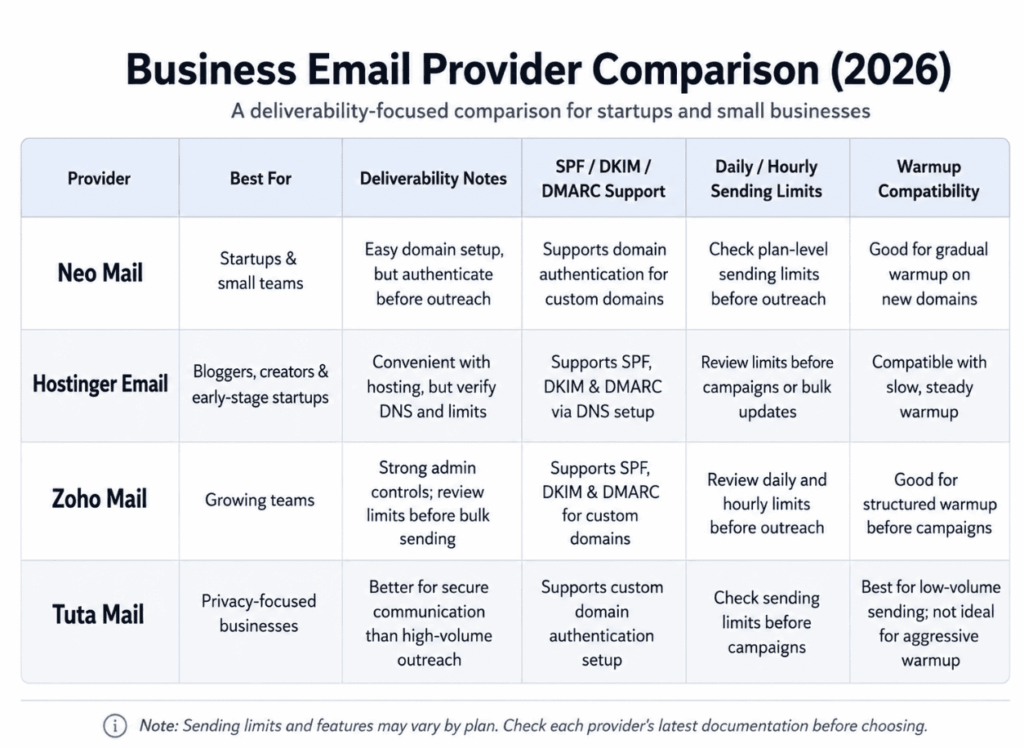
Quick Comparison Table
When you compare business email providers, you’ll usually start with price, storage, and security, but deliverability matters just as much. Your provider should have safe sending limits and help you warm up your email.
Top Business Email Providers for Small Businesses
1. Neo Mail
Best For
Startups, freelancers, creators, agencies, and small businesses.
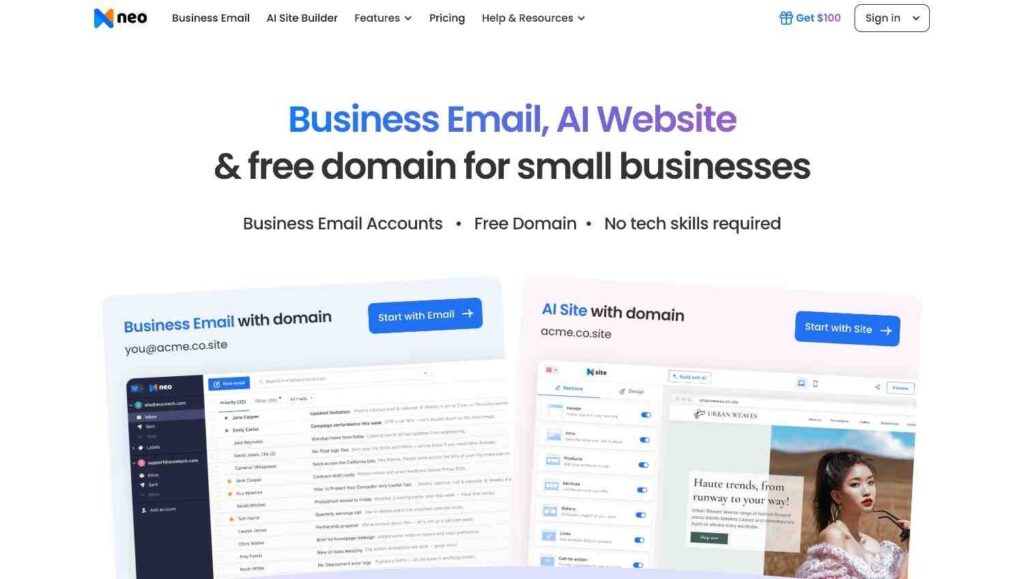
Neo Mail is designed for startups, freelancers, creators, and small businesses that want a professional email setup without complicated steps. A unique feature is that you can create a business email address even if you do not own a domain yet, which helps new businesses build their brand online. By keeping the basic business tools together, it saves time for smaller teams who do not want to manage multiple services.
Features
- Create professional email addresses without already owning a domain.
- AI email writing assistance for faster replies and outreach.
- Built-in calendar for scheduling meetings and appointments.
- Free AI website builder for basic online presence setup.
- Simple dashboard that works well for non-technical users.
- Read receipts and Email tracking feature.
Deliverability Notes
Neo Mail works well for startups that want to set up a custom domain quickly. Before sending emails, you must verify your domain and set up SPF, DKIM, and DMARC. Warm up your mailbox slowly, and if you have a new domain, do not send too many emails at once. Check if your messages reach inboxes before starting campaigns.
Check your sending domain before choosing Neo Mail. Problems with SPF, DKIM, or DMARC can affect inbox placement, even if setup is simple. Use Warmy’s Free Email Deliverability Test to check your setup.
Limitations
Not built for very large companies that need advanced enterprise collaboration systems.
2. Hostinger
Best For
Bloggers, creators, and early-stage startups that want business email along with domain and hosting services.
Hostinger is a good choice for anyone building a website who wants business email in the same place. Keeping your domain, hosting, and email together makes setup easier and less stressful.
Features
- Easy setup for users already using Hostinger domains or hosting.
- Webmail access for sending and managing emails online.
- Spam and virus protection for safer communication.
- Email forwarding and autoresponder support.
- Affordable plans for small businesses and individuals.
Deliverability Notes
Hostinger Email is helpful for teams that manage domains and hosting together. Before sending business emails, check your DNS records to confirm SPF, DKIM, and DMARC are set up. Review sending limits before using the mailbox for outreach or updates. Warm up new accounts before increasing your daily email volume.
Limitations
Offers fewer advanced productivity and collaboration tools than Google Workspace or Microsoft Outlook.
3. Zoho Mail
Best For
Freelancers and growing teams that want affordable business email with extra workplace tools.
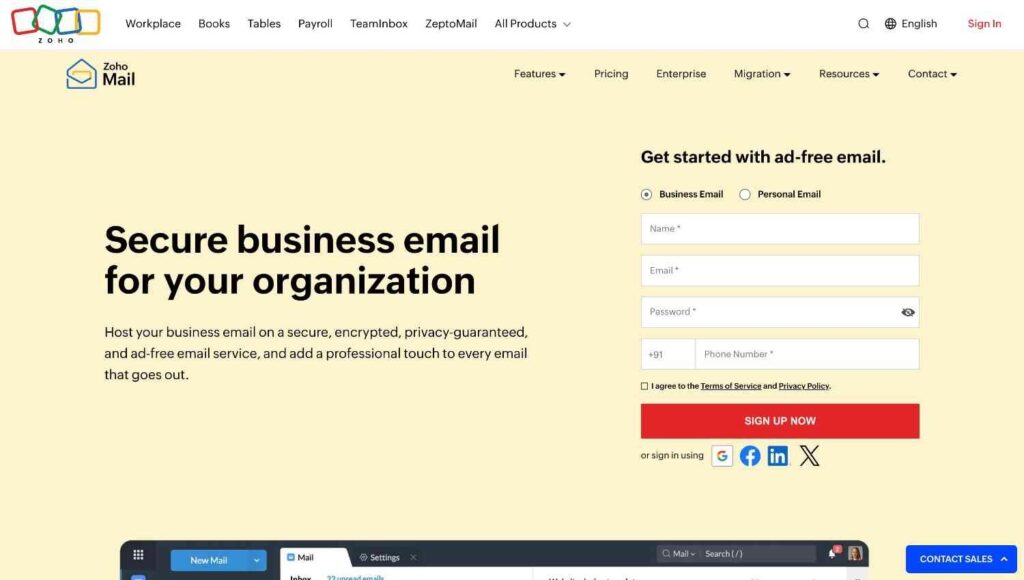
Zoho Mail is a good option for businesses that want more than a basic inbox but do not need expensive enterprise plans. It provides professional email hosting and useful tools for calendars, contacts, tasks, notes, and team collaboration.
Features
- Clean, ad-free business email interface.
- Built-in calendar, contacts, tasks, and notes.
- Strong admin controls for managing users and teams.
- Email retention and security features.
- Integration with Zoho’s wider business app ecosystem.
Deliverability Notes
Zoho Mail helps growing teams manage users, aliases, domains, and security. Before sending many emails, check SPF, DKIM, and DMARC settings, review sending limits, and warm up your new mailbox. For best results, set up your account, make sure authentication is correct, and increase email volume slowly before starting campaigns.
Before increasing outreach with Zoho Mail, warm up your mailbox slowly to avoid sudden spikes that could hurt your sender reputation. Use Warmy’s Email Warmup tool to help with this process.
Limitations
Customer support varies by plan and issue type.
4. Tuta Mail
Best For
Small businesses, freelancers, and users looking for affordable secure email hosting.
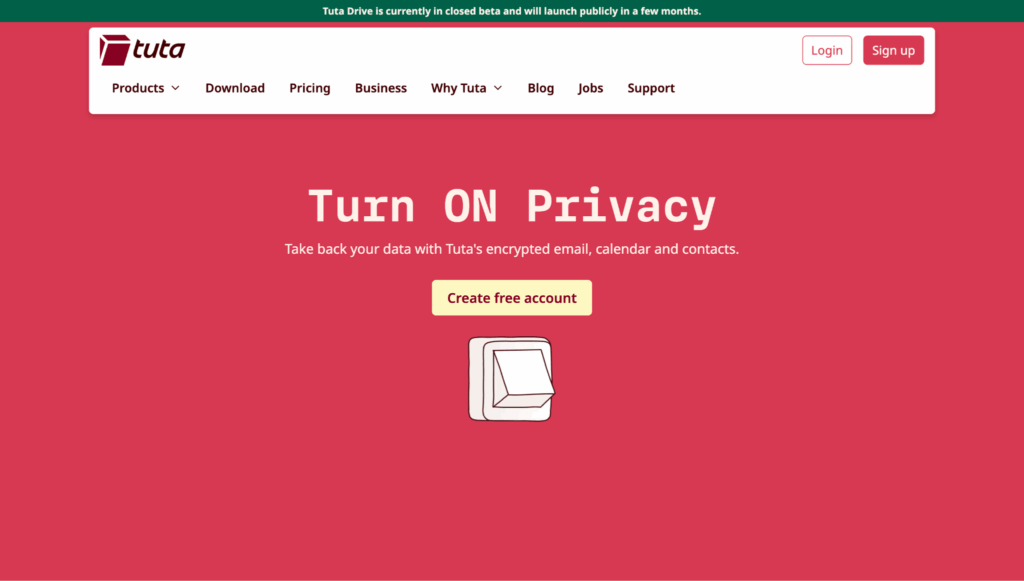
Tuta Mail is a simple, beginner-friendly email service focused on secure communication. It offers better privacy without complicated software. The interface is easy to use, pricing is affordable, and the platform provides encrypted email and calendar support.
Features
- Encrypted email communication.
- Secure calendar functionality.
- Simple and clean interface.
- Custom domain email support.
- Mobile and desktop compatibility.
- Strong privacy and data protection standards.
Deliverability Notes
Tuta Mail is best for secure communication, not for sending large volumes of messages. It works well for private business conversations and client emails, making it a good choice for low-volume professional use. If your team plans to do sales outreach or run campaigns, check the sending limits, authentication steps, and warmup options before using it as your main email tool.
If privacy is your main concern with Tuta Mail, review your email content before sending client emails, outreach, or important business messages. Use Warmy’s Email Template Checker to help with this.
Limitations
Smaller ecosystem compared to larger email providers.
Why Email Deliverability Matters When Choosing a Business Email Provider?
Your provider affects inbox placement
A business email provider does more than just host your inbox. It also affects whether your emails reach customers, leads, vendors, and partners.
Poor setup sends good emails to spam
If your domain has weak authentication, a poor sender reputation, or sudden spikes in sending, even important emails can end up in spam.
Deliverability affects revenue
For startups and small businesses, missing sales replies, invoices, onboarding emails, or partnership messages can cause real business problems.
Check the basics before choosing
Email deliverability, inbox placement, SPF, DKIM, DMARC, and email warmup should be part of your provider comparison from the start.
Test inbox placement before sending
Before choosing a provider, run a free email deliverability test to check inbox placement, sender reputation, spam score, and authentication issues.
Review your email copy
Use Warmy’s email template checker to catch spam-triggering words, formatting issues, or content problems before sending.
Check domain protection
Use the DMARC checker to make sure your domain is properly protected before you start sending business emails.
Pro Tip from the Warmy team:
Do not wait until emails start landing in spam to check deliverability. Test your SPF, DKIM, DMARC, sender reputation, and inbox placement before you launch outreach, onboarding emails, invoices, or customer updates.
How to Choose the Right Business Email Provider?
You’re choosing more than an inbox here, your provider also decides whether your sales replies, invoices, and onboarding emails reach the inbox or land in spam.
Pro Tip from Warmy team: Pro Tip from Warmy team: Don’t pick a corporate email provider just because it’s cheap or easy to set up. Check first authentication, sending limits, inbox placement, and domain reputation. Missing a sales reply, blocked onboarding email or invoice in spam isn’t simply a deliverability problem, it’s a revenue problem.
Before choosing a provider, keep these points in mind:
Deliverability
Check whether the provider supports SPF, DKIM, and DMARC. These records help inbox providers verify that your emails are legitimate.
Sending limits
It is better to review daily and hourly sending limits for your provider before using the account for outreach, onboarding, invoices, newsletters, or customer updates.
Custom domain support
A custom domain looks professional, although it needs the right DNS setup. If the setup is weak, your business emails could end up in spam.
Warmup compatibility
New domains should start with gradual sending, before launching big campaigns altogether. Warming up helps in building trust with mailbox providers over time.
Security
If your business handles client details, contracts, payments or private conversations, privacy and account safety matters.
Scalability
Choose a provider who can handle more users, aliases, domains and customer workflows as your team grows.
Use Warmy’s Email Deliverability hub to understand inbox placement and sender reputation, and the Email Warmup hub to plan a safer sending ramp before launching outreach.
Key takeaways before you choose:
- Pick a provider that supports proper SPF, DKIM, and DMARC setup.
- Check daily and hourly sending limits before using the inbox for outreach.
- Warm up new domains and mailboxes gradually instead of sending too much too soon.
- Choose privacy-focused tools like Tuta Mail for secure conversations, not high-volume campaigns.
- Do not compare providers by price alone. Deliverability can directly affect sales replies, invoices, onboarding emails, and customer communication.
Why More Startups Are Looking Beyond Traditional Email Platforms?
Many businesses are leaving older email providers because they do not want software packed with features they rarely use.
Modern startups often prefer tools that are:
- Easier to set up.
- More affordable.
- Better designed.
- Faster to learn.
- Simpler to manage.
This change opened the door for newer business email providers that focus on user experience, flexibility, and deliverability.
For smaller companies simplicity is often more valuable than having lots of advanced features.
Conclusion
Choosing a business email provider is not as simple as it looks. Deliverability is important. If your emails end up in spam, it will not matter if you have a low price, a clean inbox, or a privacy-focused interface.
Neo Mail is a great choice for startups that want easy setup and helpful business tools. Hostinger is good for small businesses that need affordable email with domain or hosting support. Zoho Mail suits growing teams that want more structure and admin control. Tuta Mail is best for businesses that value privacy and secure communication.
The best email provider for your team depends on how you use email. If you use email for sales, customer service, onboarding, renewals, or partnerships, focus on deliverability from the beginning.
Before switching providers or sending from a new domain, test your setup with Warmy’s Free Email Deliverability Test. You can also book a Warmy demo to see how deliverability protection works with your email setup.